instrument panel CADILLAC STS 2007 1.G Owner's Guide
[x] Cancel search | Manufacturer: CADILLAC, Model Year: 2007, Model line: STS, Model: CADILLAC STS 2007 1.GPages: 560, PDF Size: 2.92 MB
Page 224 of 560
Be sure to continue scanning your displays,
controls and driving environment just as you would
in a vehicle without HUD. If you never look at your
instrument panel cluster, you may not see
something important, such as a warning light.
Under important warning conditions, the CHECK
GAGES message will display in the HUD. View
your Driver Information Center (DIC) for more
information.
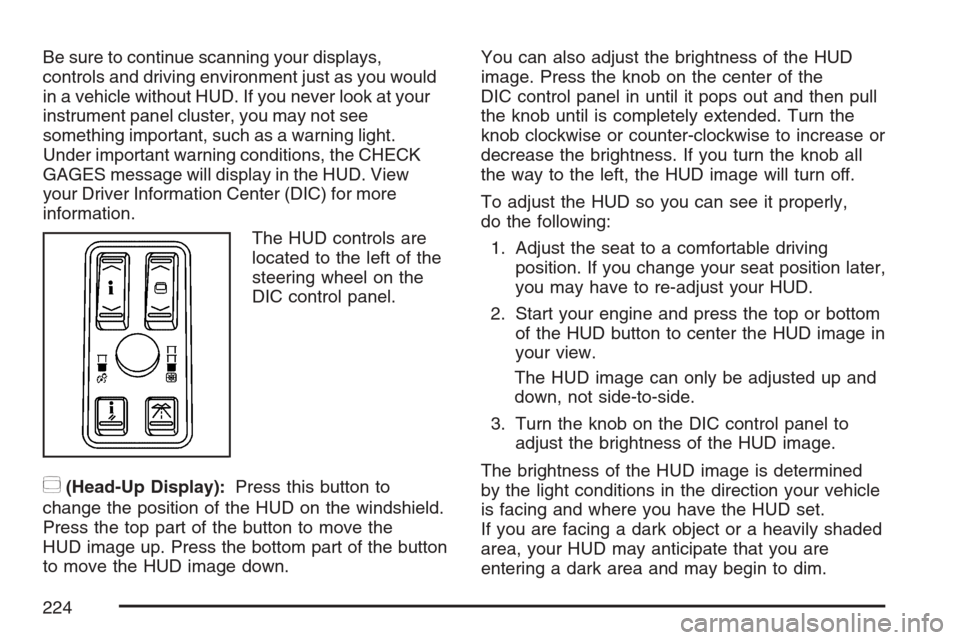
The HUD controls are
located to the left of the
steering wheel on the
DIC control panel.
~(Head-Up Display):Press this button to
change the position of the HUD on the windshield.
Press the top part of the button to move the
HUD image up. Press the bottom part of the button
to move the HUD image down.You can also adjust the brightness of the HUD
image. Press the knob on the center of the
DIC control panel in until it pops out and then pull
the knob until is completely extended. Turn the
knob clockwise or counter-clockwise to increase or
decrease the brightness. If you turn the knob all
the way to the left, the HUD image will turn off.
To adjust the HUD so you can see it properly,
do the following:
1. Adjust the seat to a comfortable driving
position. If you change your seat position later,
you may have to re-adjust your HUD.
2. Start your engine and press the top or bottom
of the HUD button to center the HUD image in
your view.
The HUD image can only be adjusted up and
down, not side-to-side.
3. Turn the knob on the DIC control panel to
adjust the brightness of the HUD image.
The brightness of the HUD image is determined
by the light conditions in the direction your vehicle
is facing and where you have the HUD set.
If you are facing a dark object or a heavily shaded
area, your HUD may anticipate that you are
entering a dark area and may begin to dim.
224
Page 232 of 560

Manual Operation
yNz(Mode):Pressing the mode switch and
changing the mode cancels automatic operation
and allows the operator to manually select the air
delivery location. Press AUTO to return to
automatic operation.
The outboard air outlets always receive airow
regardless of the mode selected. SeeOutlet
Adjustment on page 237to change this airow
from the outboard outlets.
To change the current mode, select one of the
following:
Y(Vent):This mode directs air to the instrument
panel outlets.
\(Bi-Level):This mode directs about half of the
air to the instrument panel outlets, and then
directs most of the remaining air to the oor
outlets. In automatic operation, cooler air is
directed to the upper outlets and warmer air to the
oor outlets.
[(Floor):This mode directs most of the air to
the oor outlets with some air directed to the
outboard outlets, and a little air directed to
the windshield and side windows.The mode switch can also be used to select the
defog mode. Information on defogging and
defrosting can be found later in this section.
yAz(Fan):Press this switch to increase or
decrease the fan speed. Pressing this switch
cancels automatic operation and allows the
operator to manually select the amount of airow.
Press AUTO to return to automatic operation.
If the airow seems low when the fan speed is at
the highest setting, the passenger compartment
air lter may need to be replaced. For more
information, seePassenger Compartment Air Filter
on page 239andScheduled Maintenance on
page 505.
h(Recirculation):Press this button to control
the air source for the climate control system. If
in AUTO mode, press this button once to
select recirculation. This mode keeps outside air
from coming in the vehicle and recirculates the air
in the vehicle. It can be used to prevent outside
air and odors from entering the vehicle or to
help cool the air inside the vehicle more quickly.
232
Page 235 of 560

Sensors
There is a solar sensor located on the instrument
panel, near the windshield.
There is also an interior temperature sensor
located next to the steering wheel on the
instrument panel.
These sensors monitor the solar radiation and the
air inside the vehicle, then use the information
to adjust the temperature, the fan speed and the
air delivery system, in order to maintain theselected temperature. The system may also
supply cooler air to the side of the vehicle facing
the sun. Do not cover the sensors or the automatic
climate control system will not work properly.
Defogging and Defrosting
Fog on the inside of windows is a result of high
humidity (moisture) condensing on the cool window
glass. This can be minimized if the climate
control system is used properly. There are
two modes to clear fog from the windshield. Use
the defog mode to clear the windows of fog or
moisture and warm the passengers. Use the
defrost mode to remove fog or frost from the
windshield more quickly.
yNz(Mode):Press this button until defog
appears on the display.
-(Defog):This mode directs the air between
the windshield and oor outlets with some
air supplied to the outboard panel outlets and side
window defogging outlets. When this mode is
selected, the system turns off recirculation
and runs the air-conditioning compressor unless
the outside temperature is at or below freezing.
235
Page 242 of 560
Instrument Panel Cluster
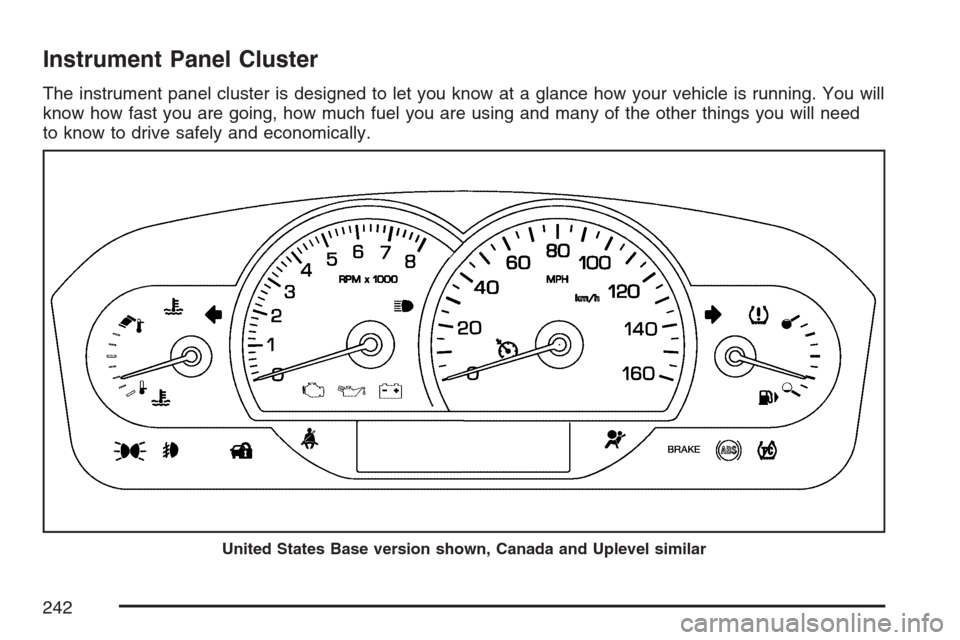
The instrument panel cluster is designed to let you know at a glance how your vehicle is running. You will
know how fast you are going, how much fuel you are using and many of the other things you will need
to know to drive safely and economically.
United States Base version shown, Canada and Uplevel similar
242
Page 244 of 560
Passenger Safety Belt
Reminder Light
Several seconds after the ignition button is
pressed to START, a chime will sound for several
seconds to remind the front passenger to
buckle their safety belt. This would only occur if
the passenger airbag is enabled. SeePassenger
Sensing System on page 74for more information.
The passenger safety belt light will also come
on and stay on for several seconds, then it
will ash for several more.
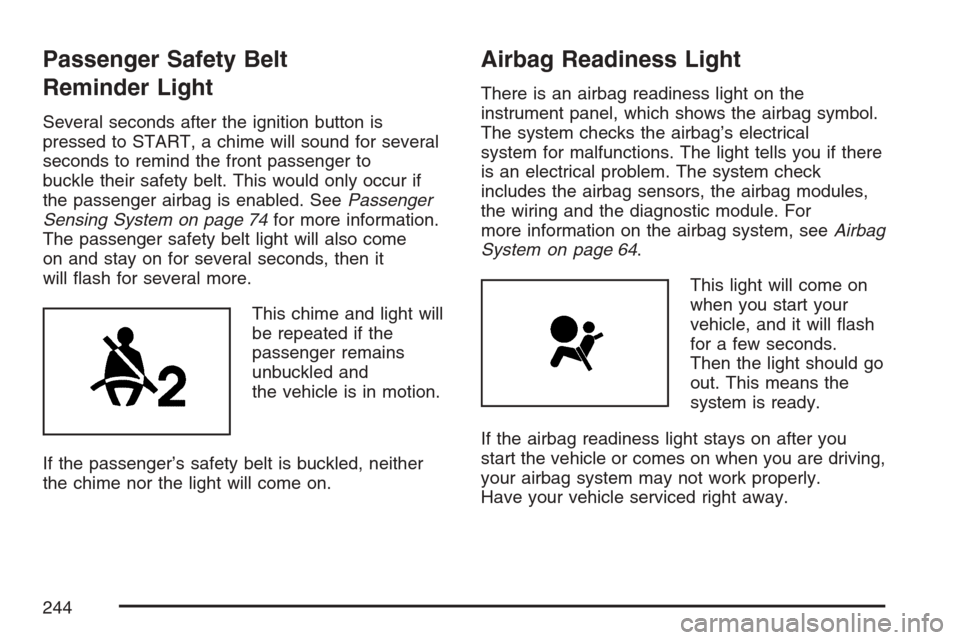
This chime and light will
be repeated if the
passenger remains
unbuckled and
the vehicle is in motion.
If the passenger’s safety belt is buckled, neither
the chime nor the light will come on.
Airbag Readiness Light
There is an airbag readiness light on the
instrument panel, which shows the airbag symbol.
The system checks the airbag’s electrical
system for malfunctions. The light tells you if there
is an electrical problem. The system check
includes the airbag sensors, the airbag modules,
the wiring and the diagnostic module. For
more information on the airbag system, seeAirbag
System on page 64.
This light will come on
when you start your
vehicle, and it will ash
for a few seconds.
Then the light should go
out. This means the
system is ready.
If the airbag readiness light stays on after you
start the vehicle or comes on when you are driving,
your airbag system may not work properly.
Have your vehicle serviced right away.
244
Page 254 of 560

Did you just drive through a deep puddle of water?
If so, your vehicle’s electrical system may be wet.
The condition will usually be corrected when
the electrical system dries out. A few driving trips
should turn the light off.
Have you recently changed brands of fuel?
If so, be sure to fuel your vehicle with quality fuel.
SeeGasoline Octane on page 365. Poor fuel
quality will cause the engine not to run as
efficiently as designed. You may notice this as
stalling after start-up, stalling when you put
the vehicle into gear, misring, hesitation on
acceleration, or stumbling on acceleration. (These
conditions may go away once the engine is
warmed up.) This will be detected by the system
and cause the light to turn on.
If you experience one or more of these conditions,
change the fuel brand you use. It will require at
least one full tank of the proper fuel to turn the
light off.
If none of the above steps have made the light
turn off, your dealer can check the vehicle.
Your dealer has the proper test equipment and
diagnostic tools to x any mechanical or electrical
problems that may have developed.Emissions Inspection and Maintenance
Programs
Some state/provincial and local governments have
or may begin programs to inspect the emission
control equipment on your vehicle. Failure to pass
this inspection could prevent you from getting a
vehicle registration.
Here are some things you need to know to help
your vehicle pass an inspection:
Your vehicle will not pass this inspection if the
check engine light is on or not working properly.
To perform a check engine light bulb check with the
keyless ignition, make sure the transmitter fob is in
the passenger compartment. SeeIgnition Positions
on page 111. Press the bottom of the Acc. button
on the instrument panel and hold the button down
for ve seconds. The instrument panel, including
the check engine light, will light up and the ignition
will be on, but the engine will not start — if you
press the bottom of the Acc. button only briey, less
than ve seconds, the accessory power mode will
be turned on, but not the ignition. After the bulb
check, be sure to press and release the Acc. button
again to turn the ignition off and avoid draining the
vehicle’s battery.
254
Page 258 of 560

Driver Information Center (DIC)
The Driver Information Center (DIC) gives you the
status of many of your vehicle’s systems. The DIC
is also used to display warning/status messages.
All messages will appear in the DIC display located
at the bottom of the instrument panel cluster, below
the tachometer and speedometer. The DIC buttons
are located on the instrument panel, to the left of
the steering wheel.
The DIC comes on when the ignition is on. After a
short delay, the DIC will display the current
driver and the information that was last displayed
before the engine was turned off.
The top line of the DIC display shows the vehicle
system information and the warning/status
messages. The bottom line of the DIC display
shows either the odometer, the trip odometer A or
the trip odometer B information on the left side.
Only one odometer can appear at a time. See “Trip
Information” underDIC Controls and Displays
on page 258for information on changing the
display to show the odometer or trip odometer
information. The bottom line of the DIC display
also shows the outside temperature on the
right side and the shift lever position indicator inthe center. SeeAutomatic Transmission Operation
on page 116for more information on the shift
lever positions.
When the sport mode is active, an S will appear
next to the shift position indicator on the center of
the DIC display. When the manual mode is
active, an M will appear on the DIC display. When
the normal mode is active, only the shift position
indicator will appear. While the Driver Shift
Control (DSC) feature is active, the DIC will
change to show the selected gear. See “Driver
Shift Control (DSC)” underAutomatic Transmission
Operation on page 116for more information.
If a problem is detected, a warning message will
appear on the display. Be sure to take any
message that appears on the display seriously and
remember that clearing the message will only make
the message disappear, not correct the problem.
DIC Controls and Displays
The Driver Information Center (DIC) has different
modes which can be accessed by pressing
the four DIC buttons located on the instrument
panel, to the left of the steering wheel.
258
Page 260 of 560
DIC Buttons (Uplevel)
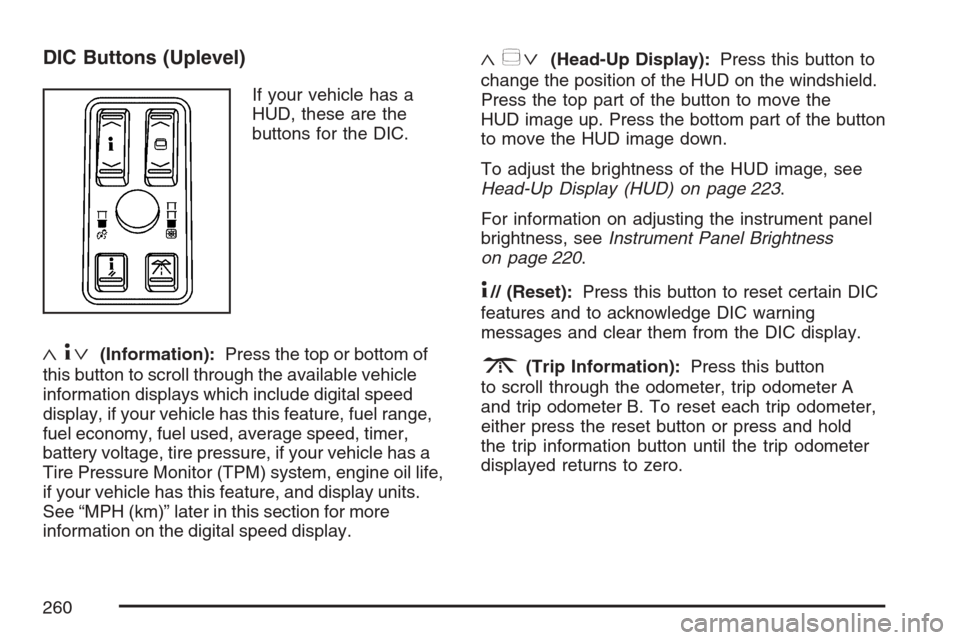
If your vehicle has a
HUD, these are the
buttons for the DIC.
«4ª(Information):Press the top or bottom of
this button to scroll through the available vehicle
information displays which include digital speed
display, if your vehicle has this feature, fuel range,
fuel economy, fuel used, average speed, timer,
battery voltage, tire pressure, if your vehicle has a
Tire Pressure Monitor (TPM) system, engine oil life,
if your vehicle has this feature, and display units.
See “MPH (km)” later in this section for more
information on the digital speed display.
«~ª(Head-Up Display):Press this button to
change the position of the HUD on the windshield.
Press the top part of the button to move the
HUD image up. Press the bottom part of the button
to move the HUD image down.
To adjust the brightness of the HUD image, see
Head-Up Display (HUD) on page 223.
For information on adjusting the instrument panel
brightness, seeInstrument Panel Brightness
on page 220.
4// (Reset):Press this button to reset certain DIC
features and to acknowledge DIC warning
messages and clear them from the DIC display.
3(Trip Information):Press this button
to scroll through the odometer, trip odometer A
and trip odometer B. To reset each trip odometer,
either press the reset button or press and hold
the trip information button until the trip odometer
displayed returns to zero.
260
Page 269 of 560
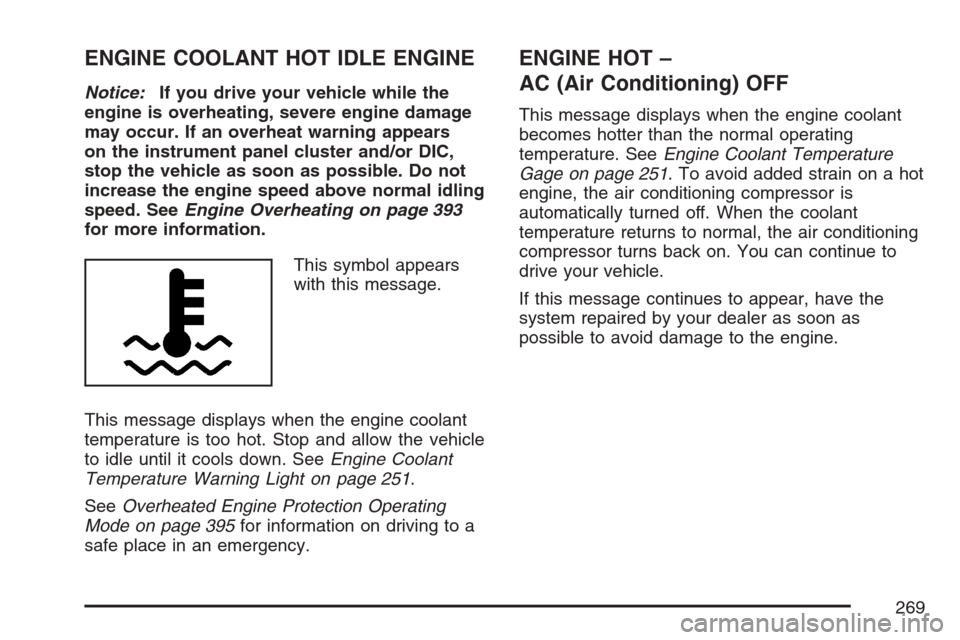
ENGINE COOLANT HOT IDLE ENGINE
Notice:If you drive your vehicle while the
engine is overheating, severe engine damage
may occur. If an overheat warning appears
on the instrument panel cluster and/or DIC,
stop the vehicle as soon as possible. Do not
increase the engine speed above normal idling
speed. SeeEngine Overheating on page 393
for more information.
This symbol appears
with this message.
This message displays when the engine coolant
temperature is too hot. Stop and allow the vehicle
to idle until it cools down. SeeEngine Coolant
Temperature Warning Light on page 251.
SeeOverheated Engine Protection Operating
Mode on page 395for information on driving to a
safe place in an emergency.
ENGINE HOT –
AC (Air Conditioning) OFF
This message displays when the engine coolant
becomes hotter than the normal operating
temperature. SeeEngine Coolant Temperature
Gage on page 251. To avoid added strain on a hot
engine, the air conditioning compressor is
automatically turned off. When the coolant
temperature returns to normal, the air conditioning
compressor turns back on. You can continue to
drive your vehicle.
If this message continues to appear, have the
system repaired by your dealer as soon as
possible to avoid damage to the engine.
269
Page 270 of 560

ENGINE OVERHEATED STOP ENGINE
Notice:If you drive your vehicle while the
engine is overheating, severe engine damage
may occur. If an overheat warning appears
on the instrument panel cluster and/or
DIC, stop the vehicle as soon as possible.
SeeEngine Overheating on page 393for more
information.
This message displays when the engine has
overheated. Immediately look for a safe place to
pull your vehicle over and turn the engine off right
away to avoid severe engine damage. SeeEngine
Overheating on page 393andOverheated Engine
Protection Operating Mode on page 395. A chime
also sounds when this message is displayed.
ENGINE POWER REDUCED
This message displays to inform you that the
engine power is being reduced to protect
the engine from damage. There could be several
malfunctions that might cause this message.
Reduced engine power can affect the vehicle’s
ability to accelerate. If this message is on,but there is no reduction in performance, proceed
to your destination. The performance may be
reduced the next time the vehicle is driven.
The vehicle may be driven at a reduced speed
while this message is on, but acceleration
and speed may be reduced. Anytime this message
stays on, the vehicle should be taken to your
dealer for service as soon as possible.
ENGINE PROTECTION REDUCED
RPM’S (Revolutions Per Minute)
This message displays when your vehicle is in an
overheated engine operating mode. If this
message appears, the vehicle has determined that
continued operation at the existing engine speed
may lead to engine overheating. The vehicle
automatically limits engine RPMs to prevent engine
overheating. You may notice the vehicle upshifting
early or reduced speeds while this message is
displayed. When the engine oil returns to a
safe operating temperature, this message clears
from the DIC and the vehicle returns to normal
operation. Your vehicle does not require service
when this message is displayed.
270