warning CADILLAC STS 2007 1.G Owner's Guide
[x] Cancel search | Manufacturer: CADILLAC, Model Year: 2007, Model line: STS, Model: CADILLAC STS 2007 1.GPages: 560, PDF Size: 2.92 MB
Page 248 of 560
Brake System Warning Light
Your vehicle’s hydraulic brake system is divided
into two parts. If one part isn’t working, the
other part can still work and stop you. For good
braking, though, you need both parts working well.
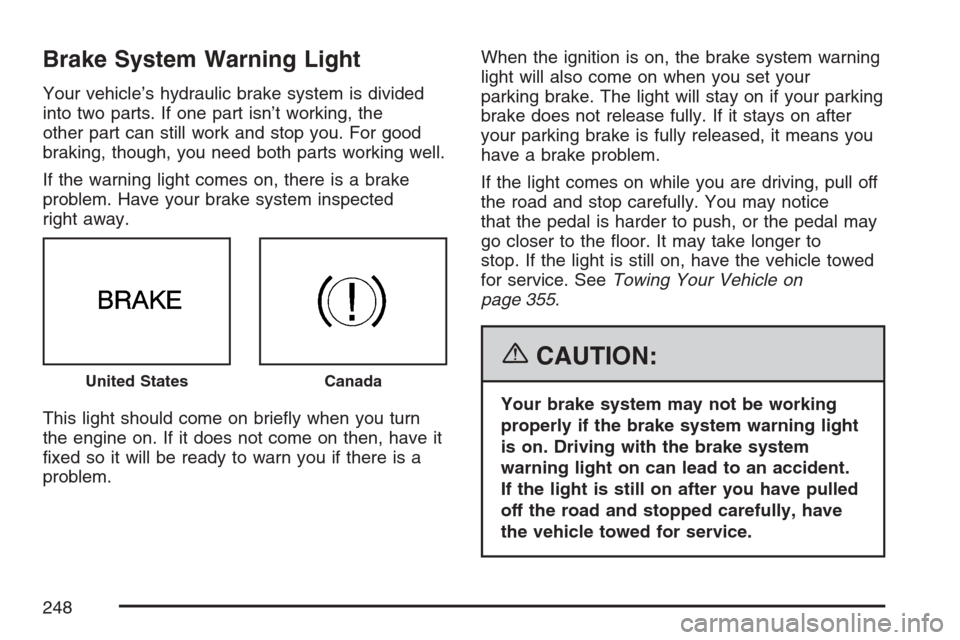
If the warning light comes on, there is a brake
problem. Have your brake system inspected
right away.
This light should come on briey when you turn
the engine on. If it does not come on then, have it
xed so it will be ready to warn you if there is a
problem.When the ignition is on, the brake system warning
light will also come on when you set your
parking brake. The light will stay on if your parking
brake does not release fully. If it stays on after
your parking brake is fully released, it means you
have a brake problem.
If the light comes on while you are driving, pull off
the road and stop carefully. You may notice
that the pedal is harder to push, or the pedal may
go closer to the oor. It may take longer to
stop. If the light is still on, have the vehicle towed
for service. SeeTowing Your Vehicle on
page 355.
{CAUTION:
Your brake system may not be working
properly if the brake system warning light
is on. Driving with the brake system
warning light on can lead to an accident.
If the light is still on after you have pulled
off the road and stopped carefully, have
the vehicle towed for service.
United StatesCanada
248
Page 249 of 560
Anti-Lock Brake System
Warning Light
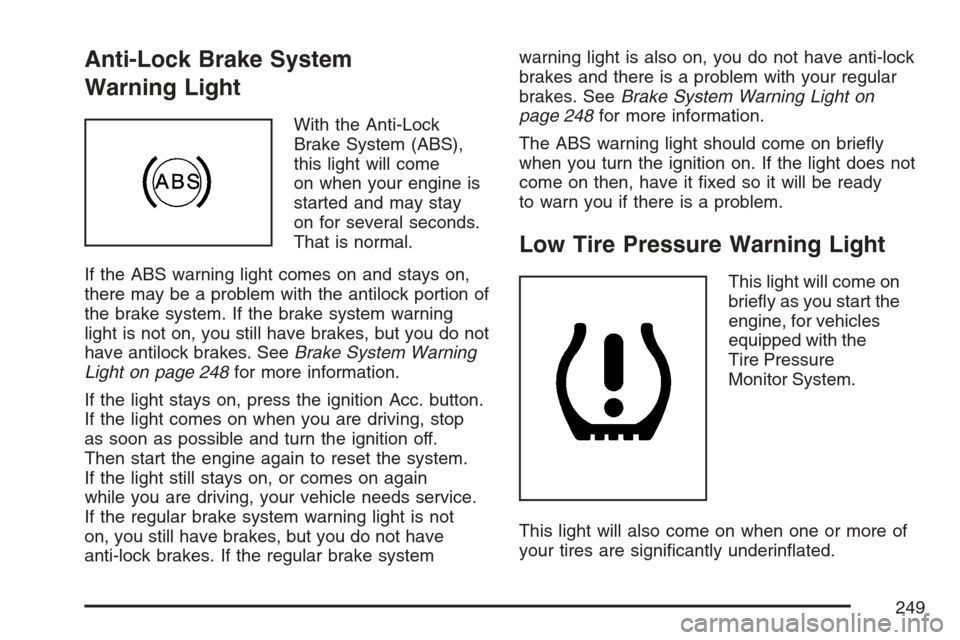
With the Anti-Lock
Brake System (ABS),
this light will come
on when your engine is
started and may stay
on for several seconds.
That is normal.
If the ABS warning light comes on and stays on,
there may be a problem with the antilock portion of
the brake system. If the brake system warning
light is not on, you still have brakes, but you do not
have antilock brakes. SeeBrake System Warning
Light on page 248for more information.
If the light stays on, press the ignition Acc. button.
If the light comes on when you are driving, stop
as soon as possible and turn the ignition off.
Then start the engine again to reset the system.
If the light still stays on, or comes on again
while you are driving, your vehicle needs service.
If the regular brake system warning light is not
on, you still have brakes, but you do not have
anti-lock brakes. If the regular brake systemwarning light is also on, you do not have anti-lock
brakes and there is a problem with your regular
brakes. SeeBrake System Warning Light on
page 248for more information.
The ABS warning light should come on briey
when you turn the ignition on. If the light does not
come on then, have it xed so it will be ready
to warn you if there is a problem.
Low Tire Pressure Warning Light
This light will come on
briey as you start the
engine, for vehicles
equipped with the
Tire Pressure
Monitor System.
This light will also come on when one or more of
your tires are signicantly underinated.
249
Page 250 of 560
A CHECK TIRE PRESSURE DIC message will
accompany the light. Stop and check your tires as
soon as it is safe to do so. If underinated,
inate to the proper pressure. See Tires for more
information. This light will ash for approximately
60 seconds and then turn on solid if a problem
is detected with the Tire Pressure Monitor system.
SeeTire Pressure Monitor System on page 433,
Tires on page 421andDIC Warnings and
Messages on page 264for more information.
Traction Control System (TCS)
Warning Light
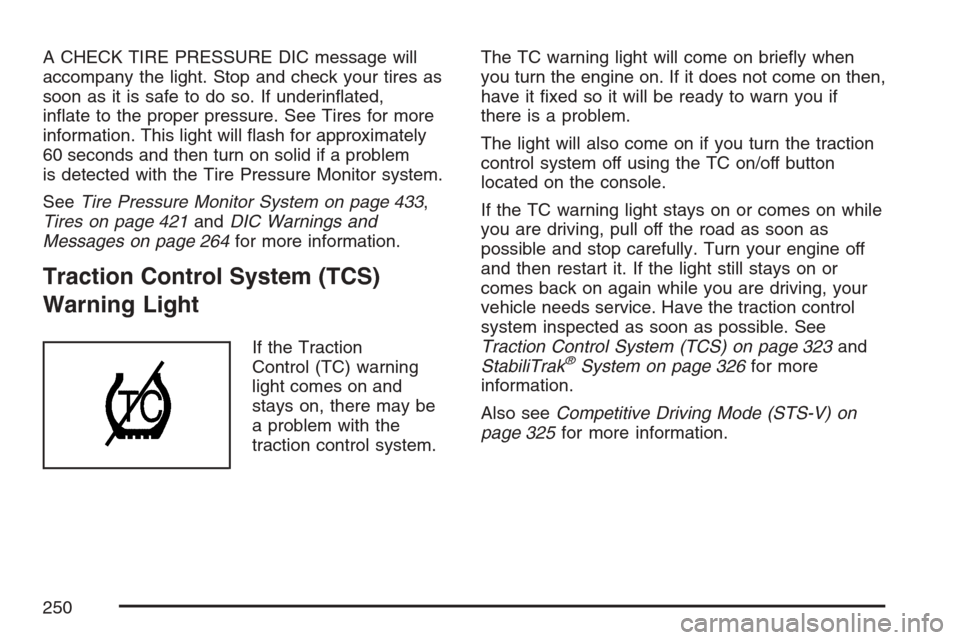
If the Traction
Control (TC) warning
light comes on and
stays on, there may be
a problem with the
traction control system.The TC warning light will come on briey when
you turn the engine on. If it does not come on then,
have it xed so it will be ready to warn you if
there is a problem.
The light will also come on if you turn the traction
control system off using the TC on/off button
located on the console.
If the TC warning light stays on or comes on while
you are driving, pull off the road as soon as
possible and stop carefully. Turn your engine off
and then restart it. If the light still stays on or
comes back on again while you are driving, your
vehicle needs service. Have the traction control
system inspected as soon as possible. See
Traction Control System (TCS) on page 323and
StabiliTrak®System on page 326for more
information.
Also seeCompetitive Driving Mode (STS-V) on
page 325for more information.
250
Page 251 of 560
Engine Coolant Temperature
Warning Light
The engine coolant
temperature warning
light will come on when
the engine is very hot.
This light will also come on briey when the
vehicle is started.
If the light does not go out or comes on and stays
on while driving, there may be a problem with
the cooling system. Driving with engine coolant
temperature light on could cause your vehicle
to overheat, seeOverheated Engine Protection
Operating Mode on page 395. SeeEngine
Overheating on page 393andDIC Warnings and
Messages on page 264for more information.
Engine Coolant Temperature Gage
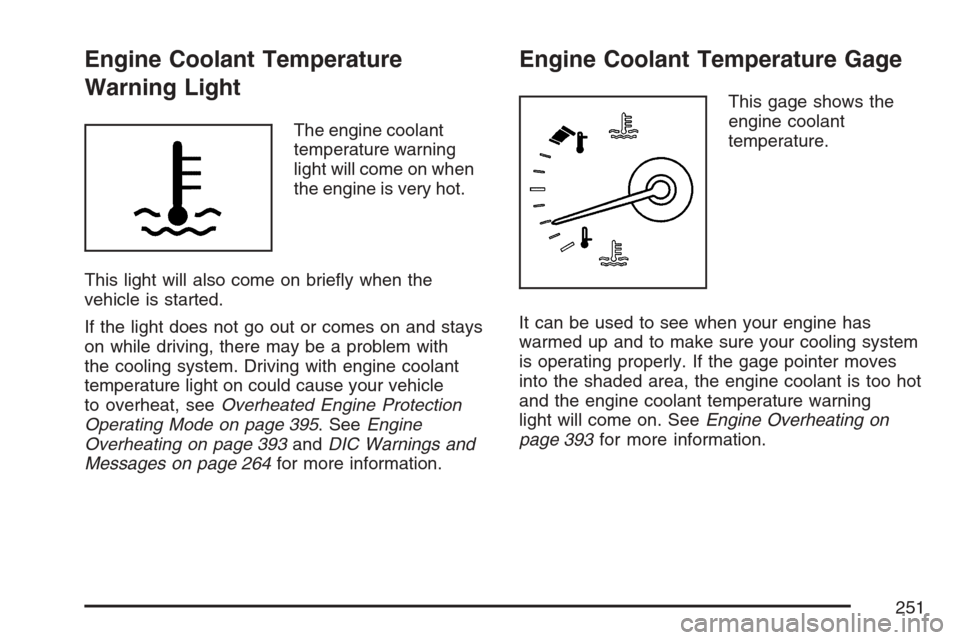
This gage shows the
engine coolant
temperature.
It can be used to see when your engine has
warmed up and to make sure your cooling system
is operating properly. If the gage pointer moves
into the shaded area, the engine coolant is too hot
and the engine coolant temperature warning
light will come on. SeeEngine Overheating on
page 393for more information.
251
Page 257 of 560

Highbeam On Light
This light comes on
whenever the
high-beam headlamps
are on.
See “Intellibeam™ Intelligent High-Beam
Headlamp Control System” underHeadlamps on
page 211andHeadlamp High/Low-Beam
Changer on page 183for more information.
Fuel Gage
The fuel gage shows
approximately how
much fuel is in the tank.
It works only when
the engine is on.If the fuel supply gets low, the Fuel Level Low
message will appear on the DIC and a single
chime will sound. SeeDIC Warnings and
Messages on page 264for more information.
Here are a few concerns some owners have had
about the fuel gage. All of these situations are
normal and do not indicate that anything is wrong
with the fuel gage:
At the gas station the gas pump shuts off
before the gage reads full.
The gage may change when you turn, stop
quickly or accelerate quickly.
It takes a little more or less fuel to ll the tank
than the gage indicated. For example, the gage
may have indicated that the tank was half full,
but it actually took a little more or less than half
the tank’s capacity to ll the tank.
257
Page 258 of 560

Driver Information Center (DIC)
The Driver Information Center (DIC) gives you the
status of many of your vehicle’s systems. The DIC
is also used to display warning/status messages.
All messages will appear in the DIC display located
at the bottom of the instrument panel cluster, below
the tachometer and speedometer. The DIC buttons
are located on the instrument panel, to the left of
the steering wheel.
The DIC comes on when the ignition is on. After a
short delay, the DIC will display the current
driver and the information that was last displayed
before the engine was turned off.
The top line of the DIC display shows the vehicle
system information and the warning/status
messages. The bottom line of the DIC display
shows either the odometer, the trip odometer A or
the trip odometer B information on the left side.
Only one odometer can appear at a time. See “Trip
Information” underDIC Controls and Displays
on page 258for information on changing the
display to show the odometer or trip odometer
information. The bottom line of the DIC display
also shows the outside temperature on the
right side and the shift lever position indicator inthe center. SeeAutomatic Transmission Operation
on page 116for more information on the shift
lever positions.
When the sport mode is active, an S will appear
next to the shift position indicator on the center of
the DIC display. When the manual mode is
active, an M will appear on the DIC display. When
the normal mode is active, only the shift position
indicator will appear. While the Driver Shift
Control (DSC) feature is active, the DIC will
change to show the selected gear. See “Driver
Shift Control (DSC)” underAutomatic Transmission
Operation on page 116for more information.
If a problem is detected, a warning message will
appear on the display. Be sure to take any
message that appears on the display seriously and
remember that clearing the message will only make
the message disappear, not correct the problem.
DIC Controls and Displays
The Driver Information Center (DIC) has different
modes which can be accessed by pressing
the four DIC buttons located on the instrument
panel, to the left of the steering wheel.
258
Page 259 of 560
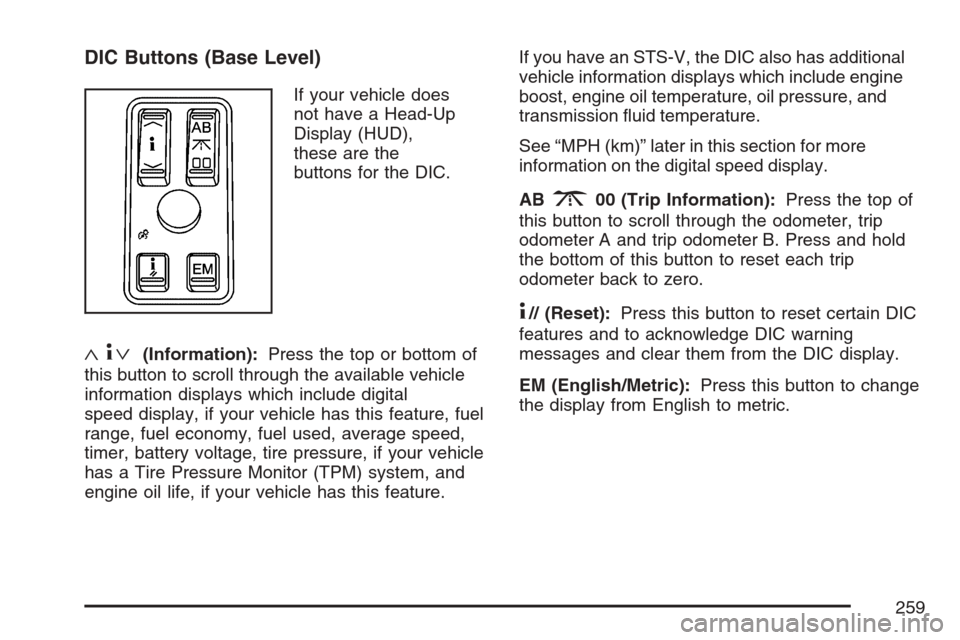
DIC Buttons (Base Level)
If your vehicle does
not have a Head-Up
Display (HUD),
these are the
buttons for the DIC.
«4ª(Information):Press the top or bottom of
this button to scroll through the available vehicle
information displays which include digital
speed display, if your vehicle has this feature, fuel
range, fuel economy, fuel used, average speed,
timer, battery voltage, tire pressure, if your vehicle
has a Tire Pressure Monitor (TPM) system, and
engine oil life, if your vehicle has this feature.If you have an STS-V, the DIC also has additional
vehicle information displays which include engine
boost, engine oil temperature, oil pressure, and
transmission uid temperature.
See “MPH (km)” later in this section for more
information on the digital speed display.
AB
300 (Trip Information):Press the top of
this button to scroll through the odometer, trip
odometer A and trip odometer B. Press and hold
the bottom of this button to reset each trip
odometer back to zero.
4// (Reset):Press this button to reset certain DIC
features and to acknowledge DIC warning
messages and clear them from the DIC display.
EM (English/Metric):Press this button to change
the display from English to metric.
259
Page 260 of 560
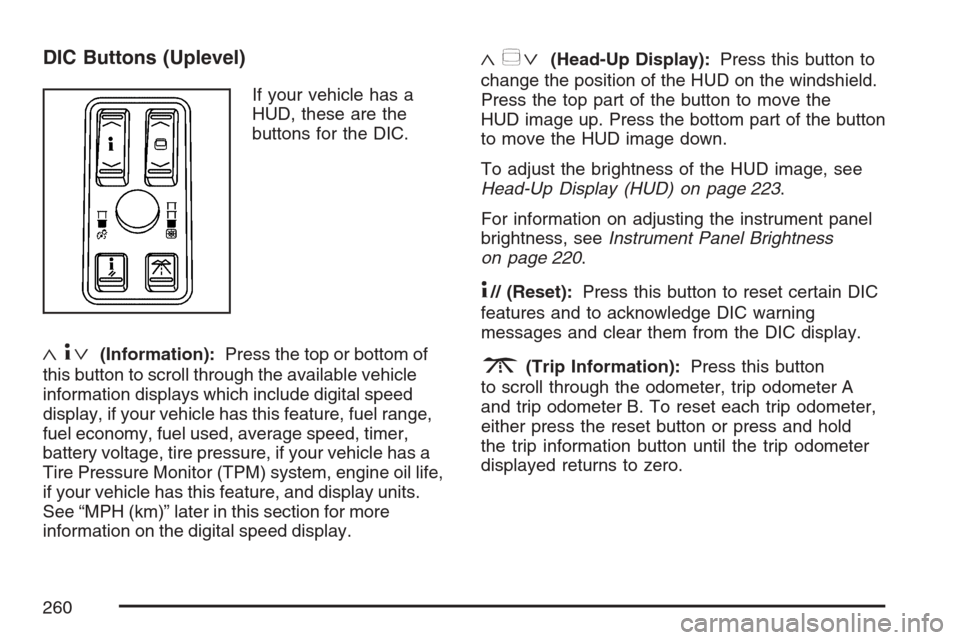
DIC Buttons (Uplevel)
If your vehicle has a
HUD, these are the
buttons for the DIC.
«4ª(Information):Press the top or bottom of
this button to scroll through the available vehicle
information displays which include digital speed
display, if your vehicle has this feature, fuel range,
fuel economy, fuel used, average speed, timer,
battery voltage, tire pressure, if your vehicle has a
Tire Pressure Monitor (TPM) system, engine oil life,
if your vehicle has this feature, and display units.
See “MPH (km)” later in this section for more
information on the digital speed display.
«~ª(Head-Up Display):Press this button to
change the position of the HUD on the windshield.
Press the top part of the button to move the
HUD image up. Press the bottom part of the button
to move the HUD image down.
To adjust the brightness of the HUD image, see
Head-Up Display (HUD) on page 223.
For information on adjusting the instrument panel
brightness, seeInstrument Panel Brightness
on page 220.
4// (Reset):Press this button to reset certain DIC
features and to acknowledge DIC warning
messages and clear them from the DIC display.
3(Trip Information):Press this button
to scroll through the odometer, trip odometer A
and trip odometer B. To reset each trip odometer,
either press the reset button or press and hold
the trip information button until the trip odometer
displayed returns to zero.
260
Page 261 of 560

Information Display Menu Items
The following display menu items can be displayed
by pressing the information button.
MPH (km/h)
If your vehicle has this display, it shows the
vehicle’s speed digitally in either miles per
hour (mph) or kilometers per hour (km/h).
MILES RANGE (km RANGE)
This display shows the approximate number of
remaining miles (mi) or kilometers (km) you
can drive without relling the fuel tank. This
estimate is based on the current driving conditions
and will change if the driving conditions change.
For example, if you are driving in traffic making
frequent stops, the display may read one number,
but if you enter the freeway, the number may
change even though you still have the same
amount of fuel in the fuel tank. This is because
different driving conditions produce different
fuel economies. Generally, freeway driving
produces better fuel economy than city driving.
Once the range drops below about 40 miles
(64 km) remaining, the display will show
LOW RANGE.If your vehicle is low on fuel, the Fuel Level Low
message will be displayed. See “Fuel Level
Low” underDIC Warnings and Messages on
page 264for more information.
MPG AVG (L/100 km AVG)
This display shows the approximate average
miles per gallon (mpg) or liters per 100 kilometers
(L/100 km). This number is calculated based
on the number of mpg (L/100 km) recorded since
the last time this display was reset. To reset
MPG AVG, press the reset button. The display
will return to zero.
MPG INST (L/100 km INST)
This display shows the current fuel economy. This
number reects only the fuel economy that the
vehicle has right now and will change frequently as
driving conditions change. Unlike average fuel
economy, this display cannot be reset.
GAL FUEL USED (L FUEL USED)
This display shows the number of gallons (gal) or
liters (L) of fuel used since the last reset of this
display. To reset GAL FUEL USED, press
the reset button. The display will return to zero.
261
Page 262 of 560
AVG MPH (AVG km/h)
This display shows the average speed of the
vehicle in miles per hour (mph) or kilometers per
hour (km/h). This average is calculated based on
the various vehicle speeds recorded since the last
reset of this display. To reset AVG MPH, press the
reset button. The display will return to zero.
TIMER OFF
This display can be used like a stopwatch. You can
record the time it takes to travel from one point to
another. To access the timer, press the information
button until 00:00:00 TIMER OFF displays. To turn
on the timer, press the reset button until TIMER ON
displays. The timer will then start. To turn off the
timer, press the reset button again until TIMER OFF
displays. The timer will stop and display the end
timing value. To reset the timer, press and hold the
reset button after the timer has been stopped. The
display will return to zero.
BATTERY VOLTS
This display shows the current battery voltage.
If the voltage is in the normal range, the value will
display. For example, the display may read
13.2 BATTERY VOLTS. If the voltage is low, the
display will have LOW after it. If the voltage is high,the display will have HIGH after it. Your vehicle’s
charging system regulates voltage based on
the state of the battery. The battery voltage may
uctuate when viewing this information on the DIC.
This is normal. SeeCharging System Light on
page 247for more information.
If there is a problem with the battery charging
system, the DIC may display a message. SeeDIC
Warnings and Messages on page 264and
Electric Power Management on page 221for
more information.
Tire Pressure
If your vehicle has a Tire Pressure Monitor (TPM)
system, this display shows the air pressure of
each road tire in either pounds per square
inch (psi) or kilopascals (kPa). If the tire pressure
is normal, the value will display. If the tire
pressure is low, LOW will appear on the display
with the value. If the tire pressure is high,
HIGH will appear on the display with the value.
Press the information button to scroll through the
following displays:
LF TIRE:This display shows the air pressure in
the driver’s side front tire.
RF TIRE:This display shows the air pressure in
the passenger’s side front tire.
262