ESP CADILLAC STS 2008 1.G User Guide
[x] Cancel search | Manufacturer: CADILLAC, Model Year: 2008, Model line: STS, Model: CADILLAC STS 2008 1.GPages: 500, PDF Size: 5.81 MB
Page 174 of 500
Adaptive Cruise Control
If your vehicle has this feature, be sure to read this
entire section before using it.
The system operates on a radio frequency subject to
Federal Communications Commission (FCC) Rules
and with Industry Canada.
This device complies with Part 15 of the FCC Rules.
Operation is subject to the following two conditions:
1. This device may not cause interference.
2. This device must accept any interference received,
including interference that may cause undesired
operation of the device.
This device complies with RSS-210 of Industry Canada.
Operation is subject to the following two conditions:
1. This device may not cause interference.
2. This device must accept any interference received,
including interference that may cause undesired
operation of the device.
Changes or modications to this system by other than
an authorized service facility could void authorization
to use this equipment.
Adaptive Cruise Control is an enhancement to traditional
cruise control and is not a safety system. It allows
you to keep cruise control engaged in moderate traffic
conditions without having to constantly be reset.Adaptive Cruise Control uses radar to detect a vehicle
directly ahead in your path, within a distance of
328 ft (100 m), and operates at speeds above
30 mph (48 km/h). When it is engaged by the driver,
the system can apply limited braking or acceleration
of the vehicle, automatically, to maintain a selected
following distance to the vehicle ahead. The vehicle’s
braking during Adaptive Cruise Control is comparable
to a person applying moderate pressure to the vehicle’s
brake pedal. To disengage Adaptive Cruise Control,
apply the brake. If no vehicle is in your path, your
vehicle will react like traditional cruise control.
{CAUTION:
Adaptive Cruise Control will not apply hard
braking or bring the vehicle to a complete
stop. It will not respond to stopped vehicles,
pedestrians or animals. When you are
approaching a vehicle or object, Adaptive
Cruise Control may not have time to slow
your vehicle enough to avoid a collision.
Your complete attention is always required
while driving and you should be ready to
take action and apply the brakes. For more
information, seeDefensive Driving on page 4-2.
3-20
Page 176 of 500
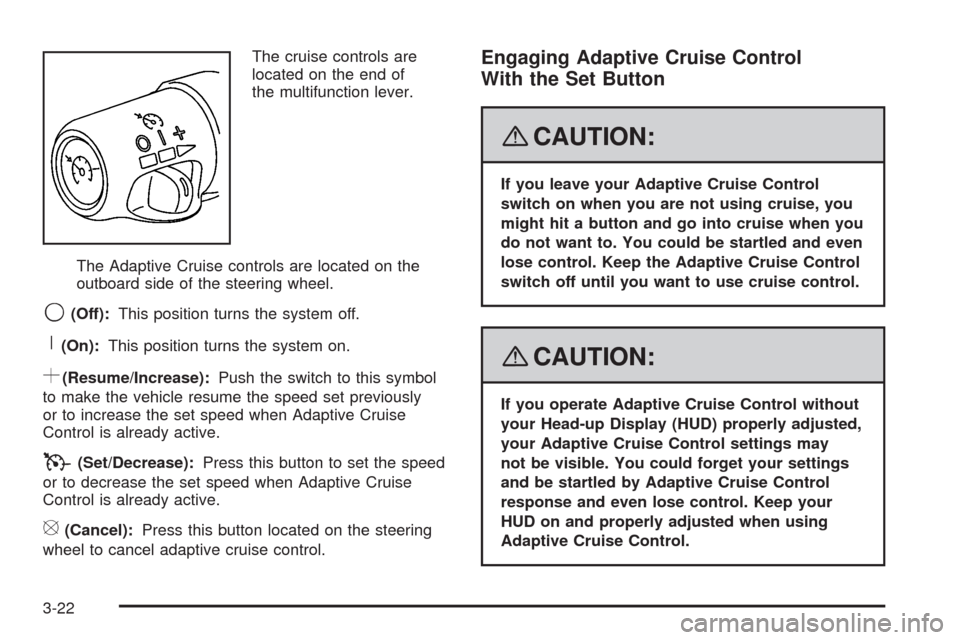
The cruise controls are
located on the end of
the multifunction lever.
The Adaptive Cruise controls are located on the
outboard side of the steering wheel.
9(Off):This position turns the system off.
R(On):This position turns the system on.
S(Resume/Increase):Push the switch to this symbol
to make the vehicle resume the speed set previously
or to increase the set speed when Adaptive Cruise
Control is already active.
T(Set/Decrease):Press this button to set the speed
or to decrease the set speed when Adaptive Cruise
Control is already active.
[(Cancel):Press this button located on the steering
wheel to cancel adaptive cruise control.
Engaging Adaptive Cruise Control
With the Set Button
{CAUTION:
If you leave your Adaptive Cruise Control
switch on when you are not using cruise, you
might hit a button and go into cruise when you
do not want to. You could be startled and even
lose control. Keep the Adaptive Cruise Control
switch off until you want to use cruise control.
{CAUTION:
If you operate Adaptive Cruise Control without
your Head-up Display (HUD) properly adjusted,
your Adaptive Cruise Control settings may
not be visible. You could forget your settings
and be startled by Adaptive Cruise Control
response and even lose control. Keep your
HUD on and properly adjusted when using
Adaptive Cruise Control.
3-22
Page 181 of 500
Approaching and Following a Vehicle
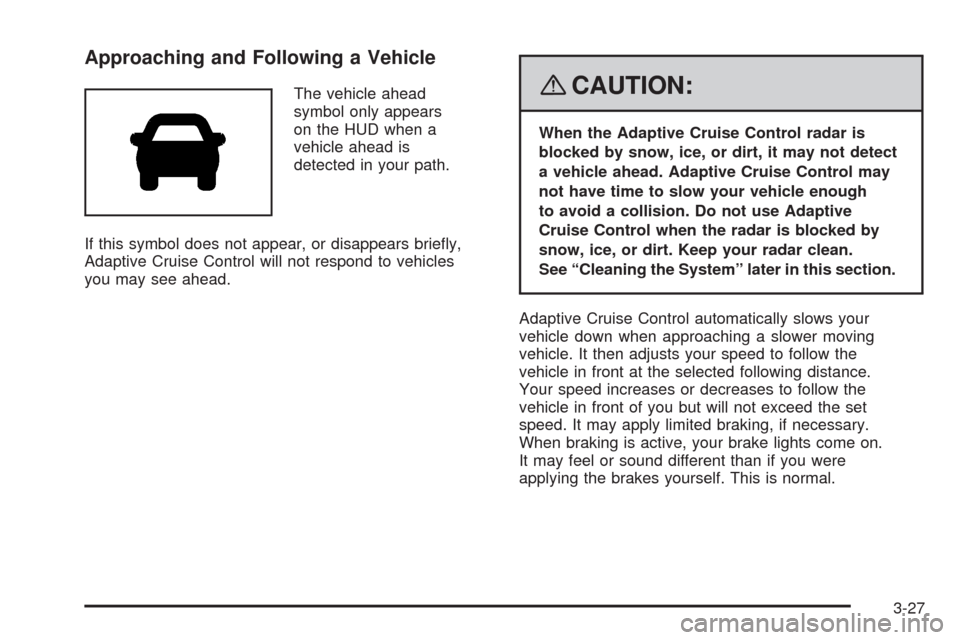
The vehicle ahead
symbol only appears
on the HUD when a
vehicle ahead is
detected in your path.
If this symbol does not appear, or disappears briey,
Adaptive Cruise Control will not respond to vehicles
you may see ahead.{CAUTION:
When the Adaptive Cruise Control radar is
blocked by snow, ice, or dirt, it may not detect
a vehicle ahead. Adaptive Cruise Control may
not have time to slow your vehicle enough
to avoid a collision. Do not use Adaptive
Cruise Control when the radar is blocked by
snow, ice, or dirt. Keep your radar clean.
See “Cleaning the System” later in this section.
Adaptive Cruise Control automatically slows your
vehicle down when approaching a slower moving
vehicle. It then adjusts your speed to follow the
vehicle in front at the selected following distance.
Your speed increases or decreases to follow the
vehicle in front of you but will not exceed the set
speed. It may apply limited braking, if necessary.
When braking is active, your brake lights come on.
It may feel or sound different than if you were
applying the brakes yourself. This is normal.
3-27
Page 184 of 500
Curves in the Road
{CAUTION:
Due to Adaptive Cruise Control limitations in
curves, it may respond to a vehicle in another
lane, or may not have time to react to a vehicle
in your lane. You could crash into a vehicle
ahead of you, or lose control of your vehicle.
Give extra attention in curves and be ready
to use the brakes if necessary. Select an
appropriate speed while driving in curves.
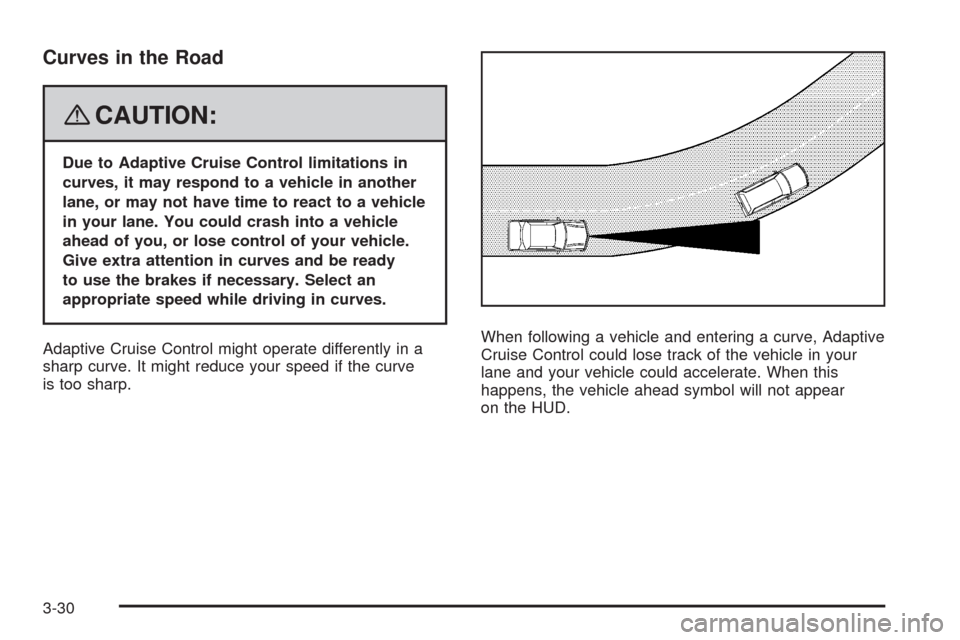
Adaptive Cruise Control might operate differently in a
sharp curve. It might reduce your speed if the curve
is too sharp.When following a vehicle and entering a curve, Adaptive
Cruise Control could lose track of the vehicle in your
lane and your vehicle could accelerate. When this
happens, the vehicle ahead symbol will not appear
on the HUD.
3-30
Page 185 of 500
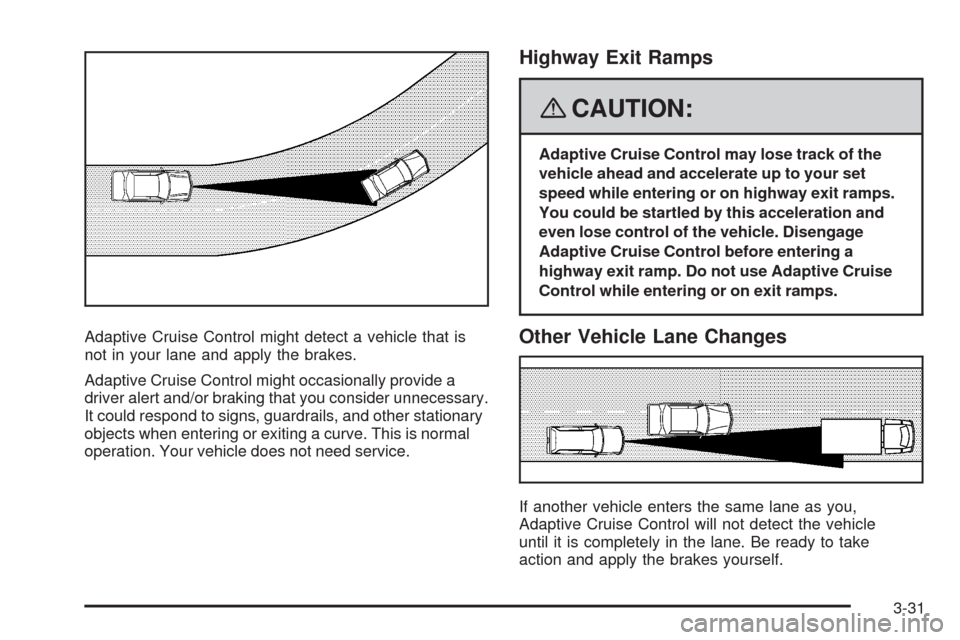
Adaptive Cruise Control might detect a vehicle that is
not in your lane and apply the brakes.
Adaptive Cruise Control might occasionally provide a
driver alert and/or braking that you consider unnecessary.
It could respond to signs, guardrails, and other stationary
objects when entering or exiting a curve. This is normal
operation. Your vehicle does not need service.
Highway Exit Ramps
{CAUTION:
Adaptive Cruise Control may lose track of the
vehicle ahead and accelerate up to your set
speed while entering or on highway exit ramps.
You could be startled by this acceleration and
even lose control of the vehicle. Disengage
Adaptive Cruise Control before entering a
highway exit ramp. Do not use Adaptive Cruise
Control while entering or on exit ramps.
Other Vehicle Lane Changes
If another vehicle enters the same lane as you,
Adaptive Cruise Control will not detect the vehicle
until it is completely in the lane. Be ready to take
action and apply the brakes yourself.
3-31
Page 191 of 500
Wiper Activated Headlamps
This feature activates the headlamps and parking lamps
after the windshield wipers have been in use for
about six seconds. For this feature to work, automatic
lighting must be enabled. SeeHeadlamps on page 3-33
for additional information.
When the ignition is turned off, the wiper-activated
headlamps will immediately turn off. They will also turn
off if the windshield wiper control is turned off.
Headlamps on Reminder
A warning chime will sound if the exterior lamp control
is left on in either the headlamp or parking lamp position
and the driver’s door is opened with the ignition off.
SeeLights On Reminder on page 3-72for additional
information.
Daytime Running Lamps (DRL)
Daytime Running Lamps (DRL) can make it easier for
others to see the front of your vehicle during the day.
DRL can be helpful in many different driving conditions,
but they can be especially helpful in the short periods
after dawn and before sunset. Fully functional daytime
running lamps are required on all vehicles rst sold
in Canada.
The DRL system will make the turn signal lamps
come on when the following conditions are met:
It is still daylight and the ignition is on,
the automatic lights are enabled, and
the transmission is not in PARK (P).
When DRL are on, only the front turn signal lamps will
be on. No other exterior lamps will be on when the DRL
are being used. The instrument panel will not be lit.
When the automatic lights are enabled and it is dark
enough outside, the DRL will turn off and the low-beam
headlamps will turn on. When it is bright enough
outside, the low-beam headlamps will go off, and the
DRL will turn back on. If the vehicle is started in a
dark garage, the automatic headlamp system will
come on immediately. Once the vehicle leaves the
garage, it will take about one minute for the automatic
headlamp system to change to DRL if it is light outside.
3-37
Page 248 of 500
STABILITY COMPETITIVE MODE
If your All-Wheel Drive (AWD) vehicle has the
Active Steering with Enhanced StabiliTrak®option,
this message displays when the Competitive Mode
for stability control has been turned on using the
TC (traction control) button. SeeEnhanced StabiliTrak
®
on page 4-9. When the Enhanced StabiliTrak®
Competitive Mode has been activated, traction control
operates in competitive mode and cannot be turned
off. Also, the Active Steering and the Magnetic
Ride Control systems operate in the Performance
Mode. For more information, see “Active Steering
and Magnetic Ride Control” in the Index in the
Navigation manual.
STABILITY SECURE MODE
If your All-Wheel Drive (AWD) vehicle has the
Active Steering with Enhanced StabiliTrak®option,
this message displays when the stability control system
is in the secure mode. Stability Secure Mode is set
automatically when certain system faults or vehicle
conditions are detected. When the Stability Secure
Mode is activated, the stability control system will
not respond to driver requests to change the stability
mode until the next ignition cycle or until the vehicle
condition or fault is returned to normal. SeeEnhanced
StabiliTrak
®on page 4-9.
STABILITY SYS (System) ACTIVE
This message displays any time the StabiliTrak®system
or Enhanced StabiliTrak®system is actively assisting
with directional control of the vehicle. Slippery road
conditions may exist when this message is displayed,
so adjust your driving accordingly. This message
may stay on for a few seconds after StabiliTrak
®
stops assisting with directional control of the vehicle.
SeeStabiliTrak®System on page 4-8orEnhanced
StabiliTrak®on page 4-9for more information.
STABILITY SYS (System) NOT READY
This message displays if the StabiliTrak®system is
not ready. Two conditions may cause this message
to display:
The vehicle needs to be driven in a straight line
until the sensors are centered. Once the sensors
are centered, the StabiliTrak
®system is ready and
the STABILITY SYS READY message displays.
The system needs to warm up. This may occur
when rst starting your vehicle and driving away
during cold winter weather. This is normal. To
acknowledge this message, press the reset button.
The StabiliTrak
®performance is affected until the
STABILITY SYS READY message is displayed in the
DIC. SeeStabiliTrak
®System on page 4-8for more
information.
3-94
Page 277 of 500
g(Mute/Voice Recognition):Press and release
this button to silence the vehicle speakers only.
The audio of the wireless and wired headphones, if your
vehicle has these features, does not mute. Press and
release this button again, to turn the sound on.
If your vehicle has the navigation system, press and
hold this button for longer than one second to initiate
voice recognition. See “Voice Recognition” in the
Navigation System manual for more information.
If your vehicle has OnStar
®, press and hold this
button for longer than one second to interact with the
OnStar
®system. If your vehicle also has the navigation
system, press and hold this button for longer than
one second to initiate voice recognition and say “OnStar”
to enter OnStar
®mode. See theOnStar®System on
page 2-48in this manual for more information.
Radio Reception
Frequency interference and static can occur during
normal radio reception if items such as cell phone
chargers, vehicle convenience accessories, and external
electronic devices are plugged into the accessory
power outlet. If there is interference or static, unplug
the item from the accessory power outlet.
AM
The range for most AM stations is greater than for FM,
especially at night. The longer range can cause station
frequencies to interfere with each other. For better radio
reception, most AM radio stations boost the power levels
during the day, and then reduce these levels during the
night. Static can also occur when things like storms and
power lines interfere with radio reception. When this
happens, try reducing the treble on your radio.
FM Stereo
FM stereo gives the best sound, but FM signals only
reach about 10 to 40 miles (16 to 65 km). Tall buildings
or hills can interfere with FM signals, causing the
sound to fade in and out.
XM™ Satellite Radio Service
XM™ Satellite Radio Service gives digital radio
reception from coast-to-coast in the 48 contiguous
United States, and in Canada. Just as with FM,
tall buildings or hills can interfere with satellite radio
signals, causing the sound to fade in and out. In
addition, traveling or standing under heavy foliage,
bridges, garages, or through tunnels could cause loss
of the XM™ signal for a period of time. The radio
may display NO XM SIGNAL to indicate interference.
3-123
Page 281 of 500
Death and injury associated with drinking and driving is a
global tragedy.
Alcohol affects four things that anyone needs to drive a
vehicle: judgment, muscular coordination, vision, and
attentiveness.
Police records show that almost 40 percent of all motor
vehicle-related deaths involve alcohol. In most cases,
these deaths are the result of someone who was drinking
and driving. In recent years, more than 17,000 annual
motor vehicle-related deaths have been associated with
the use of alcohol, with about 250,000 people injured.
For persons under 21, it is against the law in every U.S.
state to drink alcohol. There are good medical,
psychological, and developmental reasons for
these laws.
The obvious way to eliminate the leading highway
safety problem is for people never to drink alcohol and
then drive.Medical research shows that alcohol in a person’s
system can make crash injuries worse, especially
injuries to the brain, spinal cord, or heart. This means
that when anyone who has been drinking — driver
or passenger — is in a crash, that person’s chance of
being killed or permanently disabled is higher than if the
person had not been drinking.
Control of a Vehicle
The following three systems help to control your vehicle
while driving — brakes, steering, and accelerator. At
times, as when driving on snow or ice, it is easy to ask
more of those control systems than the tires and
road can provide. Meaning, you can lose control of your
vehicle. SeeTraction Control System (TCS) on
page 4-6andStabiliTrak
®System on page 4-8or
Enhanced StabiliTrak®on page 4-9.
Adding non-dealer/non-retailer accessories can affect
your vehicle’s performance. SeeAccessories and
Modifications on page 5-3.
4-3
Page 284 of 500
Braking in Emergencies
With ABS, you can steer and brake at the same time. In
many emergencies, steering can help you more than
even the very best braking.
Traction Control System (TCS)
Your vehicle has a traction control system that limits
wheel spin. This is especially useful in slippery
road conditions. On a rear-wheel-drive vehicle, the
system operates if it senses that one or both of the rear
wheels are spinning or beginning to lose traction. On
an All-Wheel-Drive (AWD) vehicle, the system will
operate if it senses that any of the wheels are spinning
or beginning to lose traction. When this happens,
the system brakes the spinning wheel(s) and/or reduces
engine power to limit wheel spin.
You may feel or hear the system working, but this is
normal.
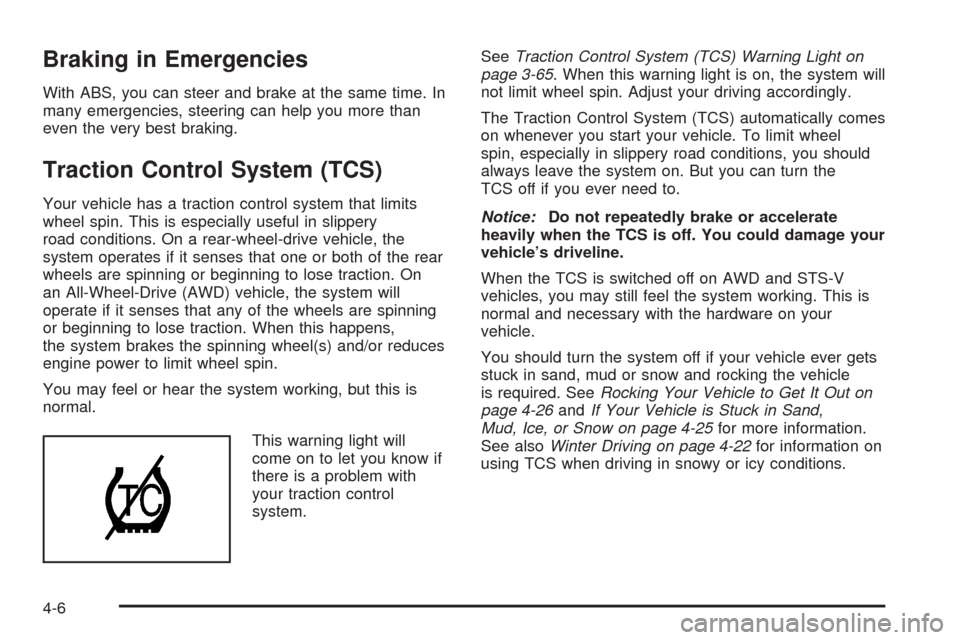
This warning light will
come on to let you know if
there is a problem with
your traction control
system.SeeTraction Control System (TCS) Warning Light on
page 3-65. When this warning light is on, the system will
not limit wheel spin. Adjust your driving accordingly.
The Traction Control System (TCS) automatically comes
on whenever you start your vehicle. To limit wheel
spin, especially in slippery road conditions, you should
always leave the system on. But you can turn the
TCS off if you ever need to.
Notice:Do not repeatedly brake or accelerate
heavily when the TCS is off. You could damage your
vehicle’s driveline.
When the TCS is switched off on AWD and STS-V
vehicles, you may still feel the system working. This is
normal and necessary with the hardware on your
vehicle.
You should turn the system off if your vehicle ever gets
stuck in sand, mud or snow and rocking the vehicle
is required. SeeRocking Your Vehicle to Get It Out on
page 4-26andIf Your Vehicle is Stuck in Sand,
Mud, Ice, or Snow on page 4-25for more information.
See alsoWinter Driving on page 4-22for information on
using TCS when driving in snowy or icy conditions.
4-6