mirror CADILLAC STS 2008 1.G User Guide
[x] Cancel search | Manufacturer: CADILLAC, Model Year: 2008, Model line: STS, Model: CADILLAC STS 2008 1.GPages: 500, PDF Size: 5.81 MB
Page 117 of 500
Object Detection Systems
Ultrasonic Rear Parking Assist
(URPA)
If your vehicle has the Ultrasonic Rear Parking Assist
(URPA) system, it helps you park easier and avoid other
vehicles while in REVERSE (R). It operates at speeds
less than 3 mph (5 km/h). It can determine how close
objects are to the rear bumper, up to 5 feet (1.5 m)
behind your vehicle. The distance sensors are located
on the rear bumper.
{CAUTION:
The Ultrasonic Rear Parking Assist (URPA)
system does not replace driver vision.
It cannot detect:
objects that are below the bumper,
underneath the vehicle, or if they are
too close or far from the vehicle
children, pedestrians, bicyclists, or pets.
CAUTION: (Continued)
CAUTION: (Continued)
If you do not use proper care before and while
backing; vehicle damage, injury, or death
could occur. Even with URPA, always check
behind your vehicle before backing up. While
backing, be sure to look for objects and check
your vehicle’s mirrors.
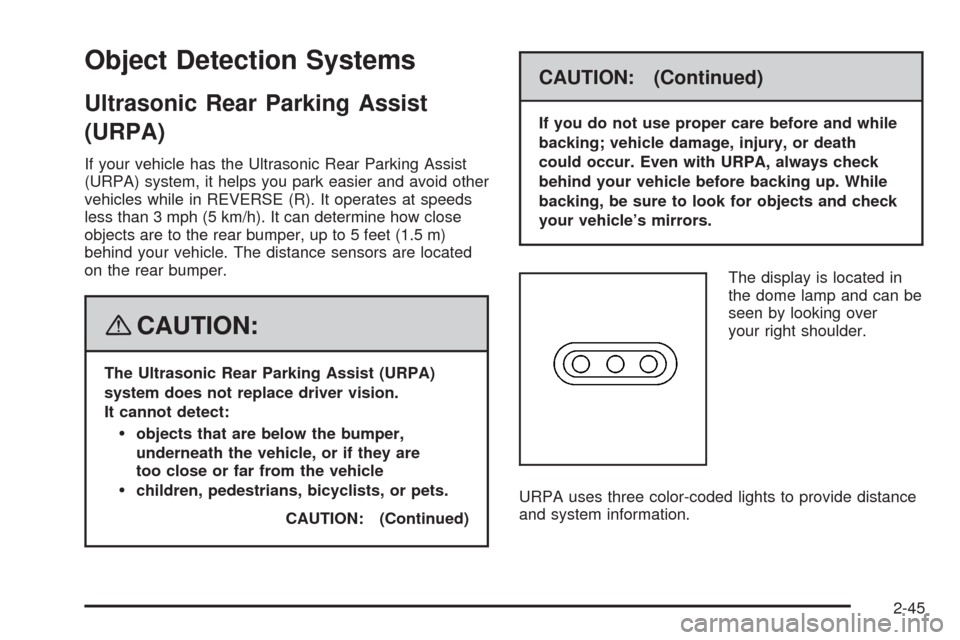
The display is located in
the dome lamp and can be
seen by looking over
your right shoulder.
URPA uses three color-coded lights to provide distance
and system information.
2-45
Page 132 of 500
Vehicle Personalization
Your vehicle has personalization that allows you to
program certain features to a preferred setting for up to
two drivers. The back of the keyless access transmitters
are labelled 1 or 2. Additional keyless access transmitters
programmed to the vehicle, as 3 and/or 4, do not have
a number on the back and are not capable of being
personalized. The number of programmable features
varies depending upon which vehicle options are
purchased.
On all vehicles, features such as climate control settings,
radio and XM™ preset settings, exterior lighting at unlock
and remote lock unlock conrmation, and language have
already been programmed for your convenience. Your
vehicle also has an automatic door locking feature that is
always on. You cannot turn the automatic door locking
feature off. SeeProgrammable Automatic Door Locks on
page 2-15.
Some vehicles have additional features that can be
programmed including the seat, steering column, and
outside rearview mirror position.If your vehicle has the base audio system, the following
information explains the vehicle personalization on
your vehicle.
If your vehicle has the Navigation system, see
“Personalization” in the Index of the Navigation System
manual for information on vehicle personalization.
If your vehicle has the ability to program additional
personalization features, the driver’s preferences
are recalled by pressing any button on the keyless
access transmitter, 1 or 2, by selecting Driver 1 or 2 on
the radio display, or when a valid keyless access
transmitter is detected upon opening the driver’s door.
If more than one valid keyless access transmitter is
detected upon opening the driver’s door, the driver
preferences for the lowest driver number will be recalled.
Certain features can be programmed not to recall until
the ignition is turned off.
The default settings for the personalization features
were set when your vehicle left the factory, but
may have changed from their default state since then.
2-60
Page 137 of 500
REMOTE RECALL MEMORY
If your vehicle has the optional memory package, you
will have this feature. When this feature is turned on,
you can recall any previously programmed seat position
and mirror position when the unlock button on the
keyless access transmitter is pressed.
Programmable Modes
Mode 1:ON
Mode 2:OFF (default)
The exception to the default is the recall seat to driver
position which is on.
To program the vehicle to a different mode:
1. Enter the PERSONAL SETTINGS MENU by
following the instructions listed previously under
“Entering the Personal Settings Menu.”
2. Turn the tune/select knob until REMOTE RECALL
MEMORY is highlighted.
3. Press the tune/select knob to switch back and forth
between on and off.
When the mode is turned on, a check mark will
appear next to the feature name.
If this feature is selected, START BUTTON RECALL
cannot be selected.
The mode you selected is now set. You can either exit
the programming mode by following the instructions
later in this section or program the next feature available
on your vehicle.
START BUTTON RECALL
If your vehicle has the optional memory package, you
will have this feature. When this feature is turned on,
you can recall any previously programmed seat, mirror,
and steering column position when the start button
on the ignition is pressed.
Programmable Modes
Mode 1:ON
Mode 2:OFF (default)
To program the vehicle to a different mode:
1. Enter the PERSONAL SETTINGS MENU by
following the instructions listed previously under
“Entering the Personal Settings Menu.”
2. Turn the tune/select knob until START BUTTON
RECALL is highlighted.
3. Press the tune/select knob to switch back and forth
between on and off.
When the mode is turned on, a check mark will
appear next to the feature name.
If this feature is selected, REMOTE RECALL MEMORY
cannot be selected.
The mode you selected is now set. You can either exit
the programming mode by following the instructions
later in this section or program the next feature available
on your vehicle.
2-65
Page 149 of 500
3. Press the tune/select knob to enter the
SUSPENSION MODE submenu.
4. Turn the tune/select knob to highlight TOURING or
PERFORMANCE.
5. Press the tune/select knob to select the setting.
The mode you selected is now set. You can either exit
the programming mode by following the instructions
later in this section or program the next feature available
on your vehicle by pressing the F6 (BACK) button,
located on the radio, to return to the PERSONAL
SETTINGS MENU.
Exiting the Personal Settings Menu
Once you have nished making your selections on the
base audio system, you will automatically return to
the main audio screen after 15 seconds. You can also
press the F6 (BACK) button, located on the radio,
to return to the main audio screen.
Memory Seat, Mirrors and
Steering Wheel
If your vehicle has the memory feature, you can
program and recall memory settings for the following
features for up to two drivers:
The driver’s seat position
The outside rearview mirrors position
The power tilt wheel and telescopic steering column
position
The following settings and presets are set automatically:
The language, radio and XM™ presets, tone,
volume, playback mode (AM/FM or CD), last
displayed stations, and compact disc position
The last climate control setting
The Head-Up Display (HUD) position, if your
vehicle has this feature
Other personalization settings, for example,
remote start settings
SeeVehicle Personalization on page 2-60.
2-77
Page 151 of 500
Driver Selection Submenu Items
DRIVER 1/DRIVER 2
The numbers on the back of each keyless access
transmitter correspond to DRIVER 1 and DRIVER 2.
If you would like to recall or store driver settings for
the driver that does not correspond to the number on
the back of the keyless access transmitter that you
are using:
1. Enter the memory programming mode for your
driver settings by following the instructions listed
previously under “Entering the Driver Selection
Submenu.”
2. From the DRIVER SELECTION submenu, turn the
tune/select knob to highlight the driver number that
you want, either DRIVER 1 or DRIVER 2.
3. Set your choice by pressing in the tune/select knob.
If you would like to recall or store driver settings for
the selected driver, see “RECALL DRIVER SETTINGS”
or “STORE DRIVER SETTINGS” later in this section.
If you would like to recall or store exit settings for
the selected driver, see “RECALL EXIT SETTINGS” or
“STORE EXIT SETTINGS” later in this section.
RECALL DRIVER SETTINGS
To recall driver settings:
1. Enter the memory programming mode for your
driver settings by following the instructions listed
previously under “Entering the Driver Selection
Submenu.”
2. From the DRIVER SELECTION submenu, turn the
tune/select knob to scroll to RECALL DRIVER
SETTINGS and press in the knob.
If the vehicle is in PARK (P), one beep will sound
and your previously saved driving position will
then be recalled.
If the vehicle is not in PARK (P), three beeps will
sound and your previously saved driving position will
not be recalled.
A memory recall can be stopped by pressing any
memory seat or mirror position button.
If you would like the stored driving positions to be
recalled when unlocking your vehicle with the keyless
access transmitter or when starting your vehicle,
see “REMOTE RECALL MEMORY” or “START
BUTTON RECALL” underVehicle Personalization
on page 2-60.
2-79
Page 152 of 500
STORE DRIVER SETTINGS
To store driver settings:
1. Adjust your settings for the driver’s seat, the outside
rearview mirrors, and the steering column to a
comfortable driving position.
2. Enter the memory programming mode for your
driver settings by following the instructions listed
previously under “Entering the Driver Selection
Submenu.”
3. From the DRIVER SELECTION submenu, turn the
tune/select knob to scroll to STORE DRIVER
SETTINGS and press in the knob. Two beeps will
sound to conrm that your driver settings are saved.
4. Set the HUD position, if your vehicle has this
feature, the climate control temperature, fan
speed and mode settings, the radio presets, tone,
volume, playback mode (AM/FM, XM™, or CD), and
compact disc position.
Your memory settings are now programmed.
Any changes that are made to the HUD, audio
system, and climate controls while driving will be
automatically stored when the ignition is turned off.
5. Repeat the procedure for a second driver by
programming the other driver number.
Entering the Driver Exit Settings
Submenu
To enter the memory programming mode for your
exit settings:
1. Be sure the ignition is either on, in ACCESSORY,
or in RAP and place the transmission in PARK (P)
or make sure that the vehicle speed is less than
6 mph (9 km/h).
2. Press any button on the appropriate keyless access
transmitter to identify yourself as Driver 1 or Driver 2.
3. Turn on the radio by pressing the
power/volume knob.
4. Press the CNFG radio button to enter the main
menu of the radio.
5. Turn the tune/select knob and scroll to SETUP.
6. Press the tune/select knob to enter the SETUP menu.
7. Turn the tune/select knob and scroll to DRIVER
EXIT SETTINGS.
8. Press the tune/select knob to enter the DRIVER
EXIT SETTINGS submenu. The following items
will appear:
RECALL EXIT SETTINGS
STORE EXIT SETTINGS
2-80
Page 153 of 500
Driver Exit Settings Submenu Items
RECALL EXIT SETTINGS
To recall exit settings:
1. Enter the memory programming mode for your
exit settings by following the instructions listed
previously under “Entering the Driver Exit Settings
Submenu.”
2. From the DRIVER EXIT SETTINGS submenu, turn
the tune/select knob to scroll to RECALL EXIT
SETTINGS and press in the knob.
If the vehicle is in PARK (P), one beep will sound
and your previously saved exit position will then be
recalled.
If the vehicle is not in PARK (P), three beeps will
sound and your previously saved exit position
will not be recalled.
A memory recall can be stopped by pressing any
memory seat or mirror position button.
If you would like the stored exit positions to be recalled
when your vehicle is in PARK (P), the vehicle is off, and
the driver’s door is opened, see “AUTO EXIT SEAT” and
“AUTO EXIT COLUMN” underVehicle Personalization on
page 2-60.
STORE EXIT SETTINGS
To store exit settings:
1. Adjust your settings for the driver’s seat, the outside
rearview mirrors, and the steering column to a
comfortable exit position.
2. Enter the memory programming mode for your
exit settings by following the instructions listed
previously under “Entering the Driver Exit Settings
Submenu.”
3. From the DRIVER EXIT SETTINGS submenu,
turn the tune/select knob to scroll to STORE
EXIT SETTINGS and press in the knob.
Two beeps will sound to conrm that your new
exit settings are saved.
4. Repeat the procedure for a second driver by
programming the other driver number.
2-81
Page 161 of 500
Power Tilt Wheel and Telescopic
Steering Column
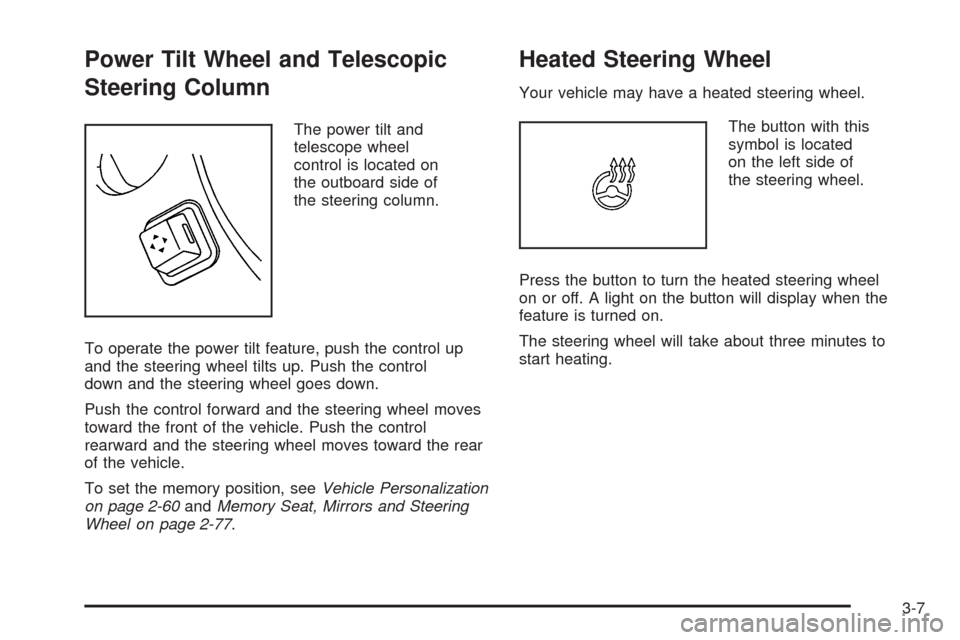
The power tilt and
telescope wheel
control is located on
the outboard side of
the steering column.
To operate the power tilt feature, push the control up
and the steering wheel tilts up. Push the control
down and the steering wheel goes down.
Push the control forward and the steering wheel moves
toward the front of the vehicle. Push the control
rearward and the steering wheel moves toward the rear
of the vehicle.
To set the memory position, seeVehicle Personalization
on page 2-60andMemory Seat, Mirrors and Steering
Wheel on page 2-77.
Heated Steering Wheel
Your vehicle may have a heated steering wheel.
The button with this
symbol is located
on the left side of
the steering wheel.
Press the button to turn the heated steering wheel
on or off. A light on the button will display when the
feature is turned on.
The steering wheel will take about three minutes to
start heating.
3-7
Page 169 of 500
Rainsense™ II Wipers
If your vehicle has this feature, the moisture sensor is
mounted on the interior side of the windshield behind
the rearview mirror. It is used to automatically operate
the wipers by monitoring the amount of moisture
build-up on the windshield. Wipes occur as needed to
clear the windshield depending on driving conditions
and the sensitivity setting. In light rain or snow,
fewer wipes will occur. In heavy rain or snow, wipes
will occur more frequently. The Rainsense™ wipers
operate in a delay mode as well as a continuous low
or high speed as needed. If the system is left on for long
periods of time, occasional wipes may occur without
any moisture on the windshield. This is normal and
indicates that the Rainsense™ system is activated.
To activate the Rainsense™ system, turn the wiper band
to delay mode and select one of the four sensitivity
levels indicated on the wiper stalk. The position closest
to off is the lowest sensitivity setting, level one. This
allows more rain or snow to collect on the windshield
between wipes. Turning the wiper band away from
you to higher sensitivity levels increases the sensitivity
of the system and frequency of wipes. The highest
sensitivity setting, level four, is closest to low.A single wipe will occur each time you turn the wiper
stalk to a higher sensitivity level to indicate that the
sensitivity level has been increased.
Notice:Going through an automatic car wash with
the wipers on can damage them. Turn the wipers
off when going through an automatic car wash.
The mist and wash cycles operate as normal and
are not affected by the Rainsense™ function. The
Rainsense™ system can be overridden at any time by
manually turning the wiper band to low or high speed.
When Rainsense™ is active, the headlamps will turn
on automatically. The headlamps will turn off again
once the wipers turn off if it is light enough outside.
If it is dark, they will remain on. SeeWiper Activated
Headlamps on page 3-37.
Notice:Do not place stickers or other items on
the exterior glass surface directly in front of
the moisture sensor. Doing this could cause the
moisture sensor to malfunction.
3-15
Page 188 of 500
;(Parking Lamps):Turn the control to this position
to turn on the parking lamps together with the following:
Sidemarker Lamps
Taillamps
License Plate Lamps
Instrument Panel Lights
5(Headlamps):Turn the control to this position to
turn on the headlamps, together with the previously
listed lamps and lights.
IntelliBeam™ Intelligent High-Beam
Headlamp Control System
If your vehicle has this feature, be sure to read this
entire section before using it.
IntelliBeam™ is an enhancement to the vehicle’s
headlamp system. Using a digital light sensor located
on the back of the rearview mirror, this system turns
the high-beam headlamps on and off according to
surrounding traffic conditions.
The IntelliBeam™ system turns the high-beam
headlamps on when it is dark enough, there is no other
traffic present, and the IntelliBeam™ system is enabled.
Turning On and Enabling IntelliBeam™
AUTO3(IntelliBeam™ On/Off):Press and release
the IntelliBeam™ button on the inside rear view mirror.
The IntelliBeam™ indicator on the mirror turns on.
Once the system has been turned on, it remains on each
time the vehicle is started. Additionally, the IntelliBeam™
system must be enabled.
To enable the IntelliBeam™ System, turn the exterior
lamp control to AUTO, with the turn signal/multifunction
lever in its neutral position. The High-Beam On
Light appears on the instrument panel cluster when
the high-beams are on. SeeHighbeam On Light
on page 3-72. Your vehicle has variable intensity
high-beams. The high-beam indicator on the instrument
panel cluster comes on as soon as the high-beams
start to come on, and remains on until the high-beams
have completely turned off. All vehicles that have
IntelliBeam™, however, quickly turn off the high-beams
if the system detects the sudden presence of vehicle
lights ahead.
Driving with IntelliBeam™
IntelliBeam™ only activates the high-beams when
driving over 20 mph (32 km/h).
3-34