lock CADILLAC STS 2008 1.G Workshop Manual
[x] Cancel search | Manufacturer: CADILLAC, Model Year: 2008, Model line: STS, Model: CADILLAC STS 2008 1.GPages: 500, PDF Size: 5.81 MB
Page 189 of 500
The high-beam headlamps remain on, under the
control of IntelliBeam™, until any of the following
situations occur:
The system detects an approaching vehicle’s
headlamps.
The system detects a preceding vehicle’s taillamps.
The outside light is bright enough that high-beam
headlamps are not required.
The high-beam headlamps are manually
turned on or you use the ash-to-pass feature.
SeeHeadlamp High/Low-Beam Changer on
page 3-9andFlash-to-Pass on page 3-13.
When either of these conditions occur, the
IntelliBeam™ feature is temporarily disabled until
the high-beam stalk is returned to the neutral
position. If either of these conditions occur and
IntelliBeam™ already has the high-beam headlamps
on, the IntelliBeam™ feature is disabled and the
IntelliBeam™ light in the mirror turns off.
The exterior lamp control is turned to any setting
except AUTO.
When this occurs, IntelliBeam™ is disabled until
the control is turned back to the AUTO position
and the AUTOMATIC LIGHTS ON message
displays on the DIC.
The IntelliBeam™ system is turned off at the inside
rearview mirror.
The vehicle’s speed drops below 15 mph (24 km/h).
IntelliBeam™ may not turn off the high-beams if the
system cannot detect other vehicle’s lamps because
of any of the following:
The others vehicle’s lamp(s) are missing, damaged,
obstructed from view, or otherwise undetected.
The other vehicle’s lamp(s) are covered with dirt,
snow and/or road spray.
The other vehicle’s lamp(s) cannot be detected due
to dense exhaust, smoke, fog, snow, road spray,
mist, or other airborne obstructions.
Your vehicle’s windshield is dirty, cracked,
or obstructed by something that blocks the view
of the IntelliBeam™ light sensor.
Your vehicle’s windshield is covered with ice,
dirt, haze, or other obstructions.
Your vehicle is loaded such that the front end of
the vehicle points upward, causing the IntelliBeam™
sensor to aim high and not detect headlamps
and taillamps.
You are driving on winding or hilly roads.
You might need to manually disable or cancel the
high-beam headlamps by turning the low-beam
headlamps on, if any of the above conditions exist.
3-35
Page 195 of 500
Instrument Panel Brightness
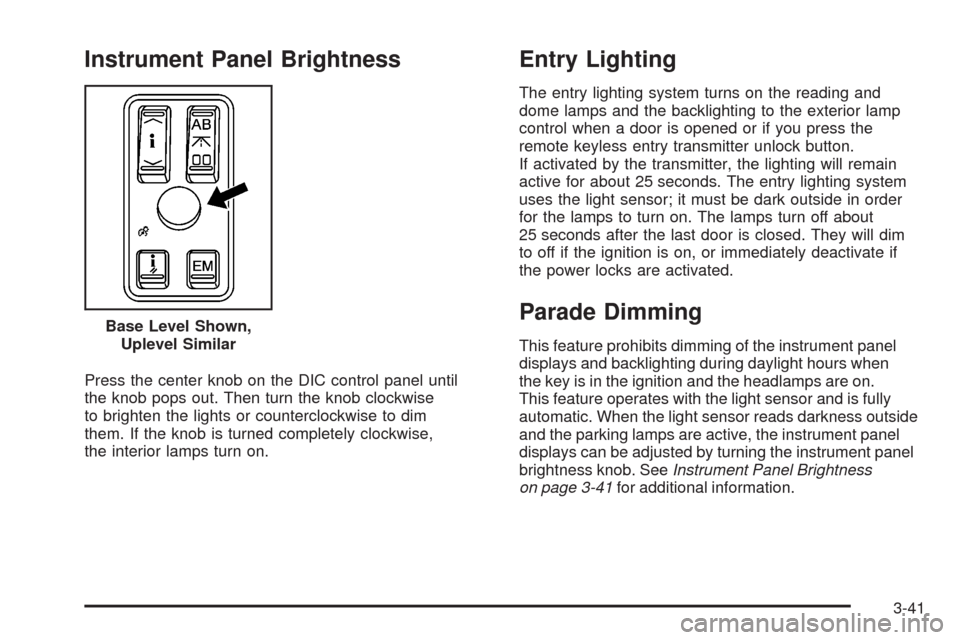
Press the center knob on the DIC control panel until
the knob pops out. Then turn the knob clockwise
to brighten the lights or counterclockwise to dim
them. If the knob is turned completely clockwise,
the interior lamps turn on.
Entry Lighting
The entry lighting system turns on the reading and
dome lamps and the backlighting to the exterior lamp
control when a door is opened or if you press the
remote keyless entry transmitter unlock button.
If activated by the transmitter, the lighting will remain
active for about 25 seconds. The entry lighting system
uses the light sensor; it must be dark outside in order
for the lamps to turn on. The lamps turn off about
25 seconds after the last door is closed. They will dim
to off if the ignition is on, or immediately deactivate if
the power locks are activated.
Parade Dimming
This feature prohibits dimming of the instrument panel
displays and backlighting during daylight hours when
the key is in the ignition and the headlamps are on.
This feature operates with the light sensor and is fully
automatic. When the light sensor reads darkness outside
and the parking lamps are active, the instrument panel
displays can be adjusted by turning the instrument panel
brightness knob. SeeInstrument Panel Brightness
on page 3-41for additional information. Base Level Shown,
Uplevel Similar
3-41
Page 199 of 500
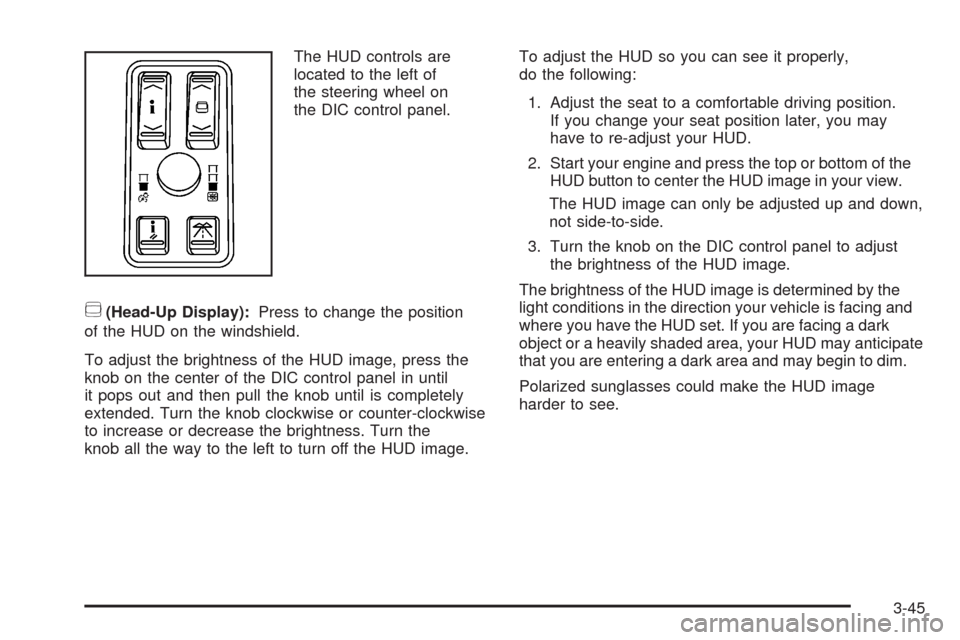
The HUD controls are
located to the left of
the steering wheel on
the DIC control panel.
~(Head-Up Display):Press to change the position
of the HUD on the windshield.
To adjust the brightness of the HUD image, press the
knob on the center of the DIC control panel in until
it pops out and then pull the knob until is completely
extended. Turn the knob clockwise or counter-clockwise
to increase or decrease the brightness. Turn the
knob all the way to the left to turn off the HUD image.To adjust the HUD so you can see it properly,
do the following:
1. Adjust the seat to a comfortable driving position.
If you change your seat position later, you may
have to re-adjust your HUD.
2. Start your engine and press the top or bottom of the
HUD button to center the HUD image in your view.
The HUD image can only be adjusted up and down,
not side-to-side.
3. Turn the knob on the DIC control panel to adjust
the brightness of the HUD image.
The brightness of the HUD image is determined by the
light conditions in the direction your vehicle is facing and
where you have the HUD set. If you are facing a dark
object or a heavily shaded area, your HUD may anticipate
that you are entering a dark area and may begin to dim.
Polarized sunglasses could make the HUD image
harder to see.
3-45
Page 201 of 500
Notice:Leaving electrical equipment plugged in for
an extended period of time while the vehicle is off
will drain the battery. Power is always supplied
to the outlets. Always unplug electrical equipment
when not in use and do not plug in equipment
that exceeds the maximum 20 ampere rating.
Certain accessory power plugs may not be compatible
to the accessory power outlet and could result in
blown vehicle or adapter fuses. If you experience a
problem, see your dealer for additional information on
the accessory power outlets.
Notice:Adding any electrical equipment to your
vehicle may damage it or keep other components
from working as they should. The repairs would
not be covered by your warranty. Do not use
equipment exceeding maximum amperage rating
of 20 amperes. Check with your dealer/retailer
before adding electrical equipment.
Follow the proper installation instructions that are
included with any electrical equipment you install.
Notice:Improper use of the power outlet can
cause damage not covered by your warranty.
Do not hang any type of accessory or accessory
bracket from the plug because the power outlets
are designed for accessory power plugs only.Ashtray(s) and Cigarette Lighter
Your vehicle may have an ashtray and cigarette lighter.
Notice:If you put papers, pins, or other ammable
items in the ashtray, hot cigarettes or other smoking
materials could ignite them and possibly damage
your vehicle. Never put ammable items in the
ashtray.
Ashtray
For vehicles with an ashtray, it is located under the
climate control panel on the center console. Press
on the door to release the ashtray. The ashtray
automatically slides open for use.
To empty the ashtray with the ashtray in full open
position, locate the release button to the right of the ash
receiver and slide it to the right (in the direction of the
arrow). The ash receiver will unlock and lift slightly and
can then be easily removed from the housing. To replace
the ash receiver, place it into position in the ashtray
housing and push down rmly until it locks into place.
3-47
Page 208 of 500
Outlet Adjustment
Use the lever located in the center of each outlet to
change the direction of the airow, either side-to-side
or up and down. Use the thumbwheels to open or close
the outlets to adjust the airow.
Turn the thumbwheel towards the vehicle door to open
the outlets and allow the maximum amount of air to
enter your vehicle. Turn the thumbwheel towards
the center console to close the outlets and minimize
the amount of air entering the vehicle.
Operation Tips
Clear away any ice, snow or leaves from the air
inlets at the base of the windshield that may
block the ow of air into your vehicle.
Use of non-GM approved hood deectors may
adversely affect the performance of the system.
Keep the path under the front seats clear of
objects to help circulate the air inside of your
vehicle more effectively.
If the airow seems low when the fan speed is at the
highest setting, the passenger compartment air lter
may need to be replaced. For more information, see
Passenger Compartment Air Filter on page 3-55.
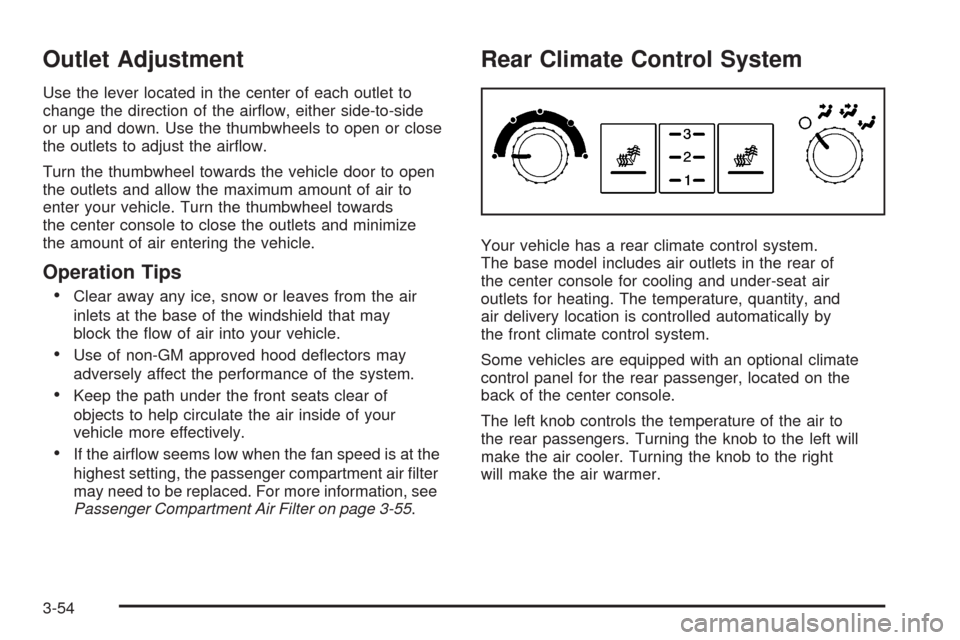
Rear Climate Control System
Your vehicle has a rear climate control system.
The base model includes air outlets in the rear of
the center console for cooling and under-seat air
outlets for heating. The temperature, quantity, and
air delivery location is controlled automatically by
the front climate control system.
Some vehicles are equipped with an optional climate
control panel for the rear passenger, located on the
back of the center console.
The left knob controls the temperature of the air to
the rear passengers. Turning the knob to the left will
make the air cooler. Turning the knob to the right
will make the air warmer.
3-54
Page 219 of 500
Antilock Brake System
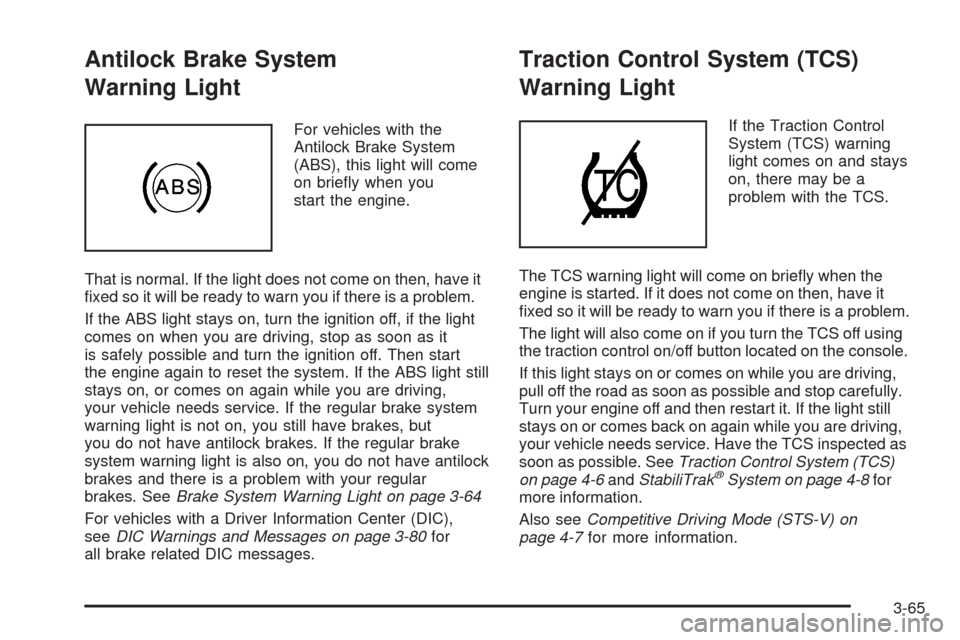
Warning Light
For vehicles with the
Antilock Brake System
(ABS), this light will come
on briey when you
start the engine.
That is normal. If the light does not come on then, have it
xed so it will be ready to warn you if there is a problem.
If the ABS light stays on, turn the ignition off, if the light
comes on when you are driving, stop as soon as it
is safely possible and turn the ignition off. Then start
the engine again to reset the system. If the ABS light still
stays on, or comes on again while you are driving,
your vehicle needs service. If the regular brake system
warning light is not on, you still have brakes, but
you do not have antilock brakes. If the regular brake
system warning light is also on, you do not have antilock
brakes and there is a problem with your regular
brakes. SeeBrake System Warning Light on page 3-64
For vehicles with a Driver Information Center (DIC),
seeDIC Warnings and Messages on page 3-80for
all brake related DIC messages.
Traction Control System (TCS)
Warning Light
If the Traction Control
System (TCS) warning
light comes on and stays
on, there may be a
problem with the TCS.
The TCS warning light will come on briey when the
engine is started. If it does not come on then, have it
xed so it will be ready to warn you if there is a problem.
The light will also come on if you turn the TCS off using
the traction control on/off button located on the console.
If this light stays on or comes on while you are driving,
pull off the road as soon as possible and stop carefully.
Turn your engine off and then restart it. If the light still
stays on or comes back on again while you are driving,
your vehicle needs service. Have the TCS inspected as
soon as possible. SeeTraction Control System (TCS)
on page 4-6andStabiliTrak
®System on page 4-8for
more information.
Also seeCompetitive Driving Mode (STS-V) on
page 4-7for more information.
3-65
Page 238 of 500
CLEAN RADAR
This message displays when the Adaptive Cruise
Control system is disabled because the radar is blocked
and cannot detect vehicles in your path. It may also
activate during heavy rain or due to road spray.
To clean the system, see “Cleaning the System”
underAdaptive Cruise Control on page 3-20.
CLEAN SIDE BLIND ZONE ALERT
SYSTEM
If your vehicle has the Side Blind Zone Alert (SBZA)
system, this message displays when the SBZA system
is disabled because the sensor is blocked and cannot
detect vehicles in your blind zone. The sensor may
be blocked by mud, dirt, snow, ice, or slush. This
message may also display during heavy rain or due
to road spray. Your vehicle does not need service.
For cleaning instructions, seeWashing Your Vehicle
on page 5-110. See the Index in the Navigation
manual for more information.
COMPETITIVE DRIVING (STS-V Only)
This message displays when the competitive driving
mode is turned on with the TC (traction control) button.
The TC (traction control) light comes on when the
competitive driving mode is on. The Traction Control
System (TCS) will not operate while in competitive
driving mode. Adjust your driving accordingly. See
Competitive Driving Mode (STS-V) on page 4-7for
more information.
DRIVER DOOR AJAR
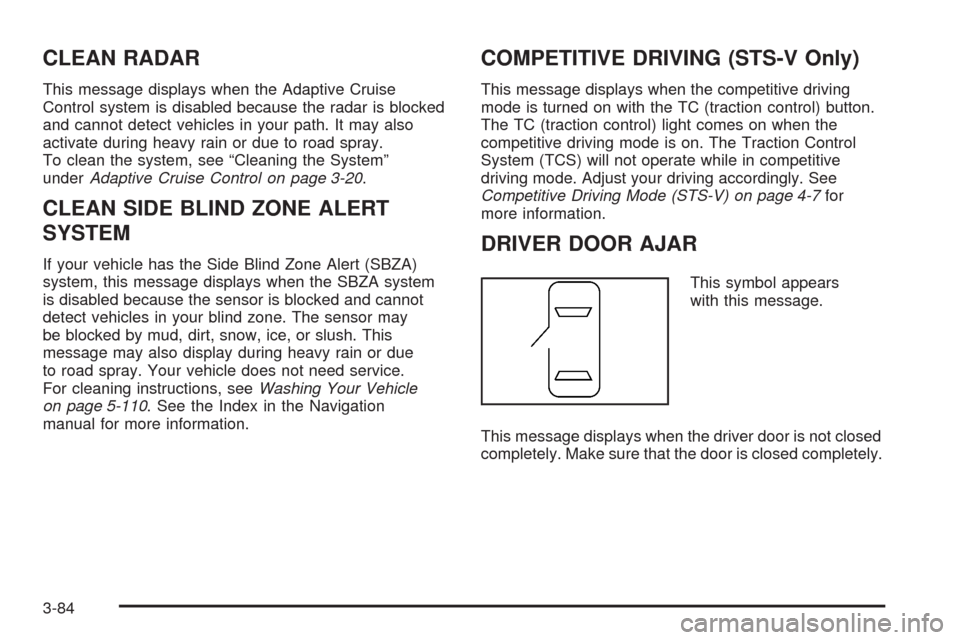
This symbol appears
with this message.
This message displays when the driver door is not closed
completely. Make sure that the door is closed completely.
3-84
Page 253 of 500
Setting the Time
1. Press thew(tune/select) knob (the passenger
side knob) to enter the main menu.
2. Turn the same knob until SET CLOCK displays.
3. Press this knob to select SET CLOCK.
4. Turn this knob to adjust the time.
5. Press the same knob to update the time.
VEHICLE TIME UPDATED displays.
If the CLOCK/RADIO DISP (display) is programmed
into one of the congurable keys, pressing the key
switches the display back to the clock set function.
The time and date always appears on the radio display.
See “Congurable Radio Display Keys” later in this
section for more information on conguring the keys.
Setting the Date
1. Press thewknob (the passenger side knob)
to enter the main menu.
2. Turn the same knob until SET DATE displays.
3. Press this knob to select SET DATE.
4. Turn this knob to adjust the date.
5. Press the same knob to update the time.
VEHICLE DATE UPDATED displays.
If the DATE is programmed into one of the congurable
keys, pressing the key switches the display back to
the date set function. The time and date always appears
on the radio display. See “Congurable Radio Display
Keys” later in this section for more information on
conguring the keys.
3-99
Page 255 of 500
Playing the Radio
O
(Power):Press to turn the system on and off.
n(Volume):Turn clockwise or counterclockwise to
increase or to decrease the volume.
SRCE (Source):Press to select a source, either radio
or CD. The CD must be loaded to select the source
and to play. CD displays if a CD is loaded. If a CD is
not loaded, the display does not change from the
radio source.
Finding a Station
BAND:Press to select FM1, FM2, AM, or XM1
or XM2 (if equipped).
w(Tune):Turn to select radio stations.
©¨(Seek):Press the left arrow to go to the
previous station and stay there. Press the right arrow
to go to the next station and stay there. The sound
mutes while seeking.
The radio seeks stations only with a strong signal
that are in the selected band.
©¨(Scan):Press the arrows to enter scan mode.
SCAN displays. Press the arrows to scan the next
station. The radio goes to a station, plays for
ve seconds, then goes to the next station. Press
the arrows again to stop scanning.
To scan preset stations, press and hold the arrows for
more than two seconds until a beep sounds and PSCAN
displays. The radio goes to the rst preset station,
plays for ve seconds, then goes to the next preset
station. Press the arrows again to stop scanning presets.
The radio only scans stations with a strong signal that
are in the selected band.
AF (Alternate Frequency):This feature lets you turn
the Alternate Frequency feature on or off. See Alternate
Frequency under, “Activating Program Type (PTY)
Stations” later in this section for more information.
ALOCAL/DISTANT Selection:With this feature the
radio can be set to search for local stations or stations
that are further away for a larger selection.
3-101
Page 261 of 500
Radio Message
THEFTLOCK:This message displays when the
THEFTLOCK®system has been activated. Take
the vehicle to the dealer/retailer for service.
XM™ Satellite Radio Service
XM™ is a satellite radio service that is based in
the 48 contiguous United States and 10 Canadian
provinces. XM™ Satellite Radio has a wide variety
of programming and commercial-free music,
coast-to-coast, and in digital-quality sound. During
your trial or when you subscribe, you will get unlimited
access to XM™ Radio Online for when you are not
in your vehicle. A service fee is required to receive
the XM™ service. For more information, contact XM™
at www.xmradio.com or call 1-800-929-2100 in the
U.S. and www.xmradio.ca or call 1-877-438-9677
in Canada.
Radio Messages for XM™ Only
SeeXM Radio Messages on page 3-116later in
this section for further detail.
Using the Single CD Player
Insert a CD partway into the slot, label side up. The
player pulls it in. If the ignition and the radio are on,
the CD begins playing. A CD can be loaded with
the radio off, but it does not start playing until the
radio is on.
If the ignition or radio is turned off with a CD in the
player, it stays in the player. While the ignition or radio
is turned on, the CD starts to play where it stopped,
if it was the last selected audio source.
When the CD is inserted, CD displays. As each new
track starts to play, the track number displays.
The CD player can play the smaller 3 inch (8 cm)
single CDs with an adapter ring. Full-size CDs and
the smaller CDs are loaded in the same manner.
When a CD is inserted, the CD functions display
above the pushbuttons, in place of the preset stations
(if programmed).
F1
{(Reverse):Press and hold to reverse quickly
within a track. Release to play the passage. The elapsed
time of the track displays.
F2
|(Forward):Press and hold to advance quickly
within a track. Release to play the passage. The elapsed
time of the track displays.
3-107