radio CADILLAC STS 2008 1.G Owners Manual
[x] Cancel search | Manufacturer: CADILLAC, Model Year: 2008, Model line: STS, Model: CADILLAC STS 2008 1.GPages: 500, PDF Size: 5.81 MB
Page 77 of 500
Keyless Access System
Your vehicle has a Keyless Access System that
operates on a radio frequency subject to Federal
Communications Commission (FCC) Rules and with
Industry Canada.
This device complies with Part 15 of the FCC Rules.
Operation is subject to the following two conditions:
1. This device may not cause harmful interference.
2. This device must accept any interference received,
including interference that may cause undesired
operation.
This device complies with RSS-210 of Industry Canada.
Operation is subject to the following two conditions:
1. This device may not cause interference.
2. This device must accept any interference received,
including interference that may cause undesired
operation of the device.
Changes or modications to this system by other than
an authorized service facility could void authorization to
use this equipment.If you ever notice a decrease in the keyless access
transmitter range, try doing one of the following:Check the distance. You may be too far from your
vehicle. You may need to stand closer during
rainy or snowy weather.
Check the location. Other vehicles or objects may
be blocking the signal. Take a few steps to the
left or right, hold the transmitter higher, and
try again.
Check to determine if battery replacement is
necessary. See “Battery Replacement” under
Keyless Access System Operation on page 2-6.
Check to make sure that an electronic device such
as a cellular phone or lap top computer is not
causing interference.
If you are still having trouble, see your dealer/retailer
or a qualied technician for service.
2-5
Page 87 of 500
Programmable Automatic
Door Locks
Your vehicle was programmed from the factory so that
when the doors are closed, the ignition is on and the shift
lever is moved out of PARK (P), all the doors will lock.
The front doors can still be opened from the inside while
the doors are locked. If a rear passenger needs to
exit the vehicle, have that person use the manual knob
or use the power door lock switch on either front
door. When the door is closed again, it will not lock
automatically. Use the manual knob or the power door
lock switch to lock the door.
The doors were also programmed from the factory to
unlock every time the shift lever is moved back into
PARK (P).
The power door locks can be programmed through the
radio display. The radio display allows you to choose
various lock and unlock settings. For more information on
programming, seeVehicle Personalization on page 2-60.
Rear Door Security Locks
Your vehicle has rear door security locks. These
prevent passengers from opening the rear doors from
the inside.
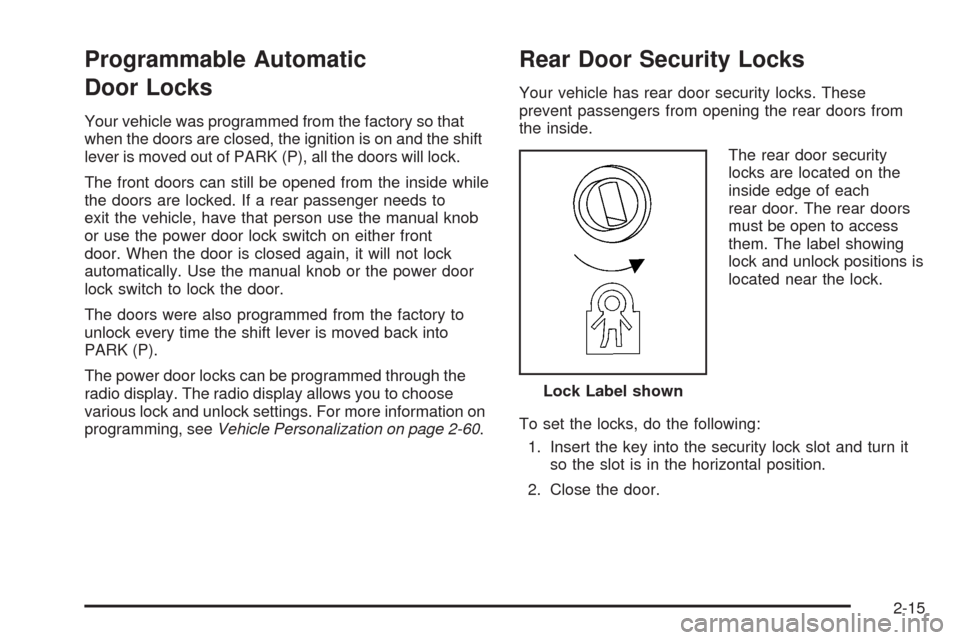
The rear door security
locks are located on the
inside edge of each
rear door. The rear doors
must be open to access
them. The label showing
lock and unlock positions is
located near the lock.
To set the locks, do the following:
1. Insert the key into the security lock slot and turn it
so the slot is in the horizontal position.
2. Close the door.Lock Label shown
2-15
Page 100 of 500
Ignition Positions
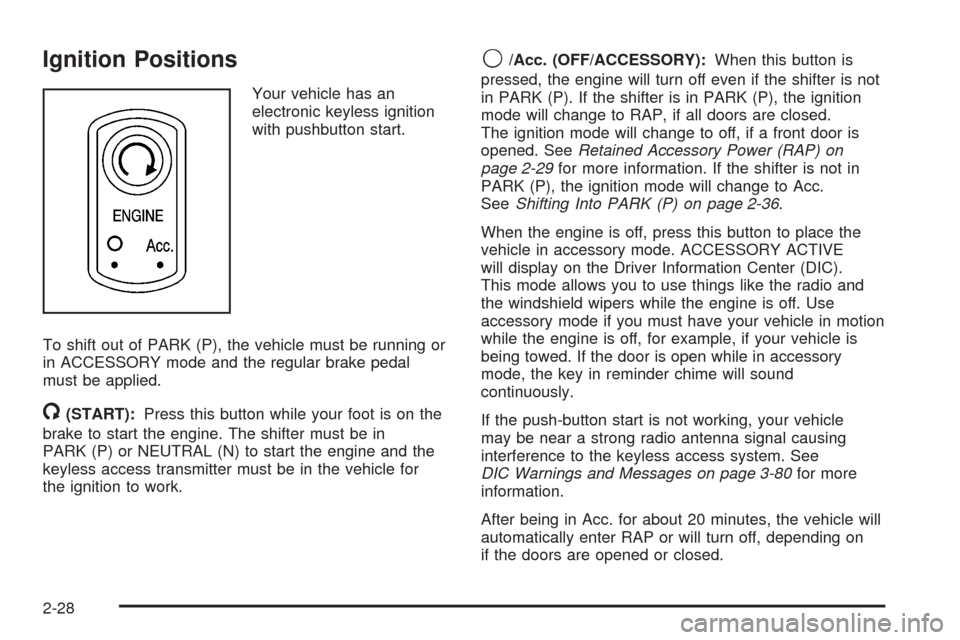
Your vehicle has an
electronic keyless ignition
with pushbutton start.
To shift out of PARK (P), the vehicle must be running or
in ACCESSORY mode and the regular brake pedal
must be applied.
/(START):Press this button while your foot is on the
brake to start the engine. The shifter must be in
PARK (P) or NEUTRAL (N) to start the engine and the
keyless access transmitter must be in the vehicle for
the ignition to work.
9/Acc. (OFF/ACCESSORY):When this button is
pressed, the engine will turn off even if the shifter is not
in PARK (P). If the shifter is in PARK (P), the ignition
mode will change to RAP, if all doors are closed.
The ignition mode will change to off, if a front door is
opened. SeeRetained Accessory Power (RAP) on
page 2-29for more information. If the shifter is not in
PARK (P), the ignition mode will change to Acc.
SeeShifting Into PARK (P) on page 2-36.
When the engine is off, press this button to place the
vehicle in accessory mode. ACCESSORY ACTIVE
will display on the Driver Information Center (DIC).
This mode allows you to use things like the radio and
the windshield wipers while the engine is off. Use
accessory mode if you must have your vehicle in motion
while the engine is off, for example, if your vehicle is
being towed. If the door is open while in accessory
mode, the key in reminder chime will sound
continuously.
If the push-button start is not working, your vehicle
may be near a strong radio antenna signal causing
interference to the keyless access system. See
DIC Warnings and Messages on page 3-80for more
information.
After being in Acc. for about 20 minutes, the vehicle will
automatically enter RAP or will turn off, depending on
if the doors are opened or closed.
2-28
Page 123 of 500
Location information about your vehicle is only available
if the GPS satellite signals are unobstructed and
available.
Your vehicle must have a working electrical system
(including adequate battery power) for the OnStar
equipment to operate. There are other problems OnStar
cannot control that may prevent OnStar from providing
OnStar service to you at any particular time or place.
Some examples are damage to important parts of your
vehicle in an accident, hills, tall buildings, tunnels,
weather or wireless phone network congestion.
Your Responsibility
Increase the radio volume if you cannot hear the OnStar
advisor. If the light next to the OnStar buttons is red,
this means that your system is not functioning properly
and should be checked by your dealer/retailer. If the
light appears clear (no light is appearing), your OnStar
subscription has expired. You can always press the
OnStar button to conrm that your OnStar equipment
is active.
Universal Home Remote
System
Universal Home Remote System
The Universal Home Remote System provides a way to
replace up to three hand-held Radio-Frequency (RF)
transmitters used to activate devices such as garage
door openers, security systems, and home lighting.
This device complies with Part 15 of the FCC Rules.
Operation is subject to the following two conditions:
1. This device may not cause harmful interference.
2. This device must accept any interference received,
including interference that may cause undesired
operation.
This device complies with RSS-210 of Industry Canada.
Operation is subject to the following two conditions:
1. This device may not cause interference.
2. This device must accept any interference received,
including interference that may cause undesired
operation of the device.
Changes or modications to this system by other than
an authorized service facility could void authorization to
use this equipment.
2-51
Page 132 of 500
Vehicle Personalization
Your vehicle has personalization that allows you to
program certain features to a preferred setting for up to
two drivers. The back of the keyless access transmitters
are labelled 1 or 2. Additional keyless access transmitters
programmed to the vehicle, as 3 and/or 4, do not have
a number on the back and are not capable of being
personalized. The number of programmable features
varies depending upon which vehicle options are
purchased.
On all vehicles, features such as climate control settings,
radio and XM™ preset settings, exterior lighting at unlock
and remote lock unlock conrmation, and language have
already been programmed for your convenience. Your
vehicle also has an automatic door locking feature that is
always on. You cannot turn the automatic door locking
feature off. SeeProgrammable Automatic Door Locks on
page 2-15.
Some vehicles have additional features that can be
programmed including the seat, steering column, and
outside rearview mirror position.If your vehicle has the base audio system, the following
information explains the vehicle personalization on
your vehicle.
If your vehicle has the Navigation system, see
“Personalization” in the Index of the Navigation System
manual for information on vehicle personalization.
If your vehicle has the ability to program additional
personalization features, the driver’s preferences
are recalled by pressing any button on the keyless
access transmitter, 1 or 2, by selecting Driver 1 or 2 on
the radio display, or when a valid keyless access
transmitter is detected upon opening the driver’s door.
If more than one valid keyless access transmitter is
detected upon opening the driver’s door, the driver
preferences for the lowest driver number will be recalled.
Certain features can be programmed not to recall until
the ignition is turned off.
The default settings for the personalization features
were set when your vehicle left the factory, but
may have changed from their default state since then.
2-60
Page 133 of 500
To change feature preferences, use the following
procedure.
Entering the Personal Settings Menu
To enter the feature programming mode:
1. Be sure the ignition is either on, in ACCESSORY,
or in RAP and place the transmission in PARK (P)
or make sure that the vehicle speed is less than
6 mph (9 km/h).
To avoid excessive drain on the battery, it is
recommended that the headlamps are turned off.
2. Press any button on the appropriate keyless
access transmitter to identify yourself as
Driver 1 or Driver 2.
Turn on the radio by pressing the
power/volume knob.
3. Press the CNFG radio button or the tune/select
knob located on the right side of the radio to
enter the radio’s main menu.
4. Turn the tune/select knob and scroll to SETUP.5. Press the tune/select knob to enter the SETUP menu.
6. Turn the tune/select knob and scroll to PERSONAL
SETTINGS MENU, then press the tune/select knob
to turn the feature on. A check mark appears
after this selection when it is turned on and the
entire list of personalization features will appear.
7. Turn the tune/select knob and scroll to the feature
you want to change, then press the tune/select
knob to turn the feature on or off. If the feature is
turned on, a check mark will appear next to the
feature name.
Some features have submenus that show
additional features that can be turned on or off.
After entering a submenu, turn the tune/select knob
and scroll to the feature you want to change,
then press the tune/select knob to turn the feature
on or off.
2-61
Page 134 of 500
Personal Settings Menu Items
The PERSONAL SETTINGS MENU must be selected
with a check mark to program the personalization
features. If it is not selected, press the tune/select knob
until the check mark appears. If it is selected, the
entire list of features will be available to program.
DRIVER GREETING
This feature allows you to type in a customized name or
greeting that will appear on the display whenever the
corresponding keyless access transmitter, 1 or 2, is used
or Driver 1 or Driver 2 is selected on the radio display.
If a customized name or greeting is not programmed, the
system will show Driver 1 or Driver 2 to correspond
with the numbers on the back of the keyless access
transmitters. In this case, the customized driver greeting
feature is factory shipped as off.
To turn the driver greeting feature on and to program a
customized name or greeting:
1. Enter the PERSONAL SETTINGS MENU by
following the instructions listed previously under
“Entering the Personal Settings Menu.”
2. Turn the tune/select knob until DRIVER GREETING
is highlighted.3. Press the tune/select knob to turn on the DRIVER
GREETING feature.
You will see a cursor on the screen.
4. Turn the tune/select knob until you reach the rst
letter you want; the letter will be highlighted.
There is a complete alphabet with both upper and
lower case letters and the numbers zero through
nine. Also included are spaces and other non-letter
characters such as the ampersand (&).
5. Press the tune/select knob once to select the letter.
The letter will then appear on the display and the
cursor will advance to the next letter.
If you make a mistake, press the F5 button, located
on the radio, repeatedly to cycle back through all
of the characters until you reach the character you
wish to change. Then turn the tune/select knob
until the letter you want is highlighted and press the
tune/select knob to select the new letter.
6. Repeat Steps 4 and 5 until the name or greeting
you want is complete. You can program up to
16 characters.
2-62
Page 135 of 500
The name or greeting you programmed is now set.
You can either exit the programming mode by following
the instructions later in this section or program the
next feature available on your vehicle by pressing the
F6 (BACK) button, located on the radio, to return to the
PERSONAL SETTINGS MENU. You will now see a
check mark next to the driver greeting menu item,
which means that the driver greeting feature is on and a
customized driver greeting is being used.
To turn off the customized driver greeting, and go back
to displaying either Driver 1 or Driver 2:
1. Enter the PERSONAL SETTINGS MENU by
following the instructions listed previously under
“Entering the Personal Settings Menu.”
2. Turn the tune/select knob until DRIVER GREETING
is highlighted.
3. Press the tune/select knob to turn on the DRIVER
GREETING feature. The check mark will be cleared
and the customized driver greeting is off.
The only way to correct a customized driver greeting
once you have exited the screen to spell the name, is to
turn the driver greeting feature off, and then turn it
back on.KEY FOB REMINDER
This feature chirps the horn three times when the
driver’s door is closed and there is a keyless access
transmitter left inside of the vehicle. This will only occur
when the vehicle is off.
Programmable Modes
Mode 1:ON (default)
Mode 2:OFF
To program the vehicle to a different mode:
1. Enter the PERSONAL SETTINGS MENU by
following the instructions listed previously under
“Entering the Personal Settings Menu.”
2. Turn the tune/select knob until KEY FOB
REMINDER is highlighted.
3. Press the tune/select knob to switch back and forth
between on and off.
When the mode is turned on, a check mark will
appear next to the feature name.
The mode you selected is now set. You can either exit
the programming mode by following the instructions
later in this section or program the next feature available
on your vehicle.
2-63
Page 136 of 500
REMOTE START
If your vehicle has this feature, it allows you to choose
the features you would like to have activated when
you engage the remote start on your vehicle.
These features include the climate control system,
the rear defogger, and the seat temperature, if your
vehicle has this feature. Activating these features helps
provide a more comfortable vehicle upon entry. See
Remote Vehicle Start on page 2-12for more information.
Programmable Modes
Mode 1:ON (default)
Mode 2:OFF
To program the vehicle to a different mode:
1. Enter the PERSONAL SETTINGS MENU by
following the instructions listed previously under
“Entering the Personal Settings Menu.”
2. Turn the tune/select knob until REMOTE START is
highlighted.
3. Press the tune/select knob to switch back and forth
between on and off.
When REMOTE START is on, a check mark will appear
next to the feature name. You can then choose to
activate any or all of the following features by turning
the tune/select knob to highlight the feature, then
pressing the knob to turn it on.CLIMATE CONTROL:The climate control system will
engage when the vehicle is started using the remote
start feature. It will be at the same climate control setting
that was last used by the driver using that keyless
entry transmitter.
REAR WINDOW DEFOG:If this feature is active, the
rear defogger will engage when the vehicle is started
using the remote start feature.
SEAT TEMP (Temperature) CONTROL:If your vehicle
has this feature and this feature is active, the seats
will be heated or cooled when the vehicle is started
using the remote start feature.
The mode you selected is now set. You can either exit
the programming mode by following the instructions
later in this section or program the next feature available
on your vehicle by pressing the F6 (BACK) button,
located on the radio, to return to the PERSONAL
SETTINGS MENU.
2-64
Page 149 of 500
3. Press the tune/select knob to enter the
SUSPENSION MODE submenu.
4. Turn the tune/select knob to highlight TOURING or
PERFORMANCE.
5. Press the tune/select knob to select the setting.
The mode you selected is now set. You can either exit
the programming mode by following the instructions
later in this section or program the next feature available
on your vehicle by pressing the F6 (BACK) button,
located on the radio, to return to the PERSONAL
SETTINGS MENU.
Exiting the Personal Settings Menu
Once you have nished making your selections on the
base audio system, you will automatically return to
the main audio screen after 15 seconds. You can also
press the F6 (BACK) button, located on the radio,
to return to the main audio screen.
Memory Seat, Mirrors and
Steering Wheel
If your vehicle has the memory feature, you can
program and recall memory settings for the following
features for up to two drivers:
The driver’s seat position
The outside rearview mirrors position
The power tilt wheel and telescopic steering column
position
The following settings and presets are set automatically:
The language, radio and XM™ presets, tone,
volume, playback mode (AM/FM or CD), last
displayed stations, and compact disc position
The last climate control setting
The Head-Up Display (HUD) position, if your
vehicle has this feature
Other personalization settings, for example,
remote start settings
SeeVehicle Personalization on page 2-60.
2-77