center console CADILLAC STS 2009 1.G User Guide
[x] Cancel search | Manufacturer: CADILLAC, Model Year: 2009, Model line: STS, Model: CADILLAC STS 2009 1.GPages: 514, PDF Size: 2.73 MB
Page 213 of 514

{CAUTION:
If the airbag readiness light stays on after the
vehicle is started or comes on while driving, it
means the airbag system might not be working
properly. The airbags in the vehicle might not
inate in a crash, or they could even inate
without a crash. To help avoid injury, have the
vehicle serviced right away.
If there is a problem with the airbag system, an airbag
Driver Information Center (DIC) message can also come
on. SeeDIC Warnings and Messages on page 3-79
for more information.
Passenger Airbag Status Indicator
Your vehicle has the passenger sensing system.
Your overhead console has a passenger airbag status
indicator.
When you start the vehicle, the passenger airbag status
indicator will light ON and OFF, or the symbol for on
and off, for several seconds as a system check. If you
use remote start to start your vehicle from a distance,
if your vehicle has this feature, you may not see
the system check.United States
Canada
3-59
Page 217 of 514
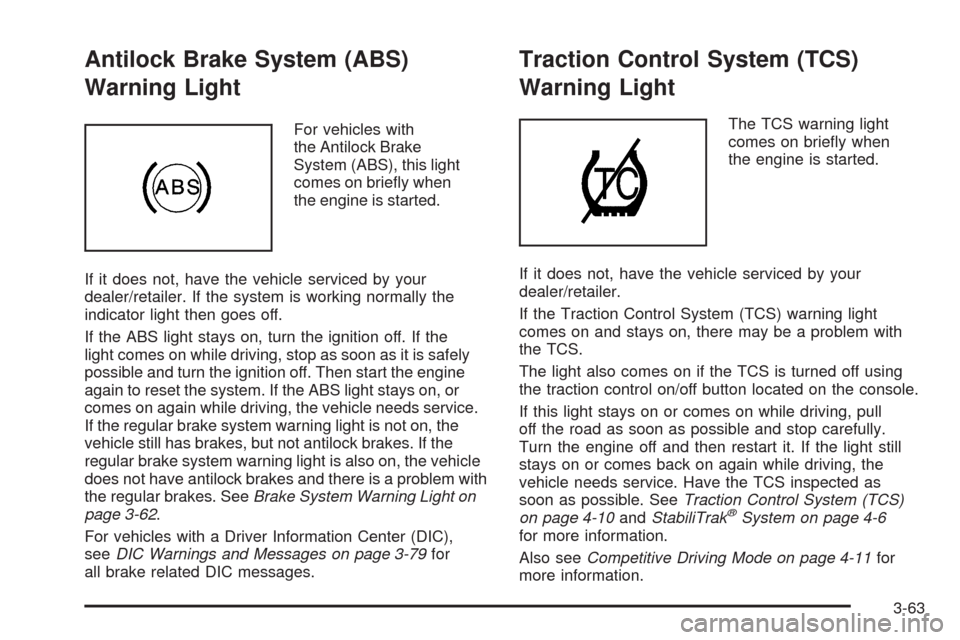
Antilock Brake System (ABS)
Warning Light
For vehicles with
the Antilock Brake
System (ABS), this light
comes on briey when
the engine is started.
If it does not, have the vehicle serviced by your
dealer/retailer. If the system is working normally the
indicator light then goes off.
If the ABS light stays on, turn the ignition off. If the
light comes on while driving, stop as soon as it is safely
possible and turn the ignition off. Then start the engine
again to reset the system. If the ABS light stays on, or
comes on again while driving, the vehicle needs service.
If the regular brake system warning light is not on, the
vehicle still has brakes, but not antilock brakes. If the
regular brake system warning light is also on, the vehicle
does not have antilock brakes and there is a problem with
the regular brakes. SeeBrake System Warning Light on
page 3-62.
For vehicles with a Driver Information Center (DIC),
seeDIC Warnings and Messages on page 3-79for
all brake related DIC messages.
Traction Control System (TCS)
Warning Light
The TCS warning light
comes on briey when
the engine is started.
If it does not, have the vehicle serviced by your
dealer/retailer.
If the Traction Control System (TCS) warning light
comes on and stays on, there may be a problem with
the TCS.
The light also comes on if the TCS is turned off using
the traction control on/off button located on the console.
If this light stays on or comes on while driving, pull
off the road as soon as possible and stop carefully.
Turn the engine off and then restart it. If the light still
stays on or comes back on again while driving, the
vehicle needs service. Have the TCS inspected as
soon as possible. SeeTraction Control System (TCS)
on page 4-10andStabiliTrak
®System on page 4-6
for more information.
Also seeCompetitive Driving Mode on page 4-11for
more information.
3-63
Page 240 of 514
LANE DEPARTURE SYSTEM
UNAVAILABLE
If your vehicle has the Lane Departure Warning (LDW)
system, this message may display if the LDW system
does not activate due to a temporary condition. See the
Index in the Navigation manual for more information.
LEFT REAR DOOR AJAR
This symbol appears with
this message.
This message displays when the driver side rear door
is not closed completely. Make sure that the door
is closed completely.
NO FOBS DETECTED
This message displays if the vehicle does not detect the
presence of a keyless access transmitter when you have
attempted to start the vehicle or a vehicle door has just
closed. The following conditions may cause this message
to appear:
Driver-added equipment plugged into the accessory
power outlet on the center console is causing
interference. Examples of these devices are cell
phones and cell phone chargers, two-way radios,
power inverters, or similar items. Try moving the
keyless access transmitter away from these devices
when starting the vehicle. In addition, PDA devices
and remote garage and gate openers may also
generate Electromagnetic Interference (EMI) that
may interfere with the keyless access transmitter.
Do not carry the keyless access transmitter in the
same pocket or bag as these devices.
The vehicle is experiencing Electromagnetic
Interference (EMI). Some locations, such as airports,
automatic toll booths, and some gas stations, have
EMI elds which may interfere with the keyless
access transmitter.
3-86
Page 241 of 514
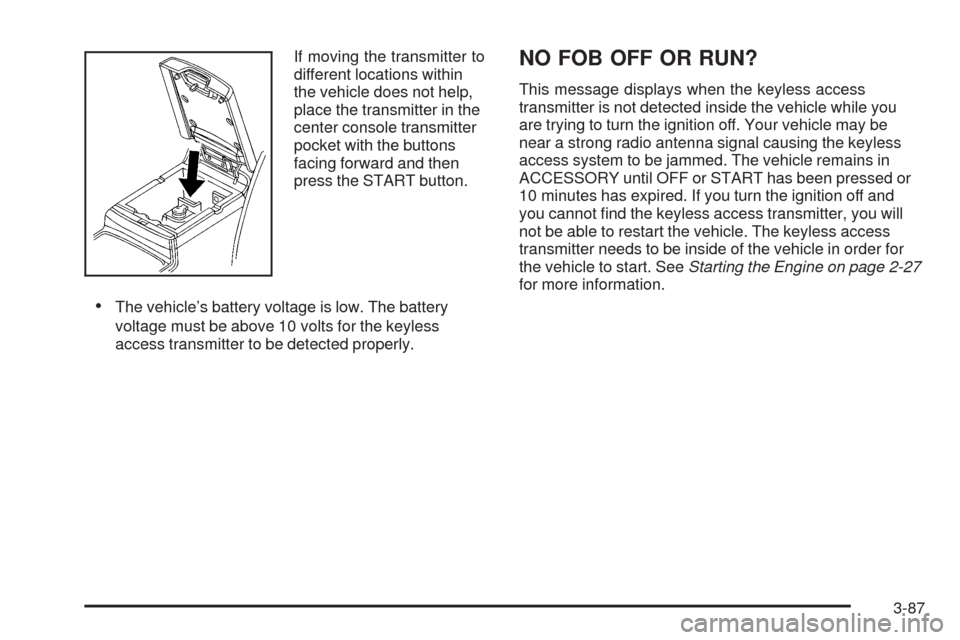
If moving the transmitter to
different locations within
the vehicle does not help,
place the transmitter in the
center console transmitter
pocket with the buttons
facing forward and then
press the START button.
The vehicle’s battery voltage is low. The battery
voltage must be above 10 volts for the keyless
access transmitter to be detected properly.
NO FOB OFF OR RUN?
This message displays when the keyless access
transmitter is not detected inside the vehicle while you
are trying to turn the ignition off. Your vehicle may be
near a strong radio antenna signal causing the keyless
access system to be jammed. The vehicle remains in
ACCESSORY until OFF or START has been pressed or
10 minutes has expired. If you turn the ignition off and
you cannot nd the keyless access transmitter, you will
not be able to restart the vehicle. The keyless access
transmitter needs to be inside of the vehicle in order for
the vehicle to start. SeeStarting the Engine on page 2-27
for more information.
3-87
Page 502 of 514

Audio System (cont.)
Radio Reception........................................3-133
Setting the Clock.........................................3-98
Theft-Deterrent Feature...............................3-130
XM™ Satellite Radio Antenna System...........3-134
Audio System(s).............................................3-98
Automatic Transmission
Fluid..........................................................5-25
Operation...................................................2-30
B
Backglass Antenna........................................3-134
Battery..........................................................5-42
Electric Power Management..........................3-42
Exterior Lighting Battery Saver......................3-40
Inadvertent Power Saver..............................3-42
Load Management.......................................3-41
Bluetooth
®....................................................3-116
Brake
Emergencies................................................ 4-5
Brake Fluid....................................................5-39
Brakes..........................................................5-39
System Warning Light..................................3-62
Braking........................................................... 4-3
Braking in Emergencies..................................... 4-5
Break-In, New Vehicle.....................................2-25Bulb Replacement...........................................5-51
Back-Up Lamps...........................................5-52
Halogen Bulbs............................................5-51
Headlamp Aiming........................................5-50
High Intensity Discharge (HID) Lighting...........5-51
Replacement Bulbs......................................5-52
Buying New Tires...........................................5-74
C
Calibration...............................................1-6, 2-38
California Fuel.................................................. 5-6
California Perchlorate Materials
Requirements............................................... 5-4
California Proposition 65 Warning....................... 5-4
Canadian Owners............................................... iii
Capacities and Specications..........................5-124
Carbon Monoxide...........................2-15, 2-36, 4-21
Care of
Safety Belts..............................................5-108
CD, MP3 .....................................................3-111
Center Console Storage Area...........................2-60
Chains, Tire...................................................5-81
Charging System Light....................................3-61
Check
Engine Lamp..............................................3-66
Checking Things Under the Hood......................5-10
2
Page 512 of 514

Stabilitrak®System........................................... 4-6
Start Vehicle, Remote......................................2-11
Starting the Engine.........................................2-27
Steering........................................................4-12
Steering Wheel Controls, Audio.......................3-131
Steering Wheel Controls, Memory.....................2-77
Steering Wheel, Heated..................................... 3-7
Steering Wheel, Power Tilt Wheel and
Telescopic Steering Column............................ 3-6
Storage Areas
Center Console Storage Area........................2-60
Convenience Net.........................................2-60
Cupholders.................................................2-60
Glove Box..................................................2-60
Storing the Tire Sealant and Compressor Kit.........5-94
Stuck in Sand, Mud, Ice, or Snow.....................4-23
Sun Visors.....................................................2-21
Sunroof.........................................................2-60
T
Tachometer....................................................3-57
TCS Warning Light..........................................3-63
Telescopic Steering Column, Power
Tilt Wheel.................................................... 3-6
Theft - Deterrent System..................................2-21
Theft-Deterrent, Radio....................................3-130Theft-Deterrent Systems...................................2-21
Immobilizer.................................................2-24
Immobilizer Operation...................................2-24
Time, Setting..................................................3-98
Tire
Pressure Light.............................................3-65
Tire Sealant
Storing.......................................................5-94
Tires.............................................................5-54
Aluminum or Chrome-Plated Wheels,
Cleaning...............................................5-110
Buying New Tires........................................5-74
Chains.......................................................5-81
Changing a Flat Tire....................................5-94
Cleaning...................................................5-111
Compact Spare Tire...................................5-104
Different Size..............................................5-76
High-Speed Operation..................................5-65
If a Tire Goes Flat.......................................5-84
Ination - Tire Pressure................................5-64
Inspection and Rotation................................5-71
Installing the Spare Tire................................5-97
Lifting the Vehicle........................................5-82
Pressure Monitor Operation...........................5-68
Pressure Monitor System..............................5-66
Removing the Flat Tire.................................5-97
Removing the Spare Tire and Tools...............5-96
12