warning light CADILLAC STS 2009 1.G Owner's Guide
[x] Cancel search | Manufacturer: CADILLAC, Model Year: 2009, Model line: STS, Model: CADILLAC STS 2009 1.GPages: 514, PDF Size: 2.73 MB
Page 299 of 514
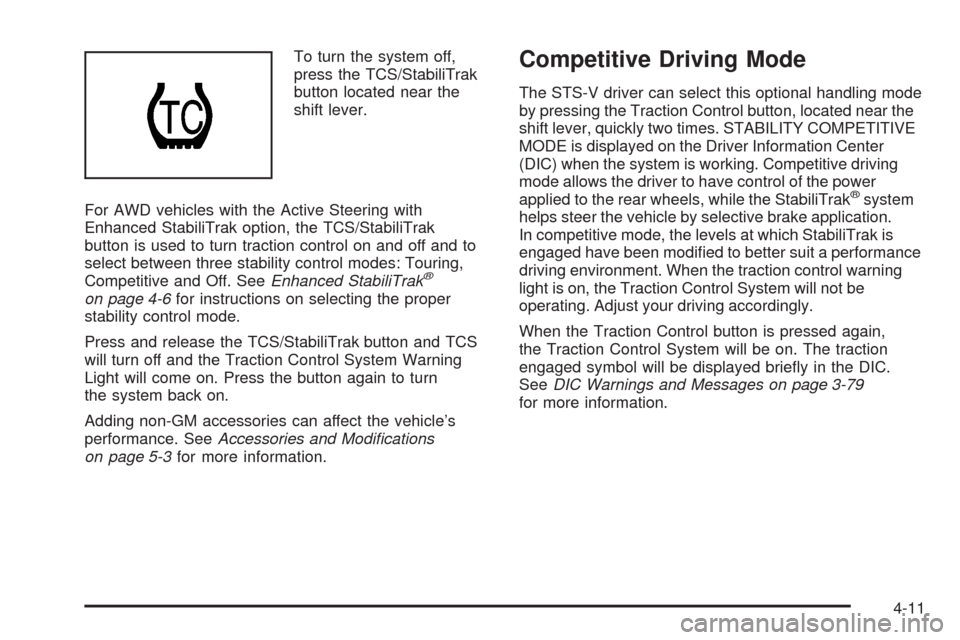
To turn the system off,
press the TCS/StabiliTrak
button located near the
shift lever.
For AWD vehicles with the Active Steering with
Enhanced StabiliTrak option, the TCS/StabiliTrak
button is used to turn traction control on and off and to
select between three stability control modes: Touring,
Competitive and Off. SeeEnhanced StabiliTrak
®
on page 4-6for instructions on selecting the proper
stability control mode.
Press and release the TCS/StabiliTrak button and TCS
will turn off and the Traction Control System Warning
Light will come on. Press the button again to turn
the system back on.
Adding non-GM accessories can affect the vehicle’s
performance. SeeAccessories and Modifications
on page 5-3for more information.
Competitive Driving Mode
The STS-V driver can select this optional handling mode
by pressing the Traction Control button, located near the
shift lever, quickly two times. STABILITY COMPETITIVE
MODE is displayed on the Driver Information Center
(DIC) when the system is working. Competitive driving
mode allows the driver to have control of the power
applied to the rear wheels, while the StabiliTrak
®system
helps steer the vehicle by selective brake application.
In competitive mode, the levels at which StabiliTrak is
engaged have been modied to better suit a performance
driving environment. When the traction control warning
light is on, the Traction Control System will not be
operating. Adjust your driving accordingly.
When the Traction Control button is pressed again,
the Traction Control System will be on. The traction
engaged symbol will be displayed briey in the DIC.
SeeDIC Warnings and Messages on page 3-79
for more information.
4-11
Page 306 of 514
Driving in Rain and on Wet Roads
Rain and wet roads can reduce vehicle traction and
affect your ability to stop and accelerate. Always drive
slower in these types of driving conditions and avoid
driving through large puddles and deep-standing or
owing water.
{CAUTION:
Wet brakes can cause crashes. They might not
work as well in a quick stop and could cause
pulling to one side. You could lose control of
the vehicle.
After driving through a large puddle of water or a
car/vehicle wash, lightly apply the brake pedal until
the brakes work normally.
Flowing or rushing water creates strong forces.
Driving through owing water could cause your
vehicle to be carried away. If this happens, you
and other vehicle occupants could drown. Do not
ignore police warnings and be very cautious about
trying to drive through owing water.
Hydroplaning
Hydroplaning is dangerous. Water can build up under
your vehicle’s tires so they actually ride on the water.
This can happen if the road is wet enough and you are
going fast enough. When your vehicle is hydroplaning,
it has little or no contact with the road.
There is no hard and fast rule about hydroplaning.
The best advice is to slow down when the road is wet.
Other Rainy Weather Tips
Besides slowing down, other wet weather driving tips
include:
Allow extra following distance.
Pass with caution.
Keep windshield wiping equipment in good shape.
Keep the windshield washer uid reservoir lled.
Have good tires with proper tread depth. SeeTires
on page 5-54.
Turn off cruise control.
4-18
Page 325 of 514
Turn Signals When Towing a Trailer
The arrows on the instrument panel ash whenever
signaling a turn or lane change. Properly hooked up, the
trailer lamps also ash, telling other drivers the vehicle
is turning, changing lanes or stopping.
When towing a trailer, the arrows on the instrument
panel ash for turns even if the bulbs on the trailer
are burned out. For this reason you may think other
drivers are seeing the signal when they are not.
It is important to check occasionally to be sure the
trailer bulbs are still working.
The vehicle has bulb warning lights. When a trailer
lighting system is plugged into the vehicle’s lighting
system, its bulb warning lights may not let you know if
one of the lamps goes out. So, when the trailer lighting
system is plugged in, be sure to check the vehicle and
trailer lamps from time to time to be sure they are all
working. Once the trailer lamps are disconnected, the
bulb warning lights again can tell you if one of the vehicle
lamps is out.
Driving On Grades
Reduce speed and shift to a lower gearbeforestarting
down a long or steep downgrade. If the transmission is
not shifted down, the brakes might have to be used so
much that they would get hot and no longer work well.
On a long uphill grade, shift down and reduce the
vehicle’s speed to around 45 mph (70 km/h) to reduce
the possibility of the engine and the transmission
overheating.
Vehicles can tow in D (Drive). Shift the transmission to
a lower gear if the transmission shifts too often under
heavy loads and/or hilly conditions.
When towing at high altitude on steep uphill grades,
consider the following: Engine coolant will boil at a lower
temperature than at normal altitudes. If the engine is
turned off immediately after towing at high altitude on
steep uphill grades, the vehicle may show signs similar to
engine overheating. To avoid this, let the engine run while
parked, preferably on level ground, with the automatic
transmission in P (Park) for a few minutes before turning
the engine off. If the overheat warning comes on, see
Engine Overheating on page 5-34.
4-37
Page 327 of 514
Service............................................................5-3
Accessories and Modications..........................5-3
California Proposition 65 Warning.....................5-4
California Perchlorate Materials Requirements......5-4
Doing Your Own Service Work.........................5-4
Adding Equipment to the Outside of
the Vehicle.................................................5-5
Fuel................................................................5-5
Gasoline Octane............................................5-5
Gasoline Specications....................................5-6
California Fuel...............................................5-6
Additives.......................................................5-7
Fuels in Foreign Countries...............................5-7
Filling the Tank..............................................5-8
Filling a Portable Fuel Container.....................5-10
Checking Things Under the Hood....................5-10
Hood Release..............................................5-11
Engine Compartment Overview.......................5-12
Engine Oil...................................................5-18
Engine Oil Life System..................................5-21
Engine Air Cleaner/Filter................................5-23
Automatic Transmission Fluid.........................5-25
Cooling System............................................5-26
Engine Coolant.............................................5-27
Coolant Surge Tank Pressure Cap..................5-34
Engine Overheating.......................................5-34Overheated Engine Protection
Operating Mode........................................5-36
Power Steering Fluid.....................................5-37
Windshield Washer Fluid................................5-38
Brakes........................................................5-39
Battery........................................................5-42
Jump Starting...............................................5-42
All-Wheel Drive..............................................5-47
Rear Axle.......................................................5-48
Front Axle......................................................5-49
Headlamp Aiming...........................................5-50
Bulb Replacement..........................................5-51
High Intensity Discharge (HID) Lighting............5-51
Halogen Bulbs..............................................5-51
Back-Up Lamps............................................5-52
Replacement Bulbs.......................................5-52
Windshield Replacement.................................5-52
Windshield Wiper Blade Replacement..............5-52
Tires..............................................................5-54
Winter Tires.................................................5-55
Tire Sidewall Labeling...................................5-56
Tire Terminology and Denitions.....................5-59
Run-Flat Tires (STS-V)..................................5-62
Ination - Tire Pressure.................................5-64
High-Speed Operation...................................5-65
Tire Pressure Monitor System.........................5-66
Tire Pressure Monitor Operation.....................5-68
Section 5 Service and Appearance Care
5-1
Page 335 of 514
{CAUTION:
Fuel can spray out on you if you open the fuel cap
too quickly. If you spill fuel and then something
ignites it, you could be badly burned. This spray
can happen if the tank is nearly full, and is more
likely in hot weather. Open the fuel cap slowly and
wait for any hiss noise to stop. Then unscrew the
cap all the way.
Be careful not to spill fuel. Do not top off or overll the
tank, and wait a few seconds after you have nished
pumping before removing the nozzle. Clean fuel from
painted surfaces as soon as possible. SeeWashing
Your Vehicle on page 5-118.
When replacing the fuel cap, turn it clockwise until it
clicks. Make sure the cap is fully installed. The diagnostic
system can determine if the fuel cap has been left off or
improperly installed. This would allow fuel to evaporate
into the atmosphere. SeeMalfunction Indicator Lamp on
page 3-66.The CHECK GAS CAP message will appear on the
Driver Information Center (DIC) display if the fuel cap
is not reinstalled properly. SeeDIC Warnings and
Messages on page 3-79for more information.
{CAUTION:
If a re starts while you are refueling, do not
remove the nozzle. Shut off the ow of fuel by
shutting off the pump or by notifying the station
attendant. Leave the area immediately.
Notice:If you need a new fuel cap, be sure to get
the right type. Your dealer/retailer can get one
for you. If you get the wrong type, it may not t
properly. This may cause the malfunction indicator
lamp to light and may damage the fuel tank and
emissions system. SeeMalfunction Indicator Lamp
on page 3-66.
5-9
Page 348 of 514
How to Reset the Engine Oil Life
System
The Engine Oil Life System calculates when to change
the engine oil and lter based on vehicle use. Whenever
the oil is changed, reset the system so it can calculate
when the next oil change is required. If a situation occurs
where you change the oil prior to a CHANGE ENGINE
OIL SOON message in the DIC being turned on, reset
the system.
After the oil has been changed, the CHANGE ENGINE
OIL SOON message must be reset. To reset the
message:
1. Press the up or down arrow to scroll the DIC to
show OIL LIFE.
2. Once the XXX% ENGINE OIL LIFE menu item is
highlighted, press and hold the RESET button until
the percentage shows 100%.
If the percentage does not return to 100% or if the
CHANGE ENGINE OIL SOON message comes
back on when you start the vehicle, the engine oil
life system has not reset. Repeat the procedure.
What to Do with Used Oil
Used engine oil contains certain elements that can be
unhealthy for your skin and could even cause cancer.
Do not let used oil stay on your skin for very long. Clean
your skin and nails with soap and water, or a good
hand cleaner. Wash or properly dispose of clothing or
rags containing used engine oil. See the manufacturer’s
warnings about the use and disposal of oil products.
Used oil can be a threat to the environment. If you
change your own oil, be sure to drain all the oil from the
lter before disposal. Never dispose of oil by putting it
in the trash, pouring it on the ground, into sewers, or into
streams or bodies of water. Recycle it by taking it to a
place that collects used oil.
5-22
Page 360 of 514
3. Add the proper DEX-COOL®coolant mixture to the
ll neck, until the coolant reaches the COLD FILL
line on the ll neck.
With the Intercooler System pressure cap off, start
the engine and let it run for a couple of minutes.
Then turn the engine off. By this time, the coolant
level inside the ll neck may be lower. If the level
drops to where coolant is no longer visible in the
horizontal tube section of the ll neck, with the engine
off add more of the DEX-COOL
®coolant mixture
to the ll neck until the level is again visible in the
horizontal tube section.
4. Then replace the pressure cap. Be sure the
pressure cap is hand-tight and fully seated.
If the coolant is not at the proper level when the system
cools down again, see your dealer.
Notice:If the pressure cap is not tightly installed,
coolant loss and possible engine damage may
occur. Be sure the cap is properly and tightly
secured.
Coolant Surge Tank Pressure Cap
Notice:If the pressure cap is not tightly installed,
coolant loss and possible engine damage may
occur. Be sure the cap is properly and tightly
secured.
The coolant surge tank pressure cap must be fully
installed on the coolant surge tank. SeeEngine
Compartment Overview on page 5-12for more
information on location.
Engine Overheating
The vehicle has several indicators to warn of engine
overheating.
There are two engine hot messages that could be
displayed in the Driver Information Center (DIC).
SeeDIC Warnings and Messages on page 3-79
DIC Warnings and Messages for more information.
If the engine is overheating, then you will nd a coolant
temperature gage and a coolant warning light on the
instrument panel. SeeEngine Coolant Temperature
Gage on page 3-65andEngine Coolant Temperature
Warning Light on page 3-64for more information.
5-34
Page 367 of 514
{CAUTION:
The brake wear warning sound means that soon
the brakes will not work well. That could lead to an
accident. When the brake wear warning sound is
heard, have the vehicle serviced.
Notice:Continuing to drive with worn-out brake
pads could result in costly brake repair.
Some driving conditions or climates can cause a brake
squeal when the brakes are rst applied or lightly
applied. This does not mean something is wrong
with the brakes.
Properly torqued wheel nuts are necessary to help
prevent brake pulsation. When tires are rotated, inspect
brake pads for wear and evenly tighten wheel nuts
in the proper sequence to torque specications
inCapacities and Specifications on page 5-134.
Brake linings should always be replaced as complete
axle sets.
Brake Pedal Travel
See your dealer/retailer if the brake pedal does not
return to normal height, or if there is a rapid increase in
pedal travel. This could be a sign that brake service
might be required.
Brake Adjustment
Every time the brakes are applied, with or without the
vehicle moving, the brakes adjust for wear.
Replacing Brake System Parts
The braking system on a vehicle is complex. Its many
parts have to be of top quality and work well together if
the vehicle is to have really good braking. The vehicle
was designed and tested with top-quality brake parts.
When parts of the braking system are replaced — for
example, when the brake linings wear down and new
ones are installed — be sure to get new approved
replacement parts. If this is not done, the brakes might
not work properly. For example, if someone puts in
brake linings that are wrong for the vehicle, the balance
between the front and rear brakes can change — for the
worse. The braking performance expected can change
in many other ways if the wrong replacement brake parts
are installed.
5-41
Page 388 of 514
Vehicle Maximum Load on the Tire:Load on
an individual tire due to curb weight, accessory
weight, occupant weight, and cargo weight.
Vehicle Placard
:A label permanently attached
to a vehicle showing the vehicle’s capacity
weight and the original equipment tire size and
recommended ination pressure. See “Tire and
Loading Information Label” underLoading the
Vehicle on page 4-24.
Run-Flat Tires (STS-V)
If your vehicle has run-at tires, there is no spare tire
and no tire changing equipment. Your vehicle also has a
Tire Pressure Monitor System (TPMS) which will alert
you if there is a loss of tire pressure in any of the tires.
SeeTire Pressure Monitor System on page 5-66.
{CAUTION:
When the low tire warning light is displayed
on the instrument panel cluster, your vehicle’s
handling capabilities will be reduced during severe
maneuvers. If you drive too fast, you could lose
control of your vehicle. You or others could be
injured. Do not drive over 55 mph (90 km/h)
when the low tire warning light is displayed.
Drive cautiously and check your tire pressures
as soon as you can.
5-62
Page 394 of 514
Tire Pressure Monitor Operation
This vehicle may have a Tire Pressure Monitor System
(TPMS). The TPMS is designed to warn the driver when
a low tire pressure condition exists. TPMS sensors are
mounted onto each tire and wheel assembly, excluding
the spare tire and wheel assembly, if the vehicle has one.
The TPMS sensors monitor the air pressure in the
vehicle’s tires and transmits the tire pressure readings to
a receiver located in the vehicle.
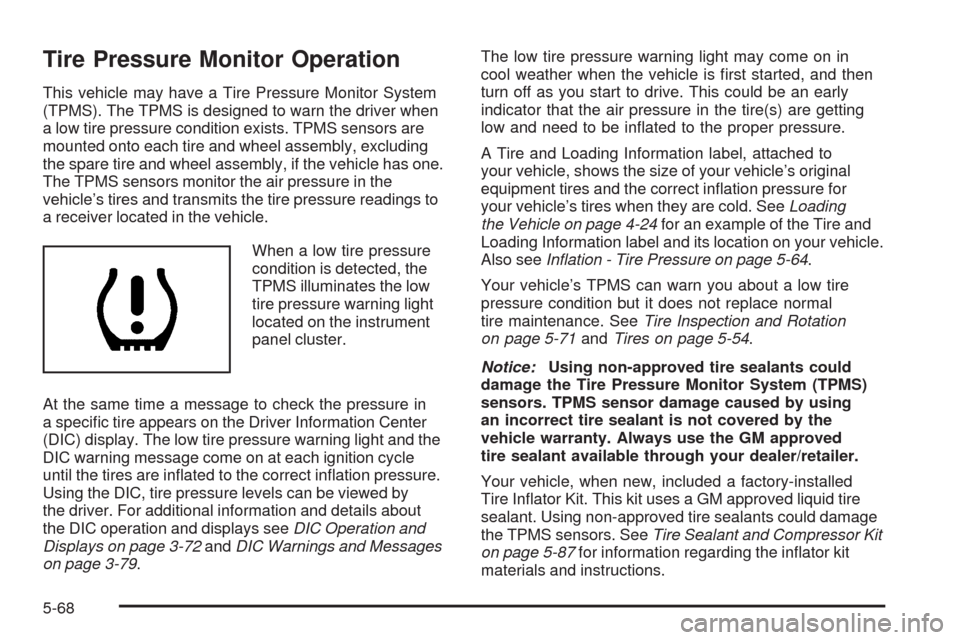
When a low tire pressure
condition is detected, the
TPMS illuminates the low
tire pressure warning light
located on the instrument
panel cluster.
At the same time a message to check the pressure in
a specic tire appears on the Driver Information Center
(DIC) display. The low tire pressure warning light and the
DIC warning message come on at each ignition cycle
until the tires are inated to the correct ination pressure.
Using the DIC, tire pressure levels can be viewed by
the driver. For additional information and details about
the DIC operation and displays seeDIC Operation and
Displays on page 3-72andDIC Warnings and Messages
on page 3-79.The low tire pressure warning light may come on in
cool weather when the vehicle is rst started, and then
turn off as you start to drive. This could be an early
indicator that the air pressure in the tire(s) are getting
low and need to be inated to the proper pressure.
A Tire and Loading Information label, attached to
your vehicle, shows the size of your vehicle’s original
equipment tires and the correct ination pressure for
your vehicle’s tires when they are cold. SeeLoading
the Vehicle on page 4-24for an example of the Tire and
Loading Information label and its location on your vehicle.
Also seeInflation - Tire Pressure on page 5-64.
Your vehicle’s TPMS can warn you about a low tire
pressure condition but it does not replace normal
tire maintenance. SeeTire Inspection and Rotation
on page 5-71andTires on page 5-54.
Notice:Using non-approved tire sealants could
damage the Tire Pressure Monitor System (TPMS)
sensors. TPMS sensor damage caused by using
an incorrect tire sealant is not covered by the
vehicle warranty. Always use the GM approved
tire sealant available through your dealer/retailer.
Your vehicle, when new, included a factory-installed
Tire Inator Kit. This kit uses a GM approved liquid tire
sealant. Using non-approved tire sealants could damage
the TPMS sensors. SeeTire Sealant and Compressor Kit
on page 5-87for information regarding the inator kit
materials and instructions.
5-68