ignition CADILLAC STS 2011 1.G User Guide
[x] Cancel search | Manufacturer: CADILLAC, Model Year: 2011, Model line: STS, Model: CADILLAC STS 2011 1.GPages: 528, PDF Size: 4.96 MB
Page 115 of 528
Black plate (9,1)Cadillac STS Owner Manual - 2011
7. The DIC reads WAIT 10 MINUTES and countsdown to zero.
8. The DIC displays OFF/ACC TO LEARN again.
9. Press Acc. on the ignition switch.
10. Steps 7, 8 and 9 will be repeated two more times. 11. A beep sounds and the DIC reads READY FOR FOB 1. All previously known transmitter
programming has been erased.
12. A beep sounds once programming in complete. The DIC displays READY FOR FOB #2.
13. To program additional transmitters, take transmitter 1 out of the transmitter pocket and place
transmitter 2 in the pocket. Up to four transmitters
can be programmed. The DIC will then display
MAX # FOBS LEARNED and will exit the
programming mode.
14. Remove the transmitter from the transmitter pocket and press
Ktwice on each newly programmed
transmitter to complete the process.
Starting the Vehicle with a Low
Transmitter Battery
If the transmitter battery is weak, the DIC may display
NO FOBS DETECTED when trying to start the vehicle.
To start the vehicle, place the transmitter in the center
console storage area transmitter pocket with the
buttons facing to the front of the vehicle. Then, with
the vehicle in P (Park) OR N (Neutral), press the brake
pedal and
/. Replace the transmitter battery as soon
as possible. Change the transmitter battery if the DIC
displays KEY FOB BATTERY LOW.
3-9
Page 117 of 528
Black plate (11,1)Cadillac STS Owner Manual - 2011
3. If it is the first remote start since the vehicle hasbeen driven, repeat these steps, while the engine
is still running, to extend the engine running time
by 10 minutes. Remote start can be extended
one time.
If the vehicle is left running it will automatically shut off
after 10 minutes unless a time extension has been
done. To manually shut off a remote start, do one of the
following:
.Aim the keyless access transmitter at the vehicle
and press the remote start button until the parking
lamps turn off.
.Turn on the hazard warning flashers.
.Press the Acc. button (ignition switch). See Ignition
Positions on page 3‑26.
.Turn on the valet lockout switch. See Valet Lockout
Switch on page 3‑24.
When you enter the vehicle during a remote start, press
the brake pedal and press the start button on the
keyless ignition switch to transition from remote start
operation to normal vehicle operation. Laws in some local communities may restrict the use
of remote starters. For example, laws may require a
person using remote start to have the vehicle in view
when doing so. Check local regulations for any
requirements on remote starting of vehicles.
Do not use the remote start feature if your vehicle is low
on fuel. Your vehicle may run out of fuel.
The remote start feature provides two separate starts,
each with 10 minutes of engine running. If you press
the lock button and then hold the remote start button
on the keyless access transmitter again for at least
three seconds before the first 10 minutes of engine
running time has expired, 10 minutes is added to the
remaining minutes. For example, if the remote start is
initiated again after five minutes of the engine run time,
10 minutes is added and you now have 15 minutes
with the engine running. Once two remote starts or
20 minutes of the engine running have been provided,
the vehicle must be started using the keyless access
with pushbutton start feature, if the engine needs to be
restarted. See
Starting the Engine
on page 3‑27for
more information regarding the keyless ignition.
3-11
Page 119 of 528
Black plate (13,1)Cadillac STS Owner Manual - 2011
WARNING: (Continued)
.Outsiders can easily enter through an
unlocked door when you slow down or stop
your vehicle. Locking your doors can help
prevent this from happening.
There are several ways to lock and unlock your vehicle.
From the outside:
.Pull the front door handle. If you have the keyless
access transmitter, the vehicle recognizes the
transmitter and automatically unlocks the door.
.Another way to lock or unlock the vehicle, is to
press
QorKon the keyless access transmitter.
See Vehicle Personalization
on page 3‑59for
information on how to program the keyless access
feature. From the inside:
.Press the power door lock switch located on each
front door. See
Power Door Lockson page 3‑13for more information.
.Push down or pull up on the manual door lock
knob. The knob is located at the top of the door
panel near the window.
Power Door Locks
With power door locks, the switches on the front doors
can be used to lock and unlock the vehicle.
K(Unlock):Press to unlock the doors.
Q(Lock):Remove the key from the ignition and press
to lock the doors.
3-13
Page 120 of 528
Black plate (14,1)Cadillac STS Owner Manual - 2011
Programmable Automatic Door
Locks
The vehicle was programmed so when the doors are
closed, the ignition is on, and the shift lever is moved
out of P (Park), all the doors will lock.
The front doors can still be opened from the inside while
the doors are locked. If a rear passenger needs to exit
the vehicle, have that person use the manual knob or
use the power door lock switch on either front door.
When the door is closed again, it will not lock
automatically. Use the manual knob or the power
door lock switch to lock the door.
The doors were also pre-programmed to unlock every
time the shift lever is moved into P (Park).
The power door locks can be programmed through the
radio display. The radio display allows you to choose
various lock and unlock settings. For more information
on programming, seeVehicle Personalization
on
page 3‑59.
Rear Door Security Locks
The vehicle has rear door security locks to prevent
passengers from opening the rear doors from the
inside.
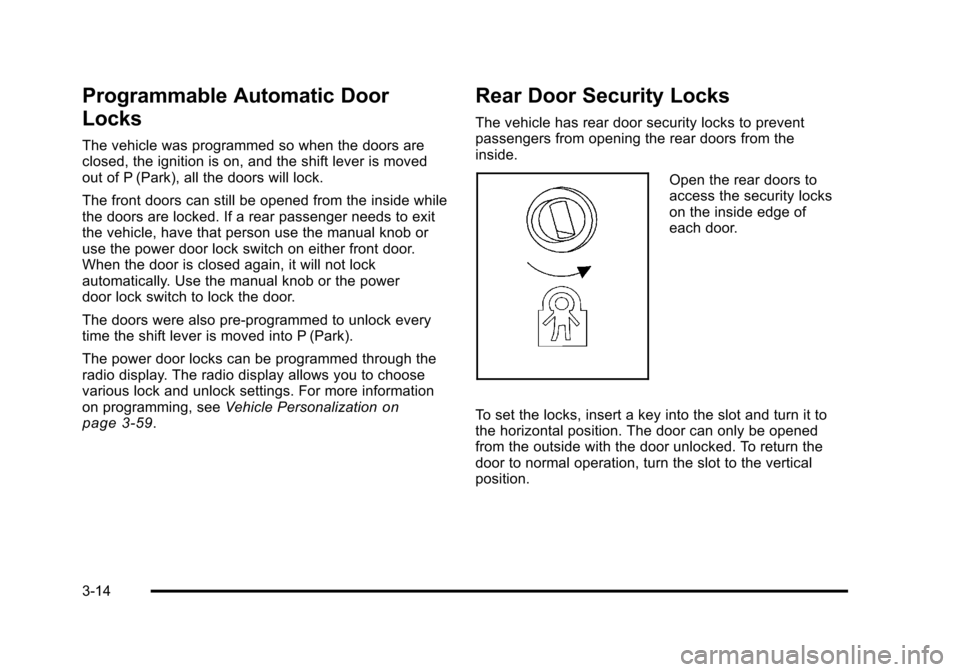
Open the rear doors to
access the security locks
on the inside edge of
each door.
To set the locks, insert a key into the slot and turn it to
the horizontal position. The door can only be opened
from the outside with the door unlocked. To return the
door to normal operation, turn the slot to the vertical
position.
3-14
Page 126 of 528
Black plate (20,1)Cadillac STS Owner Manual - 2011
Express-Down/Up Window
Any window can be lowered or raised all the way
without holding the switch.
Press the front of the window switch to the second
position and release to activate the express-down
feature. To stop the window, briefly pull up the switch.
Lift the front of the switch briefly to activate the
express‐up feature. To stop the window, briefly
press the switch.
Programming the Power Windows
If the battery on your vehicle has been recharged,
disconnected, or is not working, each window must be
reprogrammed for the express-up feature to work.
To program each window:1. With the ignition on or in ACC/ACCESSORY, or while RAP is active, close all doors.
2. Press and hold the power window switch until the window has fully opened. 3. Continue holding the switch for approximately
two seconds.
4. Pull up the power window switch until the window is fully closed.
Repeat the process for all windows.
Express Window Anti-Pinch Feature
If any object is in the path of the window when the
express‐up is active, the window will stop at the
obstruction and auto‐reverse to a preset factory
position. Weather conditions such as severe icing may
also cause the window to auto‐reverse. The window will
return to normal operation once the obstruction or
condition is removed.
3-20
Page 128 of 528
Black plate (22,1)Cadillac STS Owner Manual - 2011
Theft-Deterrent Systems
This vehicle has theft-deterrent features, however, they
do not make it impossible to steal.
Theft-Deterrent System
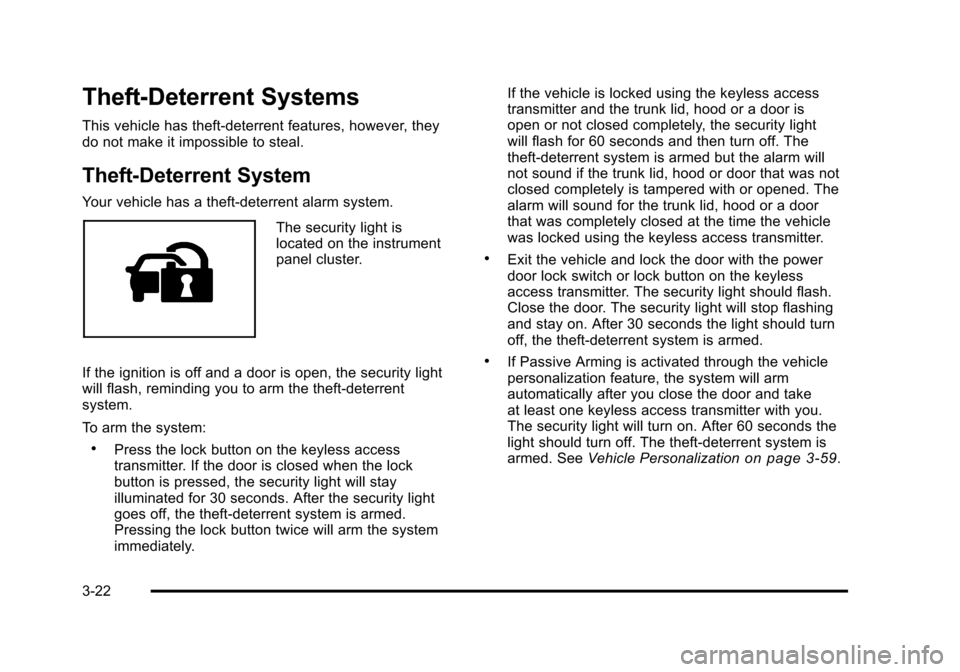
Your vehicle has a theft-deterrent alarm system.
The security light is
located on the instrument
panel cluster.
If the ignition is off and a door is open, the security light
will flash, reminding you to arm the theft-deterrent
system.
To arm the system:
.Press the lock button on the keyless access
transmitter. If the door is closed when the lock
button is pressed, the security light will stay
illuminated for 30 seconds. After the security light
goes off, the theft‐deterrent system is armed.
Pressing the lock button twice will arm the system
immediately. If the vehicle is locked using the keyless access
transmitter and the trunk lid, hood or a door is
open or not closed completely, the security light
will flash for 60 seconds and then turn off. The
theft‐deterrent system is armed but the alarm will
not sound if the trunk lid, hood or door that was not
closed completely is tampered with or opened. The
alarm will sound for the trunk lid, hood or a door
that was completely closed at the time the vehicle
was locked using the keyless access transmitter.
.Exit the vehicle and lock the door with the power
door lock switch or lock button on the keyless
access transmitter. The security light should flash.
Close the door. The security light will stop flashing
and stay on. After 30 seconds the light should turn
off, the theft‐deterrent system is armed.
.If Passive Arming is activated through the vehicle
personalization feature, the system will arm
automatically after you close the door and take
at least one keyless access transmitter with you.
The security light will turn on. After 60 seconds the
light should turn off. The theft-deterrent system is
armed. See
Vehicle Personalization
on page 3‑59.
3-22
Page 130 of 528
Black plate (24,1)Cadillac STS Owner Manual - 2011
Valet Lockout Switch
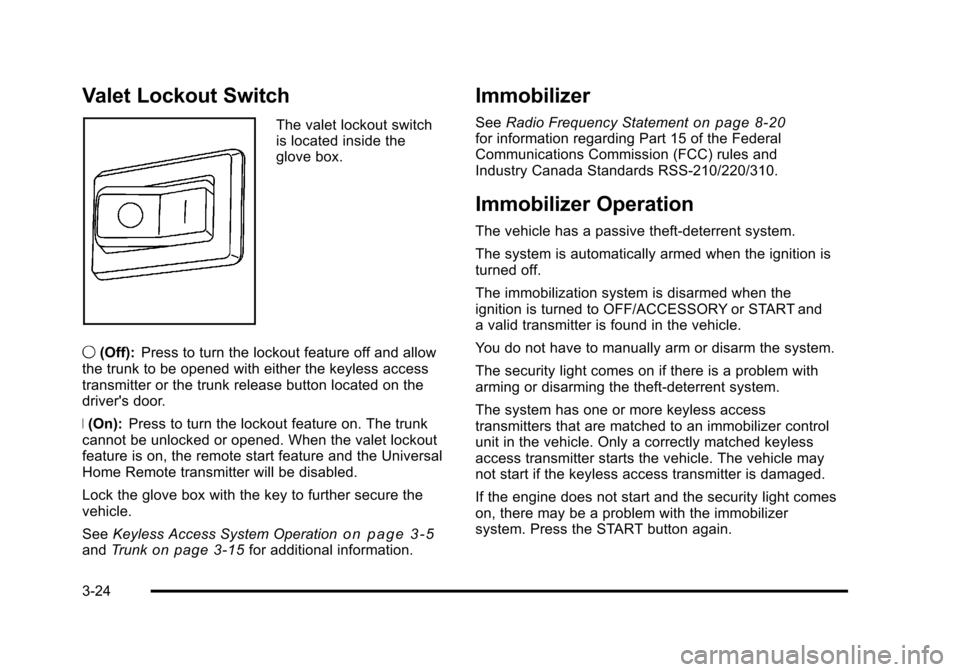
The valet lockout switch
is located inside the
glove box.
9 (Off): Press to turn the lockout feature off and allow
the trunk to be opened with either the keyless access
transmitter or the trunk release button located on the
driver's door.
R (On): Press to turn the lockout feature on. The trunk
cannot be unlocked or opened. When the valet lockout
feature is on, the remote start feature and the Universal
Home Remote transmitter will be disabled.
Lock the glove box with the key to further secure the
vehicle.
See Keyless Access System Operation
on page 3‑5andTrunkon page 3‑15for additional information.
Immobilizer
See Radio Frequency Statementon page 8‑20for information regarding Part 15 of the Federal
Communications Commission (FCC) rules and
Industry Canada Standards RSS-210/220/310.
Immobilizer Operation
The vehicle has a passive theft-deterrent system.
The system is automatically armed when the ignition is
turned off.
The immobilization system is disarmed when the
ignition is turned to OFF/ACCESSORY or START and
a valid transmitter is found in the vehicle.
You do not have to manually arm or disarm the system.
The security light comes on if there is a problem with
arming or disarming the theft-deterrent system.
The system has one or more keyless access
transmitters that are matched to an immobilizer control
unit in the vehicle. Only a correctly matched keyless
access transmitter starts the vehicle. The vehicle may
not start if the keyless access transmitter is damaged.
If the engine does not start and the security light comes
on, there may be a problem with the immobilizer
system. Press the START button again.
3-24
Page 132 of 528

Black plate (26,1)Cadillac STS Owner Manual - 2011
Ignition Positions
The vehicle has an
electronic keyless ignition
with pushbutton start.
To shift out of P (Park), the vehicle must be running or
in ACCESSORY mode and the regular brake pedal
must be applied.
/ (START): Press to start the engine with your foot on
the brake pedal. The shifter must be in P (Park) or
N (Neutral) and the keyless access transmitter must be
in the vehicle.
If the start button does not work, the vehicle may be
near a strong radio antenna signal causing interference
to the keyless access system. See DIC Warnings and
Messages
on page 4‑76for more information. 9/Acc. (STOPPING THE ENGINE/OFF/
ACCESSORY):
When the vehicle is stopped with the
engine on, press the button once to turn the engine off.
If the shifter is in P (Park), RAP will engage if all doors
are closed. RAP will turn off when a front door is
opened. See Retained Accessory Power (RAP)
on
page 3‑27for more information.
Do not turn the engine off when the vehicle is moving.
This will cause a loss of power assist in the brake and
steering systems and disable the airbags.
In an emergency: 1. Brake using a firm and steady pressure. Do not pump the brakes repeatedly. This may deplete
power assist, requiring increased brake pedal
force.
2. Shift the vehicle to N (Neutral). This can be done while the vehicle is moving. After shifting
to N (Neutral), firmly apply the brakes and steer
the vehicle to a safe location.
3. Come to a complete stop, shift to P (Park), and switch the ignition to OFF. On vehicles with an
automatic transmission, the shift lever must be in
P (Park) to switch the ignition to the OFF position.
4. Set the parking brake. See Parking Brake
on
page 3‑33.
3-26
Page 133 of 528
Black plate (27,1)Cadillac STS Owner Manual - 2011
If the engine is off, press this button to turn on the
accessory mode. ACCESSORY ACTIVE will display on
the Driver Information Center (DIC). Accessory mode
allows use of the audio system and windshield wipers.
Accessory mode must be used if the vehicle must be
towed or in motion when the engine is not running.
After the vehicle has been in accessory mode for more
than 20 minutes, the vehicle will enter RAP or turn off,
depending on if the doors are opened or closed.
Retained Accessory Power (RAP)
These vehicle accessories can be used for up to
20 minutes after the engine is turned off:
.Audio System
.Audio Steering Wheel Controls
.Power Windows
Power to these accessories will work up to 20 minutes
or until one of the front doors is opened. For an
additional 20 minutes of operation, close all the doors
and press Acc. to place the vehicle in accessory mode.
Press the button again to return to RAP.
Starting the Engine
To place the transmission in the proper gear:
Move the shift lever to P (Park) or N (Neutral). To restart
the engine when the vehicle is already moving, use
N (Neutral).
Notice: Do not try to shift to P (Park) if the
vehicle is moving. If you do, you could damage
the transmission. Shift to P (Park) only when the
vehicle is stopped.
The keyless access transmitter must be inside the
vehicle for the ignition to work.
Cell phone chargers can interfere with the operation of
the Keyless Access System. Battery chargers should
not be plugged in when starting or turning off the
engine.
To start the vehicle, do the following:
Starting Procedure
1. With your foot on the brake pedal, press the START button located on the instrument panel.
If there is not a keyless access transmitter
in the vehicle or if there is something causing
interference with it, the DIC will display NO FOBS
DETECTED. See DIC Warnings and Messages
on
page 4‑76for more information.
3-27
Page 139 of 528
Black plate (33,1)Cadillac STS Owner Manual - 2011
If shifting is prevented for any reason, the selected gear
will flash multiple times, indicating that the transmission
has not shifted gears.
The transmission will allow you to shift to the gear
selected and will automatically downshift when the
vehicle comes to a stop. This will allow for more power
during take-off and passing.
Parking Brake
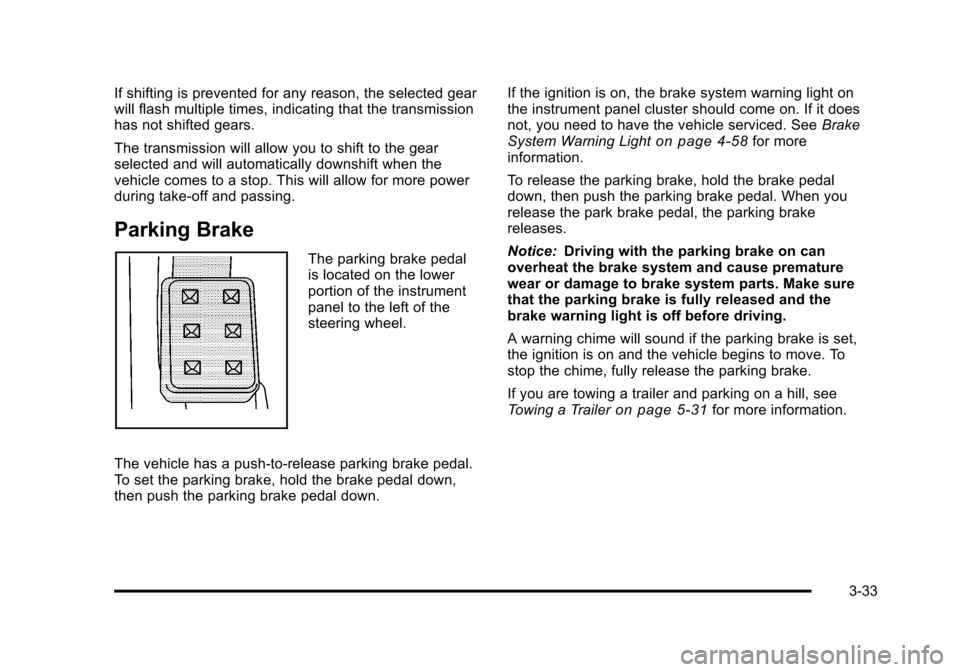
The parking brake pedal
is located on the lower
portion of the instrument
panel to the left of the
steering wheel.
The vehicle has a push-to-release parking brake pedal.
To set the parking brake, hold the brake pedal down,
then push the parking brake pedal down. If the ignition is on, the brake system warning light on
the instrument panel cluster should come on. If it does
not, you need to have the vehicle serviced. See
Brake
System Warning Light
on page 4‑58for more
information.
To release the parking brake, hold the brake pedal
down, then push the parking brake pedal. When you
release the park brake pedal, the parking brake
releases.
Notice: Driving with the parking brake on can
overheat the brake system and cause premature
wear or damage to brake system parts. Make sure
that the parking brake is fully released and the
brake warning light is off before driving.
A warning chime will sound if the parking brake is set,
the ignition is on and the vehicle begins to move. To
stop the chime, fully release the parking brake.
If you are towing a trailer and parking on a hill, see
Towing a Trailer
on page 5‑31for more information.
3-33