ECO mode CADILLAC STS 2011 1.G Owner's Manual
[x] Cancel search | Manufacturer: CADILLAC, Model Year: 2011, Model line: STS, Model: CADILLAC STS 2011 1.GPages: 528, PDF Size: 4.96 MB
Page 256 of 528
Black plate (70,1)Cadillac STS Owner Manual - 2011
DIC Operation and Displays
The Driver Information Center (DIC) has different
modes which can be accessed by pressing the four
DIC buttons located on the instrument panel, to the
left of the steering wheel.
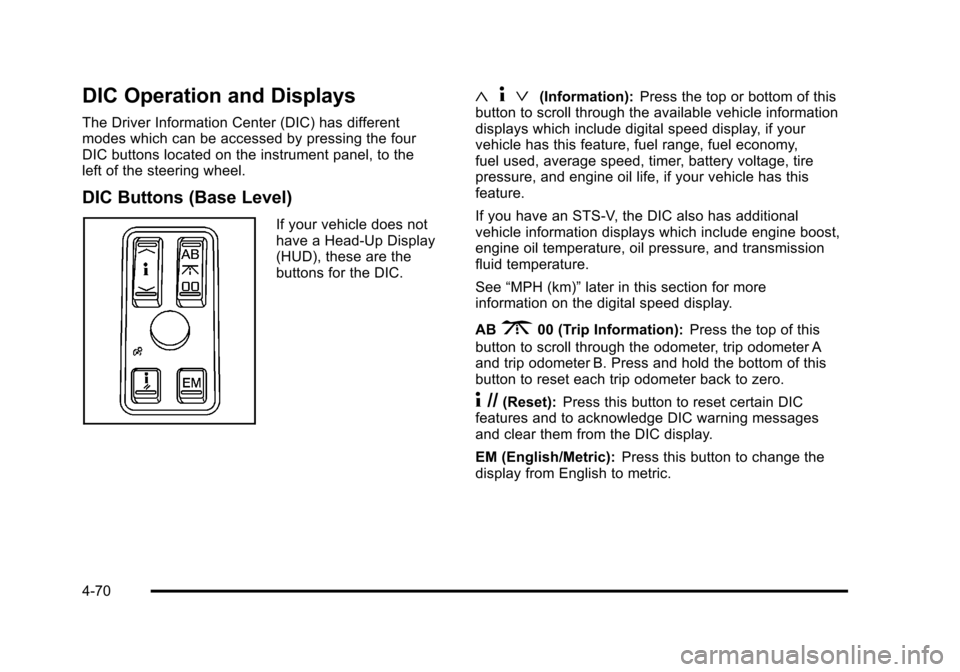
DIC Buttons (Base Level)
If your vehicle does not
have a Head-Up Display
(HUD), these are the
buttons for the DIC.
«4ª(Information): Press the top or bottom of this
button to scroll through the available vehicle information
displays which include digital speed display, if your
vehicle has this feature, fuel range, fuel economy,
fuel used, average speed, timer, battery voltage, tire
pressure, and engine oil life, if your vehicle has this
feature.
If you have an STS-V, the DIC also has additional
vehicle information displays which include engine boost,
engine oil temperature, oil pressure, and transmission
fluid temperature.
See “MPH (km)” later in this section for more
information on the digital speed display.
AB
300 (Trip Information): Press the top of this
button to scroll through the odometer, trip odometer A
and trip odometer B. Press and hold the bottom of this
button to reset each trip odometer back to zero.
4 //(Reset): Press this button to reset certain DIC
features and to acknowledge DIC warning messages
and clear them from the DIC display.
EM (English/Metric): Press this button to change the
display from English to metric.
4-70
Page 266 of 528
Black plate (80,1)Cadillac STS Owner Manual - 2011
ENGINE COOLANT HOT IDLE ENGINE
Notice:If you drive your vehicle while the engine is
overheating, severe engine damage may occur. If an
overheat warning appears on the instrument panel
cluster and/or DIC, stop the vehicle as soon as
possible. Do not increase the engine speed above
normal idling speed. See Engine Overheating
on
page 6‑30for more information.
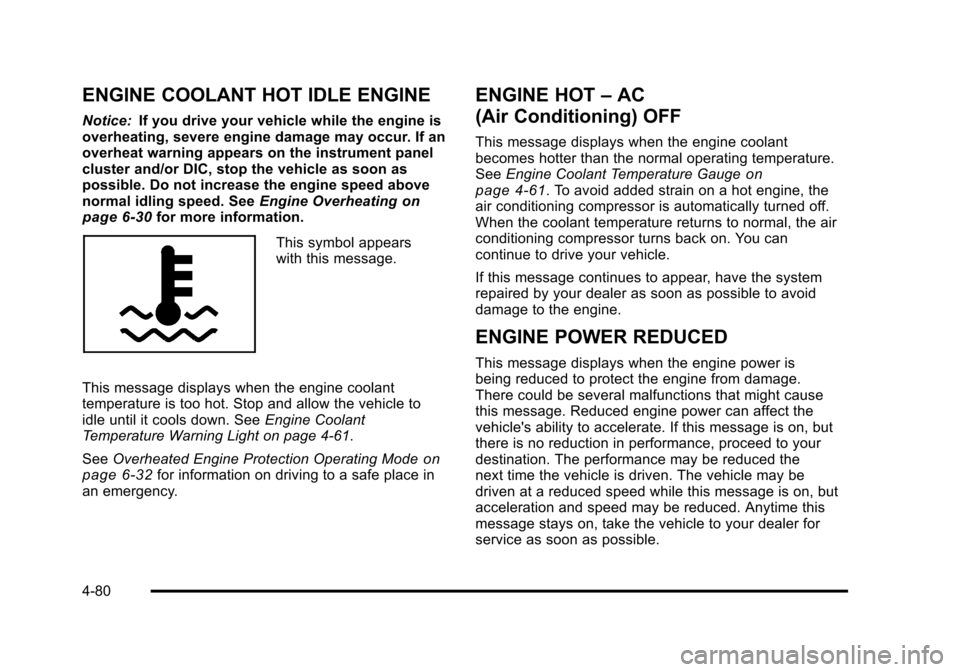
This symbol appears
with this message.
This message displays when the engine coolant
temperature is too hot. Stop and allow the vehicle to
idle until it cools down. See Engine Coolant
Temperature Warning Light on page 4‑61.
See Overheated Engine Protection Operating Mode
on
page 6‑32for information on driving to a safe place in
an emergency.
ENGINE HOT –AC
(Air Conditioning) OFF
This message displays when the engine coolant
becomes hotter than the normal operating temperature.
See Engine Coolant Temperature Gauge
on
page 4‑61. To avoid added strain on a hot engine, the
air conditioning compressor is automatically turned off.
When the coolant temperature returns to normal, the air
conditioning compressor turns back on. You can
continue to drive your vehicle.
If this message continues to appear, have the system
repaired by your dealer as soon as possible to avoid
damage to the engine.
ENGINE POWER REDUCED
This message displays when the engine power is
being reduced to protect the engine from damage.
There could be several malfunctions that might cause
this message. Reduced engine power can affect the
vehicle's ability to accelerate. If this message is on, but
there is no reduction in performance, proceed to your
destination. The performance may be reduced the
next time the vehicle is driven. The vehicle may be
driven at a reduced speed while this message is on, but
acceleration and speed may be reduced. Anytime this
message stays on, take the vehicle to your dealer for
service as soon as possible.
4-80
Page 276 of 528
Black plate (90,1)Cadillac STS Owner Manual - 2011
STABILITY SYS (System) ACTIVE
This message displays any time the StabiliTrak system
or Enhanced StabiliTrak system is actively assisting
with directional control of the vehicle. Slippery road
conditions may exist when this message is displayed,
so adjust your driving accordingly. This message may
stay on for a few seconds after StabiliTrak stops
assisting with directional control of the vehicle. See
StabiliTrak
®Systemon page 5‑6orEnhanced
StabiliTrak®on page 5‑7for more information.
STABILITY SYS (System) NOT READY
This message displays if the StabiliTrak system is not
ready. Two conditions may cause this message to
display:
.The vehicle needs to be driven in a straight line
until the sensors are centered. Once the sensors
are centered, the StabiliTrak system is ready and
the STABILITY SYS READY message displays.
.The system needs to warm up. This may occur
when first starting your vehicle and driving away
during cold winter weather. This is normal. To
acknowledge this message, press the reset button.
The StabiliTrak performance is affected until the
STABILITY SYS READY message is displayed in the
DIC. See StabiliTrak
®Systemon page 5‑6for more
information.
STABILITY SYS (System) OFF
This message displays any time StabiliTrak or
Enhanced StabiliTrak is turned off using the TC (traction
control) on/off button. See Traction Control System
(TCS)
on page 5‑9and “Enhanced StabiliTrak and
Traction Control Mode Selection” underEnhanced
StabiliTrak
®on page 5‑7for more information. When
this message has been displayed, StabiliTrak or
Enhanced StabiliTrak is no longer available to assist
with directional control of the vehicle. Adjust your
driving accordingly. See StabiliTrak
®Systemon
page 5‑6or Enhanced StabiliTrak®on page 5‑7for
more information.
STABILITY SYS (System) READY
This message displays any time StabiliTrak is turned
back on using the TC (traction control) on/off button.
See Traction Control System (TCS)
on page 5‑9for
more information. When this message has been
displayed, StabiliTrak is ready to assist with directional
control of the vehicle, if needed. See StabiliTrak
®
Systemon page 5‑6for more information.
4-90
Page 277 of 528
Black plate (91,1)Cadillac STS Owner Manual - 2011
STABILITY TOURING MODE
If your All-Wheel Drive (AWD) vehicle has the Active
Steering with Enhanced StabiliTrak option, this
message displays when the Stability Touring Mode is
re-activated by using the traction control button after:
.Driving in the Stability Competitive Mode.
.The stability control system is turned off by the
driver.
This message may also display after exiting STABILITY
SECURE MODE when certain system faults or vehicle
conditions have been cleared. See Enhanced
StabiliTrak
®on page 5‑7.
STARTING DISABLED THEFT
PROBLEM
This message displays when incorrect conditions exist
within the theft-deterrent system. See your dealer for
service.
STARTING DISABLED THROTTLE
PROBLEM
This message displays when your vehicle's throttle
system is not functioning properly. Have your vehicle
serviced by your dealer.
THEFT ATTEMPTED
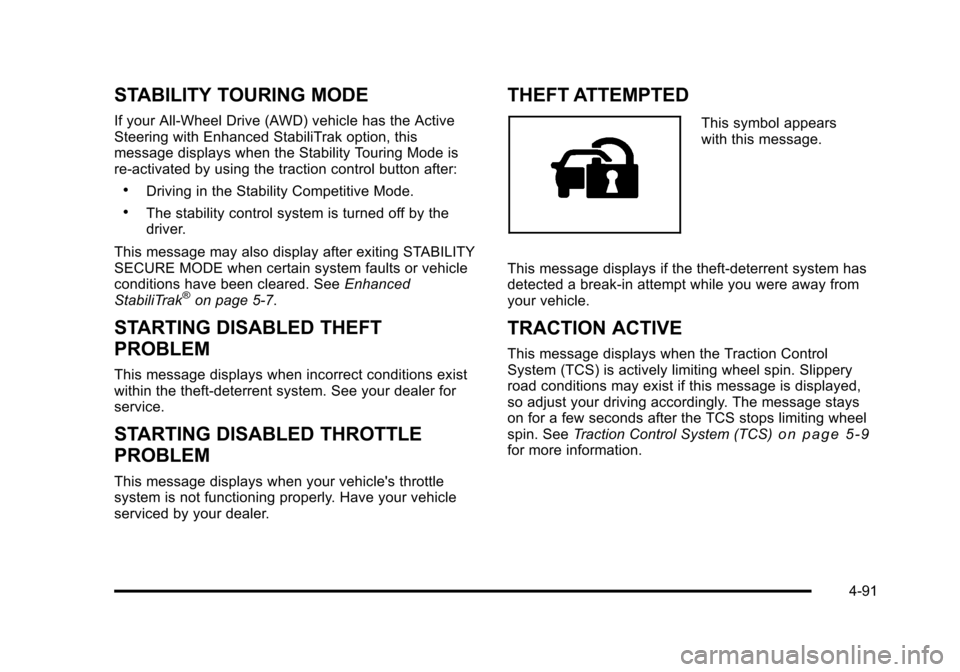
This symbol appears
with this message.
This message displays if the theft-deterrent system has
detected a break-in attempt while you were away from
your vehicle.
TRACTION ACTIVE
This message displays when the Traction Control
System (TCS) is actively limiting wheel spin. Slippery
road conditions may exist if this message is displayed,
so adjust your driving accordingly. The message stays
on for a few seconds after the TCS stops limiting wheel
spin. See Traction Control System (TCS)
on page 5‑9for more information.
4-91
Page 283 of 528
Black plate (97,1)Cadillac STS Owner Manual - 2011
To scan preset stations:1. Press and hold
©or¨for more than two seconds
until a beep sounds and PSCAN displays. The
radio goes to the first preset station, plays for
five seconds, then goes to the next preset station.
2. Press and release
©or¨to stop scanning.
ALOCAL/DISTANT Selection: The radio can be set
to search for local stations or stations that are further
away for a larger selection.
To select between LOCAL or DISTANT:
1. Press
wto enter the main menu.
2. Turn
wuntil SEEK LOCAL or SEEK DISTANT
displays.
3. Press
wto select either LOCAL or DISTANT.
4. Press F6 to exit the display. To return to the original display, repeatedly press F6 or wait for the
display to time out. To search for stations, press
©or¨. If the system is set
to LOCAL, SEEK displays and seeks to stations only
with strong signals. If the system is set to DISTANT,
D-SEEK displays and seeks to stations with weak and
strong signals.
This feature does not function with the XM™ radio
stations.
4(Information): Press while in XM mode to retrieve
three different categories of information related to the
current song or channel: Artist, Song Title, Category or
PTY. To view this information:
1. Press
wto enter the main menu.
2. Turn
wuntil INFO displays.
3. Press
wto select INFO. The display changes to
show the additional XM information.
4. Press F6 to exit the display. To return to the original display, repeatedly press F6 or wait for the
display to time out.
4-97
Page 286 of 528
Black plate (100,1)Cadillac STS Owner Manual - 2011
Adjusting the Speakers (Balance/Fade)
To adjust the balance or fade:1. Press
wto enter the main menu.
2. Turn
wuntil BALANCE‐FADER displays.
3. Press
wto enter the settings.
4. Press
wto scroll to BALANCE or FADER.
5. Turn
wto adjust the BALANCE to the right or
the left speakers and the FADER to the front or the
rear speakers.
6. Press
wto set the adjustment.
7. Press F6 to exit the display. To return to the original display, repeatedly press F6 or wait for the
display to time out.
EQ0 does not display while in this mode.
RDS Messages
ALERT: Displays when local or national emergency
announcements are received. If the radio tunes to a
related network station for the announcement, it returns
to the original station when the announcement ends.
The announcement should be heard even if the volume
is low or a CD is playing. If a CD is playing, it will stop
playing during the announcement.
.The RDS alert feature is not supported by all RDS
radio stations.
.The RDS alert feature cannot be turned off.
.Alert is not affected by tests of the emergency
broadcast system.
Displays if the current RDS station has a message.
The message displays the artist, song title, call in phone
numbers, etc. If the entire message does not display,
parts of the message appear every three seconds until
the message is completed. MSG disappears from the
display once the completed message has displayed.
4-100
Page 291 of 528
Black plate (105,1)Cadillac STS Owner Manual - 2011
If the radio is on, the lased CD loaded begins to play
automatically. CD displays and the number of the CD
and the track number displays.
F1 DISC
n(Down):Press to go to the previous CD.
F2 DISC
m(Up): Press to go to the next CD.
F3 CD REV
{(Reverse): Press to go to the previous
track. Press and hold to reverse quickly within the track.
Release to resume playback.
F4 CD FWD
|(Forward): Press to go to the next
track. Press and hold to advance quickly within the
track. Release to resume playback.
F5 MODE: Press to select from:
.NORMAL:Sets the system for normal play of
the CD(s). NORMAL does not display while in
this mode.
.RPT TRCK (Repeat Track): Repeats the track
over again. RPT TRCK displays. Press F5 MODE
again to turn off repeat play. RPT TRCK
disappears from the display.
.RPT DISC (Repeat CD): Repeats the CD over
again. RPT DISC displays. Press F5 MODE again
to turn off repeat play. RPT DISC disappears from
the display.
.RDM TRCK (Random Track): Plays the tracks on
the current CD in random, rather than sequential
order. RDM TRCK displays. Press F5 MODE again
to turn off random play. RDM TRCK disappears
from the display.
.RDM ALL (Random All CDs): Plays all of the CDs
loaded in random, rather than sequential order.
RDM ALL displays. Press F5 MODE again to turn
off random play. RDM ALL disappears from the
display.
F6 DISP (Display): Press to display the time of the
track. Press again to display CD PLAY MODE.
© ¨(Seek): Press to go to the previous or the next
track on the CD.
© ¨(Scan): Press to listen to each track for
10 seconds. The CD goes to a track, plays for
10 seconds, then goes to the next track. Press
again to stop scanning.
Z(Eject): Press to eject the CD that is currently
playing, or press and hold to eject all of the CDs
loaded. A beep sounds. Eject can be used when the
ignition and the radio are off.
4-105
Page 319 of 528
Black plate (7,1)Cadillac STS Owner Manual - 2011
StabiliTrak comes on automatically whenever the
vehicle is started. To help assist with directional control
of the vehicle, always leave the system on. StabiliTrak
can be turned off, however, by using the Traction
Control System (TCS)/StabiliTrak button. SeeTraction
Control System (TCS) on page 5‑9.
If cruise control is being used when StabiliTrak
activates, it will automatically disengage. Cruise control
may be reengaged when road conditions allow. See
Cruise Control
on page 4‑12or Adaptive Cruise
Controlon page 4‑15for more information.
Enhanced StabiliTrak®
All‐wheel‐drive (AWD) vehicles with the Active Steering
with Enhanced StabiliTrak option have an enhanced
computer controlled vehicle stability system that assists
with directional control of the vehicle in difficult driving
conditions. This system coordinates automatic control of
the Active Steering System, the Magnetic Ride Control
Suspension System, and the Brake Control System for
better vehicle performance.
During extreme cold temperature conditions, the active
steering function may be temporarily disabled which
may cause the steering wheel to be offset from the
center position while driving straight. This is normal
operation and the vehicle is safe to drive in these
cases. Stability control activates when the computer senses a
difference between the intended path and the direction
the vehicle is actually traveling. Stability control
automatically adjusts the front road wheel steering
angle, modifies the suspension stiffness, and selectively
applies braking pressure at any one of the vehicle’s
brakes to help maintain directional control of the
vehicle.
When the system activates, a STABILITY SYS ACTIVE
message displays on the Driver Information Center
(DIC). See
DIC Warnings and Messages
on page 4‑76.
It is normal to hear a noise or feel vibration in the brake
pedal when the system is working. Continue to steer the
vehicle in the intended direction.
If cruise control is engaged when Enhanced
StabiliTrak activates, the cruise control will
automatically disengage. Re-engage cruise control
when road conditions allow. See Cruise Control
on
page 4‑12, or Adaptive Cruise Controlon page 4‑15for more information.
Enhanced StabiliTrak comes on automatically in the
Stability Touring Mode, when the vehicle is started.
The Stability Touring Mode is recommended for normal
driving.
5-7
Page 407 of 528

Black plate (57,1)Cadillac STS Owner Manual - 2011
Occupant Distribution:Designated seating
positions.
Outward Facing Sidewall
:The side of an
asymmetrical tire that has a particular side that
faces outward when mounted on a vehicle. The
side of the tire that contains a whitewall, bears
white lettering, or bears manufacturer, brand,
and/or model name molding that is higher or
deeper than the same moldings on the other
sidewall of the tire.
Passenger (P-Metric) Tire
:A tire used on
passenger cars and some light duty trucks and
multipurpose vehicles.
Recommended Inflation Pressure
:Vehicle
manufacturer's recommended tire inflation
pressure as shown on the tire placard. See
Inflation - Tire Pressure
on page 6‑58and Loading
the Vehicle
on page 5‑23.
Radial Ply Tire
:A pneumatic tire in which the ply
cords that extend to the beads are laid at
90 degrees to the centerline of the tread.
Rim
:A metal support for a tire and upon which
the tire beads are seated.
Sidewall
:The portion of a tire between the tread
and the bead. Speed Rating
:An alphanumeric code assigned
to a tire indicating the maximum speed at which a
tire can operate.
Traction
:The friction between the tire and the
road surface. The amount of grip provided.
Tread
:The portion of a tire that comes into
contact with the road.
Treadwear Indicators
:Narrow bands, sometimes
called wear bars, that show across the tread of
a tire when only 1/16 inch (1.6 mm) of tread
remains. See When It Is Time for New Tires
on
page 6‑67
.
UTQGS (Uniform Tire Quality Grading
Standards)
:A tire information system that
provides consumers with ratings for a tire's
traction, temperature, and treadwear. Ratings
are determined by tire manufacturers using
government testing procedures. The ratings are
molded into the sidewall of the tire. See Uniform
Tire Quality Grading
on page 6‑71.
Vehicle Capacity Weight
:The number of
designated seating positions multiplied by
150 lbs (68 kg) plus the rated cargo load.
See Loading the Vehicle
on page 5‑23.
6-57
Page 415 of 528
Black plate (65,1)Cadillac STS Owner Manual - 2011
10. After hearing the confirming single horn chirp forthe driver side rear tire, a double horn chirp will
sound to signal the tire matching mode is no longer
active. Press the push‐button ignition switch
to Acc.
11. Set all four tires to the recommended air pressure level as indicated on the tire and loading
information label.
12. Put the valve caps back on the valve stems.
Tire Inspection and Rotation
We recommend that you regularly inspect your
vehicle's tires, including the spare tire, for signs of
wear or damage. See When It Is Time for New
Tires
on page 6‑67for more information.
Always remove the tires if any of the following
statements are true:
.You can see the indicators at three or more
places around the tire.
.You can see cord or fabric showing through
the tire's rubber.
.The tread or sidewall is cracked, cut,
or snagged deep enough to show cord or
fabric.
.The tire has a bump, bulge, or split.
.The tire has a puncture, cut, or other damage
that cannot be repaired well because of the
size or location of the damage.
Tire rotation is not recommended if your vehicle
has P235/50ZR18 size tires on the front wheels
and P255/45ZR18 size tires on the rear wheels.
Different tire sizes should not be rotated front to
rear. Each tire and wheel should only be used in
the original front or rear position it is in.
Tire rotation is recommended if the vehicle is
equipped with P235/50R17 size tires on all four
wheel positions or 255/45ZR18 size tires on all
four wheel positions. These tires should be
rotated every 12 000 km (7,500 miles). See
Scheduled Maintenance
on page 7‑3.
The purpose of a regular tire rotation is to achieve
a uniform wear for all tires on the vehicle. This will
ensure that the vehicle continues to perform most
like it did when the tires were new.
Any time you notice unusual wear, rotate your
tires as soon as possible and check wheel
alignment. Also check for damaged tires or
wheels. See When It Is Time for New Tires
on
page 6‑67
and Wheel Replacementon page 6‑72.
6-65