light CADILLAC XLR 2004 1.G Owner's Manual
[x] Cancel search | Manufacturer: CADILLAC, Model Year: 2004, Model line: XLR, Model: CADILLAC XLR 2004 1.GPages: 356, PDF Size: 2.36 MB
Page 94 of 356

Keep the original transmitter for use in other vehicles as
well as for future HomeLinkžprogramming. It is also
recommended that upon the sale of the vehicle,
the programmed HomeLink
žbuttons should be erased
for security purposes. Refer to ªErasing HomeLinkž
Buttonsº or, for assistance, contact HomeLinkžon the
internet at: www.homelink.com or by calling
1-800-355-3515.
Be sure that people and objects are clear of the garage
door or gate operator you are programming. When
programming a garage door, it is advised to park outside
of the garage.
It is recommended that a new battery be installed in
your hand-held transmitter for quicker and more
accurate transmission of the radio frequency.
Your vehicle's engine should be turned off while
programming the transmitter. Follow these steps to
program up to three channels:
1. Press and hold down the two outside buttons,
releasing only when the indicator light begins to
¯ash, after 20 seconds. Do not hold down the
buttons for longer than 30 seconds and do not
repeat this step to program a second and/or third
transmitter to the remaining two HomeLink
žbuttons.
2. Position the end of your hand-held transmitter about
1 to 3 inches (3 to 8 cm) away from the HomeLink
ž
buttons while keeping the indicator light in view.3. Simultaneously press and hold both the desired
button on HomeLink
žand the hand-held transmitter
button. Do not release the buttons until Step 4
has been completed.
Some entry gates and garage door openers may
require you to substitute Step 3 with the procedure
noted in ªGate Operator and Canadian
Programmingº later in this section.
4. The indicator light will ¯ash slowly at ®rst and then
rapidly after HomeLink
žsuccessfully receives the
frequency signal from the hand-held transmitter.
Release both buttons.
5. Press and hold the newly-trained HomeLink
žbutton
and observe the indicator light.
If the indicator light stays on constantly,
programming is complete and your device should
activate when the HomeLink
žbutton is pressed and
released.
To program the remaining two HomeLink
žbuttons,
begin with Step 2 under ªProgramming HomeLinkž.º
Do not repeat Step 1 as this will erase all of the
programmed channels.
If the indicator light blinks rapidly for two seconds
and then turns to a constant light, continue with
Steps 6 through 8 following to complete the
programming of a rolling-code equipped device
(most commonly, a garage door opener).
2-38
Page 95 of 356

6. Locate in the garage, the garage door opener
receiver (motor-head unit). Locate the ªLearnº
or ªSmartº button. This can usually be found where
the hanging antenna wire is attached to the
motor-head unit.
7. Firmly press and release the ªLearnº or ªSmartº
button. The name and color of the button may
vary by manufacturer.
You will have 30 seconds to start Step 8.
8. Return to the vehicle. Firmly press and hold the
programmed HomeLink
žbutton for two seconds,
then release. Repeat the press/hold/release
sequence a second time, and depending on the
brand of the garage door opener (or other rolling
code device), repeat this sequence a third time
to complete the programming.
HomeLink
žshould now activate your rolling-code
equipped device.
To program the remaining two HomeLink
žbuttons,
begin with Step 2 of ªProgramming HomeLinkž.º Do not
repeat Step 1.
Gate Operator and Canadian
Programming
Canadian radio-frequency laws require transmitter
signals to ªtime outº or quit after several seconds of
transmission. This may not be long enough for
HomeLink
žto pick up the signal during programming.
Similarly, some U.S. gate operators are manufactured to
ªtime outº in the same manner.
If you live in Canada, or you are having difficulty
programming a gate operator by using the
ªProgramming HomeLink
žº procedures (regardless of
where you live), replace Step 3 under ªProgramming
HomeLink
žº with the following:
Continue to press and hold the HomeLink
žbutton while
you press and release every two seconds (cycle)
your hand-held transmitter until the frequency signal has
been successfully accepted by HomeLink
ž. The
indicator light will ¯ash slowly at ®rst and then rapidly.
Proceed with Step 4 under ªProgramming HomeLink
žº
to complete.
2-39
Page 96 of 356

Using HomeLinkž
Press and hold the appropriate HomeLinkžbutton for at
least half of a second. The indicator light will come
on while the signal is being transmitted.
Erasing HomeLinkžButtons
To erase programming from the three buttons do the
following:
1. Press and hold down the two outside buttons until
the indicator light begins to ¯ash, after 20 seconds.
2. Release both buttons. Do not hold for longer than
30 seconds.
HomeLink
žis now in the train (learning) mode and can
be programmed at any time beginning with Step 2
under ªProgramming HomeLink
ž.º
Individual buttons can not be erased, but they can be
reprogrammed. See ªReprogramming a Single
HomeLink
žButtonº next.
Reprogramming a Single HomeLinkž
Button
To program a device to HomeLinkžusing a HomeLinkž
button previously trained, follow these steps:
1. Press and hold the desired HomeLink
žbutton. Do
not release the button.
2. The indicator light will begin to ¯ash after
20 seconds. While still holding the HomeLink
ž
button, proceed with Step 2 under ªProgramming
HomeLinkž.º
Resetting Defaults
To reset HomeLinkžto default settings do the following:
1. Hold down the two outside buttons for about
20 seconds until the indicator light begins to ¯ash.
2. Continue to hold both buttons until the HomeLink
ž
indicator light turns off.
3. Release both buttons.
For questions or comments, contact HomeLink
žat
1-800-355-3515, or on the internet at
www.homelink.com.
2-40
Page 111 of 356

Instrument Panel Overview...............................3-2
Hazard Warning Flashers................................3-4
Other Warning Devices...................................3-4
Horn.............................................................3-5
Power Tilt Wheel and Telescopic Steering
Column......................................................3-5
Turn Signal/Multifunction Lever.........................3-5
Exterior Lamps.............................................3-22
Interior Lamps..............................................3-25
Head-Up Display (HUD).................................3-27
Ultrasonic Rear Parking Assist (URPA)............3-30
Accessory Power Outlets...............................3-32
Ashtrays and Cigarette Lighter........................3-33
Climate Controls............................................3-33
Dual Climate Control System..........................3-33
Outlet Adjustment.........................................3-38
Passenger Compartment Air Filter...................3-38
Warning Lights, Gages, and Indicators............3-39
Instrument Panel Cluster................................3-40
Speedometer and Odometer...........................3-41
Trip Odometer..............................................3-41
Tachometer.................................................3-41
Safety Belt Reminder Light.............................3-41
Air Bag Readiness Light................................3-42
Air Bag Off Light..........................................3-43
Voltmeter Gage............................................3-44
Brake System Warning Light..........................3-45
Anti-Lock Brake System Warning Light.............3-46Traction Control System (TCS) Warning Light . . .3-46
Engine Coolant Temperature Gage..................3-47
Tire Pressure Light.......................................3-48
Malfunction Indicator Lamp.............................3-48
Engine Oil Pressure Gage.............................3-52
Security Light...............................................3-52
Fog Lamp Light............................................3-53
Lights On Reminder......................................3-53
Fuel Gage...................................................3-54
Driver Information Center (DIC).......................3-55
DIC Controls and Displays.............................3-55
DIC Warnings and Messages.........................3-57
Other Messages...........................................3-65
DIC Vehicle Personalization............................3-66
Trip Computer................................................3-70
Oil Life Indicator...........................................3-70
Audio System(s).............................................3-70
Navigation/Radio System...............................3-71
Theft-Deterrent Feature..................................3-71
Audio Steering Wheel Controls.......................3-71
Radio Reception...........................................3-72
Care of Your CDs.........................................3-72
Care of Your CD Player................................3-72
Diversity Antenna System..............................3-73
XMŸ Satellite Radio Antenna System.............3-73
Section 3 Instrument Panel
3-1
Page 113 of 356

The main components of the instrument panel are the following:
A. Head-Up Display (HUD) Controls/Instrument Panel
Brightness Controls. See
Head-Up Display (HUD) on
page 3-27or ªInstrument Panel Brightnessº underInterior Lamps on page 3-25.
B. Turn Signal/Multifunction Lever. See
Turn
Signal/Multifunction Lever on page 3-5.
C. Instrument Panel Cluster. See
Instrument Panel
Cluster on page 3-40.
D. Windshield Wiper/Washer Lever. See ªWindshield
Wipersº under
Turn Signal/Multifunction Lever
on page 3-5.
E. Driver Information Center (DIC) Controls/Interior
Lamps. See
DIC Controls and Displays on
page 3-55.
F. Air Outlets. See
Outlet Adjustment on page 3-38.
G. Hazard Warning Flasher Button. See
Hazard
Warning Flashers on page 3-4.
H. Voice Commands/Audio Controls. See
OnStarž
System on page 2-35orAudio Steering Wheel
Controls on page 3-71.
I. Adaptive Cruise Controls. See ªAdaptive Cruise
Control (ACC)º under
Turn Signal/Multifunction Lever
on page 3-5.J. Horn. See
Horn on page 3-5.
K. Audio Steering Wheel Controls. See
Audio Steering
Wheel Controls on page 3-71.
L. Ignition Switch. See
Ignition Positions on page 2-19.
M. Shift Lever. See
Automatic Transmission Operation
on page 2-23.
N. Traction Control Button. See
Traction Control
System (TCS) on page 4-9.
O. Passenger Air Bag Off Indicator. See
Air Bag Off
Light on page 3-43.
P. Retractable Hardtop Button. See
Retractable
Hardtop on page 2-44.
Q. Cupholders. See
Cupholder(s) on page 2-41.
R. Cigarette Lighter. See
Ashtrays and Cigarette Lighter
on page 3-33.
S. Climate Controls. See
Dual Climate Control System
on page 3-33.
T. Audio/Navigation System. See
Navigation/Radio
System on page 3-71.
U. Glove Box. See
Glove Box on page 2-41.
3-3
Page 116 of 356

Turn and Lane-Change Signals
The turn signal has two upward (for right) and two
downward (for left) positions. These positions allow you
to signal a turn or a lane change.
To signal a turn, move the multifunction lever all the
way up or down. When the turn is ®nished, the lever will
return automatically.
An arrow on the instrument
panel cluster will ¯ash in
the direction of the
turn or lane change.
To signal a lane change, just raise or lower the lever
until the arrow starts to ¯ash. Hold it there until you
complete your lane change. The lever will return by itself
when you release it.
If you signal a turn or a lane change and the arrows
¯ash faster than normal, a signal bulb may be burned
out. Other drivers will not see the turn signal.
Replace burned-out bulbs to help avoid possible
accidents. If the arrows do not go on at all when you
signal a turn, check the fuses and check for burned-out
bulbs. See
Fuses and Circuit Breakers on page 5-85.
Turn Signal on Chime
A chime will remind you if you leave the turn signal on
for more than 3/4 mile (1.2 km) of driving.
If you need to leave the turn signal on for more than
3/4 mile (1.2 km), turn off the signal and then turn it
back on.
Headlamp High/Low-Beam Changer
To change the headlamps from low beam to high, push
the turn signal lever all the way forward.
When the high beams are
on, this light on the
instrument panel cluster
also will be on. To change
the headlamps from
high to low, pull the lever
rearward.
Headlamps on Reminder
If you turn the ignition off and leave the headlamps or
parking lamps on and open a door, you will hear a chime
reminding you to turn off the lamps.
3-6
Page 118 of 356

RainsenseŸ Wipers
Your vehicle has RainsenseŸ wipers. The moisture
sensor for this feature is mounted on the interior side of
the windshield below the rearview mirror and is used
to automatically operate the wipers by monitoring
the amount of moisture build-up on the windshield.
Wipes occur as needed to clear the windshield
depending on driving conditions and the sensitivity
setting. In light rain or snow, fewer wipes will occur. In
heavy rain or snow, wipes will occur more frequently.
The RainsenseŸ wipers operate in a delay mode
as well as a continuous low or high speed as needed. If
the system is left on for long periods of time, occasional
wipes may occur without any moisture on the
windshield. This is normal and indicates that the
RainsenseŸ system is activated.
The RainsenseŸ system is also sensitive to vibration.
The system may activate if something hits the
windshield or if the vehicle hits a bump.
The RainsenseŸ system can be activated by moving
the wiper lever up to the delay position and turning
the delay adjust band to one of the ®ve sensitivity levels.
The bottom delay adjust position is the lowest sensitivity
setting, level one. This allows more rain or snow to
collect on the windshield between wipes.Turning the delay adjust band away from you to the
higher sensitivity levels allows less rain or snow
to collect on the windshield between wipes.
The top position is the highest sensitivity setting, level
®ve. A single wipe will occur each time you turn the
delay adjust band to a higher sensitivity level to indicate
that the sensitivity level has been increased.
Notice:Going through an automatic car wash with
the wipers on can damage them. Turn the wipers
off when going through an automatic car wash.
The mist and wash cycles operate as normal and are
not affected by the RainsenseŸ function. The
RainsenseŸ system can be overridden at any time by
manually changing the wiper control to low or high
speed.
When RainsenseŸ is active, the headlamps will turn on
automatically. If it is dark, they will remain on. See
ªWiper-Activated Headlampsº under
Exterior Lamps on
page 3-22for more information.
Notice:Do not place stickers or other items on the
exterior glass surface directly in front of the
moisture sensor. Doing this could cause the
moisture sensor to malfunction.
3-8
Page 126 of 356
Approaching and Following a Vehicle
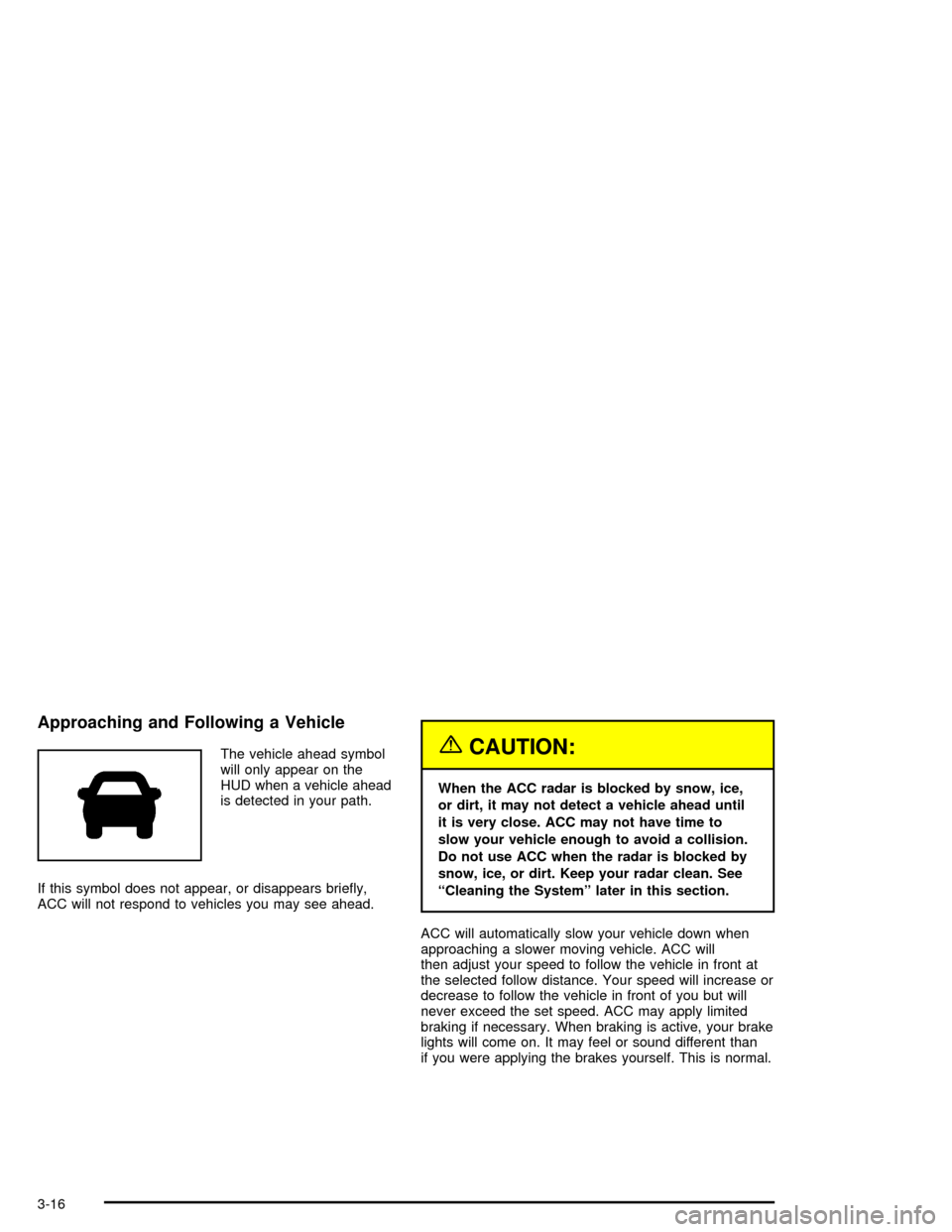
The vehicle ahead symbol
will only appear on the
HUD when a vehicle ahead
is detected in your path.
If this symbol does not appear, or disappears brie¯y,
ACC will not respond to vehicles you may see ahead.{CAUTION:
When the ACC radar is blocked by snow, ice,
or dirt, it may not detect a vehicle ahead until
it is very close. ACC may not have time to
slow your vehicle enough to avoid a collision.
Do not use ACC when the radar is blocked by
snow, ice, or dirt. Keep your radar clean. See
ªCleaning the Systemº later in this section.
ACC will automatically slow your vehicle down when
approaching a slower moving vehicle. ACC will
then adjust your speed to follow the vehicle in front at
the selected follow distance. Your speed will increase or
decrease to follow the vehicle in front of you but will
never exceed the set speed. ACC may apply limited
braking if necessary. When braking is active, your brake
lights will come on. It may feel or sound different than
if you were applying the brakes yourself. This is normal.
3-16
Page 132 of 356
Exterior Lamps
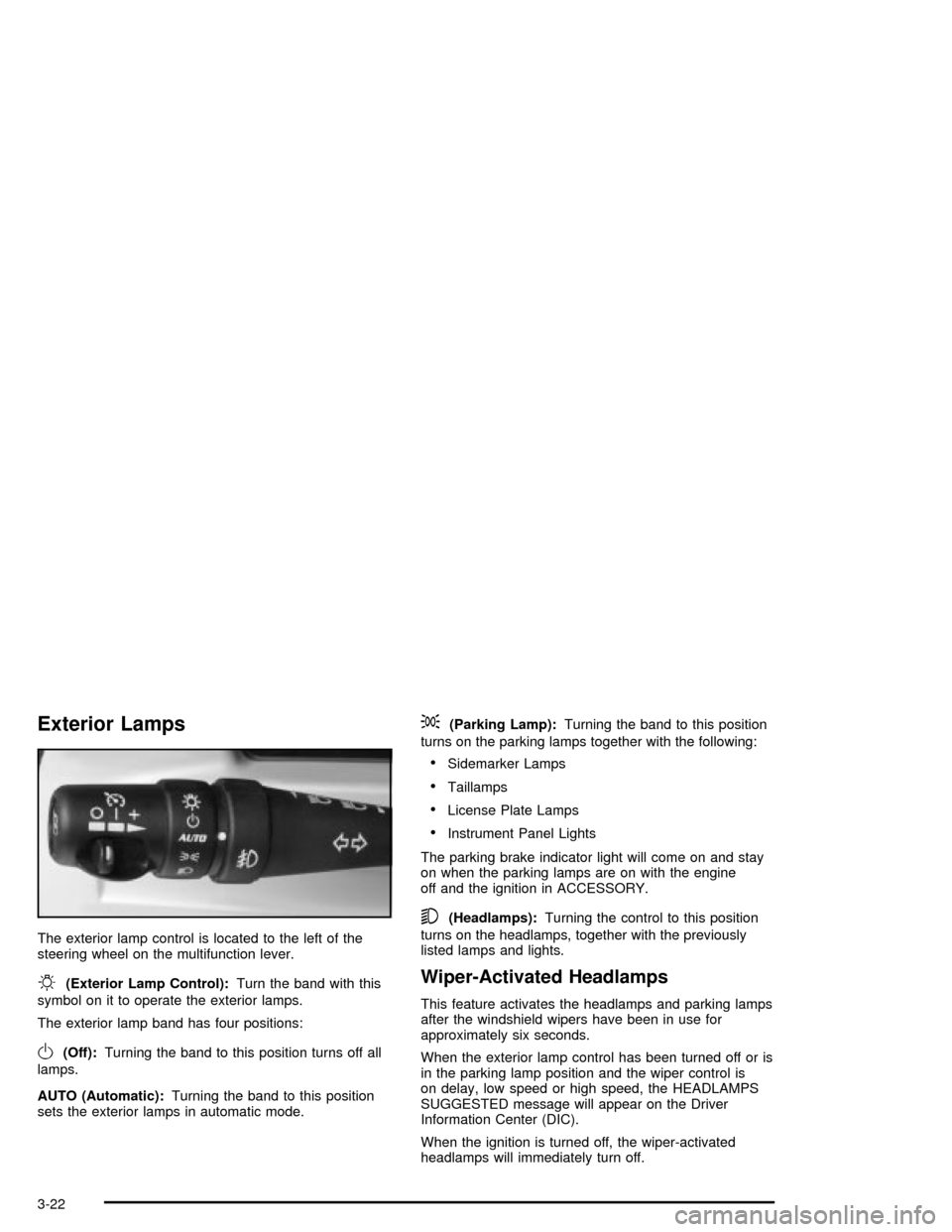
The exterior lamp control is located to the left of the
steering wheel on the multifunction lever.
O(Exterior Lamp Control):Turn the band with this
symbol on it to operate the exterior lamps.
The exterior lamp band has four positions:
O(Off):Turning the band to this position turns off all
lamps.
AUTO (Automatic):Turning the band to this position
sets the exterior lamps in automatic mode.
;(Parking Lamp):Turning the band to this position
turns on the parking lamps together with the following:
·Sidemarker Lamps
·Taillamps
·License Plate Lamps
·Instrument Panel Lights
The parking brake indicator light will come on and stay
on when the parking lamps are on with the engine
off and the ignition in ACCESSORY.
5(Headlamps):Turning the control to this position
turns on the headlamps, together with the previously
listed lamps and lights.
Wiper-Activated Headlamps
This feature activates the headlamps and parking lamps
after the windshield wipers have been in use for
approximately six seconds.
When the exterior lamp control has been turned off or is
in the parking lamp position and the wiper control is
on delay, low speed or high speed, the HEADLAMPS
SUGGESTED message will appear on the Driver
Information Center (DIC).
When the ignition is turned off, the wiper-activated
headlamps will immediately turn off.
3-22
Page 133 of 356

Lamps on Reminder
A warning chime will sound if the exterior lamp control
is left on in either the headlamp or parking lamp position
and the driver's door is opened with the ignition off.
Daytime Running Lamps
Daytime Running Lamps (DRL) can make it easier for
others to see the front of your vehicle during the
day. DRL can be helpful in many different driving
conditions, but they can be especially helpful in the short
periods after dawn and before sunset. Fully functional
daytime running lamps are required on all vehicles
®rst sold in Canada.
The DRL system will make the front turn signal lamps
come on when the following conditions are met:
·It is still daylight and the ignition is on,
·the exterior lamp control is in the off position and
·the transmission is not in PARK (P).
When DRL are on, only the front turn signal lamps will
be on. No other exterior lamps such as the parking
lamps, taillamps, etc. will be on when the DRL are being
used. Your instrument panel will not be lit up either.
When it is dark enough outside, the front turn signal
lamps will turn off and normal low-beam headlamps will
turn on.When it is bright enough outside, the regular lamps will
go off, and the front turn signal lamps will take over.
If you start your vehicle in a dark garage, the automatic
headlamp system will come on immediately. Once
you leave the garage, it will take approximately
one minute for the automatic headlamp system to
change to DRL if it is light outside. During that delay,
your instrument panel cluster may not be as bright
as usual. Make sure your instrument panel brightness
knob is in the full bright position. See ªInstrument Panel
Brightnessº under
Interior Lamps on page 3-25.
If it is dark enough outside and the exterior lamp control
is off, a HEADLAMPS SUGGESTED message will
display on the Driver's Information Center (DIC). This
message informs the driver that turning on the exterior
lamps is recommended.
Turning the exterior lamp control to off a second time,
or turning on the headlamps will remove the
HEADLAMPS SUGGESTED message. If the parking
lamps or the fog lamps were turned on instead,
the HEADLAMPS SUGGESTED message will continue
to be displayed.
As with any vehicle, you should turn on the regular
headlamp system when you need it.
3-23