lock CADILLAC XLR 2004 1.G Owner's Manual
[x] Cancel search | Manufacturer: CADILLAC, Model Year: 2004, Model line: XLR, Model: CADILLAC XLR 2004 1.GPages: 356, PDF Size: 2.36 MB
Page 85 of 356

Leaving Your Vehicle With the Engine
Running
{CAUTION:
It can be dangerous to leave your vehicle with
the engine running. Your vehicle could move
suddenly if the shift lever is not fully in
PARK (P) with the parking brake ®rmly set.
And, if you leave the vehicle with the engine
running, it could overheat and even catch ®re.
You or others could be injured. Do not leave
your vehicle with the engine running.
If you have to leave your vehicle with the engine
running, be sure your vehicle is in PARK (P) and your
parking brake is ®rmly set before you leave it. After you
have moved the shift lever into PARK (P), hold down
the regular brake pedal. See if you can move the
shift lever away from PARK (P) without ®rst pulling it
toward you. If you can, it means that the shift lever was
not fully locked into PARK (P).
Torque Lock
If you are parking on a hill and you do not shift your
transmission into PARK (P) properly, the weight of the
vehicle may put too much force on the parking pawl
in the transmission. You may ®nd it difficult to pull the
shift lever out of PARK (P). This is called ªtorque
lock.º To prevent torque lock, set the parking brake and
then shift into PARK (P) properly before you leave
the driver's seat. To ®nd out how, see ªShifting
Into PARK (P)º listed previously in this section.
When you are ready to drive, move the shift lever out of
PARK (P) before you release the parking brake.
If torque lock does occur, you may need to have another
vehicle push yours a little uphill to take some of the
pressure from the parking pawl in the transmission, so
you can pull the shift lever out of PARK (P).
2-29
Page 86 of 356

Shifting Out of Park (P)
Your vehicle has an automatic transmission shift lock
control system. You have to fully apply your regular
brake before you can shift from PARK (P) when
the vehicle is running. See
Automatic Transmission
Operation on page 2-23.
If you cannot shift out of PARK (P), ease pressure on
the shift lever ± push the shift lever all the way into
PARK (P) and release the shift lever button as
you maintain brake application. Then press the shift
lever button and move the shift lever into the gear
you wish.If you ever hold the brake pedal down but still cannot
shift out of PARK (P), try this:
1. Press the ACCESSORY button twice to place the
ignition in accessory mode.
2. Apply and hold the brake until the end of Step 4.
3. Shift to NEUTRAL (N).
4. Start the engine and then shift to the drive gear
you want.
5. Have your vehicle inspected by your dealer as soon
as possible.
2-30
Page 91 of 356

OnStaržSystem
OnStaržuses global positioning system (GPS) satellite
technology, wireless communications, and call centers
to provide you with a wide range of safety, security,
information and convenience services.
A complete OnStar
žuser's guide and the terms and
conditions of the OnStaržSubscription Service
Agreement are included in your vehicle's glove box
literature. For more information, visit www.onstar.com,
contact OnStar
žat 1-888-4-ONSTAR (1-888-466-7827),
or press the blue OnStaržbutton to speak to an
OnStaržadvisor 24 hours a day, 7 days a week.
A completed Subscription Service Agreement is required
prior to delivery of OnStar
žservices and prepaid
calling minutes are also required for OnStaržPersonal
Calling and OnStaržVirtual Advisor use. Terms and
conditions of the Subscription Service Agreement can be
found at www.onstar.com.
OnStaržServices
One of the following plans is normally included for a
speci®c duration with each vehicle equipped with
OnStar
ž. You can upgrade or extend your OnStarž
service plan to meet your needs.
Safe and Sound Plan
·
Automatic Noti®cation of Air Bag Deployment
·Emergency Services
·Roadside Assistance
·Stolen Vehicle Assistance
·AccidentAssist
·Remote Door Unlock
·Remote Diagnostics
·Online Concierge
Directions and Connections Plan
·
All Safe and Sound Plan services
·Route Support
·RideAssist
·Information and Convenience Services
2-35
Page 93 of 356
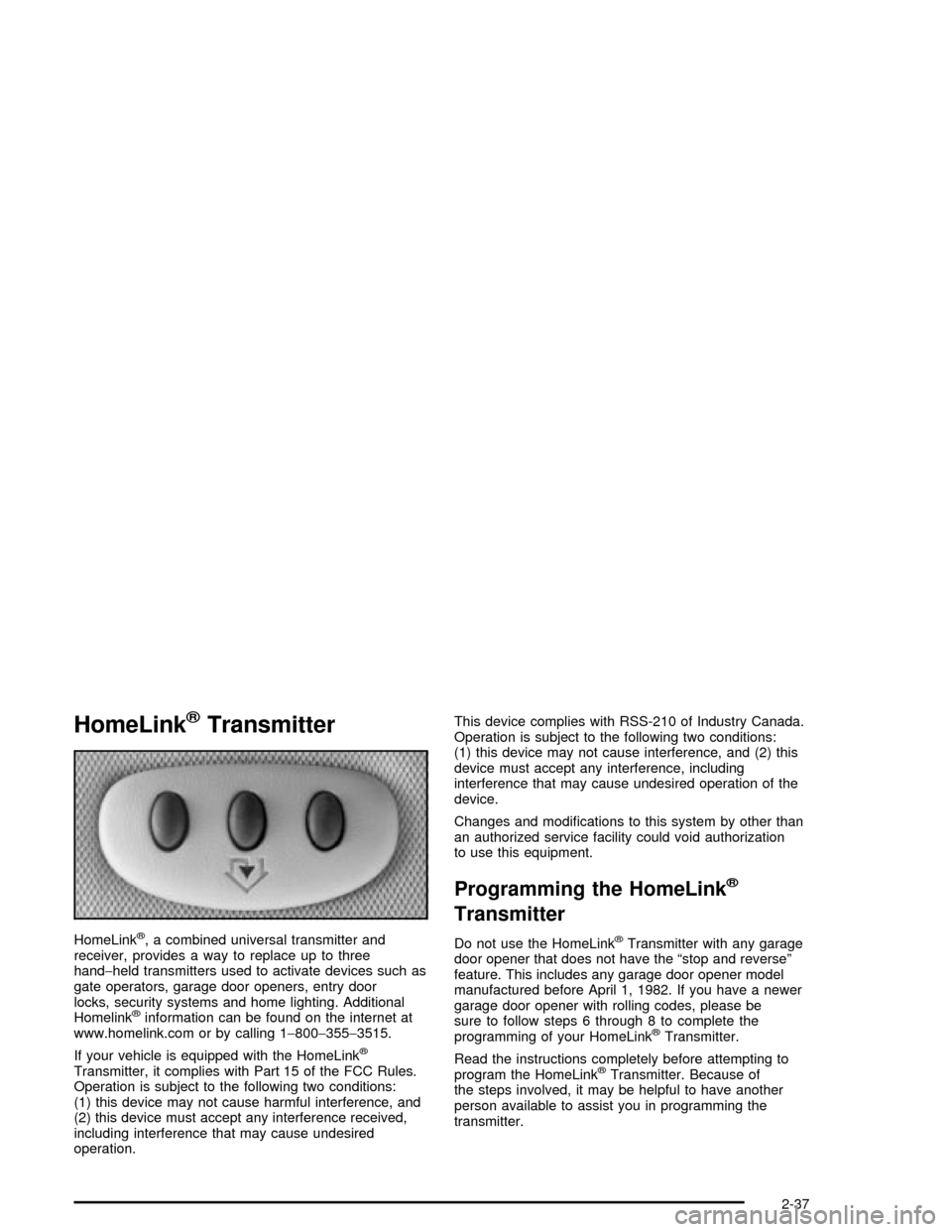
HomeLinkžTransmitter
HomeLinkž, a combined universal transmitter and
receiver, provides a way to replace up to three
hand-held transmitters used to activate devices such as
gate operators, garage door openers, entry door
locks, security systems and home lighting. Additional
Homelink
žinformation can be found on the internet at
www.homelink.com or by calling 1-800-355-3515.
If your vehicle is equipped with the HomeLink
ž
Transmitter, it complies with Part 15 of the FCC Rules.
Operation is subject to the following two conditions:
(1) this device may not cause harmful interference, and
(2) this device must accept any interference received,
including interference that may cause undesired
operation.This device complies with RSS-210 of Industry Canada.
Operation is subject to the following two conditions:
(1) this device may not cause interference, and (2) this
device must accept any interference, including
interference that may cause undesired operation of the
device.
Changes and modi®cations to this system by other than
an authorized service facility could void authorization
to use this equipment.
Programming the HomeLinkž
Transmitter
Do not use the HomeLinkžTransmitter with any garage
door opener that does not have the ªstop and reverseº
feature. This includes any garage door opener model
manufactured before April 1, 1982. If you have a newer
garage door opener with rolling codes, please be
sure to follow steps 6 through 8 to complete the
programming of your HomeLink
žTransmitter.
Read the instructions completely before attempting to
program the HomeLink
žTransmitter. Because of
the steps involved, it may be helpful to have another
person available to assist you in programming the
transmitter.
2-37
Page 97 of 356

Storage Areas
Glove Box
The glove box is located in front of the passenger's seat
on the instrument panel. To lock the glove box door,
insert the key into the lock cylinder and turn it clockwise.
Turn the key counterclockwise to unlock the door.
Cupholder(s)
The cupholders are located under a lid in the front
console to the right of the shift lever. Press the left side
of the lid and it will open automatically.
Center Console Storage Area
There is a center console storage area located between
the seats. To open this storage area, pull up the lid
on the front edge of the console and swing it rearward.
There is also an upright center console storage area
between the seatbacks. To open the storage area, press
and release the button near the top so it extends out.
Then, turn the button in either direction to unlatch the lid
and pull the console lid down. After you close the lid,
press the release button back in.
2-41
Page 98 of 356

Map Pocket
The map/storage pockets are located on each door
behind a cover.
Floor Mats
Your vehicle's ¯oor mats are specially designed to
remain in position under your feet and out of reach of
the accelerator pedal. The driver's side ¯oor mat is held
in place by two snaps and the passenger's side is
held in place by one.
Be sure that the driver's side ¯oor mat is properly
placed on the ¯oor so that it does not block the
movement of the accelerator pedal.
How to Remove and Replace the
Floor Mats
To remove the ¯oor mats,
pull up on the rear of the
mat to disconnect from
the snaps.
To reinstall the ¯oor mats, line up the openings in the
¯oor mat over the snaps and push down into place.
2-42
Page 100 of 356

Retractable Hardtop
The following procedures explain the proper operation
of the retractable hardtop. The top will not operate if the
valet lockout switch is on.
If you are lowering or raising the convertible top multiple
times, the engine should be running while doing so to
prevent drain on the vehicle's battery.
{CAUTION:
Moving parts of the retractable hardtop can be
dangerous. People can be injured by the
hardtop and its mechanism. Keep people away
from your vehicle when you are lowering or
raising the top.
Lowering the Retractable Hardtop
Notice:Leaving the convertible top down and
exposing the interior of your vehicle to outdoor
conditions may cause damage. Always close
the convertible top if leaving your vehicle outdoors.
1. Park on a level surface and shift the transmission
into PARK (P).
2. The vehicle must be running or in accessory mode.
3. Lower both sun visors.
Notice:Raising or lowering the top while the
vehicle is in motion can cause damage to the top or
top mechanism. Make sure the vehicle is in
PARK (P) to lower or raise the top.
Notice:Lowering the top if it is damp, wet, or dirty
can cause stains, mildew, and damage to the
inside of your vehicle. Dry off the top before
lowering it.
Notice:If you lower the top on your vehicle in cold
weather (0ÉF/-18ÉC or lower), you may damage
top components. Do not lower the convertible top in
cold weather.
2-44
Page 101 of 356

4. Make sure that nothing or no one is on or around
the top. Make sure the trunk cargo cover is in
place with nothing on top or in front of the cargo
cover. See
Rear Storage Area on page 2-43for more information. Also, make sure the valet
lockout switch is off.
5. Push and hold the
bottom of the
retractable hardtop
button located on the
console behind the
shifter lever. The
windows will
automatically lower and
the top will
automatically lower into
the storage area. A
chime will sound when
the top has lowered
completely.
If your radio is on, you may also notice a brief mute in
sound. This is normal due to a new audio system
equalization being loaded for the vehicle with the top
lowered.
Under certain conditions, the Driver Information Center
(DIC) may display a message regarding the retractable
hardtop. If this happens, see
DIC Warnings and
Messages on page 3-57for more information.
Raising the Retractable Hardtop
1. Park on a level surface. Shift the transmission
into PARK (P).
2. The vehicle must be running or in
ACCESSORY mode.
3. Lower both sun visors.
Notice:Raising or lowering the top while the
vehicle is in motion can cause damage to the top or
top mechanism. Make sure the vehicle is in
PARK (P) to lower or raise the top.
4. Make sure nothing or no one is on or around the
top. Make sure the trunk cargo cover is in place
with no cargo on top of or in front of the cargo
cover. See
Rear Storage Area on page 2-43for
more information. Also, be sure the valet lockout
switch is off.
2-45
Page 102 of 356
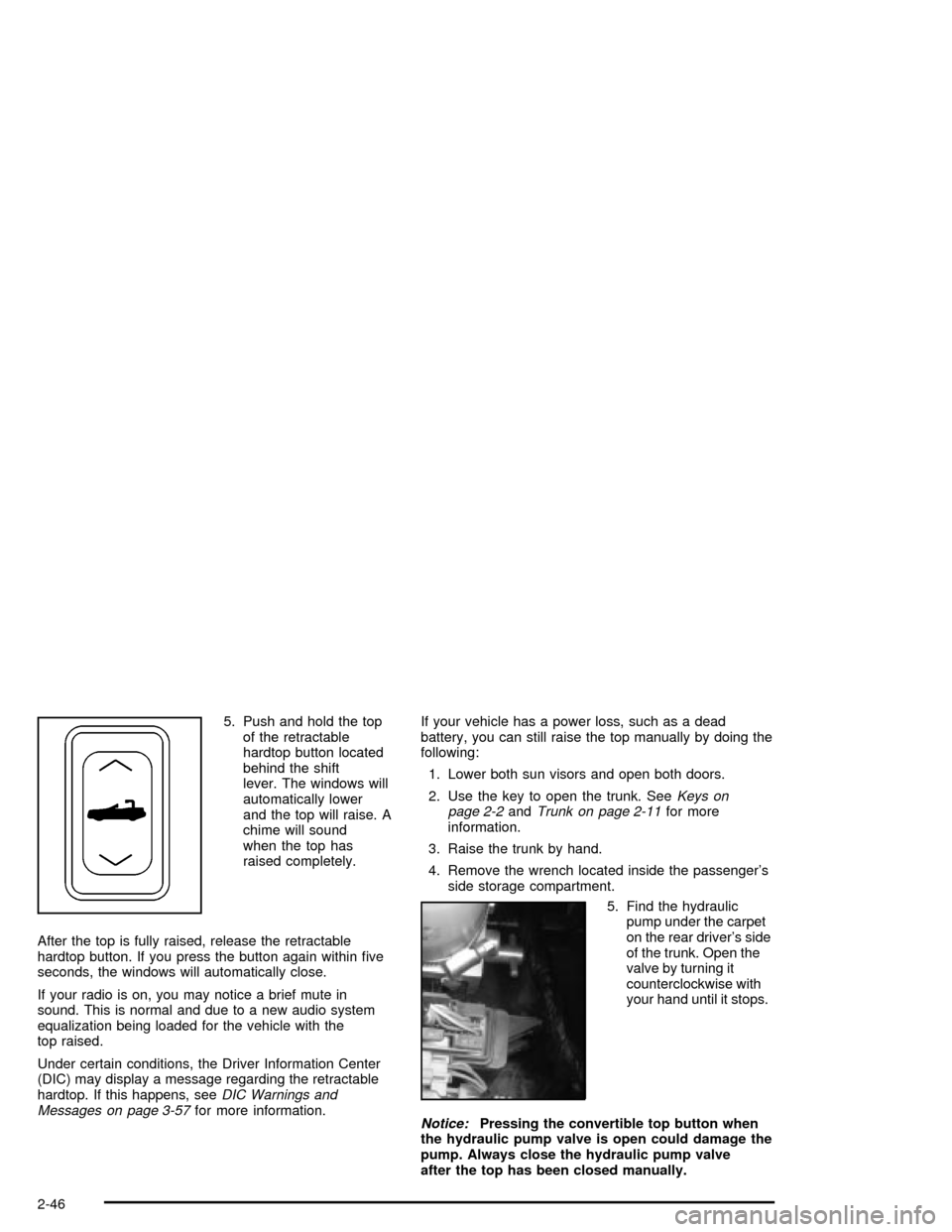
5. Push and hold the top
of the retractable
hardtop button located
behind the shift
lever. The windows will
automatically lower
and the top will raise. A
chime will sound
when the top has
raised completely.
After the top is fully raised, release the retractable
hardtop button. If you press the button again within ®ve
seconds, the windows will automatically close.
If your radio is on, you may notice a brief mute in
sound. This is normal and due to a new audio system
equalization being loaded for the vehicle with the
top raised.
Under certain conditions, the Driver Information Center
(DIC) may display a message regarding the retractable
hardtop. If this happens, see
DIC Warnings and
Messages on page 3-57for more information.If your vehicle has a power loss, such as a dead
battery, you can still raise the top manually by doing the
following:
1. Lower both sun visors and open both doors.
2. Use the key to open the trunk. See
Keys on
page 2-2andTrunk on page 2-11for more
information.
3. Raise the trunk by hand.
4. Remove the wrench located inside the passenger's
side storage compartment.
5. Find the hydraulic
pump under the carpet
on the rear driver's side
of the trunk. Open the
valve by turning it
counterclockwise with
your hand until it stops.
Notice:Pressing the convertible top button when
the hydraulic pump valve is open could damage the
pump. Always close the hydraulic pump valve
after the top has been closed manually.
2-46
Page 103 of 356
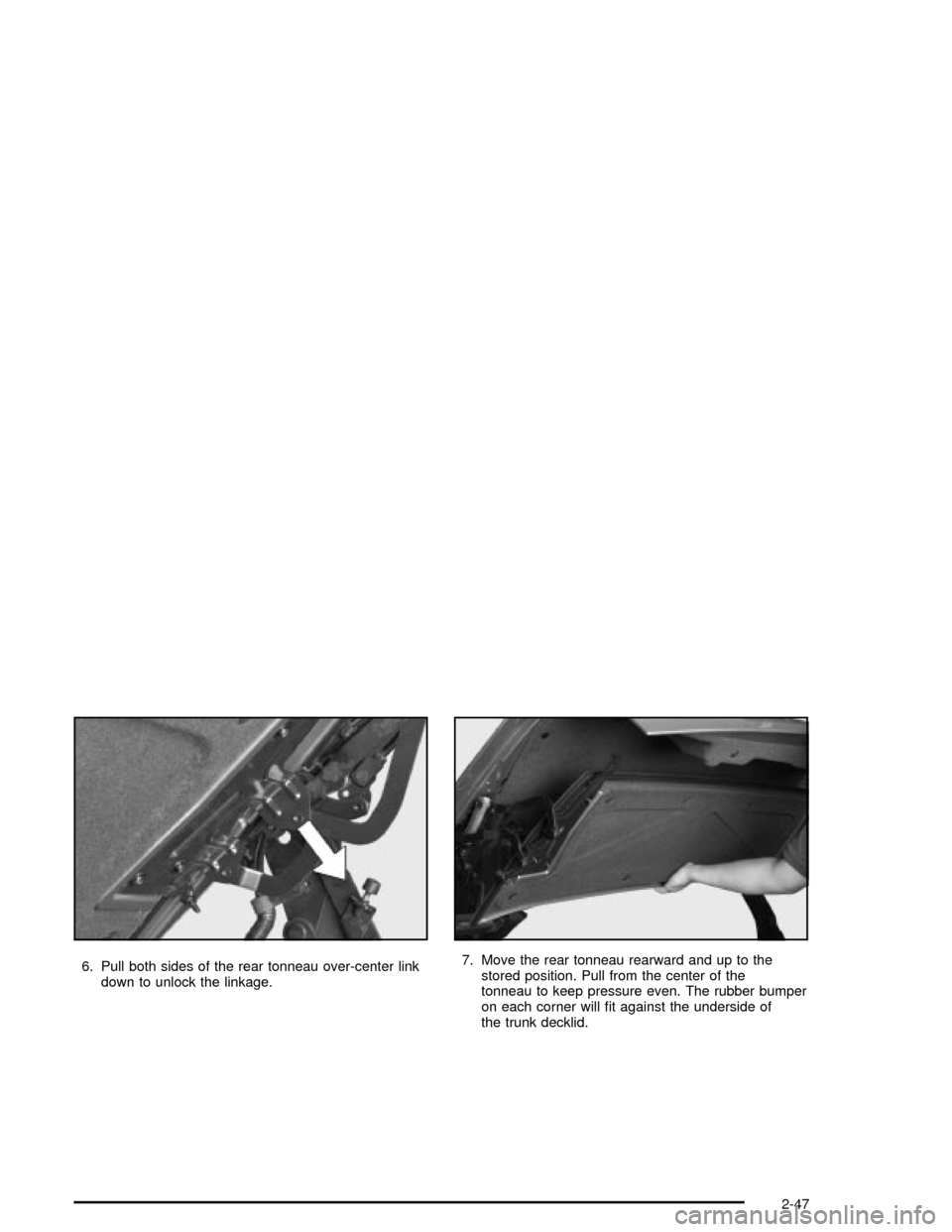
6. Pull both sides of the rear tonneau over-center link
down to unlock the linkage.7. Move the rear tonneau rearward and up to the
stored position. Pull from the center of the
tonneau to keep pressure even. The rubber bumper
on each corner will ®t against the underside of
the trunk decklid.
2-47