radio controls CADILLAC XLR 2004 1.G Owners Manual
[x] Cancel search | Manufacturer: CADILLAC, Model Year: 2004, Model line: XLR, Model: CADILLAC XLR 2004 1.GPages: 356, PDF Size: 2.36 MB
Page 76 of 356

When the engine is off, press this button to place the
vehicle in ACCESSORY mode. ACCESSORY
MODE ACTIVE will display on the Driver Information
Center (DIC). This mode allows you to use things
like the radio and the windshield wipers while the engine
is off. Use ACCESSORY if you must have your vehicle
in motion while the engine is off, for example, if your
vehicle is being pushed or towed. If the door is
open while in ACCESSORY, the key in reminder chime
will sound continuously.
Retained Accessory Power (RAP)
The following accessories on your vehicle may be used
for up to 10 minutes after the engine is turned off:
·Radio
·Power Windows
·Audio Steering Wheel Controls
Power to these accessories stops after 10 minutes or if
a door is opened. If you want power for another
10 minutes, close all the doors and press the
OFF/ACCESSORY button to place the vehicle in
ACCESSORY mode. Press the button again and the
vehicle will return to RAP.
Starting Your Engine
Move your shift lever to PARK (P) or NEUTRAL (N).
Your engine will not start in any other position ± that is
a safety feature. To restart when you are already
moving, use NEUTRAL (N) only.
The keyless access transmitter must be in the vehicle
for the ignition to work.
Notice:Do not try to shift to PARK (P) if your
vehicle is moving. If you do, you could damage the
transmission. Shift to PARK (P) only when your
vehicle is stopped.
1. With your foot on the brake pedal, press the
START button. When the engine begins cranking,
let go of the button. The idle speed will go down as
your engine gets warm.
If the battery in the keyless access transmitter is
weak, the DIC will display FOB BATTERY
LOW. You can still drive the vehicle. See ªBattery
Replacementº under
Keyless Access System
Operation on page 2-4for more information.
2-20
Page 111 of 356

Instrument Panel Overview...............................3-2
Hazard Warning Flashers................................3-4
Other Warning Devices...................................3-4
Horn.............................................................3-5
Power Tilt Wheel and Telescopic Steering
Column......................................................3-5
Turn Signal/Multifunction Lever.........................3-5
Exterior Lamps.............................................3-22
Interior Lamps..............................................3-25
Head-Up Display (HUD).................................3-27
Ultrasonic Rear Parking Assist (URPA)............3-30
Accessory Power Outlets...............................3-32
Ashtrays and Cigarette Lighter........................3-33
Climate Controls............................................3-33
Dual Climate Control System..........................3-33
Outlet Adjustment.........................................3-38
Passenger Compartment Air Filter...................3-38
Warning Lights, Gages, and Indicators............3-39
Instrument Panel Cluster................................3-40
Speedometer and Odometer...........................3-41
Trip Odometer..............................................3-41
Tachometer.................................................3-41
Safety Belt Reminder Light.............................3-41
Air Bag Readiness Light................................3-42
Air Bag Off Light..........................................3-43
Voltmeter Gage............................................3-44
Brake System Warning Light..........................3-45
Anti-Lock Brake System Warning Light.............3-46Traction Control System (TCS) Warning Light . . .3-46
Engine Coolant Temperature Gage..................3-47
Tire Pressure Light.......................................3-48
Malfunction Indicator Lamp.............................3-48
Engine Oil Pressure Gage.............................3-52
Security Light...............................................3-52
Fog Lamp Light............................................3-53
Lights On Reminder......................................3-53
Fuel Gage...................................................3-54
Driver Information Center (DIC).......................3-55
DIC Controls and Displays.............................3-55
DIC Warnings and Messages.........................3-57
Other Messages...........................................3-65
DIC Vehicle Personalization............................3-66
Trip Computer................................................3-70
Oil Life Indicator...........................................3-70
Audio System(s).............................................3-70
Navigation/Radio System...............................3-71
Theft-Deterrent Feature..................................3-71
Audio Steering Wheel Controls.......................3-71
Radio Reception...........................................3-72
Care of Your CDs.........................................3-72
Care of Your CD Player................................3-72
Diversity Antenna System..............................3-73
XMŸ Satellite Radio Antenna System.............3-73
Section 3 Instrument Panel
3-1
Page 113 of 356

The main components of the instrument panel are the following:
A. Head-Up Display (HUD) Controls/Instrument Panel
Brightness Controls. See
Head-Up Display (HUD) on
page 3-27or ªInstrument Panel Brightnessº underInterior Lamps on page 3-25.
B. Turn Signal/Multifunction Lever. See
Turn
Signal/Multifunction Lever on page 3-5.
C. Instrument Panel Cluster. See
Instrument Panel
Cluster on page 3-40.
D. Windshield Wiper/Washer Lever. See ªWindshield
Wipersº under
Turn Signal/Multifunction Lever
on page 3-5.
E. Driver Information Center (DIC) Controls/Interior
Lamps. See
DIC Controls and Displays on
page 3-55.
F. Air Outlets. See
Outlet Adjustment on page 3-38.
G. Hazard Warning Flasher Button. See
Hazard
Warning Flashers on page 3-4.
H. Voice Commands/Audio Controls. See
OnStarž
System on page 2-35orAudio Steering Wheel
Controls on page 3-71.
I. Adaptive Cruise Controls. See ªAdaptive Cruise
Control (ACC)º under
Turn Signal/Multifunction Lever
on page 3-5.J. Horn. See
Horn on page 3-5.
K. Audio Steering Wheel Controls. See
Audio Steering
Wheel Controls on page 3-71.
L. Ignition Switch. See
Ignition Positions on page 2-19.
M. Shift Lever. See
Automatic Transmission Operation
on page 2-23.
N. Traction Control Button. See
Traction Control
System (TCS) on page 4-9.
O. Passenger Air Bag Off Indicator. See
Air Bag Off
Light on page 3-43.
P. Retractable Hardtop Button. See
Retractable
Hardtop on page 2-44.
Q. Cupholders. See
Cupholder(s) on page 2-41.
R. Cigarette Lighter. See
Ashtrays and Cigarette Lighter
on page 3-33.
S. Climate Controls. See
Dual Climate Control System
on page 3-33.
T. Audio/Navigation System. See
Navigation/Radio
System on page 3-71.
U. Glove Box. See
Glove Box on page 2-41.
3-3
Page 119 of 356

Windshield Washer
K
(Washer Fluid):The lever on the right side of the
steering column also controls the windshield washer.
There is a button at the end of the lever. To spray
washer ¯uid on the windshield, press the button and
hold it. The washer will spray until you release the
button. The wipers will continue to clear the window for
about six seconds after the button is released and
then stop or return to your preset speed.
Your vehicle also has headlamp washers. Every fourth
time the washer ¯uid button is pressed, washer ¯uid
will clean the headlamps.
{CAUTION:
In freezing weather, do not use your washer
until the windshield is warmed. Otherwise the
washer ¯uid can form ice on the windshield,
blocking your vision.If the ¯uid in the windshield washer ¯uid reservoir is
low, the message LOW WASHER FLUID will appear on
the Driver Information Center (DIC) display. It will
take 60 seconds after the bottle is re®lled for this
message to turn off. For information on the correct
washer ¯uid mixture to use, see
Windshield Washer
Fluid on page 5-33andRecommended Fluids and
Lubricants on page 6-11.
Adaptive Cruise Control (ACC)
Be sure to read this entire section before using this
feature.
The system operates on a radio frequency subject to
Federal Communications Commission (FCC) Rules and
with Industry Canada.
This device complies with Part 15 of the FCC Rules.
Operation is subject to the following two conditions:
1. This device may not cause interference, and
2. This device must accept any interference received,
including interference that may cause undesired
operation of the device.
3-9
Page 137 of 356
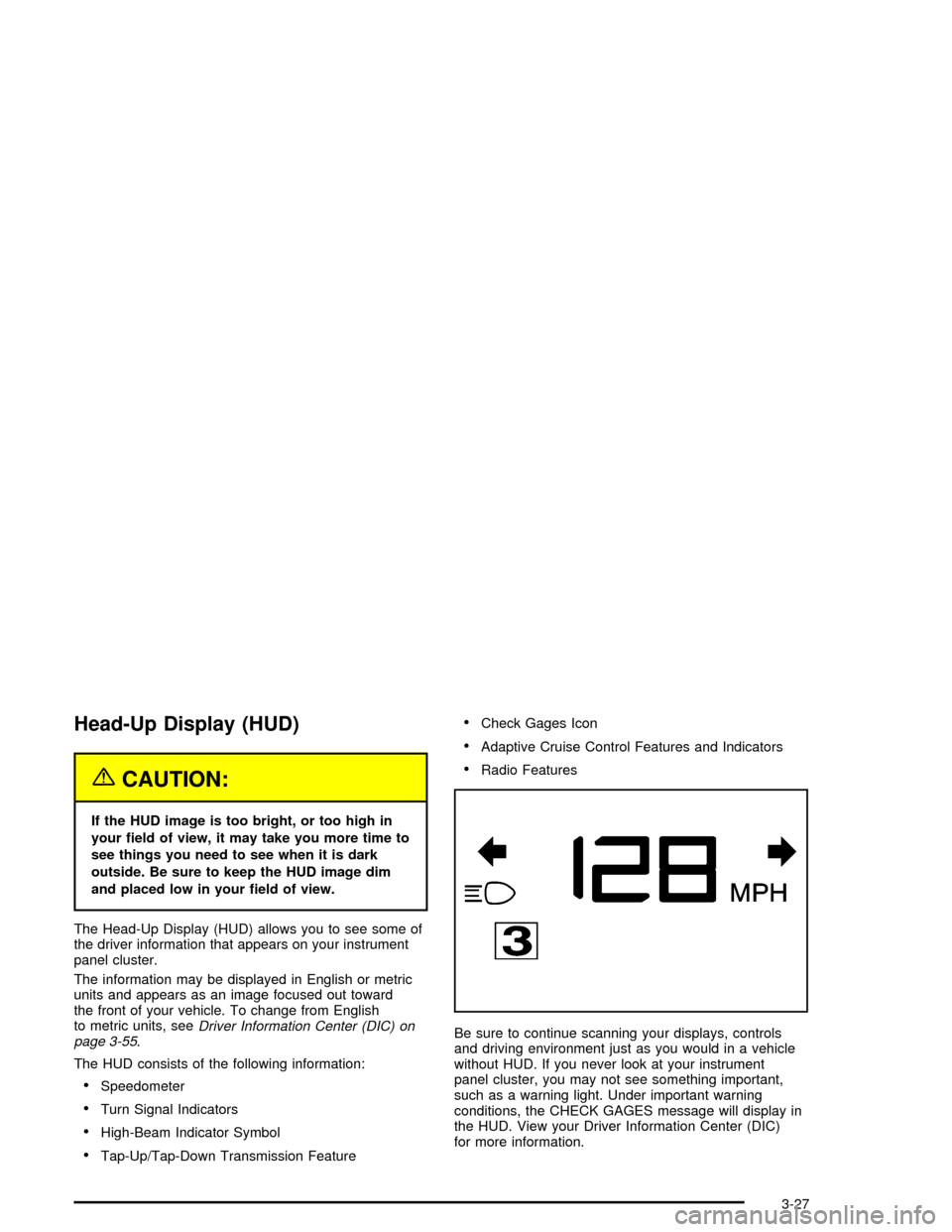
Head-Up Display (HUD)
{CAUTION:
If the HUD image is too bright, or too high in
your ®eld of view, it may take you more time to
see things you need to see when it is dark
outside. Be sure to keep the HUD image dim
and placed low in your ®eld of view.
The Head-Up Display (HUD) allows you to see some of
the driver information that appears on your instrument
panel cluster.
The information may be displayed in English or metric
units and appears as an image focused out toward
the front of your vehicle. To change from English
to metric units, see
Driver Information Center (DIC) on
page 3-55.
The HUD consists of the following information:
·Speedometer
·Turn Signal Indicators
·High-Beam Indicator Symbol
·Tap-Up/Tap-Down Transmission Feature
·Check Gages Icon
·Adaptive Cruise Control Features and Indicators
·Radio Features
Be sure to continue scanning your displays, controls
and driving environment just as you would in a vehicle
without HUD. If you never look at your instrument
panel cluster, you may not see something important,
such as a warning light. Under important warning
conditions, the CHECK GAGES message will display in
the HUD. View your Driver Information Center (DIC)
for more information.
3-27
Page 169 of 356

ENGINE PROTECTION REDUCE ENGINE RPM:If this
message appears, the control system has determined
that continued operation at the existing engine
speed may lead to engine overheating. Therefore, you
should lower the engine speed by upshifting the
transmission or drive at a lower speed.
HEADLAMPS SUGGESTED:If it is dark enough
outside and the headlamps and Twilight Sentinel
ž
controls are off, this message will display on the DIC.
This message informs the driver that turning on the
exterior lamps is recommended even though the DRL
are still illuminated. It has become dark enough outside
to require the headlamps and/or other exterior lamps.
This message will also appear if the optional
RainsenseŸ wiping feature is on and the Twilight
Sentinel
žis off.
HIGH TRANS TEMP:This message indicates that the
transaxle ¯uid in your vehicle is too hot. Stop and
allow your vehicle to idle until it cools down or until this
message is removed.
HIGH VOLTAGE:This message shows that the
electrical charging system is overcharging. To avoid
being stranded, have the electrical system checked by
your dealership. You can reduce the charging
overload by using the accessories. Turn on the lamps
and radio, set the climate control on AUTO and the
fan speed on HI, and turn the rear window defogger on.You can monitor battery voltage on the DIC by pressing
the INFO button. The normal range is 11.5 to 15.5 volts
when the engine is running.
HOT ENGINE±A/C OFF:This message displays when
the engine coolant becomes hotter than the normal
operating temperature. To avoid added strain on a hot
engine, the air conditioning compressor is automatically
turned off. When the coolant temperature returns to
normal, the A/C operation will automatically resume. You
can continue to drive your vehicle. If this message
continues to appear, have the system repaired as soon
as possible to avoid compressor damage.
ICE POSSIBLE:This message appears when the
outside air temperature is cold enough to create icy road
conditions.
LEFT DOOR AJAR:This message will display anytime
the vehicle engine is running, the transmission is not
in PARK (P) and the driver's door is open or ajar.
A chime will sound when the vehicle's speed is greater
than 3 mph (4.8 km/h).
LOW BRAKE FLUID:This message will display if the
vehicle is running to inform the driver that the brake
¯uid level is low. Have the brake system serviced by a
technician as soon as possible. See ªBrake Fluidº
under
Brakes on page 5-35.
3-59
Page 180 of 356

Trip Computer
Oil Life Indicator
This feature lets you know when to change the engine
oil. It is based on the engine oil temperatures and
your driving patterns.
To see the display, press the information button several
times until OIL LIFE appears. If you see 99% OIL
LIFE, 99 percent of your current oil life remains.
The DIC may display a CHANGE OIL NOW message.
For more information, see
Scheduled Maintenance
on page 6-4. If you see CHANGE OIL NOW, it means
the oil life is gone and you should change the oil
right away. The system does not check how much oil
you have, so you will still have to check for that. To see
how, see
Engine Oil on page 5-13.
When the oil is changed, you will need to reset the
system. See
Engine Oil on page 5-13. Always keep a
written record of the mileage and date when you
changed your oil.
Audio System(s)
Notice:Before adding any sound equipment to
your vehicle, like a tape player, CB radio, mobile
telephone, or two-way radio, make sure that it can
be added by checking with your dealer. Also,
check federal rules covering mobile radio and
telephone units. If sound equipment can be added,
it is very important to do it properly. Added
sound equipment may interfere with the operation
of your vehicle's engine, radio, or other systems,
and even damage them. Your vehicle's systems may
interfere with the operation of sound equipment
that has been added improperly.
Figure out which audio system is in your vehicle, ®nd
out what your audio system can do, and how to operate
all of its controls.
Your vehicle has a feature called Retained Accessory
Power (RAP). With RAP, the audio system can be
played even after the ignition is turned off. See
ªRetained Accessory Power (RAP)º under
Ignition
Positions on page 2-19.
3-70
Page 181 of 356
Navigation/Radio System
Your vehicle is equipped with a navigation radio system
that includes Digital Signal Processing (DSP), a
Radio Data System (RDS) with Program Type (PTY)
selections that will seek out the kind of music you want
to listen to. The radio can also communicate with
the navigation system to broadcast announcements on
traffic, weather, and emergency alert communications.
For information on how to use this system, see the
ªNavigation Systemº manual.
Theft-Deterrent Feature
THEFTLOCKžis designed to discourage theft of your
vehicle's radio. The feature works automatically by
learning a portion of the Vehicle Identi®cation Number
(VIN). If the radio is moved to a different vehicle, it
will not operate. If the radio is removed from your
vehicle, the original VIN in the radio can be used to
trace the radio back to your vehicle.
With THEFTLOCK
žactivated, the radio will not operate
if stolen.
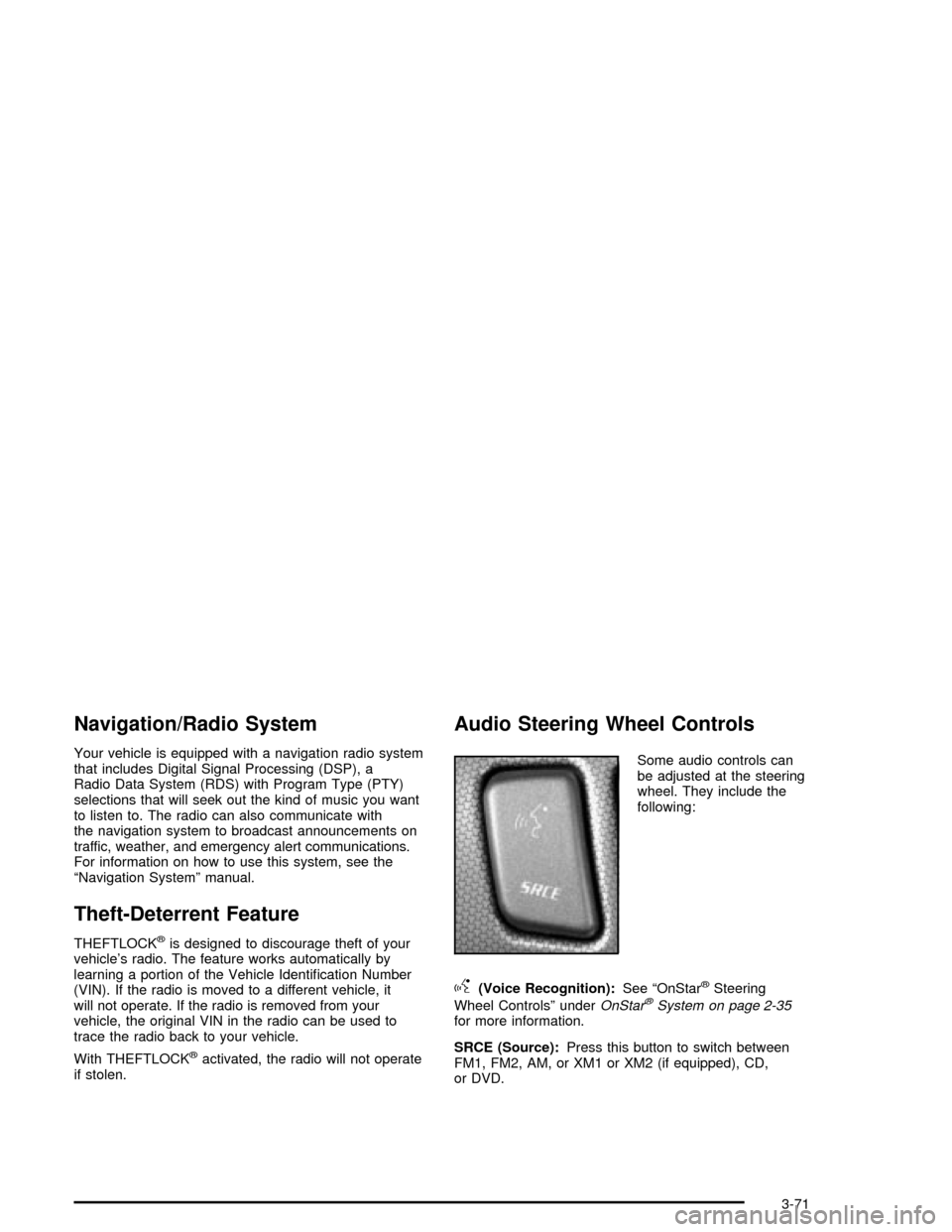
Audio Steering Wheel Controls
Some audio controls can
be adjusted at the steering
wheel. They include the
following:
g(Voice Recognition):See ªOnStaržSteering
Wheel Controlsº under
OnStaržSystem on page 2-35for more information.
SRCE (Source):Press this button to switch between
FM1, FM2, AM, or XM1 or XM2 (if equipped), CD,
or DVD.
3-71
Page 280 of 356

When to Check
Check your tires once a month or more.
How to Check
Use a good quality pocket-type gage to check tire
pressure. You can't tell if your tires are properly in¯ated
simply by looking at them. Radial tires may look
properly in¯ated even when they're underin¯ated. Check
tire in¯ation pressure when the tire is cold. Cold
means your vehicle has been sitting for at least three
hours or driven no more than 1 mile (1.6 km).
Remove the valve cap from the tire valve stem. Press
the tire gage ®rmly onto the valve to get a pressure
measurement. If the cold tire in¯ation pressure matches
the recommended pressure on the Tire and Loading
Information label, no further adjustment is necessary.
If the in¯ation pressure is low, add air until you reach the
recommended amount.
If you over®ll the tire, release air by pushing on the
metal stem in the center of the tire valve. Recheck the
tire pressure with the tire gage.
Be sure to put the valve caps back on the valve stems.
They help prevent leaks by keeping out dirt and
moisture.
Tire Pressure Monitor (TPM)
Your vehicle has a Tire Pressure Monitor (TPM) that
sends tire pressure information to the Driver Information
Center (DIC). Using the DIC control buttons, the
driver is able to check tire pressure levels in all four
road tires. See
Tire Pressure Monitor System on
page 5-58andDIC Controls and Displays on page 3-55for additional information.
Tire Pressure Monitor System
The Tire Pressure Monitor (TPM) System on your
vehicle, uses radio and sensor technology to check tire
pressure levels. Sensors, mounted on each tire and
wheel assembly transmit tire pressure readings to
a receiver located in the vehicle. The TPM sensors
transmit tire pressure readings once every 60 seconds
while the vehicle is being driven and once every
60 minutes when the vehicle is stationary for more than
15 minutes. Using the Driver Information Center
(DIC), tire pressure levels can be viewed by the driver.
The TPM system also uses the DIC to warn the
driver when air pressure, in one or more tires, falls
below 25 psi (172 kPa) or is above 38 psi (262 kPa).
For additional information and details about the
DIC operation and displays see
DIC Controls and
Displays on page 3-55andDIC Warnings and Messages
on page 3-57.
5-58
Page 309 of 356
Fuses Usage
25Inside Rearview Mirror, Climate
Control System, Column Lock,
Power Sounder
26Instrument Panel Cluster, Head-Up
Display (HUD)
27 Radio, S-Band, CD Changer
28Tap-Up/Tap-Down Switch, Adaptive
Cruise Control (ACC) Switch, Cruise
Control Switch
29Climate Control System, Power
Sounder
30Rear Fog Lamps, Diagnostic Link
Connector
31 Power Folding Mirror
32Trunk Close Button, Parking Brake
Solenoid B
33 Power Seats
34 Door Controls
35 Run, Accessory PowerFuses Usage
36 Not Used
37 Not Used
38 RainsenseŸ
39Steering Wheel Control Button
Lights
40 Power Lumbar
41 Passenger's Side Heated Seat
42 Driver's Side Heated Seat
43 Not Used
44 Retractable Hardtop, Trunk Latch
45 Auxiliary Power
46 Cigar Lighter
47 Park Brake Hold
48 Park Brake Release
49 Not Used
50 Not Used
51 Not Used
52 Fuel Door
5-87