transmission CADILLAC XLR 2007 1.G Owners Manual
[x] Cancel search | Manufacturer: CADILLAC, Model Year: 2007, Model line: XLR, Model: CADILLAC XLR 2007 1.GPages: 512, PDF Size: 3.84 MB
Page 63 of 512
Keys.............................................................. 65
Keyless Access System.............................. 67
Keyless Access System Operation.............. 68
Doors and Locks.......................................... 73
Door Locks................................................. 73
Power Door Locks....................................... 75
Automatic Door Lock................................... 76
Programmable Automatic Door Unlock........ 76
Lockout Protection....................................... 77
Trunk.......................................................... 77
Windows....................................................... 81
Power Windows.......................................... 82
Sun Visors.................................................. 84
Theft-Deterrent Systems............................... 84
Theft-Deterrent System................................ 84
Valet Lockout Switch................................... 86
Starting and Operating Your Vehicle........... 87
New Vehicle Break-In.................................. 87
Ignition Positions......................................... 88
Retained Accessory Power (RAP)............... 89
Starting the Engine..................................... 89
Automatic Transmission Operation............... 92
Parking Brake............................................. 97Shifting Into Park (P)................................... 99
Shifting Out of Park (P)............................. 100
Parking Over Things That Burn................. 101
Engine Exhaust......................................... 102
Running the Engine While Parked............. 103
Mirrors......................................................... 104
Automatic Dimming Rearview Mirror with
OnStar
®................................................. 104
Outside Power Heated Mirrors................... 105
Outside Automatic Dimming Mirror............. 105
Outside Curb View Assist Mirror................ 106
Outside Convex Mirror............................... 106
OnStar
®System.......................................... 107
Universal Home Remote System................ 110
Universal Home Remote System
(With One Triangular LED)..................... 110
Universal Home Remote System
(With Three Round LED)....................... 111
Universal Home Remote System
Operation (With Three Round LED)....... 112
Universal Home Remote System Operation
(With One Triangular LED)...................... 118
Section 2 Features and Controls
63
Page 89 of 512
Retained Accessory Power (RAP)
The following accessories on your vehicle may be
used for up to 10 minutes after the engine is
turned off:
Radio
Power Windows
Audio Steering Wheel Controls
Power to these accessories stops after 10 minutes
or if a door is opened. If you want power for
another 10 minutes, close all the doors and press
the Acc. button to place the vehicle in accessory
mode. Press the button again and the vehicle
will return to RAP.
Starting the Engine
Move the shift lever to PARK (P) or NEUTRAL (N).
To restart when you are already moving, use
NEUTRAL (N).
Notice:Do not try to shift to PARK (P) if your
vehicle is moving. If you do, you could
damage the transmission. Shift to PARK (P)
only when your vehicle is stopped.
The keyless access transmitter must be inside the
vehicle for the ignition to work.
Cell phone chargers can interfere with the
operation of the Keyless Access System. Battery
chargers should not be plugged in when starting
or turning off the engine.
89
Page 90 of 512
To start you vehicle, do the following:
1. With your foot on the brake pedal, press the
START button located on the instrument
panel.
If there is not a keyless access transmitter in
the vehicle or if there is something causing
interference with it, the DIC will display
NO FOB DETECTED. SeeDIC Warnings and
Messages on page 206for more information.
2. When the engine begins cranking, let go of
the button and the engine cranks automatically
until it starts. If the battery in the keyless
access transmitter is weak, the DIC displays
FOB BATTERY LOW. You can still drive
the vehicle.
See “Battery Replacement” underKeyless
Access System Operation on page 68for more
information. If the fob battery is dead, you
need to insert the fob into the fob slot to enable
engine starting. See″No Fobs Detected″
underDIC Warnings and Messages on
page 206.3. Do not race the engine immediately after
starting it. Operate the engine and
transmission gently until the oil warms up and
lubricates all moving parts.
4. If the engine does not start and no DIC
message is displayed, wait 15 seconds
before trying again to let the cranking motor
cool down.
If the engine does not start after 5-10 seconds,
especially in very cold weather (below 0°F
or−18°C), it could be ooded with too much
gasoline. Try pushing the accelerator pedal all
the way to the oor while cranking for up to
15 seconds maximum. Wait at least
15 seconds between each try, to allow the
cranking motor to cool down. When the engine
starts, let go of the accelerator. If the vehicle
starts briey but then stops again, do the same
thing. This clears the extra gasoline from the
engine.
90
Page 92 of 512
Automatic Transmission Operation
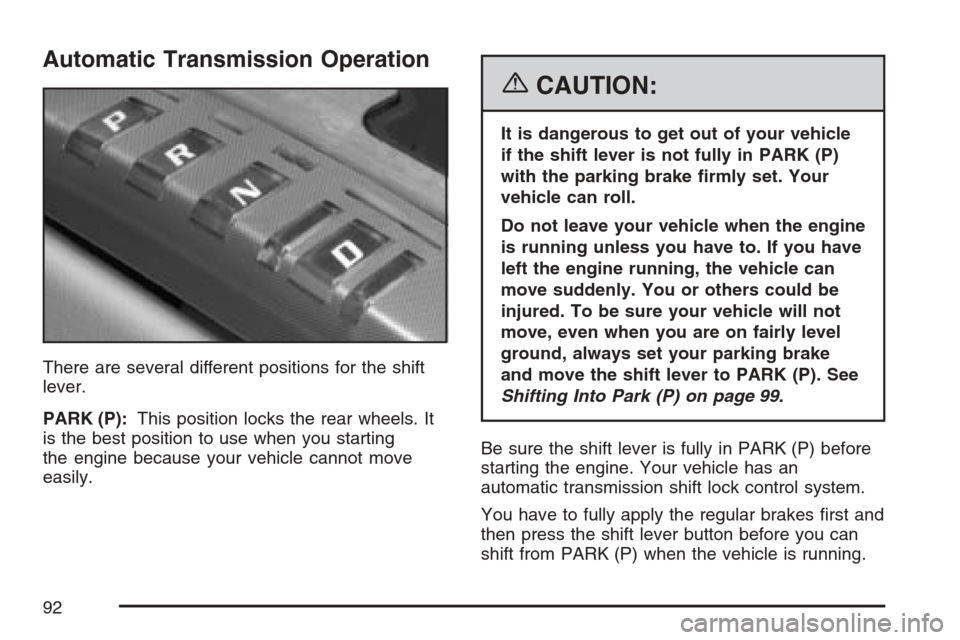
There are several different positions for the shift
lever.
PARK (P):This position locks the rear wheels. It
is the best position to use when you starting
the engine because your vehicle cannot move
easily.
{CAUTION:
It is dangerous to get out of your vehicle
if the shift lever is not fully in PARK (P)
with the parking brake rmly set. Your
vehicle can roll.
Do not leave your vehicle when the engine
is running unless you have to. If you have
left the engine running, the vehicle can
move suddenly. You or others could be
injured. To be sure your vehicle will not
move, even when you are on fairly level
ground, always set your parking brake
and move the shift lever to PARK (P). See
Shifting Into Park (P) on page 99.
Be sure the shift lever is fully in PARK (P) before
starting the engine. Your vehicle has an
automatic transmission shift lock control system.
You have to fully apply the regular brakes rst and
then press the shift lever button before you can
shift from PARK (P) when the vehicle is running.
92
Page 93 of 512

If you cannot shift out of PARK (P), ease pressure
on the shift lever and push the shift lever all the
way into PARK (P) as you maintain brake
application. Then press the shift lever button and
move the shift lever into another gear. See
Shifting Out of Park (P) on page 100.
REVERSE (R):Use this gear to back up.
Notice:Shifting to REVERSE (R) while your
vehicle is moving forward could damage
the transmission. The repairs would not be
covered by your warranty. Shift to
REVERSE (R) only after your vehicle is
stopped.
To rock your vehicle back and forth to get out of
snow, ice, or sand without damaging your
transmission, seeIf Your Vehicle is Stuck in Sand,
Mud, Ice, or Snow on page 353.
NEUTRAL (N):In this position, your engine does
not connect with the wheels. To restart when
you are already moving, use NEUTRAL (N) only.
Also, use NEUTRAL (N) when your vehicle is
being towed. Use Neutral (N) if the vehicle must
be moved with the engine off for short distances.
Please seeTowing Your Vehicle on page 359.
{CAUTION:
Shifting into a drive gear while your
engine is running at high speed is
dangerous. Unless your foot is rmly on
the brake pedal, your vehicle could move
very rapidly. You could lose control and
hit people or objects. Do not shift into a
drive gear while your engine is running at
high speed.
Notice:Shifting out of PARK (P) or
NEUTRAL (N) with the engine running at high
speed may damage the transmission. The
repairs would not be covered by your warranty.
Be sure the engine is not running at high
speed when shifting your vehicle.
93
Page 94 of 512
DRIVE (D):This position is for normal driving. It
provides the best fuel economy for your vehicle. If
you need more power for passing and you are:
Going less than about 35 mph (56 km/h), push
the accelerator pedal about halfway down.
Going about 35 mph (56km/h) or more, push
the accelerator all the way down.
Downshifting the transmission in slippery road
conditions could result in skidding, see “Skidding”
underLoss of Control on page 337.
Notice:Spinning the tires or holding the
vehicle in one place on a hill using only the
accelerator pedal may damage the
transmission. The repair will not be covered by
your warranty. If you are stuck, do not spin
the tires. When stopping on a hill, use the
brakes to hold the vehicle in place.
Maximum engine speed is limited to protect
driveline components from improper operation.
Driver Shift Control (DSC)
The Driver Shift Control (DSC) feature lets you
manually control over the operation of the
transmission.
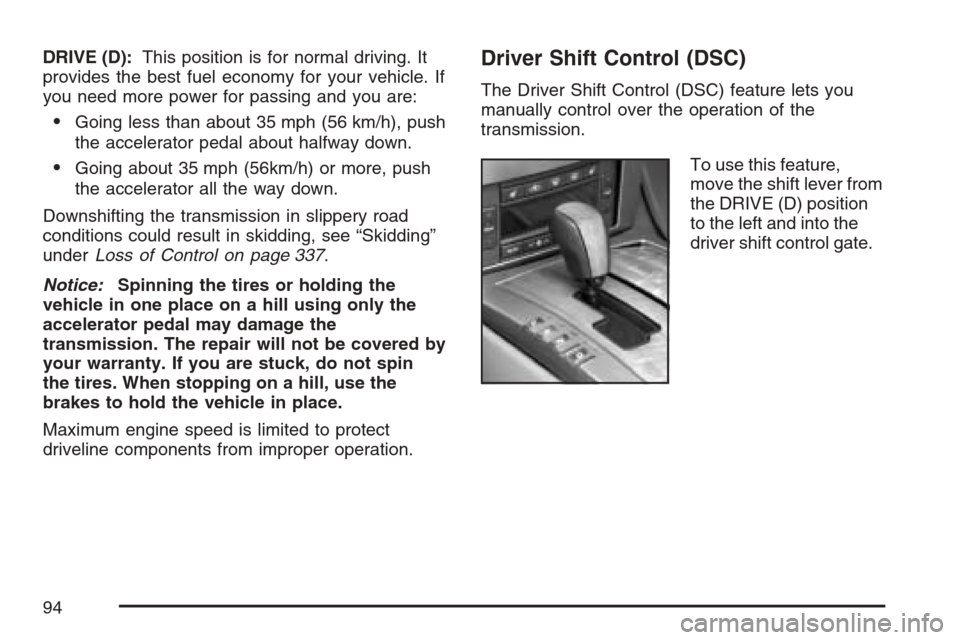
To use this feature,
move the shift lever from
the DRIVE (D) position
to the left and into the
driver shift control gate.
94
Page 95 of 512

The Sport Automatic Mode is selected by moving
the shift lever into the DSC area without shifting
towards the +(plus) or−(minus) symbols. While in
the Sport Automatic Mode, the transmission
computer determines when the vehicle is being
driven in a competitive manner. It then selects and
holds the transmission in lower gears giving
more noticeable upshifts for a sportier vehicle
performance. Once you shift to the + (plus)
or−(minus) controls, the driver manual gear
selection is activated. A + (plus) symbol appears
on the shift console above the DRIVE (D) indicator
and minus symbol appears below the indicator.
The Head-Up Display (HUD) also displays
the requested gear, though the actual upshift or
downshift could be delayed until the engine speed
is correct for that gear.The requested gear displays on the HUD until the
next time you upshift or downshift. The gear
selected and shown in the HUD is one of a number
of gears available. The vehicle does not upshift
beyond the chosen gear. The actual gear that the
vehicle shifts to depends on a combination of
the driver-requested gear range, vehicle speed and
throttle position.
Notice:If you drive your vehicle at high
RPMs without upshifting while using Driver
Shift Control (DSC), you could damage
your vehicle. Always upshift when necessary
while using DSC.
If you do not upshift as the engine approaches
the red line on the engine RPM (Revolutions
Per Minute) gage, the engine speed is controlled
to limit the engine RPM.
95
Page 96 of 512

Not all manual downshift requests will be allowed
by the transmission. To prevent excessive
engine RPMs, each gear has a maximum vehicle
speed associated with it. Any downshift request
above this speed is not allowed by the
transmission.
If shifting is prevented for any reason, the current
gear ashes multiple times in the Driver
Information Center (DIC), indicating that the
transmission has not shifted gears.
Some automatic downshifts can occur to maintain
minimum engine speed. This only happens if the
vehicle is left in too high of a gear for the vehicle’s
speed. For example, if you have been driving in
sixth gear range and come to a stop without
manually downshifting, the transmission
automatically downshifts to rst gear and displays
rst gear on the HUD. As you begin to drive and
accelerate, the transmission remains in rst gear
until the driver selects a downshift.DSC can be used while using cruise control, but
transmission shifting is different while the
cruise control is on. This is not a malfunction and
is necessary to let proper operation of the
cruise control.
To return to fully automatic operation, move the
shift lever to the right and back into DRIVE (D).
When accelerating your vehicle from a stop
in snowy and icy conditions, you may want to shift
into second gear. A higher gear lets you gain
more traction on slippery surfaces.
In higher gears, on the XLR only, an automatic
downshift occurs if you press the accelerator pedal
to the oor. This feature provides adequate
acceleration capabilities if you forget to downshift
manually. Tap the shifter forward and the
vehicle upshifts.
96
Page 100 of 512
Torque Lock
If you are parking on a hill and you do not shift
your transmission into PARK (P) properly,
the weight of the vehicle may put too much force
on the parking pawl in the transmission. You
may nd it difficult to pull the shift lever out
of PARK (P). This is called “torque lock.” To
prevent torque lock, set the parking brake and then
shift into PARK (P) properly before you leave
the driver’s seat. To nd out how, see “Shifting Into
PARK (P)” listed previously in this section.
When you are ready to drive, move the shift lever
out of PARK (P) before you release the parking
brake.
If torque lock does occur, you may need to have
another vehicle push yours a little uphill to
take some of the pressure from the parking pawl
in the transmission, so you can pull the shift
lever out of PARK (P).
Shifting Out of Park (P)
Your vehicle has an automatic transmission shift
lock control system. You have to fully apply
your regular brake before you can shift from
PARK (P) when the vehicle is running. See
Automatic Transmission Operation on page 92.
If you cannot shift out of PARK (P), ease pressure
on the shift lever – push the shift lever all the
way into PARK (P) and release the shift lever
button as you maintain brake application. Then
press the shift lever button and move the
shift lever into the gear desired.
If you ever hold the brake pedal down but still
cannot shift out of PARK (P), try this:
1. Press the regular bake.
2. Press the Acc. button twice to place the
ignition in accessory mode.
3. Apply and hold the brake until the end of
Step 4.
4. Shift to NEUTRAL (N).
5. Start the engine and then shift to the drive
gear you want.
6. Have your vehicle inspected by your dealer as
soon as possible.
100
Page 118 of 512
Universal Home Remote System
Operation (With One Triangular LED)
Your vehicle may have the Universal Home
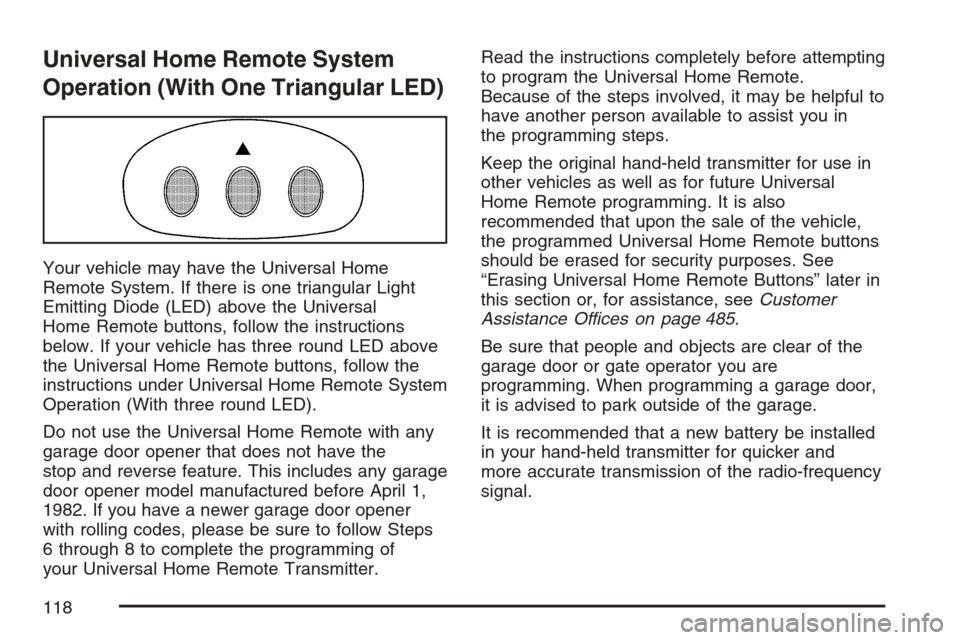
Remote System. If there is one triangular Light
Emitting Diode (LED) above the Universal
Home Remote buttons, follow the instructions
below. If your vehicle has three round LED above
the Universal Home Remote buttons, follow the
instructions under Universal Home Remote System
Operation (With three round LED).
Do not use the Universal Home Remote with any
garage door opener that does not have the
stop and reverse feature. This includes any garage
door opener model manufactured before April 1,
1982. If you have a newer garage door opener
with rolling codes, please be sure to follow Steps
6 through 8 to complete the programming of
your Universal Home Remote Transmitter.Read the instructions completely before attempting
to program the Universal Home Remote.
Because of the steps involved, it may be helpful to
have another person available to assist you in
the programming steps.
Keep the original hand-held transmitter for use in
other vehicles as well as for future Universal
Home Remote programming. It is also
recommended that upon the sale of the vehicle,
the programmed Universal Home Remote buttons
should be erased for security purposes. See
“Erasing Universal Home Remote Buttons” later in
this section or, for assistance, seeCustomer
Assistance Offices on page 485.
Be sure that people and objects are clear of the
garage door or gate operator you are
programming. When programming a garage door,
it is advised to park outside of the garage.
It is recommended that a new battery be installed
in your hand-held transmitter for quicker and
more accurate transmission of the radio-frequency
signal.
118