lights CADILLAC XLR 2009 1.G User Guide
[x] Cancel search | Manufacturer: CADILLAC, Model Year: 2009, Model line: XLR, Model: CADILLAC XLR 2009 1.GPages: 462, PDF Size: 3.72 MB
Page 152 of 462

Exterior Lighting Battery Saver
If the manual parking lamps or headlamps have been
left on, the exterior lamps will turn off as soon as
the ignition is turned off or Retained Accessory Power
(RAP) is active. This protects against draining the
battery in case you have accidentally left the headlamps
or parking lamps on. The battery saver does not work
if the headlamps are turned on after the ignition switch is
turned to off.
If you need to leave the lamps on, use the exterior lamp
control to turn the lamps back on.
Instrument Panel Brightness
The button for this feature is located on the instrument
panel to the left of the steering column.
+
!- (Brightness):Press to change the brightness of
the instrument panel lights.
Press the DIMMER button until PANEL DIMMING
appears on the Driver Information Center (DIC). Then
use the brightness button to adjust the instrument panel
brightness. Press the top or bottom of the button to
brighten or dim the lights. SeeHead-Up Display (HUD)
on page 3-31for more information.Be sure not to have the brightness turned all the way
down with the lamps on during the day. The DIC
may not be visible.
Courtesy Lamps
When any door or the trunk lid is opened, the interior
lamps will go on unless it is bright outside.
Press the interior lamp button on the right side of the
instrument panel, to turn the courtesy lamps on or off.
Entry/Exit Lighting
With entry lighting, the interior lamps will come on when
entering the vehicle. The interior lamps will come on
for about 20 seconds when the engine is turned off.
You can turn exit and entry lighting off by quickly turning
the courtesy lamps on and off.
Reading Lamps
The inside rearview mirror includes two reading lamps.
The lamps will go on when a door is opened. When
the doors are closed, each lamp can be turned on
individually by pressing the button for that lamp.
3-30
Page 163 of 462
Passenger Compartment Air Filter
The passenger compartment air lter removes certain
particles from the air, including pollen and dust particles.
Reductions in airow, which may occur more often in
dusty areas, indicate that the lter may need to be
replaced early.
The lter should be replaced as part of the routine
scheduled maintenance. SeeScheduled Maintenance
on page 7-4for more information.
To check or replace the air lter, do the following:
1. With the hood open, unlatch and remove the
access panel.
The passenger compartment air lter and access
panel are located on the passenger side of the
engine compartment near the battery. SeeEngine
Compartment Overview on page 6-12for more
information on location.
2. Pull the old lter out of the housing.
3. Insert the new lter into the housing.
4. Reinstall the air lter access panel.
Warning Lights, Gages, and
Indicators
Warning lights and gages can signal that something is
wrong before it becomes serious enough to cause
an expensive repair or replacement. Paying attention
to the warning lights and gages could prevent injury.
Warning lights come on when there may be or is
a problem with one of the vehicle’s functions. Some
warning lights come on briey when the engine is started
to indicate they are working.
Gages can indicate when there may be or is a problem
with one of the vehicle’s functions. Often gages and
warning lights work together to indicate a problem with
the vehicle.
When one of the warning lights comes on and stays on
while driving, or when one of the gages shows there
may be a problem, check the section that explains
what to do. Follow this manual’s advice. Waiting to
do repairs can be costly and even dangerous.
3-41
Page 164 of 462
Instrument Panel Cluster
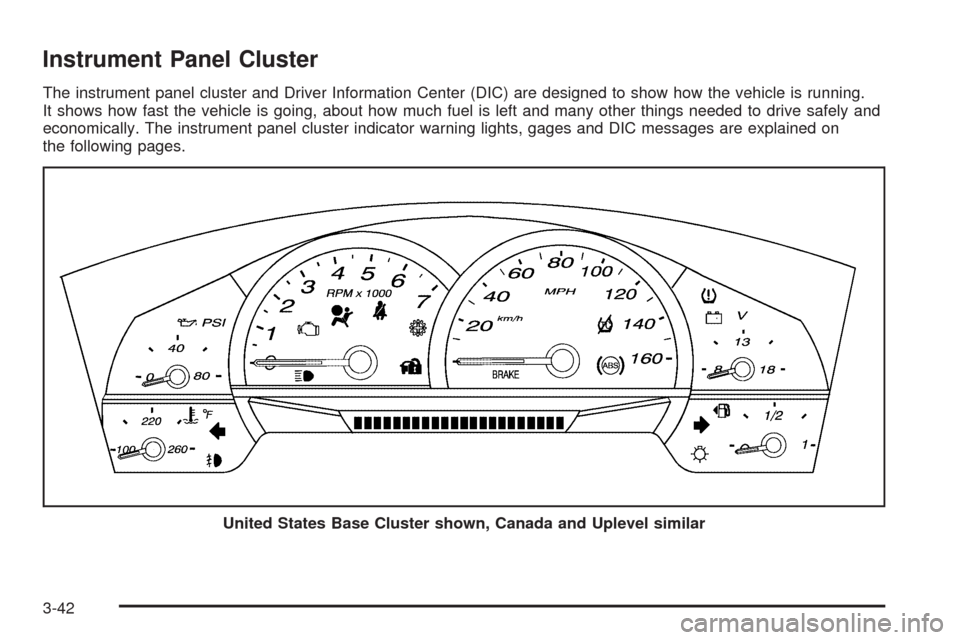
The instrument panel cluster and Driver Information Center (DIC) are designed to show how the vehicle is running.
It shows how fast the vehicle is going, about how much fuel is left and many other things needed to drive safely and
economically. The instrument panel cluster indicator warning lights, gages and DIC messages are explained on
the following pages.
United States Base Cluster shown, Canada and Uplevel similar
3-42
Page 167 of 462

Passenger Airbag Status Indicator
The vehicle has a passenger sensing system.
SeePassenger Sensing System on page 1-45for
important safety information. The rearview mirror has
a passenger airbag status indicator.
When the vehicle is started, the passenger airbag status
indicator will light ON and OFF, or the symbol for on
and off, for several seconds as a system check. Then,
after several more seconds, the status indicator willlight either ON or OFF, or either the on or off symbol to
let you know the status of the right front passenger
frontal and seat-mounted side impact airbags.
If the word ON or the on symbol is lit on the passenger
airbag status indicator, it means that the right front
passenger frontal airbag and seat-mounted side impact
airbag are enabled (may inate).
If the word OFF or the off symbol is lit on the passenger
airbag status indicator, it means that the passenger
sensing system has turned off the right front passenger
frontal airbag and seat-mounted side impact airbag.
If, after several seconds, both status indicator lights
remain on, or if there are no lights at all, there may be a
problem with the lights or the passenger sensing
system. See your dealer/retailer for service.
{CAUTION:
If the airbag readiness light ever comes on and
stays on, it means that something may be wrong
with the airbag system. To help avoid injury to
yourself or others, have the vehicle serviced right
away. SeeAirbag Readiness Light on page 3-44
for more information, including important safety
information. United StatesCanada
3-45
Page 170 of 462
Antilock Brake System (ABS)
Warning Light
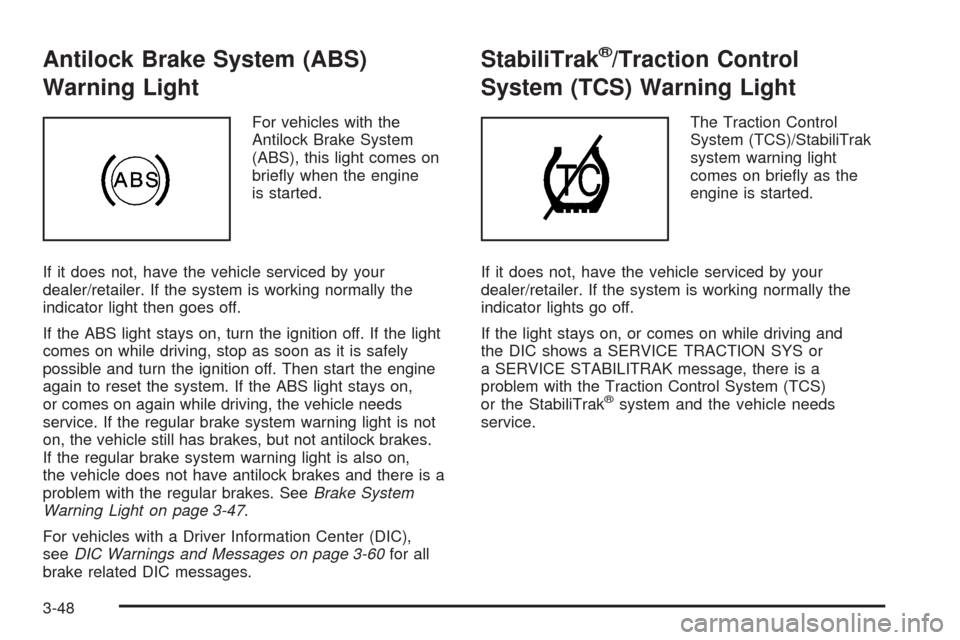
For vehicles with the
Antilock Brake System
(ABS), this light comes on
briey when the engine
is started.
If it does not, have the vehicle serviced by your
dealer/retailer. If the system is working normally the
indicator light then goes off.
If the ABS light stays on, turn the ignition off. If the light
comes on while driving, stop as soon as it is safely
possible and turn the ignition off. Then start the engine
again to reset the system. If the ABS light stays on,
or comes on again while driving, the vehicle needs
service. If the regular brake system warning light is not
on, the vehicle still has brakes, but not antilock brakes.
If the regular brake system warning light is also on,
the vehicle does not have antilock brakes and there is a
problem with the regular brakes. SeeBrake System
Warning Light on page 3-47.
For vehicles with a Driver Information Center (DIC),
seeDIC Warnings and Messages on page 3-60for all
brake related DIC messages.
StabiliTrak®/Traction Control
System (TCS) Warning Light
The Traction Control
System (TCS)/StabiliTrak
system warning light
comes on briey as the
engine is started.
If it does not, have the vehicle serviced by your
dealer/retailer. If the system is working normally the
indicator lights go off.
If the light stays on, or comes on while driving and
the DIC shows a SERVICE TRACTION SYS or
a SERVICE STABILITRAK message, there is a
problem with the Traction Control System (TCS)
or the StabiliTrak
®system and the vehicle needs
service.
3-48
Page 177 of 462
Security Light
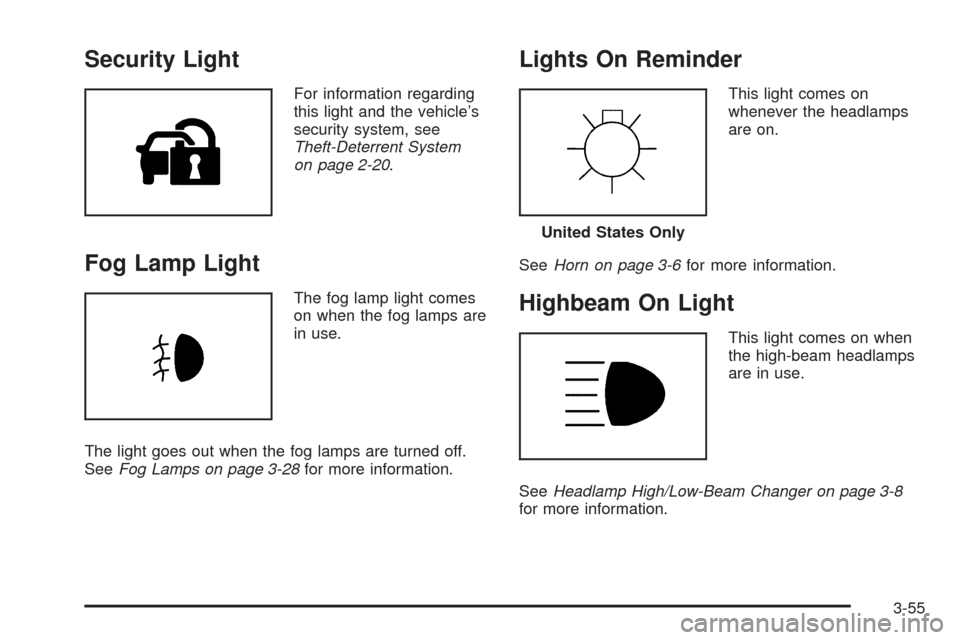
For information regarding
this light and the vehicle’s
security system, see
Theft-Deterrent System
on page 2-20.
Fog Lamp Light
The fog lamp light comes
on when the fog lamps are
in use.
The light goes out when the fog lamps are turned off.
SeeFog Lamps on page 3-28for more information.
Lights On Reminder
This light comes on
whenever the headlamps
are on.
SeeHorn on page 3-6for more information.
Highbeam On Light
This light comes on when
the high-beam headlamps
are in use.
SeeHeadlamp High/Low-Beam Changer on page 3-8
for more information.
United States Only
3-55
Page 189 of 462
SERVICE ABS (Antilock Brake System)
If this message displays when you are driving, stop
as soon as possible and turn the ignition off. Then start
the engine again to reset the system. If the message
stays on, or comes back on again while you are driving,
the vehicle is in need of service. See your dealer/retailer.
If the SERVICE ABS message is being displayed, the
Traction Control System (TCS) and StabiliTrak
®System
will also be disabled. The Driver Information Center
will scroll three messages: SERVICE ABS, SERVICE
TRACTION SYS, and SERVICE STABILITRAK, and the
antilock brake system and traction control warning
lights on the instrument panel cluster will be illuminated.
SeeAntilock Brake System (ABS) Warning Light on
page 3-48andStabiliTrak
®/Traction Control System
(TCS) Warning Light on page 3-48. The driver can
acknowledge these messages by pressing the RESET
button three times. When the service message is
displayed, the computer controlled systems will not
assist the driver and you should have the system
repaired by your dealer/retailer as soon as possible.
Adjust your driving accordingly.
SERVICE AFS (Adaptive Forward
Lighting System) LAMPS
This message displays when the Adaptive Forward
Lighting System (AFS) is disabled and needs service.
See your dealer/retailer. SeeAdaptive Forward Lighting
System on page 3-28for more information.
SERVICE ELECT (Electrical) SYSTEM
This message displays if an electrical problem has
occurred within the Powertrain Control Module (PCM).
Have the vehicle serviced by your dealer/retailer.
SERVICE FUEL SYSTEM
This message displays when the Powertrain Control
Module (PCM) has detected a problem within the fuel
system. Have the vehicle serviced by your dealer/retailer.
This message will also be displayed when the cluster is
not getting fuel information from the PCM.
SERVICE RADAR CRUISE
If the vehicle has this feature, this message displays
when the Adaptive Cruise Control (ACC) system
is disabled and needs service. See your dealer/retailer.
3-67
Page 195 of 462

Auto Exit Recall
This feature allows the steering column and driver seat
to automatically move to the current driver’s exit
position when one of the following occurs:
The vehicle is turned off or in RAP or accessory
mode and the driver’s door is opened.
The vehicle is turned off or in RAP and the unlock
button on the keyless access transmitter is
pressed.
The DIC will display AUTO EXIT RECALL OFF or
AUTO EXIT RECALL ON. Press the OPTIONS button
to change the setting.
Approach Lights
This feature activates the parking lamps, front fog lamps
and back-up lamps during low light periods when the
unlock button on the keyless access transmitter is
pressed, both doors are closed and the vehicle is off or
in RAP. The lamps remain on for 20 seconds or until
a door is opened, the lock button on the keyless access
transmitter is pressed or the vehicle is no longer off
or in RAP.
The DIC will display APPROACH LIGHTS OFF or
APPROACH LIGHTS ON. Press the OPTIONS button
to change the setting.
Exit Lights
This feature activates the parking lamps and front fog
lamps for 15, 30 or 90 seconds. This will occur when the
vehicle is off or in RAP and the headlamps are on
due to the automatic headlamp system. The parking
lamps and front fog lamps will remain on until the driver
selected time period expires, the exterior lamp control
is activated or the vehicle is no longer off or in RAP.
The DIC will display EXIT LIGHTS OFF, EXIT
LIGHTS - 15 SEC, EXIT LIGHTS - 30 SEC, or EXIT
LIGHTS - 90 SEC. Press the OPTIONS button to
change the setting.
Flash at Unlock
This feature activates the front and rear turn signals for
two short ashes when the unlock or trunk button on
the keyless access transmitter is pressed. This will only
occur when the vehicle is off.
The DIC will display NO FLASH AT UNLOCK or
FLASH AT UNLOCK. Press the OPTIONS button to
change the setting.
3-73
Page 226 of 462
Select the space symbol to enter a space between
characters or the words of a name.
V:Select the backspace symbol if an incorrect
character has been selected.
To make the name selections easier, the system only
allows a selection of a character which can follow
the last one entered. For example, if Z is entered,
T could not be entered after it. The system highlights
the available characters and darken the unavailable
characters.
If unsuccessful when entering a name, it may need to
be entered differently. It is also possible that the
map DVD database may not contain that information or
the correct search area has not been selected. See
Database Coverage Explanations on page 4-52for more
information.
Touch Sensitive Buttons
Touch-sensitive buttons are located on the screen.
After successfully selecting a screen button, a beep is
heard. These buttons highlight when a feature is
available and are dim when not unavailable. There are
some toggle screen buttons that are light blue when
active and dark blue when inactive.
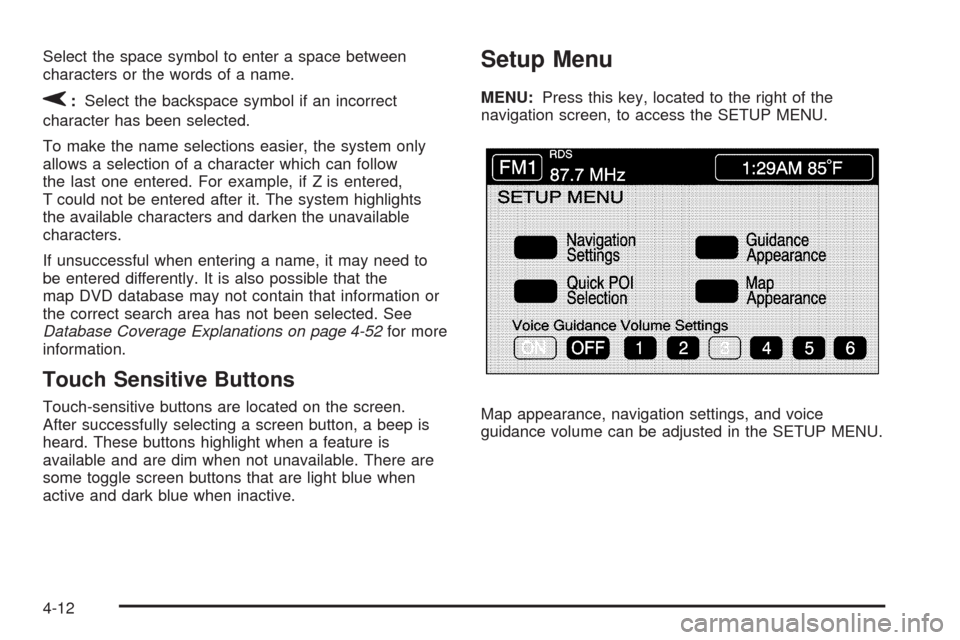
Setup Menu
MENU:Press this key, located to the right of the
navigation screen, to access the SETUP MENU.
Map appearance, navigation settings, and voice
guidance volume can be adjusted in the SETUP MENU.
4-12
Page 241 of 462
Enter Destination
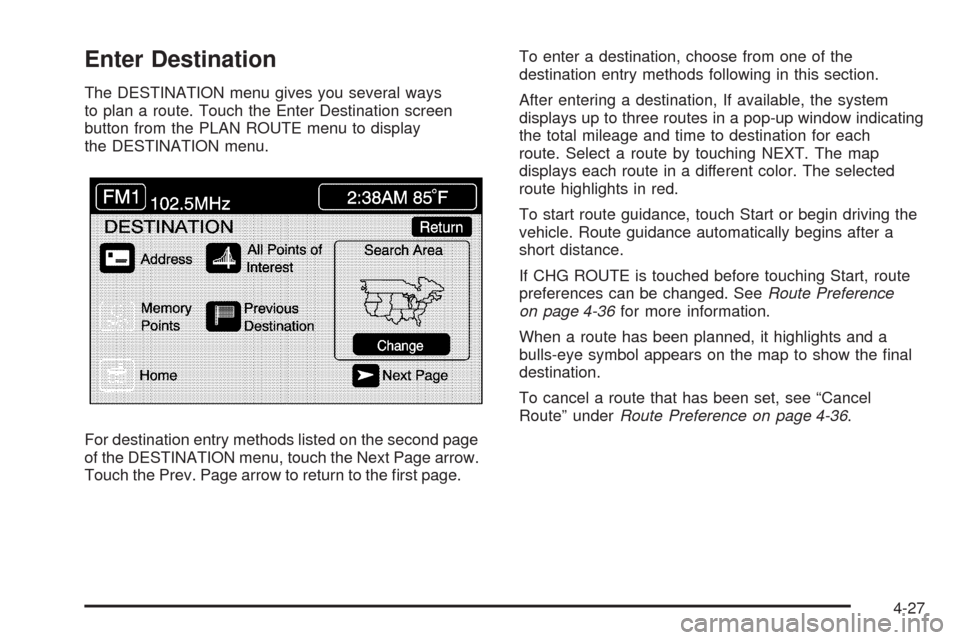
The DESTINATION menu gives you several ways
to plan a route. Touch the Enter Destination screen
button from the PLAN ROUTE menu to display
the DESTINATION menu.
For destination entry methods listed on the second page
of the DESTINATION menu, touch the Next Page arrow.
Touch the Prev. Page arrow to return to the rst page.To enter a destination, choose from one of the
destination entry methods following in this section.
After entering a destination, If available, the system
displays up to three routes in a pop-up window indicating
the total mileage and time to destination for each
route. Select a route by touching NEXT. The map
displays each route in a different color. The selected
route highlights in red.
To start route guidance, touch Start or begin driving the
vehicle. Route guidance automatically begins after a
short distance.
If CHG ROUTE is touched before touching Start, route
preferences can be changed. SeeRoute Preference
on page 4-36for more information.
When a route has been planned, it highlights and a
bulls-eye symbol appears on the map to show the nal
destination.
To cancel a route that has been set, see “Cancel
Route” underRoute Preference on page 4-36.
4-27