radio CADILLAC XLR 2009 1.G User Guide
[x] Cancel search | Manufacturer: CADILLAC, Model Year: 2009, Model line: XLR, Model: CADILLAC XLR 2009 1.GPages: 462, PDF Size: 3.72 MB
Page 187 of 462
NO FOB DETECTED
This message displays if the vehicle does not detect the
presence of a keyless access transmitter when you
have attempted to start the vehicle or a vehicle door has
just closed. The following conditions may cause this
message to appear:
Driver-added equipment plugged into the accessory
power outlet on the center console is causing
interference. Examples of these devices are cell
phones and cell phone chargers, two-way radios,
power inverters, or similar items. Try moving
the keyless access transmitter away from these
devices when starting the vehicle. In addition,
PDA devices and remote garage and gate openers
may also generate Electromagnetic Interference
(EMI) that may interfere with the keyless access
transmitter. Do not carry the keyless access
transmitter in the same pocket or bag as these
devices.
The vehicle is experiencing Electromagnetic
Interference (EMI). Some locations, such as
airports, automatic toll booths, and some gas
stations, have EMI elds which may interfere with
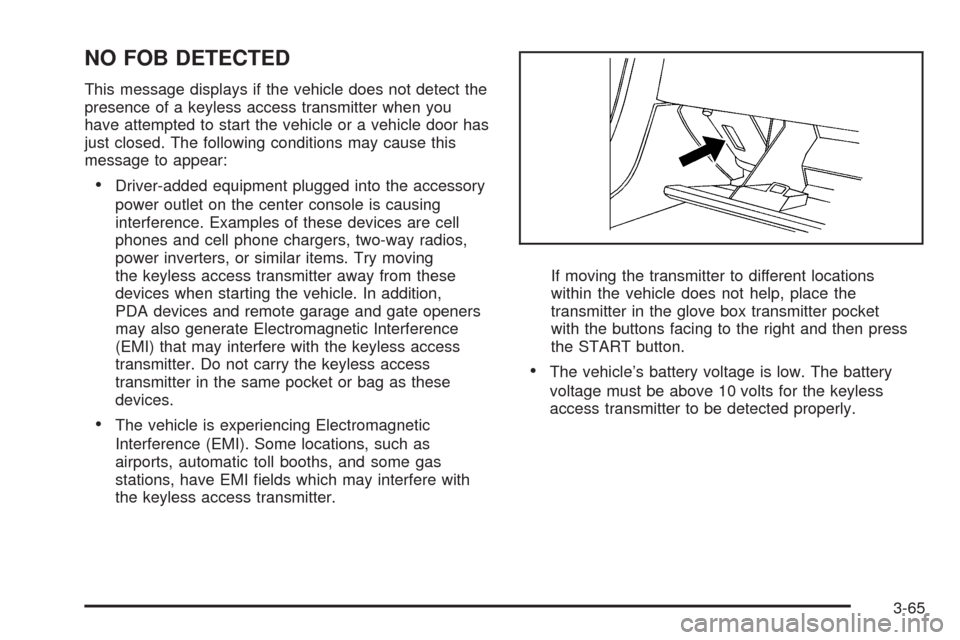
the keyless access transmitter.If moving the transmitter to different locations
within the vehicle does not help, place the
transmitter in the glove box transmitter pocket
with the buttons facing to the right and then press
the START button.
The vehicle’s battery voltage is low. The battery
voltage must be above 10 volts for the keyless
access transmitter to be detected properly.
3-65
Page 188 of 462
NO FOB, OFF OR RUN?
This message displays when a keyless access
transmitter is not detected inside the vehicle while
you are trying to turn the ignition off. The vehicle may
be near a strong radio antenna signal causing the
keyless access system to be jammed. The vehicle will
remain in ACCESSORY until the vehicle is turned off or
is restarted, or ve minutes has expired. If you turn
the ignition off and you cannot nd the keyless access
transmitter, you will not be able to restart the vehicle.
The keyless access transmitter needs to be inside of the
vehicle in order for the vehicle to start. SeeStarting
the Engine on page 2-26for more information.
OVER SPEED WARNING
This message displays when the vehicle speed exceeds
a certain limit as required by some export countries.
A chime sounds when this message is displayed.
PRESS BRAKE TO START
This message displays to inform you that the brake
pedal must be applied to start the vehicle. Make sure
you are pressing the brake pedal all the way down.
REDUCED ENGINE POWER
This message displays when the vehicle is reducing
engine power because the transmission is being placed
in gear under conditions that may cause damage to the
vehicle’s engine, transmission, or ability to accelerate.
Reduced engine power can affect the vehicle’s ability to
accelerate. If this message is on, but there is no reduction
in performance, proceed to your destination. The
performance may be reduced the next time the vehicle is
driven. The vehicle may be driven at a reduced speed
while this message is on, but acceleration and speed may
be reduced. Anytime this message stays on, the vehicle
should be taken to your dealer/retailer for service as soon
as possible.
RIGHT DOOR AJAR
This message displays anytime the engine is running,
the transmission is not in P (Park), and the passenger
door is open or ajar. A chime sounds if the vehicle’s
speed is greater than 3 mph (5 km/h).
SERVICE A/C
This message displays when the electronic sensors that
control the air conditioning and heating systems are
no longer working. Have the climate control system
serviced by your dealer/retailer if you notice a drop in
heating and air conditioning efficiency.
3-66
Page 198 of 462
Trip Computer
Oil Life Indicator
This feature lets you know when to change the engine
oil. It is based on the engine oil temperatures and
your driving patterns.
To see the display, press the information button several
times until OIL LIFE appears. If you see 99% OIL LIFE,
99 percent of the current oil life remains.
The DIC may display a CHANGE OIL NOW message.
If you see CHANGE OIL NOW, it means the oil life
is gone. For more information, seeScheduled
Maintenance on page 7-4andEngine Oil on page 6-15.
When the oil is changed, you will need to reset the
system. SeeEngine Oil Life System on page 6-18.
Always keep a written record of the mileage and date
when you changed your oil.
Audio System(s)
Read the following pages to become familiar with the
audio system’s features.
{CAUTION:
Taking your eyes off the road for extended periods
could cause a crash resulting in injury or death to
you or others. Do not give extended attention to
entertainment tasks while driving.
This system provides access to many audio and non
audio listings.
To minimize taking your eyes off the road while driving,
do the following while the vehicle is parked:
Become familiar with the operation and controls of
the audio system.
Set up the tone, speaker adjustments, and preset
radio stations.
For more information, seeDefensive Driving on
page 5-2.
3-76
Page 199 of 462

Notice:Contact your dealer/retailer before adding
any equipment.
Adding audio or communication equipment could
interfere with the operation of the vehicle’s engine,
radio, or other systems, and could damage them.
Follow federal rules covering mobile radio and
telephone equipment.
The vehicle has Retained Accessory Power (RAP).
With RAP, the audio system can be played even after
the ignition is turned off. SeeRetained Accessory
Power (RAP) on page 2-25for more information.
Bluetooth®
Vehicles with a Bluetooth system can use a Bluetooth
capable cell phone with a Hands Free Prole to make and
receive phone calls. The system can be used while the
key is in ON/RUN or ACC/ACCESSORY position. The
range of the Bluetooth system can be up to 30 ft. (9.1 m).
Not all phones support all functions, and not all phones
are guaranteed to work with the in-vehicle Bluetooth
system. See gm.com/bluetooth for more information on
compatible phones.
Voice Recognition
The Bluetooth system uses voice recognition to interpret
voice commands to dial phone numbers and name tags.
Noise:Keep interior noise levels to a minimum.
The system may not recognize voice commands if there
is too much background noise.
When to Speak:A short tone sounds after the system
responds indicating when it is waiting for a voice
command. Wait until the tone and then speak.
How to Speak:Speak clearly in a calm and
natural voice.
Audio System
When using the in-vehicle Bluetooth system, sound
comes through the vehicle’s front audio system speakers
and over-rides the audio system. Use the audio
system volume knob, during a call, to change the
volume level. The adjusted volume level remains in
memory for later calls. To prevent missed calls, a
minimum volume level is used if the volume is turned
down too low.
3-77
Page 210 of 462

Other Information
The Bluetooth®word mark and logos are owned by the
Bluetooth®SIG, Inc. and any use of such marks by
General Motors is under license. Other trademarks and
trade names are those of their respective owners.
This device complies with Part 15 of the FCC Rules.
Operation is subject to the following two conditions:
1. This device may not cause harmful interference.
2. This device must accept any interference received,
including interference that may cause undesired
operation.
This device complies with RSS-210 of Industry Canada.
Operation is subject to the following two conditions:
1. This device may not cause interference.
2. This device must accept any interference received,
including interference that may cause undesired
operation of the device.
Changes or modications to this system by other than
an authorized service facility could void authorization to
use this equipment.
Theft-Deterrent Feature
THEFTLOCK®is designed to discourage theft of the
vehicle’s radio by learning a portion of the Vehicle
Identication Number (VIN). The radio does not operate
if it is stolen or moved to a different vehicle.
Audio Steering Wheel Controls
The vehicle has audio steering wheel controls. These
controls may differ depending on the vehicle’s options.
On the left side, the vehicle may have:
SEEK, SRCE, Heated Steering Wheel and Cruise
Control Cancel.
SRCE, Heated Steering Wheel, Adaptive Cruise
Control Gap, and Cruise Control Cancel.
Audio Controls With
Heated Steering Wheel
and Cruise Control
Cancel
Audio Controls With
Heated Steering Wheel
and Adaptive Cruise
and GAP
3-88
Page 211 of 462
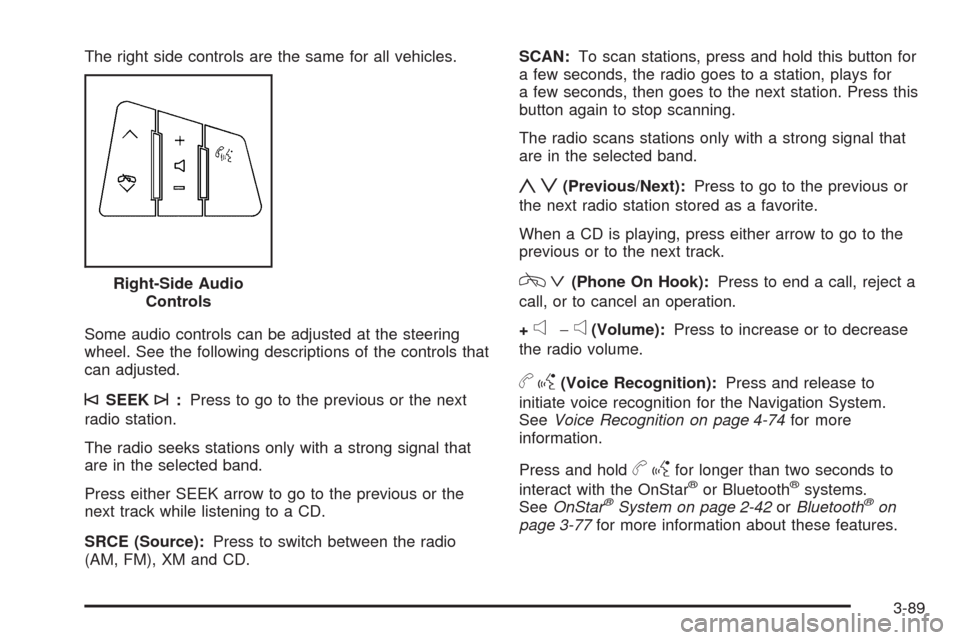
The right side controls are the same for all vehicles.
Some audio controls can be adjusted at the steering
wheel. See the following descriptions of the controls that
can adjusted.
©SEEK¨:Press to go to the previous or the next
radio station.
The radio seeks stations only with a strong signal that
are in the selected band.
Press either SEEK arrow to go to the previous or the
next track while listening to a CD.
SRCE (Source):Press to switch between the radio
(AM, FM), XM and CD.SCAN:To scan stations, press and hold this button for
a few seconds, the radio goes to a station, plays for
a few seconds, then goes to the next station. Press this
button again to stop scanning.
The radio scans stations only with a strong signal that
are in the selected band.
yz(Previous/Next):Press to go to the previous or
the next radio station stored as a favorite.
When a CD is playing, press either arrow to go to the
previous or to the next track.
cª(Phone On Hook):Press to end a call, reject a
call, or to cancel an operation.
+
e−e(Volume):Press to increase or to decrease
the radio volume.
bg(Voice Recognition):Press and release to
initiate voice recognition for the Navigation System.
SeeVoice Recognition on page 4-74for more
information.
Press and hold
bgfor longer than two seconds to
interact with the OnStar®or Bluetooth®systems.
SeeOnStar®System on page 2-42orBluetooth®on
page 3-77for more information about these features. Right-Side Audio
Controls
3-89
Page 212 of 462
Radio Reception
Frequency interference and static can occur during
normal radio reception if items such as cell phone
chargers, vehicle convenience accessories, and external
electronic devices are plugged into the accessory
power outlet. If there is interference or static, unplug
the item from the accessory power outlet.
AM
The range for most AM stations is greater than for
FM, especially at night. The longer range can cause
station frequencies to interfere with each other.
For better radio reception, most AM radio stations
boost the power levels during the day, and then reduce
these levels during the night. Static can also occur
when things like storms and power lines interfere with
radio reception. When this happens, try reducing
the treble on the radio.
FM Stereo
FM signals only reach about 10 to 40 miles
(16 to 65 km). Although the radio has a built-in electronic
circuit that automatically works to reduce interference,
some static can occur, especially around tall buildings or
hills, causing the sound to fade in and out.
XM Satellite Radio Service
XM Satellite Radio Service gives digital radio reception
from coast-to-coast in the 48 contiguous United States,
and in Canada. Just as with FM, tall buildings or
hills can interfere with satellite radio signals, causing
the sound to fade in and out. In addition, traveling
or standing under heavy foliage, bridges, garages, or
tunnels may cause loss of the XM signal for a period
of time.
Cellular Phone Usage
Cellular phone usage may cause interference with the
vehicle’s radio. This interference may occur when
making or receiving phone calls, charging the phone’s
battery, or simply having the phone on. This interference
causes an increased level of static while listening to
the radio. If static is received while listening to the radio,
unplug the cellular phone and turn it off.
3-90
Page 213 of 462
Care of Your CDs
Handle CDs carefully. Store them in their original cases
or other protective cases and away from direct sunlight
and dust. The CD player scans the bottom surface of the
disc. If the surface of a CD is damaged, such as cracked,
broken, or scratched, the CD does not play properly or
not at all. If the surface of a CD is soiled, take a soft, lint
free cloth or dampen a clean, soft cloth in a mild, neutral
detergent solution mixed with water, and clean it. Make
sure the wiping process starts from the center to
the edge.
Do not touch the bottom side of a CD while handling it;
this could damage the surface. Pick up CDs by
grasping the outer edges or the edge of the hole and
the outer edge.
Care of the CD Player
Do not use CD lens cleaners for CD players because
the lens of the CD optics can become contaminated
by lubricants.
Diversity Antenna System
The AM-FM antenna is a hidden self tuning system.
It optimizes the AM and FM signals relative to the
vehicle’s position and radio station source.
No maintenance or adjustments are needed.
XM™ Satellite Radio Antenna
System
The vehicle may have the XM™ Satellite Radio
antennas that are located in the outside rear view
mirrors. These antennas are hidden from view and
are not accessible.
3-91
Page 215 of 462
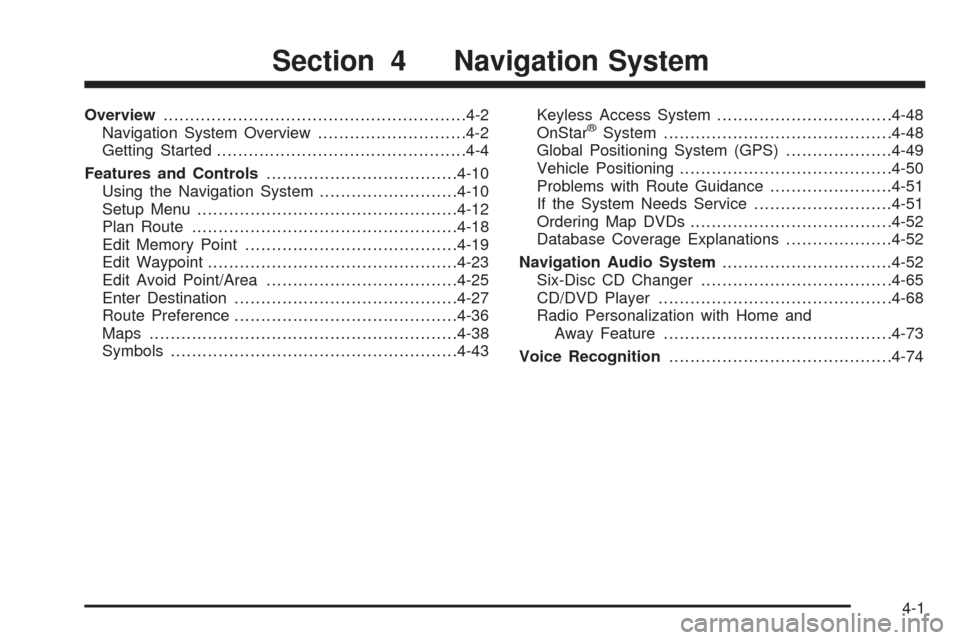
Overview.........................................................4-2
Navigation System Overview............................4-2
Getting Started...............................................4-4
Features and Controls....................................4-10
Using the Navigation System..........................4-10
Setup Menu.................................................4-12
Plan Route..................................................4-18
Edit Memory Point........................................4-19
Edit Waypoint...............................................4-23
Edit Avoid Point/Area....................................4-25
Enter Destination..........................................4-27
Route Preference..........................................4-36
Maps ..........................................................4-38
Symbols......................................................4-43Keyless Access System.................................4-48
OnStar®System...........................................4-48
Global Positioning System (GPS)....................4-49
Vehicle Positioning........................................4-50
Problems with Route Guidance.......................4-51
If the System Needs Service..........................4-51
Ordering Map DVDs......................................4-52
Database Coverage Explanations....................4-52
Navigation Audio System................................4-52
Six-Disc CD Changer....................................4-65
CD/DVD Player............................................4-68
Radio Personalization with Home and
Away Feature...........................................4-73
Voice Recognition..........................................4-74
Section 4 Navigation System
4-1
Page 217 of 462
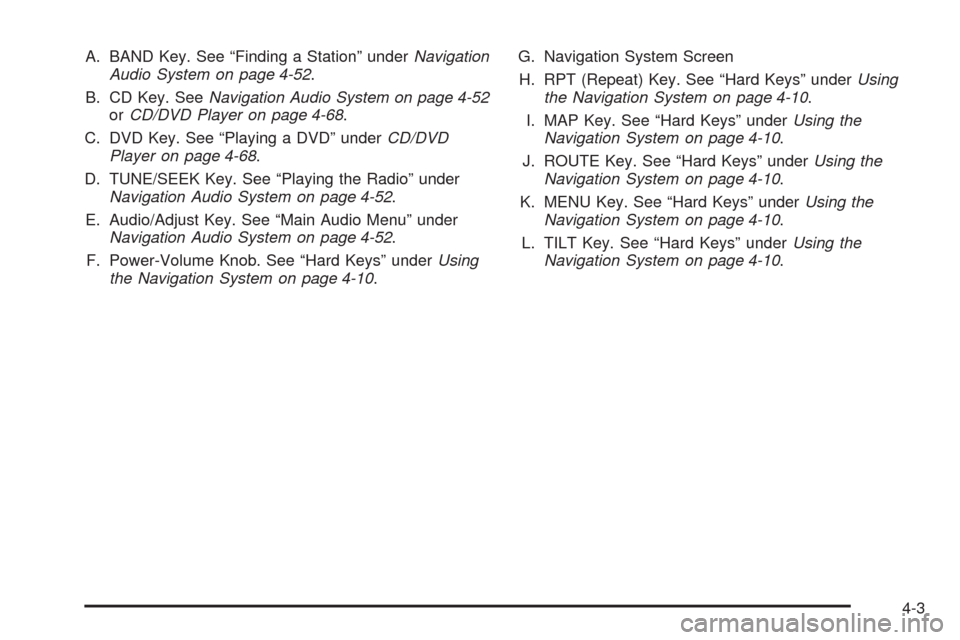
A. BAND Key. See “Finding a Station” underNavigation
Audio System on page 4-52.
B. CD Key. SeeNavigation Audio System on page 4-52
orCD/DVD Player on page 4-68.
C. DVD Key. See “Playing a DVD” underCD/DVD
Player on page 4-68.
D. TUNE/SEEK Key. See “Playing the Radio” under
Navigation Audio System on page 4-52.
E. Audio/Adjust Key. See “Main Audio Menu” under
Navigation Audio System on page 4-52.
F. Power-Volume Knob. See “Hard Keys” underUsing
the Navigation System on page 4-10.G. Navigation System Screen
H. RPT (Repeat) Key. See “Hard Keys” underUsing
the Navigation System on page 4-10.
I. MAP Key. See “Hard Keys” underUsing the
Navigation System on page 4-10.
J. ROUTE Key. See “Hard Keys” underUsing the
Navigation System on page 4-10.
K. MENU Key. See “Hard Keys” underUsing the
Navigation System on page 4-10.
L. TILT Key. See “Hard Keys” underUsing the
Navigation System on page 4-10.
4-3