turn signal CADILLAC XLR 2009 1.G Owner's Manual
[x] Cancel search | Manufacturer: CADILLAC, Model Year: 2009, Model line: XLR, Model: CADILLAC XLR 2009 1.GPages: 462, PDF Size: 3.72 MB
Page 264 of 462

Vehicle Positioning
At times, the position of the vehicle on the map may be
inaccurate due to one or more of the following reasons:
The road system has changed.
The vehicle is driving on slippery road surfaces such
as in sand, gravel, and/or snow.
The vehicle is traveling on winding roads.
The vehicle is on a long straight road.
The vehicle is approaching a tall building or a large
vehicle.
The surface streets run parallel to a freeway.
The vehicle has just been transferred by a vehicle
carrier or a ferry.
The current position calibration is set incorrectly.
The vehicle is traveling at high speed.
The vehicle changes directions more than once, or
when the vehicle is turning on a turn table in a
parking lot.
The vehicle is entering and/or exiting a parking lot,
garage, or a lot with a roof.
The GPS signal is not received.
A roof carrier is installed on the vehicle.
The vehicle is being driven with tire chains.
The tires are replaced.
The tire pressure for the tires is incorrect.
The tires are worn.
The rst time the map DVD is inserted.
The battery is disconnected for several days.
The vehicle is driving in heavy traffic where driving is
at low speeds, and the vehicle is stopped and started
repeatedly.
If problems are experienced with the navigation system,
see “Adjust Vehicle Position” underSetup Menu on
page 4-12to calibrate the system.
4-50
Page 273 of 462
Adjusting the Speakers
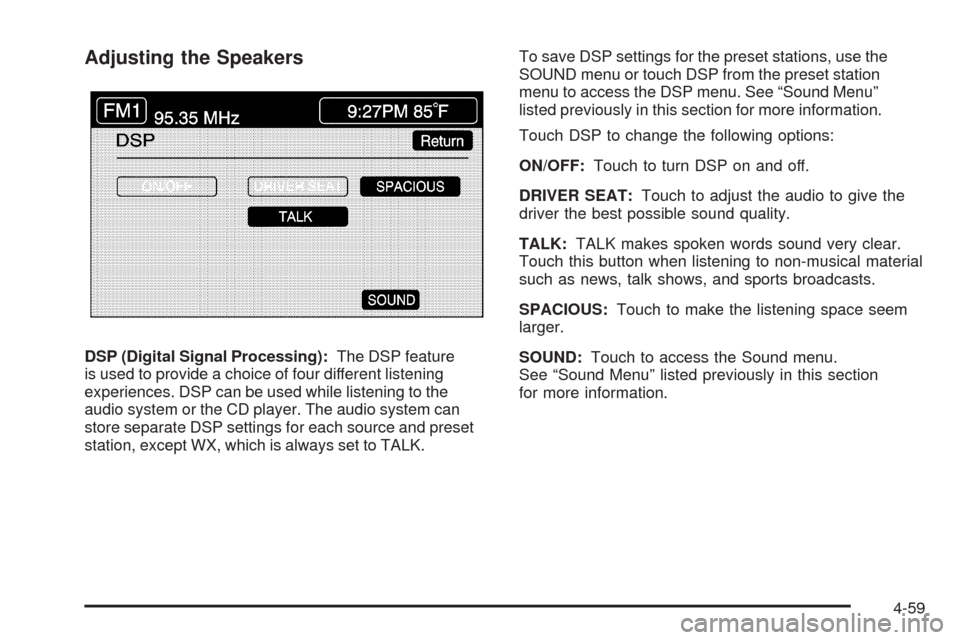
DSP (Digital Signal Processing):The DSP feature
is used to provide a choice of four different listening
experiences. DSP can be used while listening to the
audio system or the CD player. The audio system can
store separate DSP settings for each source and preset
station, except WX, which is always set to TALK.To save DSP settings for the preset stations, use the
SOUND menu or touch DSP from the preset station
menu to access the DSP menu. See “Sound Menu”
listed previously in this section for more information.
Touch DSP to change the following options:
ON/OFF:Touch to turn DSP on and off.
DRIVER SEAT:Touch to adjust the audio to give the
driver the best possible sound quality.
TALK:TALK makes spoken words sound very clear.
Touch this button when listening to non-musical material
such as news, talk shows, and sports broadcasts.
SPACIOUS:Touch to make the listening space seem
larger.
SOUND:Touch to access the Sound menu.
See “Sound Menu” listed previously in this section
for more information.
4-59
Page 278 of 462
Setting Program Type (PTY) Preset
Stations
S
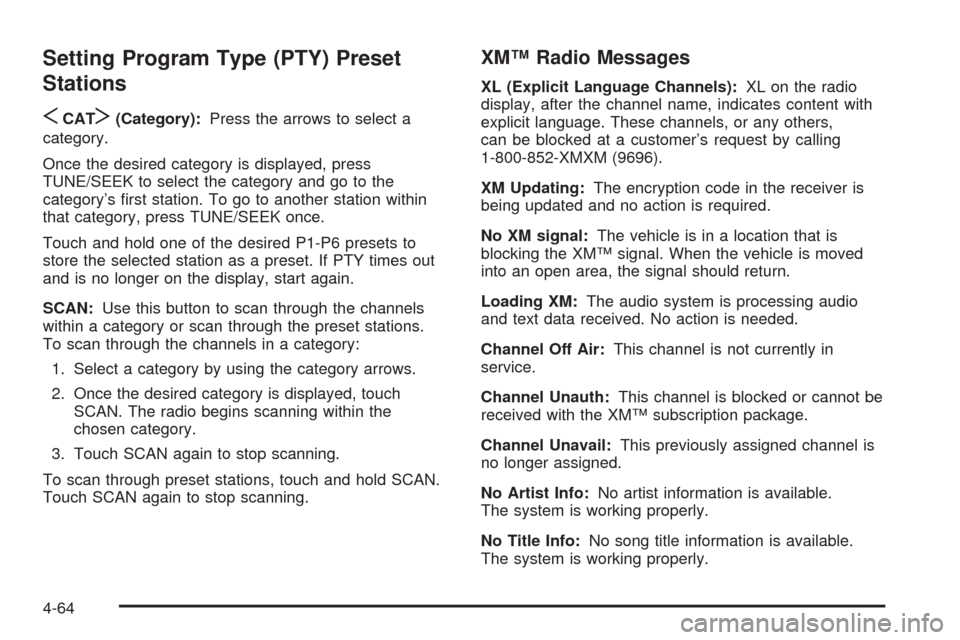
CATT(Category):Press the arrows to select a
category.
Once the desired category is displayed, press
TUNE/SEEK to select the category and go to the
category’s rst station. To go to another station within
that category, press TUNE/SEEK once.
Touch and hold one of the desired P1-P6 presets to
store the selected station as a preset. If PTY times out
and is no longer on the display, start again.
SCAN:Use this button to scan through the channels
within a category or scan through the preset stations.
To scan through the channels in a category:
1. Select a category by using the category arrows.
2. Once the desired category is displayed, touch
SCAN. The radio begins scanning within the
chosen category.
3. Touch SCAN again to stop scanning.
To scan through preset stations, touch and hold SCAN.
Touch SCAN again to stop scanning.
XM™ Radio Messages
XL (Explicit Language Channels):XL on the radio
display, after the channel name, indicates content with
explicit language. These channels, or any others,
can be blocked at a customer’s request by calling
1-800-852-XMXM (9696).
XM Updating:The encryption code in the receiver is
being updated and no action is required.
No XM signal:The vehicle is in a location that is
blocking the XM™ signal. When the vehicle is moved
into an open area, the signal should return.
Loading XM:The audio system is processing audio
and text data received. No action is needed.
Channel Off Air:This channel is not currently in
service.
Channel Unauth:This channel is blocked or cannot be
received with the XM™ subscription package.
Channel Unavail:This previously assigned channel is
no longer assigned.
No Artist Info:No artist information is available.
The system is working properly.
No Title Info:No song title information is available.
The system is working properly.
4-64
Page 281 of 462
EJECT:Touch once to eject the chosen CD. The
chosen CD may be selected by rst touching one of the
numbered buttons from 1 to 6. Repeat this procedure
for ejecting up to six discs from the changer. If the
EJECT button is pressed and held until a beep is heard,
the system begins to eject all of the discs from the
player. Once the CD is removed the next will come out
until they are all ejected.
j(Pause):Touch to pause CD play. Touch it again to
resume play or touch the play button.
RANDOM ALL:Touch to hear the tracks on all of
the discs in the CD changer in random, rather than
sequential, order. Press the TUNE/SEEK hard key while
RANDOM ALL is on to randomly seek within that disc.
Touch RANDOM ALL again to turn off random mode.
SCAN DISCS:Touch to hear the rst 10 seconds of
rst track on each disc. Touch this button again to stop
scanning. The CD mutes while scanning.
[(Forward):Touch to fast forward quickly through
a track selection.
«TUNE SEEKª:Press the up arrow on the
TUNE/SEEK switch to seek to the next selection on the
compact disc. If playing last track of disc, pressing
the up arrow seeks to the rst track of the next disc.Press the down arrow to seek to the previous selection
on the compact disc. If playing the rst track of disc,
pressing the down arrow seeks to the last track on the
selected disc. The sound mutes while seeking.
RDS (Radio Data Systems):See “Radio Data Systems
(RDS)” listed previously for information on this button.
SOUND:See “Sound Menu (Tone, DSP, Fade and
Balance)” for information on this button.
DSP (Digital Signal Processing):See “Adjusting the
Speakers” listed previously for information on this button.
CD Changer Errors
CDX ERROR could be displayed for the following:
The road is too rough. The disc should play when
the road is smoother.
The disc is dirty, scratched, wet or not loaded label
side up.
The air is very humid. If so, wait about an hour and
try again.
If any error occurs repeatedly or if an error cannot be
corrected, please contact your dealer/retailer. If the
audio system displays an error number, write it down
and provide this information to your dealer/retailer when
reporting the error.
4-67
Page 290 of 462

Seek Up:Causes the selected audio source to seek up
to the next strongest signal.
Seek Down:Causes the selected audio source to seek
down to the next strongest signal.
Stop Scan:Causes the audio source to stop scanning
for the next strongest signal.
CD Changer Commands
Track Up:Causes the CD changer to skip up to the
next track.
Previous Track, Track Down:Causes the CD changer
to go to the previous track.
Screen Commands
Screen Day Mode, Day Mode On:Adjusts the
system’s screen setting to the day mode.
Screen Night Mode, Night Mode On:Adjusts the
system’s screen setting to the night mode.
Screen Auto Mode, Auto Mode On:Adjusts the
system’s screen setting to auto mode.
Screen Off:Turns the system’s screen display off.
Position Commands
Current Position, Current Location, Show Current
Position, Show Current Location:Displays the
vehicle’s current location on the map screen.
Map:Displays the map screen.
Map Commands
Zoom In:Zooms in when on the map screen.
Zoom Out:Zooms out when on the map screen.
Maximum Scale:Zooms out to the maximum available
map scale when on the map screen.
Minimum Scale:Zooms in to the minimum available
map scale when on the map screen.
Heading Up, Change to Heading Up:Displays the
Vehicle Up heading when on the map screen. The map
scale should be set for under 2 miles (4 km).
North Up, Change to North Up:Displays the North Up
heading when on the map screen if the map scale is
set to 2 miles (4 km) or less.
4-76
Page 459 of 462
Retained Accessory Power...............................2-25
Retractable Hardtop........................................2-54
Lowering....................................................2-55
Raising......................................................2-56
Roadside
Service........................................................ 8-7
Rocking Your Vehicle to Get it Out....................5-20
Route Preference............................................4-36
Routing, Engine Drive Belt...............................7-14
Run-Flat Tires................................................6-52
Running the Vehicle While Parked.....................2-37
S
Safety Belt Reminders.....................................3-44
Safety Belts
Care of ......................................................6-76
How to Wear Safety Belts Properly................1-11
Lap-Shoulder Belt........................................1-20
Safety Belt Extender....................................1-23
Safety Belt Use During Pregnancy.................1-22
Safety Belts Are for Everyone......................... 1-6
Safety Warnings and Symbols.............................. iv
Scheduled Maintenance..................................... 7-4
Seats
Heated and Cooled Seats.............................. 1-3
Memory, Mirrors............................................ 1-3Seats (cont.)
Power Lumbar .............................................. 1-2
Power Reclining Seatbacks............................. 1-4
Power Seats................................................. 1-2
Securing a Child Restraint
Right Front Seat Position..............................1-34
Security Light.................................................3-55
Service........................................................... 6-3
Accessories and Modications......................... 6-3
Adding Equipment to the Outside of the
Vehicle..................................................... 6-5
California Perchlorate Materials Requirements..... 6-4
California Proposition 65 Warning.................... 6-4
Doing Your Own Work................................... 6-4
Engine Soon Lamp......................................3-50
Publications Ordering Information...................8-15
Service, Scheduling Appointments.....................8-10
Servicing Your Airbag-Equipped Vehicle..............1-50
Setup Menu...................................................4-12
Sheet Metal Damage.......................................6-80
Shifting Into Park............................................2-33
Shifting Out of Park........................................2-35
Signals, Turn and Lane-Change.......................... 3-7
Six-Disc CD Changer......................................4-65
Specications, Capacities.................................6-90
Speedometer..................................................3-43
Stabilitrak
®System........................................... 5-6
11
Page 461 of 462
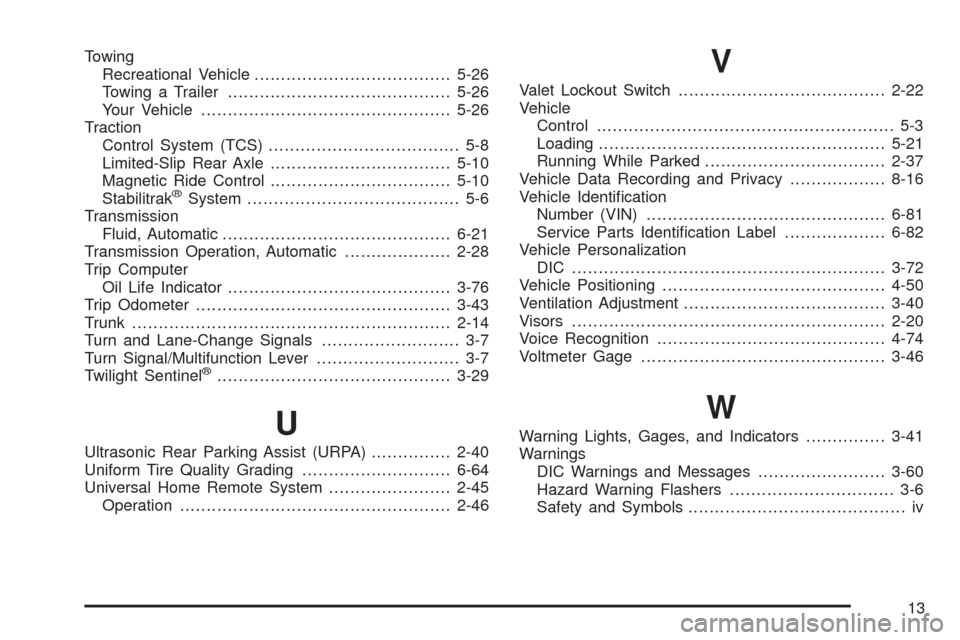
Towing
Recreational Vehicle.....................................5-26
Towing a Trailer..........................................5-26
Your Vehicle...............................................5-26
Traction
Control System (TCS).................................... 5-8
Limited-Slip Rear Axle..................................5-10
Magnetic Ride Control..................................5-10
Stabilitrak
®System........................................ 5-6
Transmission
Fluid, Automatic...........................................6-21
Transmission Operation, Automatic....................2-28
Trip Computer
Oil Life Indicator..........................................3-76
Trip Odometer................................................3-43
Trunk............................................................2-14
Turn and Lane-Change Signals.......................... 3-7
Turn Signal/Multifunction Lever........................... 3-7
Twilight Sentinel
®............................................3-29
U
Ultrasonic Rear Parking Assist (URPA)...............2-40
Uniform Tire Quality Grading............................6-64
Universal Home Remote System.......................2-45
Operation...................................................2-46
V
Valet Lockout Switch.......................................2-22
Vehicle
Control........................................................ 5-3
Loading......................................................5-21
Running While Parked..................................2-37
Vehicle Data Recording and Privacy..................8-16
Vehicle Identication
Number (VIN).............................................6-81
Service Parts Identication Label...................6-82
Vehicle Personalization
DIC ...........................................................3-72
Vehicle Positioning..........................................4-50
Ventilation Adjustment......................................3-40
Visors...........................................................2-20
Voice Recognition...........................................4-74
Voltmeter Gage..............................................3-46
W
Warning Lights, Gages, and Indicators...............3-41
Warnings
DIC Warnings and Messages........................3-60
Hazard Warning Flashers............................... 3-6
Safety and Symbols......................................... iv
13