warning light CADILLAC XLR V 2006 1.G Owner's Manual
[x] Cancel search | Manufacturer: CADILLAC, Model Year: 2006, Model line: XLR V, Model: CADILLAC XLR V 2006 1.GPages: 456, PDF Size: 3.74 MB
Page 289 of 456
Magnetic Ride Control
Magnetic Ride Control automatically adjusts the ride
of your vehicle. Automatic ride control is achieved
through a computer used to control and monitor the
suspension system. The controller receives input
from various sensors to determine the proper system
response. If the controller detects a problem within
the system, the DIC will display a SERVICE RIDE
CONTROL message. SeeDIC Warnings and Messages
on page 3-67for more information. See your dealer
for service.
Limited-Slip Rear Axle
Your limited-slip rear axle can give you additional
traction on snow, mud, ice, sand or gravel. It works
like a standard axle most of the time, but when one
of the rear wheels has no traction and the other
does, this feature will allow the wheel with traction
to move the vehicle.
StabiliTrak®System
The StabiliTrak®System is a computer controlled
system that helps the driver maintain directional control
of the vehicle in difficult driving conditions. This is
accomplished by selectively applying any one of the
vehicle’s brakes.
When you rst start your vehicle and begin to drive
away (6 mph (10 km/h)), especially during cold weather,
the message STABILITRAK WARMING may be
displayed in the Driver Information Center (DIC), the
instrument cluster light will be on, and a chime will
sound. This is normal. You can acknowledge this
message by pressing the RESET button. The
StabiliTrak
®System performance is affected until the
message, STABILITRAK READY, is displayed in
the DIC. This can take up to 15 minutes.
The WAIT FOR STABILITRAK message may be
displayed in the DIC after exceeding 19 mph (30 km/h)
for 10 seconds if the steering is not centered.
The system is off until the STABILITRAK ACTIVE
message is displayed.
5-11
Page 290 of 456
The STABILITRAK ACTIVE message will come on
when the system is operating. SeeDIC Warnings
and Messages on page 3-67for more information.
You may also feel or hear the system working.
This is normal.
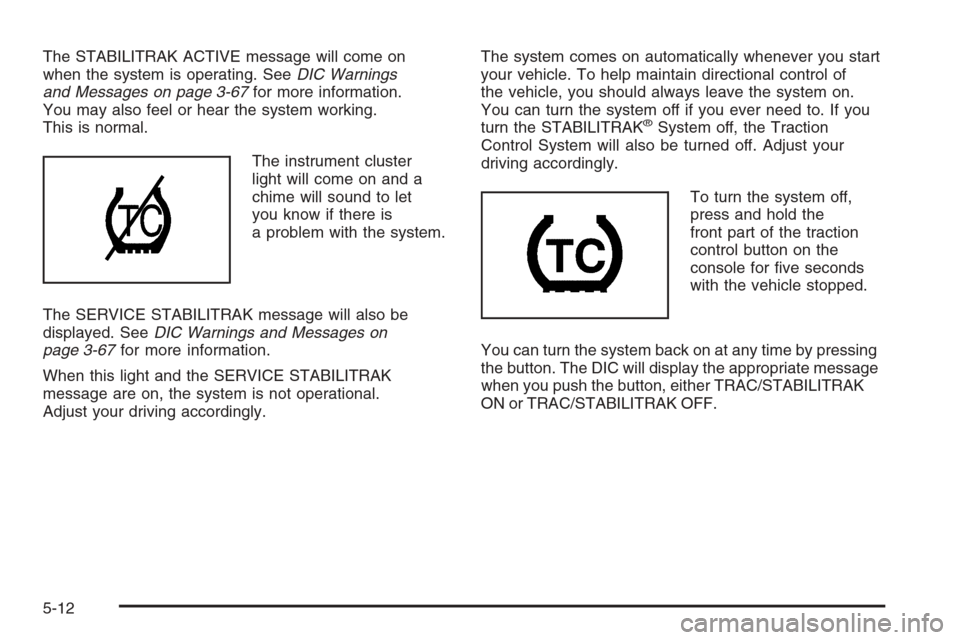
The instrument cluster
light will come on and a
chime will sound to let
you know if there is
a problem with the system.
The SERVICE STABILITRAK message will also be
displayed. SeeDIC Warnings and Messages on
page 3-67for more information.
When this light and the SERVICE STABILITRAK
message are on, the system is not operational.
Adjust your driving accordingly.The system comes on automatically whenever you start
your vehicle. To help maintain directional control of
the vehicle, you should always leave the system on.
You can turn the system off if you ever need to. If you
turn the STABILITRAK
®System off, the Traction
Control System will also be turned off. Adjust your
driving accordingly.
To turn the system off,
press and hold the
front part of the traction
control button on the
console for ve seconds
with the vehicle stopped.
You can turn the system back on at any time by pressing
the button. The DIC will display the appropriate message
when you push the button, either TRAC/STABILITRAK
ON or TRAC/STABILITRAK OFF.
5-12
Page 301 of 456

Here are ways to increase your safety in city driving:
Know the best way to get to where you are
going. Get a city map and plan your trip into
an unknown part of the city just as you would for
a cross-country trip.
Try to use the freeways that rim and crisscross
most large cities. You will save time and energy.
SeeFreeway Driving on page 5-23.
Treat a green light as a warning signal. A traffic
light is there because the corner is busy enough
to need it. When a light turns green, and just before
you start to move, check both ways for vehicles
that have not cleared the intersection or may
be running the red light.
Freeway Driving
Mile for mile, freeways — also called thruways, parkways,
expressways, turnpikes, or superhighways — are the
safest of all roads. But they have their own special rules.
5-23
Page 306 of 456

Include an ice scraper, a small brush or broom, a supply
of windshield washer uid, a rag, some winter outer
clothing, a small shovel, a ashlight, a red cloth, and a
couple of reective warning triangles. And, if you will be
driving under severe conditions, include a small bag of
sand, a piece of old carpet, or a couple of burlap bags to
help provide traction. Be sure you properly secure these
items in your vehicle.
Driving On Snow or Ice
Most of the time, those places where the tires meet the
road probably have good traction.
However, if there is snow or ice between the tires and
the road, you can have a very slippery situation. You will
have a lot less traction, or grip, and will need to be
very careful.
5-28
Page 335 of 456
How to Reset the Engine Oil Life
System and the Oil Life Indicator
The Engine Oil Life System calculates when to
change your engine oil and lter based on vehicle use.
Anytime your oil is changed, reset the system so it
can calculate when the next oil change is required. If a
situation occurs where you change your oil prior to a
CHANGE OIL NOW message in the DIC being turned
on, reset the system.
After the oil has been changed, the CHANGE OIL NOW
message and the oil life indicator must be reset.
To reset the message use the following procedure:
1. Press the up or down arrow to scroll the DIC
to show OIL LIFE.
2. Once the XXX% ENGINE OIL LIFE menu item is
highlighted, press and hold the RESET button until
the percentage shows 100%.
If the percentage does not return to 100% or if
the CHANGE OIL NOW message comes back
on when you start your vehicle, the engine oil life
system has not reset. Repeat the procedure.
What to Do with Used Oil
Used engine oil contains certain elements that may be
unhealthy for your skin and could even cause cancer.
Do not let used oil stay on your skin for very long.
Clean your skin and nails with soap and water, or a
good hand cleaner. Wash or properly dispose of
clothing or rags containing used engine oil. See the
manufacturer’s warnings about the use and disposal
of oil products.
Used oil can be a threat to the environment. If you
change your own oil, be sure to drain all the oil from
the lter before disposal. Never dispose of oil by putting
it in the trash, pouring it on the ground, into sewers,
or into streams or bodies of water. Instead, recycle it
by taking it to a place that collects used oil. If you
have a problem properly disposing of your used oil,
ask your dealer, a service station, or a local recycling
center for help.
6-19
Page 338 of 456
Engine Coolant
The cooling system in your vehicle is lled with
DEX-COOL®engine coolant. This coolant is designed
to remain in your vehicle for ve years or 150,000 miles
(240 000 km), whichever occurs rst, if you add only
DEX-COOL
®extended life coolant.
The following explains your cooling system and how
to add coolant when it is low. If you have a problem
with engine overheating, seeEngine Overheating
on page 6-25.
A 50/50 mixture of clean, drinkable water and
DEX-COOL
®coolant will:
Giving freezing protection down to−34°F (−37°C).
Give boiling protection up to 265°F (129°C).
Protect against rust and corrosion.
Help keep the proper engine temperature.
Let the warning lights and gages work as
they should.Notice:Using coolant other than DEX-COOL
®may
cause premature engine, heater core, or radiator
corrosion. In addition, the engine coolant may
require changing sooner, at the rst maintenance
service after each 30,000 miles (50 000 km) or
24 months, whichever occurs rst. Any repairs
would not be covered by your warranty. Always use
DEX-COOL
®(silicate-free) coolant in your vehicle.
What to Use
Use a mixture of one-half clean, drinkable water and
one-half DEX-COOL®coolant which will not damage
aluminum parts. If you use this coolant mixture, you do
not need to add anything else.
6-22
Page 353 of 456
Brake Wear
Your vehicle has four-wheel disc brakes.
Disc brake pads have built-in wear indicators that make
a high-pitched warning sound when the brake pads
are worn and new pads are needed. The sound
may come and go or be heard all the time your vehicle
is moving, except when you are pushing on the
brake pedal rmly.
{CAUTION:
The brake wear warning sound means that soon
your brakes will not work well. That could lead
to an accident. When you hear the brake wear
warning sound, have your vehicle serviced.
Notice:Continuing to drive with worn-out brake
pads could result in costly brake repair.Some driving conditions or climates may cause a brake
squeal when the brakes are rst applied or lightly
applied. This does not mean something is wrong with
your brakes.
Brake linings should always be replaced as complete
axle sets.
Brake Pedal Travel
See your dealer if the brake pedal does not return to
normal height, or if there is a rapid increase in
pedal travel. This could be a sign of brake trouble.
Brake Adjustment
As you make brake stops, your disc brakes
automatically adjust for wear.
6-37
Page 375 of 456
Remove the valve cap from the tire valve stem. Press
the tire gage rmly onto the valve to get a pressure
measurement. If the cold tire ination pressure matches
the recommended pressure on the Tire and Loading
Information label, no further adjustment is necessary.
If the ination pressure is low, add air until you reach the
recommended amount.
If you overll the tire, release air by pushing on the
metal stem in the center of the tire valve. Recheck the
tire pressure with the tire gage.
Be sure to put the valve caps back on the valve stems.
They help prevent leaks by keeping out dirt and
moisture.
Tire Pressure Monitor (TPM)
Your vehicle has a Tire Pressure Monitor (TPM) that
sends tire pressure information to the Driver Information
Center (DIC). Using the DIC control buttons, the
driver is able to check tire pressure levels in all four
road tires. SeeTire Pressure Monitor System on
page 6-59andDIC Controls and Displays on page 3-64
for additional information.
Tire Pressure Monitor System
The Tire Pressure Monitor System (TPMS) on your
vehicle, uses radio and sensor technology to check tire
pressure levels. Sensors, mounted on each tire and
wheel assembly transmit tire pressure readings to
a receiver located in the vehicle. The TPMS sensors
transmit tire pressure readings once every 60 seconds
while the vehicle is being driven and once every
60 minutes when the vehicle is stationary for more than
15 minutes. Using the Driver Information Center
(DIC), tire pressure levels can be viewed by the driver.
The TPMS also uses the DIC to warn the driver
when air pressure, in one or more tires, falls below
25 psi (172 kPa) or is above 42 psi (290 kPa).
For additional information and details about the
DIC operation and displays seeDIC Controls and
Displays on page 3-64andDIC Warnings and
Messages on page 3-67.
A low tire pressure warning light also appears on the
instrument panel cluster when a low tire condition exists.
The DIC message, CHECK TIRE PRESSURE and
the low tire pressure warning light will be shown each
time the engine is started and stays on until the low tire
condition is corrected.
6-59
Page 382 of 456
Uniform Tire Quality Grading
Quality grades can be found where applicable on the
tire sidewall between tread shoulder and maximum
section width. For example:
Treadwear 200 Traction AA Temperature A
The following information relates to the system developed
by the United States National Highway Traffic Safety
Administration (NHTSA), which grades tires by
treadwear, traction, and temperature performance.
This applies only to vehicles sold in the United States.
The grades are molded on the sidewalls of most
passenger car tires. The Uniform Tire Quality Grading
(UTQG) system does not apply to deep tread, winter-type
snow tires, space-saver, or temporary use spare tires,
tires with nominal rim diameters of 10 to 12 inches
(25 to 30 cm), or to some limited-production tires.
While the tires available on General Motors passenger
cars and light trucks may vary with respect to these
grades, they must also conform to federal safety
requirements and additional General Motors Tire
Performance Criteria (TPC) standards.
Treadwear
The treadwear grade is a comparative rating based on
the wear rate of the tire when tested under controlled
conditions on a specied government test course.
For example, a tire graded 150 would wear one and
a half (1.5) times as well on the government course as
a tire graded 100. The relative performance of tires
depends upon the actual conditions of their use,
however, and may depart signicantly from the norm
due to variations in driving habits, service practices, and
differences in road characteristics and climate.
Traction – AA, A, B, C
The traction grades, from highest to lowest, are AA, A,
B, and C. Those grades represent the tire’s ability
to stop on wet pavement as measured under controlled
conditions on specied government test surfaces of
asphalt and concrete. A tire marked C may have poor
traction performance.
Warning:The traction grade assigned to this tire is
based on straight-ahead braking traction tests, and does
not include acceleration, cornering, hydroplaning, or
peak traction characteristics.
6-66
Page 443 of 456
A
Accessories and Modications............................ 6-3
Accessory Power Outlet(s)...............................3-40
Adaptive Cruise Control...................................3-15
Adaptive Forward Lighting System.....................3-31
Adding Equipment to Your Airbag-Equipped
Vehicle.......................................................1-44
Additives, Fuel................................................. 6-6
Add-On Electrical Equipment............................6-86
Air Cleaner/Filter, Engine.................................6-20
Air Conditioning..............................................3-41
Airbag
Passenger Status Indicator...........................3-52
Readiness Light..........................................3-51
Airbag Sensing and Diagnostic Module (SDM)...... 8-9
Airbag System................................................1-32
Adding Equipment to Your Airbag-Equipped
Vehicle...................................................1-44
How Does an Airbag Restrain?......................1-38
Passenger Sensing System...........................1-40
Servicing Your Airbag-Equipped Vehicle..........1-44
What Makes an Airbag Inate?......................1-38
What Will You See After an Airbag Inates?....1-39
When Should an Airbag Inate?....................1-37
Where Are the Airbags?...............................1-34
Antenna, Diversity Antenna System...................3-86
Antenna, XM™ Satellite Radio Antenna
System......................................................3-86
Anti-Lock Brake System (ABS)........................... 5-7Anti-Lock Brake, System Warning Light..............3-55
Appearance Care
Aluminum or Chrome-Plated Wheels..............6-82
Care of Safety Belts....................................6-80
Chemical Paint Spotting...............................6-83
Cleaning Exterior Lamps/Lenses....................6-81
Cleaning the Inside of Your Vehicle................6-76
Fabric/Carpet..............................................6-78
Finish Care.................................................6-81
Finish Damage............................................6-83
Instrument Panel, Vinyl, and Other
Plastic Surfaces.......................................6-79
Leather......................................................6-79
Sheet Metal Damage...................................6-83
Speaker Covers..........................................6-79
Tires..........................................................6-83
Underbody Maintenance...............................6-83
Vehicle Care/Appearance Materials................6-84
Washing Your Vehicle...................................6-80
Weatherstrips..............................................6-80
Windshield and Wiper Blades........................6-81
Wood Panels..............................................6-79
Ashtray(s)......................................................3-41
Audio System.................................................4-51
Audio System(s).............................................3-82
Audio Steering Wheel Controls......................3-84
Care of Your CD Player...............................3-86
Care of Your CDs ........................................3-86
Diversity Antenna System.............................3-86
Theft-Deterrent Feature................................3-83
1