ECU CADILLAC XLR V 2006 1.G Owner's Guide
[x] Cancel search | Manufacturer: CADILLAC, Model Year: 2006, Model line: XLR V, Model: CADILLAC XLR V 2006 1.GPages: 456, PDF Size: 3.74 MB
Page 178 of 456
BUCKLE SEAT BELT:This message reminds you to
buckle the driver’s seat belt.
This message will display and a chime will sound when
the ignition is on, the driver’s seat belt is unbuckled,
and the vehicle is in motion. You should buckle
your seat belt.
If the driver remains unbuckled when the ignition is on
and the vehicle is in motion, the reminder will be
repeated. If the driver’s seat belt is already buckled,
this message and chime will not come on.
This message is an additional reminder to the Safety
Belt Reminder Light in the instrument panel cluster.
SeeSafety Belt Reminder Light on page 3-50for more
information.
CHANGE OIL NOW:This means that the life of the
engine oil has expired. SeeScheduled Maintenance on
page 7-4. After an oil change, the Oil Life Indicator
must be reset. SeeOil Life Indicator on page 3-82and
Engine Oil Life System on page 6-18.
CHARGE SYSTEM FAULT:This message will display
when a problem with the charging system has been
detected. Have your vehicle serviced by your GM dealer.CHECK GAS CAP:This message will appear if the gas
cap has not been fully tightened. You should recheck
your gas cap to ensure that it is on properly.
CLEAN RADAR CRUISE:If your vehicle has this
feature, this message indicates the Adaptive Cruise
Control (ACC) system is disabled because the radar is
blocked and cannot detect vehicles in your path.
It may also activate during heavy rain or due to road
spray. To clean the system, seeAdaptive Cruise Control
on page 3-15.
CLOSE CARGO DIVIDER:This message indicates that
the cargo divider is not in place. Open the trunk and
make sure the cargo divider is secure and no objects are
on the divider. SeeRear Storage Area on page 2-46
for more information.
COOLANT OVER TEMP (Temperature):This message
will appear when the engine coolant temperature is
too hot. Stop and allow your vehicle to idle in PARK (P)
until it cools down and the message is removed. Do
not increase engine speed above a normal idle. If it does
not cool down, turn off the engine and have it serviced
by your GM dealer before driving it again. Severe
engine damage can result from an overheated engine.
SeeEngine Overheating on page 6-25.
3-68
Page 186 of 456

TOP INOP (Inoperative) – VALET ON:This message
will display when the retractable hardtop button is
pressed and the valet switch is on. Turn off the valet
switch before using the retractable hardtop.
TOP INOP (Inoperative) OUT OF PARK:This
message will display if the retractable hardtop button is
pressed while the vehicle is not in PARK (P).
TOP MOTOR OVER TEMP (Temperature):This
message will display when the retractable hardtop button
is pressed and the hardtop pump motor temperature
is over 221°F (105°C). Wait for the hardtop pump motor
to cool down before using the retractable hardtop.
TOP NOT SECURE:This message will display when
the retractable hardtop button is released before the top
open or close operation is complete. Press and hold the
retractable hardtop button to fully open or close the top.
TRAC (Traction) SYSTEM ACTIVE:When your
traction control system is limiting wheel spin, the
TRACTION SYSTEM ACTIVE message will be
displayed. Slippery road conditions may exist if this
message is displayed, so adjust your driving accordingly.
This message will stay on for a few seconds after the
traction control system stops limited wheel spin.TRAC (Traction)/STABILITRAK OFF:This message
indicates that both the Traction Control System
(TCS) and StabiliTrak
®are off. The message will remain
until the systems are turned on again.
TRAC (Traction)/STABILITRAK ON:This message
indicates that both the Traction Control System
(TCS) and the StabiliTrak
®are on.
TRACTION SYSTEM OFF:This message indicates
that the Traction Control System (TCS) is off but
StabiliTrak
®remains on.
TRACTION SYSTEM ON:This message indicates that
the Traction Control System (TCS) is on.
TRUNK AJAR:This message indicates that the trunk is
open while the vehicle is running and not in PARK (P).
WAIT FOR STABILITRAK:This message will be
displayed after driving 19 mph (30 km/h) for 10 seconds
if the steering is not centered. StabiliTrak
®is not
available until the steering centers itself and the
STABILITRAK READY message is displayed in the DIC.
3-76
Page 261 of 456

Radio Display Message Condition Action Required
No Information No Text/Informational
message availableNo text or informational messages are available at this time
on this channel. Your system is working properly.
XM Theftlocked Theft lock active The XM receiver in your vehicle may have previously been in
another vehicle. For security purposes, XM receivers cannot
be swapped between vehicles. If you receive this message
after having your vehicle serviced, check with the servicing
facility.
XM Radio ID Radio ID label
(channel 0)If you tune to channel 0, you will see this message alternating
with your XM Radio 8 digit radio ID label.
This label is needed to activate your service.
Unknown Radio ID not known
(should only be if
hardware failure)If you receive this message when you tune to channel 0, you
may have a receiver fault. Consult with your dealer.
Check XM Receivr Hardware failure If this message does not clear within a short period of time,
your receiver may have a fault. Consult with your retail
location.
4-65
Page 306 of 456

Include an ice scraper, a small brush or broom, a supply
of windshield washer uid, a rag, some winter outer
clothing, a small shovel, a ashlight, a red cloth, and a
couple of reective warning triangles. And, if you will be
driving under severe conditions, include a small bag of
sand, a piece of old carpet, or a couple of burlap bags to
help provide traction. Be sure you properly secure these
items in your vehicle.
Driving On Snow or Ice
Most of the time, those places where the tires meet the
road probably have good traction.
However, if there is snow or ice between the tires and
the road, you can have a very slippery situation. You will
have a lot less traction, or grip, and will need to be
very careful.
5-28
Page 315 of 456
If you put things inside your vehicle — like suitcases,
tools, packages, or anything else — they will go as
fast as the vehicle goes. If you have to stop or
turn quickly, or if there is a crash, they will keep going.
{CAUTION:
Things you put inside your vehicle can strike
and injure people in a sudden stop or turn,
or in a crash.
Put things in the rear area of your vehicle.
Try to spread the weight evenly.
Never stack heavier things, like suitcases,
inside the vehicle so that some of them
are above the tops of the seats.
Do not leave an unsecured child restraint
in your vehicle.
When you carry something inside the
vehicle, secure it whenever you can.
Towing
Towing Your Vehicle
Consult your dealer or a professional towing service
if you need to have your disabled vehicle towed.
SeeRoadside Service on page 8-6.
Recreational Vehicle Towing
Recreational vehicle towing means towing your vehicle
behind another vehicle — such as behind a motorhome.
The two most common types of recreational vehicle
towing are known as “dinghy towing” (towing your vehicle
with all four wheels on the ground) and “dolly towing”
(towing your vehicle with two wheels on the ground and
two wheels up on a device known as a “dolly”).
Your vehicle was not designed to be towed with any of
its wheels on the ground. If your vehicle must be towed,
see “Towing Your Vehicle” earlier in this section.
Towing a Trailer
Your XLR is neither designed nor intended to tow
a trailer.
5-37
Page 341 of 456

Adding Coolant
If you need more coolant, add the proper DEX-COOL®
coolant mixture at the surge tank, but only when the
engine is cool.
{CAUTION:
You can be burned if you spill coolant on hot
engine parts. Coolant contains ethylene glycol,
and it will burn if the engine parts are hot
enough. Do not spill coolant on a hot engine.
When replacing the pressure cap, press down and turn it
clockwise until you hear a clicking sound. Make sure the
cap is hand-tight and fully seated.
Coolant Surge Tank Pressure Cap
Notice:If the pressure cap is not tightly installed,
coolant loss and possible engine damage may
occur. Be sure the cap is properly and tightly
secured.
The coolant surge tank pressure cap must be fully
installed on the coolant surge tank. SeeEngine
Compartment Overview on page 6-12for more
information on location.
Engine Overheating
You will nd a COOLANT OVER TEMP message or
an ENGINE HOT, STOP ENGINE message displayed
in the Driver Information Center (DIC). SeeDIC
Warnings and Messages on page 3-67. You will also
hear a chime.
There is also an engine coolant temperature gage
on the instrument panel cluster. SeeEngine Coolant
Temperature Gage on page 3-57.
6-25
Page 444 of 456
Audio System(s) (cont.)
Understanding Radio Reception.....................3-84
XM™ Satellite Radio Antenna System............3-86
Automatic Door Lock.......................................2-11
Automatic Transmission
Fluid..........................................................6-21
Operation...................................................2-25
Avoid Point/Area, Edit......................................4-25
B
Battery..........................................................6-38
Exterior Lighting Battery Saver......................3-33
Run-Down Protection...................................3-34
Before Leaving on a Long Trip.........................5-24
Brake
Anti-Lock Brake System (ABS)........................ 5-7
Emergencies................................................ 5-9
Parking......................................................2-29
System Warning Light..................................3-54
Brakes..........................................................6-35
Braking........................................................... 5-6
Braking in Emergencies..................................... 5-9
Break-In, New Vehicle.....................................2-20
Bulb Replacement...........................................6-48
Headlamp Aiming........................................6-45
Buying New Tires...........................................6-64
C
California Fuel.................................................. 6-5
California Proposition 65 Warning....................... 6-3
Canadian Owners................................................ ii
Capacities and Specications............................6-92
Carbon Monoxide...................2-12, 2-34, 5-27, 5-37
Care of
Safety Belts................................................6-80
Your CD Player...........................................3-86
Your CDs ...................................................3-86
CD
Player........................................................4-69
Six-Disc Changer.........................................4-66
CD/DVD Player..............................................4-69
Center Console Storage Area...........................2-45
Chains, Tire...................................................6-70
Check
Engine Light...............................................3-58
Checking Things Under the Hood......................6-10
Chemical Paint Spotting...................................6-83
Child Restraints
Child Restraint Systems...............................1-23
Infants and Young Children...........................1-20
Lower Anchors and Tethers for Children..........1-27
Older Children.............................................1-18
Securing a Child Restraint in the Passenger
Seat Position...........................................1-28
2
Page 449 of 456
K
Keyless Access System.............................2-4, 4-47
Keyless Access System, Operation...................... 2-5
Keys............................................................... 2-2
L
Labeling, Tire Sidewall.....................................6-52
Lamps
Battery Run-Down Protection.........................3-34
Courtesy....................................................3-33
Exterior......................................................3-28
Exterior Lighting Battery Saver......................3-33
Fog ...........................................................3-31
Reading.....................................................3-33
Twilight Sentinel
®........................................3-32
LATCH System
Child Restraints...........................................1-27
Lifting Your Vehicle, Tires.................................6-70
Light
Airbag Readiness........................................3-51
Anti-Lock Brake System Warning...................3-55
Brake System Warning.................................3-54
Fog Lamp ..................................................3-62Light (cont.)
Highbeam On.............................................3-62
Lights On Reminder.....................................3-62
Malfunction Indicator....................................3-58
Passenger Airbag Status Indicator..................3-52
Safety Belt Reminder...................................3-50
Security.....................................................3-62
TCS Warning Light......................................3-56
Tire Pressure..............................................3-57
Traction Control System (TCS) Warning..........3-56
Lighting
Entry/Exit...................................................3-33
Limited-Slip Rear Axle.....................................5-11
Loading Your Vehicle.......................................5-33
Lockout Protection..........................................2-12
Locks
Automatic Door Lock....................................2-11
Door ........................................................... 2-9
Lockout Protection.......................................2-12
Power Door ................................................2-11
Programmable Automatic Door Unlock............2-12
Loss of Control...............................................5-17
Lowering the Retractable Hardtop......................2-47
Lumbar
Power Controls............................................. 1-2
7
Page 453 of 456
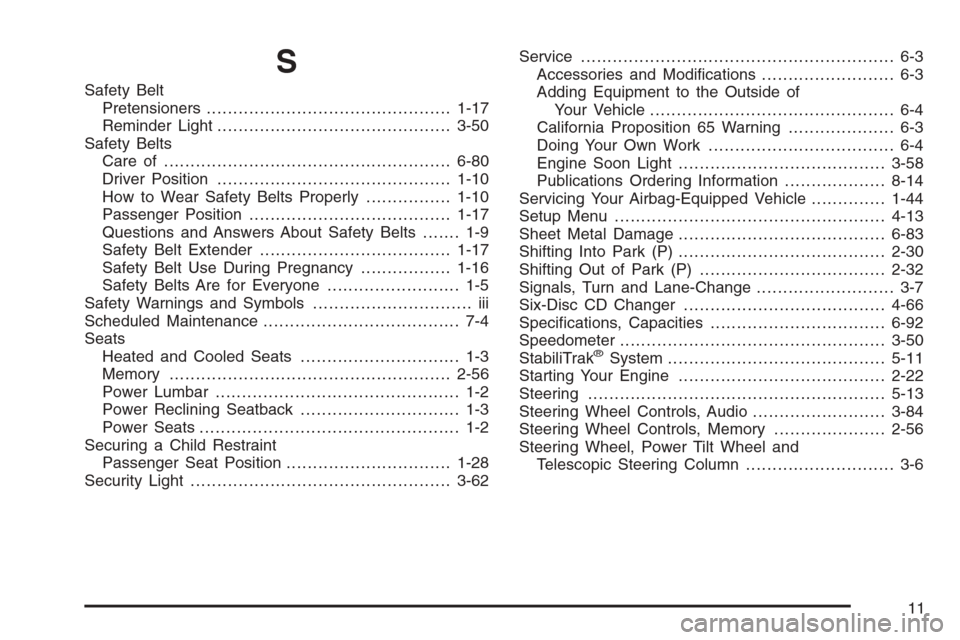
S
Safety Belt
Pretensioners..............................................1-17
Reminder Light............................................3-50
Safety Belts
Care of ......................................................6-80
Driver Position............................................1-10
How to Wear Safety Belts Properly................1-10
Passenger Position......................................1-17
Questions and Answers About Safety Belts....... 1-9
Safety Belt Extender....................................1-17
Safety Belt Use During Pregnancy.................1-16
Safety Belts Are for Everyone......................... 1-5
Safety Warnings and Symbols.............................. iii
Scheduled Maintenance..................................... 7-4
Seats
Heated and Cooled Seats.............................. 1-3
Memory .....................................................2-56
Power Lumbar .............................................. 1-2
Power Reclining Seatback.............................. 1-3
Power Seats................................................. 1-2
Securing a Child Restraint
Passenger Seat Position...............................1-28
Security Light.................................................3-62Service........................................................... 6-3
Accessories and Modications......................... 6-3
Adding Equipment to the Outside of
Your Vehicle.............................................. 6-4
California Proposition 65 Warning.................... 6-3
Doing Your Own Work................................... 6-4
Engine Soon Light.......................................3-58
Publications Ordering Information...................8-14
Servicing Your Airbag-Equipped Vehicle..............1-44
Setup Menu...................................................4-13
Sheet Metal Damage.......................................6-83
Shifting Into Park (P).......................................2-30
Shifting Out of Park (P)...................................2-32
Signals, Turn and Lane-Change.......................... 3-7
Six-Disc CD Changer......................................4-66
Specications, Capacities.................................6-92
Speedometer..................................................3-50
StabiliTrak
®System.........................................5-11
Starting Your Engine.......................................2-22
Steering........................................................5-13
Steering Wheel Controls, Audio.........................3-84
Steering Wheel Controls, Memory.....................2-56
Steering Wheel, Power Tilt Wheel and
Telescopic Steering Column............................ 3-6
11