seat CADILLAC XT4 2023 Owners Manual
[x] Cancel search | Manufacturer: CADILLAC, Model Year: 2023, Model line: XT4, Model: CADILLAC XT4 2023Pages: 476, PDF Size: 5.37 MB
Page 2 of 476
Cadillac XT4 Owner Manual (GMNA-Localizing-U.S./Canada/Mexico-
16412876) - 2023 - CRC - 3/25/22
Contents
Introduction . . . . . . . . . . . . . . . . . . . . . . . .1
Keys, Doors, and Windows . . . . .8
Seats and Restraints . . . . . . . . . .44
Storage . . . . . . . . . . . . . . . . . . . . . . . . . .102
Instruments and Controls . . .108
Lighting . . . . . . . . . . . . . . . . . . . . . . . . . .148
Infotainment System . . . . . . . . . .156
Climate Controls . . . . . . . . . . . . . . .221
Driving and Operating . . . . . . . .227
Vehicle Care . . . . . . . . . . . . . . . . . . . .326
Service and Maintenance . . .423
Technical Data . . . . . . . . . . . . . . . . .432
Customer Information . . . . . . .435
Reporting Safety Defects . . .447
OnStar . . . . . . . . . . . . . . . . . . . . . . . . . . . .451
Connected Services . . . . . . . . . .458
Index . . . . . . . . . . . . . . . . . . . . . . . . 461
Introduction
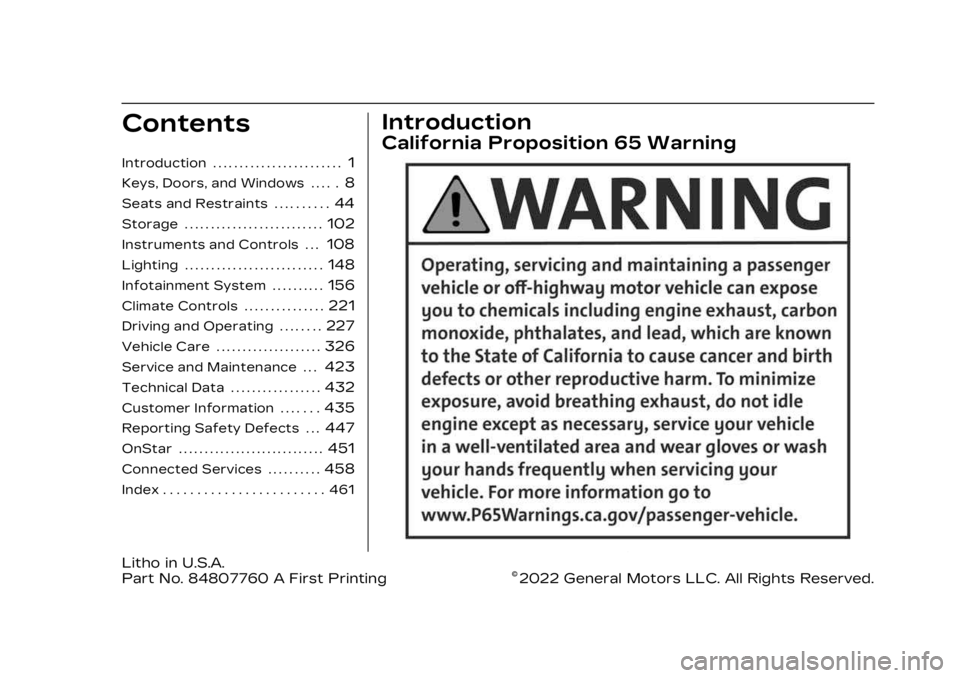
California Proposition 65 Warning
Litho in U.S.A.
Part No. 84807760 A First Printing©2022 General Motors LLC. All Rights Reserved.
Page 5 of 476
Cadillac XT4 Owner Manual (GMNA-Localizing-U.S./Canada/Mexico-
16412876) - 2023 - CRC - 3/25/22
4 Introduction
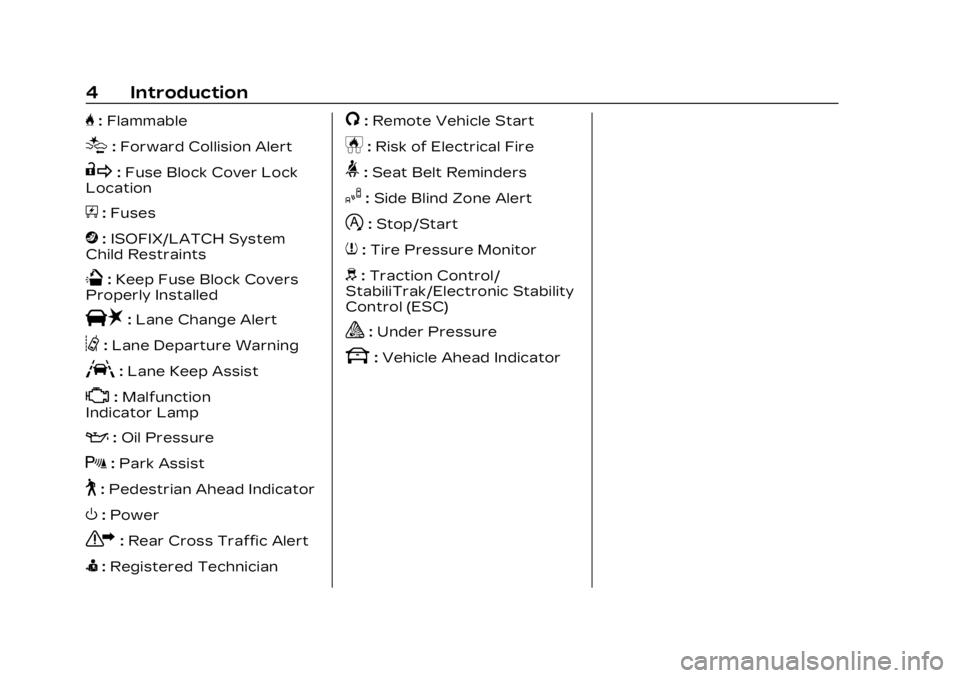
H:Flammable
[:Forward Collision Alert
R:Fuse Block Cover Lock
Location
+: Fuses
j:ISOFIX/LATCH System
Child Restraints
Q: Keep Fuse Block Covers
Properly Installed
|: Lane Change Alert
@:Lane Departure Warning
A:Lane Keep Assist
*: Malfunction
Indicator Lamp
:: Oil Pressure
X:Park Assist
~:Pedestrian Ahead Indicator
O:Power
7:Rear Cross Traffic Alert
I:Registered Technician
/:Remote Vehicle Start
h:Risk of Electrical Fire
>:Seat Belt Reminders
I:Side Blind Zone Alert
h:Stop/Start
7:Tire Pressure Monitor
d:Traction Control/
StabiliTrak/Electronic Stability
Control (ESC)
a: Under Pressure
k: Vehicle Ahead Indicator
Page 7 of 476

Cadillac XT4 Owner Manual (GMNA-Localizing-U.S./Canada/Mexico-
16412876) - 2023 - CRC - 3/25/22
6 Introduction
1. Air Vents0225.
2. Exterior Lamp Controls 0148.
Turn Signal Lever. See
Turn and Lane-Change
Signals 0152.
IntelliBeam System Button
(If Equipped). See Exterior
Lamp Controls 0148.
3. Tap Shift Controls. See Manual Mode 0262 (If
Equipped).
4. Instrument Cluster 0119.
Driver Information Center
(DIC) Display. See Driver
Information Center (DIC)
0 136.
5. Windshield Wiper/Washer 0110.
Rear Window Wiper/
Washer 0113.
6. ENGINE START/STOP Button. See Ignition
Positions 0247.
7. Light Sensor. See Automatic Headlamp
System 0151. 8. Home Button. See
Overview 0157.
9. Dual Automatic Climate Control System 0221.
10. Heated and Ventilated Front Seats 053 (If
Equipped).
11. Lane Keep Assist (LKA) 0307 (If Equipped).
12. Power Outlets 0115.
13. MODE Switch. See Driver Mode Control 0269.
14. Auto Stop Disable Switch. See Stop/Start System
0249.
15. Traction Control/ Electronic Stability Control
0267.
16. Hazard Warning Flashers 0152.
17. USB Port 0169.
18. Infotainment Controls. See Overview 0157.
19. Shift Lever. See Automatic Transmission 0257. 20. Park Assist Button. See
Assistance Systems for
Parking or Backing 0286.
Automatic Parking Assist
(APA) Button. See
Assistance Systems for
Parking or Backing 0286.
21. Steering Wheel Controls 0159.
Driver Information Center
(DIC) Controls. See Driver
Information Center (DIC)
0 136.
22. Horn 0110.
23. Steering Wheel Adjustment 0109 (Out
of View).
24. Cruise Control 0270.
Adaptive Cruise Control
(Advanced) 0273 (If
Equipped).
Heated Steering Wheel
0 110 (If Equipped).
Forward Collision Alert
(FCA) System 0297 (If
Equipped).
Page 12 of 476

Cadillac XT4 Owner Manual (GMNA-Localizing-U.S./Canada/Mexico-
16412876) - 2023 - CRC - 3/25/22
Keys, Doors, and Windows 11
this feature, touch the
Settings icon on the
infotainment home page.
Select“Vehicle” to display the
list of available options and
select “Remote Lock, Unlock,
Start”.
/: Press and releaseQand
then immediately press and
hold
/for at least
four seconds to start the
engine from outside the
vehicle using the remote key.
See Remote Vehicle Start 018.
7:Press and release one time
to initiate vehicle locator. The
exterior lamps flash and the
horn chirps three times. Press
and hold
7for three seconds
to sound the panic alarm. The
horn sounds and the turn
signal lamps flash for
30 seconds, or until
7is
pressed again or the vehicle is
started.
b: Press twice quickly to
open or close the liftgate. Press once to stop the liftgate
from moving.
Keyless Access Operation
With the Keyless Access
system, you can lock and
unlock the doors and access
the liftgate without removing
the remote key from your
pocket, purse, briefcase, etc.
The remote key should be
within 1 m (3 ft) of the liftgate
or door being opened.
Keyless Access can be
programmed to unlock all
doors on the first lock/unlock
press from the driver door.
Keyless access can also be
turned off. To view available
settings for this feature, touch
the Settings icon on the
infotainment home page.
Select
“Vehicle” to display the
list of available options and
select “Remote Lock, Unlock,
Start”. If equipped with memory
seats, remote keys 1 and 2 are
linked to seating positions of
memory 1 or 2. See Memory
Seats
050.
Keyless Unlocking/Locking
from the Driver Door
When the doors are locked
and the remote key is within
1 m (3 ft) of the driver door
handle, pressing the lock/
unlock button on the driver
door handle will unlock the
driver door. If the lock/unlock
button is pressed again within
five seconds, all passenger
doors will unlock.
Page 19 of 476
Cadillac XT4 Owner Manual (GMNA-Localizing-U.S./Canada/Mexico-
16412876) - 2023 - CRC - 3/25/22
18 Keys, Doors, and Windows
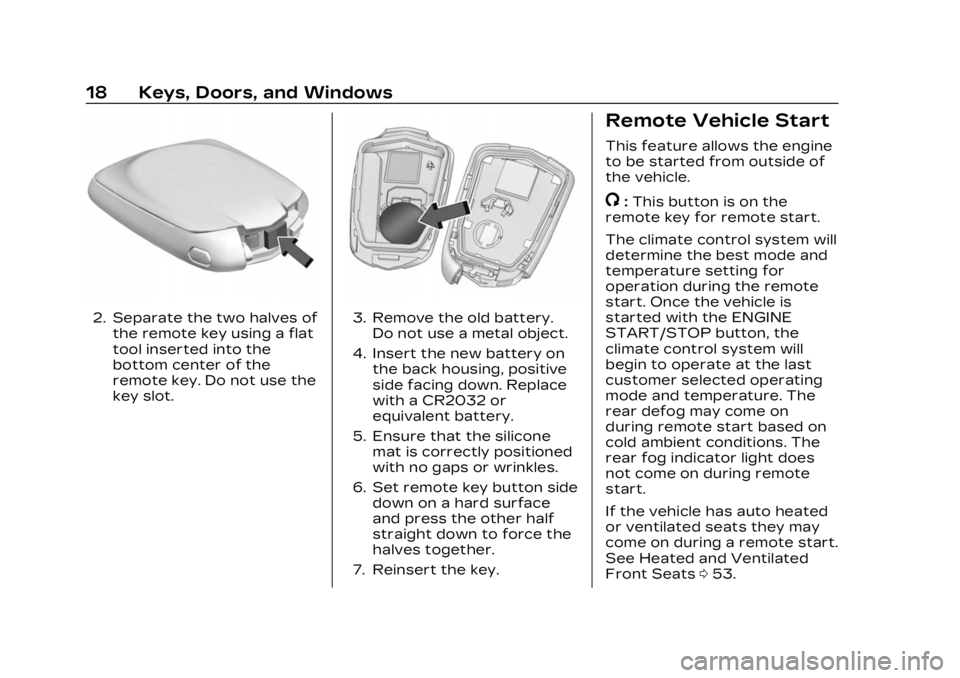
2. Separate the two halves ofthe remote key using a flat
tool inserted into the
bottom center of the
remote key. Do not use the
key slot.3. Remove the old battery.Do not use a metal object.
4. Insert the new battery on the back housing, positive
side facing down. Replace
with a CR2032 or
equivalent battery.
5. Ensure that the silicone mat is correctly positioned
with no gaps or wrinkles.
6. Set remote key button side down on a hard surface
and press the other half
straight down to force the
halves together.
7. Reinsert the key.
Remote Vehicle Start
This feature allows the engine
to be started from outside of
the vehicle.
/: This button is on the
remote key for remote start.
The climate control system will
determine the best mode and
temperature setting for
operation during the remote
start. Once the vehicle is
started with the ENGINE
START/STOP button, the
climate control system will
begin to operate at the last
customer selected operating
mode and temperature. The
rear defog may come on
during remote start based on
cold ambient conditions. The
rear fog indicator light does
not come on during remote
start.
If the vehicle has auto heated
or ventilated seats they may
come on during a remote start.
See Heated and Ventilated
Front Seats 053.
Page 21 of 476

Cadillac XT4 Owner Manual (GMNA-Localizing-U.S./Canada/Mexico-
16412876) - 2023 - CRC - 3/25/22
20 Keys, Doors, and Windows
.The remote key is in the
vehicle.
.The vehicle is not off.
.The hood is not closed.
.The hazard warning flashers
are on.
.There is an emission control
system malfunction.
.The engine coolant
temperature is too high.
.The oil pressure is low.
.Two remote vehicle starts or
a start with an extension
have already been used.
.The vehicle is not in P (Park).
Door Locks
{Warning
Unlocked doors can be
dangerous.
.Passengers, especially
children, can easily open
the doors and fall out of a
moving vehicle. The doors
can be unlocked and
opened while the vehicle is(Continued)
Warning (Continued)
moving. The chance of
being thrown out of the
vehicle in a crash is
increased if the doors are
not locked. So, all
passengers should wear
seat belts properly and
the doors should be
locked whenever the
vehicle is driven.
.Young children who get
into unlocked vehicles may
be unable to get out.
A child can be overcome
by extreme heat and can
suffer permanent injuries
or even death from heat
stroke. Always lock the
vehicle whenever
leaving it.
.Outsiders can easily enter
through an unlocked door
when you slow down or
stop the vehicle. Locking
the doors can help
prevent this from
happening. To lock/unlock the doors from
outside the vehicle:
.PressQorKon the remote
key. See Remote Key
Operation 09.
.Use the key in the key lock
cylinder in the driver door.
The key lock cylinder is
covered with a cap.
To lock/unlock the doors from
inside the vehicle:
.PressQorKon the power
door lock switch. See Power
Door Locks 022.
.Push down on the door lock
knob to lock a door.
.Pull the door handle once to
unlock it. Pull the door
handle again to unlatch it.
Page 35 of 476

Cadillac XT4 Owner Manual (GMNA-Localizing-U.S./Canada/Mexico-
16412876) - 2023 - CRC - 3/25/22
34 Keys, Doors, and Windows
If the engine does not start
and the security light stays on,
there is a problem with the
system. Turn the ignition off
and try again.
If the vehicle will not change
ignition modes (accessory
mode, on, off), and the remote
key appears to be undamaged,
try another remote key. Or,
you may try placing the
remote key in the front
cupholder located in the
center console. See Remote
Key Operation09.
If the ignition mode will not
change with the other remote
key or in the front cupholder,
your vehicle needs service.
If the ignition does change
modes, the first remote key
may be faulty. See your dealer
who can service the
theft-deterrent system and
have a new remote key
programmed to the vehicle.
It is possible for the
immobilizer system to learn
new or replacement remote keys. Up to eight remote keys
can be programmed for the
vehicle. To program additional
remote keys, see
“Programming Remote Keys to
the Vehicle”
under Remote
Key Operation 09.
Do not leave the key or device
that disarms or deactivates
the theft-deterrent system in
the vehicle.
Exterior Mirrors
Convex Mirrors
{Warning
A convex mirror can make
things, like other vehicles,
look farther away than they
really are. If you cut too
sharply into the right lane,
you could hit a vehicle on
the right. Check the inside
mirror or glance over your
shoulder before changing
lanes. The passenger side mirror is
convex shaped. A convex
mirror surface is curved so
more can be seen from the
driver seat.
Power Mirrors
To adjust each mirror:
1. Press
}or|to choose
the driver or passenger
side mirror. The indicator
light will illuminate.
2. Press the arrows on the control pad to move the
mirror in the desired
direction.
Page 36 of 476
Cadillac XT4 Owner Manual (GMNA-Localizing-U.S./Canada/Mexico-
16412876) - 2023 - CRC - 3/25/22
Keys, Doors, and Windows 35
3. Adjust each outside mirrorso that a little of the
vehicle and the area
behind it can be seen.
4. Press
}or|again to
deselect the mirror.
Memory Mirrors
The vehicle may have memory
mirrors. See Memory Seats
0 50.
Lane Change Alert (LCA)
The vehicle may have LCA.
See Lane Change Alert (LCA)
0 304.
Side Blind Zone Alert (SBZA)
The vehicle may have Side
Blind Zone Alert. See Side
Blind Zone Alert (SBZA) 0304.
Turn Signal Indicator
The vehicle may have a turn
signal indicator on the mirror
housings. See Turn and
Lane-Change Signals 0152.
Folding Mirrors
Manual Folding Mirrors
If equipped, manually fold the
mirrors inward toward the
vehicle to prevent damage
when going through an
automatic car wash. Push the
mirror outward to return it to
the original position.
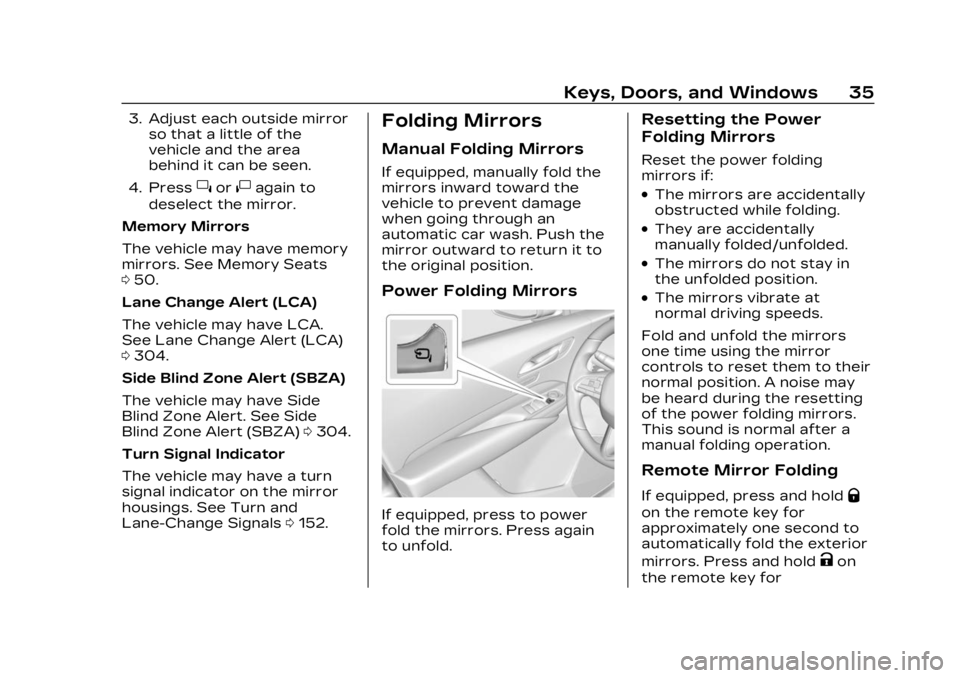
Power Folding Mirrors
If equipped, press to power
fold the mirrors. Press again
to unfold.
Resetting the Power
Folding Mirrors
Reset the power folding
mirrors if:
.The mirrors are accidentally
obstructed while folding.
.They are accidentally
manually folded/unfolded.
.The mirrors do not stay in
the unfolded position.
.The mirrors vibrate at
normal driving speeds.
Fold and unfold the mirrors
one time using the mirror
controls to reset them to their
normal position. A noise may
be heard during the resetting
of the power folding mirrors.
This sound is normal after a
manual folding operation.
Remote Mirror Folding
If equipped, press and holdQ
on the remote key for
approximately one second to
automatically fold the exterior
mirrors. Press and hold
Kon
the remote key for
Page 37 of 476
Cadillac XT4 Owner Manual (GMNA-Localizing-U.S./Canada/Mexico-
16412876) - 2023 - CRC - 3/25/22
36 Keys, Doors, and Windows
approximately one second to
unfold. See Remote Key
Operation09.
This feature is turned on or off
through vehicle settings. To
view available settings for this
feature, touch the Settings
icon on the infotainment home
page. Select “Vehicle”to
display the list of available
options and select “Comfort
and Convenience”.
Heated Mirrors
K: Press to heat the mirrors.
See “Rear Window Defogger”
under Dual Automatic Climate
Control System 0221.
Automatic Dimming
Mirror
If the vehicle has the
automatic dimming mirror, the
driver outside mirror
automatically adjusts for the
glare of headlamps
behind you.
Reverse Tilt Mirrors
If equipped with reverse tilt
mirrors and memory seats, the
passenger and/or driver
mirror tilts to a preselected
position when the vehicle is in
R (Reverse). This allows the
curb to be seen when parallel
parking.
The mirror(s) may move from
their tilted position when:
.The vehicle is shifted out of
R (Reverse), or remains in
R (Reverse) for about
30 seconds.
.The vehicle is turned off.
.The vehicle is driven in
R (Reverse) above a set
speed.
To view available settings
from the infotainment screen,
touch Settings > Vehicle >
Comfort and Convenience.
Interior Mirrors
Interior Rearview
Mirrors
Adjust the rearview mirror for
a clear view of the area behind
the vehicle.
Do not spray glass cleaner
directly on the mirror. Use a
soft towel dampened with
water.
Manual Rearview
Mirror
If equipped, push the tab
forward for daytime use and
pull it rearward for nighttime
use to avoid glare of the
headlamps from behind.
Automatic Dimming
Rearview Mirror
If equipped, automatic
dimming reduces the glare of
headlamps from behind. The
dimming feature comes on
when the vehicle is started.
Page 40 of 476
Cadillac XT4 Owner Manual (GMNA-Localizing-U.S./Canada/Mexico-
16412876) - 2023 - CRC - 3/25/22
Keys, Doors, and Windows 39
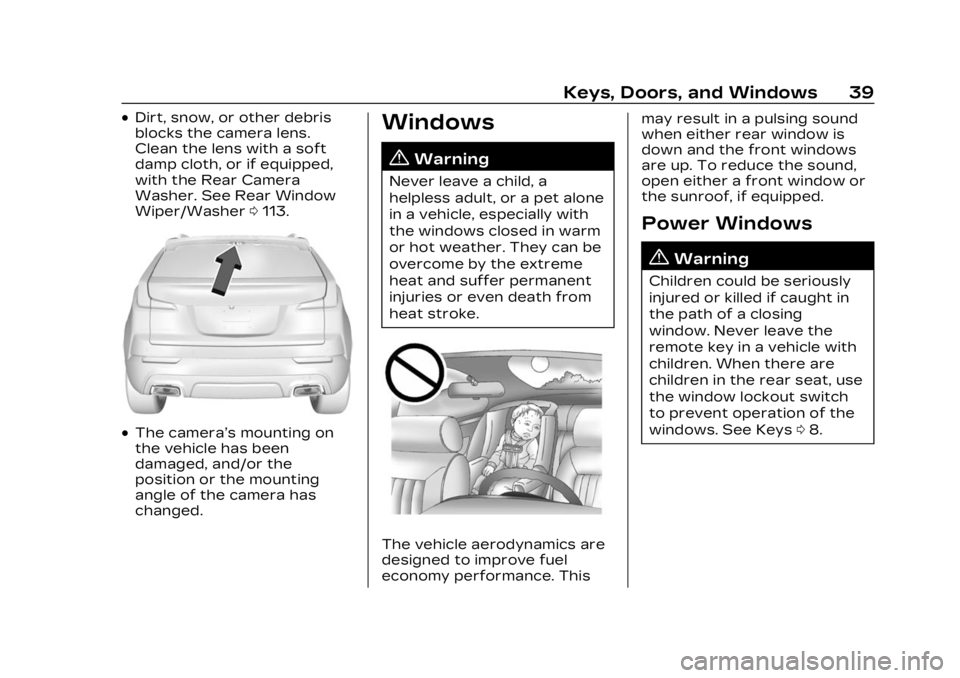
.Dirt, snow, or other debris
blocks the camera lens.
Clean the lens with a soft
damp cloth, or if equipped,
with the Rear Camera
Washer. See Rear Window
Wiper/Washer0113.
.The camera’s mounting on
the vehicle has been
damaged, and/or the
position or the mounting
angle of the camera has
changed.
Windows
{
Warning
Never leave a child, a
helpless adult, or a pet alone
in a vehicle, especially with
the windows closed in warm
or hot weather. They can be
overcome by the extreme
heat and suffer permanent
injuries or even death from
heat stroke.
The vehicle aerodynamics are
designed to improve fuel
economy performance. This may result in a pulsing sound
when either rear window is
down and the front windows
are up. To reduce the sound,
open either a front window or
the sunroof, if equipped.
Power Windows
{Warning
Children could be seriously
injured or killed if caught in
the path of a closing
window. Never leave the
remote key in a vehicle with
children. When there are
children in the rear seat, use
the window lockout switch
to prevent operation of the
windows. See Keys
08.