Shift lever CADILLAC XT5 2017 1.G User Guide
[x] Cancel search | Manufacturer: CADILLAC, Model Year: 2017, Model line: XT5, Model: CADILLAC XT5 2017 1.GPages: 339, PDF Size: 2.75 MB
Page 202 of 339
Cadillac XT5 Owner Manual (GMNA-Localizing-MidEast-10260744) - 2017 -
crc - 1/14/16
202 Driving and Operating
3. To exit, pull back on the shiftlever a second time. The D in
the shift pattern will illuminate
in red, and the M will switch to
white.
With the transmission in D (Drive)
and not in Permanent Tap Shift
Mode, the Tap Shift controls will
activate a temporary tap manual
shift mode, allowing the
transmission to be manually shifted.
Automatic shifts return after no
manual shifts have been done for
seven to 10 seconds. The
Temporary Tap Shift Mode can also
be deactivated by holding the right
upshift control briefly.
While using Tap Shift, the vehicle
will have firmer, quicker shifting.
This can be used for sport driving or
when climbing or descending hills,
to stay in gear longer, or to
downshift for more power or engine
braking.
The transmission will only allow
shifting into gears appropriate for
the vehicle speed and engine
revolutions per minute (rpm). The
transmission will not automatically shift to the next lower gear if the
engine rpm is too high, nor to the
next higher gear when the maximum
engine rpm is reached.
If shifting is prevented for any
reason, a SHIFT DENIED message
will be displayed in the instrument
cluster. See
Transmission
Messages 0150.
When accelerating the vehicle from
a stop in snowy and icy conditions,
it is suggested to shift into second
gear. A higher gear allows the
vehicle to gain more traction on
slippery surfaces.Drive Systems
All-Wheel Drive
Vehicles with this feature can
operate in All-Wheel Drive (AWD)
Mode. See Driver Mode
Control 0208.
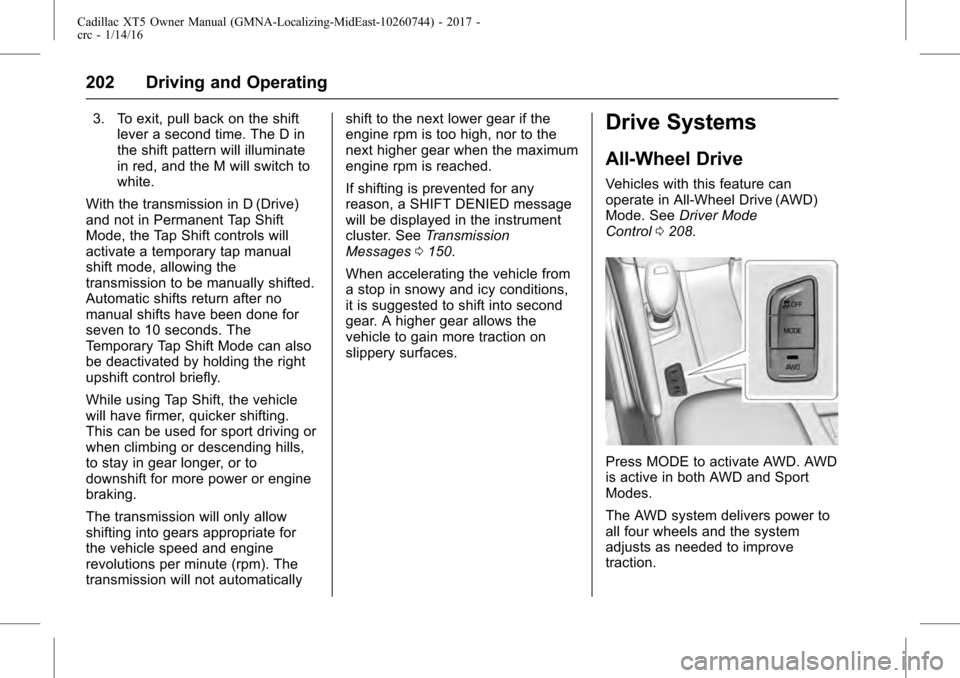
Press MODE to activate AWD. AWD
is active in both AWD and Sport
Modes.
The AWD system delivers power to
all four wheels and the system
adjusts as needed to improve
traction.
Page 302 of 339
Cadillac XT5 Owner Manual (GMNA-Localizing-MidEast-10260744) - 2017 -
crc - 1/14/16
302 Vehicle Care
2. Position the two vehicles sothat they are not touching.
3. Set the parking brake firmly and put the shift lever in
P (Park). See Shifting Into
Park 0195.
Caution
If any accessories are left on or
plugged in during the jump
starting procedure, they could be
damaged. The repairs would not
be covered by the vehicle
warranty. Whenever possible, turn
off or unplug all accessories on
either vehicle when jump starting.
4. Set the ignition to OFF. Turn off all lights and accessories in
both vehicles, except the
hazard warning flashers if
needed.
{Warning
An electric fan can start up even
when the engine is not running
and can injure you. Keep hands,
clothing, and tools away from any
underhood electric fan.
{Warning
Using a match near a battery can
cause battery gas to explode.
People have been hurt doing this,
and some have been blinded.
Use a flashlight if you need more
light.
Battery fluid contains acid that
can burn you. Do not get it on
you. If you accidentally get it in
your eyes or on your skin, flush
the place with water and get
medical help immediately.
{Warning
Fans or other moving engine
parts can injure you badly. Keep
your hands away from moving
parts once the engine is running.
5. Connect one end of the red positive (+) cable to the remote
positive (+) terminal on the
discharged battery.
6. Connect the other end of the red positive (+) cable to the
positive (+) terminal of the good
battery.
7. Connect one end of the black negative (–) cable to the
negative (–) terminal of the
good battery.
8. Connect the other end of the black negative (–) cable to the
remote negative (–) ground
terminal for the discharged
battery.
9. Start the engine in the vehicle with the good battery and run
the engine at idle speed for at
least four minutes.