low battery CADILLAC XT5 2017 1.G User Guide
[x] Cancel search | Manufacturer: CADILLAC, Model Year: 2017, Model line: XT5, Model: CADILLAC XT5 2017 1.GPages: 339, PDF Size: 2.75 MB
Page 128 of 339
Cadillac XT5 Owner Manual (GMNA-Localizing-MidEast-10260744) - 2017 -
crc - 1/14/16
128 Instruments and Controls
If towing a trailer, reduce the
amount of cargo being hauled as
soon as possible.
If the light continues to flash, find a
safe place to park. Turn the vehicle
off and wait at least 10 seconds
before restarting the engine. If the
light is still flashing, follow the
previous guidelines and see your
dealer for service as soon as
possible.
If the light is on steady :A
malfunction has been detected.
Diagnosis and service may be
required.
Check the following:
. A loose or missing fuel cap may
cause the light to come on. See
Filling the Tank 0237. A few
driving trips with the cap
properly installed may turn the
light off.
. Poor fuel quality can cause
inefficient engine operation and
poor driveability, which may go
away once the engine is warmed
up. If this occurs, change the
fuel brand. It may require at least one full tank of the proper
fuel to turn the light off. See
Fuel
0237.
If the light remains on, see your
dealer.
Emissions Inspection and
Maintenance Programs
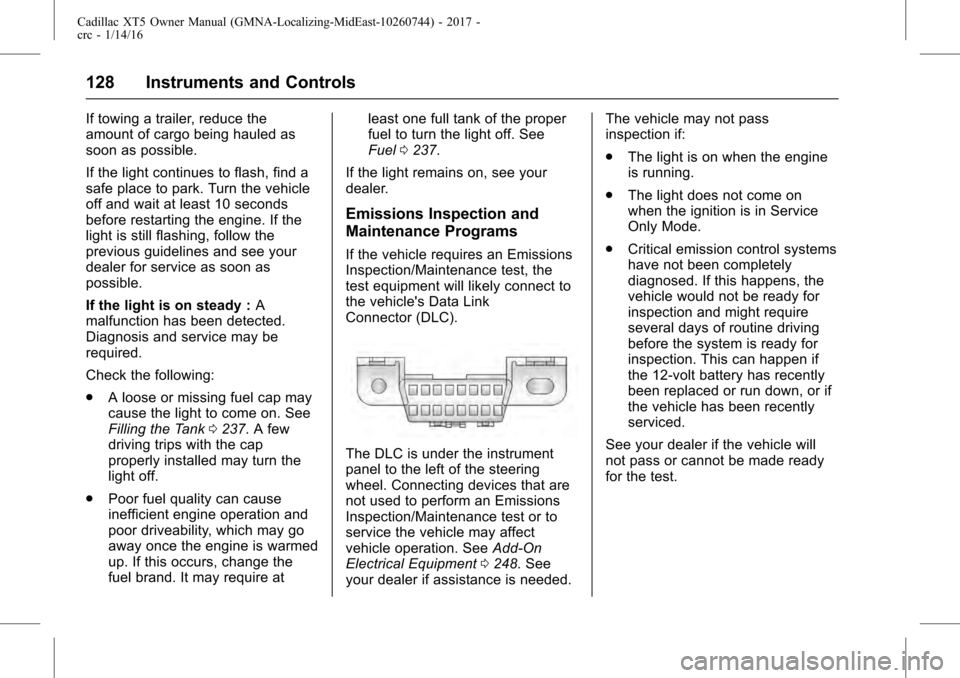
If the vehicle requires an Emissions
Inspection/Maintenance test, the
test equipment will likely connect to
the vehicle's Data Link
Connector (DLC).
The DLC is under the instrument
panel to the left of the steering
wheel. Connecting devices that are
not used to perform an Emissions
Inspection/Maintenance test or to
service the vehicle may affect
vehicle operation. See Add-On
Electrical Equipment 0248. See
your dealer if assistance is needed. The vehicle may not pass
inspection if:
.
The light is on when the engine
is running.
. The light does not come on
when the ignition is in Service
Only Mode.
. Critical emission control systems
have not been completely
diagnosed. If this happens, the
vehicle would not be ready for
inspection and might require
several days of routine driving
before the system is ready for
inspection. This can happen if
the 12-volt battery has recently
been replaced or run down, or if
the vehicle has been recently
serviced.
See your dealer if the vehicle will
not pass or cannot be made ready
for the test.
Page 136 of 339
Cadillac XT5 Owner Manual (GMNA-Localizing-MidEast-10260744) - 2017 -
crc - 1/14/16
136 Instruments and Controls
Speed :Shows the vehicle speed in
either kilometers per hour (km/h) or
miles per hour (mph).
Trip 1 or Trip 2 : The Trip display
shows the current distance traveled,
in either kilometers (km) or
miles (mi), since the trip odometer
was last reset. The trip odometer
can be reset by pressing and
holding SEL while this display is
active.
Fuel Range : Shows the
approximate distance the vehicle
can be driven without refueling.
LOW will be displayed when the
vehicle is low on fuel. The fuel
range estimate is based on an
average of the vehicle's fuel
economy over recent driving history
and the amount of fuel remaining in
the fuel tank.
Average Fuel Economy : Shows
the approximate average liters per
100 kilometers (L/100 km) or miles
per gallon (mpg). This number is
calculated based on the number of
L/100 km (mpg) recorded since the
last time this menu item was reset.
This number reflects only the approximate average fuel economy
that the vehicle has right now, and
will change as driving conditions
change. The Average Fuel
Economy can be reset by pressing
and holding SEL while this display
is active.
Instantaneous Fuel Economy :
Shows the current fuel economy in
either liters per 100 kilometers (L/
100 km) or miles per gallon (mpg).
This number reflects only the
approximate fuel economy that the
vehicle has right now and changes
frequently as driving conditions
change.
Average Speed :
Shows the
average speed of the vehicle in
kilometers per hour (km/h) or miles
per hour (mph). This average is
calculated based on the various
vehicle speeds recorded since the
last reset of this value. The average
speed can be reset by pressing and
holding SEL while this display is
active.
Timer : This display can be used as
a timer. To start the timer, press SEL
while this display is active. The display will show the amount of time
that has passed since the timer was
last reset. To stop the timer, press
SEL briefly while this display is
active and the timer is running. To
reset the timer to zero, press and
hold SEL while this display is active.
Speed Warning :
Allows the driver
to set a speed that they do not want
to exceed. To set the Speed
Warning, press SEL when Speed
Warning is displayed. Press
yor
zto adjust the value. This feature
can be turned off by pressing and
holding SEL while viewing this
page. If the selected speed limit is
exceeded, a pop-up warning is
displayed and a chime may sound.
Cruise Set Speed : Shows the
speed the cruise control or Adaptive
Cruise Control is set to.
Battery Voltage : Shows the
current battery voltage.
Fuel Economy : Displays average
fuel economy, the best fuel
economy over the selected
distance, and a bar graph showing
instantaneous fuel economy.
Page 141 of 339
Cadillac XT5 Owner Manual (GMNA-Localizing-MidEast-10260744) - 2017 -
crc - 1/14/16
Instruments and Controls 141
Battery Voltage and
Charging Messages
BATTERY SAVER ACTIVE
This message displays when the
vehicle has detected that the battery
voltage is dropping beyond a
reasonable point. The battery saver
system starts reducing features of
the vehicle that may be noticed. At
the point that features are disabled,
this message displays. Turn off
unnecessary accessories to allow
the battery to recharge.
LOW BATTERY
This message is displayed when the
battery voltage is low. See
Battery0264.
SERVICE BATTERY
CHARGING SYSTEM
This message is displayed when
there is a fault in the battery
charging system. Take the vehicle to
your dealer for service.
TRANSPORT MODE ON
This message is displayed when the
vehicle is in transport mode. Some
features can be disabled while in
this mode, including Remote
Keyless Entry (RKE), remote start,
and the vehicle alarm system. Take
the vehicle to your dealer for service
to turn transport mode off.
Brake System Messages
BRAKE FLUID LOW
This message is displayed when the
brake fluid level is low. See Brake
Fluid 0263.
BRAKES OVERHEATED
This message is displayed when the
brakes are becoming overheated.
This may be seen when driving on
hills. Shift to a lower gear.
STEP ON BRAKE TO
RELEASE PARK BRAKE
This message is displayed if you
attempt to release the Electric
Parking Brake without the brake
pedal applied. See Electric Parking
Brake 0204.
RELEASE PARKING BRAKE
This message is displayed if the
Electric Parking Brake is on while
the vehicle is in motion. See Electric
Parking Brake 0204.
SERVICE BRAKE ASSIST
This message may be displayed
when there is a problem with the
brake boost assist system. The
brake boost assist motor may be
heard and brake pedal pulsation
may be felt. This is normal under
these conditions. Take the vehicle to
your dealer for service.
SERVICE PARKING BRAKE
This message is displayed when
there is a problem with the parking
brake. Take the vehicle to your
dealer for service.
Page 144 of 339
Cadillac XT5 Owner Manual (GMNA-Localizing-MidEast-10260744) - 2017 -
crc - 1/14/16
144 Instruments and Controls
to your destination. The
performance may be reduced the
next time the vehicle is driven. The
vehicle may be driven at a reduced
speed while this message is on, but
maximum acceleration and speed
may be reduced. Anytime this
message stays on, or displays
repeatedly, the vehicle should be
taken to your dealer for service as
soon as possible.
Fuel System Messages
FUEL LEVEL LOW
This message displays when the
vehicle is low on fuel. Refuel as
soon as possible.
Key and Lock Messages
NO REMOTE KEY WAS
DETECTED PLACE KEY IN
TRANSMITTER POCKET THEN
START YOUR VEHICLE
This message displays when trying
to start the vehicle if an RKE
transmitter is not detected. The
transmitter battery may be weak.
See“Starting the Vehicle with a Low Transmitter Battery”
underRemote
Keyless Entry (RKE) System
Operation 026.
NO REMOTE DETECTED
This message displays when the
transmitter battery may be weak.
See “Starting the Vehicle with a Low
Transmitter Battery” underRemote
Keyless Entry (RKE) System
Operation 026.
NO REMOTE DETECTED
PRESS BRAKE TO RESTART
This message displays when
attempting to turn off the vehicle
and the RKE transmitter is no longer
detected. Restarting is allowed
without the RKE transmitter for
five minutes. Press the brake pedal
and ENGINE START/STOP to
restart the vehicle.
NUMBER OF KEYS
PROGRAMMED
This message displays when
programming new keys to the
vehicle.
REMOTE LEFT IN VEHICLE
This message displays when
leaving the vehicle with the RKE
transmitter still inside.
REPLACE BATTERY IN
REMOTE KEY
This message displays when the
battery in the RKE transmitter needs
to be replaced.
Lamp Messages
AUTOMATIC LIGHT CONTROL
ON/OFF
This message is displayed when the
automatic light control has been
turned on or off. See Automatic
Headlamp System 0165.
XX TURN INDICATOR FAILURE
When one of the turn signals is out,
this message displays to show
which bulb needs to be replaced.
See Bulb Replacement 0268.
Page 160 of 339
Cadillac XT5 Owner Manual (GMNA-Localizing-MidEast-10260744) - 2017 -
crc - 1/14/16
160 Instruments and Controls
Do not use the Universal Remote
system with any garage door opener
that does not have the stop and
reverse feature. This includes any
garage door opener model
manufactured before April 1, 1982.
Read these instructions completely
before programming the Universal
Remote system. It may help to have
another person assist with the
programming process.
Keep the original hand-held
transmitter for use in other vehicles
as well as for future programming.
Erase the programming when
vehicle ownership is terminated.
See“Erasing Universal Remote
System Buttons” later in this
section.
To program a garage door opener,
park outside directly in line with and
facing the garage door opener
receiver. Clear all people and
objects near the garage door.
Make sure the hand-held transmitter
has a new battery for quick and
accurate transmission of the
radio-frequency signal.Programming the Universal
Remote System
The Universal Remote system is
compatible with radio-frequency
devices operating between
433-434 MHz.
For questions or help programming
the Universal Remote system, see
www.homelink.com.
Programming involves
time-sensitive actions, and may time
out causing the procedure to be
repeated.
To program up to three devices:
1. Hold the end of the hand-held transmitter about 3 to 8 cm (1
to 3 in) away from the
Universal Remote system
buttons with the indicator light
in view. The hand-held
transmitter was supplied by the
manufacturer of the garage
door opener receiver.
2. At the same time, press and hold both the hand-held
transmitter button and one of
the three Universal Remote
system buttons to be used to operate the garage door. Do
not release either button until
the indicator light changes from
a slow to a rapid flash. Then
release both buttons.
Some garage door openers
may require substitution of
Step 2 with the procedure
under
“Radio Signals for Some
Gate Operators” later in this
section.
3. Press and hold the newly programmed Universal Remote
system button for five seconds
while watching the indicator
light and garage door
activation.
.If the indicator light stays on
continuously or the garage
door moves when the
button is pressed, then
programming is complete.
There is no need to
complete Steps 4–6.
. If the indicator light does
not come on or the garage
door does not move, a
second button press may
be required. For a second
Page 163 of 339
Cadillac XT5 Owner Manual (GMNA-Localizing-MidEast-10260744) - 2017 -
crc - 1/14/16
Lighting 163
Lighting
Exterior Lighting
Exterior Lamp Controls . . . . . . . 163
Exterior Lamps OffReminder . . . . . . . . . . . . . . . . . . . 165
Headlamp High/Low-Beam Changer . . . . . . . . . . . . . . . . . . . . 165
Flash-to-Pass . . . . . . . . . . . . . . . . 165
Daytime Running Lamps (DRL) . . . . . . . . . . . . . . . 165
Automatic Headlamp System . . . . . . . . . . . . . . . . . . . . . . 165
Hazard Warning Flashers . . . . . 166
Turn and Lane-Change Signals . . . . . . . . . . . . . . . . . . . . . . 167
Cornering Lamps . . . . . . . . . . . . . 167
Interior Lighting
Instrument Panel Illumination Control . . . . . . . . . . . . . . . . . . . . . . 167
Courtesy Lamps . . . . . . . . . . . . . . 168
Dome Lamps . . . . . . . . . . . . . . . . . 168
Reading Lamps . . . . . . . . . . . . . . 168
Lighting Features
Entry Lighting . . . . . . . . . . . . . . . . 169
Exit Lighting . . . . . . . . . . . . . . . . . . 169
Battery Power Protection . . . . . 169
Exterior Lighting Battery Saver . . . . . . . . . . . . . . . . . . . . . . . 169Exterior Lighting
Exterior Lamp Controls
The exterior lamp control is on the
turn signal lever.
Turn the control to the following
positions:
O: Turns off the exterior lamps.
The knob returns to the AUTO
position after it is released. Turn
to
Oagain to reactivate the
AUTO mode.
AUTO : Automatically turns the
exterior lamps on and off,
depending on outside lighting.
;: Turns on the parking lamps
including all lamps, except the
headlamps.
Page 186 of 339
Cadillac XT5 Owner Manual (GMNA-Localizing-MidEast-10260744) - 2017 -
crc - 1/14/16
186 Driving and Operating
clear roads in shaded areas.
The surface of a curve or an
overpass can remain icy when
the surrounding roads are clear.
Avoid sudden steering
maneuvers and braking while
on ice.
. Turn off cruise control.
. Select All-Wheel Drive (AWD)
mode. See Driver Mode Control
0 208 andAll-Wheel
Drive 0202.
Blizzard Conditions
Stop the vehicle in a safe place and
signal for help. Stay with the vehicle
unless there is help nearby. Get
help and keep everyone in the
vehicle safe:
.
Turn on the hazard warning
flashers.
. Tie a red cloth to an outside
mirror.
{Warning
Snow can trap engine exhaust
under the vehicle. This may
cause exhaust gases to get
inside. Engine exhaust contains
carbon monoxide (CO), which
cannot be seen or smelled. It can
cause unconsciousness and even
death.
If the vehicle is stuck in snow:
. Clear snow from the base of
the vehicle, especially any
blocking the exhaust pipe.
. Open a window about 5 cm
(2 in) on the vehicle side
that is away from the wind,
to bring in fresh air.
. Fully open the air outlets on
or under the instrument
panel.
. Adjust the climate control
system to circulate the air
inside the vehicle and set
(Continued)
Warning (Continued)
the fan speed to the highest
setting. See“Climate
Control Systems.”
For more information about CO,
see Engine Exhaust 0197.
To save fuel, run the engine for
short periods to warm the vehicle
and then shut the engine off and
partially close the window. Moving
about to keep warm also helps.
If it takes time for help to arrive,
when running the engine, push the
accelerator pedal slightly so the
engine runs faster than the idle
speed. This keeps the battery
charged to restart the vehicle and to
signal for help with the headlamps.
Do this as little as possible, to
save fuel.
If the Vehicle Is Stuck
Slowly and cautiously spin the
wheels to free the vehicle when
stuck in sand, mud, ice, or snow.
Page 192 of 339
Cadillac XT5 Owner Manual (GMNA-Localizing-MidEast-10260744) - 2017 -
crc - 1/14/16
192 Driving and Operating
If the pushbutton start is not
working, the vehicle may be near a
strong radio antenna signal causing
interference to the Remote Keyless
Entry (RKE) system. SeeRemote
Keyless Entry (RKE) System
Operation 026.
To shift out of P (Park), the vehicle
must be in ON/RUN mode and the
brake pedal must be applied.
Stopping the Engine/OFF (No
Indicator Light) : When the vehicle
is stopped, press ENGINE START/
STOP once to turn the engine off.
The transmission will shift to
P (Park) automatically.
If the vehicle is in P (Park), the
ignition will turn off, and Retained
Accessory Power (RAP) will remain
active. See Retained Accessory
Power (RAP) 0195.
{Warning
Turning off the vehicle while
moving may cause loss of power
assist in the brake and steering
(Continued)
Warning (Continued)
systems and disable the airbags.
While driving, only shut the
vehicle off in an emergency.
If the vehicle must be shut off in an
emergency: 1. Brake using a firm and steady pressure. Do not pump the
brakes repeatedly. This may
deplete power assist, requiring
increased brake pedal force.
2. Shift the vehicle to N (Neutral). This can be done while the
vehicle is moving. After shifting
to N (Neutral), firmly apply the
brakes and steer the vehicle to
a safe location.
3. Come to a complete stop, shift to P (Park), and press ENGINE
START/STOP. The
transmission must be in
P (Park) to turn the ignition
switch to the OFF position.
4. Set the parking brake. See Electric Parking Brake 0204. If the vehicle cannot be pulled over
and must be shut off while driving,
press and hold ENGINE START/
STOP for longer than two seconds,
or press twice in five seconds.
ACC/ACCESSORY (Amber
Indicator Light) :
This mode allows
you to use some electrical
accessories when the engine is off.
With the ignition off, pressing
ENGINE START/STOP once without
the brake pedal applied will place
the ignition system in ACC/
ACCESSORY.
The ignition will switch from ACC/
ACCESSORY to OFF after
10 minutes to prevent battery
rundown.
ON/RUN/START (Green Indicator
Light) : This mode is for driving and
starting. With the ignition off and the
brake pedal applied, pressing
ENGINE START/STOP once will
place the ignition system in ON/
RUN/START. Once engine cranking
begins, release the button. Engine
cranking will continue until the
Page 193 of 339
Cadillac XT5 Owner Manual (GMNA-Localizing-MidEast-10260744) - 2017 -
crc - 1/14/16
Driving and Operating 193
engine starts. SeeStarting the
Engine 0193. The ignition will then
remain in ON/RUN.
Service Only Mode
This power mode is available for
service and diagnostics, and Car
Wash Mode, see Automatic
Transmission 0198. And to verify
the proper operation of the
malfunction indicator lamp as may
be required for emission inspection
purposes. With the vehicle off, and
the brake pedal not applied,
pressing and holding ENGINE
START/STOP for more than
five seconds will place the vehicle in
Service Only Mode. The instruments
and audio systems will operate as
they do in ON/RUN, but the vehicle
will not be able to be driven. The
engine will not start in Service Only
Mode. Press ENGINE START/STOP
again to turn the vehicle off.
Starting the Engine
Place the transmission in the proper
gear, P (Park) or N (Neutral). To
restart the engine when the vehicle
is already moving, use N (Neutral).
Caution
Do not try to shift to P (Park) if the
vehicle is moving. If you do, you
could damage the transmission.
Shift to P (Park) only when the
vehicle is stopped.
Caution
If you add electrical parts or
accessories, you could change
the way the engine operates. Any
resulting damage would not be
covered by the vehicle warranty.
See Add-On Electrical
Equipment 0248.
To start the vehicle: 1. With the Keyless Access system, the RKE transmitter
must be in the vehicle. Press
ENGINE START/STOP with the
brake pedal applied. When the
engine begins cranking, let go
of the button. The idle speed
will go down as the engine warms up. Do not race the
engine immediately after
starting it.
If the RKE transmitter is not in
the vehicle, if there is
interference, or if the RKE
battery is low, a Driver
Information Center (DIC)
message will display. See
Key
and Lock Messages 0144 and
Remote Keyless Entry (RKE)
System Operation 026.
Caution
Cranking the engine for long
periods of time, by pressing
ENGINE START/STOP
immediately after cranking has
ended, can overheat and damage
the cranking motor, and drain the
battery. Wait at least 15 seconds
between each try, to let the
cranking motor cool down.
2. If the engine does not start after five to 10 seconds,
especially in very cold weather
(below −18 °C or 0 °F), it could
Page 194 of 339
Cadillac XT5 Owner Manual (GMNA-Localizing-MidEast-10260744) - 2017 -
crc - 1/14/16
194 Driving and Operating
be flooded with too much
gasoline. Try pushing the
accelerator pedal all the way to
the floor and hold it there, then
press ENGINE START/STOP
for up to a maximum of
15 seconds. Wait at least
15 seconds between each try,
to allow the cranking motor to
cool down. When the engine
starts, let go of the button and
the accelerator. If the vehicle
starts briefly but then stops
again, do the same thing. This
clears the extra gasoline from
the engine. Do not race the
engine immediately after
starting it. Operate the engine
and transmission gently until
the oil warms up and lubricates
all moving parts.
Stop/Start System
{Warning
Exiting the vehicle without first
shifting into P (Park) may cause
the vehicle to move. You or others(Continued)
Warning (Continued)
may be injured. Because the
vehicle has the auto engine stop/
start feature, the vehicle's engine
might seem to be shut off;
however, once the brake pedal is
released, the engine will start up
again.
Shift to P (Park) and turn the
ignition to LOCK/OFF, before
exiting the vehicle.
The vehicle has a fuel saving stop/
start system to shut off the engine to
help conserve fuel.
Auto Engine Stop/Start
When the brakes are applied and
the vehicle is at a complete stop,
the engine may turn off. When
stopped, the tachometer displays
AUTO STOP. See Tachometer
0 121. When the brake pedal is
released or the accelerator pedal is
pushed, the engine will restart.
Auto Stop may be deactivated if: .
A minimum vehicle speed is not
reached.
. The engine or transmission is
not at the required operating
temperature.
. The outside temperature is not
in the required operating range,
typically below −10 °C (14 °F) or
above 50 °C (122 °F).
. The transmission is in any gear
other than D (Drive).
. The battery is low.
. The battery has been
disconnected.
. The interior comfort level has not
reached the required level for
the climate control system or
defog settings. See Dual
Automatic Climate Control
System 0171.
. The Auto Stop time is greater
than two minutes.