warning CADILLAC XT5 2017 1.G Workshop Manual
[x] Cancel search | Manufacturer: CADILLAC, Model Year: 2017, Model line: XT5, Model: CADILLAC XT5 2017 1.GPages: 339, PDF Size: 2.75 MB
Page 108 of 339
Cadillac XT5 Owner Manual (GMNA-Localizing-MidEast-10260744) - 2017 -
crc - 1/14/16
108 Instruments and Controls
Instruments and
Controls
Controls
Steering Wheel Adjustment . . . 109
Steering Wheel Controls . . . . . . 109
Heated Steering Wheel . . . . . . . 109
Horn . . . . . . . . . . . . . . . . . . . . . . . . . . 110
Windshield Wiper/Washer . . . . 110
Rear Window Wiper/Washer . . . . . . . . . . . . . . . . . . . . . . 112
Clock . . . . . . . . . . . . . . . . . . . . . . . . . 113
Power Outlets . . . . . . . . . . . . . . . . 114
Wireless Charging . . . . . . . . . . . . 114
Cigarette Lighter . . . . . . . . . . . . . . 115
Ashtrays . . . . . . . . . . . . . . . . . . . . . . 116
Warning Lights, Gauges, and
Indicators
Warning Lights, Gauges, and Indicators . . . . . . . . . . . . . . . . . . . 116
Instrument Cluster (Base Cluster) . . . . . . . . . . . . . . . . . . . . . 117
Instrument Cluster (Uplevel Cluster) . . . . . . . . . . . . . . . . . . . . . 119
Speedometer . . . . . . . . . . . . . . . . . 121
Odometer . . . . . . . . . . . . . . . . . . . . . 121
Trip Odometer . . . . . . . . . . . . . . . . 121
Tachometer . . . . . . . . . . . . . . . . . . . 121 Fuel Gauge . . . . . . . . . . . . . . . . . . . 121
Engine Oil Pressure
Gauge . . . . . . . . . . . . . . . . . . . . . . 122
Engine Coolant Temperature Gauge . . . . . . . . . . . . . . . . . . . . . . 123
Voltmeter Gauge (Uplevel Cluster) . . . . . . . . . . . . . . . . . . . . . 124
Safety Belt Reminders . . . . . . . . 125
Airbag Readiness Light . . . . . . . 125
Passenger Airbag Status Indicator . . . . . . . . . . . . . . . . . . . . 126
Charging System Light . . . . . . . 126
Malfunction Indicator Lamp (Check Engine Light) . . . . . . . . 127
Brake System Warning Light . . . . . . . . . . . . . . . . . . . . . . . . 129
Electric Parking Brake Light . . . . . . . . . . . . . . . . . . . . . . . . 129
Service Electric Parking Brake Light . . . . . . . . . . . . . . . . . . . . . . . . 129
Antilock Brake System (ABS) Warning Light . . . . . . . . . . . . . . . 130
Lane Keep Assist (LKA) Light . . . . . . . . . . . . . . . . . . . . . . . . 130
Vehicle Ahead Indicator . . . . . . 131
Pedestrian Ahead Indicator . . . 131
Traction Off Light . . . . . . . . . . . . . 131
StabiliTrak
®OFF Light . . . . . . . . 131
Traction Control System (TCS)/ StabiliTrak
®Light . . . . . . . . . . . 132 Engine Coolant Temperature
Warning Light . . . . . . . . . . . . . . . 132
Tire Pressure Light . . . . . . . . . . . 132
Engine Oil Pressure Light . . . . 133
Low Fuel Warning Light . . . . . . 133
Security Light . . . . . . . . . . . . . . . . . 134
High-Beam On Light . . . . . . . . . . 134
Lamps On Reminder . . . . . . . . . 134
Cruise Control Light . . . . . . . . . . 134
Door Ajar Light . . . . . . . . . . . . . . . 135
Information Displays
Driver Information Center (DIC) . . . . . . . . . . . . . . . . 135
Head-Up Display (HUD) . . . . . . 137
Vehicle Messages
Vehicle Messages . . . . . . . . . . . . 140
Battery Voltage and Charging Messages . . . . . . . . . . . . . . . . . . . 141
Brake System Messages . . . . . 141
Cruise Control Messages . . . . . 142
Door Ajar Messages . . . . . . . . . . 142
Engine Cooling System Messages . . . . . . . . . . . . . . . . . . . 142
Engine Oil Messages . . . . . . . . . 143
Engine Power Messages . . . . . 143
Fuel System Messages . . . . . . . 144
Key and Lock Messages . . . . . 144
Lamp Messages . . . . . . . . . . . . . . 144
Page 112 of 339
Cadillac XT5 Owner Manual (GMNA-Localizing-MidEast-10260744) - 2017 -
crc - 1/14/16
112 Instruments and Controls
With Rainsense, if the transmission
is in N (Neutral) and the vehicle
speed is very slow, the wipers will
automatically stop at the base of the
windshield.
The wiper operations return to
normal when the transmission is no
longer in N (Neutral) or the vehicle
speed has increased.
{Warning
In freezing weather, do not use
the washer until the windshield is
warmed. Otherwise the washer
fluid can form ice on the
windshield, blocking your vision.
Rear Window Wiper/
Washer
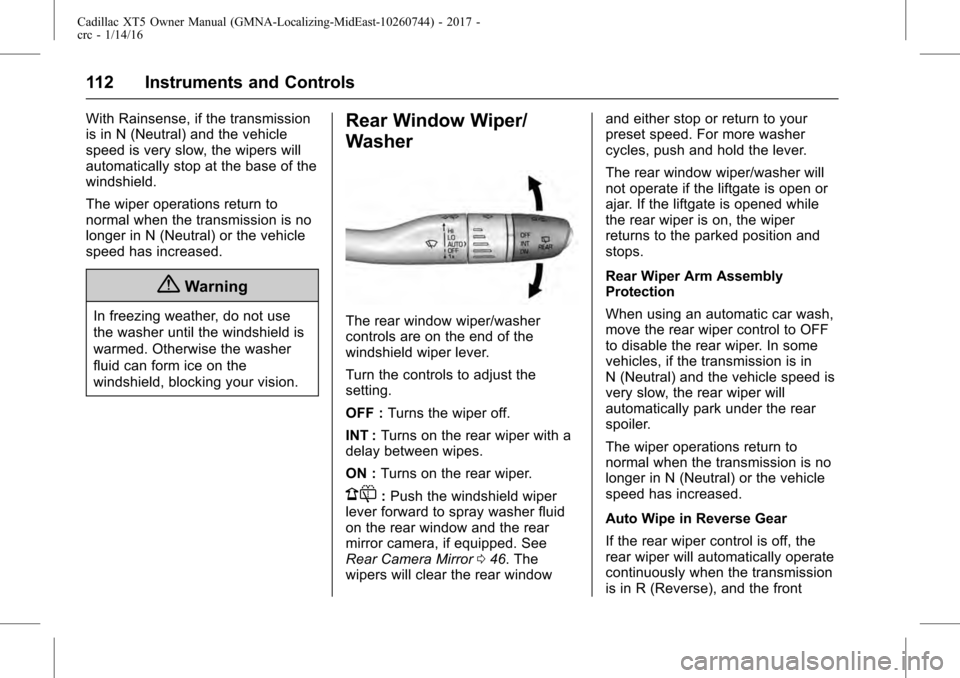
The rear window wiper/washer
controls are on the end of the
windshield wiper lever.
Turn the controls to adjust the
setting.
OFF :Turns the wiper off.
INT : Turns on the rear wiper with a
delay between wipes.
ON : Turns on the rear wiper.
1:Push the windshield wiper
lever forward to spray washer fluid
on the rear window and the rear
mirror camera, if equipped. See
Rear Camera Mirror 046. The
wipers will clear the rear window and either stop or return to your
preset speed. For more washer
cycles, push and hold the lever.
The rear window wiper/washer will
not operate if the liftgate is open or
ajar. If the liftgate is opened while
the rear wiper is on, the wiper
returns to the parked position and
stops.
Rear Wiper Arm Assembly
Protection
When using an automatic car wash,
move the rear wiper control to OFF
to disable the rear wiper. In some
vehicles, if the transmission is in
N (Neutral) and the vehicle speed is
very slow, the rear wiper will
automatically park under the rear
spoiler.
The wiper operations return to
normal when the transmission is no
longer in N (Neutral) or the vehicle
speed has increased.
Auto Wipe in Reverse Gear
If the rear wiper control is off, the
rear wiper will automatically operate
continuously when the transmission
is in R (Reverse), and the front
Page 114 of 339
Cadillac XT5 Owner Manual (GMNA-Localizing-MidEast-10260744) - 2017 -
crc - 1/14/16
114 Instruments and Controls
2. Touch Clock Display, thenselect Off or On.
3. Touch
[Back to go back to the
previous menu.
Power Outlets
The accessory power outlet can be
used to plug in electrical equipment,
such as a cell phone or MP3 player.
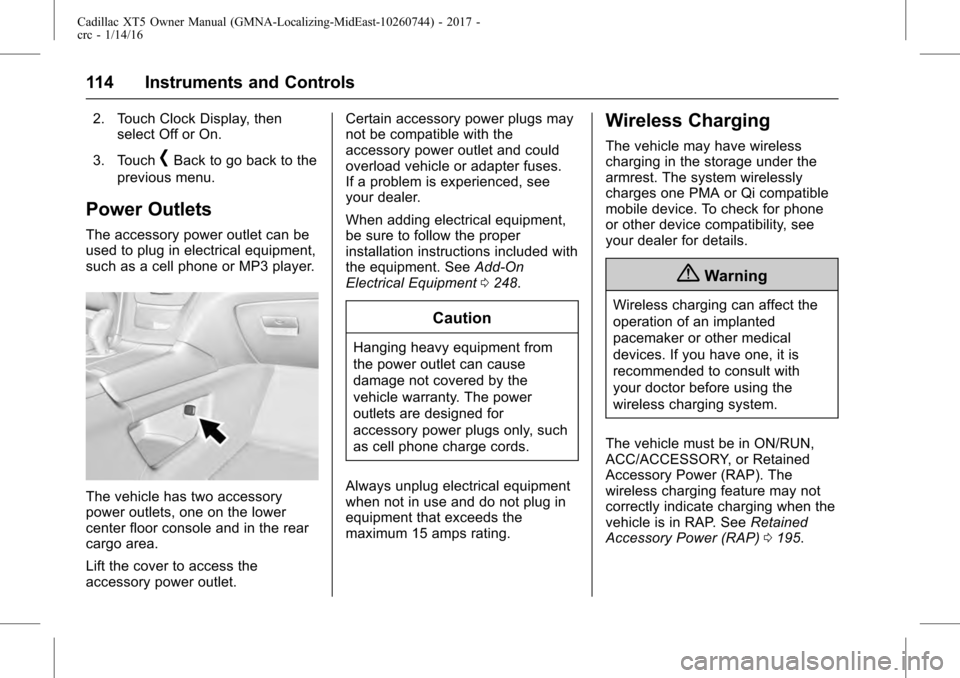
The vehicle has two accessory
power outlets, one on the lower
center floor console and in the rear
cargo area.
Lift the cover to access the
accessory power outlet. Certain accessory power plugs may
not be compatible with the
accessory power outlet and could
overload vehicle or adapter fuses.
If a problem is experienced, see
your dealer.
When adding electrical equipment,
be sure to follow the proper
installation instructions included with
the equipment. See
Add-On
Electrical Equipment 0248.
Caution
Hanging heavy equipment from
the power outlet can cause
damage not covered by the
vehicle warranty. The power
outlets are designed for
accessory power plugs only, such
as cell phone charge cords.
Always unplug electrical equipment
when not in use and do not plug in
equipment that exceeds the
maximum 15 amps rating.
Wireless Charging
The vehicle may have wireless
charging in the storage under the
armrest. The system wirelessly
charges one PMA or Qi compatible
mobile device. To check for phone
or other device compatibility, see
your dealer for details.
{Warning
Wireless charging can affect the
operation of an implanted
pacemaker or other medical
devices. If you have one, it is
recommended to consult with
your doctor before using the
wireless charging system.
The vehicle must be in ON/RUN,
ACC/ACCESSORY, or Retained
Accessory Power (RAP). The
wireless charging feature may not
correctly indicate charging when the
vehicle is in RAP. See Retained
Accessory Power (RAP) 0195.
Page 115 of 339
Cadillac XT5 Owner Manual (GMNA-Localizing-MidEast-10260744) - 2017 -
crc - 1/14/16
Instruments and Controls 115
The operating temperature is−20 °C
(−4 °F) to 60 °C (140 °F) for the
charging system and 0 °C (32 °F) to
35 °C (95 °F) for the phone.
{Warning
Remove all metal objects from the
charging pad before charging
your mobile device. Metal objects,
such as coins, keys, rings,
or paper clips, between the phone
and charging pad will become
very hot. On the rare occasion
that the charging system does not
detect a metal object, and the
object gets wedged between the
phone and charger, remove the
phone and allow the metallic
object to cool before removing it
from the charging pad, to prevent
burns.
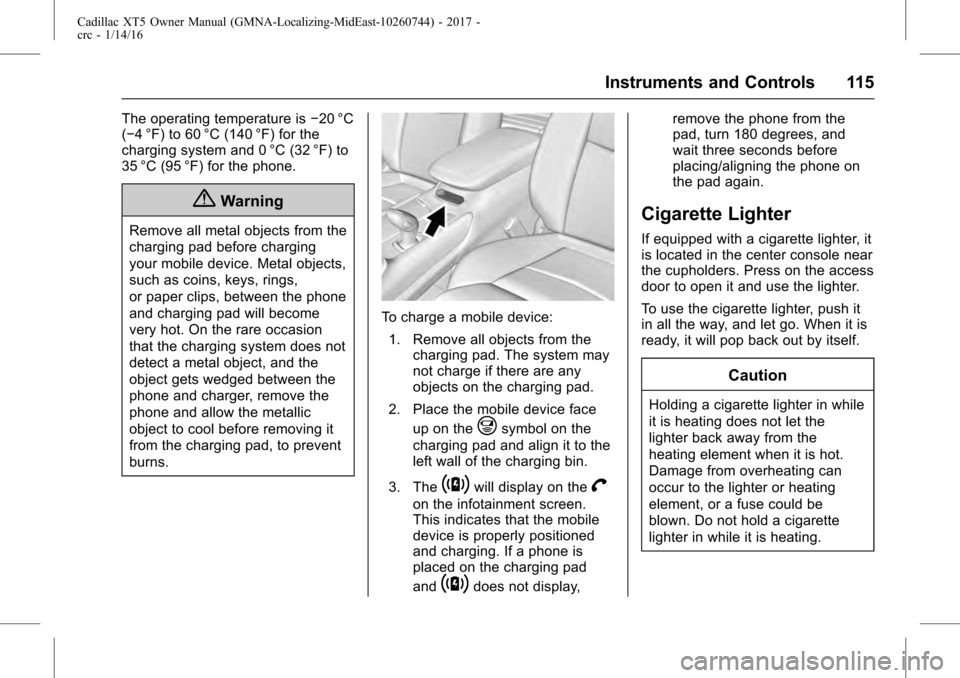
To charge a mobile device:
1. Remove all objects from the charging pad. The system may
not charge if there are any
objects on the charging pad.
2. Place the mobile device face up on the
@symbol on the
charging pad and align it to the
left wall of the charging bin.
3. The
~will display on theV
on the infotainment screen.
This indicates that the mobile
device is properly positioned
and charging. If a phone is
placed on the charging pad
and
~does not display, remove the phone from the
pad, turn 180 degrees, and
wait three seconds before
placing/aligning the phone on
the pad again.
Cigarette Lighter
If equipped with a cigarette lighter, it
is located in the center console near
the cupholders. Press on the access
door to open it and use the lighter.
To use the cigarette lighter, push it
in all the way, and let go. When it is
ready, it will pop back out by itself.
Caution
Holding a cigarette lighter in while
it is heating does not let the
lighter back away from the
heating element when it is hot.
Damage from overheating can
occur to the lighter or heating
element, or a fuse could be
blown. Do not hold a cigarette
lighter in while it is heating.
Page 116 of 339
Cadillac XT5 Owner Manual (GMNA-Localizing-MidEast-10260744) - 2017 -
crc - 1/14/16
116 Instruments and Controls
Ashtrays
If equipped, the ashtray is in the
center console cupholder.
Caution
If papers, pins, or other
flammable items are put in the
ashtray, hot cigarettes or other
smoking materials could ignite
them and possibly damage the
vehicle. Never put flammable
items in the ashtray.
To remove the ashtray, pull it from
the cupholder. Push it back down to
be sure it is secure.
Warning Lights,
Gauges, and
Indicators
Warning lights and gauges can
signal that something is wrong
before it becomes serious enough
to cause an expensive repair or
replacement. Paying attention to the
warning lights and gauges could
prevent injury.
Some warning lights come on briefly
when the engine is started to
indicate they are working. When
one of the warning lights comes on
and stays on while driving, or when
one of the gauges shows there may
be a problem, check the section that
explains what to do. Waiting to do
repairs can be costly and even
dangerous.
Page 121 of 339
Cadillac XT5 Owner Manual (GMNA-Localizing-MidEast-10260744) - 2017 -
crc - 1/14/16
Instruments and Controls 121
Open Source Software :Press
SEL while Open Source Software is
highlighted to display open source
software information.
Speedometer
The speedometer shows the
vehicle's speed in kilometers per
hour (km/h) or miles per hour (mph).
This vehicle is equipped with an
overspeed warning device. When
the vehicle's speed reaches
120 km/h (75 mph), a chime will
sound. A message also displays in
the Driver Information Center (DIC).
See Vehicle Speed
Messages 0151.
Odometer
The odometer shows how far the
vehicle has been driven, in either
kilometers or miles.
Trip Odometer
The trip odometer shows how far
the vehicle has been driven since
the trip odometer was last reset. The trip odometer is accessed and
reset through the Driver Information
Center (DIC). See
Driver
Information Center (DIC) 0135.
Tachometer
The tachometer displays the engine
speed in revolutions per
minute (rpm).
For vehicles with the Stop/Start
system, when the ignition is in ON/
RUN, the tachometer indicates the
vehicle status. When pointing to
AUTO STOP, the engine is off but
the vehicle is on and can move. The
engine could auto start at any time.
When the indicator points to OFF,
the vehicle is off.
When the engine is on, the
tachometer will indicate the engine’s
revolutions per minute (rpm). The
tachometer may vary by several
hundred rpm’s, during Auto Stop
mode, when the engine is shutting
off and restarting.
A slight bump may be felt when the
transmission is determining the
most fuel efficient operating range.
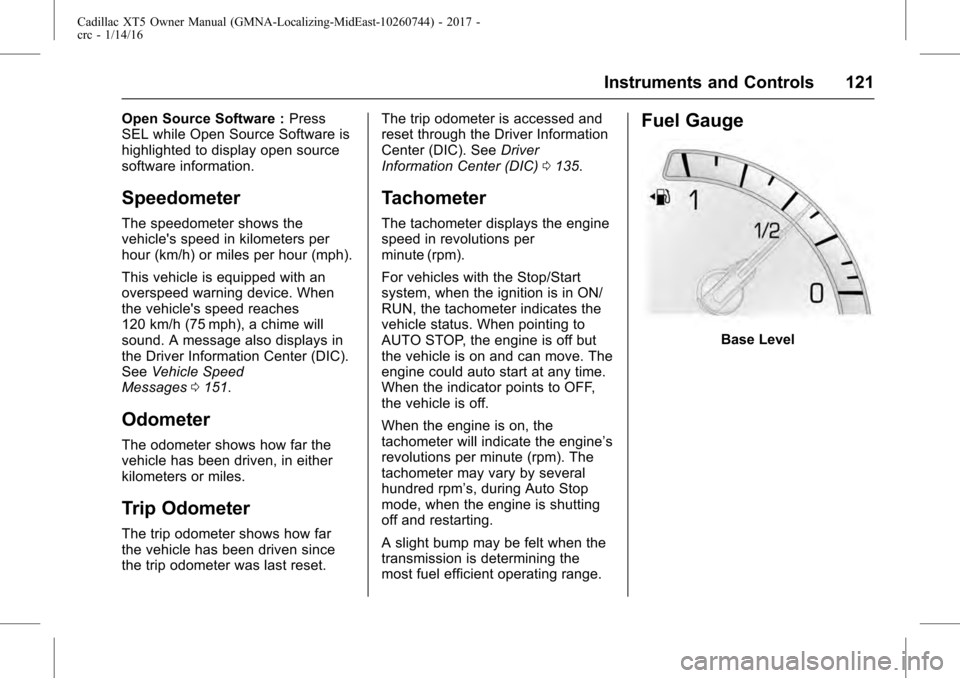
Fuel Gauge
Base Level
Page 123 of 339
Cadillac XT5 Owner Manual (GMNA-Localizing-MidEast-10260744) - 2017 -
crc - 1/14/16
Instruments and Controls 123
If the oil pressure warning light or
Driver Information Center (DIC)
message indicates oil pressure
outside the normal operating range,
check the vehicle's oil as soon as
possible. SeeEngine Oil
Messages 0143.
Caution
Lack of proper engine oil
maintenance can damage the
engine. Driving with the engine oil
low can also damage the engine.
The repairs would not be covered
by the vehicle warranty. Check
the oil level as soon as possible.
Add oil if required, but if the oil
level is within the operating range
and the oil pressure is still low,
have the vehicle serviced. Always
follow the maintenance schedule
for changing engine oil.
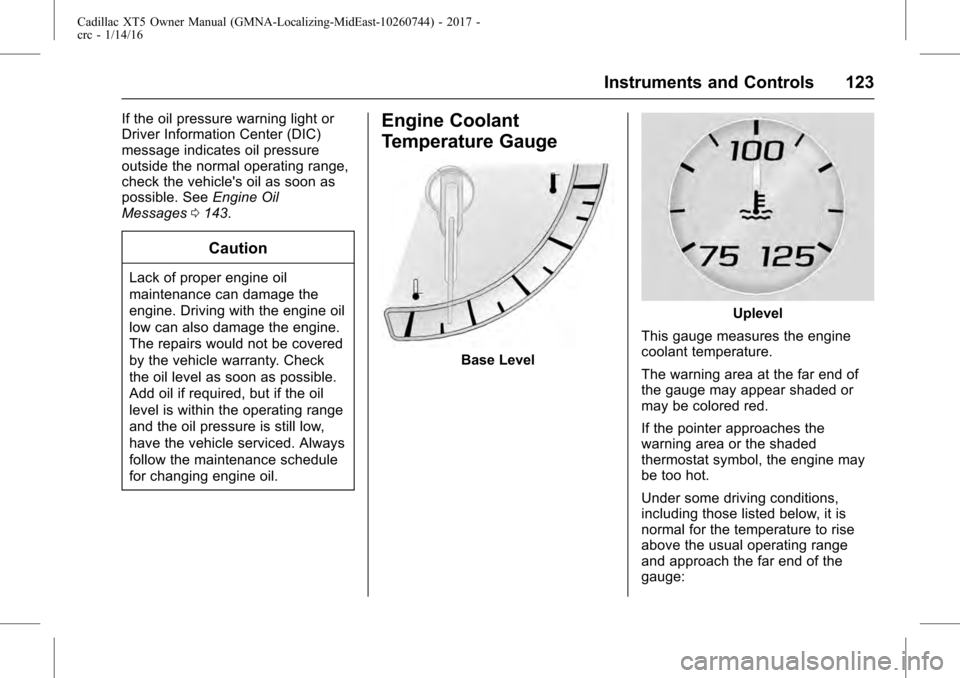
Engine Coolant
Temperature Gauge
Base Level
Uplevel
This gauge measures the engine
coolant temperature.
The warning area at the far end of
the gauge may appear shaded or
may be colored red.
If the pointer approaches the
warning area or the shaded
thermostat symbol, the engine may
be too hot.
Under some driving conditions,
including those listed below, it is
normal for the temperature to rise
above the usual operating range
and approach the far end of the
gauge:
Page 124 of 339
Cadillac XT5 Owner Manual (GMNA-Localizing-MidEast-10260744) - 2017 -
crc - 1/14/16
124 Instruments and Controls
.Stop and go driving in heavy
traffic.
. High speed operation in warm
weather.
. Uphill driving.
. Trailer towing or hauling a
heavy load.
It is normal for the reading to
fluctuate.
If the gauge pointer reaches the
warning area or the shaded
thermostat symbol at the far end of
the gauge and remains there for
more than 30 seconds, the engine
coolant has overheated.
If the engine coolant has
overheated, pull over and stop the
vehicle as soon as it is safe to do
so. Then, turn the engine off
immediately.
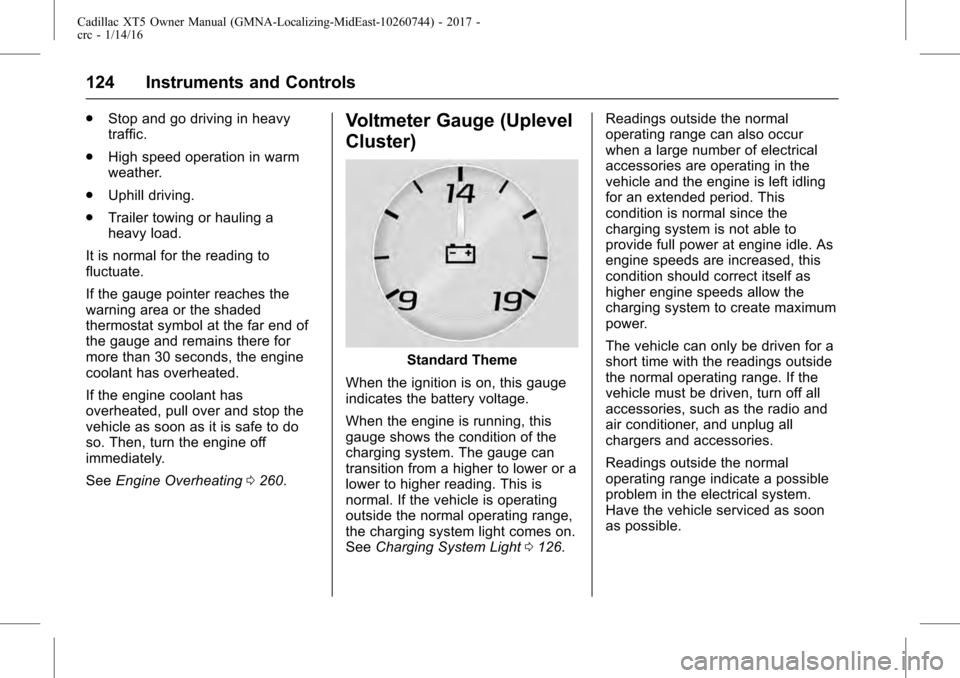
See Engine Overheating 0260.Voltmeter Gauge (Uplevel
Cluster)
Standard Theme
When the ignition is on, this gauge
indicates the battery voltage.
When the engine is running, this
gauge shows the condition of the
charging system. The gauge can
transition from a higher to lower or a
lower to higher reading. This is
normal. If the vehicle is operating
outside the normal operating range,
the charging system light comes on.
See Charging System Light 0126. Readings outside the normal
operating range can also occur
when a large number of electrical
accessories are operating in the
vehicle and the engine is left idling
for an extended period. This
condition is normal since the
charging system is not able to
provide full power at engine idle. As
engine speeds are increased, this
condition should correct itself as
higher engine speeds allow the
charging system to create maximum
power.
The vehicle can only be driven for a
short time with the readings outside
the normal operating range. If the
vehicle must be driven, turn off all
accessories, such as the radio and
air conditioner, and unplug all
chargers and accessories.
Readings outside the normal
operating range indicate a possible
problem in the electrical system.
Have the vehicle serviced as soon
as possible.
Page 126 of 339
Cadillac XT5 Owner Manual (GMNA-Localizing-MidEast-10260744) - 2017 -
crc - 1/14/16
126 Instruments and Controls
{Warning
If the airbag readiness light stays
on after the vehicle is started or
comes on while driving, it means
the airbag system might not be
working properly. The airbags in
the vehicle might not inflate in a
crash, or they could even inflate
without a crash. To help avoid
injury, have the vehicle serviced
right away.
If there is a problem with the airbag
system, a Driver Information Center
(DIC) message may also come on.
See Airbag System
Messages 0148.
Passenger Airbag Status
Indicator
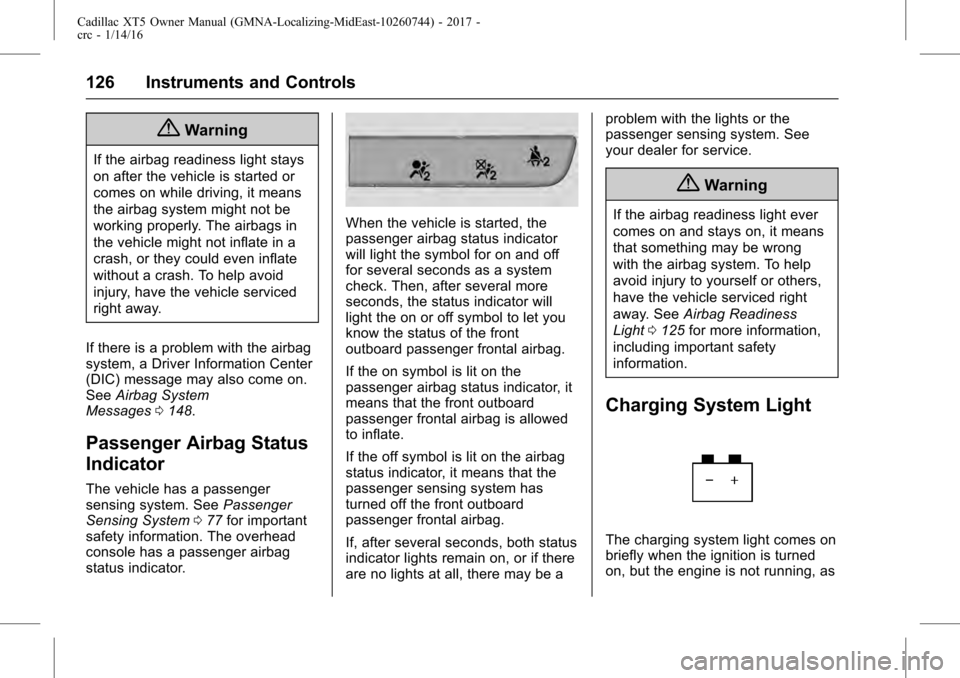
The vehicle has a passenger
sensing system. See Passenger
Sensing System 077 for important
safety information. The overhead
console has a passenger airbag
status indicator.
When the vehicle is started, the
passenger airbag status indicator
will light the symbol for on and off
for several seconds as a system
check. Then, after several more
seconds, the status indicator will
light the on or off symbol to let you
know the status of the front
outboard passenger frontal airbag.
If the on symbol is lit on the
passenger airbag status indicator, it
means that the front outboard
passenger frontal airbag is allowed
to inflate.
If the off symbol is lit on the airbag
status indicator, it means that the
passenger sensing system has
turned off the front outboard
passenger frontal airbag.
If, after several seconds, both status
indicator lights remain on, or if there
are no lights at all, there may be a problem with the lights or the
passenger sensing system. See
your dealer for service.
{Warning
If the airbag readiness light ever
comes on and stays on, it means
that something may be wrong
with the airbag system. To help
avoid injury to yourself or others,
have the vehicle serviced right
away. See
Airbag Readiness
Light 0125 for more information,
including important safety
information.
Charging System Light
The charging system light comes on
briefly when the ignition is turned
on, but the engine is not running, as
Page 129 of 339
Cadillac XT5 Owner Manual (GMNA-Localizing-MidEast-10260744) - 2017 -
crc - 1/14/16
Instruments and Controls 129
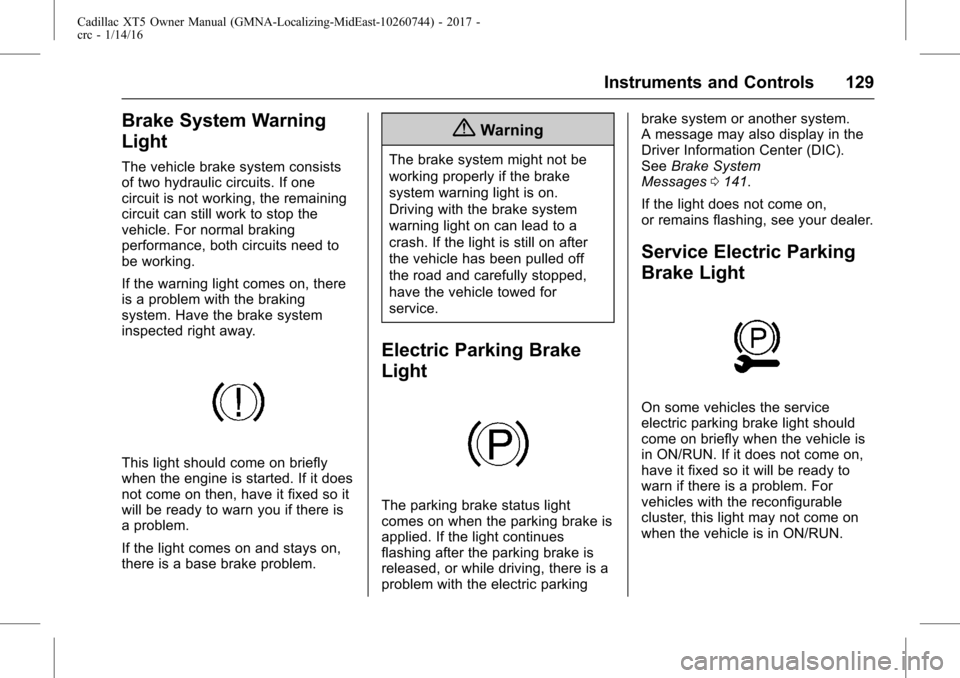
Brake System Warning
Light
The vehicle brake system consists
of two hydraulic circuits. If one
circuit is not working, the remaining
circuit can still work to stop the
vehicle. For normal braking
performance, both circuits need to
be working.
If the warning light comes on, there
is a problem with the braking
system. Have the brake system
inspected right away.
This light should come on briefly
when the engine is started. If it does
not come on then, have it fixed so it
will be ready to warn you if there is
a problem.
If the light comes on and stays on,
there is a base brake problem.
{Warning
The brake system might not be
working properly if the brake
system warning light is on.
Driving with the brake system
warning light on can lead to a
crash. If the light is still on after
the vehicle has been pulled off
the road and carefully stopped,
have the vehicle towed for
service.
Electric Parking Brake
Light
The parking brake status light
comes on when the parking brake is
applied. If the light continues
flashing after the parking brake is
released, or while driving, there is a
problem with the electric parkingbrake system or another system.
A message may also display in the
Driver Information Center (DIC).
See
Brake System
Messages 0141.
If the light does not come on,
or remains flashing, see your dealer.
Service Electric Parking
Brake Light
On some vehicles the service
electric parking brake light should
come on briefly when the vehicle is
in ON/RUN. If it does not come on,
have it fixed so it will be ready to
warn if there is a problem. For
vehicles with the reconfigurable
cluster, this light may not come on
when the vehicle is in ON/RUN.