warning symbols CADILLAC XT5 2018 Owner's Manual
[x] Cancel search | Manufacturer: CADILLAC, Model Year: 2018, Model line: XT5, Model: CADILLAC XT5 2018Pages: 380, PDF Size: 6.21 MB
Page 4 of 380
Cadillac XT5 Owner Manual (GMNA-Localizing-U.S./Canada/Mexico-
11349110) - 2018 - CRC - 9/28/17
INTRODUCTION 3
Danger, Warning, and
Caution
Warning messages found on vehicle
labels and in this manual describe
hazards and what to do to avoid or
reduce them.
{Danger
Danger indicates a hazard with a
high level of risk which will result
in serious injury or death.
{Warning
Warning indicates a hazard that
could result in injury or death.
Caution
Caution indicates a hazard that
could result in property or vehicle
damage.
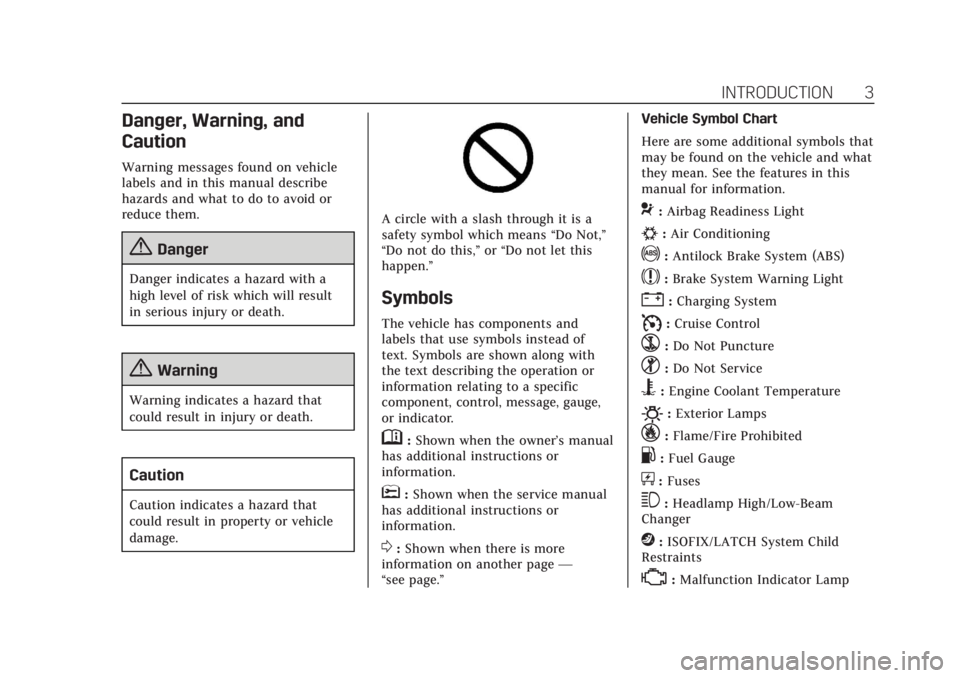
A circle with a slash through it is a
safety symbol which means“Do Not,”
“Do not do this,” or“Do not let this
happen.”
Symbols
The vehicle has components and
labels that use symbols instead of
text. Symbols are shown along with
the text describing the operation or
information relating to a specific
component, control, message, gauge,
or indicator.
M: Shown when the owner’s manual
has additional instructions or
information.
*: Shown when the service manual
has additional instructions or
information.
0: Shown when there is more
information on another page —
“see page.” Vehicle Symbol Chart
Here are some additional symbols that
may be found on the vehicle and what
they mean. See the features in this
manual for information.
9:
Airbag Readiness Light
#:Air Conditioning
!:Antilock Brake System (ABS)
$:Brake System Warning Light
":Charging System
I: Cruise Control
`:Do Not Puncture
^:Do Not Service
B:Engine Coolant Temperature
O:Exterior Lamps
_:Flame/Fire Prohibited
.:Fuel Gauge
+: Fuses
3:Headlamp High/Low-Beam
Changer
j: ISOFIX/LATCH System Child
Restraints
*: Malfunction Indicator Lamp
Page 66 of 380
Cadillac XT5 Owner Manual (GMNA-Localizing-U.S./Canada/Mexico-
11349110) - 2018 - CRC - 10/2/17
SEATS AND RESTRAINTS 65
Warning (Continued)
may cause the seat heater to
overheat. An overheated seat heater
may cause a burn or may damage
the seat.
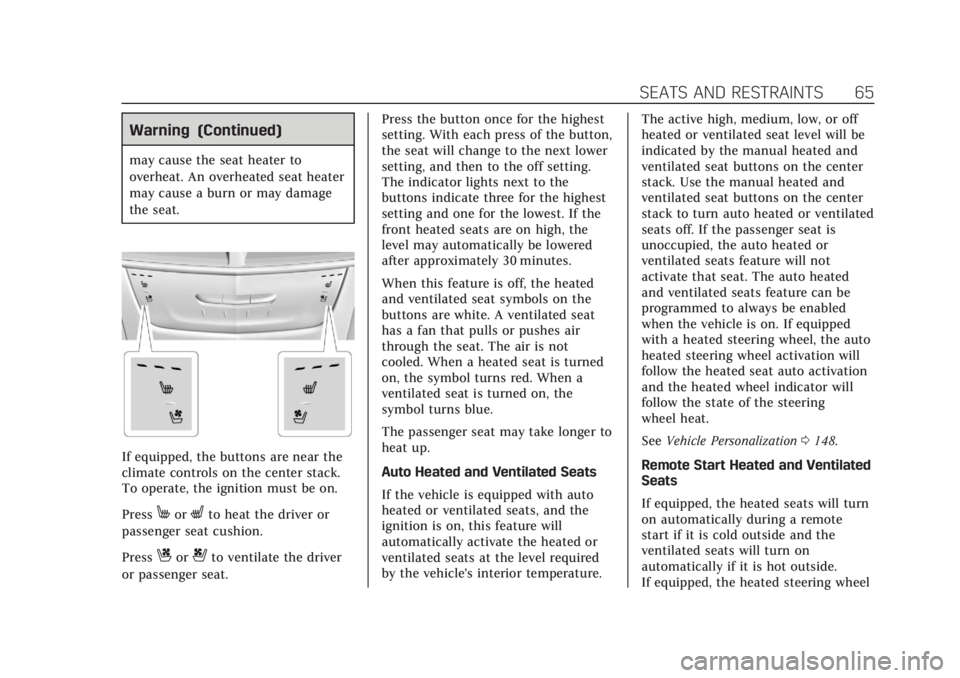
If equipped, the buttons are near the
climate controls on the center stack.
To operate, the ignition must be on.
Press
MorLto heat the driver or
passenger seat cushion.
Press
Cor{to ventilate the driver
or passenger seat. Press the button once for the highest
setting. With each press of the button,
the seat will change to the next lower
setting, and then to the off setting.
The indicator lights next to the
buttons indicate three for the highest
setting and one for the lowest. If the
front heated seats are on high, the
level may automatically be lowered
after approximately 30 minutes.
When this feature is off, the heated
and ventilated seat symbols on the
buttons are white. A ventilated seat
has a fan that pulls or pushes air
through the seat. The air is not
cooled. When a heated seat is turned
on, the symbol turns red. When a
ventilated seat is turned on, the
symbol turns blue.
The passenger seat may take longer to
heat up.
Auto Heated and Ventilated Seats
If the vehicle is equipped with auto
heated or ventilated seats, and the
ignition is on, this feature will
automatically activate the heated or
ventilated seats at the level required
by the vehicle's interior temperature.
The active high, medium, low, or off
heated or ventilated seat level will be
indicated by the manual heated and
ventilated seat buttons on the center
stack. Use the manual heated and
ventilated seat buttons on the center
stack to turn auto heated or ventilated
seats off. If the passenger seat is
unoccupied, the auto heated or
ventilated seats feature will not
activate that seat. The auto heated
and ventilated seats feature can be
programmed to always be enabled
when the vehicle is on. If equipped
with a heated steering wheel, the auto
heated steering wheel activation will
follow the heated seat auto activation
and the heated wheel indicator will
follow the state of the steering
wheel heat.
See
Vehicle Personalization 0148.
Remote Start Heated and Ventilated
Seats
If equipped, the heated seats will turn
on automatically during a remote
start if it is cold outside and the
ventilated seats will turn on
automatically if it is hot outside.
If equipped, the heated steering wheel
Page 85 of 380
Cadillac XT5 Owner Manual (GMNA-Localizing-U.S./Canada/Mexico-
11349110) - 2018 - CRC - 10/2/17
84 SEATS AND RESTRAINTS
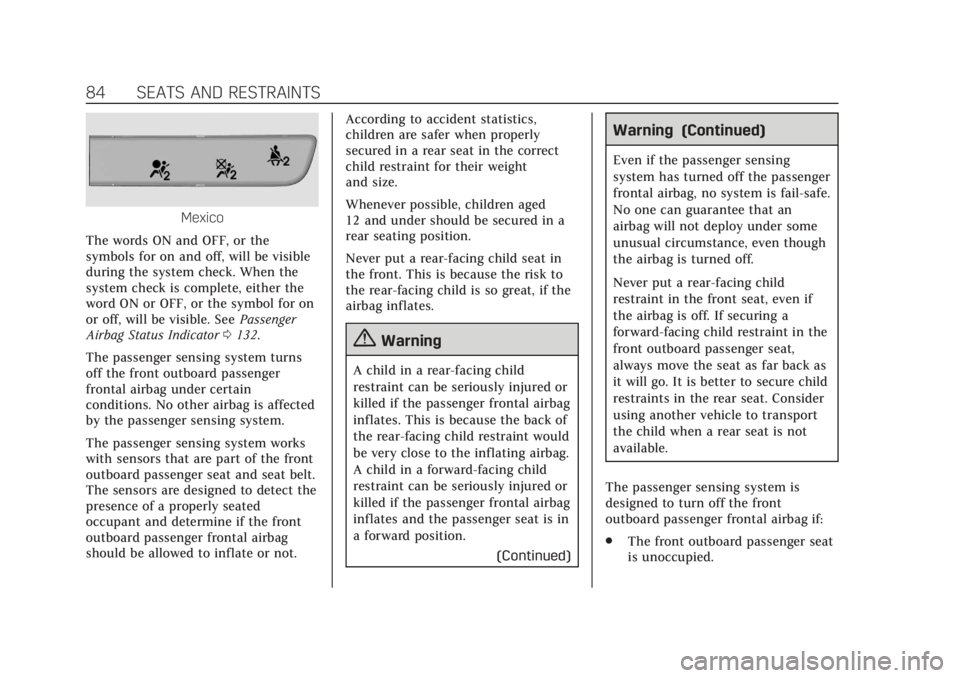
Mexico
The words ON and OFF, or the
symbols for on and off, will be visible
during the system check. When the
system check is complete, either the
word ON or OFF, or the symbol for on
or off, will be visible. See Passenger
Airbag Status Indicator 0132.
The passenger sensing system turns
off the front outboard passenger
frontal airbag under certain
conditions. No other airbag is affected
by the passenger sensing system.
The passenger sensing system works
with sensors that are part of the front
outboard passenger seat and seat belt.
The sensors are designed to detect the
presence of a properly seated
occupant and determine if the front
outboard passenger frontal airbag
should be allowed to inflate or not. According to accident statistics,
children are safer when properly
secured in a rear seat in the correct
child restraint for their weight
and size.
Whenever possible, children aged
12 and under should be secured in a
rear seating position.
Never put a rear-facing child seat in
the front. This is because the risk to
the rear-facing child is so great, if the
airbag inflates.
{Warning
A child in a rear-facing child
restraint can be seriously injured or
killed if the passenger frontal airbag
inflates. This is because the back of
the rear-facing child restraint would
be very close to the inflating airbag.
A child in a forward-facing child
restraint can be seriously injured or
killed if the passenger frontal airbag
inflates and the passenger seat is in
a forward position.
(Continued)
Warning (Continued)
Even if the passenger sensing
system has turned off the passenger
frontal airbag, no system is fail-safe.
No one can guarantee that an
airbag will not deploy under some
unusual circumstance, even though
the airbag is turned off.
Never put a rear-facing child
restraint in the front seat, even if
the airbag is off. If securing a
forward-facing child restraint in the
front outboard passenger seat,
always move the seat as far back as
it will go. It is better to secure child
restraints in the rear seat. Consider
using another vehicle to transport
the child when a rear seat is not
available.
The passenger sensing system is
designed to turn off the front
outboard passenger frontal airbag if:
. The front outboard passenger seat
is unoccupied.
Page 225 of 380
Cadillac XT5 Owner Manual (GMNA-Localizing-U.S./Canada/Mexico-
11349110) - 2018 - CRC - 9/28/17
224 DRIVING AND OPERATING
Parking Brake (EPB) may be set. When
it is safe, press the accelerator pedal
firmly at any time to override RAB.
{Warning
There may be instances where
unexpected or undesired automatic
braking occurs. If this happens,
either press the brake pedal or
firmly press the accelerator pedal to
release the brakes from the RAB
system. Before releasing the brakes,
check the RVC and check the area
around the vehicle to make sure it
is safe to proceed.
Rear Cross Traffic Alert (RCTA)
If equipped, RCTA displays a red
warning triangle with a left or right
pointing arrow on the infotainment
display to warn of traffic coming from
the left or right. This system detects
objects coming from up to 20 m (65 ft)
from the left or right side of the
vehicle. When an object is detected,
either three beeps sound from the left
or right or three Safety Alert Seat pulses occur on the left or right side,
depending on the direction of the
detected vehicle.
Use caution while backing up when
towing a trailer, as the RCTA
detection zones that extend out from
the back of the vehicle do not move
further back when a trailer is towed.
See
Radio Frequency Statement 0353.
Turning the Features On or Off
TouchXon the center stack to turn
on or off the Front and Rear Parking
Assist, Reverse Automatic Braking
(RAB), Rear Cross Traffic Alert
(RCTA), and the Backing Warning
System at the same time. The
indicator light next to the button
comes on when the features are on
and turns off when the features have
been disabled.
Turn off parking assist, RCTA, and
RAB when towing a trailer.
To turn the RPA symbols or guidance
lines (on some models) on or off, see
“Rear Camera ”under Vehicle
Personalization 0148. RCTA can also be turned on or off
through vehicle personalization. See
“Collision/Detection Systems”
under
Vehicle Personalization 0148.
Automatic Parking Assist (APA)
If equipped, APA searches for and
steers the vehicle into parallel and
perpendicular parking spots. When
using APA, you must still shift gears,
and control the brakes and
accelerator. The Driver information
Center (DIC) and audible beeps help
to guide parking maneuvers.
Do not use APA when towing a trailer.
{Warning
APA does not apply the brakes. APA
may not detect objects in the
parking space, objects that are soft
or narrow, objects high off the
ground such as flatbed trucks,
or objects below ground level such
as large potholes. Always verify that
the parking space is appropriate for
parking a vehicle. APA does not
(Continued)