remote CADILLAC XT5 2023 Workshop Manual
[x] Cancel search | Manufacturer: CADILLAC, Model Year: 2023, Model line: XT5, Model: CADILLAC XT5 2023Pages: 482, PDF Size: 7.1 MB
Page 255 of 482

Cadillac XT5 Owner Manual (GMNA-Localizing-U.S./Canada/Mexico-
16406251) - 2023 - CRC - 3/25/22
254 Driving and Operating
systems will operate as they
do in ON/RUN, but the vehicle
will not be able to be driven.
The engine will not start in
Service Mode. Press ENGINE
START/STOP again to turn
the vehicle off.
Starting the Engine
Place the transmission in the
proper gear, P (Park) or
N (Neutral). To restart the
engine when the vehicle is
already moving, use
N (Neutral).
Caution
Do not try to shift to P (Park)
if the vehicle is moving.
If you do, you could damage
the transmission. Shift to
P (Park) only when the
vehicle is stopped.
Caution
If you add electrical parts or
accessories, you could
change the way the engine
operates. Any resulting
damage would not be
covered by the vehicle
warranty. See Add-On
Electrical Equipment0336.
To start the vehicle: 1. With the Keyless Access system, the remote key
must be in the vehicle.
Press ENGINE START/
STOP with the brake pedal
applied. When the engine
begins cranking, let go of
the button. The idle speed
will go down as the engine
warms up. Do not race the
engine immediately after
starting it.
If the remote key is not in
the vehicle, if there is
interference, or if the
remote key battery is low,
a Driver Information Center (DIC) message will
display. See Remote Key
Operation
09.
Caution
Cranking the engine for long
periods of time, by pressing
ENGINE START/STOP
immediately after cranking
has ended, can overheat and
damage the cranking motor,
and drain the battery. Wait
at least 15 seconds between
each try, to let the cranking
motor cool down.
2. If the engine does not start after five to 10 seconds,
especially in very cold
weather (below −18 °C or
0 °F), it could be flooded
with too much gasoline.
Try pushing the
accelerator pedal all the
way to the floor and hold it
there, then press ENGINE
START/STOP for up to a
maximum of 15 seconds.
Wait at least 15 seconds
between each try, to allow
Page 261 of 482

Cadillac XT5 Owner Manual (GMNA-Localizing-U.S./Canada/Mexico-
16406251) - 2023 - CRC - 3/25/22
260 Driving and Operating
economy. When greater
power demands are required,
such as accelerating from a
stop, passing, or merging onto
a freeway, the system will
maintain full-cylinder
operation.
If the vehicle has an Active
Fuel Management indicator,
see Driver Information Center
(DIC) for more information on
using this display.
Extended Parking
It is best not to park with the
vehicle running. If the vehicle is
left running, be sure it will not
move and there is adequate
ventilation.
See Shifting Into Park0258
and Engine Exhaust 0260.
If the vehicle is left parked and
running with the remote key
outside the vehicle, it will
continue to run for up to
15 minutes. If the vehicle is left parked and
running with the remote key
inside the vehicle, it will
continue to run for up to
30 minutes.
The vehicle could turn off
sooner if it is parked on a hill,
due to lack of available fuel.
The timer will reset if the
vehicle is taken out of P (Park)
while it is running.
Engine Exhaust
{
Warning
Engine exhaust contains
carbon monoxide (CO),
which cannot be seen or
smelled. Exposure to CO can
cause unconsciousness and
even death.
Exhaust may enter the
vehicle if:
.The vehicle idles in areas
with poor ventilation
(parking garages, tunnels, (Continued)
Warning (Continued)
deep snow that may block
underbody airflow or tail
pipes).
.The exhaust smells or
sounds strange or
different.
.The exhaust system leaks
due to corrosion or
damage.
.The vehicle exhaust
system has been modified,
damaged, or improperly
repaired.
.There are holes or
openings in the vehicle
body from damage or
aftermarket modifications
that are not completely
sealed.
If unusual fumes are
detected or if it is suspected
that exhaust is coming into
the vehicle:
.Drive it only with the
windows completely down. (Continued)
Page 286 of 482

Cadillac XT5 Owner Manual (GMNA-Localizing-U.S./Canada/Mexico-
16406251) - 2023 - CRC - 3/25/22
Driving and Operating 285
.The sensors are blocked.
.The Traction Control System
(TCS) or StabiliTrak/ESC has
activated or been disabled.
.There is a fault in the
system.
.The radar falsely reports
blockage when driving in a
desert or remote area with
no other vehicles or
roadside objects.
.A DIC message may display
to indicate that ACC is
temporarily unavailable.
The ACC active symbol will
turn white when ACC is no
longer active.
In some cases, when ACC will
not activate, regular cruise
control may be used. See
“Switching Between ACC and
Regular Cruise Control”
previously in this section.
Always consider driving
conditions before using either
cruise control system. Notification to Resume ACC
ACC will maintain a following
gap behind a detected vehicle
and slow your vehicle to a
stop behind that vehicle.
If the stopped vehicle ahead
has driven away and ACC has
not resumed, the vehicle
ahead indicator will flash as a
reminder to check traffic
ahead before proceeding. In
addition, the left and right
sides of the Safety Alert Seat
will pulse three times, or three
beeps will sound. Touch the
Settings icon on the
infotainment home page.
Select
“Vehicle” to display the
list of available options and
select ”Alert Type” and
“Adaptive Cruise Go Notifier”
in “Collision/Detection
Systems”.
When the vehicle ahead drives
away, ACC resumes
automatically if the stop was
brief. If necessary, press RES+
or the accelerator pedal to
resume ACC. If stopped for more than two minutes or if
the driver door is opened and
the driver seat belt is
unbuckled, ACC automatically
applies the Electric Parking
Brake (EPB) to hold the
vehicle. The Electric Parking
Brake light will turn on. See
Electric Parking Brake
0269.
To release the EPB, press the
accelerator pedal.
A DIC warning message may
display indicating to shift to
P (Park) before exiting the
vehicle. See Vehicle Messages
0 146.
{Warning
If ACC has stopped the
vehicle, and if ACC is
disengaged, turned off,
or canceled, the vehicle will
no longer be held at a stop.
The vehicle can move. When
ACC is holding the vehicle at
a stop, always be prepared
to manually apply the
brakes.
Page 321 of 482

Cadillac XT5 Owner Manual (GMNA-Localizing-U.S./Canada/Mexico-
16406251) - 2023 - CRC - 3/25/22
320 Driving and Operating
Warning (Continued)
.Before touching the fill
nozzle, touch a metallic
object to discharge static
electricity from your body.
.Fuel can spray out if the
fill nozzle is inserted too
quickly. This spray can
happen if the tank is
nearly full, and is more
likely in hot weather. Insert
the fill nozzle slowly and
wait for any hiss noise to
stop before beginning to
flow fuel.
If equipped, the fuel door
unlocks when the vehicle
doors are unlocked. See
Remote Key Operation 09.
To open the fuel door, push
and release the rearward
center edge of the door.
The capless refueling system
does not have a fuel cap. Fully
insert and latch the fill nozzle,
then begin fueling.
{Warning
Overfilling the fuel tank by
more than three clicks of a
standard fill nozzle may
cause:
(Continued)
Warning (Continued)
.Vehicle performance
issues, including engine
stalling and damage to the
fuel system.
.Fuel spills.
.Under certain conditions,
fuel fires.
Be careful not to spill fuel.
Wait five seconds after you
have finished pumping before
removing the fill nozzle. Clean
fuel from painted surfaces as
soon as possible. See Exterior
Care 0416. Push the fuel door
closed until it latches.
{Warning
If a fire starts while you are
refueling, do not remove the
fill nozzle. Shut off the flow
of fuel by shutting off the
pump or by notifying the
station attendant. Leave the
area immediately.
Page 340 of 482

Cadillac XT5 Owner Manual (GMNA-Localizing-U.S./Canada/Mexico-
16406251) - 2023 - CRC - 3/28/22
Vehicle Care 339
traction control, and stability
control. These accessories or
modifications could even
cause malfunction or damage
not covered by the vehicle
warranty.
Damage to suspension
components caused by
modifying vehicle height
outside of factory settings will
not be covered by the vehicle
warranty.
Damage to vehicle
components resulting from
modifications or the
installation or use of non-GM
certified parts, including
control module or software
modifications, is not covered
under the terms of the vehicle
warranty and may affect
remaining warranty coverage
for affected parts.
GM Accessories are designed
to complement and function
with other systems on the
vehicle. See your dealer to
accessorize the vehicle usinggenuine GM Accessories
installed by a dealer
technician.
Also, see Adding Equipment to
the Airbag-Equipped Vehicle
0
80.
Vehicle Checks
Doing Your Own
Service Work
{Warning
It can be dangerous to work
on your vehicle if you do not
have the proper knowledge,
service manual, tools,
or parts. Always follow
owner’s manual procedures
and consult the service
manual for your vehicle
before doing any
service work.
If doing some of your own
service work, use the proper
service manual. It tells you
much more about how to service the vehicle than this
manual can. To order the
proper service manual, see
Publication Ordering
Information
0452.
This vehicle has an airbag
system. Before attempting to
do your own service work, see
Servicing the Airbag-Equipped
Vehicle 079.
If equipped with remote
vehicle start, open the hood
before performing any service
work to prevent remote
starting the vehicle
accidentally. See Remote
Vehicle Start 019.
Keep a record with all parts
receipts and list the mileage
and the date of any service
work performed. See
Maintenance Records 0436.
Caution
Even small amounts of
contamination can cause
damage to vehicle systems.
(Continued)
Page 341 of 482

Cadillac XT5 Owner Manual (GMNA-Localizing-U.S./Canada/Mexico-
16406251) - 2023 - CRC - 3/28/22
340 Vehicle Care
Caution (Continued)
Do not allow contaminants
to contact the fluids,
reservoir caps, or dipsticks.
Doing Your Own
Service Work
{Warning
It can be dangerous to work
on your vehicle if you do not
have the proper knowledge,
service manual, tools,
or parts. Always follow
owner’s manual procedures
and consult the service
manual for your vehicle
before doing any
service work.
If doing some of your own
service work, use the proper
service manual. It tells you
much more about how to
service the vehicle than this
manual can. This vehicle has an airbag
system. Before attempting to
do your own service work, see
Servicing the Airbag-Equipped
Vehicle
079.
If equipped with remote
vehicle start, open the hood
before performing any service
work to prevent remote
starting the vehicle
accidentally. See Remote
Vehicle Start 019.
Keep a record with all parts
receipts and list the mileage
and the date of any service
work performed.
Caution
Even small amounts of
contamination can cause
damage to vehicle systems.
Do not allow contaminants
to contact the fluids,
reservoir caps, or dipsticks.
Hood
{Warning
For vehicles with auto
engine stop/start, turn the
vehicle off before opening
the hood. If the vehicle is on,
the engine will start when
the hood is opened. You or
others could be injured.
{Warning
Components under the hood
can get hot from running the
engine. To help avoid the
risk of burning unprotected
skin, never touch these
components until they have
cooled, and always use a
glove or towel to avoid
direct skin contact.
Clear any snow from the hood
before opening.
Page 344 of 482
Cadillac XT5 Owner Manual (GMNA-Localizing-U.S./Canada/Mexico-
16406251) - 2023 - CRC - 3/28/22
Vehicle Care 343
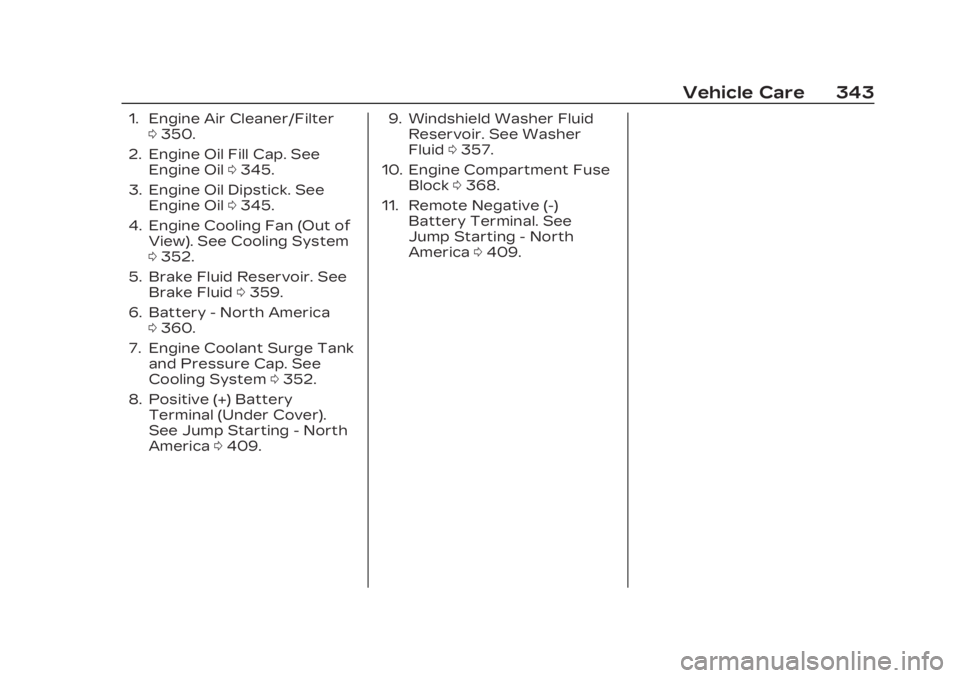
1. Engine Air Cleaner/Filter0350.
2. Engine Oil Fill Cap. See Engine Oil 0345.
3. Engine Oil Dipstick. See Engine Oil 0345.
4. Engine Cooling Fan (Out of View). See Cooling System
0352.
5. Brake Fluid Reservoir. See Brake Fluid 0359.
6. Battery - North America 0360.
7. Engine Coolant Surge Tank and Pressure Cap. See
Cooling System 0352.
8. Positive (+) Battery Terminal (Under Cover).
See Jump Starting - North
America 0409. 9. Windshield Washer Fluid
Reservoir. See Washer
Fluid 0357.
10. Engine Compartment Fuse Block 0368.
11. Remote Negative (-) Battery Terminal. See
Jump Starting - North
America 0409.
Page 346 of 482
Cadillac XT5 Owner Manual (GMNA-Localizing-U.S./Canada/Mexico-
16406251) - 2023 - CRC - 3/28/22
Vehicle Care 345
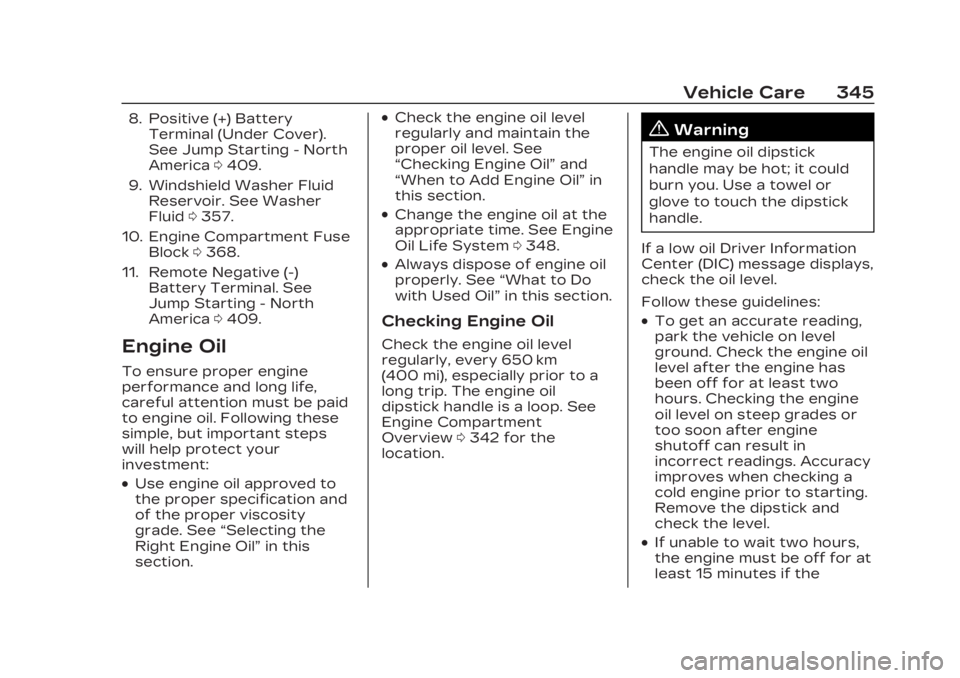
8. Positive (+) BatteryTerminal (Under Cover).
See Jump Starting - North
America 0409.
9. Windshield Washer Fluid Reservoir. See Washer
Fluid 0357.
10. Engine Compartment Fuse Block 0368.
11. Remote Negative (-) Battery Terminal. See
Jump Starting - North
America 0409.
Engine Oil
To ensure proper engine
performance and long life,
careful attention must be paid
to engine oil. Following these
simple, but important steps
will help protect your
investment:
.Use engine oil approved to
the proper specification and
of the proper viscosity
grade. See “Selecting the
Right Engine Oil” in this
section.
.Check the engine oil level
regularly and maintain the
proper oil level. See
“Checking Engine Oil” and
“When to Add Engine Oil” in
this section.
.Change the engine oil at the
appropriate time. See Engine
Oil Life System 0348.
.Always dispose of engine oil
properly. See “What to Do
with Used Oil” in this section.
Checking Engine Oil
Check the engine oil level
regularly, every 650 km
(400 mi), especially prior to a
long trip. The engine oil
dipstick handle is a loop. See
Engine Compartment
Overview0342 for the
location.
{Warning
The engine oil dipstick
handle may be hot; it could
burn you. Use a towel or
glove to touch the dipstick
handle.
If a low oil Driver Information
Center (DIC) message displays,
check the oil level.
Follow these guidelines:
.To get an accurate reading,
park the vehicle on level
ground. Check the engine oil
level after the engine has
been off for at least two
hours. Checking the engine
oil level on steep grades or
too soon after engine
shutoff can result in
incorrect readings. Accuracy
improves when checking a
cold engine prior to starting.
Remove the dipstick and
check the level.
.If unable to wait two hours,
the engine must be off for at
least 15 minutes if the
Page 447 of 482

Cadillac XT5 Owner Manual (GMNA-Localizing-U.S./Canada/Mexico-
16406251) - 2023 - CRC - 3/25/22
446 Customer Information
1-800-GM-DRIVE
(800-463-7483) for details.
TTY users call
1-800-263-3830.
Roadside Assistance
Program
U.S.: 1-800-224-1400.
Canada: 1-800-882-1112.
Text Telephone (TTY) Users
(U.S. Only): 1-888-889-2438.
Service is available 24 hours a
day, 365 days a year.
Calling for Assistance
When calling Roadside
Assistance, have the following
information ready:
.Your name, home address,
and home telephone number
.Telephone number of your
location
.Location of the vehicle
.Model, year, color, and
license plate number of the
vehicle
.Odometer reading, Vehicle
Identification Number (VIN),
and delivery date of the
vehicle
.Description of the problem
Coverage
Services are provided for the
duration of the vehicle’s
powertrain warranty.
In the U.S., anyone driving the
vehicle is covered. In Canada,
a person driving the vehicle
without permission from the
owner is not covered.
Roadside Assistance is not a
part of the New Vehicle
Limited Warranty. General
Motors North America and
Cadillac reserve the right to
make any changes or
discontinue the Roadside
Assistance program at any
time without notification.
General Motors North America
and Cadillac reserve the right
to limit services or payment to
an owner or driver if theydecide the claims are made
too often, or the same type of
claim is made many times.
Cadillac Owner
Privileges™
.Emergency Fuel Delivery:
Delivery of enough fuel for
the vehicle to get to the
nearest service station.
.Lock-Out Service:
Service
to unlock the vehicle if you
are locked out. A remote
unlock may be available if
you have OnStar. For
security reasons, the driver
must present identification
before this service is given.
.Emergency Tow from a
Public Road or Highway:
Tow to the nearest Cadillac
dealer for warranty service,
or if the vehicle was in a
crash and cannot be driven.
Assistance is not given when
the vehicle is stuck in the
sand, mud, or snow.
.Flat Tire Change: Service to
change a flat tire with a
spare tire. The spare tire,
Page 460 of 482
Cadillac XT5 Owner Manual (GMNA-Localizing-U.S./Canada/Mexico-
16406251) - 2023 - CRC - 3/25/22
OnStar 459
With Roadside Service,
Advisors can locate a nearby
service provider to help with a
flat tire, a battery jump, or an
empty gas tank.
Security
If equipped, OnStar provides
these services:
.With Stolen Vehicle
Assistance, OnStar Advisors
can use GPS to pinpoint the
vehicle and help authorities
quickly recover it.
.With Remote Ignition Block,
if equipped, OnStar can
block the vehicle from being
restarted.
.With Stolen Vehicle
Slowdown, if equipped,
OnStar can work with law
enforcement to gradually
slow the vehicle down.
Theft Alarm Notification
If equipped, if the doors are
locked and the vehicle alarm
sounds, a notification by text,
e-mail, or phone call will besent. If the vehicle is stolen, an
OnStar Advisor can work with
authorities to recover the
vehicle.
OnStar Additional
Information
In-Vehicle Audio
Messages
Audio messages may play
important information at the
following times:
.Prior to vehicle purchase.
Press
Qto set up an
account.
.After change in ownership
and at 90 days.
Transferring Service
PressQto request account
transfer eligibility information.
The Advisor can cancel or
change account information.
Selling/Transferring the
Vehicle
Call 1-888-4ONSTAR
(1-888-466-7827) immediately
to terminate your OnStar or
connected services if the
vehicle is disposed of, sold,
transferred, or if the
lease ends.
Reactivation for
Subsequent Owners
PressQand follow the
prompts to speak to an
Advisor as soon as possible.
The Advisor will update vehicle
records and explain OnStar or
connected service options.
How OnStar Service
Works
Automatic Crash Response,
Emergency Services, Crisis
Assist, Stolen Vehicle
Assistance, Remote Services,
and Roadside Service are
available on most vehicles. Not
all OnStar services are
available everywhere or on all