charging CADILLAC XT5 2023 Owners Manual
[x] Cancel search | Manufacturer: CADILLAC, Model Year: 2023, Model line: XT5, Model: CADILLAC XT5 2023Pages: 482, PDF Size: 7.1 MB
Page 7 of 482

Cadillac XT5 Owner Manual (GMNA-Localizing-U.S./Canada/Mexico-
16406251) - 2023 - CRC - 3/25/22
6 Introduction
1. Air Vents0231.
2. Exterior Lamp Controls 0151.
Turn Signal Lever. See
Turn and Lane-Change
Signals 0155.
IntelliBeam System Button
(If Equipped). See Exterior
Lamp Controls 0151.
3. Tap Shift Controls. See Manual Mode 0266 (If
Equipped).
4. Instrument Cluster 0122.
Driver Information Center
(DIC) Display. See Driver
Information Center (DIC)
0 139.
5. Windshield Wiper/Washer 0113.
Rear Window Wiper/
Washer 0116.
6. ENGINE START/STOP Button. See Ignition
Positions 0252.
7. Park Assist Button. See Park Assist 0294. Automatic Parking Assist
(APA) Button. See Park
Assist
0294.
Auto Stop Disable Switch.
See Stop/Start System
0 255.
8. Light Sensor. See Automatic Headlamp
System 0154.
9. Hazard Warning Flashers 0155.
10. Infotainment Controls. See Overview 0160.
11. Heated and Ventilated Front Seats 054 (If
Equipped).
12. MODE Switch. See Driver Mode Control 0273.
Traction Control/
Electronic Stability Control
0 271.
All-Wheel Drive 0267 (If
Equipped).
13. Dual Automatic Climate Control System 0223.
14. Wireless Charging 0118 (If
Equipped). 15. Infotainment Controls. See
Overview 0160.
16. Shift Lever. See Automatic Transmission 0261.
17. Steering Wheel Controls 0162.
Driver Information Center
(DIC) Controls. See Driver
Information Center (DIC)
0 139.
18. Steering Wheel Controls 0162.
19. Horn 0113.
20. Forward Collision Alert (FCA) System 0303 (If
Equipped).
Lane Keep Assist (LKA)
0 315 (If Equipped).
Heated Steering Wheel
0 113 (If Equipped).
21. Cruise Control 0275.
Adaptive Cruise Control
(Advanced) 0277 (If
Equipped).
Phone Button. See
Steering Wheel Controls
0 162.
Page 112 of 482
Cadillac XT5 Owner Manual (GMNA-Localizing-U.S./Canada/Mexico-
16406251) - 2023 - CRC - 3/25/22
Instruments and Controls 111
Instruments and
Controls
Controls
Steering WheelAdjustment . . . . . . . . . . . . . . . . . 112
Heated Steering Wheel . . . 113
Horn . . . . . . . . . . . . . . . . . . . . . . . . . . . . 113
Windshield Wiper/ Washer . . . . . . . . . . . . . . . . . . . . . . 113
Rear Window Wiper/ Washer . . . . . . . . . . . . . . . . . . . . . . 116
Compass . . . . . . . . . . . . . . . . . . . . . . 117
Clock . . . . . . . . . . . . . . . . . . . . . . . . . . . 118
Power Outlets . . . . . . . . . . . . . . . 118
Wireless Charging . . . . . . . . . . 118
Warning Lights, Gauges,
and Indicators
Warning Lights, Gauges, and Indicators . . . . . . . . . . . . . . 121
Instrument Cluster . . . . . . . . 122
Speedometer . . . . . . . . . . . . . . . 125
Odometer . . . . . . . . . . . . . . . . . . . . 125
Trip Odometer . . . . . . . . . . . . . . 125
Tachometer . . . . . . . . . . . . . . . . . . 125
Fuel Gauge . . . . . . . . . . . . . . . . . . . 125
Engine Coolant Temperature Gauge . . . . . 126 Seat Belt Reminders . . . . . . 126
Airbag Readiness
Light . . . . . . . . . . . . . . . . . . . . . . . . . . 127
Passenger Airbag Status Indicator . . . . . . . . . . . . . . . . . . . . . 128
Charging System Light . . . 128
Malfunction Indicator Lamp (Check Engine
Light) . . . . . . . . . . . . . . . . . . . . . . . . . 129
Brake System Warning Light . . . . . . . . . . . . . . . . . . . . . . . . . . 131
Electric Parking Brake Light . . . . . . . . . . . . . . . . . . . . . . . . . . 132
Service Electric Parking Brake Light . . . . . . . . . . . . . . . . . 132
Antilock Brake System (ABS) Warning Light . . . . . 132
Performance Shifting Light . . . . . . . . . . . . . . . . . . . . . . . . . 133
All-Wheel-Drive Light . . . . . 133
Lane Keep Assist (LKA) Light . . . . . . . . . . . . . . . . . . . . . . . . . 133
Vehicle Ahead Indicator . . . . . . . . . . . . . . . . . . . . 134
Pedestrian Ahead Indicator . . . . . . . . . . . . . . . . . . . . 134
Traction Off Light . . . . . . . . . 134
StabiliTrak OFF Light . . . . . 135 Traction Control System
(TCS)/StabiliTrak
Light . . . . . . . . . . . . . . . . . . . . . . . . . 135
Engine Coolant Temperature Warning
Light (Uplevel Only) . . . . . . 135
Driver Mode Control Light . . . . . . . . . . . . . . . . . . . . . . . . . 136
Tire Pressure Light . . . . . . . 136
Engine Oil Pressure Light . . . . . . . . . . . . . . . . . . . . . . . . . . 137
Low Fuel Warning Light . . . . . . . . . . . . . . . . . . . . . . . . . . 137
Security Light . . . . . . . . . . . . . . . 138
High-Beam On Light . . . . . . 138
Lamps On Reminder . . . . . . 138
Cruise Control Light . . . . . . 138
Door Ajar Light . . . . . . . . . . . . . 139
Information Displays
Driver Information Center (DIC) . . . . . . . . . . . . . . . . 139
Head-Up Display (HUD) . . . 142
Vehicle Messages
Vehicle Messages . . . . . . . . . 146
Engine Power Messages . . . . . . . . . . . . . . . . . . . 146
Vehicle Speed
Messages . . . . . . . . . . . . . . . . . . . 147
Page 119 of 482
Cadillac XT5 Owner Manual (GMNA-Localizing-U.S./Canada/Mexico-
16406251) - 2023 - CRC - 3/25/22
118 Instruments and Controls
Clock
Set the time and date using
the infotainment system. See
"Time/Date" under Settings
0205.
Power Outlets
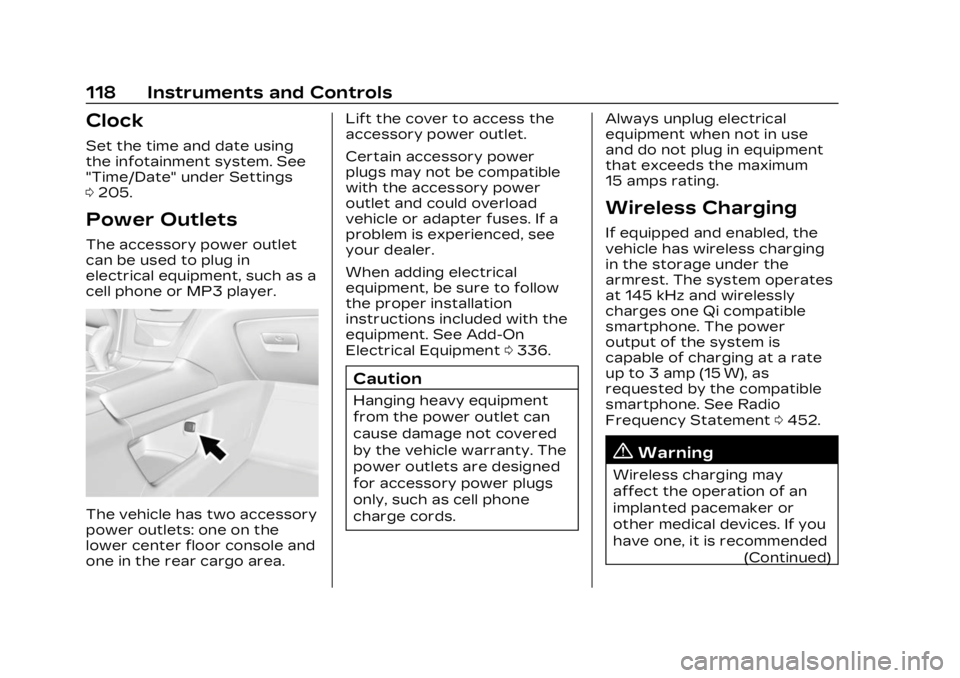
The accessory power outlet
can be used to plug in
electrical equipment, such as a
cell phone or MP3 player.
The vehicle has two accessory
power outlets: one on the
lower center floor console and
one in the rear cargo area. Lift the cover to access the
accessory power outlet.
Certain accessory power
plugs may not be compatible
with the accessory power
outlet and could overload
vehicle or adapter fuses. If a
problem is experienced, see
your dealer.
When adding electrical
equipment, be sure to follow
the proper installation
instructions included with the
equipment. See Add-On
Electrical Equipment
0336.
Caution
Hanging heavy equipment
from the power outlet can
cause damage not covered
by the vehicle warranty. The
power outlets are designed
for accessory power plugs
only, such as cell phone
charge cords. Always unplug electrical
equipment when not in use
and do not plug in equipment
that exceeds the maximum
15 amps rating.
Wireless Charging
If equipped and enabled, the
vehicle has wireless charging
in the storage under the
armrest. The system operates
at 145 kHz and wirelessly
charges one Qi compatible
smartphone. The power
output of the system is
capable of charging at a rate
up to 3 amp (15 W), as
requested by the compatible
smartphone. See Radio
Frequency Statement
0452.
{Warning
Wireless charging may
affect the operation of an
implanted pacemaker or
other medical devices. If you
have one, it is recommended
(Continued)
Page 120 of 482
Cadillac XT5 Owner Manual (GMNA-Localizing-U.S./Canada/Mexico-
16406251) - 2023 - CRC - 3/25/22
Instruments and Controls 119
Warning (Continued)
to consult with your doctor
before using the wireless
charging system.
The vehicle must be on, in
accessory mode, or Retained
Accessory Power (RAP) must
be active. The wireless
charging feature may not
correctly indicate charging
when the vehicle is in RAP,
during a Bluetooth phone call,
or when phone projection (e.g.
Apple CarPlay / Android Auto)
is active. See Retained
Accessory Power (RAP) 0258.
The operating temperature is
−40 °C (−40 °F) to 85 °C
(185 °F) for the charging
system and 0 °C (32 °F) to
35 °C (95 °F) for the phone.
A charging stopped alert may
be displayed on the
infotainment screen, if the
wireless charger or
smartphone are outside of
normal operating temperature.
Charging will automatically resume when a normal
operating temperature is
reached.
{Warning
Remove all objects from the
charger before charging
your compatible
smartphone. Objects, such
as coins, keys, rings, paper
clips, or cards, between the
smartphone and charger
may become very hot.
On the rare occasion that
the charging system does
not detect an object, and
the object gets wedged
between the smartphone
and charger, remove the
smartphone and allow the
object to cool before
removing it from the
charger, to prevent burns.
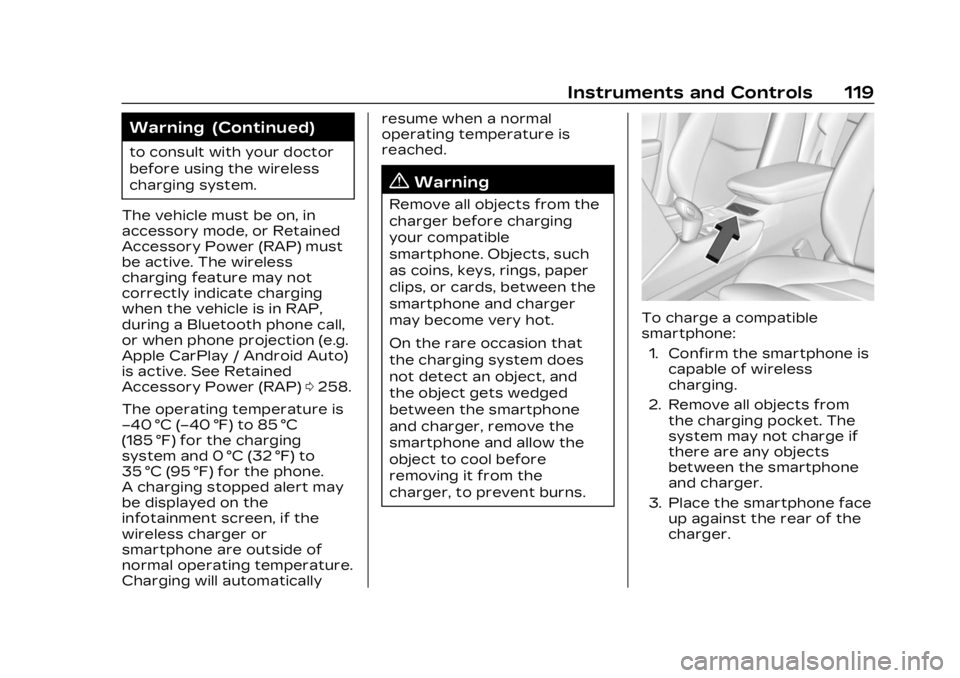
To charge a compatible
smartphone:
1. Confirm the smartphone is capable of wireless
charging.
2. Remove all objects from the charging pocket. The
system may not charge if
there are any objects
between the smartphone
and charger.
3. Place the smartphone face up against the rear of the
charger.
Page 121 of 482
Cadillac XT5 Owner Manual (GMNA-Localizing-U.S./Canada/Mexico-
16406251) - 2023 - CRC - 3/25/22
120 Instruments and Controls
To maximize the charge
rate, ensure the
smartphone is fully seated
and centered in the holder
with nothing under it.
A thick smartphone case
may prevent the charger
from working, or reduce
the charging performance.
See your dealer for
additional information.
4. A green
]will appear on
the infotainment display,
next to the phone icon.
This indicates that the
smartphone is detected.
5. If a smartphone is placed on the charger and
]
turns off or turns yellow,
remove the smartphone
and any objects from the
pocket. Turn the
smartphone 180 degrees
and wait a few seconds
before placing/aligning it
on the pocket again.
6. If a smartphone is placed on the charger and
]
turns red, the charger and/ or the smartphone is
overheated. Remove the
smartphone and any
objects from the charger in
order to cool the system.
The smartphone may become
warm during charging. This is
normal. In warmer
temperatures, the speed of
charging may be reduced.
For vehicles with wireless
phone projection, the
smartphone may overheat
during wireless charging. The
smartphone may slow down,
stop charging, or shut down to
protect the battery. The
phone may need to be
removed from its case to
prevent overheating. The
]
may flash while the phone is
cooling down enough for
wireless charging to
automatically resume. This is
normal. Individual phone
performance may vary. Software Acknowledgements
Certain Wireless Charging
Module product from LG
Electronics, Inc. ("LGE")
contains the open source
software detailed below. Refer
to the indicated open source
licenses (as are included
following this notice) for the
terms and conditions of
their use.
OSS Notice Information
To obtain the source code
that is contained in this
product, please visit
https://opensource.lge.com. In
addition to the source code, all
referred license terms,
warranty disclaimers and
copyright notices are available
for download. LG Electronics
will also provide open source
code to you on CD-ROM for a
charge covering the cost of
performing such distribution
(such as the cost of media,
shipping, and handling) upon
email request to
[email protected]. This
Page 129 of 482

Cadillac XT5 Owner Manual (GMNA-Localizing-U.S./Canada/Mexico-
16406251) - 2023 - CRC - 3/25/22
128 Instruments and Controls
Warning (Continued)
inflate without a crash. To
help avoid injury, have the
vehicle serviced right away.
If there is a problem with the
airbag system, a Driver
Information Center (DIC)
message may also come on.
Passenger Airbag
Status Indicator
The vehicle has a passenger
sensing system. See
Passenger Sensing System
0 75 for important safety
information. The overhead
console has a passenger
airbag status indicator.
When the vehicle is started,
the passenger airbag status
indicator will light ON and OFF,
or the symbol for on and off,
for several seconds as a
system check. Then, after
several more seconds, the
status indicator will light either
ON or OFF, or either the on or
off symbol, to let you know the
status of the front outboard
passenger frontal airbag.
If the word ON, or the on
symbol, is lit on the passenger
airbag status indicator, it
means that the front outboard
passenger frontal airbag is
allowed to inflate.
If the word OFF, or the off
symbol, is lit on the passenger
airbag status indicator, it
means that the passenger
sensing system has turned off
the front outboard passenger
frontal airbag.
If, after several seconds, both
status indicator lights remain
on, or if there are no lights at
all, there may be a problem with the lights or the
passenger sensing system.
See your dealer for service.
{Warning
If the airbag readiness light
ever comes on and stays on,
it means that something may
be wrong with the airbag
system. To help avoid injury
to yourself or others, have
the vehicle serviced right
away. See Airbag Readiness
Light
0127 for more
information, including
important safety
information.
Charging System
Light
Page 130 of 482
Cadillac XT5 Owner Manual (GMNA-Localizing-U.S./Canada/Mexico-
16406251) - 2023 - CRC - 3/25/22
Instruments and Controls 129
The charging system light
comes on briefly when the
ignition is turned on, but the
engine is not running, as a
check to show the light is
working. It should go out when
the engine is started.
If the light stays on, or comes
on while driving, there may be
a problem with the electrical
charging system. Have it
checked by your dealer.
Driving while this light is on
could drain the battery.
When this light comes on, or is
flashing, the Driver Information
Center (DIC) also displays a
message.
If a short distance must be
driven with the light on, be
sure to turn off all
accessories, such as the radio
and air conditioner. Find a safe
place to stop the vehicle.Malfunction Indicator
Lamp (Check Engine
Light)
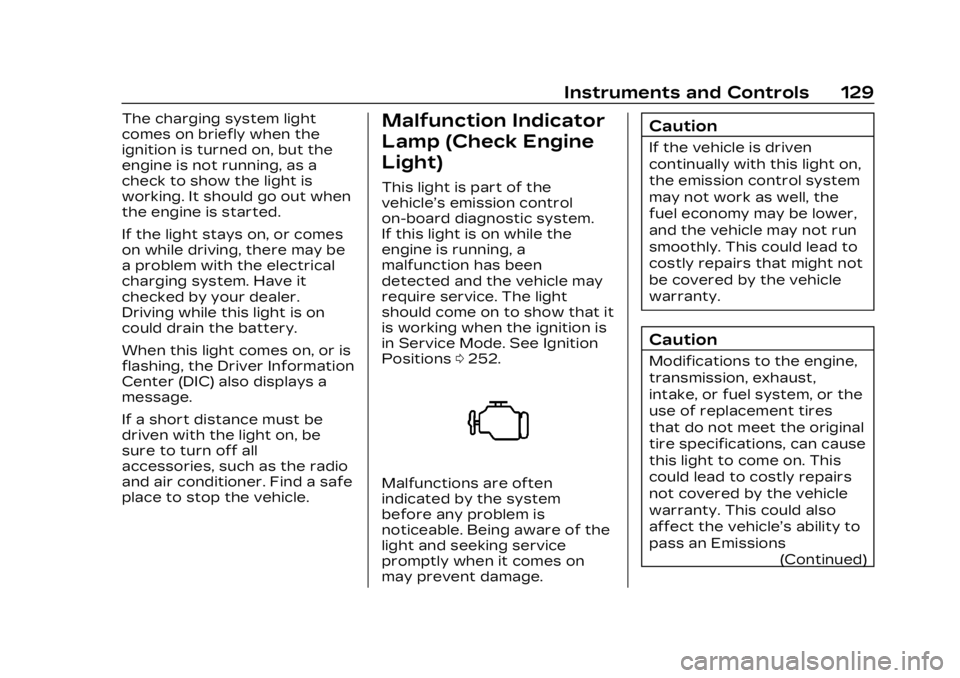
This light is part of the
vehicle’s emission control
on-board diagnostic system.
If this light is on while the
engine is running, a
malfunction has been
detected and the vehicle may
require service. The light
should come on to show that it
is working when the ignition is
in Service Mode. See Ignition
Positions0252.
Malfunctions are often
indicated by the system
before any problem is
noticeable. Being aware of the
light and seeking service
promptly when it comes on
may prevent damage.
Caution
If the vehicle is driven
continually with this light on,
the emission control system
may not work as well, the
fuel economy may be lower,
and the vehicle may not run
smoothly. This could lead to
costly repairs that might not
be covered by the vehicle
warranty.
Caution
Modifications to the engine,
transmission, exhaust,
intake, or fuel system, or the
use of replacement tires
that do not meet the original
tire specifications, can cause
this light to come on. This
could lead to costly repairs
not covered by the vehicle
warranty. This could also
affect the vehicle’s ability to
pass an Emissions
(Continued)
Page 143 of 482
Cadillac XT5 Owner Manual (GMNA-Localizing-U.S./Canada/Mexico-
16406251) - 2023 - CRC - 3/25/22
142 Instruments and Controls
Battery Voltage :Shows the
current battery voltage.
Coolant Temperature :
Shows the engine coolant
temperature in either degrees
Celsius (°C) or degrees
Fahrenheit (°F).
Oil Temperature : Shows the
engine oil temperature in
either degrees Celsius (°C) or
degrees Fahrenheit (°F).
Transmission Fluid
Temperature : Shows the
temperature of the automatic
transmission fluid in either
degrees Celsius (°C) or
degrees Fahrenheit (°F).
Off Road : Displays vehicle
pitch and roll information, road
wheel angle, and four-wheel
drive (4WD) status.
Engine Boost : If equipped,
displays engine manifold
pressure relative to ambient
air pressure. It will display
boost pressure generated by
the turbocharging system. Info Page Options :
Scroll to
choose which info pages
appear on the DIC. Press SEL
to select or deselect.
Blank Page : Allows for no
information to be displayed in
the cluster info display areas.
Head-Up
Display (HUD)
{Warning
If the HUD image is too
bright or too high in your
field of view, it may take you
more time to see things you
need to see when it is dark
outside. Be sure to keep the
HUD image dim and placed
low in your field of view.
If equipped with HUD, some
information concerning the
operation of the vehicle is
projected onto the windshield.
The image is projected
through the HUD lens on top
of the instrument panel. The information appears as an
image focused out toward the
front of the vehicle.
Caution
If you try to use the HUD
image as a parking aid, you
may misjudge the distance
and damage your vehicle. Do
not use the HUD image as a
parking aid.
The HUD information can be
displayed in various languages.
The speedometer reading and
other numerical values can be
displayed in either English or
metric units.
The language selection is
changed through the radio
and the units of measurement
are changed through the
instrument cluster. See
Settings 0205 and “Options”
under Instrument Cluster
0 122.
Page 171 of 482
Cadillac XT5 Owner Manual (GMNA-Localizing-U.S./Canada/Mexico-
16406251) - 2023 - CRC - 3/25/22
170 Infotainment System
SiriusXM with 360L
SiriusXM with 360L interface
has enhanced in-vehicle
listening experience for
subscribers. The experience
now offers more categories
and system learned
recommendations toward
discovering more personalized
content.
To use the full SiriusXM 360L
program, including streaming
content and listening
recommendations, OnStar
Connected Access is required.
Connected vehicle services
vary by model and require a
complete working electrical
system, cell reception, and
GPS signal. An active
connected plan is required.
Reference the SiriusXM user
guide for use and subscription
information.
Radio Reception
Unplug electronic devices
from the accessory power
outlets if there is interference
or static in the radio.
FM
FM signals only reach about 16
to 65 km (10 to 40 mi).
Although the radio has a
built-in electronic circuit that
automatically works to reduce
interference, some static can
occur, especially around tall
buildings or hills, causing the
sound to fade in and out.
AM
The range for most AM
stations is greater than for
FM, especially at night. The
longer range can cause station
frequencies to interfere with
each other. Static can also
occur when things like storms
and power lines interfere with
radio reception. When this
happens, try reducing the
treble on the radio.
SiriusXM Satellite Radio
Service
If equipped, SiriusXM Satellite
Radio Service provides digital
radio reception. Tall buildings
or hills can interfere with
satellite radio signals, causing
the sound to fade in and out.
In addition, traveling or
standing under heavy foliage,
bridges, garages, or tunnels
may cause loss of the
SiriusXM signal for a period of
time. Some cellular services
may interfere with SXM
reception causing loss of
signal.
Mobile Device Usage
Mobile device usage, such as
making or receiving calls,
charging, or just having the
mobile device on may cause
static interference in the radio.
Unplug the mobile device or
turn it off if this happens.
Page 172 of 482
Cadillac XT5 Owner Manual (GMNA-Localizing-U.S./Canada/Mexico-
16406251) - 2023 - CRC - 3/25/22
Infotainment System 171
Multi-Band Antenna
The roof antenna may be used
for radio, navigation, and other
communication systems,
depending on the equipped
options. Keep clear of
obstructions for clear
reception. If the vehicle has a
sunroof, and it is open,
reception can also be affected.
Audio Players
Avoiding Untrusted
Media Devices
When using media devices
such as USB and mobile
devices, consider the source.
Untrusted media devices could
contain files that affect
system operation or
performance and should be
avoided.
USB Port
Audio stored on a USB device
may be listened to.Depending on your vehicle, it
may be equipped with two
USB ports in the center
console under the armrest and
another two on the center
stack. These ports are for
data and charging. There may
also be two USB ports at the
rear of the center console and
a USB port on each side of the
third row seats for
charging only.
Caution
To avoid vehicle damage,
unplug all accessories and
disconnect all accessory
cables from the vehicle
when not in use. Accessory
cables left plugged into the
vehicle, unconnected to a
device, could be damaged or
cause an electrical short if
the unconnected end comes
in contact with liquids or
another power source such
as the accessory power
outlet.
Playing from a USB
A USB mass storage device
can be connected to the
USB port.
Audio extensions supported
by the USB may include:
.MP3
.AAC
.OGG
.3GP
My Media Library
MyMedia is only available
when more than one indexed
device is connected. It allows
access to content from all
indexed media sources.
MyMedia will show as an
available source in the
Source page.
USB MP3 Player and USB
Devices
The USB MP3 players and
USB devices connected must
comply with the USB Mass
Storage Class specification
(USB MSC).