park assist CADILLAC XT6 2020 Owner's Manual
[x] Cancel search | Manufacturer: CADILLAC, Model Year: 2020, Model line: XT6, Model: CADILLAC XT6 2020Pages: 385, PDF Size: 6.63 MB
Page 5 of 385
Cadillac XT6 Owner Manual (GMNA-Localizing-U.S./Canada-12984300) -
2020 - CRC - 3/19/19
4 INTRODUCTION
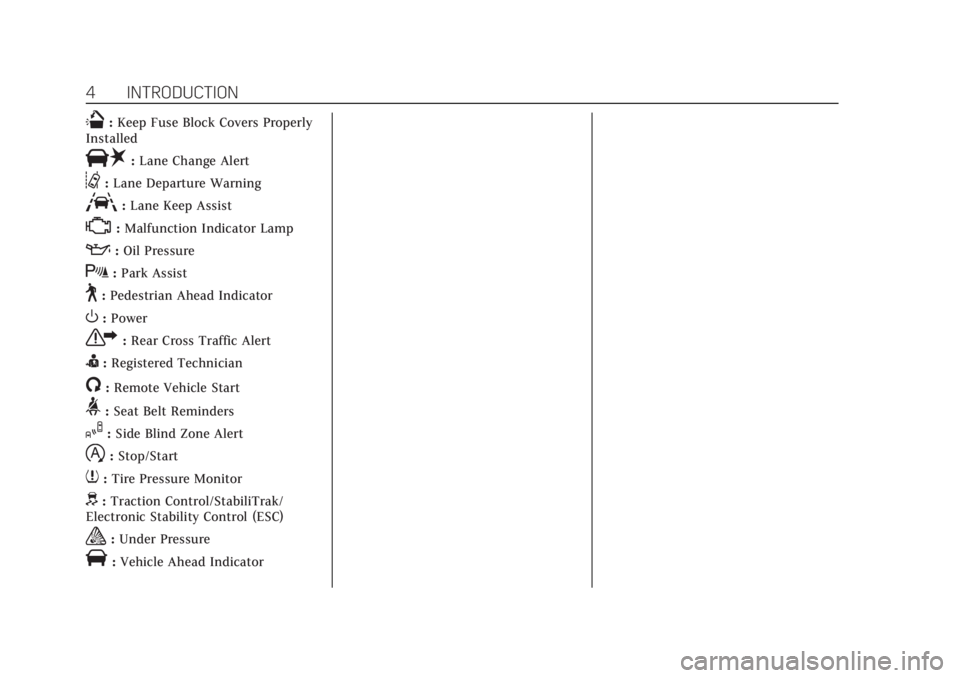
Q:Keep Fuse Block Covers Properly
Installed
|: Lane Change Alert
@:Lane Departure Warning
A:Lane Keep Assist
*:Malfunction Indicator Lamp
::Oil Pressure
X:Park Assist
~:Pedestrian Ahead Indicator
O:Power
7: Rear Cross Traffic Alert
I:Registered Technician
/:Remote Vehicle Start
>: Seat Belt Reminders
I:Side Blind Zone Alert
h:Stop/Start
7: Tire Pressure Monitor
d:Traction Control/StabiliTrak/
Electronic Stability Control (ESC)
a: Under Pressure
V:Vehicle Ahead Indicator
Page 7 of 385
Cadillac XT6 Owner Manual (GMNA-Localizing-U.S./Canada-12984300) -
2020 - CRC - 3/19/19
6 INTRODUCTION
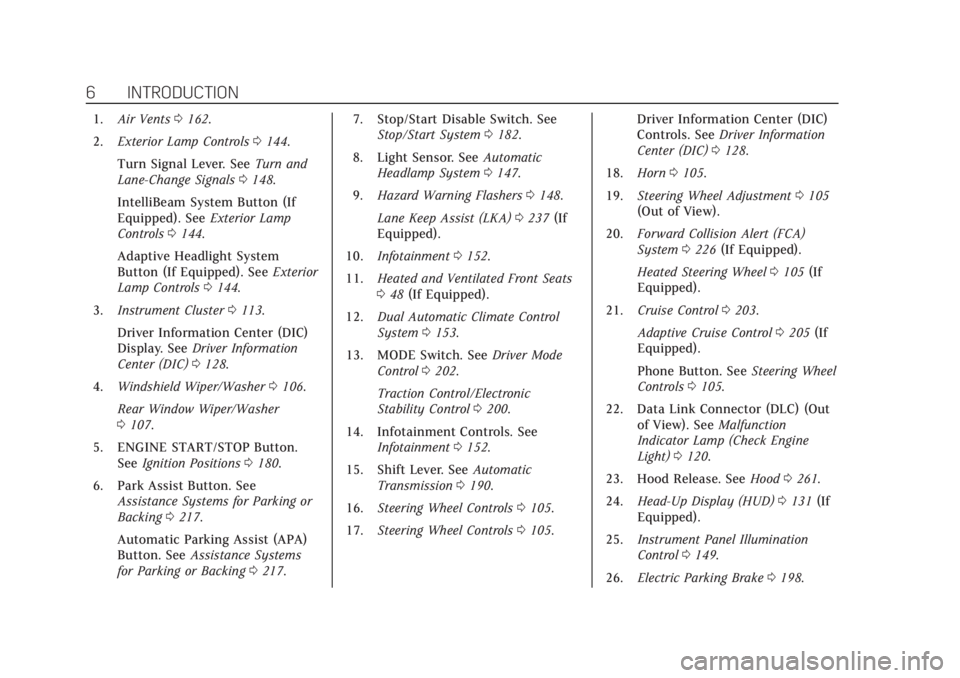
1.Air Vents 0162.
2. Exterior Lamp Controls 0144.
Turn Signal Lever. See Turn and
Lane-Change Signals 0148.
IntelliBeam System Button (If
Equipped). See Exterior Lamp
Controls 0144.
Adaptive Headlight System
Button (If Equipped). See Exterior
Lamp Controls 0144.
3. Instrument Cluster 0113.
Driver Information Center (DIC)
Display. See Driver Information
Center (DIC) 0128.
4. Windshield Wiper/Washer 0106.
Rear Window Wiper/Washer
0 107.
5. ENGINE START/STOP Button. See Ignition Positions 0180.
6. Park Assist Button. See Assistance Systems for Parking or
Backing 0217.
Automatic Parking Assist (APA)
Button. See Assistance Systems
for Parking or Backing 0217. 7. Stop/Start Disable Switch. See
Stop/Start System 0182.
8. Light Sensor. See Automatic
Headlamp System 0147.
9. Hazard Warning Flashers 0148.
Lane Keep Assist (LKA) 0237 (If
Equipped).
10. Infotainment 0152.
11. Heated and Ventilated Front Seats
048 (If Equipped).
12. Dual Automatic Climate Control
System 0153.
13. MODE Switch. See Driver Mode
Control 0202.
Traction Control/Electronic
Stability Control 0200.
14. Infotainment Controls. See Infotainment 0152.
15. Shift Lever. See Automatic
Transmission 0190.
16. Steering Wheel Controls 0105.
17. Steering Wheel Controls 0105. Driver Information Center (DIC)
Controls. See
Driver Information
Center (DIC) 0128.
18. Horn 0105.
19. Steering Wheel Adjustment 0105
(Out of View).
20. Forward Collision Alert (FCA)
System 0226 (If Equipped).
Heated Steering Wheel 0105 (If
Equipped).
21. Cruise Control 0203.
Adaptive Cruise Control 0205 (If
Equipped).
Phone Button. See Steering Wheel
Controls 0105.
22. Data Link Connector (DLC) (Out of View). See Malfunction
Indicator Lamp (Check Engine
Light) 0120.
23. Hood Release. See Hood0261.
24. Head-Up Display (HUD) 0131 (If
Equipped).
25. Instrument Panel Illumination
Control 0149.
26. Electric Parking Brake 0198.
Page 105 of 385
Cadillac XT6 Owner Manual (GMNA-Localizing-U.S./Canada-12984300) -
2020 - CRC - 3/19/19
104 INSTRUMENTS AND CONTROLS
Instruments and
Controls
Controls
Steering Wheel Adjustment . . . . . 105
Steering Wheel Controls . . . . . . . . . 105
Heated Steering Wheel . . . . . . . . . . 105
Horn . . . . . . . . . . . . . . . . . . . . . . . . . . . . . . . 105
Windshield Wiper/Washer . . . . . . . 106
Rear Window Wiper/Washer . . . . 107
Compass . . . . . . . . . . . . . . . . . . . . . . . . . . 108
Clock . . . . . . . . . . . . . . . . . . . . . . . . . . . . . . 109
Power Outlets . . . . . . . . . . . . . . . . . . . . . 109
Wireless Charging . . . . . . . . . . . . . . . . 110
Warning Lights, Gauges, and
Indicators
Warning Lights, Gauges, andIndicators . . . . . . . . . . . . . . . . . . . . . . . 112
Instrument Cluster . . . . . . . . . . . . . . . 113
Speedometer . . . . . . . . . . . . . . . . . . . . . . 116
Odometer . . . . . . . . . . . . . . . . . . . . . . . . . 116
Trip Odometer . . . . . . . . . . . . . . . . . . . . 116
Tachometer . . . . . . . . . . . . . . . . . . . . . . . 116
Fuel Gauge . . . . . . . . . . . . . . . . . . . . . . . . 117
Engine Coolant Temperature Gauge . . . . . . . . . . . . . . . . . . . . . . . . . . . . 117
Seat Belt Reminders . . . . . . . . . . . . . . 118 Airbag Readiness Light . . . . . . . . . . 119
Passenger Airbag Status
Indicator . . . . . . . . . . . . . . . . . . . . . . . . . 119
Charging System Light . . . . . . . . . . . 120
Malfunction Indicator Lamp (Check Engine Light) . . . . . . . . . . . 120
Brake System Warning Light . . . . 122
Electric Parking Brake Light . . . . . 122
Service Electric Parking Brake Light . . . . . . . . . . . . . . . . . . . . . . . . . . . . . 123
Antilock Brake System (ABS) Warning Light . . . . . . . . . . . . . . . . . . 123
All-Wheel-Drive Light . . . . . . . . . . . . 123
Lane Keep Assist (LKA) Light . . . 124
Vehicle Ahead Indicator . . . . . . . . . 124
Pedestrian Ahead Indicator . . . . . . 124
Traction Off Light . . . . . . . . . . . . . . . . 125
StabiliTrak OFF Light . . . . . . . . . . . . 125
Traction Control System (TCS)/ StabiliTrak Light . . . . . . . . . . . . . . . . 125
Driver Mode Control Light . . . . . . . 126
Tire Pressure Light . . . . . . . . . . . . . . . 126
Engine Oil Pressure Light . . . . . . . . 126
Low Fuel Warning Light . . . . . . . . . 127
Security Light . . . . . . . . . . . . . . . . . . . . . 127
High-Beam On Light . . . . . . . . . . . . . 127
Lamps On Reminder . . . . . . . . . . . . . 128
Cruise Control Light . . . . . . . . . . . . . . 128
Door Ajar Light . . . . . . . . . . . . . . . . . . . 128
Information Displays
Driver Information Center (DIC) . . . . . . . . . . . . . . . . . . . . . 128
Head-Up Display (HUD) . . . . . . . . . 131
Vehicle Messages
Vehicle Messages . . . . . . . . . . . . . . . . . 134
Engine Power Messages . . . . . . . . . . 135
Vehicle Speed Messages . . . . . . . . . 135
Vehicle Personalization
Vehicle Personalization . . . . . . . . . . 135
Universal Remote System
Universal Remote System . . . . . . . . 141
Universal Remote System Programming . . . . . . . . . . . . . . . . . . . 141
Universal Remote System Operation . . . . . . . . . . . . . . . . . . . . . . . . 143
Page 123 of 385
Cadillac XT6 Owner Manual (GMNA-Localizing-U.S./Canada-12984300) -
2020 - CRC - 3/19/19
122 INSTRUMENTS AND CONTROLS
vehicle may affect vehicle operation.
SeeAdd-On Electrical Equipment 0256.
See your dealer if assistance is needed.
The vehicle may not pass
inspection if:
. The light is on when the engine is
running.
. The light does not come on when
the ignition is in Service Mode.
. Critical emission control systems
have not been completely
diagnosed. If this happens, the
vehicle would not be ready for
inspection and might require
several days of routine driving
before the system is ready for
inspection. This can happen if the
12-volt battery has recently been
replaced or run down, or if the
vehicle has been recently serviced.
See your dealer if the vehicle will not
pass or cannot be made ready for
the test.Brake System Warning
Light
MetricEnglish
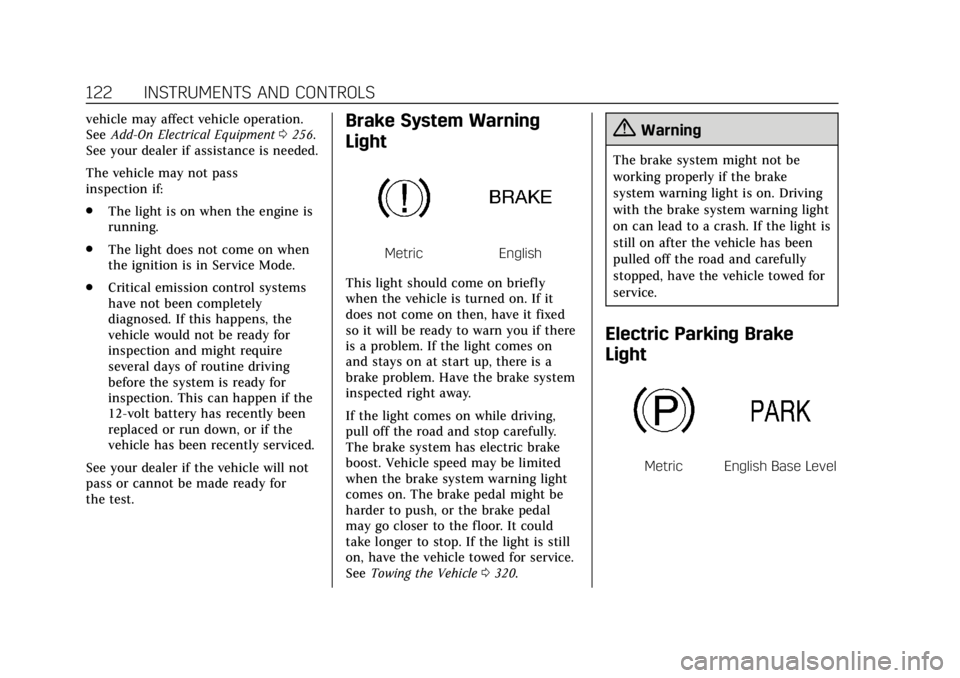
This light should come on briefly
when the vehicle is turned on. If it
does not come on then, have it fixed
so it will be ready to warn you if there
is a problem. If the light comes on
and stays on at start up, there is a
brake problem. Have the brake system
inspected right away.
If the light comes on while driving,
pull off the road and stop carefully.
The brake system has electric brake
boost. Vehicle speed may be limited
when the brake system warning light
comes on. The brake pedal might be
harder to push, or the brake pedal
may go closer to the floor. It could
take longer to stop. If the light is still
on, have the vehicle towed for service.
See Towing the Vehicle 0320.
{Warning
The brake system might not be
working properly if the brake
system warning light is on. Driving
with the brake system warning light
on can lead to a crash. If the light is
still on after the vehicle has been
pulled off the road and carefully
stopped, have the vehicle towed for
service.
Electric Parking Brake
Light
MetricEnglish Base Level
Page 133 of 385
Cadillac XT6 Owner Manual (GMNA-Localizing-U.S./Canada-12984300) -
2020 - CRC - 3/19/19
132 INSTRUMENTS AND CONTROLS
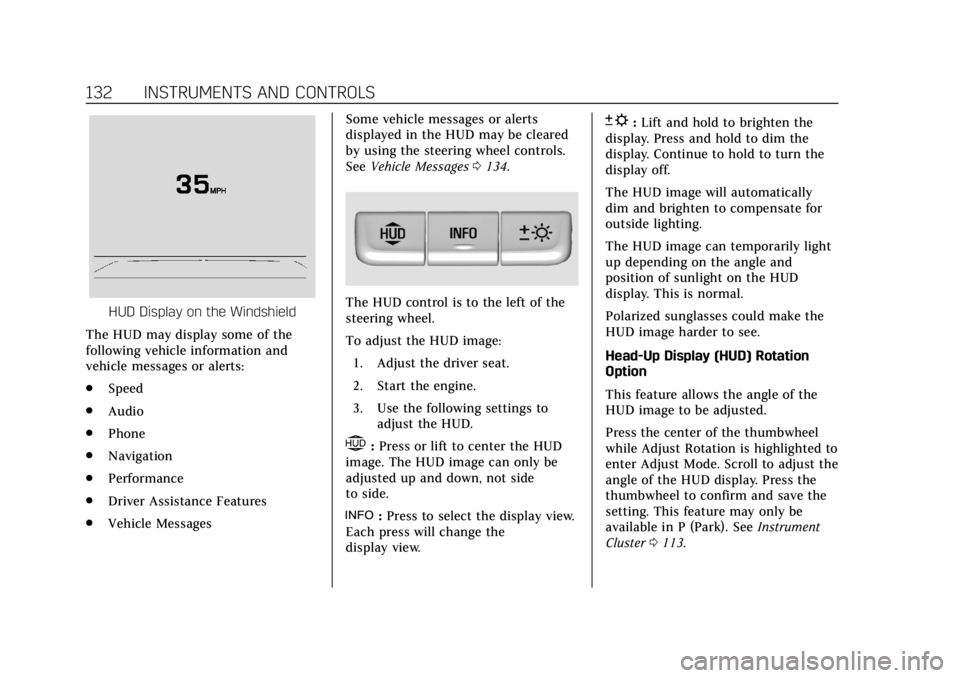
HUD Display on the Windshield
The HUD may display some of the
following vehicle information and
vehicle messages or alerts:
. Speed
. Audio
. Phone
. Navigation
. Performance
. Driver Assistance Features
. Vehicle Messages Some vehicle messages or alerts
displayed in the HUD may be cleared
by using the steering wheel controls.
See
Vehicle Messages 0134.The HUD control is to the left of the
steering wheel.
To adjust the HUD image:
1. Adjust the driver seat.
2. Start the engine.
3. Use the following settings to adjust the HUD.
$:Press or lift to center the HUD
image. The HUD image can only be
adjusted up and down, not side
to side.
!: Press to select the display view.
Each press will change the
display view.
D: Lift and hold to brighten the
display. Press and hold to dim the
display. Continue to hold to turn the
display off.
The HUD image will automatically
dim and brighten to compensate for
outside lighting.
The HUD image can temporarily light
up depending on the angle and
position of sunlight on the HUD
display. This is normal.
Polarized sunglasses could make the
HUD image harder to see.
Head-Up Display (HUD) Rotation
Option
This feature allows the angle of the
HUD image to be adjusted.
Press the center of the thumbwheel
while Adjust Rotation is highlighted to
enter Adjust Mode. Scroll to adjust the
angle of the HUD display. Press the
thumbwheel to confirm and save the
setting. This feature may only be
available in P (Park). See Instrument
Cluster 0113.
Page 137 of 385
Cadillac XT6 Owner Manual (GMNA-Localizing-U.S./Canada-12984300) -
2020 - CRC - 3/19/19
136 INSTRUMENTS AND CONTROLS
The menu may contain the following:
Rear Seat Reminder
This allows for a chime and a message
when the rear door has been opened
before or during operation of the
vehicle.
Touch Off or On.
Climate and Air Quality
Touch and the following may display:
.Auto Fan Speed
. Auto Cooled Seats
. Auto Heated Seats
. Auto Defog
. Auto Rear Defog
. Ionizer
Auto Fan Speed
This setting specifies the amount of
airf low when the climate control fan
setting is Auto Fan.
Touch Low, Medium, or High. Auto Cooled Seats
This setting automatically turns on
and regulates the ventilated seats
when the cabin temperature is warm.
See
Heated and Ventilated Front Seats
0 48.
Touch Off or On.
Auto Heated Seats
This setting automatically turns on
and regulates the heated seats when
the cabin temperature is cool. The
auto heated seats can be turned off by
using the heated seat buttons on the
center stack. See Heated and Ventilated
Front Seats 048.
If equipped with the auto heated
steering wheel, this feature will turn
on when the auto heated seats
turn on.
Touch Off or On.
Auto Defog
This setting automatically directs air
to the windshield to assist in
defogging, based on temperature and
humidity conditions.
Touch Off or On. Auto Rear Defog
This setting automatically turns the
rear defogger on based on temperature
and humidity conditions.
Touch Off or On.
Ionizer
If equipped and on, this feature helps
clean the air inside the vehicle and
remove contaminants such as pollen,
odors, and dust. See
Dual Automatic
Climate Control System 0153.
Touch Off or On.
Collision / Detection Systems
Touch and the following may display:
. Alert Type
. Forward Collision System
. Front Pedestrian Detection
. Rear Pedestrian Detection
. Adaptive Cruise Go Notifier
. Lane Change Alert
. Rear Camera Park Assist Symbols
. Rear Cross Traffic Alert
Page 138 of 385
Cadillac XT6 Owner Manual (GMNA-Localizing-U.S./Canada-12984300) -
2020 - CRC - 3/19/19
INSTRUMENTS AND CONTROLS 137
Alert Type
This setting specifies the type of alert
provided from driver assistance
systems to help avoid crashes, either
Beeps or Safety Alert Seat vibration
pulses.
Touch Beeps or Safety Alert Seat.
Forward Collision System
This setting controls the vehicle
response when detecting a vehicle
ahead of you. The Off setting disables
all FCA and AEB functions. With the
Alert and Brake setting, both FCA and
AEB are available. The Alert setting
disables AEB. SeeAutomatic
Emergency Braking (AEB) 0229.
Touch Off, Alert, or Alert and Brake.
Front Pedestrian Detection
This feature may help avoid or reduce
the harm caused by front-end crashes
with nearby pedestrians.
See Front Pedestrian Braking (FPB)
System 0230.
Select Off, Alert, or Alert and Brake. Rear Pedestrian Detection
This setting specifies if alerts will
display when the vehicle detects
pedestrians behind when in
R (Reverse). See
Rear Pedestrian Alert
0 225.
Touch Off, Alert, or Alert and Brake.
Adaptive Cruise Go Notifier
This setting determines if an alert will
appear when Adaptive Cruise Control
brings the vehicle to a complete stop
and the vehicle ahead of you starts
moving again. See Adaptive Cruise
Control 0205.
Touch Off or On.
Lane Change Alert
This setting specifies if an alert will
display on the outside mirror to help
you avoid crashing into a vehicle in
your blind spot, or rapidly
approaching your blind spot, during a
lane change maneuver. See Lane
Change Alert (LCA) 0235.
Touch Off or On. Rear Camera Park Assist Symbols
This setting enables the Rear Camera
Park Assist Symbols. See
Assistance
Systems for Parking or Backing 0217.
Touch Off or On.
Rear Cross Traffic Alert
This setting specifies if an alert will
display when the vehicle detects
approaching rear cross traffic when in
R (Reverse). See Assistance Systems for
Parking or Backing 0217.
Touch Off or On.
Comfort and Convenience
Touch and the following may display:
. Chime Volume
. Hands Free Liftgate/Trunk Control
. Reverse Tilt Mirror
. Remote Mirror Folding
. Rain Sense Wipers
. Auto Wipe in Reverse Gear
Page 142 of 385
Cadillac XT6 Owner Manual (GMNA-Localizing-U.S./Canada-12984300) -
2020 - CRC - 3/19/19
INSTRUMENTS AND CONTROLS 141
Universal Remote
System
SeeRadio Frequency Statement 0359.
Universal Remote System
Programming
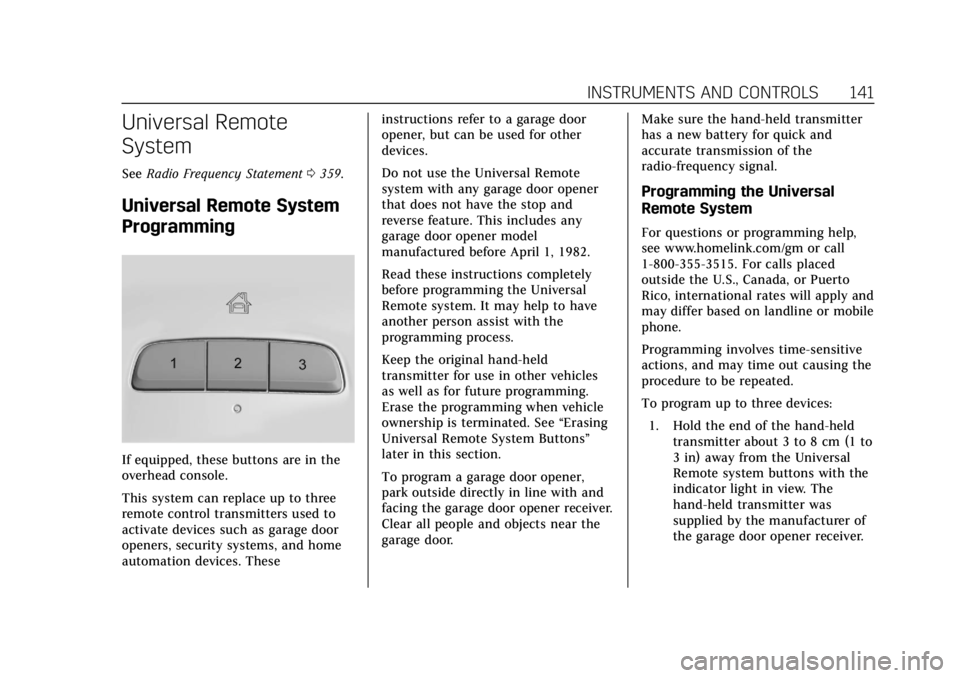
If equipped, these buttons are in the
overhead console.
This system can replace up to three
remote control transmitters used to
activate devices such as garage door
openers, security systems, and home
automation devices. These instructions refer to a garage door
opener, but can be used for other
devices.
Do not use the Universal Remote
system with any garage door opener
that does not have the stop and
reverse feature. This includes any
garage door opener model
manufactured before April 1, 1982.
Read these instructions completely
before programming the Universal
Remote system. It may help to have
another person assist with the
programming process.
Keep the original hand-held
transmitter for use in other vehicles
as well as for future programming.
Erase the programming when vehicle
ownership is terminated. See
“Erasing
Universal Remote System Buttons”
later in this section.
To program a garage door opener,
park outside directly in line with and
facing the garage door opener receiver.
Clear all people and objects near the
garage door. Make sure the hand-held transmitter
has a new battery for quick and
accurate transmission of the
radio-frequency signal.
Programming the Universal
Remote System
For questions or programming help,
see www.homelink.com/gm or call
1-800-355-3515. For calls placed
outside the U.S., Canada, or Puerto
Rico, international rates will apply and
may differ based on landline or mobile
phone.
Programming involves time-sensitive
actions, and may time out causing the
procedure to be repeated.
To program up to three devices:
1. Hold the end of the hand-held transmitter about 3 to 8 cm (1 to
3 in) away from the Universal
Remote system buttons with the
indicator light in view. The
hand-held transmitter was
supplied by the manufacturer of
the garage door opener receiver.
Page 165 of 385
Cadillac XT6 Owner Manual (GMNA-Localizing-U.S./Canada-12984300) -
2020 - CRC - 3/19/19
164 DRIVING AND OPERATING
Driving and
Operating
Driving Information
Driving for Better FuelEconomy . . . . . . . . . . . . . . . . . . . . . . . . 165
Distracted Driving . . . . . . . . . . . . . . . . 165
Defensive Driving . . . . . . . . . . . . . . . . 166
Drunk Driving . . . . . . . . . . . . . . . . . . . . 166
Control of a Vehicle . . . . . . . . . . . . . . 166
Braking . . . . . . . . . . . . . . . . . . . . . . . . . . . . 167
Steering . . . . . . . . . . . . . . . . . . . . . . . . . . . 167
Off-Road Recovery . . . . . . . . . . . . . . . . 168
Loss of Control . . . . . . . . . . . . . . . . . . . 168
Off-Road Driving . . . . . . . . . . . . . . . . . 169
Driving on Wet Roads . . . . . . . . . . . 173
Hill and Mountain Roads . . . . . . . . 174
Winter Driving . . . . . . . . . . . . . . . . . . . . 174
If the Vehicle Is Stuck . . . . . . . . . . . 176
Vehicle Load Limits . . . . . . . . . . . . . . 176
Starting and Operating
New Vehicle Break-In . . . . . . . . . . . . 180
Ignition Positions . . . . . . . . . . . . . . . . 180
Starting the Engine . . . . . . . . . . . . . . 181
Stop/Start System . . . . . . . . . . . . . . . . 182
Engine Heater . . . . . . . . . . . . . . . . . . . . 184 Retained Accessory
Power (RAP) . . . . . . . . . . . . . . . . . . . . 186
Shifting Into Park . . . . . . . . . . . . . . . . 186
Shifting out of Park . . . . . . . . . . . . . . 186
Parking over Things That Burn . . . . . . . . . . . . . . . . . . . . . . . 188
Active Fuel Management . . . . . . . . 188
Extended Parking . . . . . . . . . . . . . . . . . 189
Engine Exhaust
Engine Exhaust . . . . . . . . . . . . . . . . . . . 189
Running the Vehicle While Parked . . . . . . . . . . . . . . . . . . . . . . . . . . . 190
Automatic Transmission
Automatic Transmission . . . . . . . . . 190
Manual Mode . . . . . . . . . . . . . . . . . . . . . 195
Drive Systems
All-Wheel Drive . . . . . . . . . . . . . . . . . . 196
Brakes
Electric Brake Boost . . . . . . . . . . . . . . 197
Antilock Brake System (ABS) . . . . 197
Electric Parking Brake . . . . . . . . . . . . 198
Brake Assist . . . . . . . . . . . . . . . . . . . . . . . 199
Hill Start Assist (HSA) . . . . . . . . . . . 199
Ride Control Systems
Traction Control/ElectronicStability Control . . . . . . . . . . . . . . . . 200
Driver Mode Control . . . . . . . . . . . . . 202
Cruise Control
Cruise Control . . . . . . . . . . . . . . . . . . . . 203
Adaptive Cruise Control . . . . . . . . . 205
Driver Assistance Systems
Driver Assistance Systems . . . . . . . 216
Assistance Systems for Parking
or Backing . . . . . . . . . . . . . . . . . . . . . . . 217
Rear Pedestrian Alert . . . . . . . . . . . . 225
Assistance Systems for Driving . . . . . . . . . . . . . . . . . . . . . . . . . . 226
Forward Collision Alert (FCA) System . . . . . . . . . . . . . . . . . . . . . . . . . . 226
Automatic Emergency Braking (AEB) . . . . . . . . . . . . . . . . . . . 229
Front Pedestrian Braking (FPB) System . . . . . . . . . . . . . . . . . . . . . . . . . . 230
Night Vision System . . . . . . . . . . . . . 232
Side Blind Zone Alert (SBZA) . . . . 235
Lane Change Alert (LCA) . . . . . . . . 235
Lane Keep Assist (LKA) . . . . . . . . . . 237
Surround Vision Recorder . . . . . . . 239
Fuel
Top Tier Fuel . . . . . . . . . . . . . . . . . . . . . 241
Recommended Fuel . . . . . . . . . . . . . . 241
Prohibited Fuels . . . . . . . . . . . . . . . . . . 241
Fuels in Foreign Countries . . . . . . . 242
Fuel Additives . . . . . . . . . . . . . . . . . . . . 242
Filling the Tank . . . . . . . . . . . . . . . . . . 242
Page 168 of 385
Cadillac XT6 Owner Manual (GMNA-Localizing-U.S./Canada-12984300) -
2020 - CRC - 3/19/19
DRIVING AND OPERATING 167
Braking
Braking action involves perception
time and reaction time. Deciding to
push the brake pedal is perception
time. Actually doing it is
reaction time.
Average driver reaction time is about
three-quarters of a second. In that
time, a vehicle moving at 100 km/h
(60 mph) travels 20 m (66 ft), which
could be a lot of distance in an
emergency.
Helpful braking tips to keep in mind
include:
.Keep enough distance between
you and the vehicle in front
of you.
. Avoid needless heavy braking.
. Keep pace with traffic.
If the engine ever stops while the
vehicle is being driven, brake normally
but do not pump the brakes. Doing so
could make the pedal harder to push
down. If the engine stops, there will
be some power brake assist but it will
be used when the brake is applied. Once the power assist is used up, it
can take longer to stop and the brake
pedal will be harder to push.
Steering
Electric Power Steering
Caution
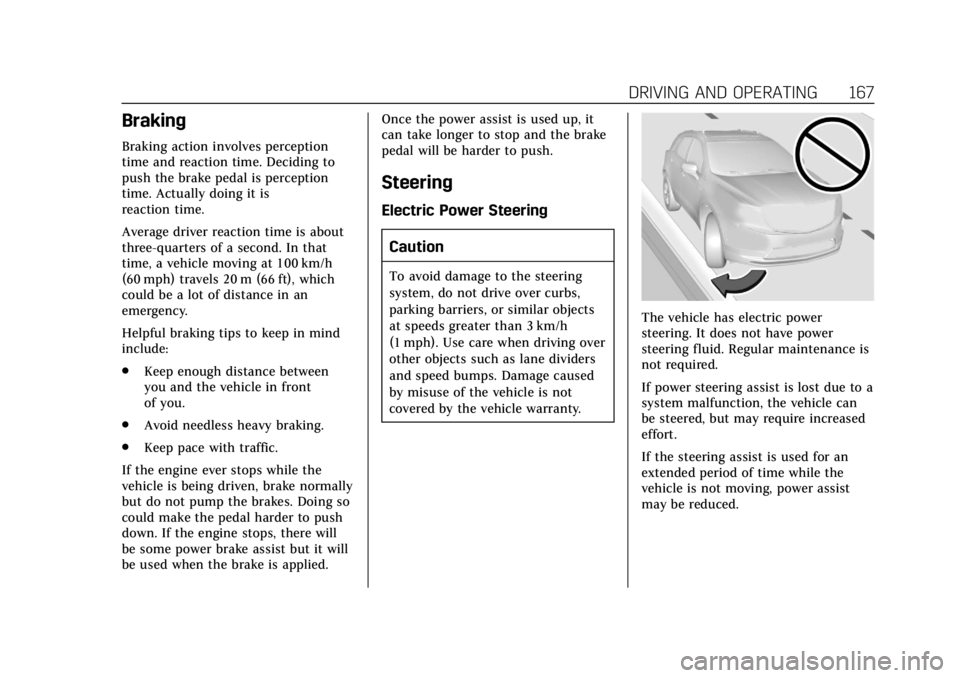
To avoid damage to the steering
system, do not drive over curbs,
parking barriers, or similar objects
at speeds greater than 3 km/h
(1 mph). Use care when driving over
other objects such as lane dividers
and speed bumps. Damage caused
by misuse of the vehicle is not
covered by the vehicle warranty.
The vehicle has electric power
steering. It does not have power
steering fluid. Regular maintenance is
not required.
If power steering assist is lost due to a
system malfunction, the vehicle can
be steered, but may require increased
effort.
If the steering assist is used for an
extended period of time while the
vehicle is not moving, power assist
may be reduced.