warning light CADILLAC XT6 2022 Service Manual
[x] Cancel search | Manufacturer: CADILLAC, Model Year: 2022, Model line: XT6, Model: CADILLAC XT6 2022Pages: 447, PDF Size: 7.21 MB
Page 288 of 447

Cadillac XT6 Owner Manual (GMNA-Localizing-U.S./Canada-15218998) -
2022 - CRC - 10/22/21
DRIVING AND OPERATING 287
Rear Pedestrian Alert can be set to Off
or Alert. See“Rear Pedestrian
Detection ”in “Collision/Detection
Systems” underVehicle Personalization
0 130. If equipped, alerts can be set to
beeps or seat pulses. See “Alert Type”
in “Collision/Detection Systems” under
Vehicle Personalization 0130.
Rear Cross Traffic Alert
(RCTA) System
If equipped, Rear Cross Traffic Alert
(RCTA) displays a red warning triangle
with a left or right pointing arrow on
the infotainment display to warn of
traffic coming from the left or right.
This system detects objects coming
from up to 20 m (65 ft) from the left
or right side of the vehicle. When an
object is detected, either three beeps
sound from the left or right or three
Safety Alert Seat pulses occur on the
left or right side, depending on the
direction of the detected vehicle.
Use caution while backing up when
towing a trailer, as the RCTA
detection zones that extend out from the back of the vehicle do not move
farther back when a trailer is attached
to the vehicle.
Driving With a Trailer
Use caution while backing up when
towing a trailer. The RCTA feature is
automatically disabled when a trailer
is attached to the vehicle.
Turning the Features On or Off
TheXbutton on the center stack is
used to turn on or off the Front and
Rear Park Assist, and Backing
Warning and Reverse Automatic
Braking (RAB) systems at the same
time. The indicator light next to the
button comes on when the features
are on and turns off when the features
have been disabled.
RCTA can be turned on or off using
the infotainment system. See
“Collision/Detection Systems” under
Vehicle Personalization 0130.
Assistance Systems for
Driving
If equipped, when driving the vehicle
in a forward gear, Forward Collision
Alert (FCA), Lane Keep Assist (LKA),
Side Blind Zone Alert (SBZA), Lane
Change Alert (LCA), Automatic
Emergency Braking (AEB), Front
Pedestrian Braking (FPB) System, and/
or the Night Vision System can help
to avoid a crash or reduce crash
damage.
Forward Collision Alert
(FCA) System
If equipped, the FCA system may help
to avoid or reduce the harm caused by
front-end crashes. When approaching
a vehicle ahead too quickly, FCA
provides a red flashing alert on the
windshield and rapidly beeps or pulses
the driver seat. FCA also lights an
amber visual alert if following another
vehicle much too closely.
FCA detects vehicles within a distance
of approximately 60 m (197 ft) and
operates at speeds above 8 km/h
(5 mph). If the vehicle has Adaptive
Page 295 of 447

Cadillac XT6 Owner Manual (GMNA-Localizing-U.S./Canada-15218998) -
2022 - CRC - 10/22/21
294 DRIVING AND OPERATING
With the Front Pedestrian Braking
system turned on, Night Vision
provides a red Head-Up Display (HUD)
alert when the system detects that the
vehicle is approaching a pedestrian
ahead too quickly. In addition, an alert
beeps or the Safety Alert Seat pulses,
if equipped. SeeFront Pedestrian
Braking (FPB) System 0291.
{Warning
The system does not detect all
objects or the vehicle distance from
objects. The system may not
provide a warning with enough time
to help avoid a crash.
1. Low-Beam Headlamps
2. High-Beam Headlamps
3. Night Vision System
By selecting a view on the instrument
cluster, the Night Vision image can be
displayed. See Instrument Cluster 0109
. The Night Vision system can operate
only if:
.The ignition is on.
.The vehicle is in P (Park) or a
forward gear.
.It is dark enough outside.
.The headlamps are on, except when
parked. Adjust the instrument panel
brightness to make the image no
brighter than necessary. Turn the
image off by selecting another view
on the instrument cluster.
Warm objects, such as pedestrians,
animals, and other moving vehicles,
should appear whiter on the Night
Vision display. Cold objects, such as
the sky, signs, and parked vehicles,
should appear darker. Night Vision
only shows objects that are warmer or
colder than the surroundings. It does
not detect brake lamps, turn signals,
emergency flashers, traffic lights,
or sign information.
Use this system as an aid by
occasionally glancing at the image. Do
not stare at the image or use the
image under well-lit conditions.
{Warning
Do not stare at the image while
driving as this might cause
important objects ahead not to be
seen. You could crash, and you or
others could be injured.
Page 297 of 447

Cadillac XT6 Owner Manual (GMNA-Localizing-U.S./Canada-15218998) -
2022 - CRC - 10/22/21
296 DRIVING AND OPERATING
The camera must also be aligned to
work correctly. If the camera needs
adjustment, see your dealer. Do not
attempt to adjust the camera yourself.
Side Blind Zone
Alert (SBZA)
If equipped, the SBZA system is a
lane-changing aid that assists drivers
with avoiding crashes that occur with
moving vehicles in the side blind
zone, or blind spot areas. When the
vehicle is in a forward gear, the left or
right side mirror display will light up
if a moving vehicle is detected in that
blind zone. If the turn signal is
activated and a vehicle is also
detected on the same side, the display
will flash as an extra warning not to
change lanes. Since this system is part
of the Lane Change Alert (LCA)
system, read the entire LCA section
before using this feature.
Lane Change Alert (LCA)
If equipped, the LCA system is a
lane-changing aid that assists drivers
with avoiding lane change crashes
that occur with moving vehicles in theside blind zone (or spot) areas or with
vehicles rapidly approaching these
areas from behind. The LCA warning
display will light up in the
corresponding outside side mirror and
will flash if the turn signal is on.
{Warning
LCA does not alert the driver to
vehicles outside of the system
detection zones, pedestrians,
bicyclists, or animals. It may not
provide alerts when changing lanes
under all driving conditions. Failure
to use proper care when changing
lanes may result in injury, death,
or vehicle damage. Before making a
lane change, always check mirrors,
glance over your shoulder, and use
the turn signals.
LCA Detection Zones
1. SBZA Detection Zone
2. LCA Detection Zone
The LCA sensor covers a zone of
approximately one lane over from
both sides of the vehicle, or 3.5 m
(11 ft). The height of the zone is
approximately between 0.5 m (1.5 ft)
and 2 m (6 ft) off the ground. The Side
Blind Zone Alert (SBZA) warning area
starts at approximately the middle of
the vehicle and goes back 5 m (16 ft).
Drivers are also warned of vehicles
rapidly approaching from up to 70 m
(230 ft) behind the vehicle.
Page 298 of 447

Cadillac XT6 Owner Manual (GMNA-Localizing-U.S./Canada-15218998) -
2022 - CRC - 10/22/21
DRIVING AND OPERATING 297
How the System Works
The LCA symbol lights up in the side
mirrors when the system detects a
moving vehicle in the next lane over
that is in the side blind zone or
rapidly approaching that zone from
behind. A lit LCA symbol indicates it
may be unsafe to change lanes. Before
making a lane change, check the LCA
display, check mirrors, glance over
your shoulder, and use the turn
signals.
Left Side MirrorDisplayRight Side Mirror Display
When the vehicle is started, both
outside mirror LCA displays will
briefly come on to indicate the system
is operating. When the vehicle is in a
forward gear, the left or right side
mirror display will light up if a moving
vehicle is detected in the next lane
over in that blind zone or rapidly
approaching that zone. If the turn signal is activated in the same
direction as a detected vehicle, this
display will flash as an extra warning
not to change lanes.
LCA can be disabled through vehicle
personalization. When you disable
LCA, SBZA is also disabled. See
Vehicle
Personalization 0130. If LCA is
disabled by the driver, the LCA mirror
displays will not light up.
When the System Does Not
Seem to Work Properly
The LCA system requires some driving
for the system to calibrate to
maximum performance. This
calibration may occur more quickly if
the vehicle is driving on a straight
highway road with traffic and roadside
objects (e.g., guardrails, barriers).
LCA displays may not come on when
passing a vehicle quickly, for a
stopped vehicle, or when towing a
trailer. The LCA detection zones that
extend back from the side of the
vehicle do not move further back
when a trailer is towed. Use caution
while changing lanes when towing a
trailer. LCA may alert to objects attached to the vehicle, such as a
trailer, bicycle, or object extending out
to either side of the vehicle. Attached
objects may also interfere with the
detection of vehicles. This is normal
system operation; the vehicle does not
need service.
LCA may not always alert the driver to
vehicles in the next lane over,
especially in wet conditions or when
driving on sharp curves. The system
does not need to be serviced. The
system may light up due to guardrails,
signs, trees, shrubs, and other
non-moving objects. This is normal
system operation; the vehicle does not
need service.
LCA may not operate when the LCA
sensors in the left or right corners of
the rear bumper are covered with
mud, dirt, snow, ice, or slush, or in
heavy rainstorms. For cleaning
instructions, see "Washing the
Vehicle" under
Exterior Care0384.
If the DIC still displays the system
unavailable message after cleaning
both sides of the vehicle toward the
rear corners of the vehicle, see your
dealer.
Page 299 of 447

Cadillac XT6 Owner Manual (GMNA-Localizing-U.S./Canada-15218998) -
2022 - CRC - 10/22/21
298 DRIVING AND OPERATING
If the LCA displays do not light up
when moving vehicles are in the side
blind zone or are rapidly approaching
this zone and the system is clean, the
system may need service. Take the
vehicle to your dealer.
Radio Frequency Information
SeeRadio Frequency Statement 0421.
Lane Keep Assist (LKA)
If equipped, LKA may help avoid
crashes due to unintentional lane
departures. This system uses a camera
to detect lane markings between
60 km/h (37 mph) and 180 km/h
(112 mph). It may assist by gently
turning the steering wheel if the
vehicle approaches a detected lane
marking. It may also provide a Lane
Departure Warning (LDW) alert if the
vehicle crosses a detected lane
marking. LKA can be overridden by
turning the steering wheel. This
system is not intended to keep the
vehicle centered in the lane. LKA will
not assist and alert if the turn signal
is active in the direction of lane departure, or if it detects that you are
accelerating, braking or actively
steering.
{Warning
The LKA system does not
continuously steer the vehicle.
It may not keep the vehicle in the
lane or give a Lane Departure
Warning (LDW) alert, even if a lane
marking is detected.
The LKA and LDW systems
may not:
.Provide an alert or enough
steering assist to avoid a lane
departure or crash.
.Detect lane markings under poor
weather or visibility conditions.
This can occur if the windshield
or headlamps are blocked by dirt,
snow, or ice; if they are not in
proper condition; or if the sun
shines directly into the camera.
.Detect road edges.
.Detect lanes on winding or hilly
roads.
(Continued)
Warning (Continued)
If LKA only detects lane markings
on one side of the road, it will only
assist or provide an LDW alert
when approaching the lane on the
side where it has detected a lane
marking. Even with LKA and LDW,
you must steer the vehicle. Always
keep your attention on the road and
maintain proper vehicle position
within the lane, or vehicle damage,
injury, or death could occur. Always
keep the windshield, headlamps,
and camera sensors clean and in
good repair. Do not use LKA in bad
weather conditions or on roads with
unclear lane markings, such as
construction zones.
{Warning
Using LKA while towing a trailer or
on slippery roads could cause loss
of control of the vehicle and a
crash. Turn the system off.
Page 300 of 447

Cadillac XT6 Owner Manual (GMNA-Localizing-U.S./Canada-15218998) -
2022 - CRC - 10/22/21
DRIVING AND OPERATING 299
How the System Works
LKA uses a camera sensor installed on
the windshield ahead of the rearview
mirror to detect lane markings. It may
provide brief steering assist if it
detects an unintended lane departure.
It may further provide an audible alert
or the driver seat may pulse indicating
that a lane marking has been crossed.
To turn LKA on and off, press
A
(base) orn(uplevel) on the center
stack. If equipped, the indicator light
on the button comes on when LKA is
on and turns off when LKA is
disabled.
When on,
Aornis white,
if equipped, indicating that the system
is not ready to assist.
Aornis
green if LKA is ready to assist. LKA
may assist by gently turning the
steering wheel if the vehicle
approaches a detected lane marking.
Aornis amber when assisting.
It may also provide a Lane Departure
Warning (LDW) alert by flashing
A
ornamber if the vehicle crosses a
detected lane marking. Additionally, there may be three beeps, or the
driver seat may pulse three times, on
the right or left, depending on the
lane departure direction.
Take Steering
The LKA system does not
continuously steer the vehicle. If LKA
does not detect active driver steering,
an alert and chime may be provided.
Steer the vehicle to dismiss. LKA may
become temporarily unavailable after
repeated take steering alerts.
When the System Does Not
Seem to Work Properly
The system performance may be
affected by:
.Close vehicles ahead.
.Sudden lighting changes, such as
when driving through tunnels.
.Banked roads.
.Roads with poor lane markings,
such as two-lane roads.
If the LKA system is not functioning
properly when lane markings are
clearly visible, cleaning the windshield
may help. A camera blocked message may
display if the camera is blocked. Some
driver assistance systems may have
reduced performance or not work at
all. An LKA or LDW unavailable
message may display if the systems
are temporarily unavailable. This
message could be due to a blocked
camera. The LKA system does not
need service. Clean the outside of the
windshield behind the rearview mirror.
LKA assistance and/or LDW alerts
may occur due to tar marks, shadows,
cracks in the road, temporary or
construction lane markings, or other
road imperfections. This is normal
system operation; the vehicle does not
need service. Turn LKA off if these
conditions continue.
Surround Vision Recorder
If equipped, this system records the
360° camera views to an SD card. Only
images are recorded, no sound. An SD
card will be needed for this system.
The recommended SD card is a 32GB
SDHC card with FAT32 file system,
Class 10 and over.
Page 316 of 447

Cadillac XT6 Owner Manual (GMNA-Localizing-U.S./Canada-15218998) -
2022 - CRC - 10/22/21
DRIVING AND OPERATING 315
controller as part of the trailer wiring
package. The harness contains the
following circuits:Electric Trailer
Brakes Blue
Battery Feed Red/Black or
Red/Blue
Brake Apply
Signal White/Blue
Ground Black or White
Refer to the aftermarket electric trailer
brake controller owner's manual to
determine wire color coding of the
electric trailer brake controller. The
wire colors on the brake controller
may be different from the vehicle.
It may be necessary to have a
technician connect the 12-volt power
to the engine compartment fuse block.
The electric trailer brake controller
should be installed by your dealer or a
qualified service center.
Trailer Lamps
Always check that all trailer lamps are
working at the beginning of each trip,
and periodically on longer trips.
Turn Signals When Towing a
Trailer
When properly connected, the trailer
turn signals should illuminate to
indicate the vehicle is turning,
changing lanes, or stopping. When
towing a trailer, the arrows on the
instrument cluster will illuminate
even if the trailer is not properly
connected or the bulbs are
burned out.
Trailer Sway Control (TSC)
Vehicles with StabiliTrak/Electronic
Stability Control (ESC) have a Trailer
Sway Control (TSC) feature. Trailer
sway is unintended side-to-side
motion of a trailer while towing. If the
vehicle is towing a trailer and the TSC
detects that sway is increasing, the
vehicle brakes are selectively applied
to help reduce excessive trailer sway.
If equipped with the Integrated Trailer
Brake Control (ITBC) system, and the
trailer has an electric brake system,
StabiliTrak/ESC may also apply the
trailer brakes.
If TSC is enabled, the Traction Control
System (TCS)/StabiliTrak/ESC warning
light will flash on the instrument
cluster. Reduce vehicle speed by
gradually removing your foot from the
accelerator pedal. If trailer sway
continues, StabiliTrak/ESC can reduce
engine torque to help slow the vehicle.
TSC will not function if StabiliTrak/
ESC is turned off. See Traction Control/
Electronic Stability Control 0247.
{Warning
Trailer sway can result in a crash
and in serious injury or death, even
if the vehicle is equipped with TSC.
If the trailer begins to sway, reduce
vehicle speed by gradually removing
your foot from the accelerator. Then
pull over to check the trailer and
vehicle to help correct possible
(Continued)
Page 317 of 447

Cadillac XT6 Owner Manual (GMNA-Localizing-U.S./Canada-15218998) -
2022 - CRC - 10/22/21
316 DRIVING AND OPERATING
Warning (Continued)
causes, including an improperly or
overloaded trailer, unrestrained
cargo, improper trailer hitch
configuration, or improperly
inflated or incorrect vehicle or
trailer tires. SeeTowing Equipment
0 312 for trailer ratings and hitch
setup recommendations.
Trailer Tires
Special Trailer (ST) tires differ from
vehicle tires. Trailer tires are designed
with stiff sidewalls to help prevent
sway and to support heavy loads.
These features can make it difficult to
determine if the trailer tire pressures
are low only based on a visual
inspection.
Always check all trailer tire pressures
before each trip when the tires are
cool. Low trailer tire pressure is a
leading cause of trailer tire blowouts.
Trailer tires deteriorate over time. The
trailer tire sidewall will show the week
and year the tire was manufactured. Many trailer tire manufacturers
recommend replacing tires more than
six years old.
Overloading is another leading cause
of trailer tire blowouts. Never load the
trailer with more weight than the tires
are designed to support. The load
rating is on the trailer tire sidewall.
Always know the maximum speed
rating for the trailer tires before
driving. This may be significantly
lower than the vehicle tire speed
rating. The speed rating may be on
the trailer tire sidewall. If the speed
rating is not shown, the default trailer
tire speed rating is 105 km/h (65 mph).
Conversions and
Add-Ons
Add-On Electrical
Equipment
{Warning
The Data Link Connector (DLC) is
used for vehicle service and
Emission Inspection/Maintenance
testing. See
Malfunction Indicator
Lamp (Check Engine Light) 0115.
A device connected to the DLC —
such as an aftermarket fleet or
driver-behavior tracking device —
may interfere with vehicle systems.
This could affect vehicle operation
and cause a crash. Such devices
may also access information stored
in the vehicle’s systems.
Caution
Some electrical equipment can
damage the vehicle or cause
components to not work and would (Continued)
Page 336 of 447
Cadillac XT6 Owner Manual (GMNA-Localizing-U.S./Canada-15218998) -
2022 - CRC - 10/22/21
VEHICLE CARE 335
1. Turn the air conditioning off.
2. Turn the heater on to the highesttemperature and to the highest fan
speed. Open the windows as
necessary.
3. When it is safe to do so, pull off the road, shift to P (Park) or
N (Neutral), and let the engine idle.
If the engine coolant temperature
gauge is no longer in the overheated
area or the engine coolant
temperature warning light no longer
displays, the vehicle can be driven.
Continue to drive the vehicle slowly
for about 10 minutes. Keep a safe
distance from the vehicle in front.
If the warning does not come back on,
continue to drive normally and have
the cooling system checked for proper
fill and function.
If the warning continues, pull over,
stop, and park the vehicle right away.
If there is no sign of steam, idle the
engine for three minutes while parked.
If the warning is still displayed, turn
off the engine until it cools down.Washer Fluid
What to Use
When windshield washer fluid is
needed, be sure to read the
manufacturer's instructions before
use. If operating the vehicle in an area
where the temperature may fall below
freezing, use a fluid that has sufficient
protection against freezing.
Adding Washer Fluid
The appropriate message will appear
in the Driver Information Center (DIC)
when the fluid level is low.
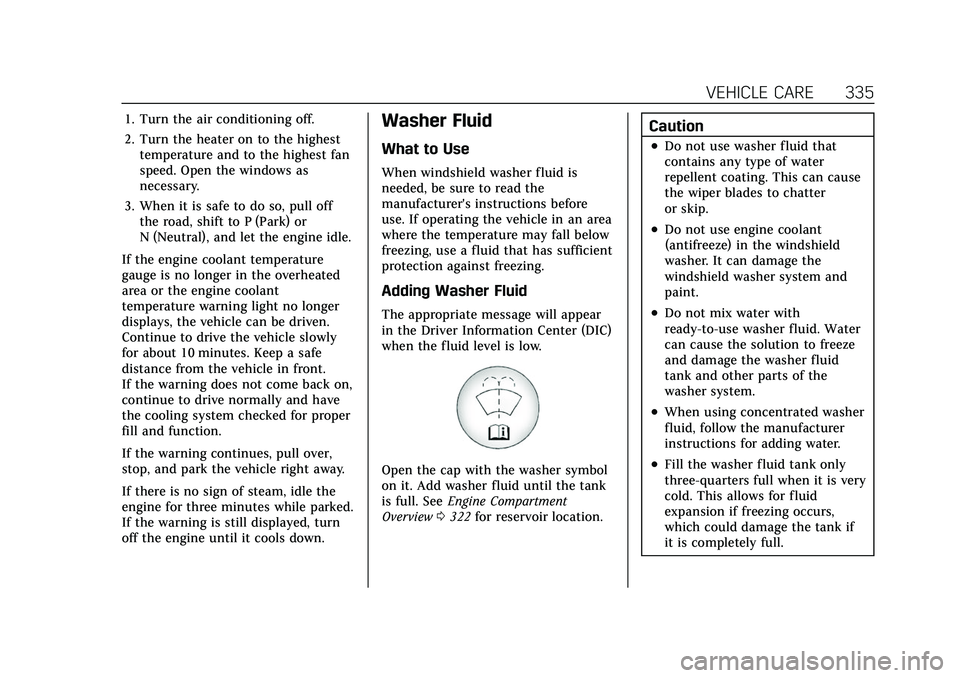
Open the cap with the washer symbol
on it. Add washer fluid until the tank
is full. See Engine Compartment
Overview 0322 for reservoir location.
Caution
.Do not use washer fluid that
contains any type of water
repellent coating. This can cause
the wiper blades to chatter
or skip.
.Do not use engine coolant
(antifreeze) in the windshield
washer. It can damage the
windshield washer system and
paint.
.Do not mix water with
ready-to-use washer fluid. Water
can cause the solution to freeze
and damage the washer fluid
tank and other parts of the
washer system.
.When using concentrated washer
fluid, follow the manufacturer
instructions for adding water.
.Fill the washer fluid tank only
three-quarters full when it is very
cold. This allows for fluid
expansion if freezing occurs,
which could damage the tank if
it is completely full.
Page 338 of 447
Cadillac XT6 Owner Manual (GMNA-Localizing-U.S./Canada-15218998) -
2022 - CRC - 10/22/21
VEHICLE CARE 337
.A fluid leak in the brake hydraulic
system. Have the brake hydraulic
system fixed. With a leak, the
brakes will not work well.
Always clean the brake fluid reservoir
cap and the area around the cap
before removing it.
Do not top off the brake fluid. Adding
fluid does not correct a leak. If fluid is
added when the linings are worn,
there will be too much fluid when
new brake linings are installed. Add or
remove fluid, as necessary, only when
work is done on the brake hydraulic
system.
{Warning
If too much brake fluid is added, it
can spill on the engine and burn,
if the engine is hot enough. You or
others could be burned, and the
vehicle could be damaged. Add
brake fluid only when work is done
on the brake hydraulic system.
When the brake fluid falls to a low
level, the brake warning light comes
on. See Brake System Warning Light
0 117. Brake fluid absorbs water over time
which degrades the effectiveness of
the brake fluid. Replace brake fluid at
the specified intervals to prevent
increased stopping distance. See
Maintenance Schedule
0395.
What to Add
Use only GM approved DOT 4 brake
fluid from a clean, sealed container.
See Recommended Fluids and
Lubricants 0404.
{Warning
The wrong or contaminated brake
fluid could result in damage to the
brake system. This could result in
the loss of braking leading to a
possible injury. Always use the
proper GM approved brake fluid.
Caution
If brake fluid is spilled on the
vehicle's painted surfaces, the paint
finish can be damaged. Immediately
wash off any painted surface.
Battery - North America
The original equipment battery is
maintenance free. Do not remove the
cap and do not add fluid.
Refer to the replacement number on
the original battery label when a new
battery is needed. For replacement of
the battery, see your dealer.
The vehicle has an Absorbed Glass
Mat (AGM) 12-volt battery.
Installation of a standard 12-volt
battery will result in reduced 12-volt
battery life.
When using a 12-volt battery charger
on the 12-volt AGM battery, some
chargers have an AGM battery setting
on the charger. If available, use the
AGM setting on the charger, to limit
charge voltage to 14.8 volts.
Stop/Start System
This vehicle has a Stop/Start system
to shut off the engine to help
conserve fuel. See Stop/Start System
0 233.