battery CADILLAC XT6 2023 User Guide
[x] Cancel search | Manufacturer: CADILLAC, Model Year: 2023, Model line: XT6, Model: CADILLAC XT6 2023Pages: 507, PDF Size: 6.49 MB
Page 44 of 507
Cadillac XT6 Owner Manual (GMNA-Localizing-U.S./Canada-16405819) -
2023 - CRC - 3/23/22
Keys, Doors, and Windows 43
Window Express
Movement
All windows can be opened
without holding the window
switch. Press the switch down
fully and quickly release to
express open the window.
If equipped, pull the window
switch up fully and quickly
release to express close the
window.
Briefly press or pull the
window switch in the same
direction to stop that
window’s express movement.
Window Automatic
Reversal System
The express-close feature will
reverse window movement if it
comes in contact with an
object. Extreme cold or ice
could cause the window to
auto-reverse. The window will
operate normally after the
object or condition is removed.
Automatic Reversal
System Override
{Warning
If automatic reversal system
override is active, the
window will not reverse
automatically. You or others
could be injured and the
window could be damaged.
Before using automatic
reversal system override,
make sure that all people
and obstructions are clear
of the window path.
When the engine is on,
override the automatic
reversal system by pulling and
holding the window switch if
conditions prevent it from
closing.
Programming the Power
Windows
Programming may be
necessary if the vehicle
battery has been
disconnected or discharged. If the window is unable to
express-up, program each
express-close window:
1. Close all doors.
2. Turn the ignition on or to accessory mode.
3. Partially open the window to be programmed. Then
close it and continue to pull
the switch briefly after the
window has fully closed.
4. Open the window and continue to press the
switch briefly after the
window has fully opened.
Remote Window
Operation
If equipped, this feature allows
all windows to be opened
remotely. If enabled in vehicle
settings, press and hold
Kon
the remote key. To view
available settings for this
feature, touch the Settings
icon on the infotainment home
page. Select “Vehicle”to
Page 84 of 507
Cadillac XT6 Owner Manual (GMNA-Localizing-U.S./Canada-16405819) -
2023 - CRC - 3/22/22
Seats and Restraints 83
{Warning
For up to 10 seconds after
the vehicle is turned off and
the battery is disconnected,
an airbag can still inflate
during improper service. You
can be injured if you are
close to an airbag when it
inflates. Avoid yellow
connectors. They are
probably part of the airbag
system. Be sure to follow
proper service procedures,
and make sure the person
performing work for you is
qualified to do so.
Adding Equipment to
the Airbag-Equipped
Vehicle
Adding accessories that
change the vehicle's frame,
bumper system, height, front
end, or side sheet metal may
keep the airbag system from
working properly.The operation of the airbag
system can also be affected
by changing, including
improperly repairing or
replacing, any parts of the
following:
.Airbag system, including
airbag modules, front or side
impact sensors, sensing and
diagnostic module, or airbag
wiring
.Front seats, including
stitching, seams or zippers
.Seat belts
.Steering wheel, instrument
panel, overhead console,
ceiling trim, or pillar
garnish trim
.Inner door seals, including
speakers
Your dealer and the service
manual have information about
the location of the airbag
modules and sensors, sensing
and diagnostic module, and
airbag wiring along with the
proper replacement
procedures. In addition, the vehicle has a
passenger sensing system for
the front outboard passenger
position, which includes
sensors that are part of the
passenger seat. The
passenger sensing system
may not operate properly if
the original seat trim is
replaced with non-GM covers,
upholstery, or trim; or with GM
covers, upholstery, or trim
designed for a different
vehicle. Any object, such as an
aftermarket seat heater or a
comfort-enhancing pad or
device, installed under or on
top of the seat fabric, could
also interfere with the
operation of the passenger
sensing system. This could
either prevent proper
deployment of the passenger
airbag(s) or prevent the
passenger sensing system
from properly turning off the
passenger airbag(s). See
Passenger Sensing System
0
78.
Page 124 of 507
Cadillac XT6 Owner Manual (GMNA-Localizing-U.S./Canada-16405819) -
2023 - CRC - 3/22/22
Instruments and Controls 123
Warning (Continued)
because the vehicle could
catch fire and cause injury
or death.
Caution
Leaving electrical equipment
plugged in for an extended
period of time while the
ignition is in LOCK/OFF will
drain the battery. Always
unplug electrical equipment
when not in use and do not
plug in equipment that
exceeds the maximum
15 ampere rating.
Certain accessory plugs may
not be compatible with the
accessory power outlet and
could overload vehicle and
adapter fuses. If a problem is
experienced, see your dealer.
When adding electrical
equipment, be sure to follow
the proper installation instructions included with the
equipment. See Add-On
Electrical Equipment
0360.
Caution
Hanging heavy equipment
from the power outlet can
cause damage not covered
by the vehicle warranty. The
power outlets are designed
for accessory power plugs
only, such as cell phone
charge cords.
Wireless Charging
If equipped and enabled, the
vehicle has wireless charging
in the storage under the
armrest. The system operates
at 145 kHz and wirelessly
charges one Qi compatible
smartphone. The power
output of the system is
capable of charging at a rate
up to 3 amp (15 W), as
requested by the compatible
smartphone. See Radio
Frequency Statement 0477.
{Warning
Wireless charging may
affect the operation of an
implanted pacemaker or
other medical devices. If you
have one, it is recommended
to consult with your doctor
before using the wireless
charging system.
The vehicle must be on, in
accessory mode, or Retained
Accessory Power (RAP) must
be active. The wireless
charging feature may not
correctly indicate charging
when the vehicle is in RAP,
during a Bluetooth phone call,
or when phone projection (e.g.
Apple CarPlay / Android Auto)
is active. See Retained
Accessory Power (RAP) 0263.
The operating temperature is
−40 °C (−40 °F) to 85 °C
(185 °F) for the charging
system and 0 °C (32 °F) to
35 °C (95 °F) for the phone.
A charging stopped alert may
Page 126 of 507
![CADILLAC XT6 2023 User Guide Cadillac XT6 Owner Manual (GMNA-Localizing-U.S./Canada-16405819) -
2023 - CRC - 3/22/22
Instruments and Controls 125
6. If a smartphone is placedon the charger and
]
turns red, the charger and/
or the](/img/23/58694/w960_58694-125.png "CADILLAC XT6 2023 User Guide Cadillac XT6 Owner Manual (GMNA-Localizing-U.S./Canada-16405819) -
2023 - CRC - 3/22/22
Instruments and Controls 125
6. If a smartphone is placedon the charger and
]
turns red, the charger and/
or the")
Cadillac XT6 Owner Manual (GMNA-Localizing-U.S./Canada-16405819) -
2023 - CRC - 3/22/22
Instruments and Controls 125
6. If a smartphone is placedon the charger and
]
turns red, the charger and/
or the smartphone is
overheated. Remove the
smartphone and any
objects from the charger in
order to cool the system.
The smartphone may become
warm during charging. This is
normal. In warmer
temperatures, the speed of
charging may be reduced.
For vehicles with wireless
phone projection, the
smartphone may overheat
during wireless charging. The
smartphone may slow down,
stop charging, or shut down to
protect the battery. The
phone may need to be
removed from its case to
prevent overheating. The
]
may flash while the phone is
cooling down enough for
wireless charging to
automatically resume. This is
normal. Individual phone
performance may vary. Software Acknowledgements
Certain Wireless Charging
Module product from LG
Electronics, Inc. ("LGE")
contains the open source
software detailed below. Refer
to the indicated open source
licenses (as are included
following this notice) for the
terms and conditions of
their use.
OSS Notice Information
To obtain the source code
that is contained in this
product, please visit
https://opensource.lge.com. In
addition to the source code, all
referred license terms,
warranty disclaimers and
copyright notices are available
for download. LG Electronics
will also provide open source
code to you on CD-ROM for a
charge covering the cost of
performing such distribution
(such as the cost of media,
shipping, and handling) upon
email request to
[email protected]. Thisoffer is valid for three (3)
years from the date on which
you purchased the product.
Freescale-WCT library
Copyright (c) 2012-2014
Freescale Semiconductor, Inc..
All rights reserved.
Redistribution and use in
source and binary forms, with
or without modification, are
permitted provided that the
following conditions are met:
1. Redistributions of source code must retain the
above copyright notice,
this list of conditions and
the following disclaimer.
2. Redistributions in binary form must reproduce the
above copyright notice,
this list of conditions and
the following disclaimer in
the documentation and/or
other materials provided
with the distribution.
Page 135 of 507
Cadillac XT6 Owner Manual (GMNA-Localizing-U.S./Canada-16405819) -
2023 - CRC - 3/22/22
134 Instruments and Controls
Warning (Continued)
to yourself or others, have
the vehicle serviced right
away. See Airbag Readiness
Light0132 for more
information, including
important safety
information.
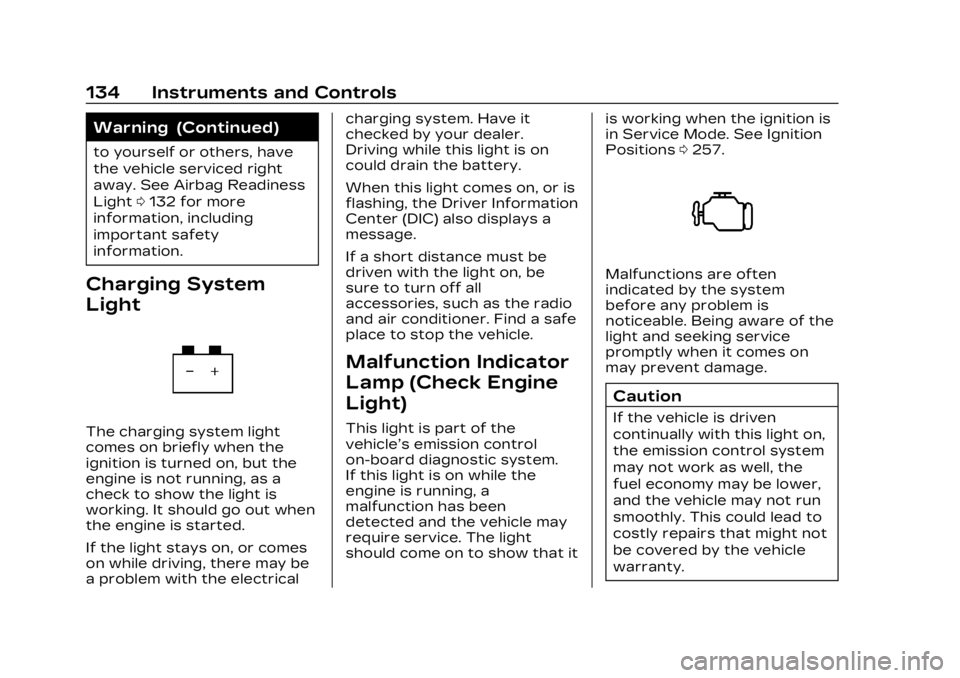
Charging System
Light
The charging system light
comes on briefly when the
ignition is turned on, but the
engine is not running, as a
check to show the light is
working. It should go out when
the engine is started.
If the light stays on, or comes
on while driving, there may be
a problem with the electrical charging system. Have it
checked by your dealer.
Driving while this light is on
could drain the battery.
When this light comes on, or is
flashing, the Driver Information
Center (DIC) also displays a
message.
If a short distance must be
driven with the light on, be
sure to turn off all
accessories, such as the radio
and air conditioner. Find a safe
place to stop the vehicle.
Malfunction Indicator
Lamp (Check Engine
Light)
This light is part of the
vehicle’s emission control
on-board diagnostic system.
If this light is on while the
engine is running, a
malfunction has been
detected and the vehicle may
require service. The light
should come on to show that it
is working when the ignition is
in Service Mode. See Ignition
Positions
0257.
Malfunctions are often
indicated by the system
before any problem is
noticeable. Being aware of the
light and seeking service
promptly when it comes on
may prevent damage.
Caution
If the vehicle is driven
continually with this light on,
the emission control system
may not work as well, the
fuel economy may be lower,
and the vehicle may not run
smoothly. This could lead to
costly repairs that might not
be covered by the vehicle
warranty.
Page 137 of 507

Cadillac XT6 Owner Manual (GMNA-Localizing-U.S./Canada-16405819) -
2023 - CRC - 3/22/22
136 Instruments and Controls
The DLC is under the
instrument panel to the left of
the steering wheel.
Connecting devices that are
not used to perform an
Emissions Inspection/
Maintenance test or to service
the vehicle may affect vehicle
operation. See Add-On
Electrical Equipment0360.
See your dealer if assistance
is needed.
The vehicle may not pass
inspection if:
.The light is on when the
engine is running.
.The light does not come on
when the ignition is in
Service Mode.
.Critical emission control
systems have not been
completely diagnosed. If this happens, the vehicle would
not be ready for inspection
and might require
several days of routine
driving before the system is
ready for inspection. This
can happen if the 12-volt
battery has recently been
replaced or run down, or if
the vehicle has been
recently serviced.
See your dealer if the vehicle
will not pass or cannot be
made ready for the test.
Brake System
Warning Light
MetricEnglish
This light comes on briefly
when the vehicle is turned on
to show that the light is
working. If it does not come on then, have it fixed so it will be
ready to warn you if there is a
problem.
If the light comes on and stays
on, there is a brake problem.
Have the brake system
inspected right away. This
light may come on if the brake
fluid is low. See Brake Fluid
0
384.
If the light comes on while
driving, pull off the road and
stop carefully. If equipped with
electric brake boost, vehicle
speed may be limited when the
brake system warning light
comes on. The brake pedal
might be harder to push,
or the brake pedal may go
closer to the floor. It could
take longer to stop. If the light
is still on, have the vehicle
towed for service. See
Transporting a Disabled
Vehicle 0437.
Page 148 of 507
Cadillac XT6 Owner Manual (GMNA-Localizing-U.S./Canada-16405819) -
2023 - CRC - 3/22/22
Instruments and Controls 147
of time that has passed since
the timer was last reset. To
stop the timer, press the
thumbwheel briefly while this
display is active and the timer
is running.
Press the thumbwheel while
this display is active to reset
the timer.
Follow Distance/Gap
Setting :When Adaptive
Cruise Control (ACC) is not
engaged, the current follow
time to the vehicle ahead is
displayed as a time value on
this page. When ACC has been
engaged, the display switches
to the gap setting page. This
page shows the current gap
setting along with the vehicle
ahead indicator.
Driver Assistance :
If equipped, shows information
for Lane Keep Assist (LKA)
and Forward Collision
Alert (FCA).
Battery Voltage : Shows the
current battery voltage. Coolant Temperature :
Shows the engine coolant
temperature in either degrees
Celsius (°C) or degrees
Fahrenheit (°F).
Oil Temperature :
Shows the
engine oil temperature in
either degrees Celsius (°C) or
degrees Fahrenheit (°F).
Engine Boost : If equipped,
displays engine manifold
pressure relative to ambient
air pressure. It will display
boost pressure generated by
the turbocharging system.
Transmission Fluid
Temperature : Shows the
temperature of the automatic
transmission fluid in either
degrees Celsius (°C) or
degrees Fahrenheit (°F).
Off Road : Displays vehicle
pitch and roll information, road
wheel angle, and four-wheel
drive (4WD) status. Info Page Options :
Scroll to
choose which info pages
appear on the DIC. Press the
thumbwheel to select or
deselect.
Blank Page : Allows for no
information to be displayed in
the cluster info display areas.
Head-Up
Display (HUD)
{Warning
If the HUD image is too
bright or too high in your
field of view, it may take you
more time to see things you
need to see when it is dark
outside. Be sure to keep the
HUD image dim and placed
low in your field of view.
If equipped with HUD, some
information concerning the
operation of the vehicle is
projected onto the windshield.
The image is projected
through the HUD lens on top
of the instrument panel. The
Page 152 of 507
Cadillac XT6 Owner Manual (GMNA-Localizing-U.S./Canada-16405819) -
2023 - CRC - 3/22/22
Instruments and Controls 151
HUD Troubleshooting
If you cannot see the HUD
image when the ignition is on,
check that:
.Nothing is covering the
HUD lens.
.The HUD brightness setting
is not too dim or too bright.
.The HUD is adjusted to the
proper height.
.Polarized sunglasses are
not worn.
.The windshield and HUD lens
are clean.
If the HUD image is not
correct, contact your dealer.
The windshield is part of the
HUD system. See Windshield
Replacement 0388.
Vehicle Messages
Messages displayed on the
DIC indicate the status of the
vehicle or some action that
may be needed to correct a
condition. Multiple messages
may appear one after another. The messages that do not
require immediate action can
be acknowledged and cleared
by pressing
V. The messages
that require immediate action
cannot be cleared until that
action is performed.
All messages should be taken
seriously; clearing the
message does not correct the
problem.
If a SERVICE message
appears, see your dealer.
Follow the instructions given
in the messages. The system
displays messages regarding
the following topics:
.Service Messages
.Fluid Levels
.Vehicle Security
.Brakes
.Steering
.Ride Control Systems
.Driver Assistance Systems
.Cruise Control
.Lighting and Bulb
Replacement
.Wiper/Washer Systems
.Doors and Windows
.Seat Belts
.Airbag Systems
.Engine and Transmission
.Tire Pressure
.Battery
Engine Power
Messages
ENGINE POWER IS
REDUCED
This message displays when
the vehicle's propulsion power
is reduced. A reduction in
propulsion power can affect
the vehicle's ability to
accelerate. If this message is
on, but there is no observed
reduction in performance,
proceed to your destination.
Under certain conditions the
performance may be reduced
the next time the vehicle is
driven. The vehicle may be
driven while this message is
on, but maximum acceleration
and speed may be reduced.
Page 154 of 507

Cadillac XT6 Owner Manual (GMNA-Localizing-U.S./Canada-16405819) -
2023 - CRC - 3/22/22
Instruments and Controls 153
To program a garage door
opener, park outside directly in
line with and facing the garage
door opener receiver. Clear all
people and objects near the
garage door.
Make sure the hand-held
transmitter has a new battery
for quick and accurate
transmission of the
radio-frequency signal.
Programming the
Universal Remote System
For questions or programming
help, see www.homelink.com/
gm or call 1-800-355-3515.
For calls placed outside the
U.S., Canada, or Puerto Rico,
international rates will apply
and may differ based on
landline or mobile phone.
Programming involves
time-sensitive actions, and
may time out causing the
procedure to be repeated.
To program up to three
devices:1. Hold the end of the
hand-held transmitter
about 3 to 8 cm (1 to 3 in)
away from the Universal
Remote system buttons
with the indicator light in
view. The hand-held
transmitter was supplied
by the manufacturer of the
garage door opener
receiver.
2. Press and release one of the three Universal
Remote system buttons to
be programmed. Press and
hold the hand-held
transmitter button. Do not
release the hand-held
transmitter button until
the indicator light changes
from a slow to a rapid flash
or continuous light. Then
release the hand-held
transmitter button.
Some garage door
openers may require
substitution of Step 2 with
the procedure under “Radio Signals for Some
Gate Operators”
later in
this section.
3. Press and hold the newly programmed Universal
Remote system button for
five seconds while
watching the indicator light
and garage door
activation.
.If the indicator light
stays on continuously or
the garage door moves
when the button is
pressed, then
programming is
complete. There is no
need to complete
Steps 4–6.
.If the indicator light does
not come on or the
garage door does not
move, a second button
press may be required.
For a second time, press
and hold the newly
programmed button for
five seconds. If the
indicator light is
continuously lit, or the
Page 157 of 507

Cadillac XT6 Owner Manual (GMNA-Localizing-U.S./Canada-16405819) -
2023 - CRC - 3/22/22
156 Lighting
Lighting
Exterior Lighting
Exterior LampControls . . . . . . . . . . . . . . . . . . . . . 156
Exterior Lamps Off Reminder . . . . . . . . . . . . . . . . . . . 158
Headlamp High/ Low-Beam Changer . . . . . 158
Flash-to-Pass . . . . . . . . . . . . . . . 158
Daytime Running Lamps (DRL) . . . . . . . . . . . . . . . 159
Automatic Headlamp System . . . . . . . . . . . . . . . . . . . . . . 159
Hazard Warning Flashers . . . . . . . . . . . . . . . . . . . . . 160
Turn and Lane-Change Signals . . . . . . . . . . . . . . . . . . . . . . . 160
Cornering Lamps . . . . . . . . . . . 161
Interior Lighting
Instrument Panel Illumination Control . . . . . . . 161
Courtesy Lamps . . . . . . . . . . . . 161
Dome Lamps . . . . . . . . . . . . . . . . . 161
Reading Lamps . . . . . . . . . . . . . 162
Lighting Features
Entry Lighting . . . . . . . . . . . . . . . 162
Exit Lighting . . . . . . . . . . . . . . . . . 163
Battery Power Protection . . . . . . . . . . . . . . . . . . 163
Exterior Lighting Battery
Saver . . . . . . . . . . . . . . . . . . . . . . . . . 163Exterior Lighting
Exterior Lamp
Controls
The exterior lamp control is on
the turn signal lever.
Turn the control to the
following positions:
O:Turns the exterior lamps
off and deactivates the AUTO
mode. Turn to
Oagain to
reactivate the AUTO mode.
In Canada, the headlamps will
automatically reactivate when
the vehicle is shifted out of
P (Park).