climate settings CADILLAC XT6 2023 User Guide
[x] Cancel search | Manufacturer: CADILLAC, Model Year: 2023, Model line: XT6, Model: CADILLAC XT6 2023Pages: 507, PDF Size: 6.49 MB
Page 235 of 507

Cadillac XT6 Owner Manual (GMNA-Localizing-U.S./Canada-16405819) -
2023 - CRC - 3/22/22
234 Climate Controls
Afterblow Feature
If equipped, under certain
conditions, the fan may stay
on or may turn on and off
several times after you turn
off and lock the vehicle. This is
normal.
Rear Climate Control
System
If equipped, the rear climate
control system is on the rear
of the center console. The
settings can be adjusted with
the rear climate control
buttons on the rear of the
center console and on the rear
climate display.
Rear Climate Controls, Equipped with Heated Seats
1. Heated Rear Seat Controls
2. Air Delivery Mode Control
3. AUTO (Automatic Operation) 4. Fan Control
5. Rear Seat Passenger
Temperature Controls
Page 236 of 507

Cadillac XT6 Owner Manual (GMNA-Localizing-U.S./Canada-16405819) -
2023 - CRC - 3/22/22
Climate Controls 235
Rear Climate Controls, Not Equipped with Heated Seats
1. Air Delivery Mode Control
2. AUTO (Automatic Operation)
3. Fan Control
4. Temperature Down
5. Temperature Up
6. On/Off
Rear Climate Display Controls
1. Rear Temperature Display 2. Fan Control
3. Sync (Synchronized
Temperatures)
4. Rear Control Lockout
5. Air Delivery Mode Control
6. Auto (Rear Automatic Operation)
7. On/Off
8. Rear Climate Temperature Control
Rear : Touch this button on
the front climate control
display to open the rear
climate control display. The
rear climate control settings
can now be adjusted from the
front passenger area.
On/Off : Touch On/Off on the
display to turn the rear climate
control on or off. If the rear
climate control is turned off
using On/Off on the display,
the rear climate control
buttons must be pressed
twice to turn the system
back on.
Page 237 of 507

Cadillac XT6 Owner Manual (GMNA-Localizing-U.S./Canada-16405819) -
2023 - CRC - 3/22/22
236 Climate Controls
Sync :Touch Sync on the
display to match the rear
climate control settings to the
front climate control driver
settings. The Sync button is
highlighted. Press the
temperature button twice to
unlink the set driver and rear
settings. The Sync button is
no longer highlighted.
Q: Touch to lock or unlock
control of the rear climate
control system from the rear
seat passengers. When
locked, the rear climate
controls can only be adjusted
from the front seat.
Automatic Operation
AUTO : Press to turn on or
off. The air delivery is
controlled automatically. The
AUTO indicator appears on
the display. If the air delivery
mode or fan speed is manually
adjusted, this cancels full
automatic operation. Manual Operation
]:
Press the rear fan control
up or down to increase or
decrease the airflow to the
rear panel outlets.
Temperature Controls :
Press up or down to adjust
the rear passenger
temperature. The rear
passenger temperature can
also be adjusted by touching
Q
for warmer air orRfor cooler
air on the rear climate display.
Air Delivery Mode Control :
Press up or down to select the
desired air delivery mode. The
air delivery mode can also be
changed by touching
[,\,
or
Yon the rear climate
display. This changes the
direction of the airflow in the
rear seating area.
If the rear floor air delivery
mode is selected, the rear fan
speed indicator will change
when adjusted, but the airflow amount directed to the floor
will not. This is normal
operation for the system.
To activate the rear floor air
delivery mode, touch
[on the
rear climate display.
Air Vents
Use the slider switch on the
air outlets to change the
direction of the airflow, or to
open and close off the airflow.
There are also outlets
overhead in the rear
passenger area; adjust as
needed.
Keep all outlets open
whenever possible for best
system performance.
Operation Tips
.Clear away any ice, snow,
or leaves from the air inlets
at the base of the windshield
that can block the flow of air
into the vehicle.
Page 241 of 507

Cadillac XT6 Owner Manual (GMNA-Localizing-U.S./Canada-16405819) -
2023 - CRC - 3/22/22
240 Driving and Operating
.Always follow posted speed
limits or drive more slowly
when conditions require.
.Keep vehicle tires properly
inflated.
.Combine several trips into a
single trip.
.Replace the vehicle's tires
with the same TPC Spec
number molded into the
tire's sidewall near the size.
.Follow recommended
scheduled maintenance.
Distracted Driving
Distraction comes in many
forms and can take your focus
from the task of driving.
Exercise good judgment and
do not let other activities
divert your attention away
from the road. Many local
governments have enacted
laws regarding driver
distraction. Become familiar
with the local laws in
your area.To avoid distracted driving,
keep your eyes on the road,
keep your hands on the
steering wheel, and focus your
attention on driving.
.Do not use a phone in
demanding driving situations.
Use a hands-free method to
place or receive necessary
phone calls.
.Watch the road. Do not read,
take notes, or look up
information on phones or
other electronic devices.
.Designate a front seat
passenger to handle
potential distractions.
.Become familiar with vehicle
features before driving, such
as programming favorite
radio stations and adjusting
climate control and seat
settings. Program all trip
information into any
navigation device prior to
driving.
.Wait until the vehicle is
parked to retrieve items that
have fallen to the floor.
.Stop or park the vehicle to
tend to children.
.Keep pets in an appropriate
carrier or restraint.
.Avoid stressful
conversations while driving,
whether with a passenger or
on a cell phone.
{Warning
Taking your eyes off the
road too long or too often
could cause a crash
resulting in injury or death.
Focus your attention on
driving.
Refer to the infotainment
section for more information
on using that system and the
navigation system, if equipped,
including pairing and using a
cell phone.
Defensive Driving
Defensive driving means
“always expect the
unexpected.” The first step in
Page 261 of 507
Cadillac XT6 Owner Manual (GMNA-Localizing-U.S./Canada-16405819) -
2023 - CRC - 3/22/22
260 Driving and Operating
Warning (Continued)
unexpectedly. Always shift
to P (Park), and then turn
the ignition off before
exiting the vehicle.
Auto Engine Stop/Start
When the brakes are applied
and the vehicle is at a
complete stop, the engine may
turn off. When stopped, the
tachometer displays AUTO
STOP. See Tachometer 0130.
When the brake pedal is
released or the accelerator
pedal is pressed, the engine
will restart.
To maintain vehicle
performance, other conditions
may cause the engine to
automatically restart before
the brake pedal is released.
Auto Stops may not occur
and/or auto restarts may
occur because:
.The climate control settings
require the engine to be
running to cool or heat the
vehicle interior.
.The vehicle battery needs to
charge.
.The vehicle battery has
recently been disconnected.
.Minimum vehicle speed has
not been reached since the
last Auto Stop.
.The accelerator pedal is
pressed.
.The engine or transmission
is not at the required
operating temperature.
.The outside temperature is
not in the required operating
range.
.The vehicle transmission is
shifted out of D (Drive) to
any gear other than P (Park).
.Certain driver modes have
been selected. See Driver
Mode Control 0278.
.The vehicle is on a steep hill
or grade.
.The driver door has been
opened or the driver seat
belt has been unbuckled.
.The hood has been opened.
.The Auto Stop has reached
the maximum allowed time.
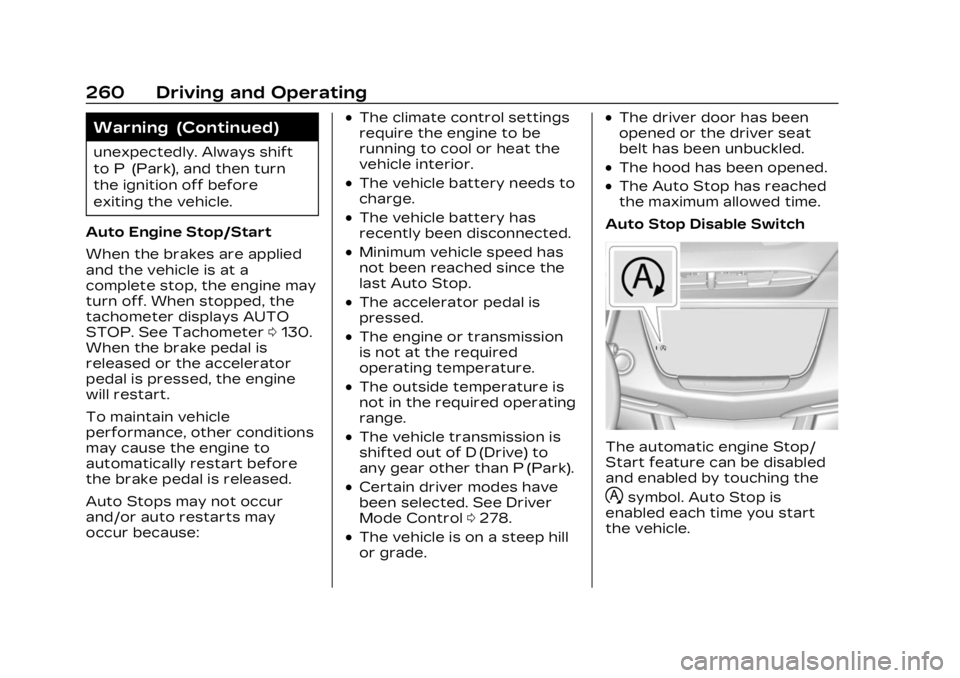
Auto Stop Disable Switch
The automatic engine Stop/
Start feature can be disabled
and enabled by touching the
hsymbol. Auto Stop is
enabled each time you start
the vehicle.