brake light CADILLAC XT6 2023 Owner's Manual
[x] Cancel search | Manufacturer: CADILLAC, Model Year: 2023, Model line: XT6, Model: CADILLAC XT6 2023Pages: 507, PDF Size: 6.49 MB
Page 292 of 507
Cadillac XT6 Owner Manual (GMNA-Localizing-U.S./Canada-16405819) -
2023 - CRC - 3/22/22
Driving and Operating 291
When the vehicle ahead drives
away, ACC resumes
automatically if the stop was
brief. If necessary, press RES+
or the accelerator pedal to
resume ACC. If stopped for
more than two minutes or if
the driver door is opened and
the driver seat belt is
unbuckled, ACC automatically
applies the Electric Parking
Brake (EPB) to hold the
vehicle. The Electric Parking
Brake light will turn on. See
Electric Parking Brake0274.
To release the EPB, press the
accelerator pedal.
A DIC warning message may
display indicating to shift to
P (Park) before exiting the
vehicle. See Vehicle Messages
0 151.{Warning
If ACC has stopped the
vehicle, and if ACC is
disengaged, turned off,
or canceled, the vehicle will
no longer be held at a stop.
The vehicle can move. When
ACC is holding the vehicle at
a stop, always be prepared
to manually apply the
brakes.
{Warning
Leaving the vehicle without
placing it in P (Park) can be
dangerous. Do not leave the
vehicle while it is being held
at a stop by ACC. Always
place the vehicle in P (Park)
and turn off the ignition
before leaving the vehicle. ACC Override
If using the accelerator pedal
while ACC is active, the ACC
indicator turns blue on the
instrument cluster and in the
HUD (if equipped) indicating
ACC braking will not occur.
ACC will resume operation
when the accelerator pedal is
not being pressed.
{Warning
The ACC will not
automatically apply the
brakes if your foot is resting
on the accelerator pedal.
You could crash into a
vehicle ahead of you.
Page 294 of 507

Cadillac XT6 Owner Manual (GMNA-Localizing-U.S./Canada-16405819) -
2023 - CRC - 3/22/22
Driving and Operating 293
ACC may occasionally provide
an alert and/or braking that is
considered unnecessary.
It could respond to vehicles in
different lanes, signs,
guardrails, and other
stationary objects when
entering or exiting a curve.
This is normal operation. The
vehicle does not need service.
Other Vehicle Lane Changes
ACC will not detect a vehicle
ahead until it is completely in
the lane. The brakes may need
to be manually applied.Objects Not Directly in Front
of Your Vehicle
The detection of objects in
front of the vehicle may not be
possible if:
.The vehicle or object ahead
is not within your lane.
.The vehicle ahead is shifted,
not centered, or is shifted to
one side of the lane.
Driving in Narrow Lanes
Vehicles in adjacent traffic
lanes or roadside objects may
be incorrectly detected when
located along the roadway.
Do Not Use ACC on Hills
Do not use ACC when driving
on steep hills as ACC may not
detect a vehicle ahead.
Do Not Use ACC When
Towing a Trailer
ACC should not be used when
towing a trailer.
Disengaging ACC
There are three ways to
disengage ACC:
.Step lightly on the brake
pedal.
.Press*.
.Presso.
Erasing Speed Memory
The cruise control set speed is
erased from memory if
ois
pressed or if the ignition is
turned off.
Weather Conditions
Affecting ACC
System operation may be
limited under snow, heavy rain,
or road spray conditions.
Page 302 of 507

Cadillac XT6 Owner Manual (GMNA-Localizing-U.S./Canada-16405819) -
2023 - CRC - 3/22/22
Driving and Operating 301
Pay close attention to the road ahead to avoid these three increasing alerts:First Alert
.If the steering wheel light bar flashes green, the system has detected
that your head and eyes may not be directed toward the road.
.The flashing will stop when the system detects that your head and eyes
appear to be directed toward the road.
Second Alert
.If the steering wheel light bar flashes green for too long, Super Cruise
will alert the driver to take control of steering immediately by flashing
the light bar red. Also, either beeps will sound or the Safety Alert Seat
will vibrate.To view available settings from the infotainment screen,
touch Settings > Vehicle > Collision/Detection Systems.
.Take over steering, then Super Cruise will disengage.
.To re-engage Super Cruise, press]. See "Using Super Cruise"
previously in this section.
Third Alert
.If the steering wheel light bar flashes red for too long, a voice command
will tell you to take control of the vehicle.
.Take control of the steering immediately; ACC and Super Cruise will
disengage.
.A DIC message will indicate that Super Cruise is locked out. Super
Cruise cannot be re-engaged until the next ignition cycle.
.Continued failure to take over steering will cause the vehicle to brake to
a stop and OnStar will be called. The brake lamps and hazard warning
flashers will come on.
.Take control of the vehicle and continue driving.
Page 304 of 507
Cadillac XT6 Owner Manual (GMNA-Localizing-U.S./Canada-16405819) -
2023 - CRC - 3/22/22
Driving and Operating 303
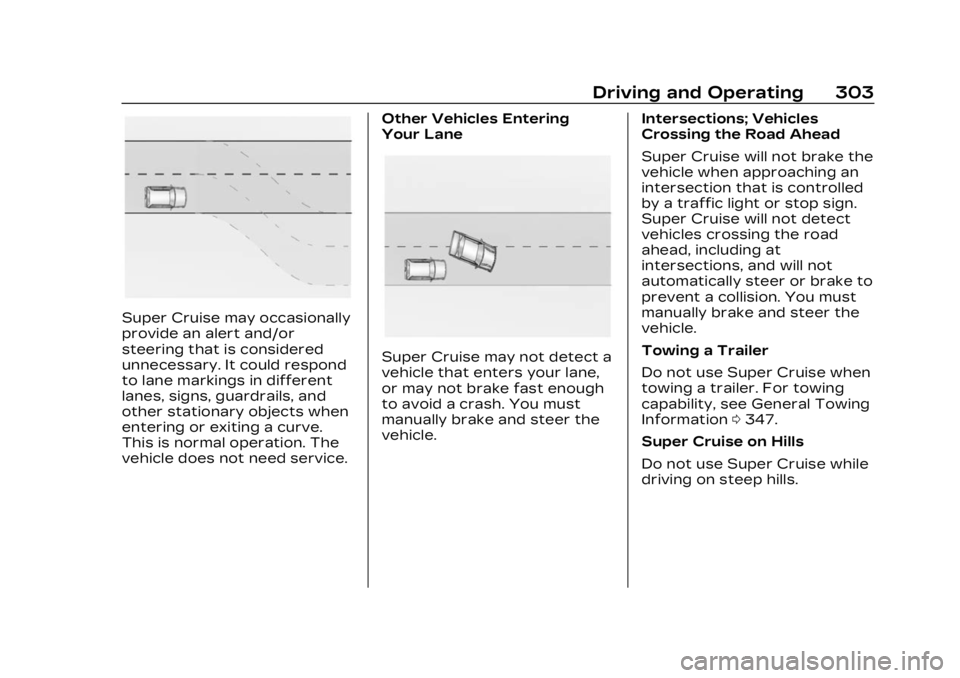
Super Cruise may occasionally
provide an alert and/or
steering that is considered
unnecessary. It could respond
to lane markings in different
lanes, signs, guardrails, and
other stationary objects when
entering or exiting a curve.
This is normal operation. The
vehicle does not need service.Other Vehicles Entering
Your Lane
Super Cruise may not detect a
vehicle that enters your lane,
or may not brake fast enough
to avoid a crash. You must
manually brake and steer the
vehicle.
Intersections; Vehicles
Crossing the Road Ahead
Super Cruise will not brake the
vehicle when approaching an
intersection that is controlled
by a traffic light or stop sign.
Super Cruise will not detect
vehicles crossing the road
ahead, including at
intersections, and will not
automatically steer or brake to
prevent a collision. You must
manually brake and steer the
vehicle.
Towing a Trailer
Do not use Super Cruise when
towing a trailer. For towing
capability, see General Towing
Information
0347.
Super Cruise on Hills
Do not use Super Cruise while
driving on steep hills.
Page 326 of 507

Cadillac XT6 Owner Manual (GMNA-Localizing-U.S./Canada-16405819) -
2023 - CRC - 3/22/22
Driving and Operating 325
Warning (Continued)
.The RVC, taillamps,
or back-up lamps are not
cleaned or in proper
working condition.
.The vehicle is not in
R (Reverse).
To help avoid death or injury,
always check for
pedestrians around the
vehicle before backing up.
Be ready to take action and
apply the brakes. See
Defensive Driving 0240.
Keep the RVC, taillamps, and
back-up lamps clean and in
good repair.
Rear Pedestrian Alert can be
set to Off or Alert. To view
available settings from the
infotainment screen, touch
Settings > Vehicle > Collision/
Detection Systems > Rear
Pedestrian Detection.
If equipped, alerts can be set
to beeps or seat pulses. To
view available settings from the infotainment screen, touch
Settings > Vehicle > Collision/
Detection Systems >
Alert Type.
Rear Cross Traffic
Alert (RCTA) System
If equipped, Rear Cross Traffic
Alert (RCTA) displays a red
warning triangle with a left or
right pointing arrow on the
infotainment display to warn
of traffic coming from the left
or right. This system detects
objects coming from up to
20 m (65 ft) from the left or
right side of the vehicle. When
an object is detected, either
three beeps sound from the
left or right or three Safety
Alert Seat pulses occur on the
left or right side, depending on
the direction of the detected
vehicle.
Use caution while backing up
when towing a trailer, as the
RCTA detection zones that
extend out from the back of
the vehicle do not move
farther back when a trailer is
attached to the vehicle.
Driving With a Trailer
Use caution while backing up
when towing a trailer. The
RCTA feature is automatically
disabled when a trailer is
attached to the vehicle.
Turning the Features On
or Off
The
Xbutton on the center
stack is used to turn on or off
the Front and Rear Park
Assist, and Backing Warning
and Reverse Automatic
Braking (RAB) systems at the
same time. The indicator light
next to the button comes on
when the features are on and
turns off when the features
have been disabled.
RCTA can be turned on or off
using the infotainment system.
To view available settings for
this feature, touch the
Settings icon on the
infotainment home page.
Page 327 of 507

Cadillac XT6 Owner Manual (GMNA-Localizing-U.S./Canada-16405819) -
2023 - CRC - 3/22/22
326 Driving and Operating
Select“Vehicle” to display the
list of available options and
select “Collision/Detection
Systems”.
Assistance Systems
for Driving
If equipped, when driving the
vehicle in a forward gear,
Forward Collision Alert (FCA),
Lane Keep Assist (LKA), Side
Blind Zone Alert (SBZA), Lane
Change Alert (LCA), Automatic
Emergency Braking (AEB),
Front Pedestrian Braking
(FPB) System, and/or the
Night Vision System can help
to avoid a crash or reduce
crash damage.
Forward Collision
Alert (FCA) System
If equipped, the FCA system
may help to avoid or reduce
the harm caused by front-end
crashes. When approaching a
vehicle ahead too quickly, FCA
provides a red flashing alert
on the windshield and rapidly beeps or pulses the driver
seat. FCA also lights an amber
visual alert if following another
vehicle much too closely.
FCA detects vehicles within a
distance of approximately
60 m (197 ft) and operates at
speeds above 8 km/h (5 mph).
If the vehicle has Adaptive
Cruise Control (ACC), it can
detect vehicles to distances of
approximately 110 m (360 ft)
and operates at all speeds.
See Adaptive Cruise Control
(Advanced)
0283.
{Warning
FCA is a warning system and
does not apply the brakes.
When approaching a
slower-moving or stopped
vehicle ahead too rapidly,
or when following a vehicle
too closely, FCA may not
provide a warning with
enough time to help avoid a
crash. It also may not
provide any warning at all.
(Continued)
Warning (Continued)
FCA does not warn of
pedestrians, animals, signs,
guardrails, bridges,
construction barrels,
or other objects. Be ready to
take action and apply the
brakes. See Defensive
Driving0240.
To view available settings for
this feature, touch the
Settings icon on the
infotainment home page.
Select “Vehicle” to display the
list of available options and
select “Collision/Detection
Systems”.
Detecting the Vehicle
Ahead
Page 335 of 507

Cadillac XT6 Owner Manual (GMNA-Localizing-U.S./Canada-16405819) -
2023 - CRC - 3/22/22
334 Driving and Operating
1. Low-Beam Headlamps
2. High-Beam Headlamps
3. Night Vision System
By selecting a view on the
instrument cluster, the Night
Vision image can be displayed.
See Instrument Cluster0127.
The Night Vision system can
operate only if:
.The ignition is on.
.The vehicle is in P (Park) or a
forward gear.
.It is dark enough outside.
.The headlamps are on,
except when parked. Adjust the instrument panel
brightness to make the image
no brighter than necessary.
Turn the image off by
selecting another view on the
instrument cluster.
Warm objects, such as
pedestrians, animals, and
other moving vehicles, should
appear whiter on the Night
Vision display. Cold objects,
such as the sky, signs, and
parked vehicles, should appear
darker. Night Vision only
shows objects that are
warmer or colder than the
surroundings. It does not
detect brake lamps, turn
signals, emergency flashers,
traffic lights, or sign
information.
Use this system as an aid by
occasionally glancing at the
image. Do not stare at the
image or use the image under
well-lit conditions.
{Warning
Do not stare at the image
while driving as this might
cause important objects
ahead not to be seen. You
could crash, and you or
others could be injured.
When a pedestrian or large
animal is detected, an amber
box displays around the
pedestrian or animal on the
Night Vision display and an
amber pedestrian icon,
~,
or animal icon,
!, displays on
the instrument cluster. This
pedestrian icon is also shown
on the Head-Up Display (HUD).
When the system detects the
vehicle is approaching a
pedestrian too quickly, the
amber pedestrian icon and box
turns red, and a red flashing
icon,
~, displays on the HUD
with rapid beeping or pulsing
of the Safety Alert Seat,
if equipped.
Page 360 of 507

Cadillac XT6 Owner Manual (GMNA-Localizing-U.S./Canada-16405819) -
2023 - CRC - 3/22/22
Driving and Operating 359
the engine compartment fuse
block. The electric trailer brake
controller should be installed
by your dealer or a qualified
service center.
Trailer Lamps
Always check that all trailer
lamps are working at the
beginning of each trip, and
periodically on longer trips.
Turn Signals When
Towing a Trailer
When properly connected, the
trailer turn signals will
illuminate to indicate the
vehicle is turning, changing
lanes, or stopping. When
towing a trailer, the arrows on
the instrument cluster will
illuminate even if the trailer is
not properly connected or the
bulbs are burned out.
Trailer Sway
Control (TSC)
Vehicles with StabiliTrak/
Electronic Stability Control
(ESC) have a Trailer Sway
Control (TSC) feature. Trailer
sway is unintended
side-to-side motion of a trailer
while towing. If the vehicle is
towing a trailer and the TSC
detects that sway is
increasing, the vehicle brakes
are selectively applied to help
reduce excessive trailer sway.
If equipped with the
Integrated Trailer Brake
Control (ITBC) system, and the
trailer has an electric brake
system, StabiliTrak/ESC may
also apply the trailer brakes.
If TSC is enabled, the Traction
Control System (TCS)/
StabiliTrak/ESC warning light
will flash on the instrument
cluster. Reduce vehicle speed
by gradually removing your
foot from the accelerator
pedal. If trailer sway continues,
StabiliTrak/ESC can reduce
engine torque to help slow the
vehicle. TSC will not function if
StabiliTrak/ESC is turned off.
See Traction Control/
Electronic Stability Control
0276.
{Warning
Trailer sway can result in a
crash and in serious injury or
death, even if the vehicle is
equipped with TSC.
If the trailer begins to sway,
reduce vehicle speed by
gradually removing your foot
from the accelerator. Then
pull over to check the trailer
and vehicle to help correct
possible causes, including an
(Continued)
Page 363 of 507

Cadillac XT6 Owner Manual (GMNA-Localizing-U.S./Canada-16405819) -
2023 - CRC - 3/22/22
362 Vehicle Care
Vehicle Care
General Information
General Information . . . . . . 363
California PerchlorateMaterials
Requirements . . . . . . . . . . . . . 363
Accessories and Modifications . . . . . . . . . . . . . 363
Vehicle Checks
Doing Your OwnService Work . . . . . . . . . . . . . . 364
Hood . . . . . . . . . . . . . . . . . . . . . . . . . . 365
Engine Compartment Overview . . . . . . . . . . . . . . . . . . . 367
Engine Oil . . . . . . . . . . . . . . . . . . . . 370
Engine Oil Life System . . . 373
Automatic Transmission Fluid . . . . . . . . . . . . . . . . . . . . . . . . . . 374
Engine Air Filter Life System . . . . . . . . . . . . . . . . . . . . . . 374
Engine Air Cleaner/ Filter . . . . . . . . . . . . . . . . . . . . . . . . . 375
Cooling System . . . . . . . . . . . . 376
Engine Overheating . . . . . . . 381
Washer Fluid . . . . . . . . . . . . . . . . 382
Brakes . . . . . . . . . . . . . . . . . . . . . . . . 383
Brake Fluid . . . . . . . . . . . . . . . . . . 384 Battery - North
America . . . . . . . . . . . . . . . . . . . . . 385
Park Brake and P (Park) Mechanism Check . . . . . . . 386
Wiper Blade
Replacement . . . . . . . . . . . . . . 386
Windshield Replacement . . . . . . . . . . . . . . 388
Gas Strut(s) . . . . . . . . . . . . . . . . . 388
Headlamp Aiming
Front Headlamp Aiming . . . . . . . . . . . . . . . . . . . . . . . 389
Bulb Replacement
LED Lighting . . . . . . . . . . . . . . . . 390
Electrical System
Electrical SystemOverload . . . . . . . . . . . . . . . . . . . 390
Fuses and Circuit Breakers . . . . . . . . . . . . . . . . . . . . 391
Engine Compartment Fuse Block . . . . . . . . . . . . . . . . . 392
Instrument Panel Fuse Block . . . . . . . . . . . . . . . . . . . . . . . . . 396
Rear Compartment Fuse Block . . . . . . . . . . . . . . . . . . . . . . . . . 398
Wheels and Tires
Tires . . . . . . . . . . . . . . . . . . . . . . . . . . 400
All-Season Tires . . . . . . . . . . . . 401 Winter Tires . . . . . . . . . . . . . . . . 402
Tire Sidewall Labeling . . . 402
Tire Designations . . . . . . . . . 405
Tire Terminology and
Definitions . . . . . . . . . . . . . . . . . 405
Tire Pressure . . . . . . . . . . . . . . . 408
Tire Pressure for High-Speed
Operation . . . . . . . . . . . . . . . . . . . 410
Tire Pressure Monitor System . . . . . . . . . . . . . . . . . . . . . . . 411
Tire Pressure Monitor Operation . . . . . . . . . . . . . . . . . . . 412
Tire Inspection . . . . . . . . . . . . . . 416
Tire Rotation . . . . . . . . . . . . . . . . 417
When It Is Time for New Tires . . . . . . . . . . . . . . . . . . . . . . . . . . 418
Buying New Tires . . . . . . . . . . 419
Different Size Tires and Wheels . . . . . . . . . . . . . . . . . . . . . . 421
Uniform Tire Quality Grading . . . . . . . . . . . . . . . . . . . . . . 421
Wheel Alignment and Tire Balance . . . . . . . . . . . . . . . . . . . . . 423
Wheel Replacement . . . . . . 423
Tire Chains . . . . . . . . . . . . . . . . . . 424
If a Tire Goes Flat . . . . . . . . . 425
Tire Changing . . . . . . . . . . . . . . 426
Compact Spare Tire . . . . . . 433
Page 385 of 507

Cadillac XT6 Owner Manual (GMNA-Localizing-U.S./Canada-16405819) -
2023 - CRC - 3/22/22
384 Vehicle Care
Brake Fluid
The brake master cylinder
reservoir is filled with GM
approved DOT 4 brake fluid as
indicated on the reservoir cap.
See Engine Compartment
Overview0367 for the
location of the reservoir.
Checking Brake Fluid
With the vehicle in P (Park) on
a level surface, the brake fluid
level should be between the
minimum and maximum marks
on the brake fluid reservoir.
There are only two reasons
why the brake fluid level in the
reservoir may go down:
.Normal brake lining wear.
When new linings are
installed, the fluid level goes
back up.
.A fluid leak in the brake
hydraulic system. Have the
brake hydraulic system fixed.
With a leak, the brakes will
not work well.
Always clean the brake fluid
reservoir cap and the area
around the cap before
removing it.
Do not top off the brake fluid.
Adding fluid does not correct a
leak. If fluid is added when the
linings are worn, there will be
too much fluid when new
brake linings are installed. Add
or remove fluid, as necessary,
only when work is done on the
brake hydraulic system.
{Warning
If too much brake fluid is
added, it can spill on the
engine and burn, if the
engine is hot enough. You or
others could be burned, and
the vehicle could be (Continued)
Warning (Continued)
damaged. Add brake fluid
only when work is done on
the brake hydraulic system.
When the brake fluid falls to a
low level, the brake warning
light comes on. See Brake
System Warning Light 0136.
Brake fluid absorbs water over
time which degrades the
effectiveness of the brake
fluid. Replace brake fluid at the
specified intervals to prevent
increased stopping distance.
See Maintenance Schedule
0 454.
What to Add
Use only GM approved DOT 4
brake fluid from a clean, sealed
container. See Recommended
Fluids and Lubricants 0458.