Instrument CADILLAC XTS 2013 1.G Owners Manual
[x] Cancel search | Manufacturer: CADILLAC, Model Year: 2013, Model line: XTS, Model: CADILLAC XTS 2013 1.GPages: 438, PDF Size: 7.4 MB
Page 236 of 438
Black plate (8,1)Cadillac XTS Owner Manual - 2013 - 1st - 4/13/12
9-8 Driving and Operating
Drive with caution, whatever the
condition. Accelerate gently so
traction is not lost. Accelerating too
quickly causes the wheels to spin
and makes the surface under the
tires slick, so there is even less
traction.
Try not to break the fragile traction.
If you accelerate too fast, the drive
wheels will spin and polish the
surface under the tires even more.
The Antilock Brake System (ABS)
improves vehicle stability during
hard stops on slippery roads, but
apply the brakes sooner than when
on dry pavement.
Allow greater following distance on
any slippery road and watch for
slippery spots. Icy patches can
occur on otherwise clear roads in
shaded areas. The surface of a
curve or an overpass can remain icy
when the surrounding roads are
clear. Avoid sudden steering
maneuvers and braking while
on ice.See
Antilock Brake System (ABS)
on page 9‑25.
Turn off cruise control, on slippery
surfaces.
Blizzard Conditions
Being stuck in snow can be a
serious situation. Stay with the
vehicle unless there is help nearby.
If possible, use Roadside Service.
See Roadside Service on
page 13‑5. To get help and keep
everyone in the vehicle safe:
.Turn on the hazard warning
flashers.
.Tie a red cloth to an outside
mirror.
{WARNING
Snow can trap engine exhaust
under the vehicle. This may
cause exhaust gases to get
inside. Engine exhaust contains
carbon monoxide (CO) which
(Continued)
WARNING (CONTINUED)
cannot be seen or smelled. It can
cause unconsciousness and even
death.
If the vehicle is stuck in the snow:
.Clear away snow from around
the base of your vehicle,
especially any that is blocking
the exhaust pipe.
.Check again from time to
time to be sure snow does
not collect there.
.Open a window about 5 cm
(2 in) on the side of the
vehicle that is away from the
wind to bring in fresh air.
.Fully open the air outlets on
or under the instrument
panel.
.Adjust the climate control
system to a setting that
circulates the air inside the
vehicle and set the fan speed(Continued)
Page 245 of 438
Black plate (17,1)Cadillac XTS Owner Manual - 2013 - 1st - 4/13/12
Driving and Operating 9-17
The instruments and audio systems
will operate as they do in ON/RUN,
but the vehicle will not be able to be
driven. The engine will not start in
Service Only Mode. Push the button
again to turn the vehicle off.
Starting the Engine
Move the shift lever to P (Park) or
N (Neutral). The engine will not start
in any other position. To restart the
engine when the vehicle is already
moving, use N (Neutral) only.
Notice:Do not try to shift to
P (Park) if the vehicle is moving.
If you do, you could damage the
transmission. Shift to P (Park)
only when the vehicle is stopped.
Notice: If you add electrical parts
or accessories, you could change
the way the engine operates. Any
resulting damage would not be
covered by the vehicle warranty.
See Add-On Electrical Equipment
on page 9‑65. Starting Procedure
1. With the keyless access system,
the transmitter must be in the
vehicle. Put your foot on the
brake pedal and push the
START button. When the engine
begins cranking, let go of the
button.
The idle speed will go down as
the engine gets warm. Do not
race the engine immediately
after starting it. Operate the
engine and transmission gently
to allow the oil to warm up and
lubricate all moving parts.
If the transmitter is not in the
vehicle or something is
interfering with the transmitter,
the Driver Information Center
(DIC) will display a message.
See Key and Lock Messages on
page 5‑38.
If the battery in the Remote
Keyless Entry (RKE) transmitter
needs replacing, the DIC will
display a message. The vehicle
can still be driven. See “Startingthe Vehicle with a Low
Transmitter Battery”
inRemote
Keyless Entry (RKE) System
Operation on page 2‑3.
The vehicle has a
Computer-Controlled Cranking
System. This feature assists in
starting the engine and protects
components. If the START
button is pressed, and then
released when the engine
begins cranking, the engine will
continue cranking for a few
seconds or until the vehicle
starts. If the engine does not
start and the button is pressed
for many seconds, cranking will
be stopped after 15 seconds to
prevent cranking motor damage.
To prevent gear damage, this
system also prevents cranking if
the engine is already running.
Engine cranking can be stopped
by pressing the START button a
second time.
Notice: Cranking the engine for
long periods of time, by pressing
the START button immediately
Page 254 of 438
Black plate (26,1)Cadillac XTS Owner Manual - 2013 - 1st - 4/13/12
9-26 Driving and Operating
Electric Parking Brake
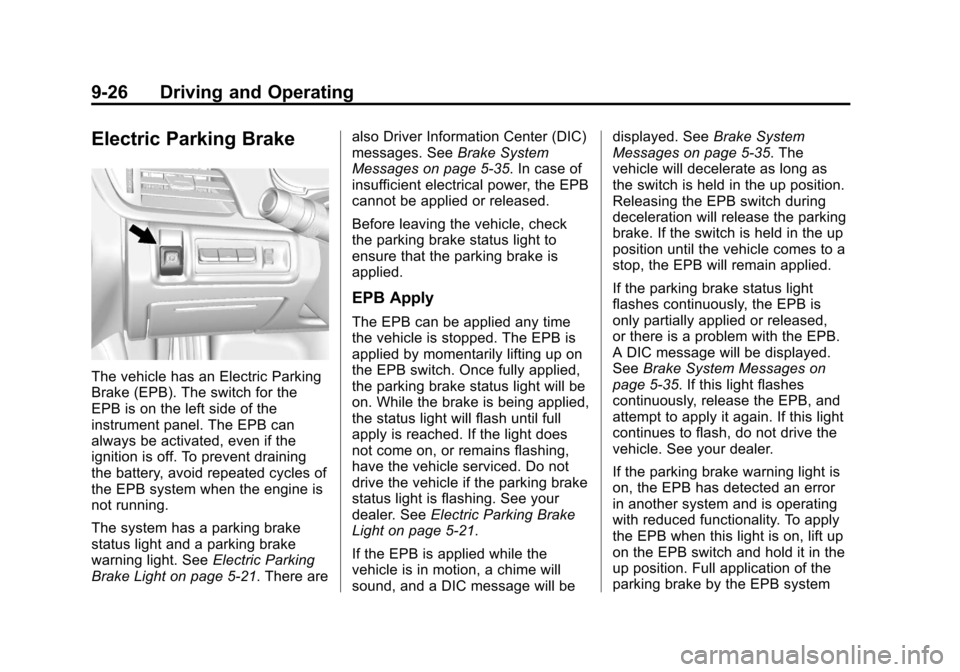
The vehicle has an Electric Parking
Brake (EPB). The switch for the
EPB is on the left side of the
instrument panel. The EPB can
always be activated, even if the
ignition is off. To prevent draining
the battery, avoid repeated cycles of
the EPB system when the engine is
not running.
The system has a parking brake
status light and a parking brake
warning light. SeeElectric Parking
Brake Light on page 5‑21. There are also Driver Information Center (DIC)
messages. See
Brake System
Messages on page 5‑35. In case of
insufficient electrical power, the EPB
cannot be applied or released.
Before leaving the vehicle, check
the parking brake status light to
ensure that the parking brake is
applied.
EPB Apply
The EPB can be applied any time
the vehicle is stopped. The EPB is
applied by momentarily lifting up on
the EPB switch. Once fully applied,
the parking brake status light will be
on. While the brake is being applied,
the status light will flash until full
apply is reached. If the light does
not come on, or remains flashing,
have the vehicle serviced. Do not
drive the vehicle if the parking brake
status light is flashing. See your
dealer. See Electric Parking Brake
Light on page 5‑21.
If the EPB is applied while the
vehicle is in motion, a chime will
sound, and a DIC message will be displayed. See
Brake System
Messages on page 5‑35. The
vehicle will decelerate as long as
the switch is held in the up position.
Releasing the EPB switch during
deceleration will release the parking
brake. If the switch is held in the up
position until the vehicle comes to a
stop, the EPB will remain applied.
If the parking brake status light
flashes continuously, the EPB is
only partially applied or released,
or there is a problem with the EPB.
A DIC message will be displayed.
See Brake System Messages on
page 5‑35. If this light flashes
continuously, release the EPB, and
attempt to apply it again. If this light
continues to flash, do not drive the
vehicle. See your dealer.
If the parking brake warning light is
on, the EPB has detected an error
in another system and is operating
with reduced functionality. To apply
the EPB when this light is on, lift up
on the EPB switch and hold it in the
up position. Full application of the
parking brake by the EPB system
Page 257 of 438
Black plate (29,1)Cadillac XTS Owner Manual - 2013 - 1st - 4/13/12
Driving and Operating 9-29
required. SeeIf the Vehicle Is Stuck
on page 9‑9. See Winter Driving on
page 9‑7 for information on using
TCS when driving in snowy or icy
conditions.
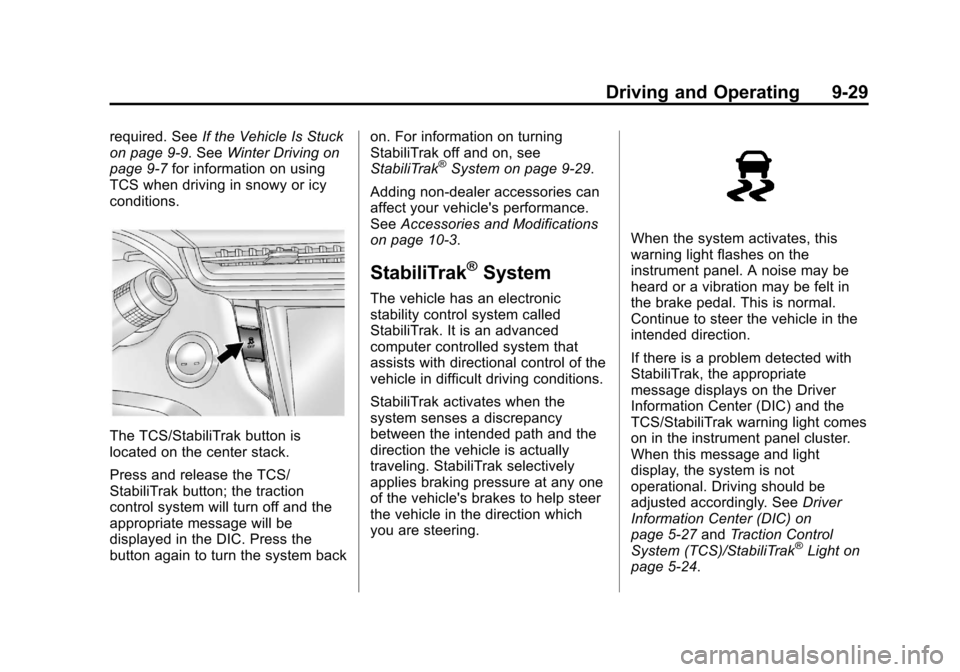
The TCS/StabiliTrak button is
located on the center stack.
Press and release the TCS/
StabiliTrak button; the traction
control system will turn off and the
appropriate message will be
displayed in the DIC. Press the
button again to turn the system back on. For information on turning
StabiliTrak off and on, see
StabiliTrak
®System on page 9‑29.
Adding non-dealer accessories can
affect your vehicle's performance.
See Accessories and Modifications
on page 10‑3.
StabiliTrak®System
The vehicle has an electronic
stability control system called
StabiliTrak. It is an advanced
computer controlled system that
assists with directional control of the
vehicle in difficult driving conditions.
StabiliTrak activates when the
system senses a discrepancy
between the intended path and the
direction the vehicle is actually
traveling. StabiliTrak selectively
applies braking pressure at any one
of the vehicle's brakes to help steer
the vehicle in the direction which
you are steering.
When the system activates, this
warning light flashes on the
instrument panel. A noise may be
heard or a vibration may be felt in
the brake pedal. This is normal.
Continue to steer the vehicle in the
intended direction.
If there is a problem detected with
StabiliTrak, the appropriate
message displays on the Driver
Information Center (DIC) and the
TCS/StabiliTrak warning light comes
on in the instrument panel cluster.
When this message and light
display, the system is not
operational. Driving should be
adjusted accordingly. See Driver
Information Center (DIC) on
page 5‑27 andTraction Control
System (TCS)/StabiliTrak
®Light on
page 5‑24.
Page 260 of 438
Black plate (32,1)Cadillac XTS Owner Manual - 2013 - 1st - 4/13/12
9-32 Driving and Operating
If the StabiliTrak® system begins to
limit wheel spin while using cruise
control, the cruise control
automatically disengages. See
StabiliTrak
®System on page 9‑29or
Traction Control System (TCS) on
page 9‑28. When road conditions
allow the cruise control to be safely
used, you can apply the cruise
control again.
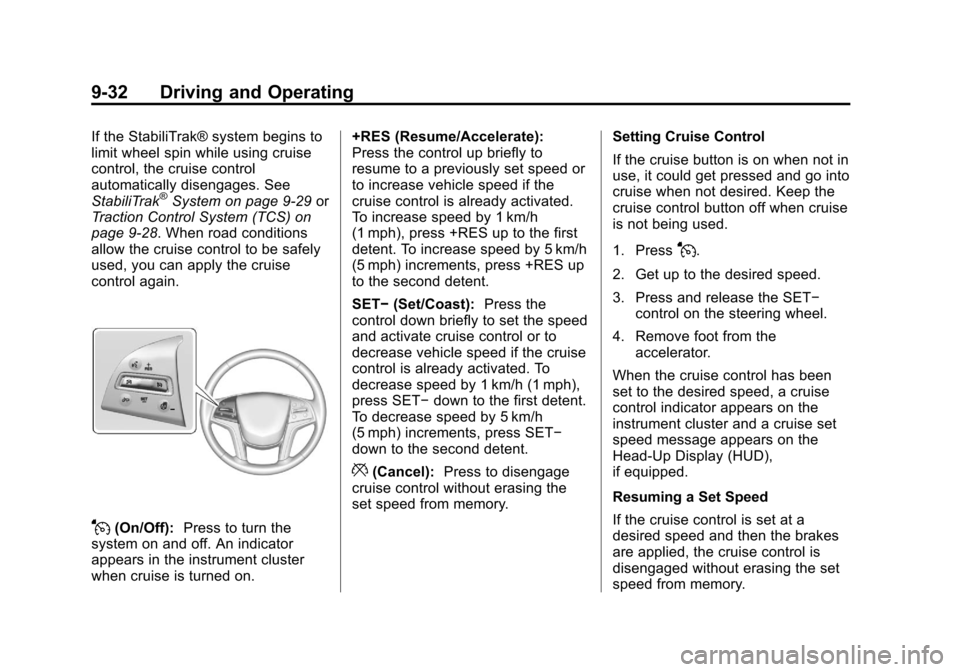
J(On/Off): Press to turn the
system on and off. An indicator
appears in the instrument cluster
when cruise is turned on. +RES (Resume/Accelerate):
Press the control up briefly to
resume to a previously set speed or
to increase vehicle speed if the
cruise control is already activated.
To increase speed by 1 km/h
(1 mph), press +RES up to the first
detent. To increase speed by 5 km/h
(5 mph) increments, press +RES up
to the second detent.
SET−
(Set/Coast): Press the
control down briefly to set the speed
and activate cruise control or to
decrease vehicle speed if the cruise
control is already activated. To
decrease speed by 1 km/h (1 mph),
press SET− down to the first detent.
To decrease speed by 5 km/h
(5 mph) increments, press SET−
down to the second detent.
*(Cancel): Press to disengage
cruise control without erasing the
set speed from memory. Setting Cruise Control
If the cruise button is on when not in
use, it could get pressed and go into
cruise when not desired. Keep the
cruise control button off when cruise
is not being used.
1. Press
J.
2. Get up to the desired speed.
3. Press and release the SET− control on the steering wheel.
4. Remove foot from the accelerator.
When the cruise control has been
set to the desired speed, a cruise
control indicator appears on the
instrument cluster and a cruise set
speed message appears on the
Head-Up Display (HUD),
if equipped.
Resuming a Set Speed
If the cruise control is set at a
desired speed and then the brakes
are applied, the cruise control is
disengaged without erasing the set
speed from memory.
Page 261 of 438

Black plate (33,1)Cadillac XTS Owner Manual - 2013 - 1st - 4/13/12
Driving and Operating 9-33
Once the vehicle speed reaches
about 40 km/h (25 mph) or more,
press the +RES control to the first
detent briefly on the steering wheel.
The vehicle returns to the previous
set speed.
Increasing Speed While Cruise
Control is at a Set Speed
If the cruise control system is
already activated:
.Press and hold +RES up until
the desired speed is reached,
then release it.
.To increase vehicle speed in
small increments, press +RES
up to the first detent. For each
press, the vehicle goes about
1 km/h (1 mph) faster.
.To increase vehicle speed in
larger increments, press +RES
up to the second detent. For
each press, the vehicle goes
about 5 km/h (5 mph) faster.The speedometer reading can be
displayed in either English or metric
units. See
Instrument Cluster on
page 5‑9. The increment value used
depends on the units displayed.
Reducing Speed While Cruise
Control is at a Set Speed
If the cruise control system is
already activated:
.Press and hold SET− down until
the desired lower speed is
reached, then release it.
.To decrease the vehicle speed in
small increments, press SET−
down to the first detent. For
each press, the vehicle goes
about 1 km/h (1 mph) slower.
.To decrease the vehicle speed in
larger increments, press SET−
down to the second detent. For
each press, the vehicle goes
about 5 km/h (5 mph) slower.
The cruise control system may
automatically brake to slow the
vehicle down. The speedometer reading can be
displayed in either English or metric
units. See
Instrument Cluster on
page 5‑9. The increment value used
depends on the units displayed.
Passing Another Vehicle While
Using Cruise Control
Use the accelerator pedal to
increase the vehicle speed. When
you take your foot off the pedal, the
vehicle will slow down to the
previous set cruise speed.
Using Cruise Control on Hills
How well the cruise control will work
on hills depends upon the vehicle
speed, load, and the steepness of
the hills. When going up steep hills,
you might have to step on the
accelerator pedal to maintain the
vehicle speed. When going
downhill, you might have to brake or
shift to a lower gear to keep the
vehicle speed down. If the brake is
applied, the cruise control
disengages.
Page 264 of 438
Black plate (36,1)Cadillac XTS Owner Manual - 2013 - 1st - 4/13/12
9-36 Driving and Operating
ACC will not set at a speed less
than 40 km/h (25 mph), although it
can be resumed when driving at
lower speeds.
To set ACC:
1. Press
].
2. Get up to the desired speed.
3. Press and release the SET– control on the steering wheel.
4. Remove foot from the accelerator.
After ACC is set, it may immediately
apply the brakes if a vehicle ahead
is closer than the selected
following gap.
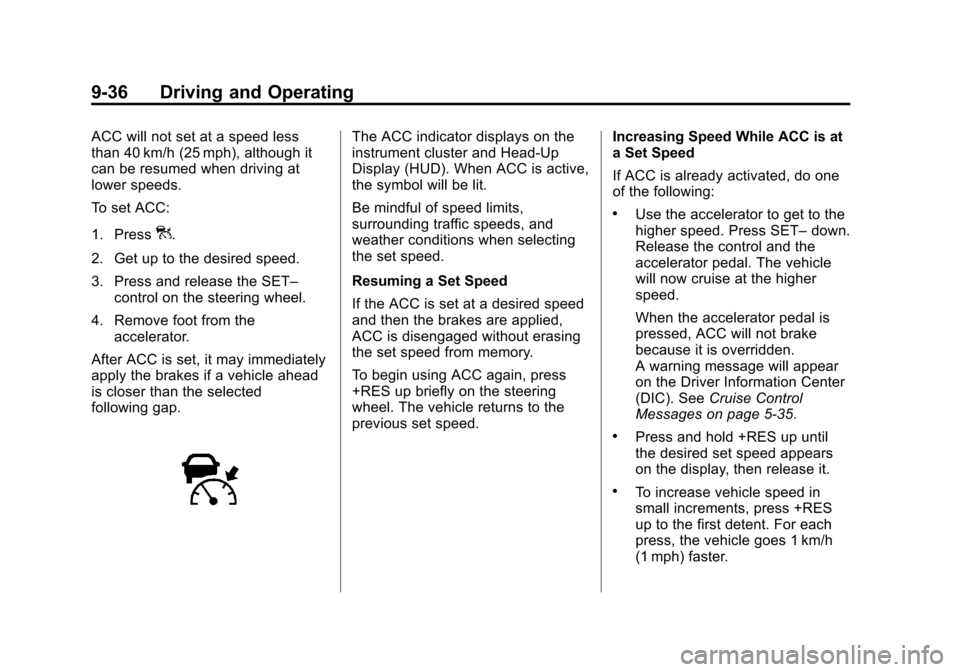
The ACC indicator displays on the
instrument cluster and Head-Up
Display (HUD). When ACC is active,
the symbol will be lit.
Be mindful of speed limits,
surrounding traffic speeds, and
weather conditions when selecting
the set speed.
Resuming a Set Speed
If the ACC is set at a desired speed
and then the brakes are applied,
ACC is disengaged without erasing
the set speed from memory.
To begin using ACC again, press
+RES up briefly on the steering
wheel. The vehicle returns to the
previous set speed. Increasing Speed While ACC is at
a Set Speed
If ACC is already activated, do one
of the following:
.Use the accelerator to get to the
higher speed. Press SET–
down.
Release the control and the
accelerator pedal. The vehicle
will now cruise at the higher
speed.
When the accelerator pedal is
pressed, ACC will not brake
because it is overridden.
A warning message will appear
on the Driver Information Center
(DIC). See Cruise Control
Messages on page 5‑35.
.Press and hold +RES up until
the desired set speed appears
on the display, then release it.
.To increase vehicle speed in
small increments, press +RES
up to the first detent. For each
press, the vehicle goes 1 km/h
(1 mph) faster.
Page 265 of 438
Black plate (37,1)Cadillac XTS Owner Manual - 2013 - 1st - 4/13/12
Driving and Operating 9-37
.To increase vehicle speed in
larger increments, press +RES
up to the second detent. For
each press, the vehicle goes
5 km/h (5 mph) faster.
When it is determined that there is
no vehicle in front of your vehicle,
then the vehicle speed will increase
to the set speed.
The speedometer reading can be
displayed in either English or metric
units. See Instrument Cluster on
page 5‑9. The increment value used
depends on the units displayed.
Reducing Speed While ACC is at a
Set Speed
If ACC is already activated, do one
of the following:
.Use the brake to get to the
desired lower speed. Press
SET– down and release the
accelerator pedal. The vehicle
will now cruise at the lower
speed.
.Press and hold SET– down until
the desired lower speed is
reached, then release it.
.To decrease the vehicle speed in
smaller increments, press SET−
down to the first detent. For
each press, the vehicle goes
about 1 km/h (1 mph) slower.
.To decrease the vehicle speed in
larger increments, press SET−
down to the second detent. For
each press, the vehicle goes
about 5 km/h (5 mph) slower.
The speedometer reading can be
displayed in either English or metric
units. See Instrument Cluster on
page 5‑9. The increment value used
depends on the units displayed.
Selecting the Follow Distance Gap
When a slower moving vehicle is
detected ahead, ACC will adjust the
vehicle's speed and attempt to
maintain the follow distance gap
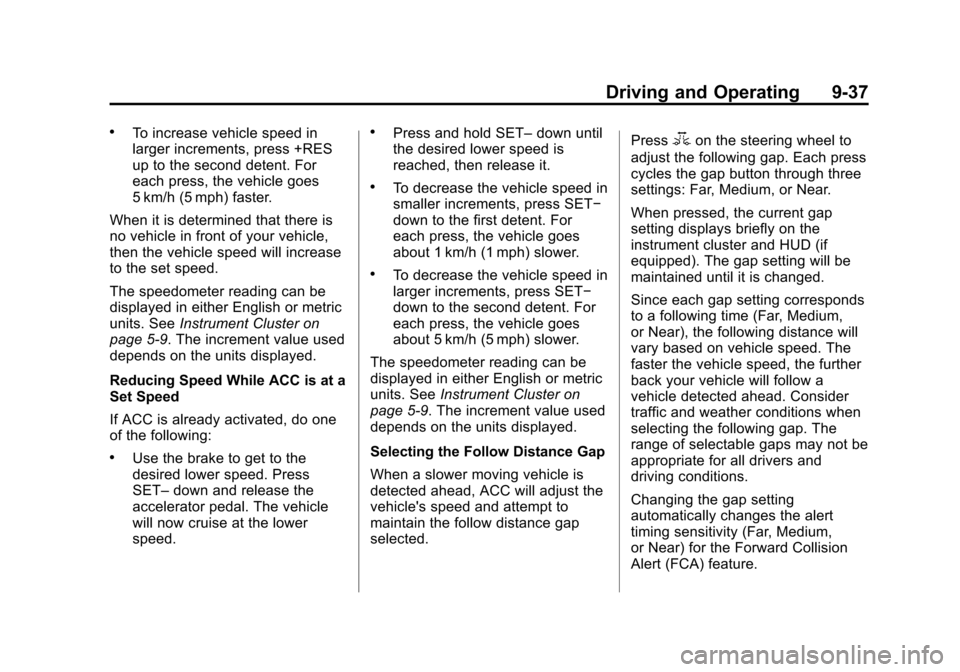
selected. Press
3on the steering wheel to
adjust the following gap. Each press
cycles the gap button through three
settings: Far, Medium, or Near.
When pressed, the current gap
setting displays briefly on the
instrument cluster and HUD (if
equipped). The gap setting will be
maintained until it is changed.
Since each gap setting corresponds
to a following time (Far, Medium,
or Near), the following distance will
vary based on vehicle speed. The
faster the vehicle speed, the further
back your vehicle will follow a
vehicle detected ahead. Consider
traffic and weather conditions when
selecting the following gap. The
range of selectable gaps may not be
appropriate for all drivers and
driving conditions.
Changing the gap setting
automatically changes the alert
timing sensitivity (Far, Medium,
or Near) for the Forward Collision
Alert (FCA) feature.
Page 272 of 438
Black plate (44,1)Cadillac XTS Owner Manual - 2013 - 1st - 4/13/12
9-44 Driving and Operating
Displayed images may be farther or
closer than they appear. The area
displayed is limited and objects that
are close to either corner of the
bumper or under the bumper do not
display.
A warning triangle may display on
the RVC screen to show where the
Ultrasonic Rear Parking Assist
(URPA) has detected an object. This
triangle changes from amber to red
and increases in size the closer the
object.
On vehicles with the Rear Cross
Traffic Alert (RCTA), this triangle
with an arrow may also display on
the RVC screen to warn of traffic
coming from either direction. This
system detects objects coming from
up to 30 m (98 ft) from the left or
right side of the vehicle. When an
object is detected, either three
beeps sound or three Safety Alert
Seat pulses occur on the left or right
side, depending on the direction of
the detected vehicle.With URPA, as the vehicle backs up
at speeds of less than 8 km/h
(5 mph), the sensors on the rear
bumper detect objects up to 2.5 m
(8 ft) behind the vehicle that are
within a zone 25 cm (10 in) high off
the ground and below bumper level.
{WARNING
The parking assist system does
not detect children, pedestrians,
bicyclists, animals, or objects
located below the bumper or that
are too close or too far from the
vehicle. It is not available at
speeds greater than 8 km/h
(5 mph). To prevent injury, death,
or vehicle damage, even with
parking assist, always check the
area around the vehicle and
check all mirrors before moving
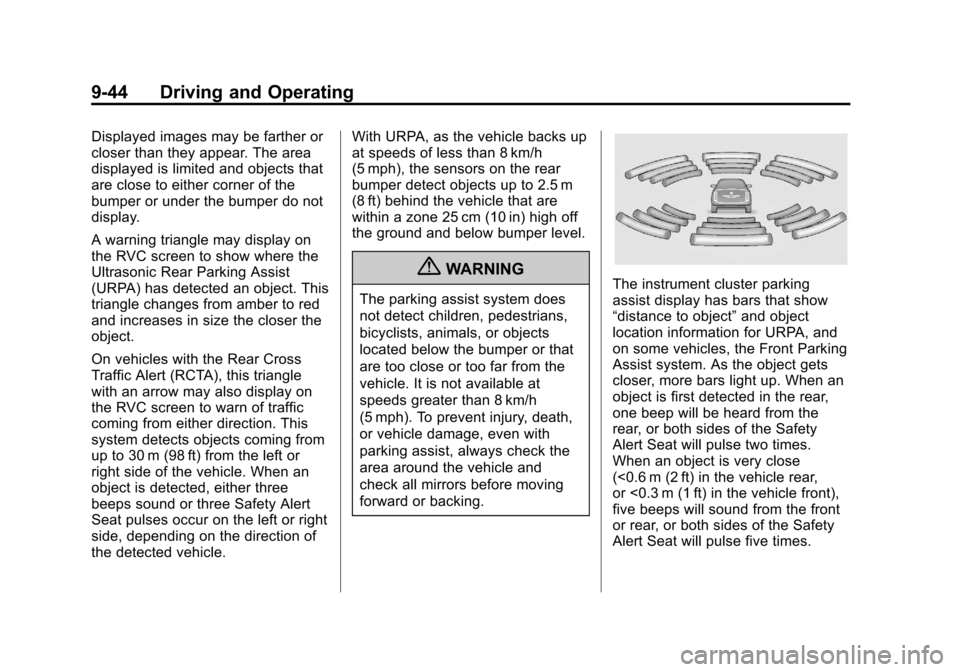
forward or backing.The instrument cluster parking
assist display has bars that show
“distance to object”
and object
location information for URPA, and
on some vehicles, the Front Parking
Assist system. As the object gets
closer, more bars light up. When an
object is first detected in the rear,
one beep will be heard from the
rear, or both sides of the Safety
Alert Seat will pulse two times.
When an object is very close
(<0.6 m (2 ft) in the vehicle rear,
or <0.3 m (1 ft) in the vehicle front),
five beeps will sound from the front
or rear, or both sides of the Safety
Alert Seat will pulse five times.
Page 282 of 438
Black plate (54,1)Cadillac XTS Owner Manual - 2013 - 1st - 4/13/12
9-54 Driving and Operating
WARNING (CONTINUED)
and maintain proper vehicle
position within the lane, or vehicle
damage, injury, or death could
occur. Always keep the
windshield clean and do not use
LDW in bad weather conditions.
How the System Works
The LDW camera sensor is on the
windshield ahead of the rearview
mirror.
To turn LDW on and off, press
@on
the center stack to the left of the
infotainment screen. The control
indicator will light when LDW is on.
When the vehicle is started, the
LDW indicator on the instrument
cluster will come on briefly.
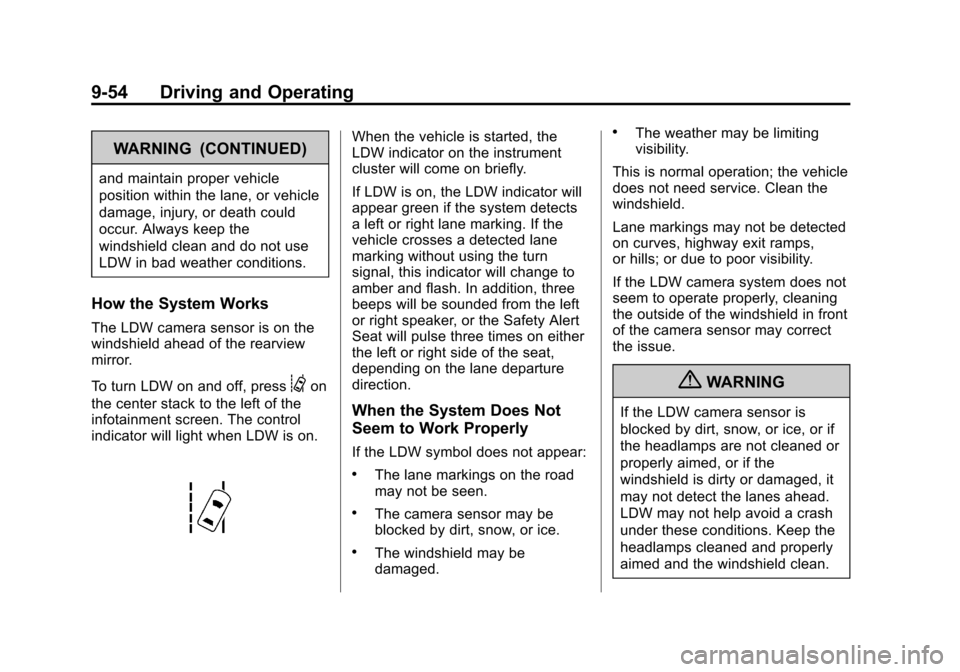
If LDW is on, the LDW indicator will
appear green if the system detects
a left or right lane marking. If the
vehicle crosses a detected lane
marking without using the turn
signal, this indicator will change to
amber and flash. In addition, three
beeps will be sounded from the left
or right speaker, or the Safety Alert
Seat will pulse three times on either
the left or right side of the seat,
depending on the lane departure
direction.
When the System Does Not
Seem to Work Properly
If the LDW symbol does not appear:
.The lane markings on the road
may not be seen.
.The camera sensor may be
blocked by dirt, snow, or ice.
.The windshield may be
damaged.
.The weather may be limiting
visibility.
This is normal operation; the vehicle
does not need service. Clean the
windshield.
Lane markings may not be detected
on curves, highway exit ramps,
or hills; or due to poor visibility.
If the LDW camera system does not
seem to operate properly, cleaning
the outside of the windshield in front
of the camera sensor may correct
the issue.
{WARNING
If the LDW camera sensor is
blocked by dirt, snow, or ice, or if
the headlamps are not cleaned or
properly aimed, or if the
windshield is dirty or damaged, it
may not detect the lanes ahead.
LDW may not help avoid a crash
under these conditions. Keep the
headlamps cleaned and properly
aimed and the windshield clean.