ignition CADILLAC XTS 2013 1.G Workshop Manual
[x] Cancel search | Manufacturer: CADILLAC, Model Year: 2013, Model line: XTS, Model: CADILLAC XTS 2013 1.GPages: 438, PDF Size: 7.4 MB
Page 270 of 438
![CADILLAC XTS 2013 1.G Workshop Manual Black plate (42,1)Cadillac XTS Owner Manual - 2013 - 1st - 4/13/12
9-42 Driving and Operating
Erasing Speed Memory
The cruise control set speed is
erased from memory if
]is
pressed or if the ignition](/img/23/7974/w960_7974-269.png "CADILLAC XTS 2013 1.G Workshop Manual Black plate (42,1)Cadillac XTS Owner Manual - 2013 - 1st - 4/13/12
9-42 Driving and Operating
Erasing Speed Memory
The cruise control set speed is
erased from memory if
]is
pressed or if the ignition")
Black plate (42,1)Cadillac XTS Owner Manual - 2013 - 1st - 4/13/12
9-42 Driving and Operating
Erasing Speed Memory
The cruise control set speed is
erased from memory if
]is
pressed or if the ignition is
turned off.
Cleaning the Sensing System
The camera sensor on the back of
the rearview mirror and the radar
sensors on the front of the vehicle
can become blocked by snow, ice,
dirt, or mud. These areas need to
be cleaned for ACC to operate
properly.
For cleaning instructions, see
“Washing the Vehicle” under
Exterior Care on page 10‑76.
System operation may also be
limited under heavy rain or road
spray conditions.
Driver Assistance
Systems
This vehicle may have features that
work together to help avoid crashes
or reduce crash damage while
driving, backing, and parking. Read
this entire section before using this
system.
{WARNING
Do not rely on the Driver
Assistance Systems. These
systems do not replace the need
for paying attention and driving
safely. You may not hear or feel
alerts or warnings provided by
these systems. Failure to use
proper care when driving may
result in injury, death, or vehicle
damage. See Defensive Driving
on page 9‑3.
(Continued)
WARNING (CONTINUED)
Under many conditions, these
systems will not:
.Detect children, pedestrians,
bicyclists, or animals.
.Detect vehicles or objects
outside the area monitored by
the system.
.Work at all driving speeds.
.Warn you or provide you with
enough time to avoid a crash.
.Work under poor visibility or
bad weather conditions.
.Work if the detection sensor
is not cleaned or is covered
by ice, snow, mud, or dirt.
Complete attention is always
required while driving, and you
should be ready to take action
and apply the brakes and/or steer
the vehicle to avoid crashes.
Page 304 of 438
Black plate (10,1)Cadillac XTS Owner Manual - 2013 - 1st - 4/13/12
10-10 Vehicle Care
Be careful not to reset the oil life
display accidentally at any time
other than after the oil is
changed. It cannot be reset
accurately until the next oil
change.
The oil life system can also be reset
as follows:
1. Turn the ignition on with the engine off.
2. Fully press and release the accelerator pedal three times
within five seconds.
If the CHANGE ENGINE OIL
SOON message is not on, the
system is reset.
The system is reset when the
CHANGE ENGINE OIL SOON
message is off.
If the CHANGE ENGINE OIL SOON
message comes back on when the
vehicle is started, the engine oil life
system has not been reset. Repeat
the procedure.Automatic Transmission
Fluid
A transmission fluid leak is the only
reason for fluid loss. If a leak
occurs, take the vehicle to the
dealer and have it repaired as soon
as possible.
See your dealer to have the fluid
and filter changed at the intervals
listed in the Maintenance Schedule
on page 11‑3.
Engine Air Cleaner/Filter
The engine air cleaner/filter is
located in the engine compartment
on the passenger side of the
vehicle. See Engine Compartment
Overview on page 10‑5.
When to Inspect the Engine Air
Cleaner/Filter
Inspect the air cleaner/filter at the
scheduled maintenance intervals.
See Maintenance Schedule on page 11‑3. If you are driving in
dusty/dirty conditions, inspect the
filter at each engine oil change.
How to Inspect the Engine Air
Cleaner/Filter
To inspect the air cleaner/filter,
remove the filter from the vehicle
and lightly shake it to release loose
dust and dirt. If the filter remains
covered with dirt, a new filter is
required.
To inspect or replace the engine air
cleaner/filter:
1. Open the hood. See
Hood on
page 10‑4.
Page 310 of 438
Black plate (16,1)Cadillac XTS Owner Manual - 2013 - 1st - 4/13/12
10-16 Vehicle Care
If the warning continues, pull over,
stop, and park the vehicle
right away.
If there is no sign of steam, idle the
engine for three minutes while
parked. If the warning is still
displayed, turn off the engine until it
cools down. Also, see“Overheated
Engine Protection Operating Mode”
next in this section.
Overheated Engine
Protection
Operating Mode
This emergency operating mode
allows the vehicle to be driven to a
safe place in an emergency
situation. If an overheated engine
condition exists, an overheat
protection mode, which alternates
firing groups of cylinders, helps
prevent engine damage. In this
mode, there is significant loss in
power and engine performance. The engine coolant temperature
warning light comes on in the
instrument cluster, to indicate the
vehicle has entered overheated
engine protection operating mode.
The temperature gauge also
indicates an overheat condition
exists. Driving extended distances
and/or towing a trailer in the
overheat protection mode should be
avoided.
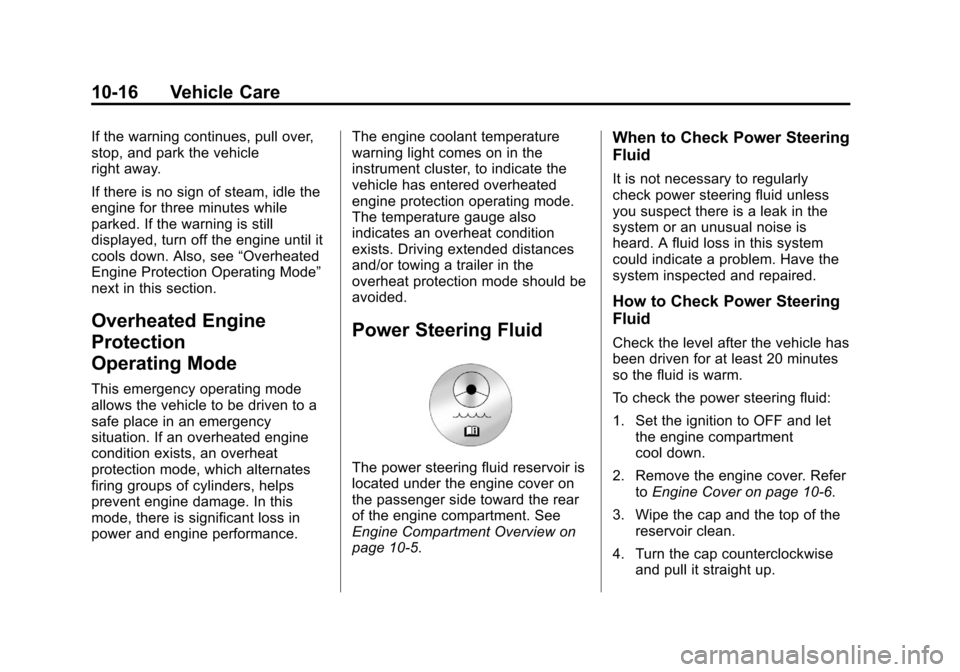
Power Steering Fluid
The power steering fluid reservoir is
located under the engine cover on
the passenger side toward the rear
of the engine compartment. See
Engine Compartment Overview on
page 10‑5.
When to Check Power Steering
Fluid
It is not necessary to regularly
check power steering fluid unless
you suspect there is a leak in the
system or an unusual noise is
heard. A fluid loss in this system
could indicate a problem. Have the
system inspected and repaired.
How to Check Power Steering
Fluid
Check the level after the vehicle has
been driven for at least 20 minutes
so the fluid is warm.
To check the power steering fluid:
1. Set the ignition to OFF and let
the engine compartment
cool down.
2. Remove the engine cover. Refer toEngine Cover on page 10‑6.
3. Wipe the cap and the top of the reservoir clean.
4. Turn the cap counterclockwise and pull it straight up.
Page 315 of 438
Black plate (21,1)Cadillac XTS Owner Manual - 2013 - 1st - 4/13/12
Vehicle Care 10-21
2. Firmly apply both the parkingbrake and the regular brake.
See Electric Parking Brake on
page 9‑26.
Do not use the accelerator
pedal, and be ready to turn off
the engine immediately if it
starts.
3. Try to start the engine in each gear. The vehicle should start
only in P (Park) or N (Neutral).
If the vehicle starts in any other
position, contact your dealer for
service.
Automatic Transmission
Shift Lock Control
Function Check
{WARNING
When you are doing this
inspection, the vehicle could
move suddenly. If the vehicle
moves, you or others could be
injured. 1. Before starting this check, be
sure there is enough room
around the vehicle. It should be
parked on a level surface.
2. Firmly apply the parking brake. See Electric Parking Brake on
page 9‑26.
Be ready to apply the regular
brake immediately if the vehicle
begins to move.
3. With the engine off, turn the ignition on, but do not start the
engine. Without applying the
regular brake, try to move the
shift lever out of P (Park) with
normal effort. If the shift lever
moves out of P (Park), contact
your dealer for service.
Park Brake and P (Park)
Mechanism Check
{WARNING
When you are doing this check,
the vehicle could begin to move.
You or others could be injured
and property could be damaged.
Make sure there is room in front
of the vehicle in case it begins to
roll. Be ready to apply the regular
brake at once should the vehicle
begin to move.
Park on a fairly steep hill, with the
vehicle facing downhill. Keeping
your foot on the regular brake, set
the parking brake.
.To check the parking brake's
holding ability: With the engine
running and the transmission in
N (Neutral), slowly remove foot
pressure from the regular brake
pedal. Do this until the vehicle is
held by the parking brake only.
Page 322 of 438
Black plate (28,1)Cadillac XTS Owner Manual - 2013 - 1st - 4/13/12
10-28 Vehicle Care
Mini Fuses Usage3 Air Conditioning
Compressor Clutch
5 Engine Control
Module Run/Crank
8 Ignition Coils
—
Even (Six Cylinder
Engine)
9 Ignition Coils
—Odd
(Six Cylinder
Engine)
10 Engine Control
Module
—Switched
Battery (from Engine
Control Module
Relay)
11 Six Cylinder Engine:
Post Catalytic
Converter Oxygen
Sensor Heater,
Mass Air Flow
Sensor, Flex Fuel
Sensor Mini Fuses Usage
13 Run/Crank for
Transmission
Control Module and
Fuel System Control
Module
14 Right Rear
Heated Seat
15 Left Rear
Heated Seat
16 Vented Seats Run/
Crank
18 Autonet Run/Crank
(Aftermarket)
20 Heated Steering
Wheel
23 Variable Effort
Steering (if
equipped)
29 Passive Entry/
Passive Start
Module
–Battery
30 All-Wheel Drive
Module Mini Fuses Usage
31 Left Front
Heated Seat
32 Body Control
Module 6
33 Right Front
Heated Seat
34 Antilock Brake
System Valves
35 Amplifier
37 Right High Beam
38 Left High Beam
46 Cooling Fan Relay
47 Six Cylinder Engine:
Pre Catalytic
Converter Oxygen
Sensor Heater,
Canister Purge
Solenoid
49 Right High Intensity
Discharge
Headlamp
Page 339 of 438

Black plate (45,1)Cadillac XTS Owner Manual - 2013 - 1st - 4/13/12
Vehicle Care 10-45
sensors monitor the air pressure in
the tires and transmits the tire
pressure readings to a receiver
located in the vehicle.
When a low tire pressure condition
is detected, the TPMS illuminates
the low tire pressure warning light
on the instrument cluster. If the
warning light comes on, stop as
soon as possible and inflate the
tires to the recommended pressure
shown on the Tire and Loading
Information label. SeeVehicle Load
Limits on page 9‑10.
A message to check the pressure in
a specific tire displays in the Driver
Information Center (DIC). The low
tire pressure warning light and the
DIC warning message come on at
each ignition cycle until the tires are
inflated to the correct inflation pressure. Using the DIC, tire
pressure levels can be viewed. For
additional information and details
about the DIC operation and
displays see
Driver Information
Center (DIC) on page 5‑27.
The low tire pressure warning light
may come on in cool weather when
the vehicle is first started, and then
turn off as the vehicle is driven. This
could be an early indicator that the
air pressure is getting low and
needs to be inflated to the proper
pressure.
A Tire and Loading Information
label, attached to your vehicle,
shows the size of the original
equipment tires and the correct
inflation pressure for the tires when
they are cold. See Vehicle Load
Limits on page 9‑10, for an example
of the Tire and Loading Information
label and its location. Also see Tire
Pressure on page 10‑41.
The TPMS can warn about a low
tire pressure condition but it does
not replace normal tire maintenance. See
Tire Inspection
on page 10‑48, Tire Rotation on
page 10‑48 andTires on
page 10‑34.
Notice: Tire sealant materials are
not all the same. A non-approved
tire sealant could damage the
TPMS sensors. TPMS sensor
damage caused by using an
incorrect tire sealant is not
covered by the vehicle warranty.
Always use only the
GM-approved tire sealant
available through your dealer or
included in the vehicle.
Factory-installed Tire Inflator Kits
use a GM approved liquid tire
sealant. Using non-approved tire
sealants could damage the TPMS
sensors. See Tire Sealant and
Compressor Kit on page 10‑57 for
information regarding the inflator kit
materials and instructions.
Page 340 of 438
Black plate (46,1)Cadillac XTS Owner Manual - 2013 - 1st - 4/13/12
10-46 Vehicle Care
TPMS Malfunction Light and
Message
The TPMS will not function properly
if one or more of the TPMS sensors
are missing or inoperable. When the
system detects a malfunction, the
low tire warning light flashes for
about one minute and then stays on
for the remainder of the ignition
cycle. A DIC warning message also
displays. The malfunction light and
DIC warning message come on at
each ignition cycle until the problem
is corrected. Some of the conditions
that can cause these to come
on are:
.One of the road tires has been
replaced with the spare tire. The
spare tire does not have a
TPMS sensor. The malfunction
light and DIC message should
go off after the road tire is
replaced and the sensor
matching process is performed
successfully. See“TPMS Sensor
Matching Process” later in this
section.
.The TPMS sensor matching
process was not done or not
completed successfully after
rotating the tires. The
malfunction light and the DIC
message should go off after
successfully completing the
sensor matching process. See
"TPMS Sensor Matching
Process" later in this section.
.One or more TPMS sensors are
missing or damaged. The
malfunction light and the DIC
message should go off when the
TPMS sensors are installed and
the sensor matching process is
performed successfully. See
your dealer for service.
.Replacement tires or wheels do
not match the original equipment
tires or wheels. Tires and wheels
other than those recommended
could prevent the TPMS from
functioning properly. See Buying
New Tires on page 10‑50.
.Operating electronic devices or
being near facilities using radio
wave frequencies similar to the
TPMS could cause the TPMS
sensors to malfunction.
If the TPMS is not functioning
properly it cannot detect or signal a
low tire condition. See your dealer
for service if the TPMS malfunction
light and DIC message comes on
and stays on.
TPMS Sensor Matching
Process
Each TPMS sensor has a unique
identification code. The identification
code needs to be matched to a new
tire/wheel position after rotating the
vehicle’s tires or replacing one or
more of the TPMS sensors. The
TPMS sensor matching process
should also be performed after
replacing a spare tire with a road
tire containing the TPMS sensor.
The malfunction light and the DIC
message should go off at the next
ignition cycle. The sensors are
matched to the tire/wheel positions,
Page 341 of 438
Black plate (47,1)Cadillac XTS Owner Manual - 2013 - 1st - 4/13/12
Vehicle Care 10-47
using a TPMS relearn tool, in the
following order: driver side front tire,
passenger side front tire, passenger
side rear tire, and driver side rear.
See your dealer for service or to
purchase a relearn tool.
There are two minutes to match the
first tire/wheel position, and
five minutes overall to match all four
tire/wheel positions. If it takes
longer, the matching process stops
and must be restarted.
The TPMS sensor matching
process is:
1. Set the parking brake.
2. Place the vehicle power mode inON/RUN/START. See Ignition
Positions on page 9‑15.
3. Make sure the Tire Pressure info display option is turned on. The
info displays on the DIC can be
turned on and off through the
Settings menu. See Driver
Information Center (DIC) on
page 5‑27. 4. Under the Settings menu select
Display Options and then Tire
Pressure using the five-way DIC
control on the right side of the
steering wheel. See Driver
Information Center (DIC) on
page 5‑27.
5. Press and hold the SEL button located in the center of the
five-way DIC control.
The horn sounds twice to signal
the receiver is in relearn mode
and the TIRE LEARNING
ACTIVE message displays on
the DIC screen.
6. Start with the driver side front tire.
7. Place the relearn tool against the tire sidewall, near the valve
stem. Then press the button to
activate the TPMS sensor.
A horn chirp confirms that the
sensor identification code has
been matched to this tire and
wheel position. 8. Proceed to the passenger side
front tire, and repeat the
procedure in Step 7.
9. Proceed to the passenger side rear tire, and repeat the
procedure in Step 7.
10. Proceed to the driver side rear tire, and repeat the procedure
in Step 7. The horn sounds two
times to indicate the sensor
identification code has been
matched to the driver side rear
tire, and the TPMS sensor
matching process is no longer
active. The TIRE LEARNING
ACTIVE message on the DIC
display screen goes off.
11. Press STOP to turn the ignition off.
12. Set all four tires to the recommended air pressure
level as indicated on the Tire
and Loading Information label.
Page 367 of 438
Black plate (73,1)Cadillac XTS Owner Manual - 2013 - 1st - 4/13/12
Vehicle Care 10-73
4. Turn the ignition to OFF andswitch off all lights and
accessories in both vehicles,
except the hazard warning
flashers if needed.
{WARNING
An electric fan can start up even
when the engine is not running
and can injure you. Keep hands,
clothing and tools away from any
underhood electric fan.
{WARNING
Using a match near a battery can
cause battery gas to explode.
People have been hurt doing this,
and some have been blinded.
Use a flashlight if you need more
light.
(Continued)
WARNING (CONTINUED)
Be sure the battery has enough
water. You do not need to add
water to the battery installed in
your new vehicle. But if a battery
has filler caps, be sure the right
amount of fluid is there. If it is low,
add water to take care of that
first. If you do not, explosive gas
could be present.
Battery fluid contains acid that
can burn you. Do not get it on
you. If you accidentally get it in
your eyes or on your skin, flush
the place with water and get
medical help immediately.
{WARNING
Fans or other moving engine
parts can injure you badly. Keep
your hands away from moving
parts once the engine is running. 5. Connect one end of the red
positive (+) cable to the jump
start remote positive (+) post for
the discharged battery.
6. Connect the other end of the red positive (+) cable to the
positive (+) terminal of the good
battery.
7. Connect one end of the black negative (–) cable to the
negative (–) terminal of the good
battery.
8. Connect the other end of the black negative (–) cable to the
remote negative (–) post for the
discharged battery.
9. Start the engine in the vehicle with the good battery and run
the engine at idle speed for at
least four minutes.
10. Try to start the vehicle that had the dead battery. If it will not
start after a few tries, it
probably needs service.
Page 369 of 438
Black plate (75,1)Cadillac XTS Owner Manual - 2013 - 1st - 4/13/12
Vehicle Care 10-75
.Is the proper towing equipment
going to be used? See your
dealer or trailering professional
for additional advice and
equipment recommendations.
.Is the vehicle ready to be
towed? Just as preparing the
vehicle for a long trip, make sure
the vehicle is prepared to be
towed.
Dinghy Towing
Notice:If the vehicle is towed
with all four wheels on the
ground, the drivetrain components could be damaged.
The repairs would not be covered
by the vehicle warranty. Do not
tow the vehicle with all four
wheels on the ground.
The vehicle was not designed to be
towed with all four wheels on the
ground. If the vehicle must be
towed, a dolly should be used. See
the following information on dolly
towing.
Dolly Towing from the Front
(Front-Wheel Drive)
Vehicles with front-wheel drive can
be dolly towed from the front.
Use the following procedure to dolly
tow the vehicle from the front:
1. Attach the dolly to the tow
vehicle following the dolly
manufacturer instructions.
2. Drive the front wheels onto the dolly.
3. Shift the transmission to P (Park).
4. Firmly set the parking brake.
5. Use an adequate clamping device designed for towing to
ensure that the front wheels are
locked into the straight-ahead
position.
6. Secure the vehicle to the dolly following the manufacturer
instructions.
7. Release the parking brake only after the vehicle being towed is
firmly attached to the towing
vehicle.
8. Turn the ignition to OFF.