reset CADILLAC XTS 2013 1.G Owners Manual
[x] Cancel search | Manufacturer: CADILLAC, Model Year: 2013, Model line: XTS, Model: CADILLAC XTS 2013 1.GPages: 438, PDF Size: 7.4 MB
Page 22 of 438
Black plate (16,1)Cadillac XTS Owner Manual - 2013 - 1st - 4/13/12
1-16 In Brief
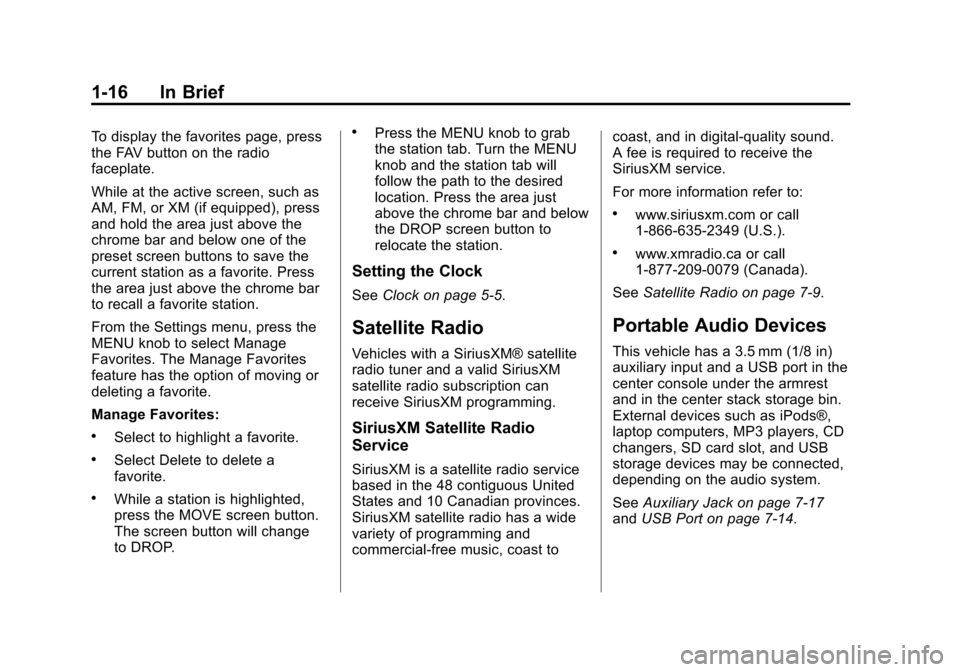
To display the favorites page, press
the FAV button on the radio
faceplate.
While at the active screen, such as
AM, FM, or XM (if equipped), press
and hold the area just above the
chrome bar and below one of the
preset screen buttons to save the
current station as a favorite. Press
the area just above the chrome bar
to recall a favorite station.
From the Settings menu, press the
MENU knob to select Manage
Favorites. The Manage Favorites
feature has the option of moving or
deleting a favorite.
Manage Favorites:
.Select to highlight a favorite.
.Select Delete to delete a
favorite.
.While a station is highlighted,
press the MOVE screen button.
The screen button will change
to DROP.
.Press the MENU knob to grab
the station tab. Turn the MENU
knob and the station tab will
follow the path to the desired
location. Press the area just
above the chrome bar and below
the DROP screen button to
relocate the station.
Setting the Clock
SeeClock on page 5‑5.
Satellite Radio
Vehicles with a SiriusXM® satellite
radio tuner and a valid SiriusXM
satellite radio subscription can
receive SiriusXM programming.
SiriusXM Satellite Radio
Service
SiriusXM is a satellite radio service
based in the 48 contiguous United
States and 10 Canadian provinces.
SiriusXM satellite radio has a wide
variety of programming and
commercial-free music, coast to coast, and in digital-quality sound.
A fee is required to receive the
SiriusXM service.
For more information refer to:
.www.siriusxm.com or call
1-866-635-2349 (U.S.).
.www.xmradio.ca or call
1-877-209-0079 (Canada).
See Satellite Radio on page 7‑9.
Portable Audio Devices
This vehicle has a 3.5 mm (1/8 in)
auxiliary input and a USB port in the
center console under the armrest
and in the center stack storage bin.
External devices such as iPods®,
laptop computers, MP3 players, CD
changers, SD card slot, and USB
storage devices may be connected,
depending on the audio system.
SeeAuxiliary Jack on page 7‑17
and USB Port on page 7‑14.
Page 25 of 438
Black plate (19,1)Cadillac XTS Owner Manual - 2013 - 1st - 4/13/12
In Brief 1-19
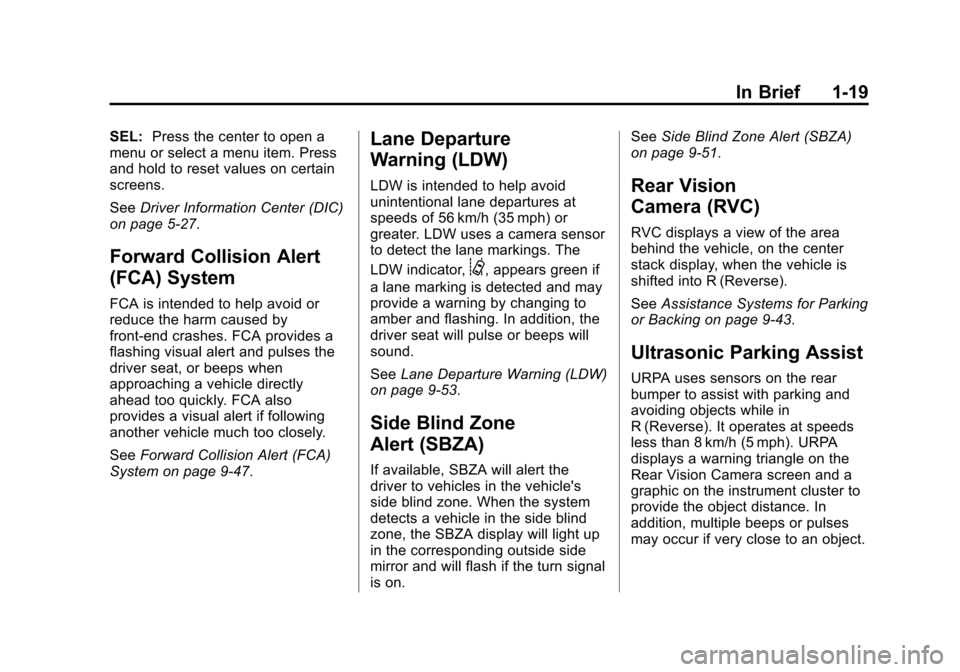
SEL:Press the center to open a
menu or select a menu item. Press
and hold to reset values on certain
screens.
See Driver Information Center (DIC)
on page 5‑27.
Forward Collision Alert
(FCA) System
FCA is intended to help avoid or
reduce the harm caused by
front-end crashes. FCA provides a
flashing visual alert and pulses the
driver seat, or beeps when
approaching a vehicle directly
ahead too quickly. FCA also
provides a visual alert if following
another vehicle much too closely.
See Forward Collision Alert (FCA)
System on page 9‑47.
Lane Departure
Warning (LDW)
LDW is intended to help avoid
unintentional lane departures at
speeds of 56 km/h (35 mph) or
greater. LDW uses a camera sensor
to detect the lane markings. The
LDW indicator,
@, appears green if
a lane marking is detected and may
provide a warning by changing to
amber and flashing. In addition, the
driver seat will pulse or beeps will
sound.
See Lane Departure Warning (LDW)
on page 9‑53.
Side Blind Zone
Alert (SBZA)
If available, SBZA will alert the
driver to vehicles in the vehicle's
side blind zone. When the system
detects a vehicle in the side blind
zone, the SBZA display will light up
in the corresponding outside side
mirror and will flash if the turn signal
is on. See
Side Blind Zone Alert (SBZA)
on page 9‑51.
Rear Vision
Camera (RVC)
RVC displays a view of the area
behind the vehicle, on the center
stack display, when the vehicle is
shifted into R (Reverse).
See Assistance Systems for Parking
or Backing on page 9‑43.
Ultrasonic Parking Assist
URPA uses sensors on the rear
bumper to assist with parking and
avoiding objects while in
R (Reverse). It operates at speeds
less than 8 km/h (5 mph). URPA
displays a warning triangle on the
Rear Vision Camera screen and a
graphic on the instrument cluster to
provide the object distance. In
addition, multiple beeps or pulses
may occur if very close to an object.
Page 29 of 438
Black plate (23,1)Cadillac XTS Owner Manual - 2013 - 1st - 4/13/12
In Brief 1-23
indicator that the tire pressures are
getting low and the tires need to be
inflated to the proper pressure.
The TPMS does not replace normal
monthly tire maintenance. Maintain
the correct tire pressures.
SeeTire Pressure Monitor System
on page 10‑43.
Tire Sealant and
Compressor Kit
This vehicle may come with a spare
tire and tire changing equipment or
a tire sealant and compressor kit.
The kit can be used to temporarily
seal small punctures in the tread
area of the tire. See Tire Sealant
and Compressor Kit on page 10‑57.
If the vehicle came with a spare tire
and tire changing equipment, see If
a Tire Goes Flat on page 10‑55.
Engine Oil Life System
The engine oil life system calculates
engine oil life based on vehicle use
and displays the CHANGE ENGINE
OIL SOON message when it is time
to change the engine oil and filter.
The oil life system should be reset
to 100% only following an oil
change.
Resetting the Oil Life System
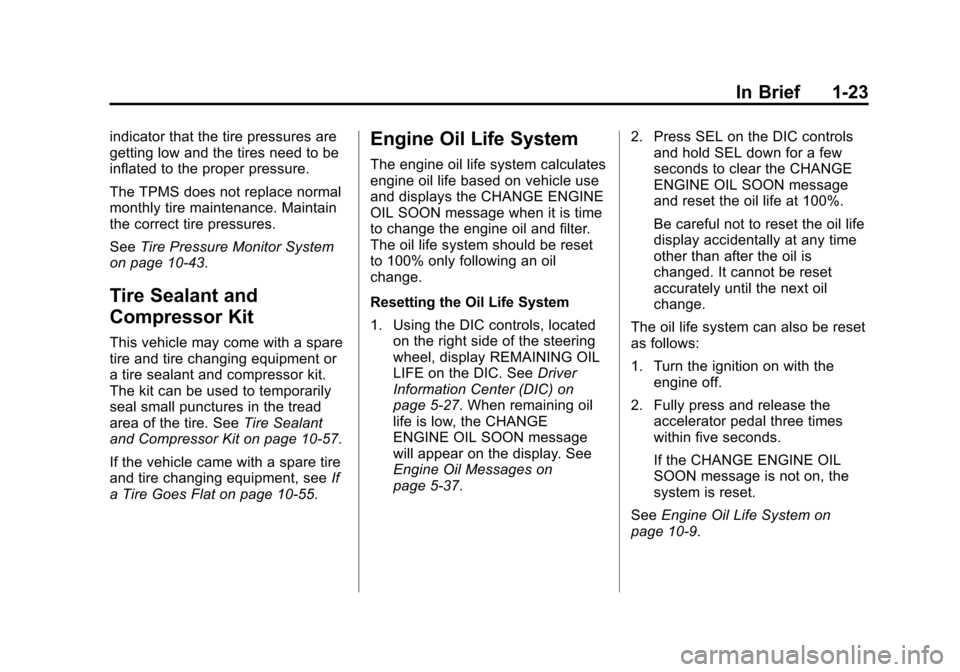
1. Using the DIC controls, located on the right side of the steering
wheel, display REMAINING OIL
LIFE on the DIC. See Driver
Information Center (DIC) on
page 5‑27. When remaining oil
life is low, the CHANGE
ENGINE OIL SOON message
will appear on the display. See
Engine Oil Messages on
page 5‑37. 2. Press SEL on the DIC controls
and hold SEL down for a few
seconds to clear the CHANGE
ENGINE OIL SOON message
and reset the oil life at 100%.
Be careful not to reset the oil life
display accidentally at any time
other than after the oil is
changed. It cannot be reset
accurately until the next oil
change.
The oil life system can also be reset
as follows:
1. Turn the ignition on with the engine off.
2. Fully press and release the accelerator pedal three times
within five seconds.
If the CHANGE ENGINE OIL
SOON message is not on, the
system is reset.
See Engine Oil Life System on
page 10‑9.
Page 42 of 438
Black plate (12,1)Cadillac XTS Owner Manual - 2013 - 1st - 4/13/12
2-12 Keys, Doors, and Windows
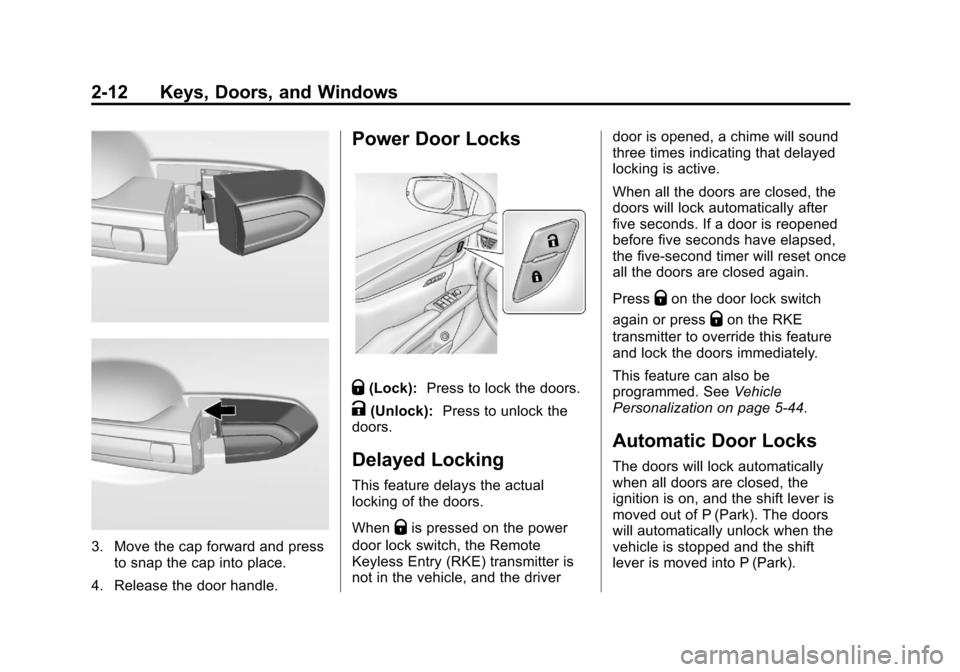
3. Move the cap forward and pressto snap the cap into place.
4. Release the door handle.
Power Door Locks
Q(Lock): Press to lock the doors.
K(Unlock): Press to unlock the
doors.
Delayed Locking
This feature delays the actual
locking of the doors.
When
Qis pressed on the power
door lock switch, the Remote
Keyless Entry (RKE) transmitter is
not in the vehicle, and the driver door is opened, a chime will sound
three times indicating that delayed
locking is active.
When all the doors are closed, the
doors will lock automatically after
five seconds. If a door is reopened
before five seconds have elapsed,
the five-second timer will reset once
all the doors are closed again.
Press
Qon the door lock switch
again or press
Qon the RKE
transmitter to override this feature
and lock the doors immediately.
This feature can also be
programmed. See Vehicle
Personalization on page 5‑44.
Automatic Door Locks
The doors will lock automatically
when all doors are closed, the
ignition is on, and the shift lever is
moved out of P (Park). The doors
will automatically unlock when the
vehicle is stopped and the shift
lever is moved into P (Park).
Page 51 of 438
Black plate (21,1)Cadillac XTS Owner Manual - 2013 - 1st - 4/13/12
Keys, Doors, and Windows 2-21
The vehicle aerodynamics are
designed to improve fuel economy
performance. This may result in a
pulsing sound when either rear
window is down and the front
windows are up. To reduce the
sound, open either a front window
or the sunroof (if equipped).
Power Windows
{WARNING
Children could be seriously
injured or killed if caught in the
path of a closing window. Never
leave the Remote Keyless Entry
(RKE) transmitter in a vehicle with
children. When there are children
in the rear seat, use the window
lockout switch to prevent
operation of the windows. See
Keys on page 2‑1.The power windows only operate
with the ignition in ACC/
ACCESSORY or ON/RUN/START,
or when Retained Accessory Power
(RAP) is active. SeeRetained
Accessory Power (RAP) on
page 9‑19.
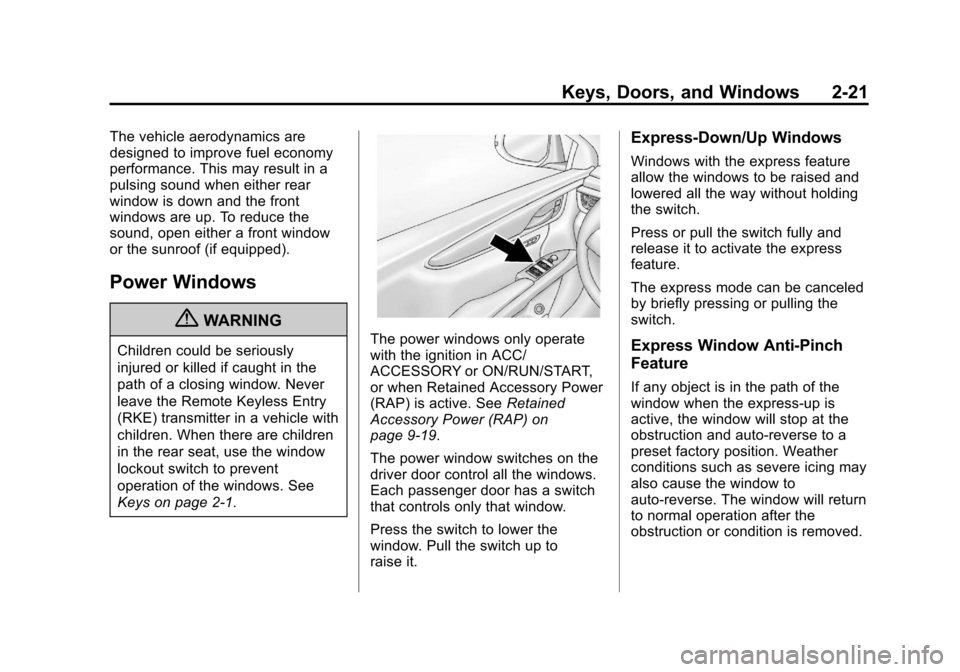
The power window switches on the
driver door control all the windows.
Each passenger door has a switch
that controls only that window.
Press the switch to lower the
window. Pull the switch up to
raise it.
Express-Down/Up Windows
Windows with the express feature
allow the windows to be raised and
lowered all the way without holding
the switch.
Press or pull the switch fully and
release it to activate the express
feature.
The express mode can be canceled
by briefly pressing or pulling the
switch.
Express Window Anti-Pinch
Feature
If any object is in the path of the
window when the express-up is
active, the window will stop at the
obstruction and auto-reverse to a
preset factory position. Weather
conditions such as severe icing may
also cause the window to
auto-reverse. The window will return
to normal operation after the
obstruction or condition is removed.
Page 127 of 438
Black plate (7,1)Cadillac XTS Owner Manual - 2013 - 1st - 4/13/12
Instruments and Controls 5-7
less than 150 watts is plugged into
the outlet, and no system fault is
detected.
The indicator light does not come on
when the ignition is in LOCK/OFF or
if the equipment is not fully seated
into the outlet.
If equipment is connected using
more than 150 watts or a system
fault is detected, a protection circuit
shuts off the power supply and the
indicator light turns off. To reset the
circuit, unplug the item and plug it
back in or turn the Retained
Accessory Power (RAP) off and
then back on. SeeRetained
Accessory Power (RAP) on
page 9‑19. The power restarts when
equipment using 150 watts or less is
plugged into the outlet and a system
fault is not detected. The power outlet is not designed for
and may not work properly, if the
following are plugged in:
.Equipment with high initial peak
wattage such as:
compressor-driven refrigerators
and electric power tools.
.Other equipment requiring an
extremely stable power supply
such as:
microcomputer-controlled
electric blankets, touch sensor
lamps, etc.
Cigarette Lighter
For vehicles with cigarette lighters,
they are located under the climate
control system inside the storage
area and on the rear of the center
console.
To activate the cigarette lighter,
push it into the heating element and
let go. The lighter pops out when it
is ready to be used.
Notice:
Holding a cigarette lighter
in while it is heating does not let
the lighter back away from the
heating element when it is hot.
Damage from overheating can
occur to the lighter or heating
element, or a fuse could be
blown. Do not hold a cigarette
lighter in while it is heating.
Page 133 of 438
Black plate (13,1)Cadillac XTS Owner Manual - 2013 - 1st - 4/13/12
Instruments and Controls 5-13
Display Layout:Press SEL while
Display Layout is highlighted to
change the configuration of the
uplevel cluster. See “Reconfigurable
Instrument Cluster” earlier in this
section.
Open Source Software: Press
SEL while Open Source Software is
highlighted to display open source
software information.
Speedometer
The speedometer shows the
vehicle's speed in either kilometers
per hour (km/h) or miles per
hour (mph).
Odometer
The odometer shows how far the
vehicle has been driven, in either
kilometers or miles.
This vehicle has a tamper-resistant
odometer. If the vehicle needs a
new cluster installed, the new
odometer is set to the mileage of
the old odometer. If this is not possible, it is set at zero and a label
is put on the driver door to show the
old mileage reading.
Trip Odometer
The trip odometer can show how far
the vehicle has been driven since
the trip odometer was last reset.
The trip odometer is accessed and
reset through the Driver Information
Center (DIC). See
Driver
Information Center (DIC) on
page 5‑27.
Tachometer
The tachometer displays the engine
speed in revolutions per
minute (rpm).
Notice: If the engine is operated
with the tachometer in the shaded
warning area, the vehicle could
be damaged, and the damages
would not be covered by the
vehicle warranty. Do not operate
the engine with the tachometer in
the shaded warning area.
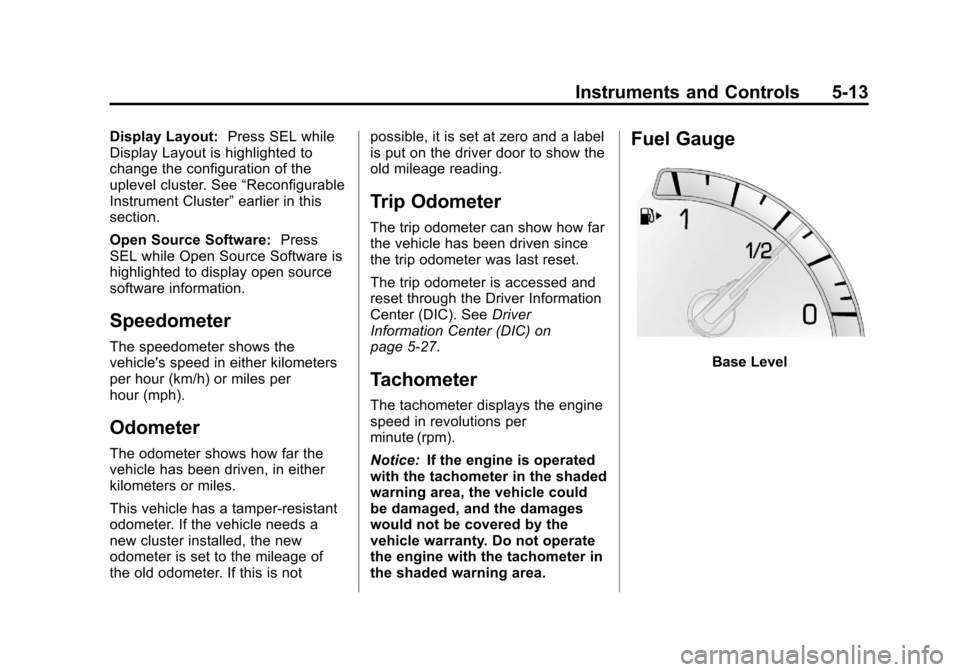
Fuel Gauge
Base Level
Page 142 of 438
Black plate (22,1)Cadillac XTS Owner Manual - 2013 - 1st - 4/13/12
5-22 Instruments and Controls
vehicles with the reconfigurable
cluster, this light may not come on
when the vehicle is in ON/RUN.
If this light stays on, there is a
problem with a system on the
vehicle that is causing the parking
brake system to work at a reduced
level. The vehicle can still be driven,
but should be taken to a dealer as
soon as possible. SeeElectric
Parking Brake on page 9‑26. If a
message displays in the Driver
Information Center (DIC), see Brake
System Messages on page 5‑35.
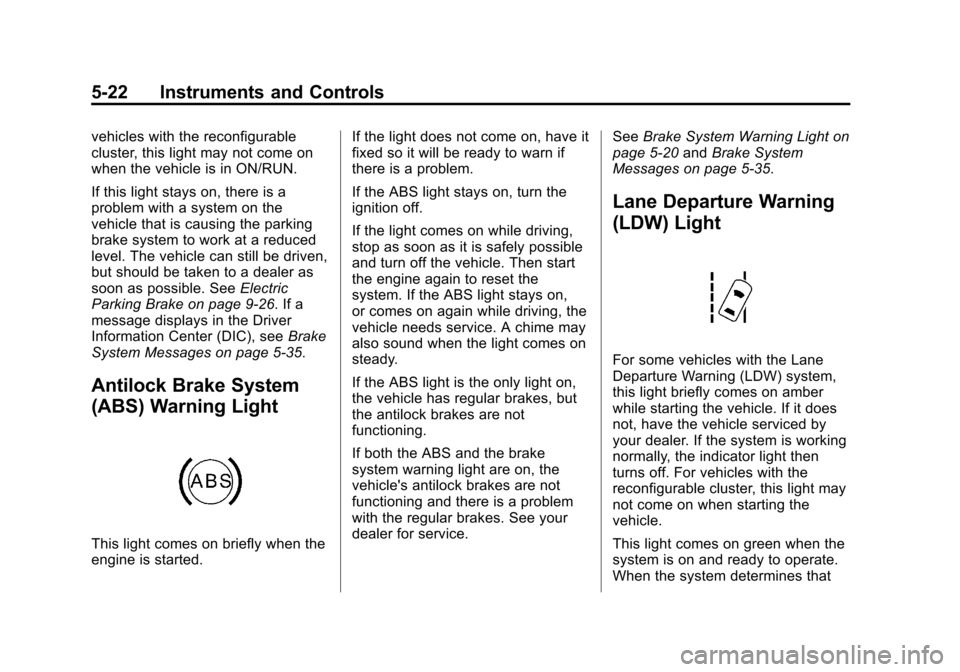
Antilock Brake System
(ABS) Warning Light
This light comes on briefly when the
engine is started. If the light does not come on, have it
fixed so it will be ready to warn if
there is a problem.
If the ABS light stays on, turn the
ignition off.
If the light comes on while driving,
stop as soon as it is safely possible
and turn off the vehicle. Then start
the engine again to reset the
system. If the ABS light stays on,
or comes on again while driving, the
vehicle needs service. A chime may
also sound when the light comes on
steady.
If the ABS light is the only light on,
the vehicle has regular brakes, but
the antilock brakes are not
functioning.
If both the ABS and the brake
system warning light are on, the
vehicle's antilock brakes are not
functioning and there is a problem
with the regular brakes. See your
dealer for service.
See
Brake System Warning Light on
page 5‑20 andBrake System
Messages on page 5‑35.
Lane Departure Warning
(LDW) Light
For some vehicles with the Lane
Departure Warning (LDW) system,
this light briefly comes on amber
while starting the vehicle. If it does
not, have the vehicle serviced by
your dealer. If the system is working
normally, the indicator light then
turns off. For vehicles with the
reconfigurable cluster, this light may
not come on when starting the
vehicle.
This light comes on green when the
system is on and ready to operate.
When the system determines that
Page 148 of 438
Black plate (28,1)Cadillac XTS Owner Manual - 2013 - 1st - 4/13/12
5-28 Instruments and Controls
SorT:Press the five-way control
to move between the interactive
display zones in the cluster. Press
Sto go back to the previous menu.
SEL (Select): Press the center to
open a menu or select a menu item.
Press and hold to reset values on
certain screens.
DIC Information Display
Options
The info displays on the DIC can be
turned on or off through the
Settings menu.
1. Press SEL while viewing the Settings page in one of the
interactive display zones on the
cluster.
2. Scroll to Info Pages and press SEL.
3. Press
yorzto move through
the list of possible info displays. 4. Press SEL while an item is
highlighted to select or deselect
that item. When an item is
selected, a checkmark will
appear next to it.
DIC Information Displays
The following is the list of all
possible DIC information displays.
Some of the information displays
may not be available for your
particular vehicle.
Speed (Base Cluster): The digital
speedometer shows the vehicle
speed in either kilometers per
hour (km/h) or miles per hour (mph).
Trip 1 or Trip 2 (Base
Cluster) / Trip 1 or Trip 2 and
Average Fuel Economy (Uplevel
Cluster): The Trip display shows
the current distance traveled, in
either kilometers (km) or miles (mi),
since the trip odometer was last
reset. The trip odometer can be
reset by pressing and holding SEL
while this display is active. The Average Fuel Economy display
shows the approximate average
liters per 100 kilometers (L/100 km)
or miles per gallon (mpg). This
number is calculated based on the
number of L/100 km (mpg) recorded
since the last time this menu item
was reset. The Average Fuel
Economy can be reset along with
the trip odometer by pressing and
holding SEL while this display is
active.
Fuel Range:
The Fuel Range
display shows the approximate
distance the vehicle can be driven
without refueling. LOW will be
displayed when the vehicle is low
on fuel. The fuel range estimate is
based on an average of the
vehicle's fuel economy over recent
driving history and the amount of
fuel remaining in the fuel tank.
Average Fuel Economy (Base
Cluster): The Average Fuel
Economy display shows the
approximate average liters per
100 kilometers (L/100 km) or miles
per gallon (mpg). This number is
Page 149 of 438

Black plate (29,1)Cadillac XTS Owner Manual - 2013 - 1st - 4/13/12
Instruments and Controls 5-29
calculated based on the number of
L/100 km (mpg) recorded since the
last time this menu item was reset.
The Average Fuel Economy can be
reset by pressing and holding SEL
while this display is active.
Instantaneous Fuel Economy:
The Instantaneous Fuel Economy
display shows the current fuel
economy in either liters per
100 kilometers (L/100 km) or miles
per gallon (mpg). This number
reflects only the fuel economy that
the vehicle has right now and
changes frequently as driving
conditions change.
Fuel Used:The Fuel Used display
shows the approximate liters (L) or
gallons (gal) of fuel that have been
used since last reset. The fuel used
can be reset by pressing and
holding SEL while this display is
active.
Average Speed: The Average
Speed display shows the average
speed of the vehicle in kilometers
per hour (km/h) or miles per hour (mph). This average is
calculated based on the various
vehicle speeds recorded since the
last reset of this value. The average
speed can be reset by pressing and
holding SEL while this display is
active.
Timer:
This display can be used as
a timer. To start the timer, press SEL
while this display is active. The
display will show the amount of time
that has passed since the timer was
last reset. To stop the timer, press
SEL briefly while this display is
active and the timer is running. To
reset the timer to zero, press and
hold SEL while this display is active.
Compass: The Compass display
shows the direction the vehicle is
driving.
Turn Arrow: The Turn Arrow
display shows the next maneuver
when using route guidance.
Travel Time: The Travel Time
display shows the estimated time
duration remaining for the current
route. Distance to Destination:
The
Distance to Destination display
shows the distance to the
destination when using route
guidance.
Speed Limit: The Speed Limit
display shows the current speed
limit. The information for this page
comes from a roadway database.
Speed Warning: The Speed
Warning display allows the driver to
set a speed that they do not want to
exceed. To set the Speed Warning,
press SEL when Speed Warning is
displayed. Press
yorzto adjust
the value. This feature can be
turned off by pressing and holding
SEL while viewing this page. If the
selected speed limit is exceeded, a
pop-up warning is displayed with a
chime.
Cruise Set Speed: The Cruise Set
Speed display shows the speed the
cruise control or Adaptive Cruise
Control is set to.