park assist CADILLAC XTS 2014 Owner's Manual
[x] Cancel search | Manufacturer: CADILLAC, Model Year: 2014, Model line: XTS, Model: CADILLAC XTS 2014Pages: 412, PDF Size: 4.65 MB
Page 7 of 412
Black plate (1,1)Cadillac XTS Owner Manual (GMNA-Localizing-U.S./Canada-6006999) -
2014 - CRC - 9/11/13
In Brief 1-1
In Brief
Instrument Panel
Instrument Panel Overview . . . . 1-2
Initial Drive Information
Initial Drive Information . . . . . . . . 1-4
Remote Keyless Entry (RKE)System . . . . . . . . . . . . . . . . . . . . . . 1-4
Remote Vehicle Start . . . . . . . . . 1-4
Door Locks . . . . . . . . . . . . . . . . . . . 1-5
Trunk . . . . . . . . . . . . . . . . . . . . . . . . . 1-5
Windows . . . . . . . . . . . . . . . . . . . . . . 1-6
Seat Adjustment . . . . . . . . . . . . . . 1-6
Memory Features . . . . . . . . . . . . . 1-7
Second Row Seats . . . . . . . . . . . 1-7
Heated and Ventilated Seats . . . . . . . . . . . . . . . . . . . . . . . . 1-8
Head Restraint Adjustment . . . . 1-8
Safety Belts . . . . . . . . . . . . . . . . . . . 1-8
Passenger Sensing System . . . 1-9 Mirror Adjustment . . . . . . . . . . . . . 1-9
Steering Wheel
Adjustment . . . . . . . . . . . . . . . . . 1-10
Interior Lighting . . . . . . . . . . . . . . 1-10
Exterior Lighting . . . . . . . . . . . . . 1-11
Windshield Wiper/Washer . . . . 1-11
Climate Controls . . . . . . . . . . . . . 1-12
Transmission . . . . . . . . . . . . . . . . 1-13
Vehicle Features
Steering Wheel Controls . . . . . 1-14
Cruise Control . . . . . . . . . . . . . . . 1-15
Infotainment System . . . . . . . . . 1-15
Driver Information Center (DIC) . . . . . . . . . . . . . . . 1-15
Forward Collision Alert (FCA) System . . . . . . . . . . . . . . . . . . . . . 1-16
Lane Departure Warning (LDW) . . . . . . . . . . . . . 1-16
Side Blind Zone Alert (SBZA) . . . . . . . . . . . . . . . 1-16 Rear Vision
Camera (RVC) . . . . . . . . . . . . . 1-16
Ultrasonic Parking Assist . . . . 1-16
Automatic Parking Assist (APA) . . . . . . . . . . . . . . . . 1-17
Active Emergency Braking System . . . . . . . . . . . . . . . . . . . . . 1-17
Power Outlets . . . . . . . . . . . . . . . 1-17
Universal Remote System . . . 1-17
Sunroof . . . . . . . . . . . . . . . . . . . . . . 1-18Performance and Maintenance
Traction Control/Electronic Stability Control . . . . . . . . . . . . 1-19
Tire Pressure Monitor . . . . . . . . 1-19
Engine Oil Life System . . . . . . 1-20
Driving for Better Fuel Economy . . . . . . . . . . . . . . . . . . . 1-20
Roadside Service . . . . . . . . . . . . 1-21
OnStar
®. . . . . . . . . . . . . . . . . . . . . 1-21
Page 9 of 412
Black plate (3,1)Cadillac XTS Owner Manual (GMNA-Localizing-U.S./Canada-6006999) -
2014 - CRC - 9/11/13
In Brief 1-3
1.Air Vents on page 8-8.
2. Electric Parking Brake on
page 9-27.
Instrument Panel Illumination
Control on page 6-6.
Head-Up Display (HUD) on
page 5-33 (If Equipped).
3. Exterior Lamp Controls on
page 6-1.
Turn Signal Lever. See Turn and
Lane-Change Signals on
page 6-6.
4. Instrument Cluster on page 5-10.
Driver Information Center (DIC)
Display. See Driver Information
Center (DIC) on page 5-30.
5. Windshield Wiper/Washer on
page 5-3.
6. Hazard Warning Flashers on
page 6-5.
Lane Departure Warning (LDW)
on page 9-56.
Traction Control/Electronic
Stability Control on page 9-29. 7.
Infotainment on page 7-1.
8. Glove Box Button. See Glove
Box on page 4-2.
Parking Assist Button. See
Driver Assistance Systems on
page 9-43.
9. Instrument Panel Storage on
page 4-1.
10. Hood Release. See Hood on
page 10-4.
11. Data Link Connector (DLC) (Out of View). See Malfunction
Indicator Lamp on page 5-20.
12. Cruise Control on page 9-32.
Adaptive Cruise Control on
page 9-35 (If Equipped).
Forward Collision Alert (FCA)
System on page 9-50 (If
Equipped).
Phone Button. See Steering
Wheel Controls on page 5-2.
Heated Steering Wheel on
page 5-3 (If Equipped). 13.
Steering Wheel Adjustment on
page 5-2.
14. Horn on page 5-3.
15. Steering Wheel Controls on
page 5-2.
16. ENGINE START/STOP Button. SeeIgnition Positions on
page 9-15.
17. Shift Lever. See Automatic
Transmission on page 9-23.
18. Instrument Panel Storage on
page 4-1 (If Equipped).
19. Dual Automatic Climate Control
System on page 8-1.
Heated and Ventilated Front
Seats on page 3-9.
Page 22 of 412
Black plate (16,1)Cadillac XTS Owner Manual (GMNA-Localizing-U.S./Canada-6006999) -
2014 - CRC - 9/11/13
1-16 In Brief
SorT:Press to move between
the interactive display zones in the
cluster. Press
Sto go back to the
previous menu.
SEL: Press to open a menu or
select a menu item. Press and hold
to reset values on certain screens.
See Driver Information Center (DIC)
on page 5-30.
Forward Collision Alert
(FCA) System
If equipped, FCA may help avoid or
reduce the harm caused by
front-end crashes. FCA provides a
green indicator when a vehicle is
detected ahead. This indicator
displays amber if you follow a
vehicle much too closely. When
approaching a vehicle ahead too
quickly, FCA provides a flashing red
alert on the windshield and rapidly
beeps or pulses the driver seat.
See Forward Collision Alert (FCA)
System on page 9-50.
Lane Departure
Warning (LDW)
If equipped, LDW is intended to help
avoid unintentional lane departures
at speeds of 56 km/h (35 mph) or
greater. LDW uses a camera sensor
to detect the lane markings. The
LDW indicator,
@, appears green if
a lane marking is detected. If the
vehicle departs the lane, the
indicator will change to amber and
flash. In addition, beeps will sound,
or the driver seat will pulse.
See Lane Departure Warning (LDW)
on page 9-56.
Side Blind Zone
Alert (SBZA)
If equipped, SBZA will detect
vehicles in the next lane over in the
vehicle's side blind zone area.
When this happens, the SBZA
display will light up in the
corresponding outside side mirror
and will flash if the turn signal is on. See
Side Blind Zone Alert (SBZA)
on page 9-54.
Rear Vision
Camera (RVC)
If equipped, RVC displays a view of
the area behind the vehicle, on the
center stack display, when the
vehicle is shifted into R (Reverse).
See Assistance Systems for Parking
or Backing on page 9-44.
Ultrasonic Parking Assist
If equipped, Ultrasonic Rear Parking
Assist (URPA) uses sensors on the
rear bumper to assist with parking
and avoiding objects while in
R (Reverse). It operates at speeds
less than 8 km/h (5 mph). URPA
may display a warning triangle on
the Rear Vision Camera screen and
a graphic on the instrument cluster
to provide the object distance. In
addition, multiple beeps or seat
pulses may occur if very close to an
object.
Page 23 of 412
Black plate (17,1)Cadillac XTS Owner Manual (GMNA-Localizing-U.S./Canada-6006999) -
2014 - CRC - 9/11/13
In Brief 1-17
The vehicle may also have the Front
Parking Assist system, a higher
speed Backing Warning System,
and the Rear Automatic Braking
system.
SeeDriver Assistance Systems on
page 9-43.
Automatic Parking
Assist (APA)
If equipped, the APA system helps
to search for and maneuver the
vehicle into parallel parking spots
using automatic steering, DIC
displays, and beeps. When the
vehicle speed is below 30 km/h
(18 mph), press the APA button,
O,
to enable the system.
See the “Automatic Parking Assist
(APA)” information under Assistance
Systems for Parking or Backing on
page 9-44.
Active Emergency
Braking System
If the vehicle has Adaptive Cruise
Control (ACC) it also has the Active
Emergency Braking System, which
includes Intelligent Brake
Assist (IBA) and the Automatic
Collision Preparation (ACP) System.
These systems can provide a boost
to braking or automatically brake the
vehicle to help avoid or lessen the
severity of crashes.
See Active Emergency Braking
System on page 9-52.
Power Outlets
The accessory power outlets can be
used to plug in electrical equipment,
such as a cell phone or MP3 player.
The vehicle has three accessory
power outlets:
.Inside the front storage area
below the climate control
system.
.Inside the center console.
.On the rear of the center
console.
Lift the cover to access the
accessory power outlet.
See Power Outlets on page 5-7.
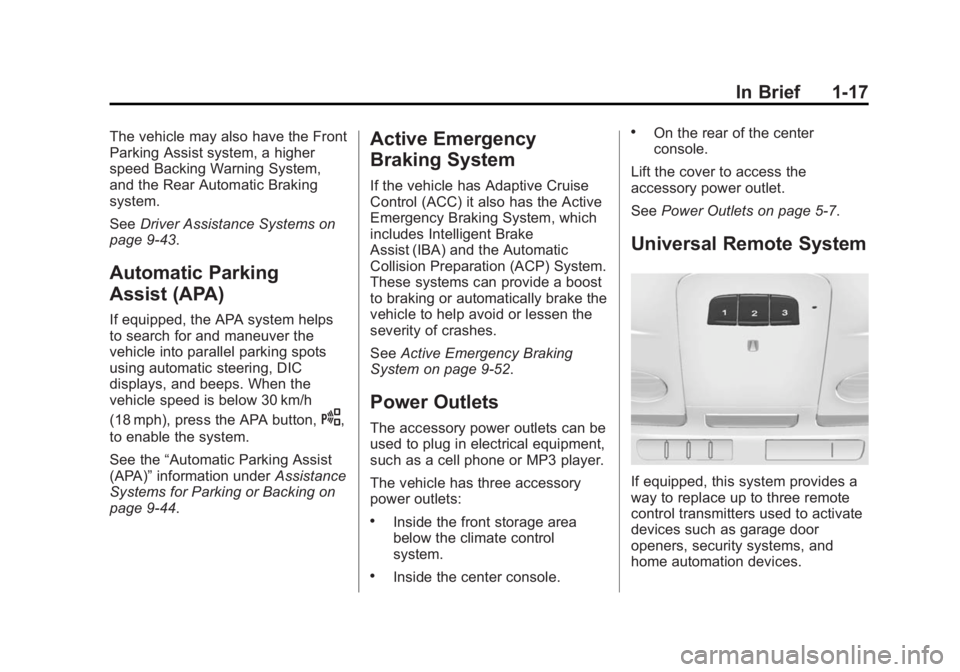
Universal Remote System
If equipped, this system provides a
way to replace up to three remote
control transmitters used to activate
devices such as garage door
openers, security systems, and
home automation devices.
Page 149 of 412
Black plate (37,1)Cadillac XTS Owner Manual (GMNA-Localizing-U.S./Canada-6006999) -
2014 - CRC - 9/11/13
Instruments and Controls 5-37
Battery Voltage and
Charging Messages
BATTERY SAVER ACTIVE
This message displays when the
vehicle has detected that the battery
voltage is dropping beyond a
reasonable point. The battery saver
system starts reducing features of
the vehicle that may be noticed. At
the point that features are disabled,
this message displays. Turn off
unnecessary accessories to allow
the battery to recharge.
LOW BATTERY
This message is displayed when the
battery voltage is low. SeeBattery
on page 10-25.
SERVICE BATTERY
CHARGING SYSTEM
This message is displayed when
there is a fault in the battery
charging system. Take the vehicle to
your dealer for service.
TRANSPORT MODE ON
This message is displayed when the
vehicle is in transport mode. Some
features can be disabled while in
this mode, including Remote
Keyless Entry (RKE), remote start,
and the vehicle alarm system. Take
the vehicle to your dealer for service
to turn transport mode off.
Brake System Messages
BRAKE FLUID LOW
This message is displayed when the
brake fluid level is low. See Brake
Fluid on page 10-23.
BRAKES OVERHEATED
This message is displayed when the
brakes are becoming overheated.
This may be seen when driving on
hills. Shift to a lower gear.
STEP ON BRAKE TO
RELEASE PARK BRAKE
This message is displayed if you
attempt to release the Electric
Parking Brake without the brake
pedal applied. See Electric Parking
Brake on page 9-27.
RELEASE PARKING BRAKE
This message is displayed if the
Electric Parking Brake is on while
the vehicle is in motion. See Electric
Parking Brake on page 9-27.
SERVICE BRAKE ASSIST
This message may be displayed
when there is a problem with the
brake boost assist system. The
brake boost assist motor may be
heard and brake pedal pulsation
may be felt. This is normal under
these conditions. Take the vehicle to
your dealer for service.
Page 155 of 412
Black plate (43,1)Cadillac XTS Owner Manual (GMNA-Localizing-U.S./Canada-6006999) -
2014 - CRC - 9/11/13
Instruments and Controls 5-43
LANE DEPARTURE WARNING
UNAVAILABLE
This message displays when
attempting to activate the Lane
Departure Warning (LDW) system
when it is temporarily unavailable.
The LDW system does not need
service.
This message could be due to the
camera being blocked. Cleaning the
outside of the windshield behind the
rearview mirror may correct the
issue.
REAR AUTO BRAKE/PARK
ASSIST OFF
This message displays when the
Parking Assist system has been
turned off or when there is a
temporary condition causing the
system to be disabled.
REAR AUTO BRAKE AND
PARK ASSIST UNAVAILABLE
This message displays when
attempting to activate the parking
and backing features of the Driver
Assistance System when they are
temporarily unavailable. The system
does not need service.
This can occur under the following
conditions:
.The radar is not clean. Keep the
radar sensors free of mud, dirt,
snow, ice, and slush. Clean the
entire front and/or rear of the
vehicle. For cleaning
instructions, seeExterior Care
on page 10-82.
.Heavy rain or snow is interfering
with the radar object detection or
camera performance.
See Driver Assistance Systems on
page 9-43.
SERVICE AUTOMATIC
COLLISION PREP
If this message displays, take the
vehicle to your dealer to repair the
system.
SERVICE DRIVER ASSIST
SYSTEM
If this message displays, take the
vehicle to your dealer to repair the
system.
Adaptive Cruise Control (ACC),
Forward Collision Alert (FCA),
Active Emergency Braking System,
Assistance Systems for Parking or
Backing, and/or Lane Departure
Warning (LDW) system may not
work. Do not use these systems
until the vehicle has been repaired.
Page 156 of 412
Black plate (44,1)Cadillac XTS Owner Manual (GMNA-Localizing-U.S./Canada-6006999) -
2014 - CRC - 9/11/13
5-44 Instruments and Controls
SERVICE FRONT CAMERA
If this message remains on after
continued driving, the vehicle needs
service. Do not use the Lane
Departure Warning (LDW) and
Forward Collision Alert (FCA)
features. Take the vehicle to your
dealer.
SERVICE PARK ASSIST
This message displays if there is a
problem with the Parking Assist
system. Do not use this system to
help you park. See your dealer for
service.
SERVICE REAR AUTO BRAKE
AND PARK ASSIST
This message displays if there is a
problem with the parking and
backing features of the Driver
Assistance System. Do not use this
system to help park or back the
vehicle. See your dealer for service.
SIDE BLIND ZONE ALERT OFF
This message indicates that the
driver has turned the Side Blind
Zone Alert (SBZA) system off.
SERVICE SIDE DETECTION
SYSTEM
If this message remains on after
continued driving, the vehicle needs
service. Side Blind Zone Alert
(SBZA) and Rear Cross Traffic Alert
(RCTA) features will not work. Take
the vehicle to your dealer.
SIDE DETECTION SYSTEM
UNAVAILABLE
This message indicates that Side
Blind Zone Alert (SBZA) and Rear
Cross Traffic Alert (RCTA) are
disabled either because the sensor
is blocked and cannot detect
vehicles in the blind zone, or the
vehicle is passing through an open
area, such as the desert, where
there is insufficient data for
operation. This message may also
activate during heavy rain or due toroad spray. The vehicle does not
need service. For cleaning, see
"Washing the Vehicle" under
Exterior Care on page 10-82.
Ride Control System
Messages
SERVICE ALL WHEEL DRIVE
This message displays when there
is a problem with the AWD system.
This message could be set by a
number of issues. Some may
require service of the AWD system.
The vehicle will run in normal
two-wheel-drive mode when this
message has been set. This could
be caused by:
.A vehicle or an AWD system
electronics problem.
.Various vehicle electrical issues.
.Worn out or overheated clutch
plates.
.Loss of fluids.
Page 161 of 412
Black plate (49,1)Cadillac XTS Owner Manual (GMNA-Localizing-U.S./Canada-6006999) -
2014 - CRC - 9/11/13
Instruments and Controls 5-49
Auto Defog
When set to On, the front defog will
automatically come on when the
vehicle is started.
Select Off or On.
Auto Rear Defog
If equipped, this allows the Auto
Rear Defog to be turned on or off.
This feature will automatically turn
on the rear window defogger when it
is cold outside.
Select Off or On.
Collision/Detection Systems
Select the Collision/Detection
Systems menu and the following
may be displayed if equipped:
.Alert Type
.Auto Collision Preparation
.Go Notifier
.Side Blind Zone AlertAlert Type
This feature will set crash alerts to
beeps or seat vibrations. This
setting affects all crash alerts
including Forward Collision, Lane
Departure Warning, Adaptive Cruise
Control, Parking Assist, and
Backing Warning alerts.
Select Beeps or Safety Alert Seat.
Auto Collision Preparation
This feature will turn on or off the
Forward Collision Alert feature as
well as the Automatic Braking
capability of the Auto Collision
Preparation feature. With the Alert &
Brake setting, both Forward
Collision Alert as well as the
Automatic Braking capability of the
Auto Collision Preparation feature
are available. The Alert setting
disables most automatic braking
functions of the Auto Collision
Preparation feature. Some
last-second automatic braking capability is still provided with the
Alert setting, but it is much less
likely to be triggered by most driving
conditions. Off disables all Forward
Collision Alert and Automatic
Braking capabilities of the Auto
Collision Preparation feature. See
Active Emergency Braking System
on page 9-52.
Select Off, Alert & Brake, or Alert.
Go Notifier
This feature will give a reminder that
Adaptive Cruise Control provides
when it has brought the vehicle to a
complete stop behind another
stopping vehicle, and then that
vehicle drives on.
Select Off or On.
Side Blind Zone Alert
This allows the Side Blind Zone
Alert feature to be turned on or off.
Select Off or On.
Page 164 of 412
Black plate (52,1)Cadillac XTS Owner Manual (GMNA-Localizing-U.S./Canada-6006999) -
2014 - CRC - 9/11/13
5-52 Instruments and Controls
Passive Door Unlock
This allows the selection of what
doors will unlock when using the
button on the driver door to unlock
the vehicle.
Select All Doors or Driver Door.
Passive Door Lock
This feature can be turned on or off
or used to select feedback when
using the button on the driver door
to lock the vehicle. SeeRemote
Keyless Entry (RKE) System
Operation on page 2-3.
Select On, On with Horn Chirp,
or Off.
Remote Left in Vehicle Alert
This feature sounds an alert when
the RKE transmitter is left in the
vehicle.
Select Off or On.Rear Camera
This allows for Rear Camera
Display, Rear Park Assist Symbols,
Guidance Lines, and Rear Cross
Traffic Alert to be turned off or on.
Select Off or On for the desired
feature.
See Driver Assistance Systems on
page 9-43.
Return to Factory Settings
Select Return to Factory Settings
and the following list may display:
.Restore Vehicle Settings
.Clear All Private Data
.Restore Radio Settings Restore Vehicle Settings
This allows selection of restoring
vehicle settings.
Select Cancel or Continue.
Clear All Private Data
This allows selection to clear all
private information from the vehicle.
Select Cancel or Continue.
Restore Radio Settings
This allows selection to restore
radio settings.
Select Cancel or Continue.
Software Information
Press to view the version of the
infotainment system software.
Page 165 of 412
Black plate (53,1)Cadillac XTS Owner Manual (GMNA-Localizing-U.S./Canada-6006999) -
2014 - CRC - 9/11/13
Instruments and Controls 5-53
Universal Remote
System
SeeRadio Frequency Statement on
page 13-15.
Universal Remote System
Programming
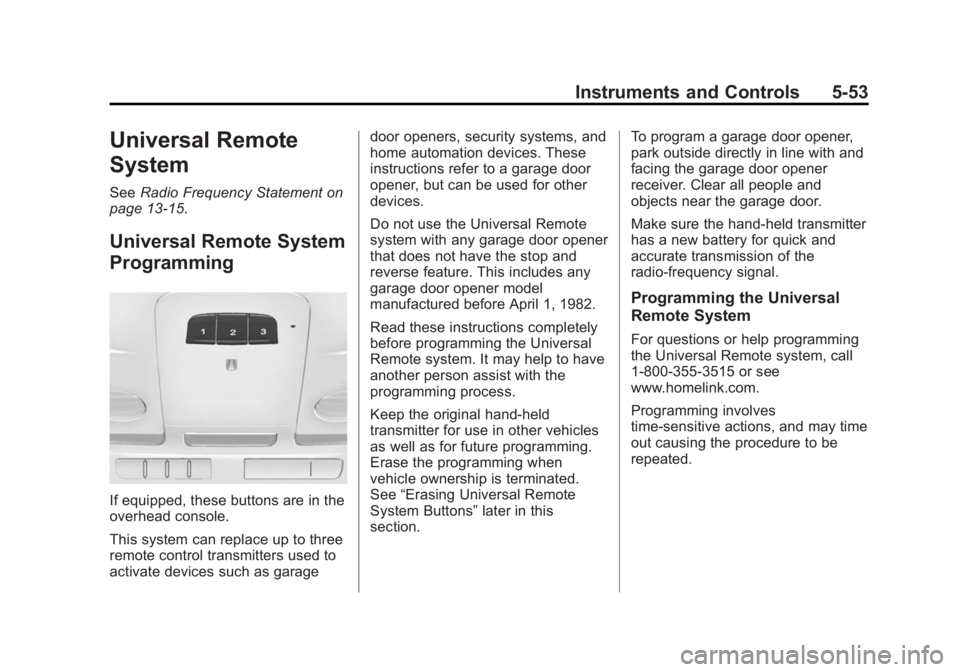
If equipped, these buttons are in the
overhead console.
This system can replace up to three
remote control transmitters used to
activate devices such as garage door openers, security systems, and
home automation devices. These
instructions refer to a garage door
opener, but can be used for other
devices.
Do not use the Universal Remote
system with any garage door opener
that does not have the stop and
reverse feature. This includes any
garage door opener model
manufactured before April 1, 1982.
Read these instructions completely
before programming the Universal
Remote system. It may help to have
another person assist with the
programming process.
Keep the original hand-held
transmitter for use in other vehicles
as well as for future programming.
Erase the programming when
vehicle ownership is terminated.
See
“Erasing Universal Remote
System Buttons” later in this
section. To program a garage door opener,
park outside directly in line with and
facing the garage door opener
receiver. Clear all people and
objects near the garage door.
Make sure the hand-held transmitter
has a new battery for quick and
accurate transmission of the
radio-frequency signal.
Programming the Universal
Remote System
For questions or help programming
the Universal Remote system, call
1-800-355-3515 or see
www.homelink.com.
Programming involves
time-sensitive actions, and may time
out causing the procedure to be
repeated.