ESP CADILLAC XTS 2016 1.G Owners Manual
[x] Cancel search | Manufacturer: CADILLAC, Model Year: 2016, Model line: XTS, Model: CADILLAC XTS 2016 1.GPages: 320, PDF Size: 2.07 MB
Page 22 of 320
Cadillac XTS Owner Manual (GMNA-Localizing-MidEast-9369806) - 2016 -
crc - 6/24/15
In Brief 21
Forward Collision Alert
(FCA) System
If equipped, FCA may help avoid or
reduce the harm caused by
front-end crashes. FCA provides a
green indicator,
V, when a vehicle
is detected ahead. This indicator
displays amber if you follow a
vehicle much too closely. When
approaching a vehicle ahead too
quickly, FCA provides a flashing red
alert on the windshield and rapidly
beeps or pulses the driver seat.
See Forward Collision Alert (FCA)
System 0211.
Front Automatic Braking
(FAB) System
If the vehicle has Adaptive Cruise
Control (ACC), it also has FAB,
which includes Intelligent Brake
Assist (IBA). When the system
detects a vehicle ahead in your path
that is traveling in the same
direction that you may be about to
crash into, it can provide a boost to
braking or automatically brake the vehicle. This can help avoid or
lessen the severity of crashes when
driving in a forward gear.
See
Front Automatic Braking (FAB)
System 0213.
Lane Departure
Warning (LDW)
If equipped, LDW may help avoid
unintentional lane departures at
speeds of 56 km/h (35 mph) or
greater. LDW uses a camera sensor
to detect the lane markings. The
LDW light,
@, is green if a lane
marking is detected. If the vehicle
departs the lane, the light will
change to amber and flash. In
addition, beeps will sound or the
driver seat will pulse.
See Lane Departure Warning (LDW)
0 216.
Side Blind Zone
Alert (SBZA)
If equipped, SBZA will detect
moving vehicles in the next lane
over in the vehicle's side blind zone area. When this happens, the SBZA
display will light up in the
corresponding outside side mirror
and will flash if the turn signal is on.
See
Side Blind Zone Alert (SBZA)
0 215.
Surround Vision
If equipped, views around the
vehicle display on the center stack
to aid with parking and low-speed
maneuvers.
See “Surround Vision” under
Assistance Systems for Parking or
Backing 0206.
Front Vision Camera
If equipped, a view of the area in
front of the vehicle displays on the
center stack to aid with parking and
low-speed maneuvers.
See “Front Vision Camera” under
Assistance Systems for Parking or
Backing 0206.
Page 34 of 320
Cadillac XTS Owner Manual (GMNA-Localizing-MidEast-9369806) - 2016 -
crc - 6/24/15
Keys, Doors, and Windows 33
.Turn on the hazard warning
flashers.
. Turn the vehicle on and then
back off.
Conditions in Which Remote Start
Will Not Work
The remote start will not operate if
any of the following occur:
. The ignition is in any mode other
than OFF.
. The transmitter is in the vehicle.
. The hood is not closed.
. The hazard warning flashers
are on.
. There is an emission control
system malfunction.
. The engine coolant temperature
is too high.
. The oil pressure is low.
. Two remote vehicle starts or a
start with an extension have
already been used.
. The vehicle is not in P (Park).Door Locks
{Warning
Unlocked doors can be
dangerous.
. Passengers, especially
children, can easily open
the doors and fall out of a
moving vehicle. The chance
of being thrown out of the
vehicle in a crash is
increased if the doors are
not locked. So, all
passengers should wear
safety belts properly and the
doors should be locked
whenever the vehicle is
driven.
. Young children who get into
unlocked vehicles may be
unable to get out. A child
can be overcome by
extreme heat and can suffer
permanent injuries or even
death from heat stroke.
Always lock the vehicle
whenever leaving it.
(Continued)
Warning (Continued)
.Outsiders can easily enter
through an unlocked door
when slowing or stopping
the vehicle. Lock the doors
to help prevent this from
happening.
Inside the Vehicle
On the rear doors, push down on
the door lock knob to lock the door
manually. Pull once on the door
handle to unlock the door and again
to open the door.
Press the power door lock switch to
lock or unlock all doors
automatically. See Power Door
Locks 035.
Outside the Vehicle
Use the Remote Keyless Entry
(RKE) transmitter, the key cylinder
on the driver front door, or the key
cylinder on the passenger front
door, if equipped. The key cylinder
is covered with a cap.
Page 44 of 320
Cadillac XTS Owner Manual (GMNA-Localizing-MidEast-9369806) - 2016 -
crc - 6/24/15
Keys, Doors, and Windows 43
Interior Mirrors
Automatic Dimming
Rearview Mirror
To adjust the inside rearview mirror,
hold the rearview mirror in the
center and move it to view the area
behind the vehicle.
The vehicle has an automatic
dimming rearview mirror. The mirror
will automatically reduce the glare
from the headlamps from behind.
The dimming feature comes on
when the vehicle is started.
Cleaning the Mirror
Do not spray glass cleaner directly
on the mirror. Use a soft towel
dampened with water.
Windows
{Warning
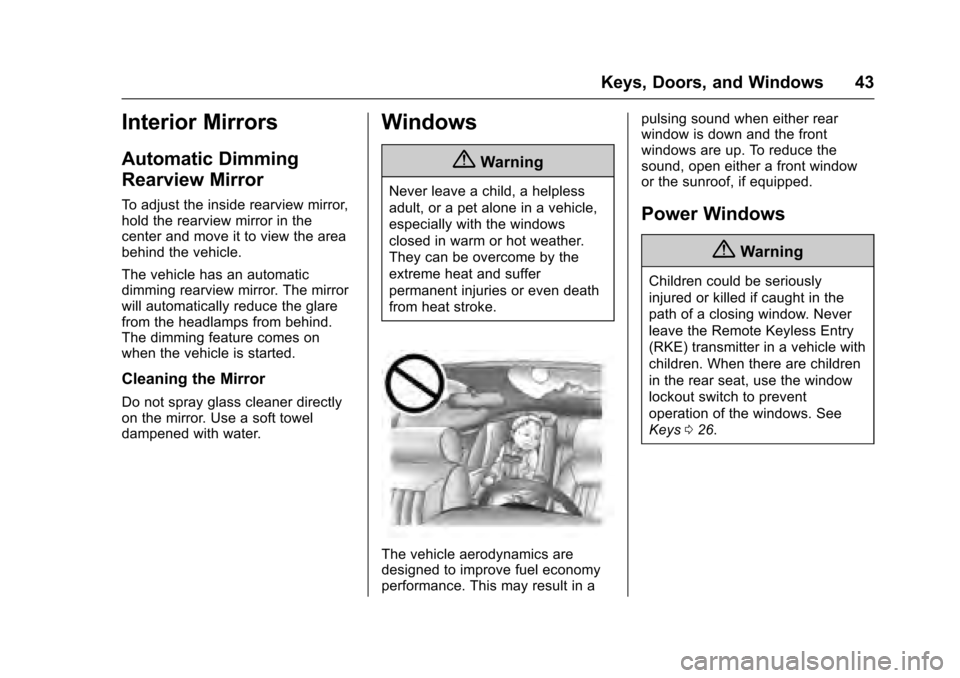
Never leave a child, a helpless
adult, or a pet alone in a vehicle,
especially with the windows
closed in warm or hot weather.
They can be overcome by the
extreme heat and suffer
permanent injuries or even death
from heat stroke.
The vehicle aerodynamics are
designed to improve fuel economy
performance. This may result in apulsing sound when either rear
window is down and the front
windows are up. To reduce the
sound, open either a front window
or the sunroof, if equipped.
Power Windows
{Warning
Children could be seriously
injured or killed if caught in the
path of a closing window. Never
leave the Remote Keyless Entry
(RKE) transmitter in a vehicle with
children. When there are children
in the rear seat, use the window
lockout switch to prevent
operation of the windows. See
Keys
026.
Page 58 of 320
Cadillac XTS Owner Manual (GMNA-Localizing-MidEast-9369806) - 2016 -
crc - 6/24/15
Seats and Restraints 57
See“Auto Memory Recall” under
“Comfort and Convenience” in
Vehicle Personalization 0145.
To stop recall movement, press one
of the memory, power mirror,
or power seat controls; or press the
power tilt and telescoping steering
column control.
RKE transmitters are not labeled
with a number. If your memory seat
position is stored to 1 or 2 but this
position is not automatically
recalling, then store your positions
to the other button or switch RKE
transmitters with the other driver.
If the vehicle’s driver has changed,
in some vehicles the Driver ID may
be displayed for the first few ignition
cycles.
Easy Exit Recall (Driver Only)
If programmed on in the vehicle
personalization menu, the easy exit
feature automatically recalls the
previously stored exit positions
when leaving the vehicle. See
“Storing Memory Positions” earlier in
this section. See also Vehicle
Personalization 0145. Easy exit recall automatically
activates when one of the following
occurs:
.
The vehicle is turned off and the
driver door is opened within a
short time.
. The vehicle is turned off with the
driver door open.
Obstructions
If something has blocked the driver
seat while recalling a memory
position, the recall may stop.
Remove the obstruction. Then do
one of the following:
. If automatically or manually
recalling the stored memory
position, press and hold the
appropriate manual control for
two seconds. Try recalling again
by pressing the appropriate
memory button. If automatically
recalling the position, try
recalling again by opening the
driver door and pressing
Kon
the RKE transmitter.
. If recalling the exit position,
press and hold the appropriate
manual control for the exit feature not recalling for
two seconds. Then try recalling
the exit position again.
If the memory position is still not
recalling, see your dealer for
service.
Heated and Ventilated
Front Seats
{Warning
If you cannot feel temperature
change or pain to the skin, the
seat heater may cause burns. To
reduce the risk of burns, people
with such a condition should use
care when using the seat heater,
especially for long periods of
time. Do not place anything on
the seat that insulates against
heat, such as a blanket, cushion,
cover, or similar item. This may
cause the seat heater to
overheat. An overheated seat
heater may cause a burn or may
damage the seat.
Page 174 of 320
Cadillac XTS Owner Manual (GMNA-Localizing-MidEast-9369806) - 2016 -
crc - 6/24/15
Driving and Operating 173
can be steered but may require
increased effort. See your dealer if
there is a problem.
Caution
If the steering wheel is turned
until it reaches the end of its
travel, and is held in that position
for more than 15 seconds,
damage may occur to the power
steering system and there may be
loss of power steering assist.
Curve Tips
.Take curves at a reasonable
speed.
. Reduce speed before entering a
curve.
. Maintain a reasonable, steady
speed through the curve.
. Wait until the vehicle is out of
the curve before accelerating
gently into the straightaway.
Steering in Emergencies
.
There are some situations when
steering around a problem may
be more effective than braking.
. Holding both sides of the
steering wheel allows you to turn
180 degrees without removing
a hand.
. Antilock Brake System (ABS)
allows steering while braking.
Off-Road Recovery
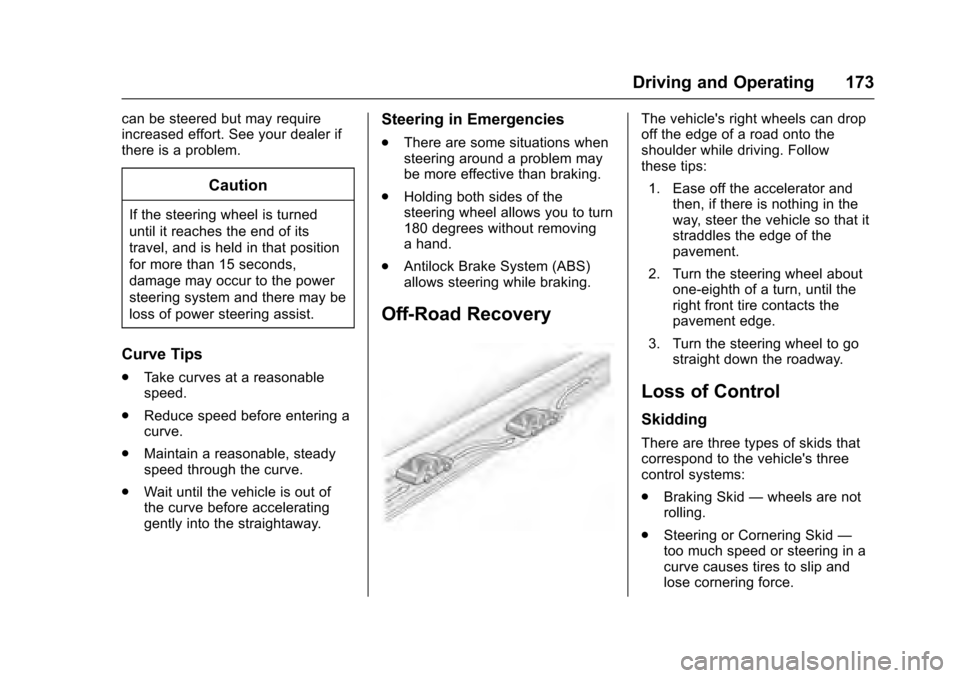
The vehicle's right wheels can drop
off the edge of a road onto the
shoulder while driving. Follow
these tips:
1. Ease off the accelerator and then, if there is nothing in the
way, steer the vehicle so that it
straddles the edge of the
pavement.
2. Turn the steering wheel about one-eighth of a turn, until the
right front tire contacts the
pavement edge.
3. Turn the steering wheel to go straight down the roadway.
Loss of Control
Skidding
There are three types of skids that
correspond to the vehicle's three
control systems:
.Braking Skid —wheels are not
rolling.
. Steering or Cornering Skid —
too much speed or steering in a
curve causes tires to slip and
lose cornering force.
Page 177 of 320
Cadillac XTS Owner Manual (GMNA-Localizing-MidEast-9369806) - 2016 -
crc - 6/24/15
176 Driving and Operating
.Antilock Brake System (ABS)
improves vehicle stability during
hard stops, but the brakes
should be applied sooner than
when on dry pavement. See
Antilock Brake System (ABS)
0189.
. Allow greater following distance
and watch for slippery spots. Icy
patches can occur on otherwise
clear roads in shaded areas.
The surface of a curve or an
overpass can remain icy when
the surrounding roads are clear.
Avoid sudden steering
maneuvers and braking while
on ice.
. Turn off cruise control.
Blizzard Conditions
Stay with the vehicle unless there is
help nearby. To get help and keep
everyone in the vehicle safe:
.Turn on the hazard warning
flashers.
. Tie a red cloth to an outside
mirror.
{Warning
Snow can trap engine exhaust
under the vehicle. This may
cause exhaust gases to get
inside. Engine exhaust contains
carbon monoxide (CO), which
cannot be seen or smelled. It can
cause unconsciousness and even
death.
If the vehicle is stuck in snow:
. Clear snow from the base of
the vehicle, especially any
blocking the exhaust pipe.
. Open a window about 5 cm
(2 in) on the vehicle side
that is away from the wind,
to bring in fresh air.
. Fully open the air outlets on
or under the instrument
panel.
. Adjust the climate control
system to circulate the air
inside the vehicle and set
(Continued)
Warning (Continued)
the fan speed to the highest
setting. See“Climate
Control Systems.”
For more information about CO,
see Engine Exhaust 0186 in the
index.
To save fuel, run the engine for
short periods to warm the vehicle
and then shut the engine off and
partially close the window. Moving
about to keep warm also helps.
If it takes time for help to arrive,
when running the engine, push the
accelerator pedal slightly so the
engine runs faster than the idle
speed. This keeps the battery
charged to restart the vehicle and to
signal for help with the headlamps.
Do this as little as possible, to
save fuel.
If the Vehicle Is Stuck
Slowly and cautiously spin the
wheels to free the vehicle when
stuck in sand, mud, ice, or snow.
Page 184 of 320

Cadillac XTS Owner Manual (GMNA-Localizing-MidEast-9369806) - 2016 -
crc - 6/24/15
Driving and Operating 183
Caution
If the steering wheel is turned
until it reaches the end of its
travel, and is held in that position
while starting the vehicle, damage
may occur to the hydraulic power
steering system and there may be
loss of power steering assist.
Caution
If you add electrical parts or
accessories, you could change
the way the engine operates. Any
resulting damage would not be
covered by the vehicle warranty.
SeeAdd-On Electrical Equipment
0 226.
Starting Procedure 1. With the Keyless Access system, the RKE transmitter
must be in the vehicle. Press
the ENGINE START/STOP
button with the brake pedal applied. When the engine
begins cranking, let go of the
button.
The idle speed will go down as
the engine gets warm. Do not
race the engine immediately
after starting it.
If the RKE transmitter is not in
the vehicle, if there is
interference, or if the RKE
transmitter battery is low, the
Driver Information Center (DIC)
will display a message. See
Key and Lock Messages
0138.
Caution
Cranking the engine for long
periods of time, by pressing the
ENGINE START/STOP button
immediately after cranking has
ended, can overheat and damage
the cranking motor, and drain the
battery. Wait at least 15 seconds
between each try, to let the
cranking motor cool down. 2. If the engine does not start
after five to 10 seconds,
especially in very cold weather
(below −18 °C or 0 °F), it could
be flooded with too much
gasoline. Try pushing the
accelerator pedal all the way to
the floor and holding it there as
you press the ENGINE START/
STOP button, for up to a
maximum of 15 seconds. Wait
at least 15 seconds between
each try, to allow the cranking
motor to cool down. When the
engine starts, let go of the
button and the accelerator.
If the vehicle starts briefly but
then stops again, do the same
thing. This clears the extra
gasoline from the engine. Do
not race the engine
immediately after starting it.
Operate the engine and
transmission gently until the oil
warms up and lubricates all
moving parts.
Page 193 of 320
Cadillac XTS Owner Manual (GMNA-Localizing-MidEast-9369806) - 2016 -
crc - 6/24/15
192 Driving and Operating
Brake Assist
This vehicle has a brake assist
feature designed to assist the driver
in stopping or decreasing vehicle
speed in emergency driving
conditions. This feature uses the
stability system hydraulic brake
control module to supplement the
power brake system under
conditions where the driver has
quickly and forcefully applied the
brake pedal in an attempt to quickly
stop or slow down the vehicle. The
stability system hydraulic brake
control module increases brake
pressure at each corner of the
vehicle until the ABS activates.
Minor brake pedal pulsation or
pedal movement during this time is
normal and the driver should
continue to apply the brake pedal as
the driving situation dictates. The
brake assist feature will
automatically disengage when the
brake pedal is released or brake
pedal pressure is quickly
decreased.
Hill Start Assist (HSA)
This vehicle has an HSA feature,
which may be useful when the
vehicle is stopped on a grade
sufficient enough to activate HSA.
This feature is designed to prevent
the vehicle from rolling, either
forward or rearward, during vehicle
drive off. After the driver completely
stops and holds the vehicle in a
complete standstill on a grade, HSA
will be automatically activated.
During the transition period between
when the driver releases the brake
pedal and starts to accelerate to
drive off on a grade, HSA holds the
braking pressure for a maximum of
two seconds to ensure that there is
no rolling. The brakes will
automatically release when the
accelerator pedal is applied within
the two-second window. It will not
activate if the vehicle is in a drive
gear and facing downhill, or if the
vehicle is facing uphill and in
R (Reverse).
Ride Control Systems
Traction Control/
Electronic Stability
Control
System Operation
The vehicle has a Traction Control
System (TCS) and StabiliTrak®, an
electronic stability control system.
These systems help limit wheel slip
and assist the driver in maintaining
control, especially on slippery road
conditions.
TCS activates if it senses that any
of the drive wheels are spinning or
beginning to lose traction. On an
All-Wheel-Drive (AWD) vehicle, the
system will operate if it senses that
any of the wheels are spinning or
beginning to lose traction. When this
happens, TCS applies the brakes to
the spinning wheels and reduces
engine power to limit wheel spin.
StabiliTrak activates when the
system senses a discrepancy
between the intended path and the
direction the vehicle is actually
Page 195 of 320
Cadillac XTS Owner Manual (GMNA-Localizing-MidEast-9369806) - 2016 -
crc - 6/24/15
194 Driving and Operating
Caution
Do not repeatedly brake or
accelerate heavily when TCS is
off. The vehicle driveline could be
damaged.
To turn off only TCS, press and
release the
gbutton. The Traction
Off Light
idisplays in the
instrument cluster and the
appropriate DIC message is
displayed. See Ride Control System
Messages 0141. To turn TCS on
again, press and release the
g
button. The Traction Off Lighti
displayed in the instrument cluster
will turn off and the appropriate DIC
message is displayed.
If TCS is limiting wheel spin when
the
gbutton is pressed, the system
will not turn off until the wheels stop
spinning.
To turn off both TCS and StabiliTrak,
press and hold the
gbutton until
the Traction Off Light
iand StabiliTrak Off Light
gcome on and
stay on in the instrument cluster.
The appropriate DIC message is
displayed. See Ride Control System
Messages 0141. To turn TCS and
StabiliTrak on again, press and
release the
gbutton. The Traction
Off Light
iand StabiliTrak Off
Light
gin the instrument cluster
turn off and the appropriate DIC
message is displayed.
Adding accessories can affect the
vehicle performance. See
Accessories and Modifications
0 228.
Magnetic Ride Control
The Magnetic Ride Control monitors
the suspension system.
Based on road conditions, steering
wheel angle, and vehicle speed, the
system automatically adjusts to
provide the best handling while
providing a smooth ride. The Tour
and Sport Modes will feel similar on
a smooth road. Tour :
Use for normal city and
highway driving. This setting
provides a smooth, soft ride.
Sport : Use where road conditions
or personal preference demand
more control. This setting provides
more “feel,” or response to road
conditions.
The vehicle is normally in Tour
Mode. Sport Mode is engaged when
the shift lever is placed in M
(Manual Mode). When the shift lever
is placed in D (Drive) the system will
revert back to Tour Mode.
The Driver Information Center (DIC)
briefly displays the appropriate
message on vehicle startup or when
a new mode is selected. See Ride
Control System Messages 0141.
Limited-Slip Rear Axle
Vehicles with a limited-slip rear axle
can give more traction on snow,
mud, ice, sand or gravel. When
traction is low, this feature allows
the drive wheel with the most
traction to move the vehicle. The
limited-slip rear axle also gives the
Page 202 of 320
Cadillac XTS Owner Manual (GMNA-Localizing-MidEast-9369806) - 2016 -
crc - 6/24/15
Driving and Operating 201
Reducing Speed While ACC is at a
Set Speed
If ACC is already activated, do one
of the following:
.Use the brake to get to the
desired lower speed. Press
SET– down and release the
accelerator pedal. The vehicle
will now cruise at the lower
speed.
. Press and hold SET– down until
the desired lower speed is
reached, then release it.
. To decrease the vehicle speed in
smaller increments, press SET−
down to the first detent. For
each press, the vehicle goes
about 1 km/h (1 mph) slower.
. To decrease the vehicle speed in
larger increments, press SET−
down to the second detent. For
each press, the vehicle speed
decreases to the next 5 km/h
(5 mph) mark on the
speedometer. The speedometer reading can be
displayed in either English or metric
units. See
Instrument Cluster 0111.
The increment value used depends
on the units displayed.
Selecting the Follow Distance
When a slower moving vehicle is
detected ahead within the selected
following gap, ACC will adjust the
vehicle's speed and attempt to
maintain the follow distance gap
selected.
Press
[on the steering wheel to
adjust the following gap. Each press
cycles the gap button through three
settings: Far, Medium, or Near.
When pressed, the current gap
setting displays briefly on the
instrument cluster and HUD. The
gap setting will be maintained until it
is changed.
Since each gap setting corresponds
to a following time (Far, Medium,
or Near), the following distance will
vary based on vehicle speed. The
faster the vehicle speed, the further
back your vehicle will follow a
vehicle detected ahead. Consider traffic and weather conditions when
selecting the following gap. The
range of selectable gaps may not be
appropriate for all drivers and
driving conditions.
Changing the gap setting
automatically changes the alert
timing sensitivity (Far, Medium,
or Near) for the Forward Collision
Alert (FCA) feature. See
Forward
Collision Alert (FCA) System 0211.
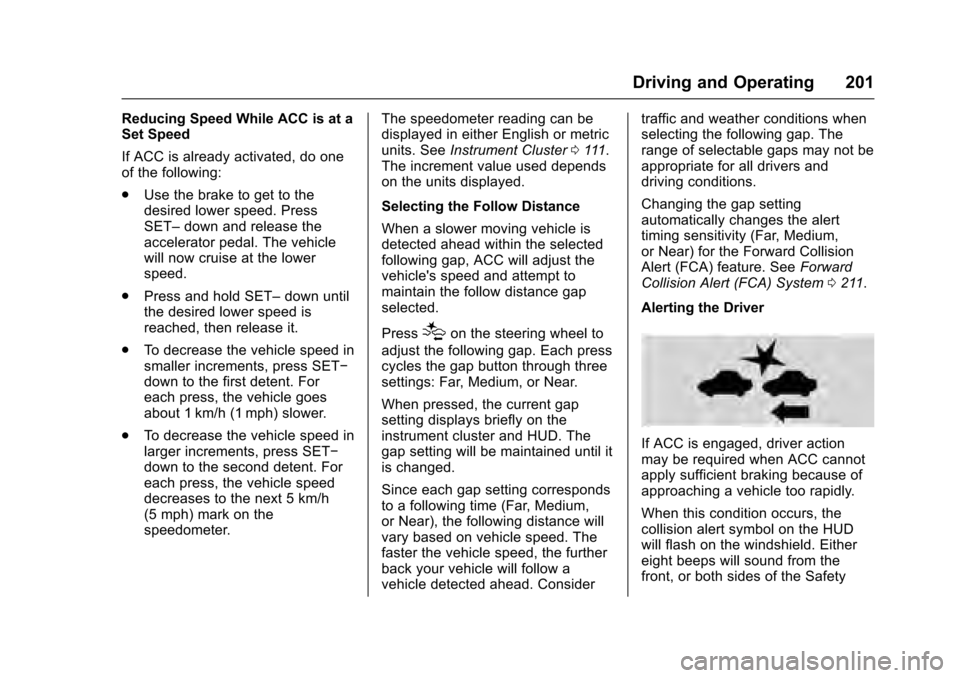
Alerting the Driver
If ACC is engaged, driver action
may be required when ACC cannot
apply sufficient braking because of
approaching a vehicle too rapidly.
When this condition occurs, the
collision alert symbol on the HUD
will flash on the windshield. Either
eight beeps will sound from the
front, or both sides of the Safety