change wheel CADILLAC XTS 2018 User Guide
[x] Cancel search | Manufacturer: CADILLAC, Model Year: 2018, Model line: XTS, Model: CADILLAC XTS 2018Pages: 370, PDF Size: 6.45 MB
Page 122 of 370
Cadillac XTS Owner Manual (GMNA-Localizing-U.S./Canada-11354412) -
2018 - crc - 11/16/17
INSTRUMENTS AND CONTROLS 121
Cluster Application Displays
The cluster can display information
regarding Navigation, Audio, and
Phone. On the base cluster, a
speedometer can also be displayed in
the center zone.
Navigation
If there is no active route, a compass
will be displayed. If there is an active
route, press SEL to end route guidance
or turn the voice prompts on or off.
Audio
While the Audio application page is
displayed, press SEL to enter the
Audio menu. In the Audio menu,
search for music, select from favorites,
or change the audio source
Phone
While the Phone application page is
displayed, press SEL to enter the
Phone menu. In the Phone menu,
if there is no active phone call, view
recent calls, select from favorites,
or scroll through contacts. If there is
an active call, mute the phone or
switch to handset operation.
Cluster Options Menu
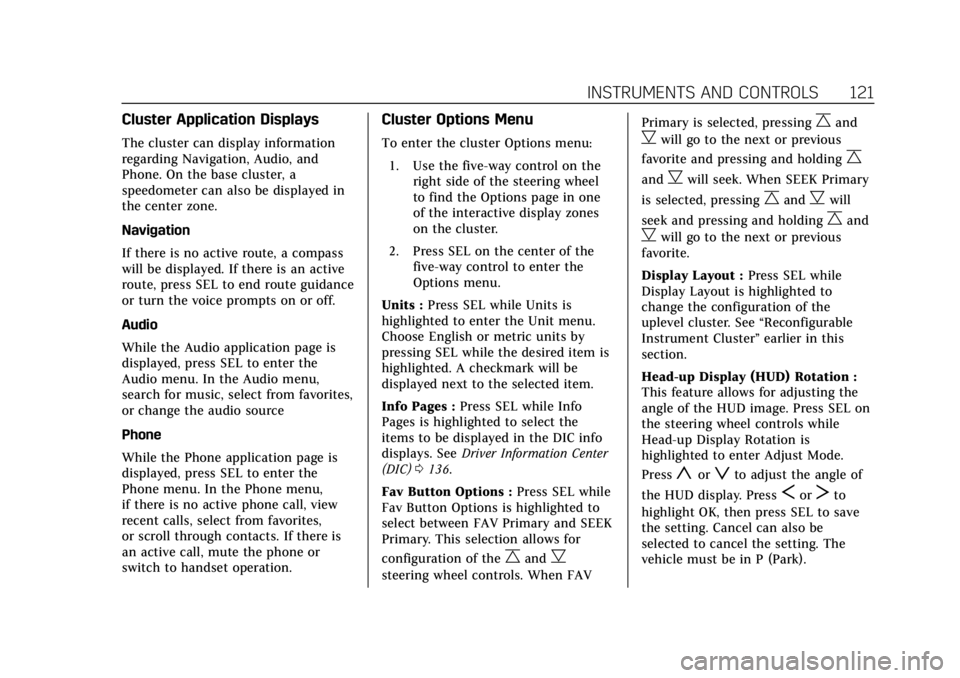
To enter the cluster Options menu:1. Use the five-way control on the right side of the steering wheel
to find the Options page in one
of the interactive display zones
on the cluster.
2. Press SEL on the center of the five-way control to enter the
Options menu.
Units : Press SEL while Units is
highlighted to enter the Unit menu.
Choose English or metric units by
pressing SEL while the desired item is
highlighted. A checkmark will be
displayed next to the selected item.
Info Pages : Press SEL while Info
Pages is highlighted to select the
items to be displayed in the DIC info
displays. See Driver Information Center
(DIC) 0136.
Fav Button Options : Press SEL while
Fav Button Options is highlighted to
select between FAV Primary and SEEK
Primary. This selection allows for
configuration of the
CandB
steering wheel controls. When FAV Primary is selected, pressing
Cand
Bwill go to the next or previous
favorite and pressing and holding
C
andBwill seek. When SEEK Primary
is selected, pressing
CandBwill
seek and pressing and holding
Cand
Bwill go to the next or previous
favorite.
Display Layout : Press SEL while
Display Layout is highlighted to
change the configuration of the
uplevel cluster. See “Reconfigurable
Instrument Cluster” earlier in this
section.
Head-up Display (HUD) Rotation :
This feature allows for adjusting the
angle of the HUD image. Press SEL on
the steering wheel controls while
Head-up Display Rotation is
highlighted to enter Adjust Mode.
Press
yorzto adjust the angle of
the HUD display. Press
SorTto
highlight OK, then press SEL to save
the setting. Cancel can also be
selected to cancel the setting. The
vehicle must be in P (Park).
Page 130 of 370
Cadillac XTS Owner Manual (GMNA-Localizing-U.S./Canada-11354412) -
2018 - crc - 11/16/17
INSTRUMENTS AND CONTROLS 129
If the light continues to flash, find a
safe place to park. Turn the vehicle off
and wait at least 10 seconds before
restarting the engine. If the light is
still flashing, follow the previous
guidelines and see your dealer for
service as soon as possible.
If the light is on steady :A
malfunction has been detected.
Diagnosis and service may be
required.
Check the following:
. If fuel has been added to the
vehicle using the capless fuel
funnel adapter, make sure that it
has been removed. See “Filling the
Tank with a Portable Gas Can ”
under Filling the Tank 0224. The
diagnostic system can detect if the
adapter has been left installed in
the vehicle, allowing fuel to
evaporate into the atmosphere.
A few driving trips with the
adapter removed may turn off the
light.
. Poor fuel quality can cause
inefficient engine operation and
poor driveability, which may go away once the engine is warmed
up. If this occurs, change the fuel
brand. It may require at least one
full tank of the proper fuel to turn
the light off. See
Fuel0222.
If the light remains on, see your
dealer.
Emissions Inspection and
Maintenance Programs
If the vehicle requires an Emissions
Inspection/Maintenance test, the test
equipment will likely connect to the
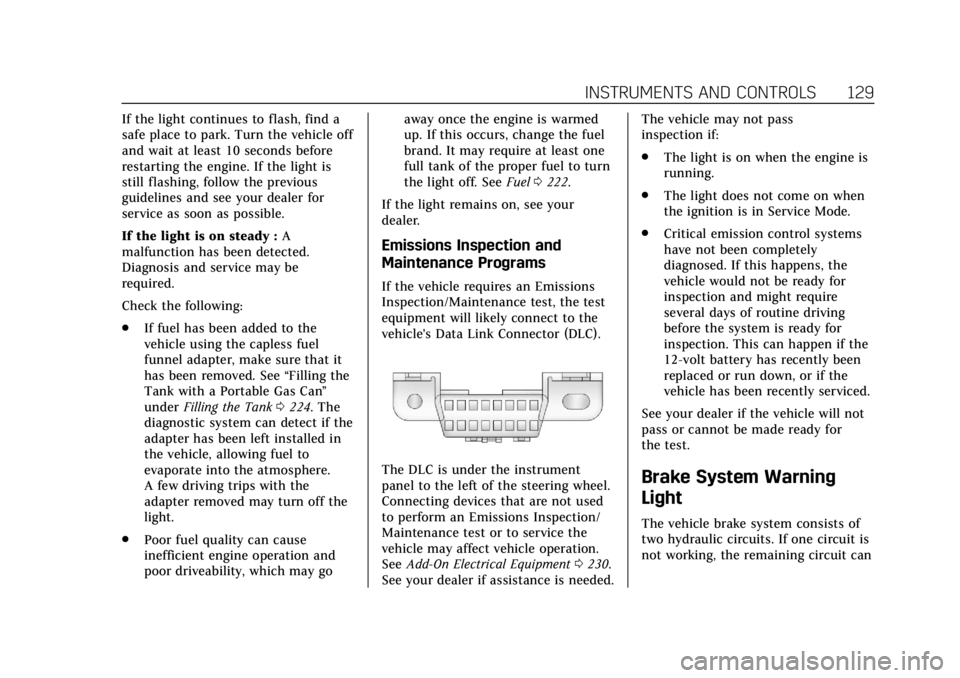
vehicle's Data Link Connector (DLC).
The DLC is under the instrument
panel to the left of the steering wheel.
Connecting devices that are not used
to perform an Emissions Inspection/
Maintenance test or to service the
vehicle may affect vehicle operation.
See Add-On Electrical Equipment 0230.
See your dealer if assistance is needed. The vehicle may not pass
inspection if:
.
The light is on when the engine is
running.
. The light does not come on when
the ignition is in Service Mode.
. Critical emission control systems
have not been completely
diagnosed. If this happens, the
vehicle would not be ready for
inspection and might require
several days of routine driving
before the system is ready for
inspection. This can happen if the
12-volt battery has recently been
replaced or run down, or if the
vehicle has been recently serviced.
See your dealer if the vehicle will not
pass or cannot be made ready for
the test.Brake System Warning
Light
The vehicle brake system consists of
two hydraulic circuits. If one circuit is
not working, the remaining circuit can
Page 141 of 370
Cadillac XTS Owner Manual (GMNA-Localizing-U.S./Canada-11354412) -
2018 - crc - 11/16/17
140 INSTRUMENTS AND CONTROLS
.Low Fuel
Some vehicle messages or alerts
displayed in the HUD may be cleared
by using the steering wheel controls.
See Vehicle Messages 0142.
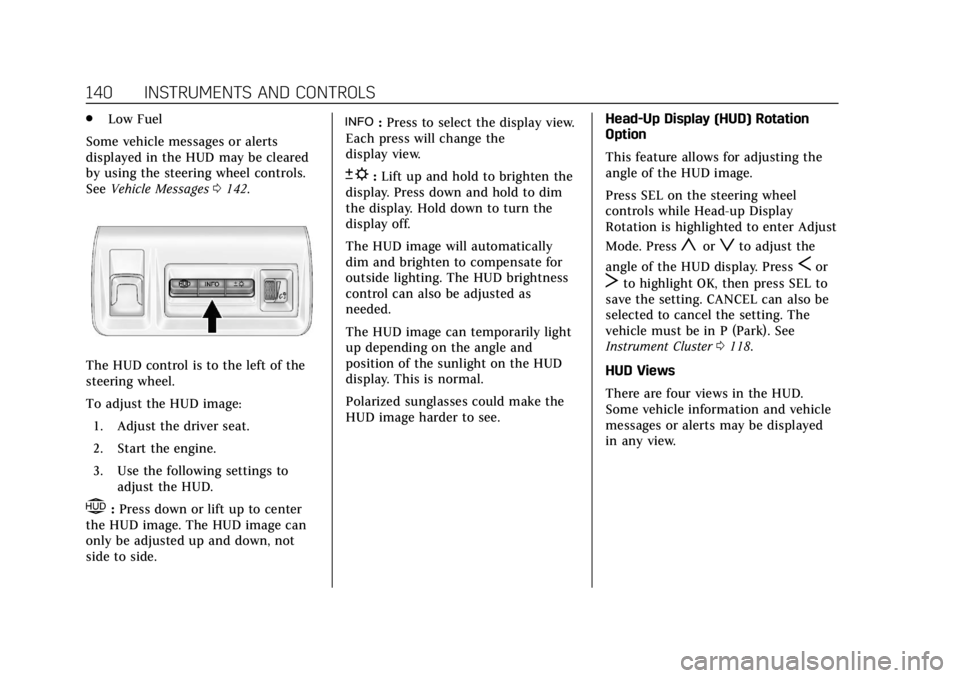
The HUD control is to the left of the
steering wheel.
To adjust the HUD image:
1. Adjust the driver seat.
2. Start the engine.
3. Use the following settings to adjust the HUD.
$:Press down or lift up to center
the HUD image. The HUD image can
only be adjusted up and down, not
side to side.
!: Press to select the display view.
Each press will change the
display view.
D: Lift up and hold to brighten the
display. Press down and hold to dim
the display. Hold down to turn the
display off.
The HUD image will automatically
dim and brighten to compensate for
outside lighting. The HUD brightness
control can also be adjusted as
needed.
The HUD image can temporarily light
up depending on the angle and
position of the sunlight on the HUD
display. This is normal.
Polarized sunglasses could make the
HUD image harder to see. Head-Up Display (HUD) Rotation
Option
This feature allows for adjusting the
angle of the HUD image.
Press SEL on the steering wheel
controls while Head-up Display
Rotation is highlighted to enter Adjust
Mode. Press
yorzto adjust the
angle of the HUD display. Press
Sor
Tto highlight OK, then press SEL to
save the setting. CANCEL can also be
selected to cancel the setting. The
vehicle must be in P (Park). See
Instrument Cluster 0118.
HUD Views
There are four views in the HUD.
Some vehicle information and vehicle
messages or alerts may be displayed
in any view.
Page 157 of 370
Cadillac XTS Owner Manual (GMNA-Localizing-U.S./Canada-11354412) -
2018 - crc - 11/16/17
156 LIGHTING
If after signaling a turn or lane
change, the arrow flashes rapidly or
does not come on, a signal bulb may
be burned out.
Replace any burned out bulbs. If a
bulb is not burned out, check the fuse.
SeeFuses and Circuit Breakers 0260.
Cornering Lamps
If equipped with cornering lamps, they
automatically come on when all of the
following occur:
.
The low-beam headlamps are on.
. The turn signals are activated or
the steering wheel is at a
calibrated angle.
. The vehicle speed is below the
calibrated speed.
Interior Lighting
Instrument Panel
Illumination Control
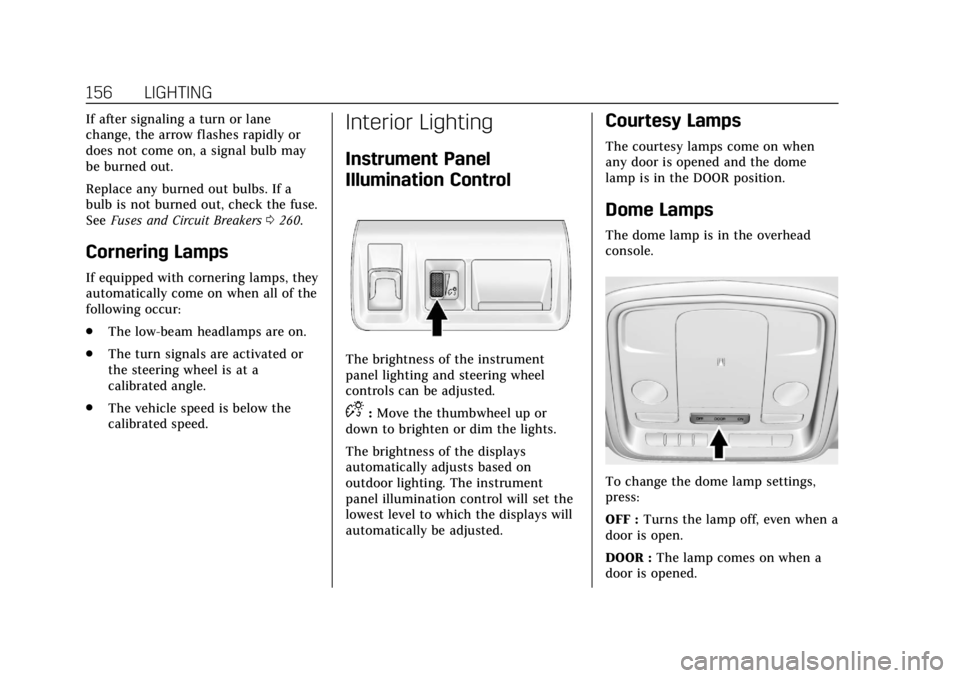
The brightness of the instrument
panel lighting and steering wheel
controls can be adjusted.
D:Move the thumbwheel up or
down to brighten or dim the lights.
The brightness of the displays
automatically adjusts based on
outdoor lighting. The instrument
panel illumination control will set the
lowest level to which the displays will
automatically be adjusted.
Courtesy Lamps
The courtesy lamps come on when
any door is opened and the dome
lamp is in the DOOR position.
Dome Lamps
The dome lamp is in the overhead
console.
To change the dome lamp settings,
press:
OFF : Turns the lamp off, even when a
door is open.
DOOR : The lamp comes on when a
door is opened.
Page 167 of 370
Cadillac XTS Owner Manual (GMNA-Localizing-U.S./Canada-11354412) -
2018 - crc - 11/16/17
166 CLIMATE CONTROLS
Rear Control Lockout :Press to lock
or unlock control of the rear climate
control system from the rear seat
passengers. When locked, the rear
climate control can only be adjusted
from the front seat.
Automatic Operation
Rear AUTO : Press to turn on or off.
The air delivery is controlled
automatically. The AUTO indicator
appears on the display. If the MODE
setting is manually adjusted, this
cancels full automatic operation.
Manual Operation
S A T:Press or press and hold the
front climate control buttons or
display to increase or decrease the
rear climate airf low.
+/− :Press or press and hold the rear
temperature control buttons or display
to adjust the rear passenger
temperature. Press + for warmer air
and press −for cooler air.
Y/[/\:Press the desired mode
button on the display or the MODE
button on the rear climate controls to
change the direction of the airf low in
the rear seating area.
MorL: If equipped, pressMorLto heat the left or right outboard seat
cushion and seatback. See Heated Rear
Seats 067.
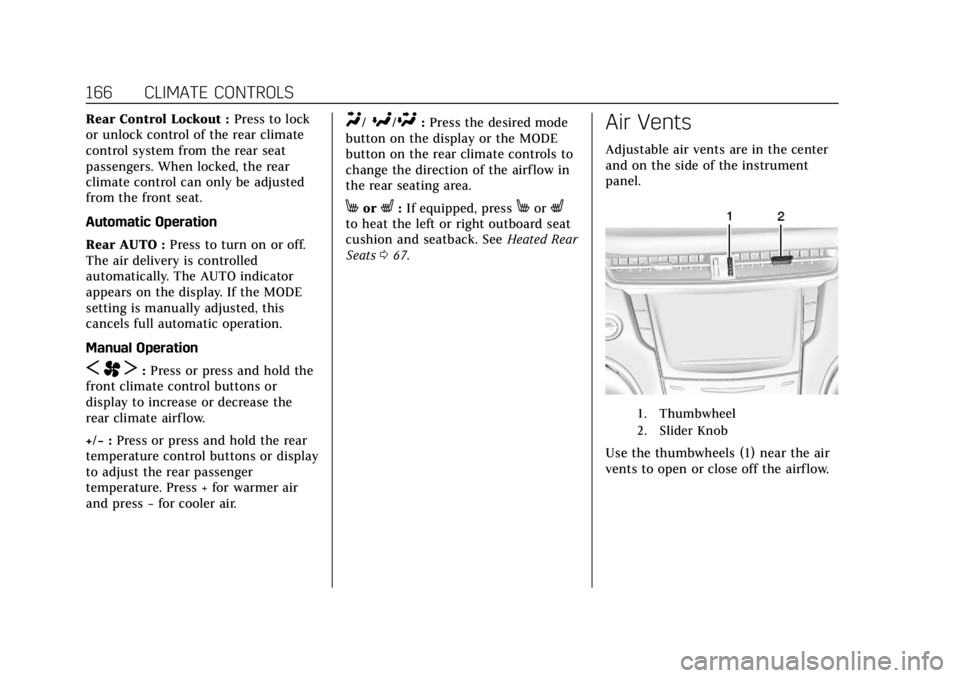
Air Vents
Adjustable air vents are in the center
and on the side of the instrument
panel.
1. Thumbwheel
2. Slider Knob
Use the thumbwheels (1) near the air
vents to open or close off the airflow.
Page 170 of 370
Cadillac XTS Owner Manual (GMNA-Localizing-U.S./Canada-11354412) -
2018 - crc - 11/16/17
DRIVING AND OPERATING 169
Driving and
Operating
Driving Information
Distracted Driving . . . . . . . . . . . . . . . . 170
Defensive Driving . . . . . . . . . . . . . . . . 171
Drunk Driving . . . . . . . . . . . . . . . . . . . . 171
Control of a Vehicle . . . . . . . . . . . . . . 171
Braking . . . . . . . . . . . . . . . . . . . . . . . . . . . . 171
Steering . . . . . . . . . . . . . . . . . . . . . . . . . . . 171
Off-Road Recovery . . . . . . . . . . . . . . . . 173
Loss of Control . . . . . . . . . . . . . . . . . . . 173
Driving on Wet Roads . . . . . . . . . . . 173
Hill and Mountain Roads . . . . . . . . 174
Winter Driving . . . . . . . . . . . . . . . . . . . . 175
If the Vehicle Is Stuck . . . . . . . . . . . 176
Vehicle Load Limits . . . . . . . . . . . . . . 176
Starting and Operating
New Vehicle Break-In . . . . . . . . . . . . 180
Ignition Positions . . . . . . . . . . . . . . . . 181
Starting the Engine . . . . . . . . . . . . . . 182
Engine Heater . . . . . . . . . . . . . . . . . . . . 183
Retained AccessoryPower (RAP) . . . . . . . . . . . . . . . . . . . . 185
Shifting Into Park . . . . . . . . . . . . . . . . 185
Shifting out of Park . . . . . . . . . . . . . . 186 Parking over Things
That Burn . . . . . . . . . . . . . . . . . . . . . . . 186
Extended Parking . . . . . . . . . . . . . . . . . 186
Engine Exhaust
Engine Exhaust . . . . . . . . . . . . . . . . . . . 187
Running the Vehicle While Parked . . . . . . . . . . . . . . . . . . . . . . . . . . . 188
Automatic Transmission
Automatic Transmission . . . . . . . . . 188
Manual Mode . . . . . . . . . . . . . . . . . . . . . 190
Drive Systems
All-Wheel Drive . . . . . . . . . . . . . . . . . . 190
Brakes
Antilock Brake System (ABS) . . . . 191
Electric Parking Brake . . . . . . . . . . . . 191
Brake Assist . . . . . . . . . . . . . . . . . . . . . . . 193
Hill Start Assist (HSA) . . . . . . . . . . . 193
Ride Control Systems
Traction Control/ElectronicStability Control . . . . . . . . . . . . . . . . 193
Magnetic Ride Control . . . . . . . . . . . 195
Limited-Slip Rear Axle . . . . . . . . . . . 195
Automatic Level Control . . . . . . . . . 195
Cruise Control
Cruise Control . . . . . . . . . . . . . . . . . . . . 196
Adaptive Cruise Control . . . . . . . . . 198
Driver Assistance Systems
Driver Assistance Systems . . . . . . . 206
Assistance Systems for Parking or Backing . . . . . . . . . . . . . . . . . . . . . . . 207
Assistance Systems for Driving . . . . . . . . . . . . . . . . . . . . . . . . . . 213
Forward Collision Alert (FCA) System . . . . . . . . . . . . . . . . . . . . . . . . . . 213
Forward Automatic Braking (FAB) . . . . . . . . . . . . . . . . . . . 215
Side Blind Zone Alert (SBZA) . . . . 217
Lane Change Alert (LCA) . . . . . . . . 217
Lane Departure Warning (LDW) . . . . . . . . . . . . . . . . . 219
Lane Keep Assist (LKA) . . . . . . . . . . 220
Fuel
Fuel . . . . . . . . . . . . . . . . . . . . . . . . . . . . . . . 222
California Fuel Requirements . . . . 223
Fuels in Foreign Countries . . . . . . . 223
Fuel Additives . . . . . . . . . . . . . . . . . . . . 223
Filling the Tank . . . . . . . . . . . . . . . . . . 224
Filling a Portable Fuel Container . . . . . . . . . . . . . . . . . . . . . . . . 225
Trailer Towing
General Towing Information . . . . 226
Driving Characteristics andTowing Tips . . . . . . . . . . . . . . . . . . . . . 226
Trailer Towing . . . . . . . . . . . . . . . . . . . . 228
Towing Equipment . . . . . . . . . . . . . . . 229
Page 174 of 370
Cadillac XTS Owner Manual (GMNA-Localizing-U.S./Canada-11354412) -
2018 - crc - 11/16/17
DRIVING AND OPERATING 173
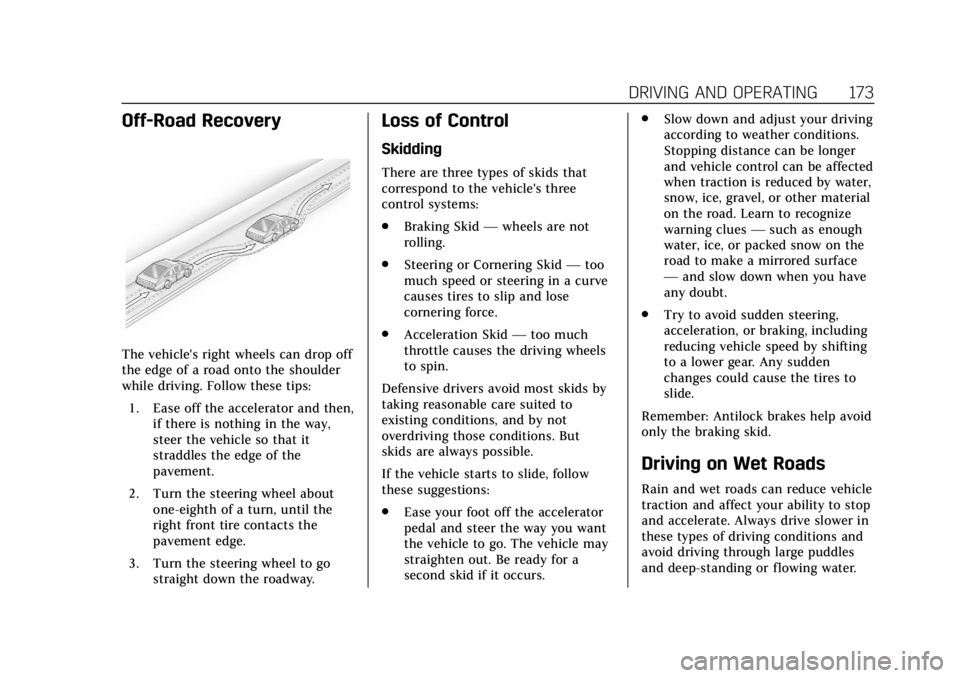
Off-Road Recovery
The vehicle's right wheels can drop off
the edge of a road onto the shoulder
while driving. Follow these tips:1. Ease off the accelerator and then, if there is nothing in the way,
steer the vehicle so that it
straddles the edge of the
pavement.
2. Turn the steering wheel about one-eighth of a turn, until the
right front tire contacts the
pavement edge.
3. Turn the steering wheel to go straight down the roadway.
Loss of Control
Skidding
There are three types of skids that
correspond to the vehicle's three
control systems:
.Braking Skid —wheels are not
rolling.
. Steering or Cornering Skid —too
much speed or steering in a curve
causes tires to slip and lose
cornering force.
. Acceleration Skid —too much
throttle causes the driving wheels
to spin.
Defensive drivers avoid most skids by
taking reasonable care suited to
existing conditions, and by not
overdriving those conditions. But
skids are always possible.
If the vehicle starts to slide, follow
these suggestions:
. Ease your foot off the accelerator
pedal and steer the way you want
the vehicle to go. The vehicle may
straighten out. Be ready for a
second skid if it occurs. .
Slow down and adjust your driving
according to weather conditions.
Stopping distance can be longer
and vehicle control can be affected
when traction is reduced by water,
snow, ice, gravel, or other material
on the road. Learn to recognize
warning clues —such as enough
water, ice, or packed snow on the
road to make a mirrored surface
— and slow down when you have
any doubt.
. Try to avoid sudden steering,
acceleration, or braking, including
reducing vehicle speed by shifting
to a lower gear. Any sudden
changes could cause the tires to
slide.
Remember: Antilock brakes help avoid
only the braking skid.
Driving on Wet Roads
Rain and wet roads can reduce vehicle
traction and affect your ability to stop
and accelerate. Always drive slower in
these types of driving conditions and
avoid driving through large puddles
and deep-standing or flowing water.
Page 192 of 370
Cadillac XTS Owner Manual (GMNA-Localizing-U.S./Canada-11354412) -
2018 - crc - 11/16/17
DRIVING AND OPERATING 191
Brakes
Antilock Brake
System (ABS)
This vehicle has an Antilock Brake
System (ABS), an advanced electronic
braking system that helps prevent a
braking skid.
When the vehicle begins to drive
away, ABS checks itself. A momentary
motor or clicking noise may be heard
while this test is going on, and it may
even be noticed that the brake pedal
moves a little. This is normal.
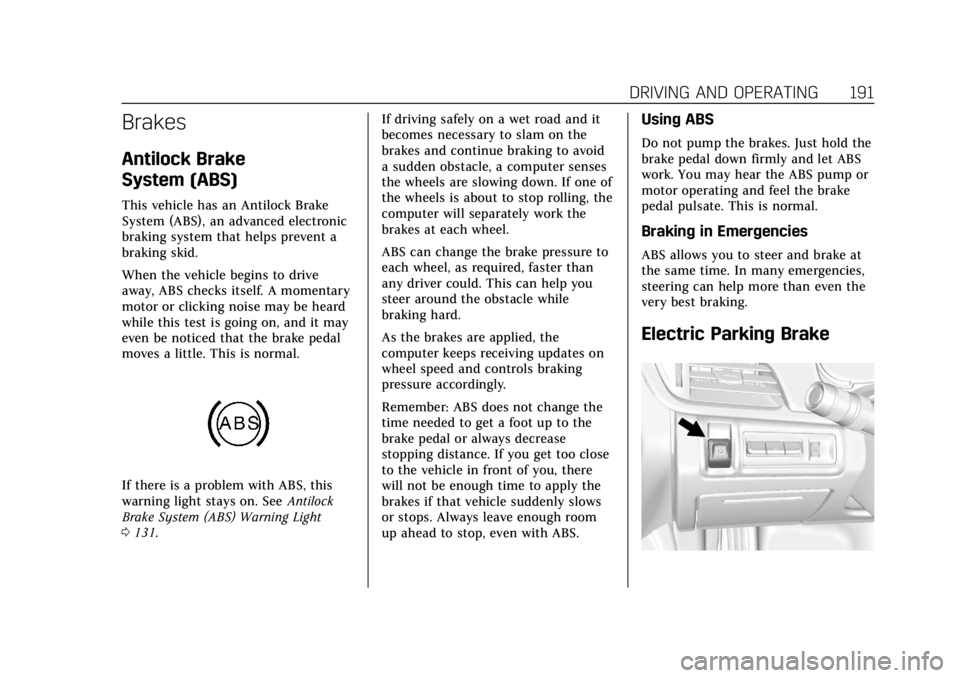
If there is a problem with ABS, this
warning light stays on. SeeAntilock
Brake System (ABS) Warning Light
0 131. If driving safely on a wet road and it
becomes necessary to slam on the
brakes and continue braking to avoid
a sudden obstacle, a computer senses
the wheels are slowing down. If one of
the wheels is about to stop rolling, the
computer will separately work the
brakes at each wheel.
ABS can change the brake pressure to
each wheel, as required, faster than
any driver could. This can help you
steer around the obstacle while
braking hard.
As the brakes are applied, the
computer keeps receiving updates on
wheel speed and controls braking
pressure accordingly.
Remember: ABS does not change the
time needed to get a foot up to the
brake pedal or always decrease
stopping distance. If you get too close
to the vehicle in front of you, there
will not be enough time to apply the
brakes if that vehicle suddenly slows
or stops. Always leave enough room
up ahead to stop, even with ABS.
Using ABS
Do not pump the brakes. Just hold the
brake pedal down firmly and let ABS
work. You may hear the ABS pump or
motor operating and feel the brake
pedal pulsate. This is normal.
Braking in Emergencies
ABS allows you to steer and brake at
the same time. In many emergencies,
steering can help more than even the
very best braking.
Electric Parking Brake
Page 196 of 370
Cadillac XTS Owner Manual (GMNA-Localizing-U.S./Canada-11354412) -
2018 - crc - 11/16/17
DRIVING AND OPERATING 195
Caution
Do not repeatedly brake or
accelerate heavily when TCS is off.
The vehicle driveline could be
damaged.
To turn off only TCS, press and
release
g. The Traction Off Lighti
displays in the instrument cluster and
a DIC message may display. To turn
TCS on again, press and release
g.
The Traction Off Light
idisplayed in
the instrument cluster will turn off
and a DIC message may display.
If TCS is limiting wheel spin when
g
is pressed, the system will not turn off
until the wheels stop spinning.
To turn off both TCS and StabiliTrak,
press and hold
guntil the Traction
Off Light
iand StabiliTrak Off Light
gcome on and stay on in the
instrument cluster. A DIC message
may display. To turn TCS and
StabiliTrak on again, press and release
g. The Traction Off Lightiand StabiliTrak Off Light
gin the
instrument cluster turn off and a DIC
message may display.
Adding accessories can affect the
vehicle performance. See Accessories
and Modifications 0234.
Magnetic Ride Control
If equipped, the Magnetic Ride Control
monitors the suspension system.
Based on road conditions, steering
wheel angle, and vehicle speed, the
system automatically adjusts to
provide the best handling while
providing a smooth ride. The Tour and
Sport Modes will feel similar on a
smooth road.
Tour : Use for normal city and
highway driving. This setting provides
a smooth, soft ride.
Sport : Use where road conditions or
personal preference demand more
control. This setting provides more
“feel,” or response to road conditions.
The vehicle is normally in Tour Mode.
Sport Mode is engaged when the shift
lever is placed in M (Manual Mode). When the shift lever is placed in D
(Drive) the system will revert back to
Tour Mode.
The Driver Information Center (DIC)
may briefly display a message on
vehicle startup or when a new mode is
selected.Limited-Slip Rear Axle
Vehicles with a limited-slip rear axle
can give more traction on snow, mud,
ice, sand or gravel. When traction is
low, this feature allows the drive
wheel with the most traction to move
the vehicle. The limited-slip rear axle
also gives the driver enhanced control
when cornering hard or completing a
maneuver, such as a lane change.
Automatic Level Control
The automatic level control rear
suspension is available on some
vehicles.
This type of level control is fully
automatic and will provide a better
leveled riding position as well as
better handling under a variety of
passenger and loading conditions. An
Page 197 of 370
Cadillac XTS Owner Manual (GMNA-Localizing-U.S./Canada-11354412) -
2018 - crc - 11/16/17
196 DRIVING AND OPERATING
air compressor connected to the rear
air springs will raise or lower the rear
of the vehicle to maintain proper
vehicle height. The system is activated
when the engine is running and will
automatically adjust vehicle height
thereafter. The system may exhaust
(lower vehicle height) for up to
10 minutes after the engine has been
turned off. You may hear the air
compressor operating when the height
is being adjusted; this is normal.
If the compressor runs often for
longer than one minute within the
same trip and the vehicle remains low
in the rear, see your dealer for service.
If the vehicle is not used for several
weeks, the rear of the vehicle may
look low. When the engine is started,
the vehicle will return to the proper
height.
If a weight-distributing hitch is being
used, it is recommended to allow the
air springs to inflate, thereby leveling
the vehicle prior to adjusting the
hitch.Cruise Control
{Warning
Cruise control can be dangerous
where you cannot drive safely at a
steady speed. Do not use cruise
control on winding roads or in
heavy traffic.
Cruise control can be dangerous on
slippery roads. On such roads, fast
changes in tire traction can cause
excessive wheel slip, and you could
lose control. Do not use cruise
control on slippery roads.
With cruise control, a speed of about
40 km/h (25 mph) or more can be
maintained without keeping your foot
on the accelerator. Cruise control does
not work at speeds below about
40 km/h (25 mph).
If the Traction Control/Electronic
Stability Control system begins to
limit wheel spin while using cruise
control, the cruise control automatically disengages. See
Traction
Control/Electronic Stability Control
0 193. If a collision alert occurs when
cruise control is activated, cruise
control is disengaged. See Forward
Collision Alert (FCA) System 0213.
When road conditions allow the cruise
control to be safely used, cruise
control can be turned back on.
If the brakes are applied, cruise
control disengages.
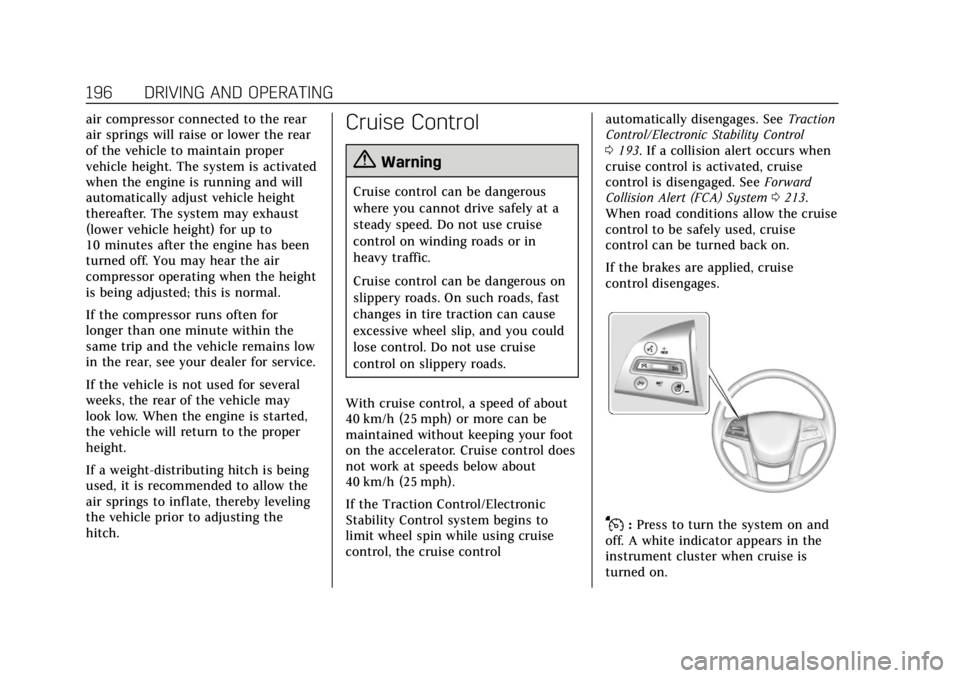
J: Press to turn the system on and
off. A white indicator appears in the
instrument cluster when cruise is
turned on.