wheel CADILLAC XTS 2018 Workshop Manual
[x] Cancel search | Manufacturer: CADILLAC, Model Year: 2018, Model line: XTS, Model: CADILLAC XTS 2018Pages: 370, PDF Size: 6.45 MB
Page 202 of 370
Cadillac XTS Owner Manual (GMNA-Localizing-U.S./Canada-11354412) -
2018 - crc - 11/16/17
DRIVING AND OPERATING 201
Be mindful of speed limits,
surrounding traffic speeds, and
weather conditions when selecting the
set speed.
Resuming a Set Speed
If the ACC is set at a desired speed
and then the brakes are applied, ACC
is disengaged without erasing the set
speed from memory.
To begin using ACC again, press +RES
up briefly. The vehicle returns to the
previous set speed.
Increasing Speed While ACC is at a
Set Speed
Do one of the following:
.Use the accelerator to get to the
higher speed. Press SET– down.
Release the control and the
accelerator pedal. The vehicle will
now cruise at the higher speed.
When the accelerator pedal is
pressed, ACC will not brake
because it is overridden. The ACC
indicator will turn blue on the
instrument panel and HUD,
if equipped. .
Press and hold +RES up until the
desired set speed appears on the
display, then release it.
. To increase vehicle speed in small
increments, press +RES up to the
first detent. For each press, the
vehicle goes 1 km/h (1 mph) faster.
. To increase vehicle speed in larger
increments, press +RES up to the
second detent. For each press, the
vehicle speed increases to the next
5 km/h (5 mph) mark on the
speedometer.
When it is determined that there is no
vehicle ahead or the vehicle ahead is
beyond the selected following gap,
then the vehicle speed will increase to
the set speed.
Reducing Speed While ACC is at a
Set Speed
Do one of the following:
. Use the brake to get to the desired
lower speed. Press SET– down and
release the accelerator pedal. The
vehicle will now cruise at the
lower speed. .
Press and hold SET– down until
the desired lower speed is reached,
then release it.
. To decrease the vehicle speed in
smaller increments, press SET–
down to the first detent. For each
press, the vehicle goes about
1 km/h (1 mph) slower.
. To decrease the vehicle speed in
larger increments, press SET–
down to the second detent. For
each press, the vehicle speed
decreases to the next 5 km/h
(5 mph) mark on the speedometer.
Selecting the Follow Distance Gap
When a slower moving vehicle is
detected ahead within the selected
following gap, ACC will adjust the
vehicle's speed and attempt to
maintain the follow distance gap
selected.
Press
[on the steering wheel to
adjust the following gap. Each press
cycles the gap button through three
settings: Far, Medium, or Near.
Page 213 of 370
Cadillac XTS Owner Manual (GMNA-Localizing-U.S./Canada-11354412) -
2018 - crc - 11/16/17
212 DRIVING AND OPERATING
.Park exactly centered in a spot
that is marked too large.
. Always detect short curbs.
If the vehicle is equipped with
perpendicular parking mode, press
and hold
Oduring the search
process to switch the APA parking
mode between perpendicular and
parallel parking.
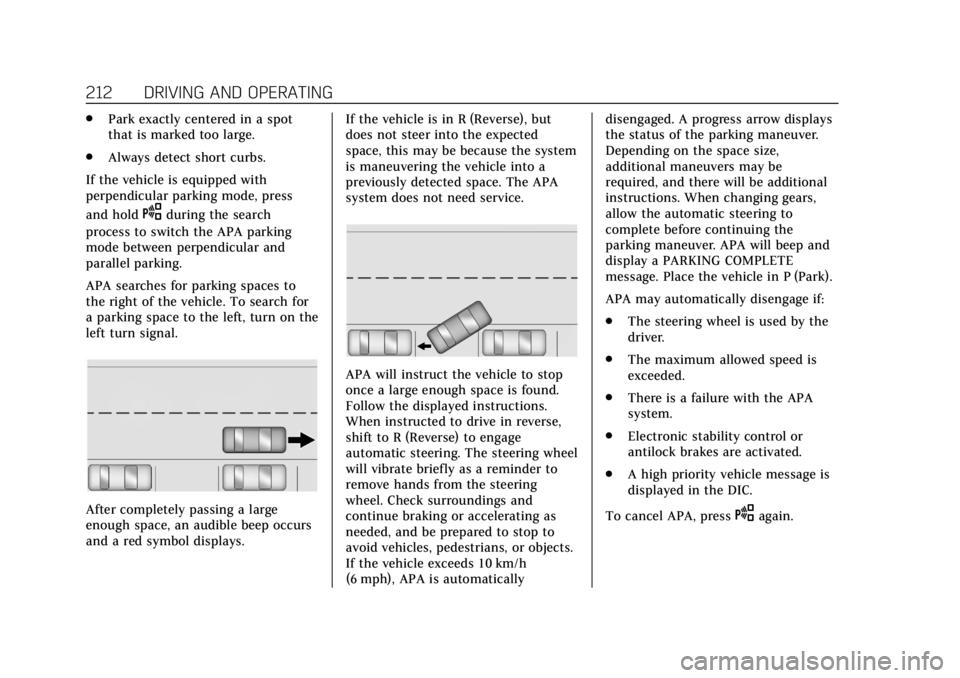
APA searches for parking spaces to
the right of the vehicle. To search for
a parking space to the left, turn on the
left turn signal.
After completely passing a large
enough space, an audible beep occurs
and a red symbol displays. If the vehicle is in R (Reverse), but
does not steer into the expected
space, this may be because the system
is maneuvering the vehicle into a
previously detected space. The APA
system does not need service.
APA will instruct the vehicle to stop
once a large enough space is found.
Follow the displayed instructions.
When instructed to drive in reverse,
shift to R (Reverse) to engage
automatic steering. The steering wheel
will vibrate briefly as a reminder to
remove hands from the steering
wheel. Check surroundings and
continue braking or accelerating as
needed, and be prepared to stop to
avoid vehicles, pedestrians, or objects.
If the vehicle exceeds 10 km/h
(6 mph), APA is automaticallydisengaged. A progress arrow displays
the status of the parking maneuver.
Depending on the space size,
additional maneuvers may be
required, and there will be additional
instructions. When changing gears,
allow the automatic steering to
complete before continuing the
parking maneuver. APA will beep and
display a PARKING COMPLETE
message. Place the vehicle in P (Park).
APA may automatically disengage if:
.
The steering wheel is used by the
driver.
. The maximum allowed speed is
exceeded.
. There is a failure with the APA
system.
. Electronic stability control or
antilock brakes are activated.
. A high priority vehicle message is
displayed in the DIC.
To cancel APA, press
Oagain.
Page 214 of 370
Cadillac XTS Owner Manual (GMNA-Localizing-U.S./Canada-11354412) -
2018 - crc - 11/16/17
DRIVING AND OPERATING 213
When the System Does Not Seem to
Work Properly
The APA system may require a short
period of driving along curves to
calibrate.
Assistance Systems for
Driving
If equipped, when driving the vehicle
in a forward gear, Forward Collision
Alert (FCA), Lane Departure Warning
(LDW), Lane Keep Assist (LKA), Side
Blind Zone Alert (SBZA), and/or
Forward Automatic Braking (FAB) can
help to avoid a crash or reduce crash
damage.
Forward Collision Alert
(FCA) System
If equipped, the FCA system may help
to avoid or reduce the harm caused by
front-end crashes. When approaching
a vehicle ahead too quickly, FCA
provides a red flashing alert on the
windshield and rapidly beeps or pulses
the driver seat. FCA also lights an
amber visual alert if following another
vehicle much too closely.FCA detects vehicles within a distance
of approximately 60 m (197 ft) and
operates at speeds above 8 km/h
(5 mph). If the vehicle has Adaptive
Cruise Control (ACC), it can detect
vehicles to distances of approximately
110 m (360 ft) and operates at all
speeds. See
Adaptive Cruise Control
0 198.
{Warning
FCA is a warning system and does
not apply the brakes. When
approaching a slower-moving or
stopped vehicle ahead too rapidly,
or when following a vehicle too
closely, FCA may not provide a
warning with enough time to help
avoid a crash. It also may not
provide any warning at all. FCA
does not warn of pedestrians,
animals, signs, guardrails, bridges,
construction barrels, or other
objects. Be ready to take action and
apply the brakes. See Defensive
Driving 0171. FCA can be disabled with either the
FCA steering wheel control or,
if equipped, through vehicle
personalization. See
“Collision/
Detection Systems” underVehicle
Personalization 0143.
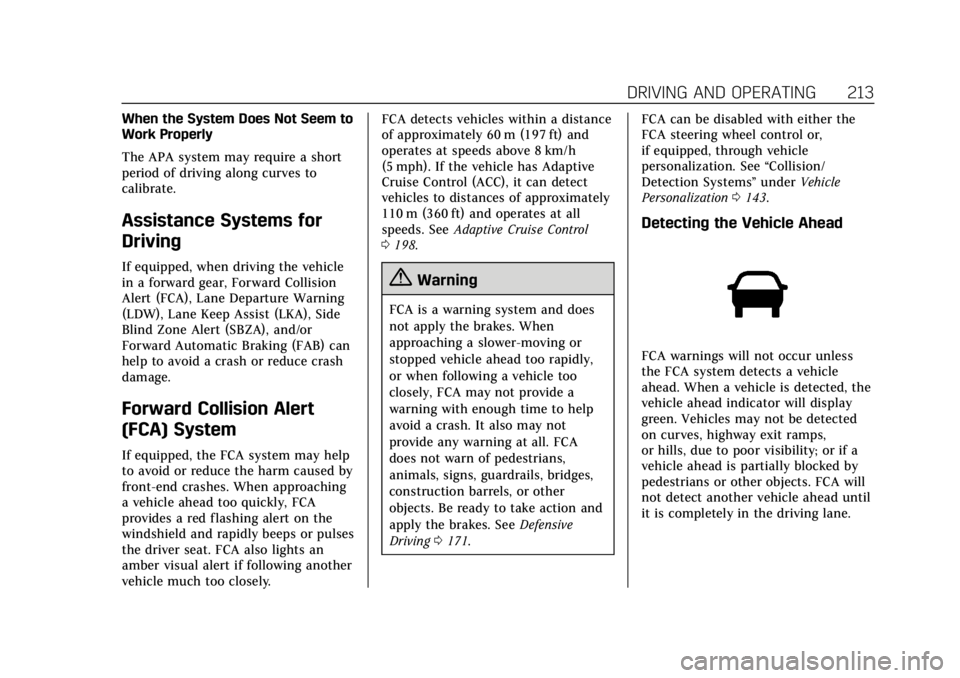
Detecting the Vehicle Ahead
FCA warnings will not occur unless
the FCA system detects a vehicle
ahead. When a vehicle is detected, the
vehicle ahead indicator will display
green. Vehicles may not be detected
on curves, highway exit ramps,
or hills, due to poor visibility; or if a
vehicle ahead is partially blocked by
pedestrians or other objects. FCA will
not detect another vehicle ahead until
it is completely in the driving lane.
Page 215 of 370
Cadillac XTS Owner Manual (GMNA-Localizing-U.S./Canada-11354412) -
2018 - crc - 11/16/17
214 DRIVING AND OPERATING
{Warning
FCA does not provide a warning to
help avoid a crash, unless it detects
a vehicle. FCA may not detect a
vehicle ahead if the FCA sensor is
blocked by dirt, snow, or ice, or if
the windshield is damaged. It may
also not detect a vehicle on winding
or hilly roads, or in conditions that
can limit visibility such as fog, rain,
or snow, or if the headlamps or
windshield are not cleaned or in
proper condition. Keep the
windshield, headlamps, and FCA
sensors clean and in good repair.
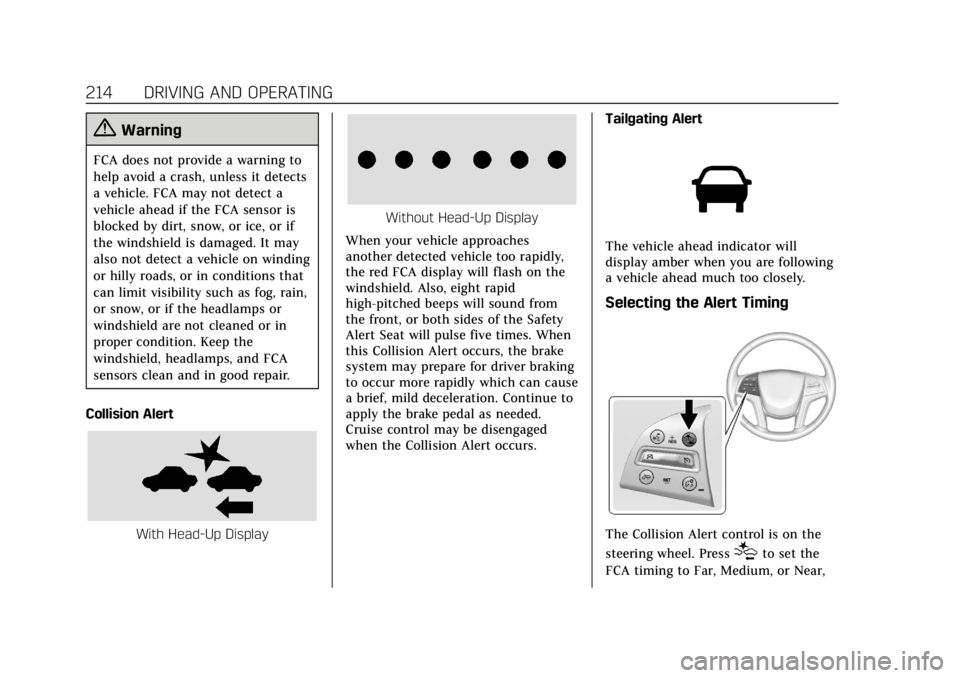
Collision Alert
With Head-Up Display
Without Head-Up Display
When your vehicle approaches
another detected vehicle too rapidly,
the red FCA display will flash on the
windshield. Also, eight rapid
high-pitched beeps will sound from
the front, or both sides of the Safety
Alert Seat will pulse five times. When
this Collision Alert occurs, the brake
system may prepare for driver braking
to occur more rapidly which can cause
a brief, mild deceleration. Continue to
apply the brake pedal as needed.
Cruise control may be disengaged
when the Collision Alert occurs. Tailgating Alert
The vehicle ahead indicator will
display amber when you are following
a vehicle ahead much too closely.
Selecting the Alert Timing
The Collision Alert control is on the
steering wheel. Press
[to set the
FCA timing to Far, Medium, or Near,
Page 221 of 370
Cadillac XTS Owner Manual (GMNA-Localizing-U.S./Canada-11354412) -
2018 - crc - 11/16/17
220 DRIVING AND OPERATING
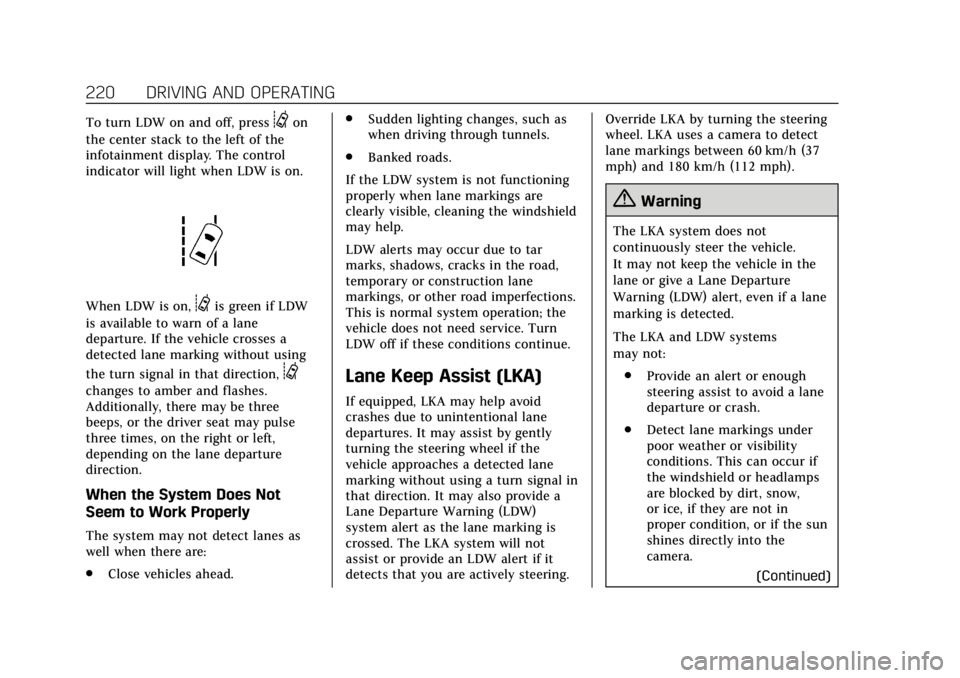
To turn LDW on and off, press@on
the center stack to the left of the
infotainment display. The control
indicator will light when LDW is on.
When LDW is on,@is green if LDW
is available to warn of a lane
departure. If the vehicle crosses a
detected lane marking without using
the turn signal in that direction,
@
changes to amber and flashes.
Additionally, there may be three
beeps, or the driver seat may pulse
three times, on the right or left,
depending on the lane departure
direction.
When the System Does Not
Seem to Work Properly
The system may not detect lanes as
well when there are:
. Close vehicles ahead. .
Sudden lighting changes, such as
when driving through tunnels.
. Banked roads.
If the LDW system is not functioning
properly when lane markings are
clearly visible, cleaning the windshield
may help.
LDW alerts may occur due to tar
marks, shadows, cracks in the road,
temporary or construction lane
markings, or other road imperfections.
This is normal system operation; the
vehicle does not need service. Turn
LDW off if these conditions continue.
Lane Keep Assist (LKA)
If equipped, LKA may help avoid
crashes due to unintentional lane
departures. It may assist by gently
turning the steering wheel if the
vehicle approaches a detected lane
marking without using a turn signal in
that direction. It may also provide a
Lane Departure Warning (LDW)
system alert as the lane marking is
crossed. The LKA system will not
assist or provide an LDW alert if it
detects that you are actively steering. Override LKA by turning the steering
wheel. LKA uses a camera to detect
lane markings between 60 km/h (37
mph) and 180 km/h (112 mph).
{Warning
The LKA system does not
continuously steer the vehicle.
It may not keep the vehicle in the
lane or give a Lane Departure
Warning (LDW) alert, even if a lane
marking is detected.
The LKA and LDW systems
may not:
. Provide an alert or enough
steering assist to avoid a lane
departure or crash.
. Detect lane markings under
poor weather or visibility
conditions. This can occur if
the windshield or headlamps
are blocked by dirt, snow,
or ice, if they are not in
proper condition, or if the sun
shines directly into the
camera.
(Continued)
Page 222 of 370
Cadillac XTS Owner Manual (GMNA-Localizing-U.S./Canada-11354412) -
2018 - crc - 11/16/17
DRIVING AND OPERATING 221
Warning (Continued)
.Detect road edges.
. Detect lanes on winding or
hilly roads.
If LKA only detects lane markings
on one side of the road, it will only
assist or provide an LDW alert
when approaching the lane on the
side where it has detected a lane
marking. Even with LKA and LDW,
you must steer the vehicle. Always
keep your attention on the road and
maintain proper vehicle position
within the lane, or vehicle damage,
injury, or death could occur. Always
keep the windshield, headlamps,
and camera sensors clean and in
good repair. Do not use LKA in bad
weather conditions.
{Warning
Using LKA while towing a trailer or
on slippery roads could cause loss
of control of the vehicle and a
crash. Turn the system off.
How the System Works
The LKA camera sensor is on the
windshield ahead of the rearview
mirror.
To turn LKA on and off, press
A
on the center stack.
When on,
Ais green if LKA is
available to assist and provide LDW
alerts. It may assist by gently turning
the steering wheel and display
A
as amber if the vehicle approaches
a detected lane marking without
using a turn signal in that direction.
It may also provide an LDW alert by
flashing
Aamber as the lane
marking is crossed. Additionally, there
may be three beeps, or the driver seat may pulse three times, on the right or
left, depending on the lane departure
direction.
Take Steering
The LKA system does not
continuously steer the vehicle. If LKA
does not detect active driver steering,
an alert, chime, or DIC message may
be provided. Move the steering wheel
to dismiss.
When the System Does Not
Seem to Work Properly
The system performance may be
affected by:
.
Close vehicles ahead.
. Sudden lighting changes, such as
when driving through tunnels.
. Banked roads.
. Roads with poor lane markings,
such as two-lane roads.
If the LKA system is not functioning
properly when lane markings are
clearly visible, cleaning the windshield
may help.
Page 228 of 370
Cadillac XTS Owner Manual (GMNA-Localizing-U.S./Canada-11354412) -
2018 - crc - 11/16/17
DRIVING AND OPERATING 227
and not as responsive as the vehicle
itself. Get acquainted with the
handling and braking of the rig before
setting out for the open road.
Before starting, check all trailer hitch
parts and attachments, safety chains,
electrical connectors, lamps, tires, and
mirrors. If the trailer has electric
brakes, start the combination moving
and then apply the trailer brake
controller by hand to be sure the
brakes work.
During the trip, check occasionally to
be sure that the load is secure and the
lamps and any trailer brakes
still work.
Following Distance
Stay at least twice as far behind the
vehicle ahead as you would when
driving the vehicle without a trailer.
This can help to avoid heavy braking
and sudden turns.
Passing
More passing distance is needed when
towing a trailer. The combination will
not accelerate as quickly and is longer,so it is necessary to go much farther
beyond the passed vehicle before
returning to the lane.
Backing Up
Hold the bottom of the steering wheel
with one hand. To move the trailer to
the left, move that hand to the left. To
move the trailer to the right, move
your hand to the right. Always back
up slowly and, if possible, have
someone guide you.
Making Turns
Caution
Making very sharp turns while
trailering could cause the trailer to
come in contact with the vehicle.
The vehicle could be damaged.
Avoid making very sharp turns
while trailering.
When turning with a trailer, make
wider turns than normal. Do this so
the trailer will not strike soft shoulders, curbs, road signs, trees,
or other objects. Avoid jerky or sudden
maneuvers. Signal well in advance.
If the trailer turn signal bulbs burn
out, the arrows on the instrument
cluster will still flash for turns. It is
important to check occasionally to be
sure the trailer bulbs are still working.
Driving on Grades
Reduce speed and shift to a lower gear
before
starting down a long or steep
downgrade. If the transmission is not
shifted down, the brakes might get hot
and no longer work well.
Vehicles can tow in D (Drive). Shift
the transmission to a lower gear if the
transmission shifts too often under
heavy loads and/or hilly conditions.
When towing at high altitude on steep
uphill grades, consider the following:
Engine coolant will boil at a lower
temperature than at normal altitudes.
If the engine is turned off immediately
after towing at high altitude on steep
uphill grades, the vehicle may show
signs similar to engine overheating. To
avoid this, let the engine run while
parked, preferably on level ground,
Page 229 of 370
Cadillac XTS Owner Manual (GMNA-Localizing-U.S./Canada-11354412) -
2018 - crc - 11/16/17
228 DRIVING AND OPERATING
with the automatic transmission in
P (Park) for a few minutes before
turning the engine off. If the overheat
warning comes on, seeEngine
Overheating 0249.
Parking on Hills
{Warning
Parking the vehicle on a hill with
the trailer attached can be
dangerous. If something goes
wrong, the rig could start to move.
People can be injured, and both the
vehicle and the trailer can be
damaged. When possible, always
park the rig on a flat surface.
If parking the rig on a hill: 1. Press the brake pedal, but do not shift into P (Park) yet. Turn the
wheels into the curb if facing
downhill or into traffic if facing
uphill.
2. Have someone place chocks under the trailer wheels. 3. When the wheel chocks are in
place, release the regular brakes
until the chocks absorb the load.
4. Reapply the brake pedal. Then apply the parking brake and shift
into P (Park).
5. Release the brake pedal.
Leaving After Parking on a Hill
1. Apply and hold the brake pedal.
2. Start the engine.
3. Shift into a gear.
4. Release the parking brake.
5. Let up on the brake pedal.
6. Drive slowly until the trailer is clear of the chocks.
7. Stop and have someone pick up and store the chocks.
Maintenance when Trailer
Towing
The vehicle needs service more often
when pulling a trailer. See
Maintenance Schedule 0317. Things
that are especially important in trailer
operation are automatic transmission fluid, engine oil, axle lubricant, belts,
cooling system, and brake system. It is
a good idea to inspect these before
and during the trip.
Check periodically to see that all hitch
nuts and bolts are tight.
Trailer Towing
Before pulling a trailer, three
important considerations have to do
with weight:
.
Weight of the trailer.
. Weight of the trailer tongue.
. Total weight on your vehicle's
tires.
Weight of the Trailer
How heavy can a trailer safely be?
It should never weigh more than
454 kg (1,000 lb). But even that can be
too heavy.
It depends on how the rig is used. For
example, speed, altitude, road grades,
outside temperature, the dimensions
of the front of the trailer, and how
much the vehicle is used to pull a
trailer are all important. It can depend
Page 233 of 370
Cadillac XTS Owner Manual (GMNA-Localizing-U.S./Canada-11354412) -
2018 - crc - 11/16/17
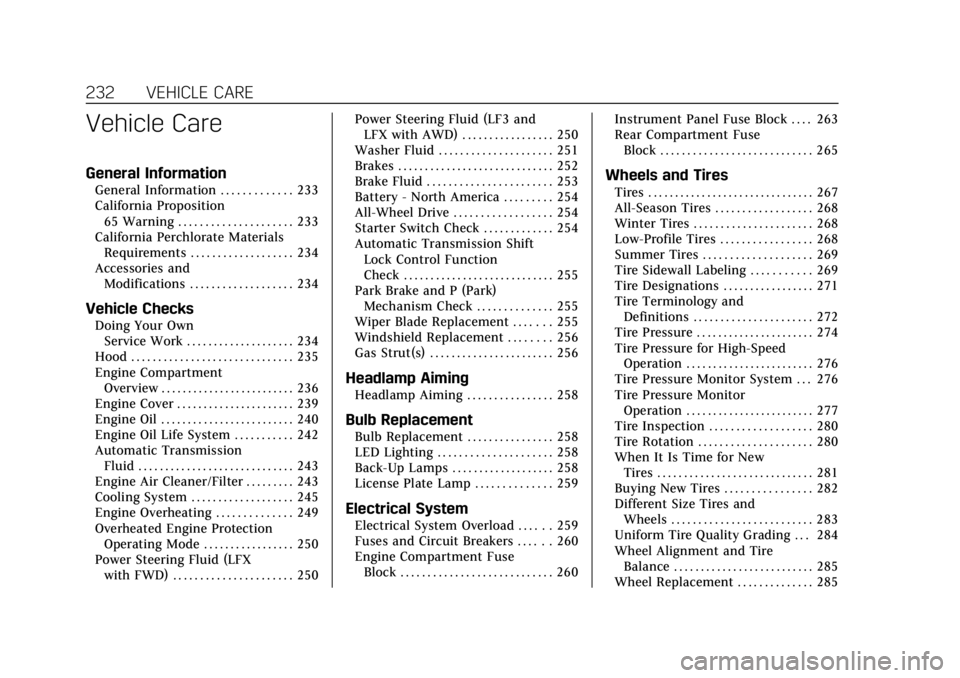
232 VEHICLE CARE
Vehicle Care
General Information
General Information . . . . . . . . . . . . . 233
California Proposition65 Warning . . . . . . . . . . . . . . . . . . . . . 233
California Perchlorate Materials Requirements . . . . . . . . . . . . . . . . . . . 234
Accessories and Modifications . . . . . . . . . . . . . . . . . . . 234
Vehicle Checks
Doing Your OwnService Work . . . . . . . . . . . . . . . . . . . . 234
Hood . . . . . . . . . . . . . . . . . . . . . . . . . . . . . . 235
Engine Compartment Overview . . . . . . . . . . . . . . . . . . . . . . . . . 236
Engine Cover . . . . . . . . . . . . . . . . . . . . . . 239
Engine Oil . . . . . . . . . . . . . . . . . . . . . . . . . 240
Engine Oil Life System . . . . . . . . . . . 242
Automatic Transmission Fluid . . . . . . . . . . . . . . . . . . . . . . . . . . . . . 243
Engine Air Cleaner/Filter . . . . . . . . . 243
Cooling System . . . . . . . . . . . . . . . . . . . 245
Engine Overheating . . . . . . . . . . . . . . 249
Overheated Engine Protection Operating Mode . . . . . . . . . . . . . . . . . 250
Power Steering Fluid (LFX with FWD) . . . . . . . . . . . . . . . . . . . . . . 250 Power Steering Fluid (LF3 and
LFX with AWD) . . . . . . . . . . . . . . . . . 250
Washer Fluid . . . . . . . . . . . . . . . . . . . . . 251
Brakes . . . . . . . . . . . . . . . . . . . . . . . . . . . . . 252
Brake Fluid . . . . . . . . . . . . . . . . . . . . . . . 253
Battery - North America . . . . . . . . . 254
All-Wheel Drive . . . . . . . . . . . . . . . . . . 254
Starter Switch Check . . . . . . . . . . . . . 254
Automatic Transmission Shift Lock Control Function
Check . . . . . . . . . . . . . . . . . . . . . . . . . . . . 255
Park Brake and P (Park) Mechanism Check . . . . . . . . . . . . . . 255
Wiper Blade Replacement . . . . . . . 255
Windshield Replacement . . . . . . . . 256
Gas Strut(s) . . . . . . . . . . . . . . . . . . . . . . . 256
Headlamp Aiming
Headlamp Aiming . . . . . . . . . . . . . . . . 258
Bulb Replacement
Bulb Replacement . . . . . . . . . . . . . . . . 258
LED Lighting . . . . . . . . . . . . . . . . . . . . . 258
Back-Up Lamps . . . . . . . . . . . . . . . . . . . 258
License Plate Lamp . . . . . . . . . . . . . . 259
Electrical System
Electrical System Overload . . . . . . 259
Fuses and Circuit Breakers . . . . . . 260
Engine Compartment Fuse Block . . . . . . . . . . . . . . . . . . . . . . . . . . . . 260 Instrument Panel Fuse Block . . . . 263
Rear Compartment Fuse
Block . . . . . . . . . . . . . . . . . . . . . . . . . . . . 265
Wheels and Tires
Tires . . . . . . . . . . . . . . . . . . . . . . . . . . . . . . . 267
All-Season Tires . . . . . . . . . . . . . . . . . . 268
Winter Tires . . . . . . . . . . . . . . . . . . . . . . 268
Low-Profile Tires . . . . . . . . . . . . . . . . . 268
Summer Tires . . . . . . . . . . . . . . . . . . . . 269
Tire Sidewall Labeling . . . . . . . . . . . 269
Tire Designations . . . . . . . . . . . . . . . . . 271
Tire Terminology andDefinitions . . . . . . . . . . . . . . . . . . . . . . 272
Tire Pressure . . . . . . . . . . . . . . . . . . . . . . 274
Tire Pressure for High-Speed Operation . . . . . . . . . . . . . . . . . . . . . . . . 276
Tire Pressure Monitor System . . . 276
Tire Pressure Monitor Operation . . . . . . . . . . . . . . . . . . . . . . . . 277
Tire Inspection . . . . . . . . . . . . . . . . . . . 280
Tire Rotation . . . . . . . . . . . . . . . . . . . . . 280
When It Is Time for New Tires . . . . . . . . . . . . . . . . . . . . . . . . . . . . . 281
Buying New Tires . . . . . . . . . . . . . . . . 282
Different Size Tires and Wheels . . . . . . . . . . . . . . . . . . . . . . . . . . 283
Uniform Tire Quality Grading . . . 284
Wheel Alignment and Tire Balance . . . . . . . . . . . . . . . . . . . . . . . . . . 285
Wheel Replacement . . . . . . . . . . . . . . 285
Page 253 of 370
Cadillac XTS Owner Manual (GMNA-Localizing-U.S./Canada-11354412) -
2018 - crc - 11/16/17
252 VEHICLE CARE
Caution (Continued)
.Do not use engine coolant
(antifreeze) in the windshield
washer. It can damage the
windshield washer system
and paint.
. Do not mix water with
ready-to-use washer fluid.
Water can cause the solution
to freeze and damage the
washer fluid tank and other
parts of the washer system.
. When using concentrated
washer fluid, follow the
manufacturer instructions for
adding water.
. Fill the washer fluid tank only
three-quarters full when it is
very cold. This allows for
fluid expansion if freezing
occurs, which could damage
the tank if it is
completely full.
Brakes
Disc brake pads have built-in wear
indicators that make a high-pitched
warning sound when the brake pads
are worn and new pads are needed.
The sound can come and go or can be
heard all the time when the vehicle is
moving, except when applying the
brake pedal firmly.
{Warning
The brake wear warning sound
means that soon the brakes will not
work well. That could lead to a
crash. When the brake wear
warning sound is heard, have the
vehicle serviced.
Caution
Continuing to drive with worn-out
brake pads could result in costly
brake repair. Some driving conditions or climates
can cause a brake squeal when the
brakes are first applied or lightly
applied. This does not mean
something is wrong with the brakes.
Properly torqued wheel nuts are
necessary to help prevent brake
pulsation. When tires are rotated,
inspect brake pads for wear and
evenly tighten wheel nuts in the
proper sequence to torque
specifications. See
Capacities and
Specifications 0331.
Brake pads should be replaced as
complete sets.
Brake Pedal Travel
See your dealer if the brake pedal does
not return to normal height, or if
there is a rapid increase in pedal
travel. This could be a sign that brake
service may be required.
Replacing Brake System Parts
Always replace brake system parts
with new, approved replacement parts.
If this is not done, the brakes may not
work properly. The braking
performance expected can change in