door lock CHEVROLET ASTRO 2003 User Guide
[x] Cancel search | Manufacturer: CHEVROLET, Model Year: 2003, Model line: ASTRO, Model: CHEVROLET ASTRO 2003Pages: 386, PDF Size: 17.31 MB
Page 90 of 386
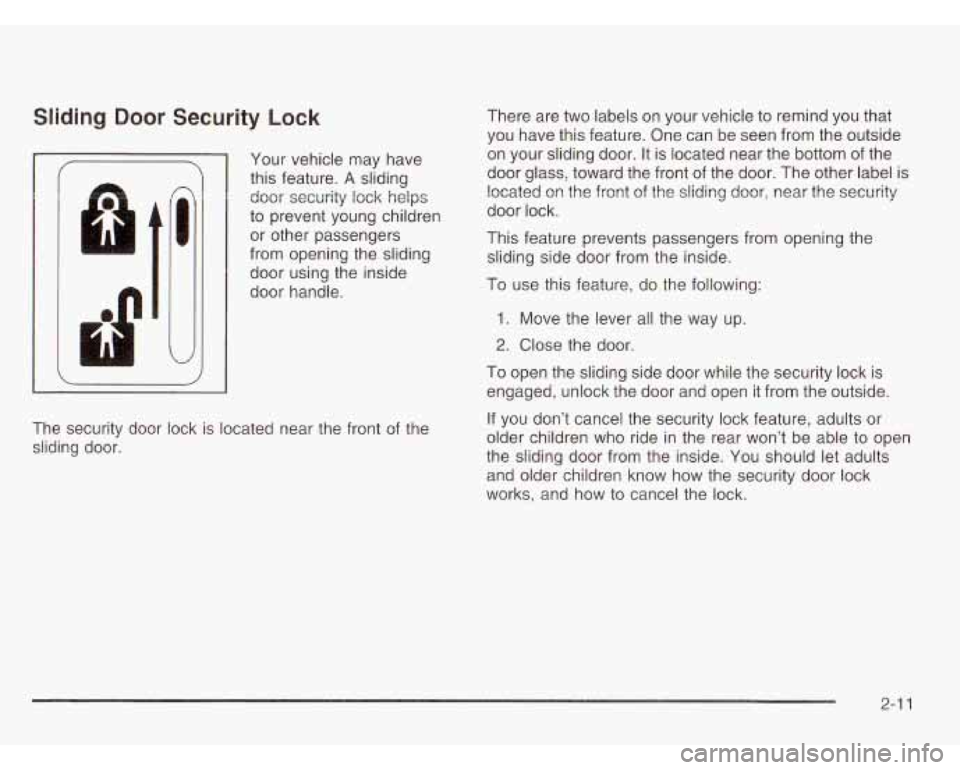
Sliding Door Security Lock
I
n
I
d
Your vehicle may have
this feature.
A sliding
door security lock helps
to prevent young children
or other passengers
from opening the sliding
door using the inside
door handle.
The security door lock is located near the front of the
sliding door. There are two labels on
your vehicle to remind you that
you have this feature. One can be seen from the outside
on your sliding door.
It is located near the bottom of the
door glass, toward the front
of the door. The other label is
located on the front
of the sliding door, near the security
door lock.
This feature prevents passengers from opening the sliding side door from the inside.
To use this feature, do the following:
1. Move the lever all the way up.
2. Close the door.
To open the sliding side door while the security lock is
engaged, unlock the door and open it from the outside.
If you don’t cancel the security lock feature, adults or
older children who ride in the rear won’t be able to open
the sliding door from the inside. You should let adults
and older children know how the security door lock
works, and how to cancel the lock.
2-1 1
Page 91 of 386
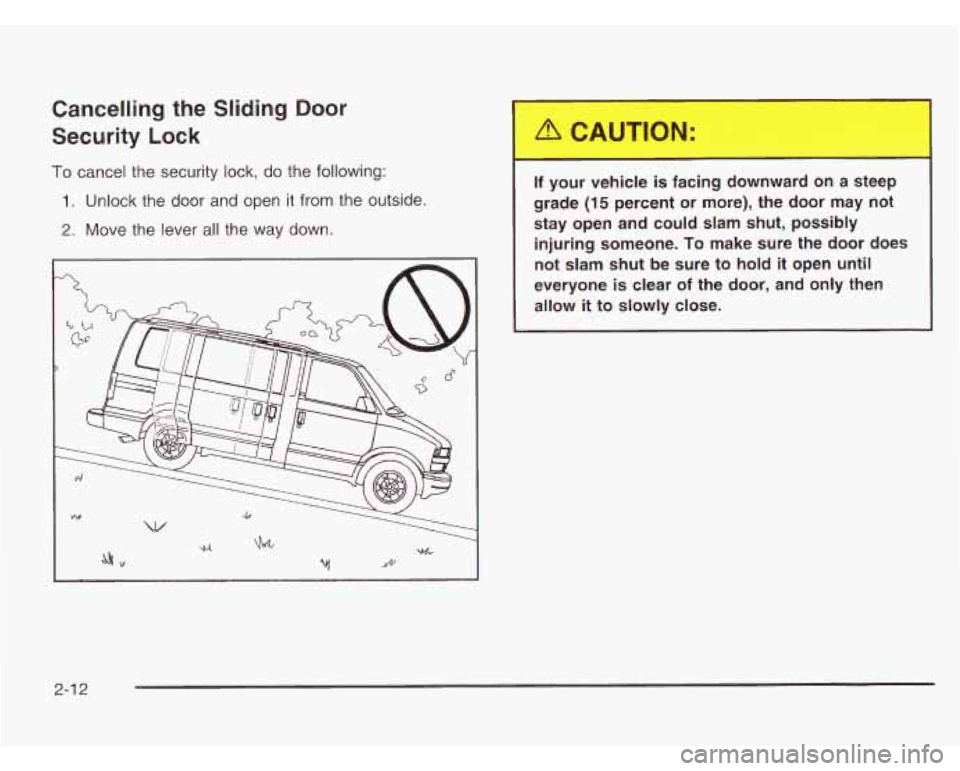
Cancelling the Sliding Door
Security Lock
To cancel the security lock, do the following:
1. Unlock the door and open it from the outside.
2. Move the lever all the way down.
If your vehicle is facing downward on a steep
grade
(15 percent or more), the door may not
stay open and could slam shut, possibly injuring someone.
To make sure the door does
not slam
shut be sure to hold it open until
everyone is clear of the door, and only then
allow
it to slowly close.
I
2-1 2
Page 94 of 386
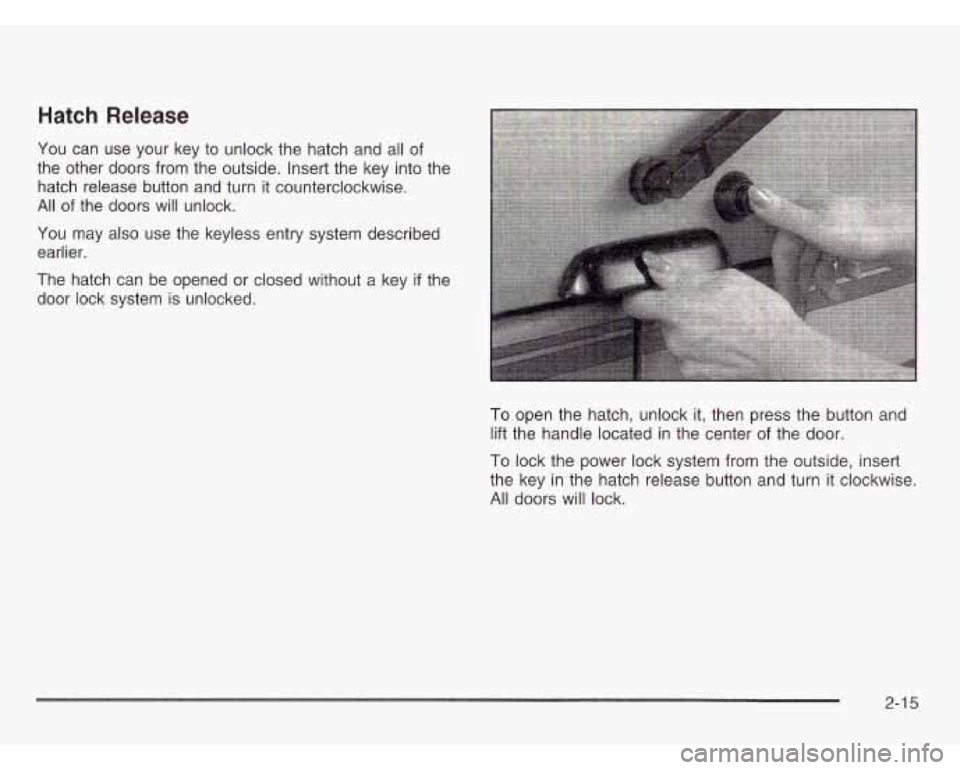
Hatch Release
You can use your key to unlock the hatch and all of
the other doors from the outside. Insert the key into the
hatch release button and turn it counterclockwise.
All of the doors will unlock.
You may also use the keyless entry system described
earlier.
The hatch can be opened
or closed without a key if the
door lock system is unlocked.
To open the hatch, unlock it, then press the button and
lift the handle located in the center
of the door.
To lock the power lock system from the outside, insert
the key in the hatch release button and turn it clockwise.
All doors will lock.
2-1 5
Page 96 of 386
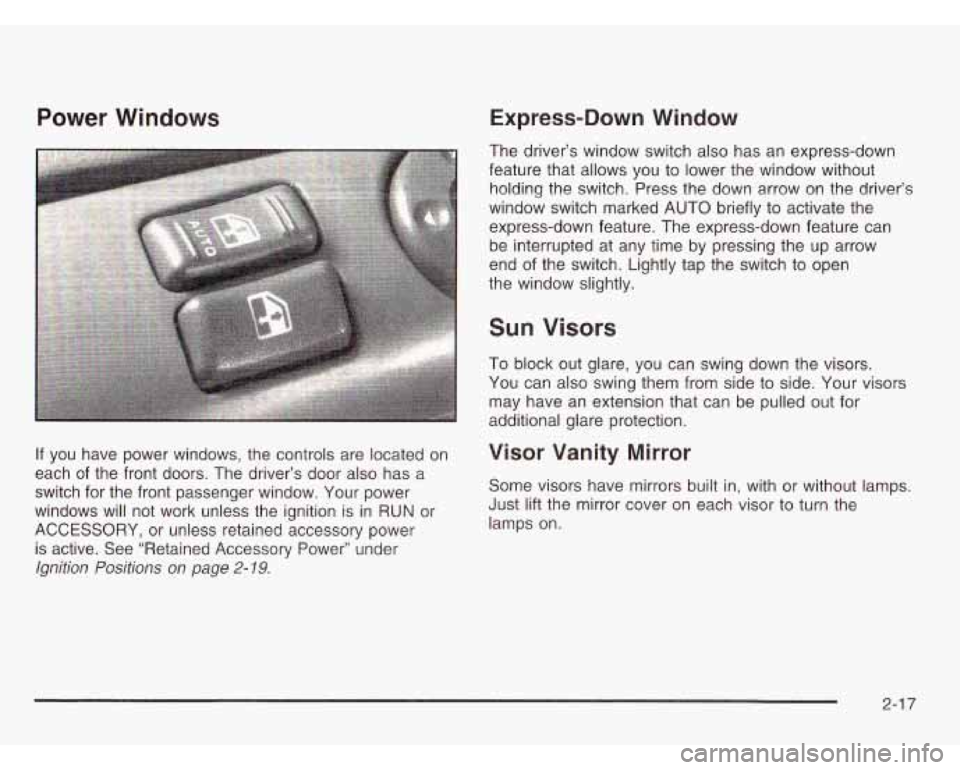
Power Windows
If you have power windows, the controls are located on
each of the front doors. The driver’s door also has a
switch for the front passenger window. Your power
windows will not work unless the ignition is in RUN or
ACCESSORY, or unless retained accessory power
is active. See “Retained Accessory Power” under
Ignition Positions on page 2-19.
Express-Down Window
The driver’s window switch also has an express-down
feature that allows you to lower the window without holding the switch. Press the down arrow on the driver’s
window switch marked AUTO briefly to activate the
express-down feature. The express-down feature can
be interrupted at any time by pressing the up arrow
end of the switch. Lightly tap the switch to open
the window slightly.
Sun Visors
To block out glare, you can swing down the visors.
You can also swing them from side to side. Your visors
may have an extension that can be pulled out for
additional glare protection.
Visor Vanity Mirror
Some visors have mirrors built in, with or without lamps.
Just lift the mirror cover on each visor to turn the
lamps on.
2-1 7
Page 99 of 386
Notice: Don’t operate accessories in the
ACCESSORY position for long periods of time.
Prolonged operation of accessories in the
ACCESSORY position could drain your battery
and prevent you from starting your vehicle.
B (LOCK): This position locks your ignition, steering
wheel and transmission. It’s a theft-deterrent feature.
You will only be able to remove your key when the
ignition is turned to LOCK.
Notice: If your key seems stuck in LOCK and you
can’t turn
it, be sure you are using the correct key;
if
so, is it all the way in? If it is, then turn the
steering wheel left and right while you turn the key hard. Turn the key only with your hand. Using a
tool to force
it could break the key or the ignition
switch. If none of this works, then your vehicle needs service.
C (OFF): This position lets you turn off the engine but
still turn the steering wheel. Use
OFF if you must
have your vehicle in motion while the engine is
off
(for example, if your vehicle is being towed).
D (RUN): This is the position for driving.
E (START): This position starts your engine.
Retained Accessory Power (RAP)
Your vehicle is equipped with a Retained Accessory
Power (RAP) feature which will allow certain features
on your vehicle to continue to work up to
20 minutes
after the ignition key is turned
to OFF.
Your radio, power windows and overhead console will
work when the ignition key is in RUN or ACCESSORY
Once the key is turned from RUN to
OFF, these
features will continue to work for up to
20 minutes or
until a door is opened.
2-20
Page 113 of 386
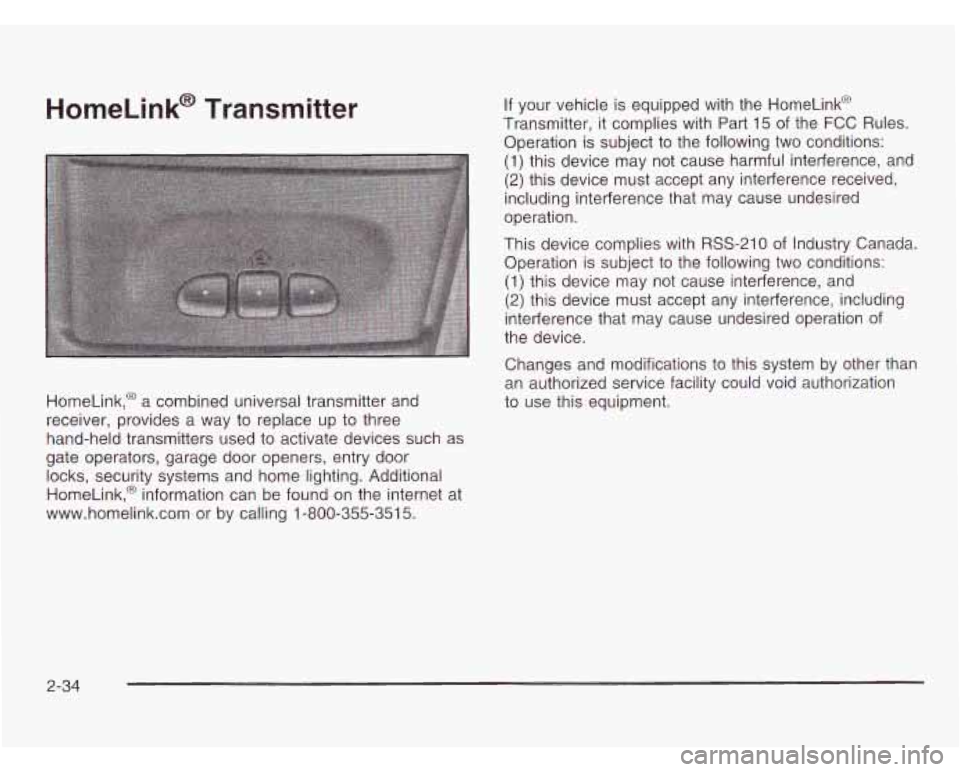
HomeLink@ Transmitter
HomeLink,@ a combined universal transmitter and
receiver, provides a way to replace up
to three
hand-held transmitters used
to activate devices such as
gate operators, garage door openers, entry door
locks, security systems and home lighting. Additional
HomeLink,@ information can be found on the internet at
www.homelink.com or by calling 1-800-355-351
5.
If your vehicle is equipped with the HomeLink@
Transmitter, it complies with Part 15 of the
FCC Rules.
Operation is subject to the following two conditions:
(1) this device may not cause harmful interference, and
(2) this device must accept any interference received,
including interference that may cause undesired
operation.
This device complies with RSS-210 of Industry Canada.
Operation is subject to the following two conditions:
(1) this device may not cause interference, and
(2) this device must accept any interference, including
interference that may cause undesired operation
of
the device.
Changes and modifications
to this system by other than
an authorized service facility could void authorization
to use this equipment.
2-34
Page 289 of 386
Removing the Spare Tire and Tools
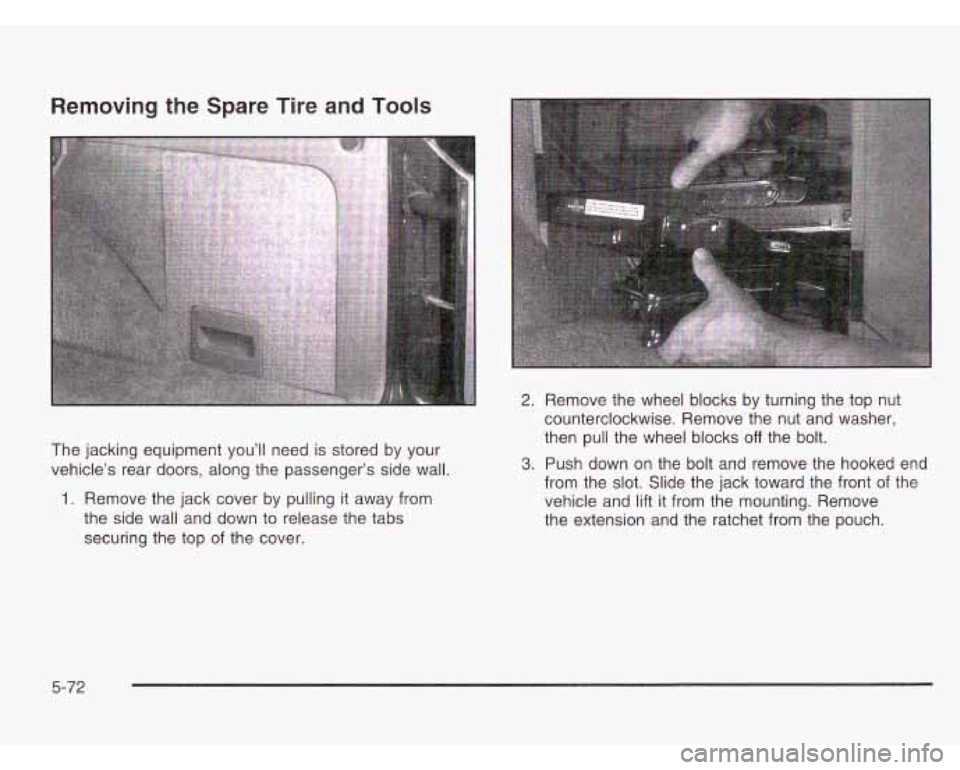
The jacking equipment you’ll need is stored by your
vehicle’s rear doors, along the passenger’s side wall.
1. Remove the jack cover by pulling it away from
the side wall and down to release the tabs
securing the top of the cover.
2. Remove the wheel blocks by turning the top nut
counterclockwise. Remove the nut and washer,
then pull the wheel blocks
off the bolt.
3. Push down on the bolt and remove the hooked end
from the slot. Slide the jack toward the front of the
vehicle and lift it from the mounting. Remove
the extension and the ratchet from the pouch.
5-72
Page 291 of 386
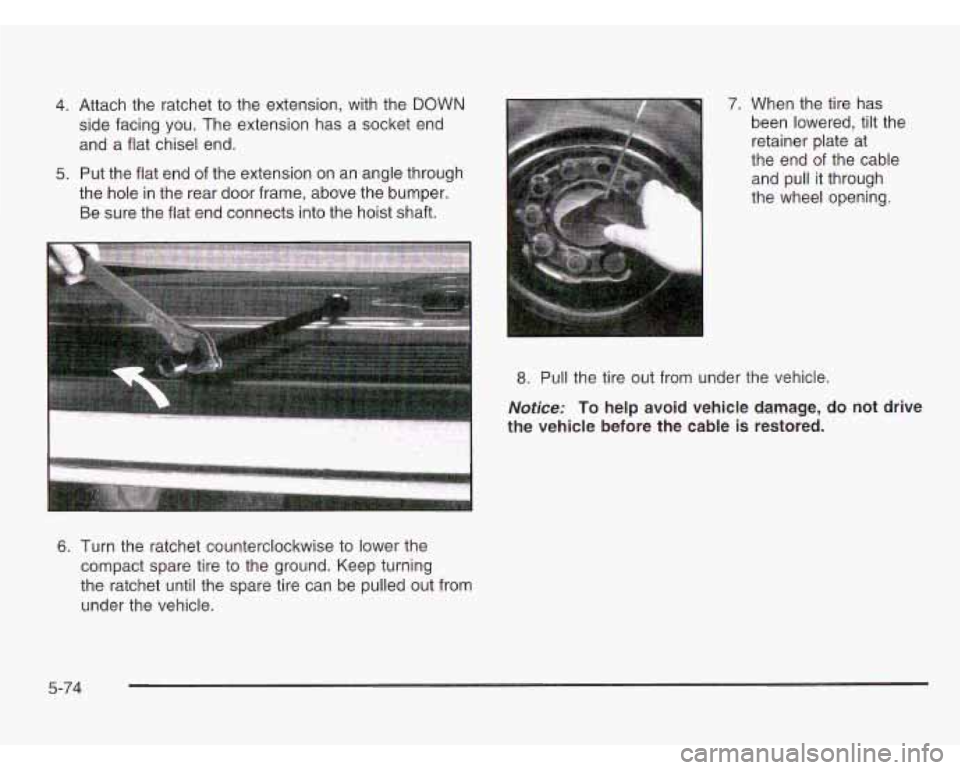
4. Attach the ratchet to the extension, with the DOWN
side facing you. The extension has a socket end
and a flat chisel end.
5. Put the flat end of the extension on an angle through
the hole in the rear door frame, above the bumper.
Be sure the flat end connects into the hoist shaft.
6. Turn the ratchet counterclockwise to lower the
compact spare tire to the ground. Keep turning
the ratchet until the spare tire can be pulled out from
under the vehicle. 7.
When the tire has
been lowered, tilt the
retainer plate at
the end
of the cable
and pull it through
the wheel opening.
8. Pull the tire out from under the vehicle.
Notice: To help avoid vehicle damage, do not drive
the vehicle before the cable
is restored.
5-74
Page 311 of 386
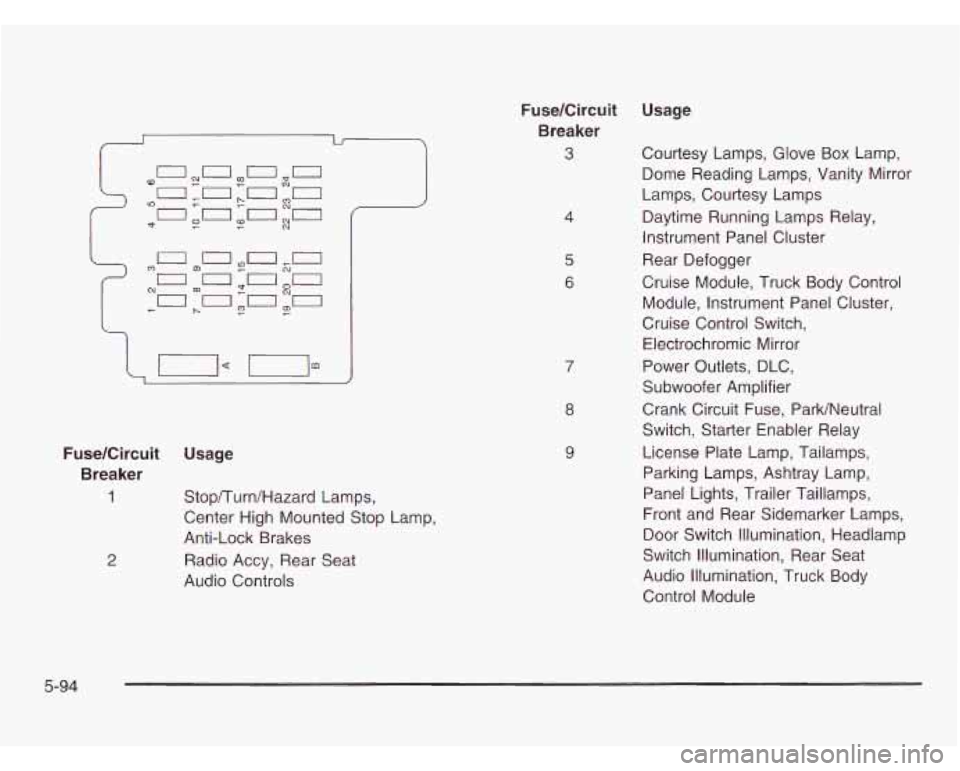
FuseKircuit Usage
Breaker
1
2
Stop/Turn/Hazard Lamps,
Center High Mounted Stop Lamp,
Anti-Lock Brakes
Radio Accy, Rear Seat
Audio Controls
FuseKircuit
Breaker
3
4
5
6
8
9
Usage
Courtesy Lamps, Glove Box Lamp,
Dome Reading Lamps, Vanity Mirror
Lamps, Courtesy Lamps
Daytime Running Lamps Relay,
Instrument Panel Cluster
Rear Defogger
Cruise Module, Truck Body Control Module, Instrument Panel Cluster,
Cruise Control Switch,
Electrochromic Mirror
Power Outlets, DLC,
Subwoofer Amplifier
Crank Circuit Fuse, ParWNeutral
Switch, Starter Enabler Relay
License Plate Lamp, Tailamps,
Parking Lamps, Ashtray Lamp,
Panel Lights, Trailer Taillamps,
Front and Rear Sidemarker Lamps,
Door Switch Illumination, Headlamp
Switch Illumination, Rear Seat
Audio Illumination, Truck Body
Control Module
5-94
Page 312 of 386
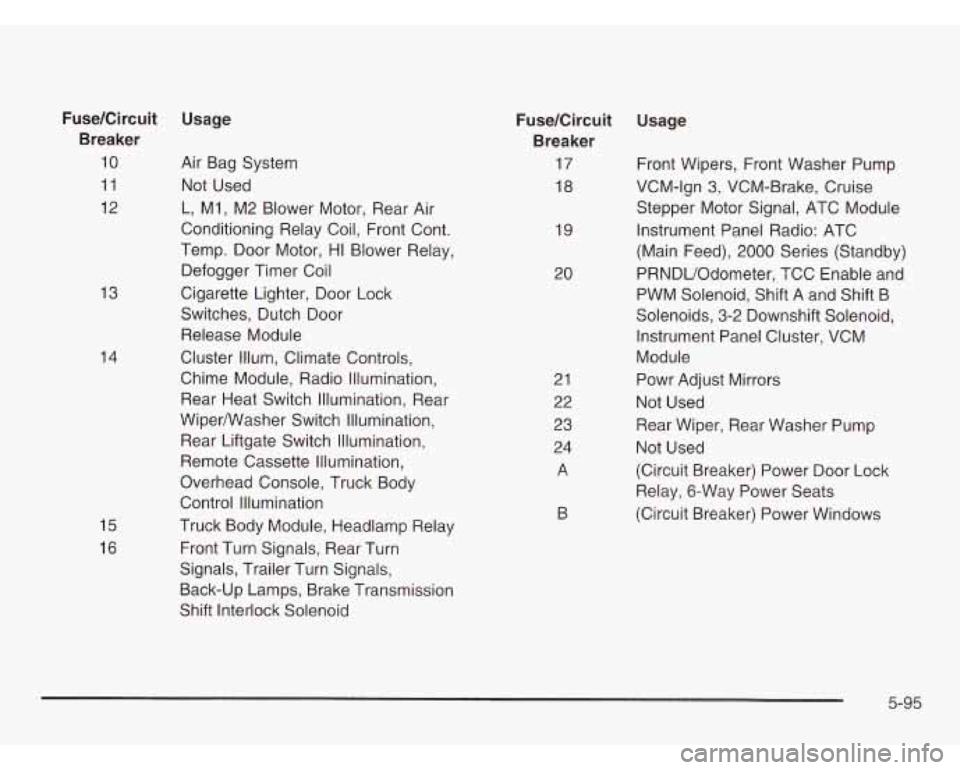
13
14
15
16
Fuse/Circuit Usage Breaker
10 Air Bag System
11 Not Used
12 L, MI, M2 Blower Motor, Rear Air
Conditioning Relay Coil, Front Cont.
Temp. Door Motor, HI Blower Relay.
Defogger Timer Coil
Cigarette Lighter, Door Lock
Switches, Dutch Door Release Module
Cluster Illum, Climate Controls,
Chime Module, Radio Illumination,
Rear Heat Switch Illumination, Rear
Wipermasher Switch Illumination,
Rear Liftgate Switch Illumination,
Remote Cassette Illumination,
Overhead Console, Truck Body
Control Illurnination
Truck Body Module, Headlamp Relay
Front Turn Signals, Rear Turn
Signals, Trailer Turn Signals,
Back-up Lamps, Brake Transmission
Shift Interlock Solenoid 21
22
23
24
A
19
20
FuseKircuit
Usage
Breaker
17 Front Wipers, Front Washer Pump
18 VCM-lgn
3, VCM-Brake, Cruise
Stepper Motor Signal, ATC Module
Instrument Panel Radio: ATC
(Main Feed),
2000 Series (Standby)
PRNDUOdometer, TCC Enable and
PWM Solenoid, Shift A and Shift B
Solenoids, 3-2 Downshift Solenoid, Instrument Panel Cluster, VCM
Module
Powr Adjust Mirrors
Not Used
Rear Wiper, Rear Washer Pump
Not Used
(Circuit Breaker) Power Door Lock
Relay, 6-Way Power Seats
(Circuit Breaker) Power Windows
B
5-95