ignition CHEVROLET ASTRO 2004 User Guide
[x] Cancel search | Manufacturer: CHEVROLET, Model Year: 2004, Model line: ASTRO, Model: CHEVROLET ASTRO 2004Pages: 382, PDF Size: 2.73 MB
Page 97 of 382
Starting Your Engine
Move your shift lever to PARK (P) or NEUTRAL (N).
Your engine won't start in any other position ± that's a
safety feature. To restart when you're already moving,
use NEUTRAL (N) only.
Notice:Do not try to shift to PARK (P) if your
vehicle is moving. If you do, you could damage the
transmission. Shift to PARK (P) only when your
vehicle is stopped.
1. With your foot off the accelerator pedal, turn the
ignition key to START. When the engine starts,
let go of the key. The idle speed will go down as
your engine gets warm.
Notice:Holding your key in START for longer than
15 seconds at a time will cause your battery to
be drained much sooner. And the excessive heat
can damage your starter motor. Wait about
15 seconds between each try to help avoid draining
your battery or damaging your starter.
2. If it doesn't start within 10 seconds, push the
accelerator pedal all the way to the ¯oor, while you
hold the ignition key in START. When the engine
starts, let go of the key and let up on the accelerator
pedal. Wait about 15 seconds between each try.When starting your engine in very cold weather (below
0ÉF or-18ÉC), do this:
1. With your foot off the accelerator pedal, turn the
ignition key to START and hold it there up to
15 seconds. When the engine starts, let go of
the key.
2. If your engine still won't start (or starts but then
stops), it could be ¯ooded with too much gasoline.
Try pushing your accelerator pedal all the way to the
¯oor and holding it there as you hold the key in
START for about three seconds. When the engine
starts, let go of the key and accelerator. If the
vehicle starts brie¯y but then stops again, do the
same thing, but this time keep the pedal down
for ®ve or six seconds. This clears the extra
gasoline from the engine.
Notice:Your engine is designed to work with the
electronics in your vehicle. If you add electrical
parts or accessories, you could change the way the
engine operates. Before adding electrical equipment,
check with your dealer. If you do not, your engine
might not perform properly.
Fuel Regulator
You have a fuel regulator that shuts the fuel off when
the engine reaches 5,600 rpm.
2-19
Page 99 of 382
Automatic Transmission Operation
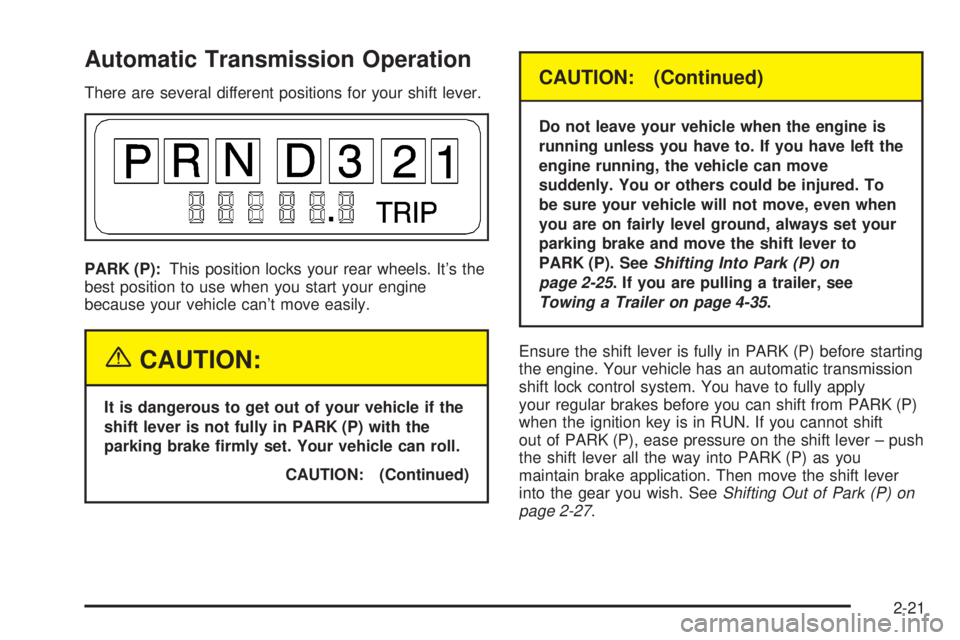
There are several different positions for your shift lever.
PARK (P):This position locks your rear wheels. It's the
best position to use when you start your engine
because your vehicle can't move easily.
{CAUTION:
It is dangerous to get out of your vehicle if the
shift lever is not fully in PARK (P) with the
parking brake ®rmly set. Your vehicle can roll.
CAUTION: (Continued)
CAUTION: (Continued)
Do not leave your vehicle when the engine is
running unless you have to. If you have left the
engine running, the vehicle can move
suddenly. You or others could be injured. To
be sure your vehicle will not move, even when
you are on fairly level ground, always set your
parking brake and move the shift lever to
PARK (P). See
Shifting Into Park (P) on
page 2-25
. If you are pulling a trailer, see
Towing a Trailer on page 4-35.
Ensure the shift lever is fully in PARK (P) before starting
the engine. Your vehicle has an automatic transmission
shift lock control system. You have to fully apply
your regular brakes before you can shift from PARK (P)
when the ignition key is in RUN. If you cannot shift
out of PARK (P), ease pressure on the shift lever ± push
the shift lever all the way into PARK (P) as you
maintain brake application. Then move the shift lever
into the gear you wish. See
Shifting Out of Park (P) on
page 2-27.
2-21
Page 102 of 382
All-Wheel Drive
If your vehicle has all-wheel drive, your engine's driving
power is sent to all four wheels for extra traction
when needed.
This is like four-wheel drive, but there is no separate
lever or switch to engage or disengage the front axle. It
is fully automatic, and adjusts itself as needed for
road conditions.
You may experience a brief vehicle vibration upon
acceleration when driving in slippery conditions. This is
normal and is an indication that the all-wheel drive
system is functioning properly.
Parking Brake
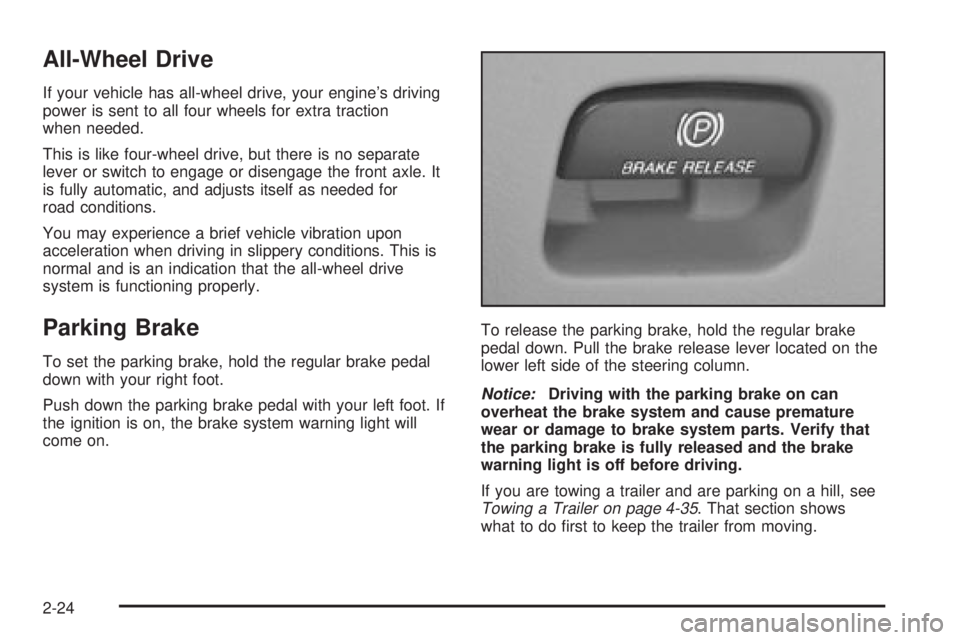
To set the parking brake, hold the regular brake pedal
down with your right foot.
Push down the parking brake pedal with your left foot. If
the ignition is on, the brake system warning light will
come on.To release the parking brake, hold the regular brake
pedal down. Pull the brake release lever located on the
lower left side of the steering column.
Notice:Driving with the parking brake on can
overheat the brake system and cause premature
wear or damage to brake system parts. Verify that
the parking brake is fully released and the brake
warning light is off before driving.
If you are towing a trailer and are parking on a hill, see
Towing a Trailer on page 4-35. That section shows
what to do ®rst to keep the trailer from moving.
2-24
Page 104 of 382
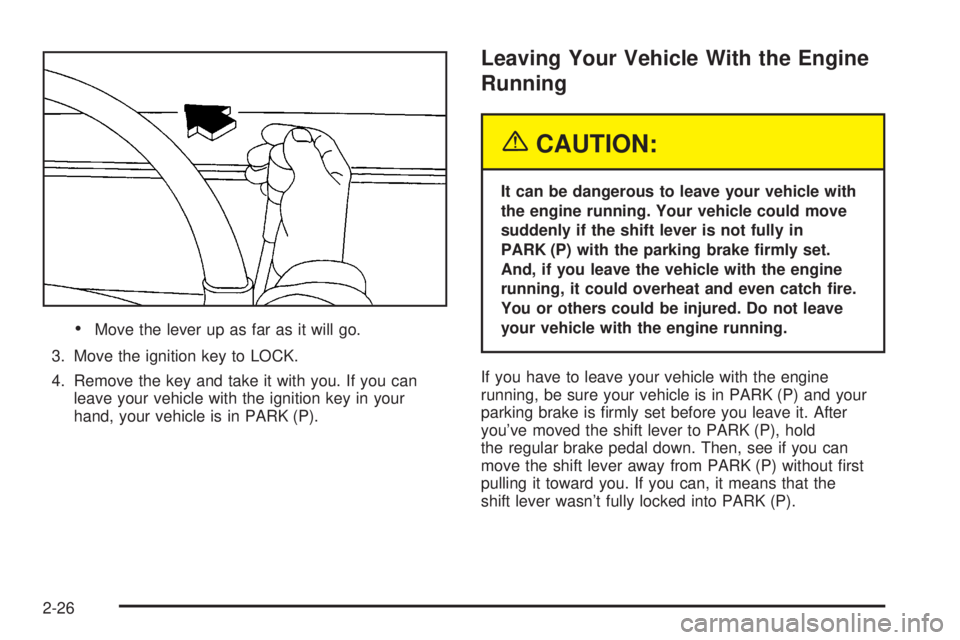
·Move the lever up as far as it will go.
3. Move the ignition key to LOCK.
4. Remove the key and take it with you. If you can
leave your vehicle with the ignition key in your
hand, your vehicle is in PARK (P).
Leaving Your Vehicle With the Engine
Running
{CAUTION:
It can be dangerous to leave your vehicle with
the engine running. Your vehicle could move
suddenly if the shift lever is not fully in
PARK (P) with the parking brake ®rmly set.
And, if you leave the vehicle with the engine
running, it could overheat and even catch ®re.
You or others could be injured. Do not leave
your vehicle with the engine running.
If you have to leave your vehicle with the engine
running, be sure your vehicle is in PARK (P) and your
parking brake is ®rmly set before you leave it. After
you've moved the shift lever to PARK (P), hold
the regular brake pedal down. Then, see if you can
move the shift lever away from PARK (P) without ®rst
pulling it toward you. If you can, it means that the
shift lever wasn't fully locked into PARK (P).
2-26
Page 105 of 382
Torque Lock
If you are parking on a hill and you don't shift your
transmission into PARK (P) properly, the weight of the
vehicle may put too much force on the parking pawl
in the transmission. You may ®nd it difficult to pull the
shift lever out of PARK (P). This is called ªtorque
lock.º To prevent torque lock, set the parking brake and
then shift into PARK (P) properly before you leave
the driver's seat. To ®nd out how, see
Shifting Into
Park (P) on page 2-25.
When you are ready to drive, move the shift lever out of
PARK (P)
beforeyou release the parking brake.
If torque lock does occur, you may need to have another
vehicle push yours a little uphill to take some of the
pressure from the parking pawl in the transmission, so
you can pull the shift lever out of PARK (P).
Shifting Out of Park (P)
Your vehicle has an automatic transmission shift lock
control system. You have to fully apply your regular
brakes before you can shift from PARK (P) when the
ignition is in RUN. See
Automatic Transmission
Operation on page 2-21.
If you cannot shift out of PARK (P), ease pressure on
the shift lever and push the shift lever all the way up into
PARK (P) as you maintain brake application. Then,
move the shift lever into the gear you want.
If you ever hold the brake pedal down but still can't shift
out of PARK (P), try this:
1. Turn the key to OFF.
2. Apply and hold the brake until the end of Step 4.
3. Shift to NEUTRAL (N).
4. Start the vehicle and then shift to the drive gear
you want.
5. Have the system ®xed as soon as you can.
2-27
Page 114 of 382
Overhead Console
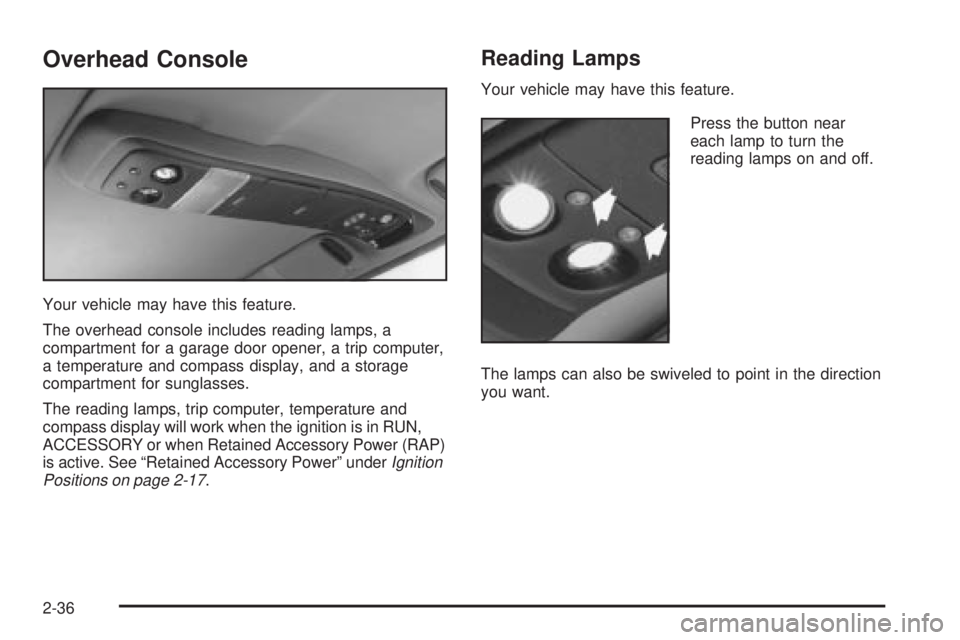
Your vehicle may have this feature.
The overhead console includes reading lamps, a
compartment for a garage door opener, a trip computer,
a temperature and compass display, and a storage
compartment for sunglasses.
The reading lamps, trip computer, temperature and
compass display will work when the ignition is in RUN,
ACCESSORY or when Retained Accessory Power (RAP)
is active. See ªRetained Accessory Powerº under
Ignition
Positions on page 2-17.
Reading Lamps
Your vehicle may have this feature.
Press the button near
each lamp to turn the
reading lamps on and off.
The lamps can also be swiveled to point in the direction
you want.
2-36
Page 117 of 382
Before you turn on the ignition and move the vehicle,
the temperature indicated will be the last outside
temperature recorded with the ignition on. If the outside
temperature is 37ÉF (3ÉC) or lower, the display will
toggle between the word ICE and the current
temperature every eight seconds. This is a warning to
the driver that road conditions may be icy, and that
appropriate precautions should be taken.
The compass is self-calibrating, so it does not need to
be manually set. However, if C (Calibration) is displayed,
the compass will need to be calibrated. You may also
place the compass in a noncalibrated mode by pressing
and holding the US/MET and MODE buttons
simultaneously while in the COMP/TEMP mode. After
about 10 seconds, the compass will display C and
you can release the buttons. Drive the vehicle in
a complete 360É circle three times at a speed of less
than 5 mph (8 km/h), and the compass will function
normally. Once the calibration is complete, the display
will return to a compass reading.
Variance is the difference between magnetic north and
geographic north. In some areas, the difference
between the two can be great enough to cause false
compass readings. If this happens, follow these
instructions to set the variance for your particular
location:
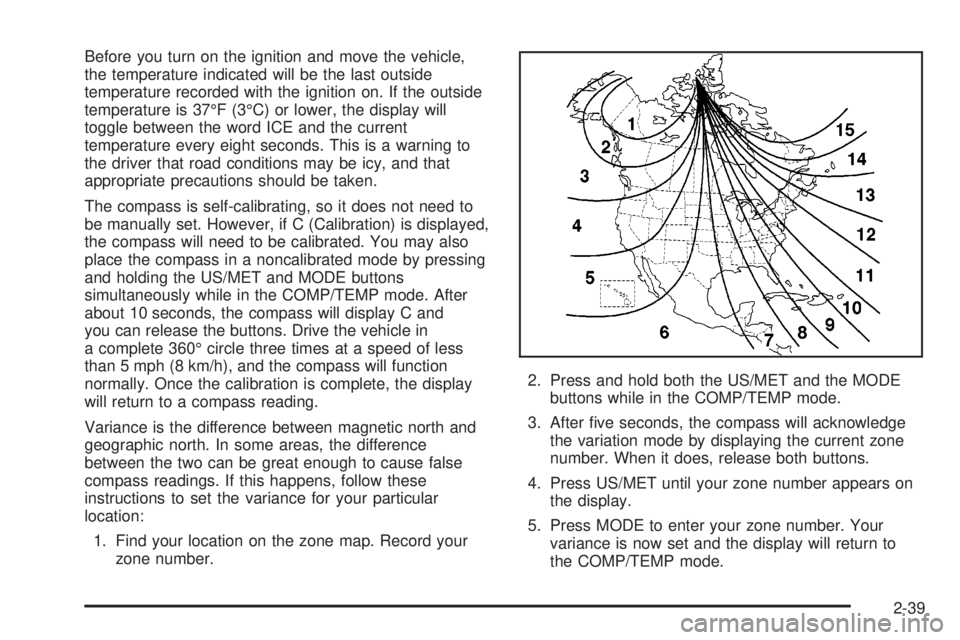
1. Find your location on the zone map. Record your
zone number.2. Press and hold both the US/MET and the MODE
buttons while in the COMP/TEMP mode.
3. After ®ve seconds, the compass will acknowledge
the variation mode by displaying the current zone
number. When it does, release both buttons.
4. Press US/MET until your zone number appears on
the display.
5. Press MODE to enter your zone number. Your
variance is now set and the display will return to
the COMP/TEMP mode.
2-39
Page 123 of 382
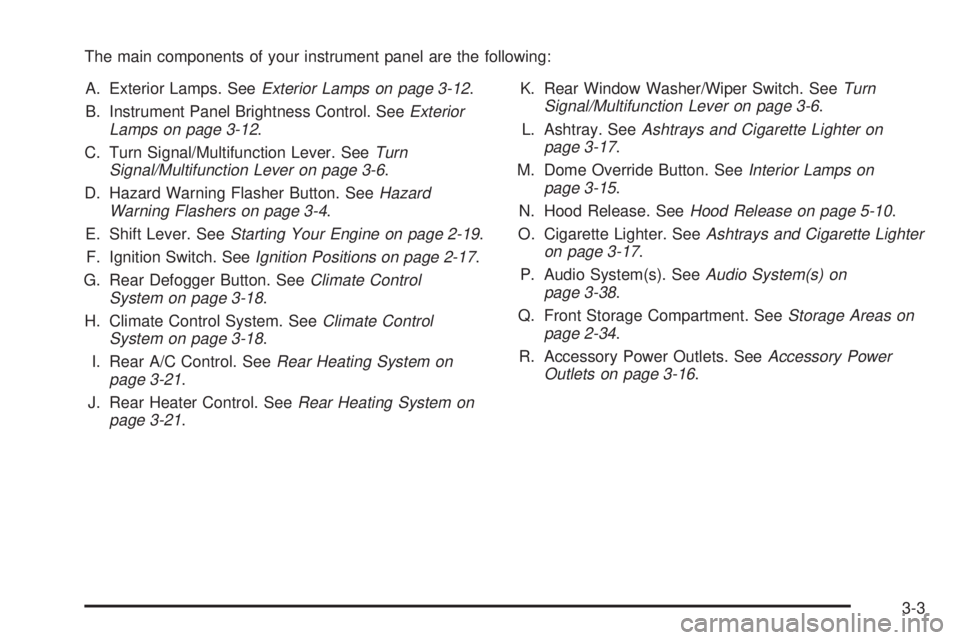
The main components of your instrument panel are the following:
A. Exterior Lamps. See
Exterior Lamps on page 3-12.
B. Instrument Panel Brightness Control. See
Exterior
Lamps on page 3-12.
C. Turn Signal/Multifunction Lever. See
Turn
Signal/Multifunction Lever on page 3-6.
D. Hazard Warning Flasher Button. See
Hazard
Warning Flashers on page 3-4.
E. Shift Lever. See
Starting Your Engine on page 2-19.
F. Ignition Switch. See
Ignition Positions on page 2-17.
G. Rear Defogger Button. See
Climate Control
System on page 3-18.
H. Climate Control System. See
Climate Control
System on page 3-18.
I. Rear A/C Control. See
Rear Heating System on
page 3-21.
J. Rear Heater Control. See
Rear Heating System on
page 3-21.K. Rear Window Washer/Wiper Switch. See
Turn
Signal/Multifunction Lever on page 3-6.
L. Ashtray. See
Ashtrays and Cigarette Lighter on
page 3-17.
M. Dome Override Button. See
Interior Lamps on
page 3-15.
N. Hood Release. See
Hood Release on page 5-10.
O. Cigarette Lighter. See
Ashtrays and Cigarette Lighter
on page 3-17.
P. Audio System(s). See
Audio System(s) on
page 3-38.
Q. Front Storage Compartment. See
Storage Areas on
page 2-34.
R. Accessory Power Outlets. See
Accessory Power
Outlets on page 3-16.
3-3
Page 132 of 382
Passing Another Vehicle While Using
Cruise Control
Use the accelerator pedal to increase your speed.
When you take your foot off the pedal, your vehicle will
slow down to the cruise control speed you set earlier.
Using Cruise Control on Hills
How well your cruise control will work on hills depends
upon your speed, load and the steepness of the
hills. When going up steep hills, you may want to step
on the accelerator pedal to maintain your speed.
When going downhill, you may have to brake or shift to
a lower gear to keep your speed down. Of course,
applying the brake takes you out of cruise control. Many
drivers ®nd this to be too much trouble and don't use
cruise control on steep hills.
Ending Cruise Control
There are two ways to turn off the cruise control:
·Step lightly on the brake pedal.
·Move the cruise switch to OFF.
Erasing Speed Memory
When you turn off the cruise control or the ignition, your
cruise control set speed memory is erased.
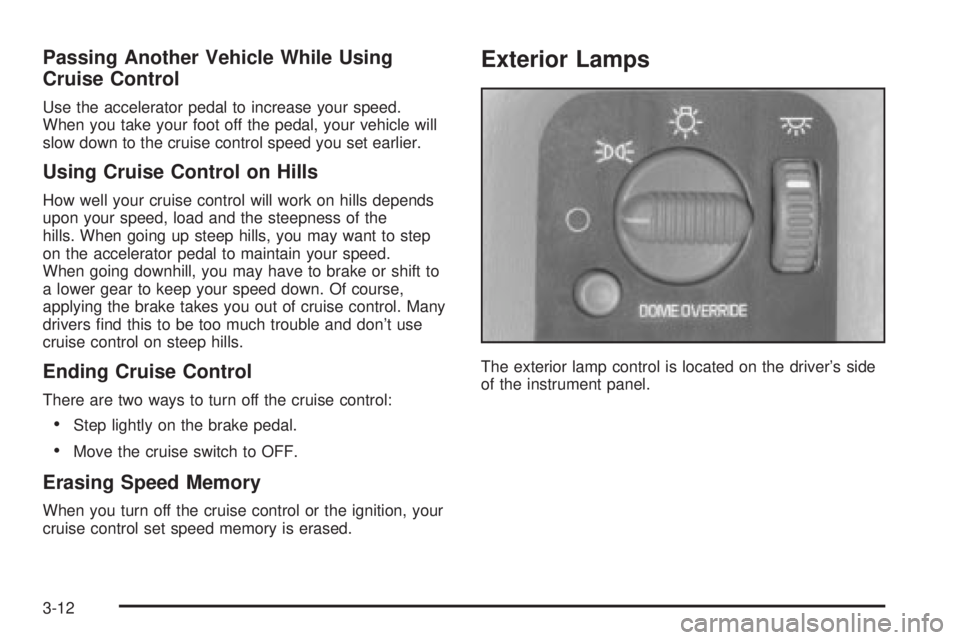
Exterior Lamps
The exterior lamp control is located on the driver's side
of the instrument panel.
3-12
Page 133 of 382
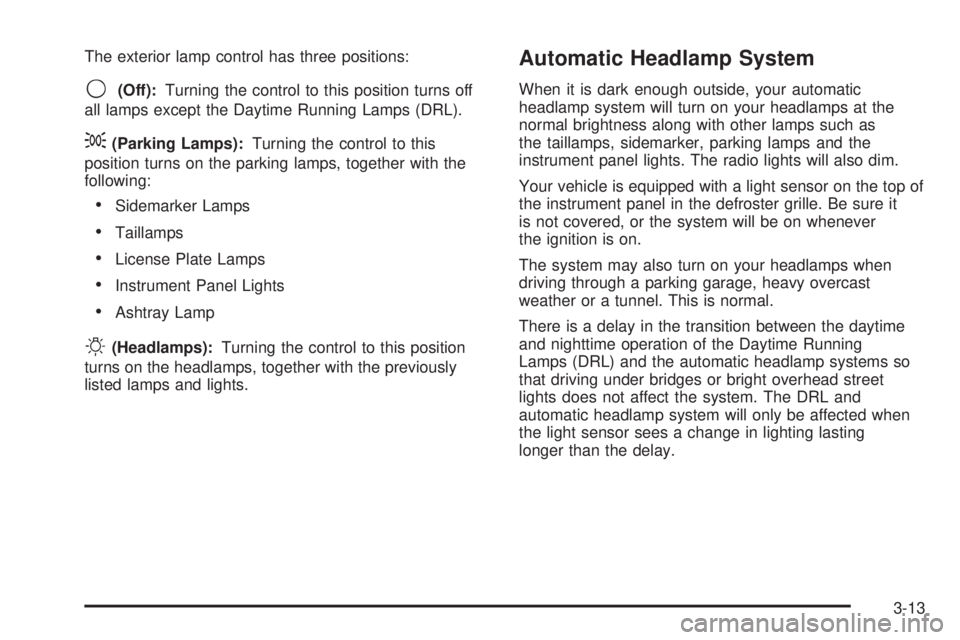
The exterior lamp control has three positions:
9(Off):Turning the control to this position turns off
all lamps except the Daytime Running Lamps (DRL).
;(Parking Lamps):Turning the control to this
position turns on the parking lamps, together with the
following:
·Sidemarker Lamps
·Taillamps
·License Plate Lamps
·Instrument Panel Lights
·Ashtray Lamp
O(Headlamps):Turning the control to this position
turns on the headlamps, together with the previously
listed lamps and lights.
Automatic Headlamp System
When it is dark enough outside, your automatic
headlamp system will turn on your headlamps at the
normal brightness along with other lamps such as
the taillamps, sidemarker, parking lamps and the
instrument panel lights. The radio lights will also dim.
Your vehicle is equipped with a light sensor on the top of
the instrument panel in the defroster grille. Be sure it
is not covered, or the system will be on whenever
the ignition is on.
The system may also turn on your headlamps when
driving through a parking garage, heavy overcast
weather or a tunnel. This is normal.
There is a delay in the transition between the daytime
and nighttime operation of the Daytime Running
Lamps (DRL) and the automatic headlamp systems so
that driving under bridges or bright overhead street
lights does not affect the system. The DRL and
automatic headlamp system will only be affected when
the light sensor sees a change in lighting lasting
longer than the delay.
3-13