instrument panel CHEVROLET ASTRO 2004 Owner's Manual
[x] Cancel search | Manufacturer: CHEVROLET, Model Year: 2004, Model line: ASTRO, Model: CHEVROLET ASTRO 2004Pages: 382, PDF Size: 2.73 MB
Page 138 of 382
Climate Controls
Climate Control System
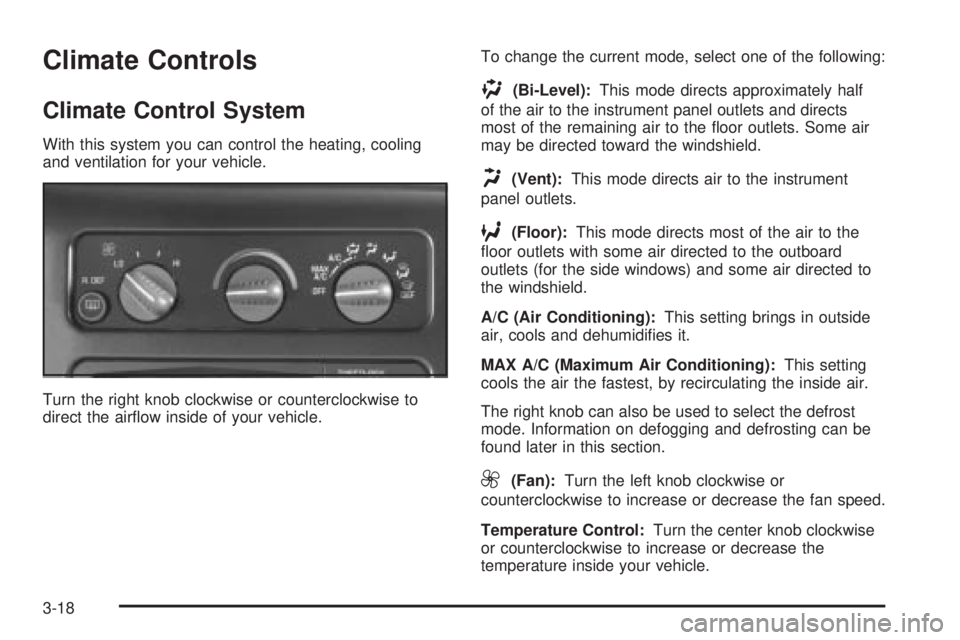
With this system you can control the heating, cooling
and ventilation for your vehicle.
Turn the right knob clockwise or counterclockwise to
direct the air¯ow inside of your vehicle.To change the current mode, select one of the following:
)(Bi-Level):This mode directs approximately half
of the air to the instrument panel outlets and directs
most of the remaining air to the ¯oor outlets. Some air
may be directed toward the windshield.
H(Vent):This mode directs air to the instrument
panel outlets.
6(Floor):This mode directs most of the air to the
¯oor outlets with some air directed to the outboard
outlets (for the side windows) and some air directed to
the windshield.
A/C (Air Conditioning):This setting brings in outside
air, cools and dehumidi®es it.
MAX A/C (Maximum Air Conditioning):This setting
cools the air the fastest, by recirculating the inside air.
The right knob can also be used to select the defrost
mode. Information on defogging and defrosting can be
found later in this section.
9(Fan):Turn the left knob clockwise or
counterclockwise to increase or decrease the fan speed.
Temperature Control:Turn the center knob clockwise
or counterclockwise to increase or decrease the
temperature inside your vehicle.
3-18
Page 144 of 382
Instrument Panel Cluster
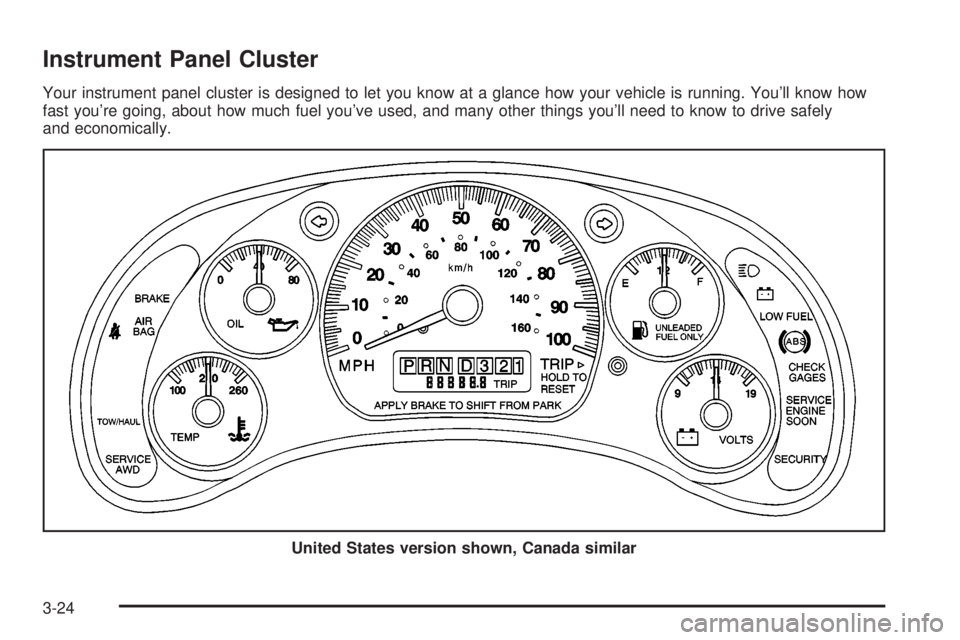
Your instrument panel cluster is designed to let you know at a glance how your vehicle is running. You'll know how
fast you're going, about how much fuel you've used, and many other things you'll need to know to drive safely
and economically.
United States version shown, Canada similar
3-24
Page 146 of 382
Safety Belt Reminder Light
When the key is turned to RUN or START, a tone will
come on for several seconds to remind people to fasten
their safety belts, unless the driver's safety belt is
already buckled.
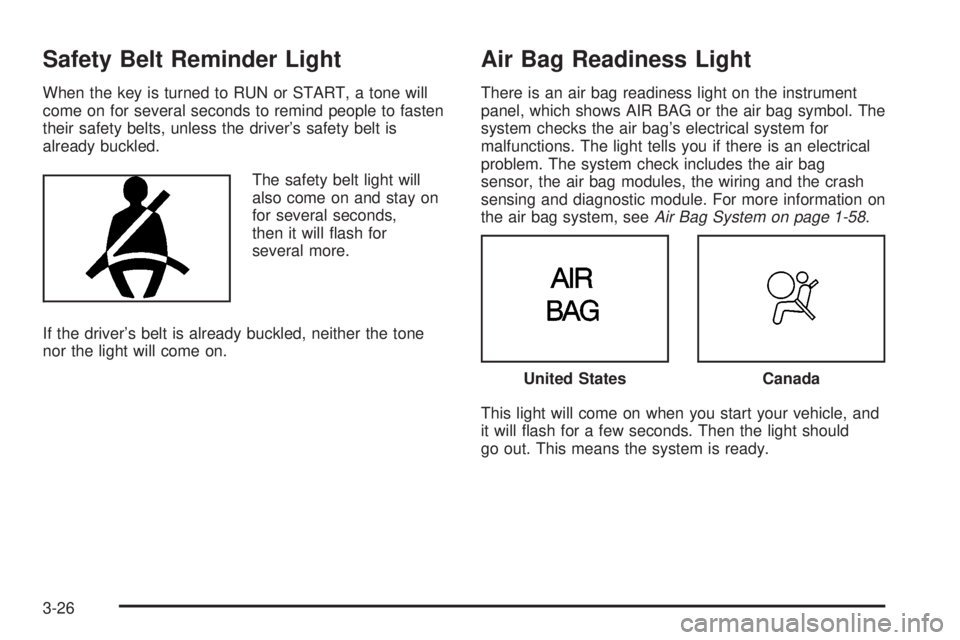
The safety belt light will
also come on and stay on
for several seconds,
then it will ¯ash for
several more.
If the driver's belt is already buckled, neither the tone
nor the light will come on.
Air Bag Readiness Light
There is an air bag readiness light on the instrument
panel, which shows AIR BAG or the air bag symbol. The
system checks the air bag's electrical system for
malfunctions. The light tells you if there is an electrical
problem. The system check includes the air bag
sensor, the air bag modules, the wiring and the crash
sensing and diagnostic module. For more information on
the air bag system, see
Air Bag System on page 1-58.
This light will come on when you start your vehicle, and
it will ¯ash for a few seconds. Then the light should
go out. This means the system is ready.
United StatesCanada
3-26
Page 207 of 382
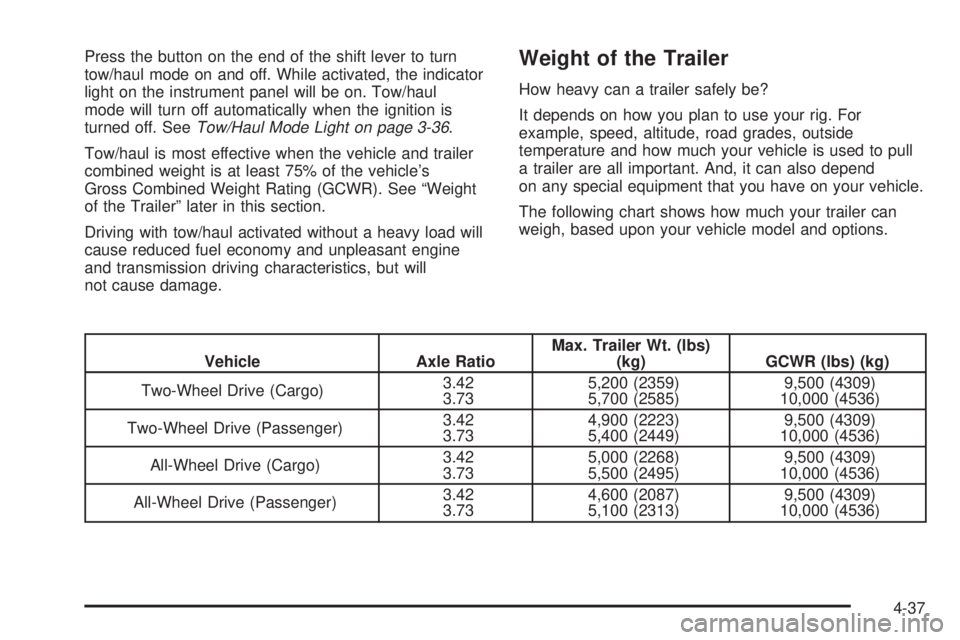
Press the button on the end of the shift lever to turn
tow/haul mode on and off. While activated, the indicator
light on the instrument panel will be on. Tow/haul
mode will turn off automatically when the ignition is
turned off. See
Tow/Haul Mode Light on page 3-36.
Tow/haul is most effective when the vehicle and trailer
combined weight is at least 75% of the vehicle's
Gross Combined Weight Rating (GCWR). See ªWeight
of the Trailerº later in this section.
Driving with tow/haul activated without a heavy load will
cause reduced fuel economy and unpleasant engine
and transmission driving characteristics, but will
not cause damage.
Weight of the Trailer
How heavy can a trailer safely be?
It depends on how you plan to use your rig. For
example, speed, altitude, road grades, outside
temperature and how much your vehicle is used to pull
a trailer are all important. And, it can also depend
on any special equipment that you have on your vehicle.
The following chart shows how much your trailer can
weigh, based upon your vehicle model and options.
Vehicle Axle RatioMax. Trailer Wt. (lbs)
(kg) GCWR (lbs) (kg)
Two-Wheel Drive (Cargo)3.42
3.735,200 (2359)
5,700 (2585)9,500 (4309)
10,000 (4536)
Two-Wheel Drive (Passenger)3.42
3.734,900 (2223)
5,400 (2449)9,500 (4309)
10,000 (4536)
All-Wheel Drive (Cargo)3.42
3.735,000 (2268)
5,500 (2495)9,500 (4309)
10,000 (4536)
All-Wheel Drive (Passenger)3.42
3.734,600 (2087)
5,100 (2313)9,500 (4309)
10,000 (4536)
4-37
Page 212 of 382
Passing
You'll need more passing distance up ahead when
you're towing a trailer. And, because you're a good deal
longer, you'll need to go much farther beyond the
passed vehicle before you can return to your lane.
Backing Up
Hold the bottom of the steering wheel with one hand.
Then, to move the trailer to the left, just move that hand
to the left. To move the trailer to the right, move your
hand to the right. Always back up slowly and, if possible,
have someone guide you.
Making Turns
Notice:Making very sharp turns while trailering
could cause the trailer to come in contact with the
vehicle. Your vehicle could be damaged. Avoid
making very sharp turns while trailering.
When you're turning with a trailer, make wider turns
than normal. Do this so your trailer won't strike
soft shoulders, curbs, road signs, trees or other objects.
Avoid jerky or sudden maneuvers. Signal well in
advance.
Turn Signals When Towing a Trailer
When you tow a trailer, your vehicle has to have extra
wiring (included in the optional trailering package).
The arrows on your instrument panel will ¯ash whenever
you signal a turn or lane change. Properly hooked up,
the trailer lamps will also ¯ash, telling other drivers
you're about to turn, change lanes or stop.
When towing a trailer, the arrows on your instrument
panel will ¯ash for turns even if the bulbs on the trailer
are burned out. Thus, you may think drivers behind
you are seeing your signal when they are not. It's
important to check occasionally to be sure the trailer
bulbs are still working.
Driving On Grades
Reduce speed and shift to a lower gearbeforeyou start
down a long or steep downgrade. If you don't shift
down, you might have to use your brakes so much that
they would get hot and no longer work well.
You can tow in DRIVE (D). You may want to shift the
transmission to THIRD (3) or, if necessary, a lower gear
selection if the transmission shifts too often (e.g.,
under heavy loads and/or hilly conditions).
4-42
Page 232 of 382
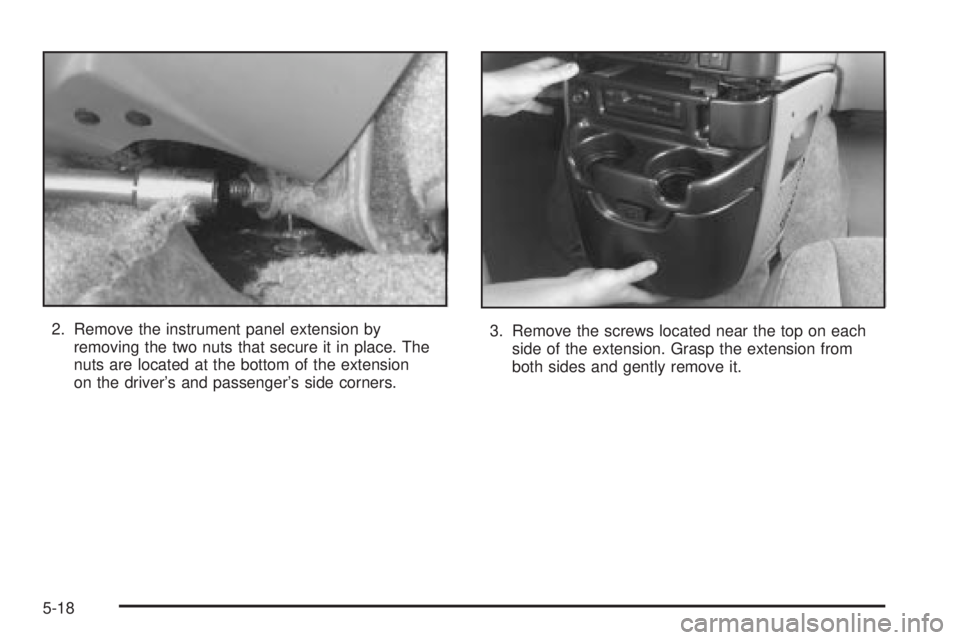
2. Remove the instrument panel extension by
removing the two nuts that secure it in place. The
nuts are located at the bottom of the extension
on the driver's and passenger's side corners.3. Remove the screws located near the top on each
side of the extension. Grasp the extension from
both sides and gently remove it.
5-18
Page 234 of 382
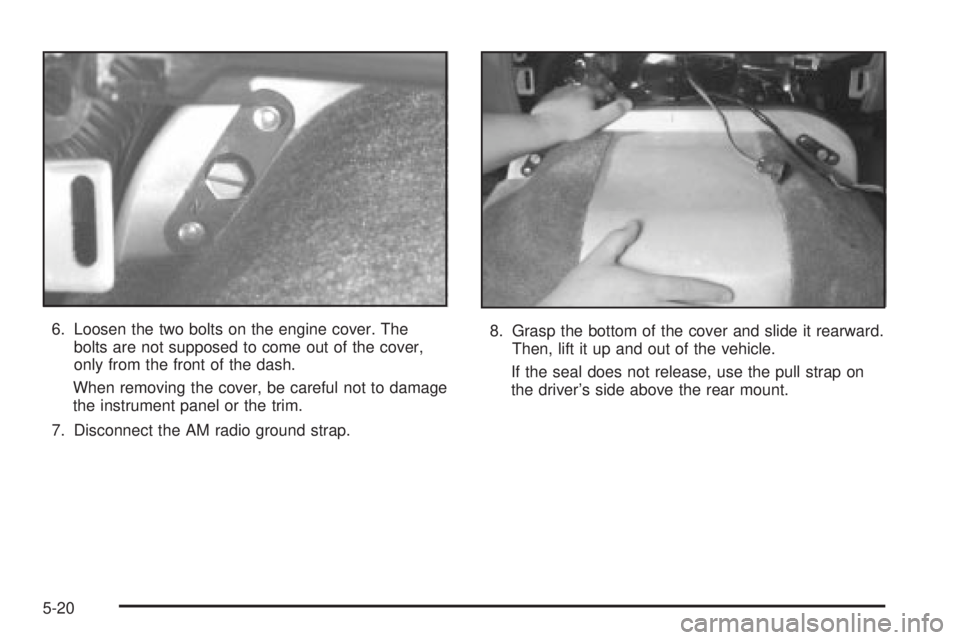
6. Loosen the two bolts on the engine cover. The
bolts are not supposed to come out of the cover,
only from the front of the dash.
When removing the cover, be careful not to damage
the instrument panel or the trim.
7. Disconnect the AM radio ground strap.8. Grasp the bottom of the cover and slide it rearward.
Then, lift it up and out of the vehicle.
If the seal does not release, use the pull strap on
the driver's side above the rear mount.
5-20
Page 242 of 382
Engine Overheating
You will ®nd an engine coolant temperature gage on
your vehicle's instrument panel. SeeEngine Coolant
Temperature Gage on page 3-30.
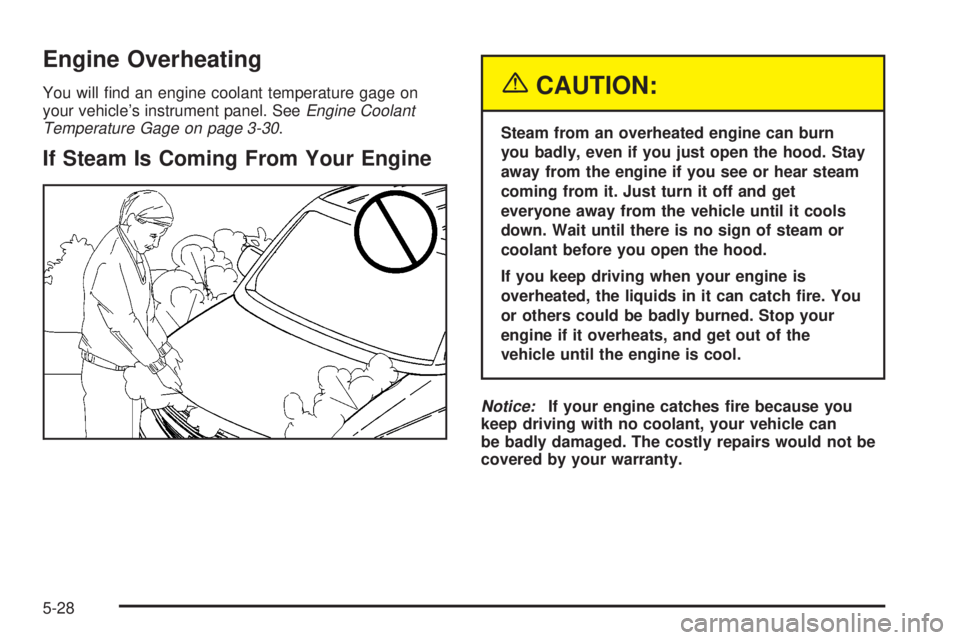
If Steam Is Coming From Your Engine
{CAUTION:
Steam from an overheated engine can burn
you badly, even if you just open the hood. Stay
away from the engine if you see or hear steam
coming from it. Just turn it off and get
everyone away from the vehicle until it cools
down. Wait until there is no sign of steam or
coolant before you open the hood.
If you keep driving when your engine is
overheated, the liquids in it can catch ®re. You
or others could be badly burned. Stop your
engine if it overheats, and get out of the
vehicle until the engine is cool.
Notice:If your engine catches ®re because you
keep driving with no coolant, your vehicle can
be badly damaged. The costly repairs would not be
covered by your warranty.
5-28
Page 303 of 382
Cleaning the Top of the Instrument
Panel
Use only mild soap and water to clean the top surfaces
of the instrument panel. Sprays containing silicones
or waxes may cause annoying re¯ections in the
windshield and even make it difficult to see through the
windshield under certain conditions.
Cleaning Interior Plastic Components
Use only a mild soap and water solution on a soft cloth
or sponge. Commercial cleaners may affect the
surface ®nish.
Cleaning Glass Surfaces
Glass should be cleaned often. GM Glass Cleaner or a
liquid household glass cleaner will remove normal
tobacco smoke and dust ®lms on interior glass. See
Vehicle Care/Appearance Materials on page 5-94.
Notice:If you use abrasive cleaners when cleaning
glass surfaces on your vehicle, you could scratch
the glass and/or cause damage to the rear window
defogger and the integrated radio antenna. When
cleaning the glass on your vehicle, use only a soft
cloth and glass cleaner.
Care of Safety Belts
Keep belts clean and dry.
{CAUTION:
Do not bleach or dye safety belts. If you do, it
may severely weaken them. In a crash, they
might not be able to provide adequate
protection. Clean safety belts only with mild
soap and lukewarm water.
Weatherstrips
Silicone grease on weatherstrips will make them last
longer, seal better, and not stick or squeak. Apply
silicone grease with a clean cloth at least every six
months. During very cold, damp weather more frequent
application may be required. See
Part D: Recommended
Fluids and Lubricants on page 6-30.
5-89
Page 309 of 382
Vehicle Identi®cation
Vehicle Identi®cation Number (VIN)
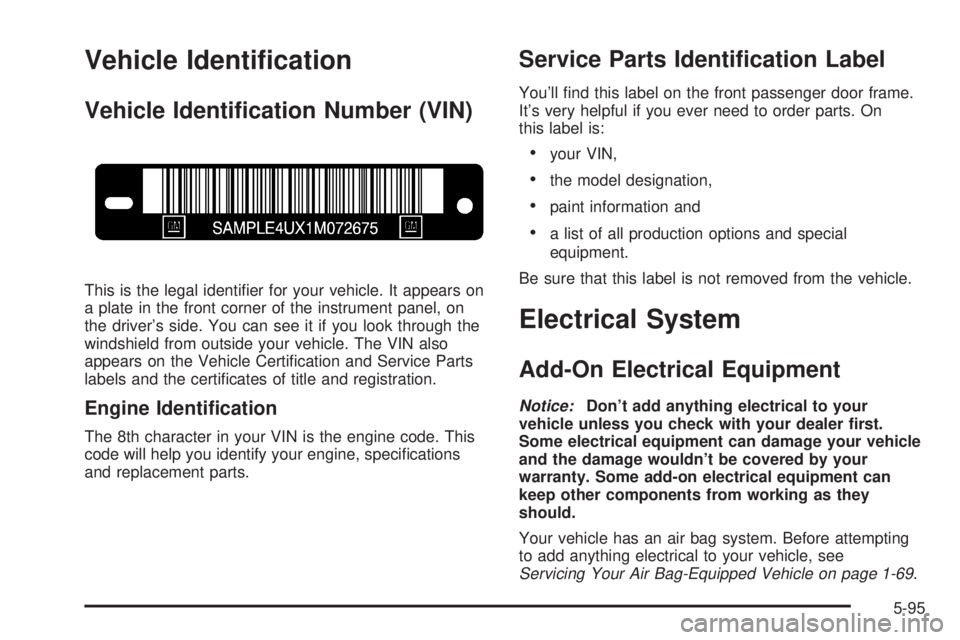
This is the legal identi®er for your vehicle. It appears on
a plate in the front corner of the instrument panel, on
the driver's side. You can see it if you look through the
windshield from outside your vehicle. The VIN also
appears on the Vehicle Certi®cation and Service Parts
labels and the certi®cates of title and registration.
Engine Identi®cation
The 8th character in your VIN is the engine code. This
code will help you identify your engine, speci®cations
and replacement parts.
Service Parts Identi®cation Label
You'll ®nd this label on the front passenger door frame.
It's very helpful if you ever need to order parts. On
this label is:
·your VIN,
·the model designation,
·paint information and
·a list of all production options and special
equipment.
Be sure that this label is not removed from the vehicle.
Electrical System
Add-On Electrical Equipment
Notice:Don't add anything electrical to your
vehicle unless you check with your dealer ®rst.
Some electrical equipment can damage your vehicle
and the damage wouldn't be covered by your
warranty. Some add-on electrical equipment can
keep other components from working as they
should.
Your vehicle has an air bag system. Before attempting
to add anything electrical to your vehicle, see
Servicing Your Air Bag-Equipped Vehicle on page 1-69.
5-95