air conditioning CHEVROLET ASTRO 2004 Owners Manual
[x] Cancel search | Manufacturer: CHEVROLET, Model Year: 2004, Model line: ASTRO, Model: CHEVROLET ASTRO 2004Pages: 382, PDF Size: 2.73 MB
Page 121 of 382
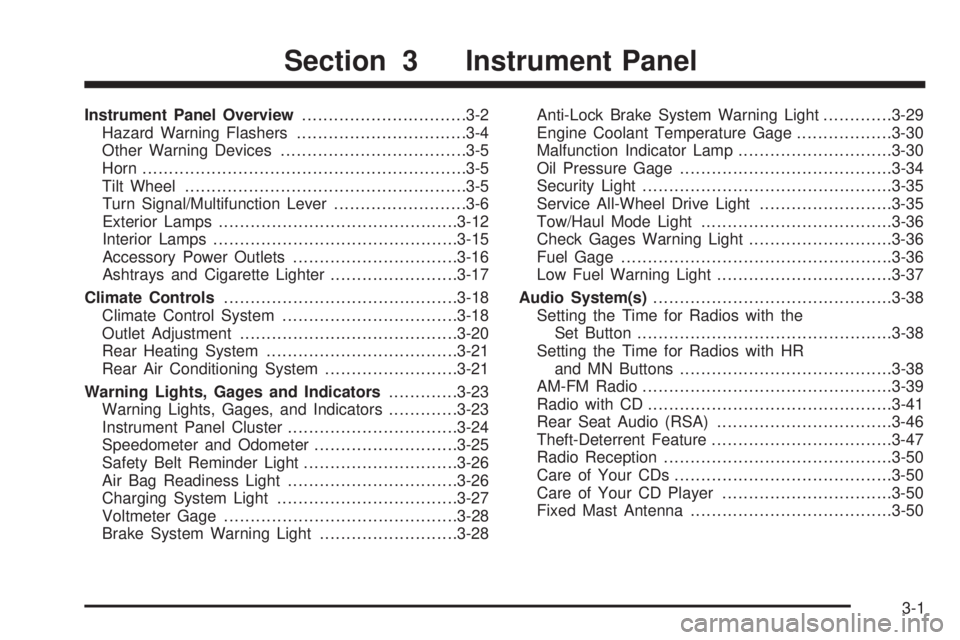
Instrument Panel Overview...............................3-2
Hazard Warning Flashers................................3-4
Other Warning Devices...................................3-5
Horn.............................................................3-5
Tilt Wheel.....................................................3-5
Turn Signal/Multifunction Lever.........................3-6
Exterior Lamps.............................................3-12
Interior Lamps..............................................3-15
Accessory Power Outlets...............................3-16
Ashtrays and Cigarette Lighter........................3-17
Climate Controls............................................3-18
Climate Control System.................................3-18
Outlet Adjustment.........................................3-20
Rear Heating System....................................3-21
Rear Air Conditioning System.........................3-21
Warning Lights, Gages and Indicators.............3-23
Warning Lights, Gages, and Indicators.............3-23
Instrument Panel Cluster................................3-24
Speedometer and Odometer...........................3-25
Safety Belt Reminder Light.............................3-26
Air Bag Readiness Light................................3-26
Charging System Light..................................3-27
Voltmeter Gage............................................3-28
Brake System Warning Light..........................3-28Anti-Lock Brake System Warning Light.............3-29
Engine Coolant Temperature Gage..................3-30
Malfunction Indicator Lamp.............................3-30
Oil Pressure Gage........................................3-34
Security Light...............................................3-35
Service All-Wheel Drive Light.........................3-35
Tow/Haul Mode Light....................................3-36
Check Gages Warning Light...........................3-36
Fuel Gage...................................................3-36
Low Fuel Warning Light.................................3-37
Audio System(s).............................................3-38
Setting the Time for Radios with the
Set Button................................................3-38
Setting the Time for Radios with HR
and MN Buttons........................................3-38
AM-FM Radio...............................................3-39
Radio with CD..............................................3-41
Rear Seat Audio (RSA).................................3-46
Theft-Deterrent Feature..................................3-47
Radio Reception...........................................3-50
Care of Your CDs.........................................3-50
Care of Your CD Player................................3-50
Fixed Mast Antenna......................................3-50
Section 3 Instrument Panel
3-1
Page 138 of 382
Climate Controls
Climate Control System
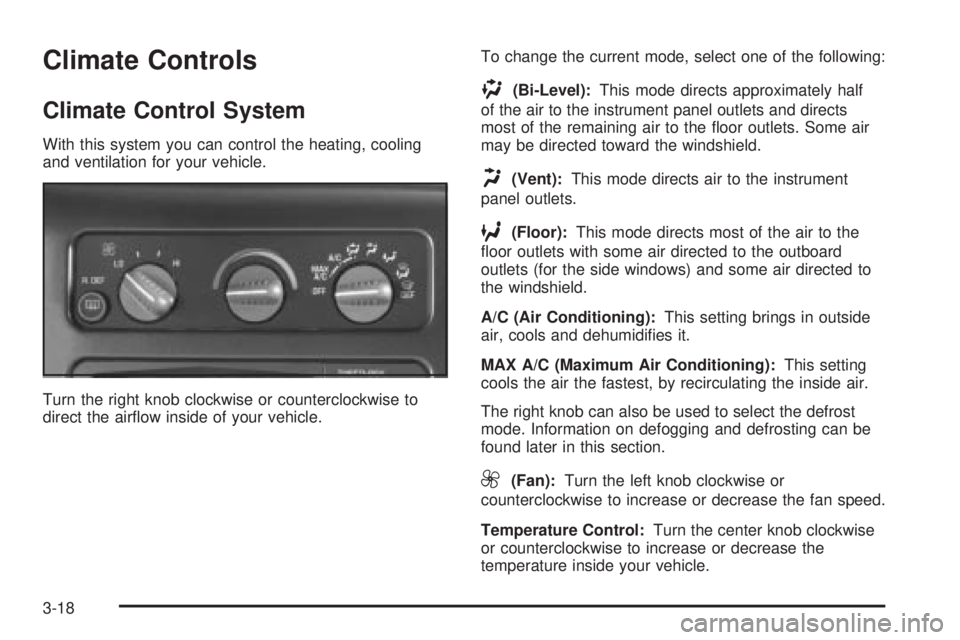
With this system you can control the heating, cooling
and ventilation for your vehicle.
Turn the right knob clockwise or counterclockwise to
direct the air¯ow inside of your vehicle.To change the current mode, select one of the following:
)(Bi-Level):This mode directs approximately half
of the air to the instrument panel outlets and directs
most of the remaining air to the ¯oor outlets. Some air
may be directed toward the windshield.
H(Vent):This mode directs air to the instrument
panel outlets.
6(Floor):This mode directs most of the air to the
¯oor outlets with some air directed to the outboard
outlets (for the side windows) and some air directed to
the windshield.
A/C (Air Conditioning):This setting brings in outside
air, cools and dehumidi®es it.
MAX A/C (Maximum Air Conditioning):This setting
cools the air the fastest, by recirculating the inside air.
The right knob can also be used to select the defrost
mode. Information on defogging and defrosting can be
found later in this section.
9(Fan):Turn the left knob clockwise or
counterclockwise to increase or decrease the fan speed.
Temperature Control:Turn the center knob clockwise
or counterclockwise to increase or decrease the
temperature inside your vehicle.
3-18
Page 139 of 382
Defogging and Defrosting
Turn the right knob to select the defog or defrost mode.
-(Blend):With this setting, the outside air comes
out of both the ¯oor and defroster outlets. Adjust
the temperature knob for warmer or cooler air. The air
conditioning compressor may operate in this setting
to dehumidfy the air.
1(Defrost):This setting operates the defroster. Most
of the air comes out near the windshield, with some
going to the ¯oor outlets and front side windows. The air
conditioning compressor may operate in this setting to
dehumidify the air.
The bi-level setting is useful for cold weather with a
large number of passengers or very humid conditions to
help keep the windshield clear. Use defrost to remove
fog or ice from the windshield quickly in extremely
cold conditions. The temperature knob should be in the
red area and the fan control toward high.
Rear Window Defogger
The rear window defogger uses a warming grid to
remove fog or frost from the rear window.
The rear window defogger will only work when the
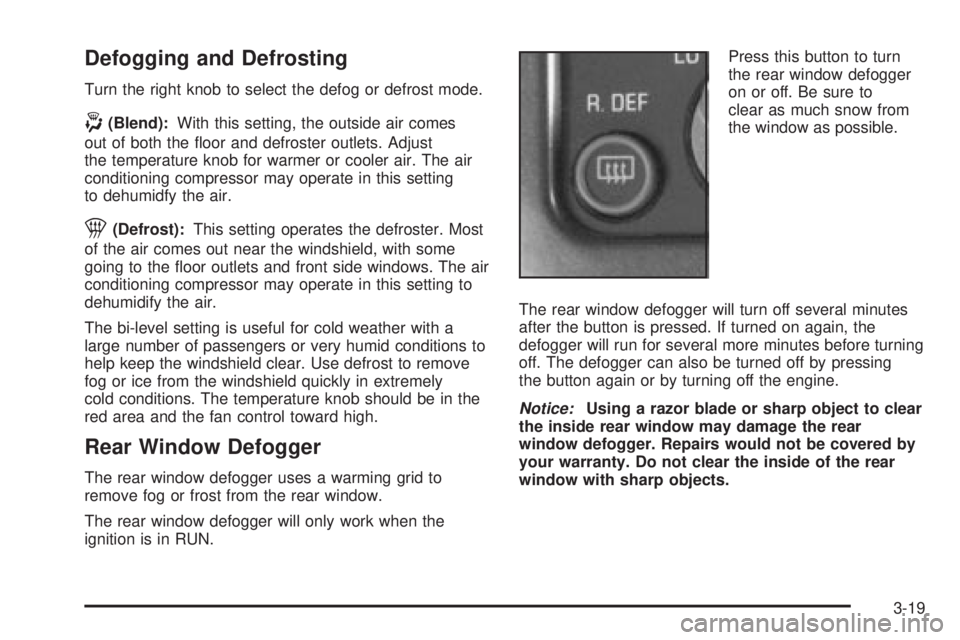
ignition is in RUN.Press this button to turn
the rear window defogger
on or off. Be sure to
clear as much snow from
the window as possible.
The rear window defogger will turn off several minutes
after the button is pressed. If turned on again, the
defogger will run for several more minutes before turning
off. The defogger can also be turned off by pressing
the button again or by turning off the engine.
Notice:Using a razor blade or sharp object to clear
the inside rear window may damage the rear
window defogger. Repairs would not be covered by
your warranty. Do not clear the inside of the rear
window with sharp objects.
3-19
Page 141 of 382
Rear Heating System
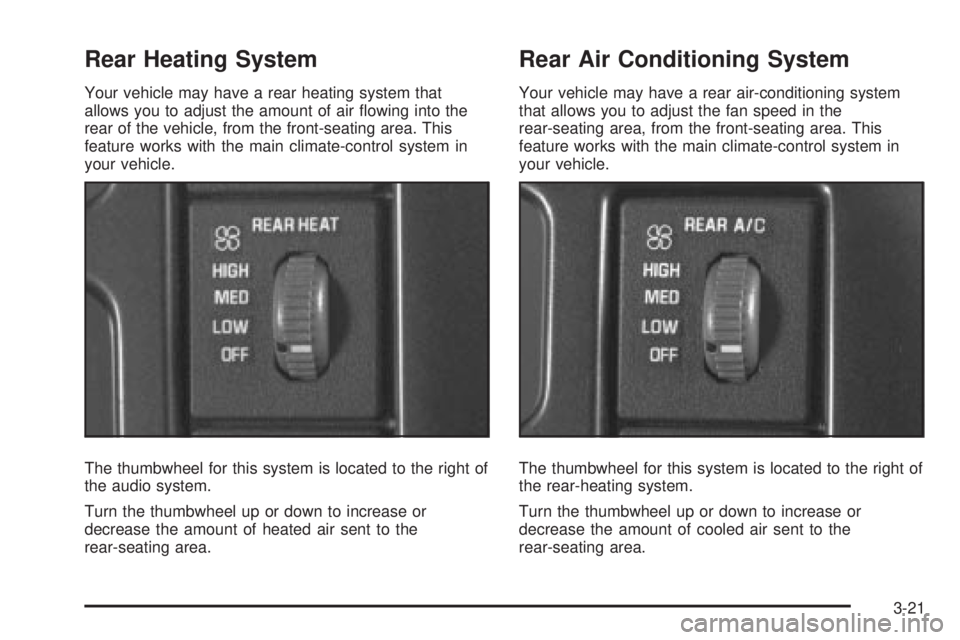
Your vehicle may have a rear heating system that
allows you to adjust the amount of air ¯owing into the
rear of the vehicle, from the front-seating area. This
feature works with the main climate-control system in
your vehicle.
The thumbwheel for this system is located to the right of
the audio system.
Turn the thumbwheel up or down to increase or
decrease the amount of heated air sent to the
rear-seating area.
Rear Air Conditioning System
Your vehicle may have a rear air-conditioning system
that allows you to adjust the fan speed in the
rear-seating area, from the front-seating area. This
feature works with the main climate-control system in
your vehicle.
The thumbwheel for this system is located to the right of
the rear-heating system.
Turn the thumbwheel up or down to increase or
decrease the amount of cooled air sent to the
rear-seating area.
3-21
Page 142 of 382
Directing the Air¯ow
To direct the air¯ow to the rear-seating area, use the
right knob located on the main climate-control panel.
Generally the upper outlets are used for air conditioning
and the ¯oor outlets are used for heating.
Selecting the Fan Speed
Rear Heat and Rear A/C
9(Fan):Move either thumbwheel on either climate
control panel up or down to HIGH, MED (Medium)
or LOW to increase or decrease the fan speed in the
rear-seating area. Move the thumbwheel to OFF to turn
off the fan.
Setting the Temperature
To increase or decrease the temperature for the entire
vehicle use the center knob located on the main
climate-control panel.
The air-conditioning system on the main climate-control
panel must be turned on to direct cooled air to the
rear of the vehicle. If it is not on, then the temperature
in the rear of the vehicle will remain at cabin
temperature.
Be sure to keep the area under the front seats clear of
any objects so that the air inside of your vehicle can
circulate effectively.
For information on how to use the main climate-control
system. For information on ventilation, see ªOutlet
Adjustmentº earlier in this section.
3-22
Page 277 of 382
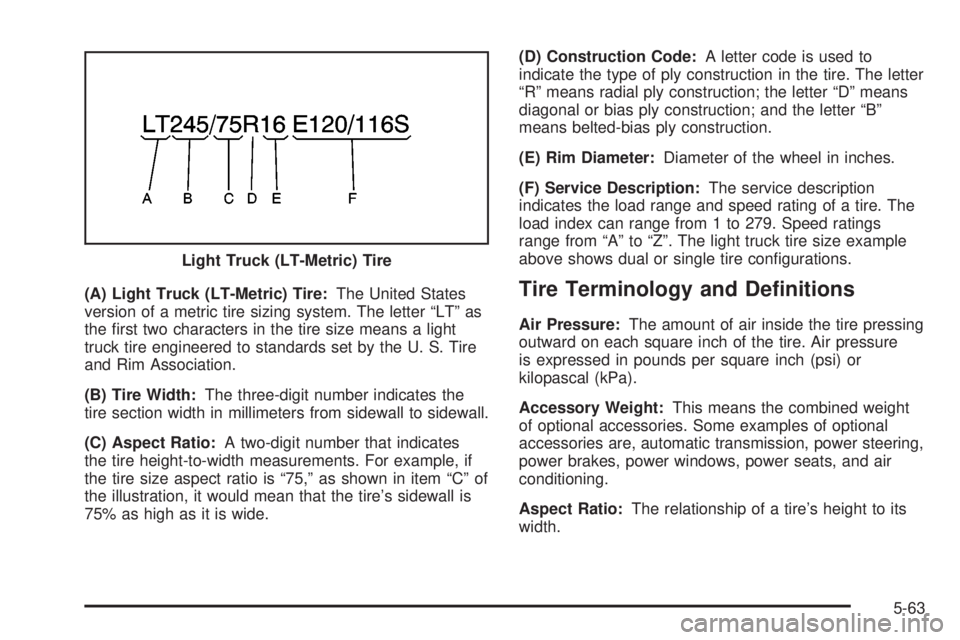
(A) Light Truck (LT-Metric) Tire:The United States
version of a metric tire sizing system. The letter ªLTº as
the ®rst two characters in the tire size means a light
truck tire engineered to standards set by the U. S. Tire
and Rim Association.
(B) Tire Width:The three-digit number indicates the
tire section width in millimeters from sidewall to sidewall.
(C) Aspect Ratio:A two-digit number that indicates
the tire height-to-width measurements. For example, if
the tire size aspect ratio is ª75,º as shown in item ªCº of
the illustration, it would mean that the tire's sidewall is
75% as high as it is wide.(D) Construction Code:A letter code is used to
indicate the type of ply construction in the tire. The letter
ªRº means radial ply construction; the letter ªDº means
diagonal or bias ply construction; and the letter ªBº
means belted-bias ply construction.
(E) Rim Diameter:Diameter of the wheel in inches.
(F) Service Description:The service description
indicates the load range and speed rating of a tire. The
load index can range from 1 to 279. Speed ratings
range from ªAº to ªZº. The light truck tire size example
above shows dual or single tire con®gurations.Tire Terminology and De®nitions
Air Pressure:The amount of air inside the tire pressing
outward on each square inch of the tire. Air pressure
is expressed in pounds per square inch (psi) or
kilopascal (kPa).
Accessory Weight:This means the combined weight
of optional accessories. Some examples of optional
accessories are, automatic transmission, power steering,
power brakes, power windows, power seats, and air
conditioning.
Aspect Ratio:The relationship of a tire's height to its
width. Light Truck (LT-Metric) Tire
5-63
Page 312 of 382

Fuse/Circuit
Breaker Usage
3 Courtesy Lamps, Glove Box Lamp,
Dome Reading Lamps, Vanity Mirror
Lamps, Courtesy Lamps
4 Daytime Running Lamps Relay,
Instrument Panel Cluster
5 Rear Defogger
6 Cruise Module, Truck Body Control
Module, Instrument Panel Cluster,
Cruise Control Switch,
Electrochromic Mirror
7 Power Outlets, Subwoofer Ampli®er
8 Crank Circuit Fuse, Park/Neutral
Switch, Starter Enabler Relay
9 License Plate Lamp, Tailamps,
Parking Lamps, Ashtray Lamp,
Panel Lights, Trailer Taillamps, Front
and Rear Sidemarker Lamps, Door
Switch Illumination, Headlamp
Switch Illumination, Rear Seat Audio
Illumination, Truck Body Control
Module
10 Air Bag System
11 Not UsedFuse/Circuit
Breaker Usage
12 Blower Motor, Rear Air Conditioning
Relay Coil, Front Cont. Temp. Door
Motor, HI Blower Relay, Defogger
Timer Coil
13 Cigarette Lighter, Door Lock
Switches, Dutch Door Release
Module
14 Cluster Illumination, Climate
Controls, Chime Module, Radio
Illumination, Rear Heat Switch
Illumination, Rear Wiper/Washer
Switch Illumination, Rear Liftgate
Switch Illumination, Remote
Cassette Illumination, Overhead
Console, Truck Body Control
Illumination
15 Truck Body Module, Headlamp
Relay
16 Front Turn Signals, Rear Turn
Signals, Trailer Turn Signals,
Back-Up Lamps, Brake
Transmission Shift Interlock Solenoid
17 Front Wipers, Front Washer Pump
5-98
Page 314 of 382
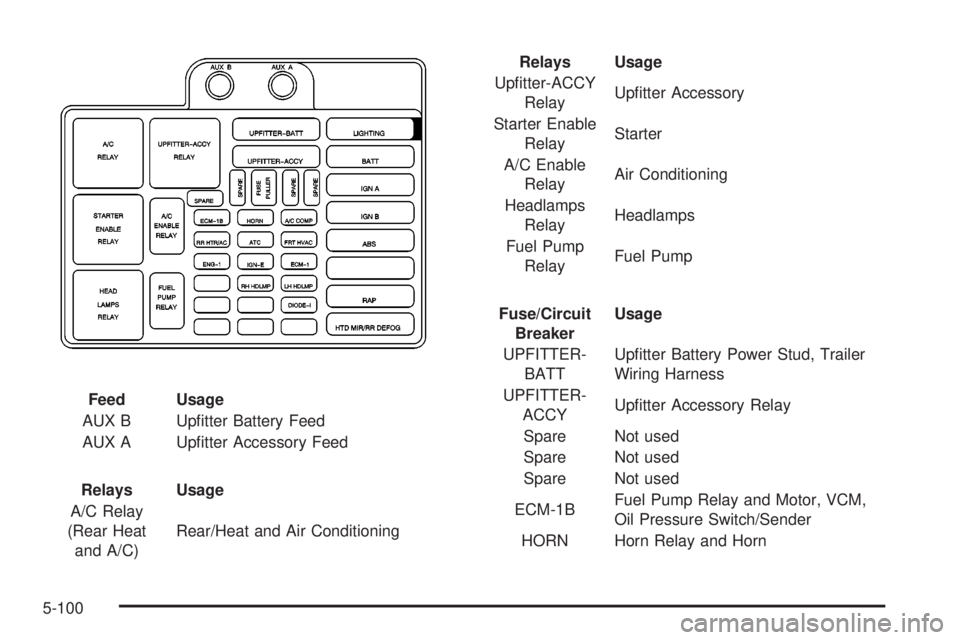
Feed Usage
AUX B Up®tter Battery Feed
AUX A Up®tter Accessory Feed
Relays Usage
A/C Relay
(Rear Heat
and A/C)Rear/Heat and Air ConditioningRelays Usage
Up®tter-ACCY
RelayUp®tter Accessory
Starter Enable
RelayStarter
A/C Enable
RelayAir Conditioning
Headlamps
RelayHeadlamps
Fuel Pump
RelayFuel Pump
Fuse/Circuit
BreakerUsage
UPFITTER-
BATTUp®tter Battery Power Stud, Trailer
Wiring Harness
UPFITTER-
ACCYUp®tter Accessory Relay
Spare Not used
Spare Not used
Spare Not used
ECM-1BFuel Pump Relay and Motor, VCM,
Oil Pressure Switch/Sender
HORN Horn Relay and Horn
5-100
Page 315 of 382
Fuse/Circuit
BreakerUsage
A/C COMPAir Conditioning Enable Relay and
Compressor
RR HTR/AC Rear Heater and Air Conditioning
ATC Active Transfer Case-L Van
FRT HVAC Front Heater and Air Conditioning
ENG-IOxygen Sensors, Camshaft Position
Sensor, Mass Air Flow Sensor,
Evaporative Emission Canister Vent
Solenoid
IGN-E Air Conditioning Enable Relay Coil
ECM-IFuel Injectors 1±6, Crankshaft
Position Sensot, VCM, Coil Driver
Module (EST), Ignition Coil
Blank Not Used
RH HDLMP Right Headlamp
LH Headlamp Left Headlamp
Blank Not Used
Blank Not UsedFuse/Circuit
BreakerUsage
DIODE-1 Air Conditioning
Blank Not Used
Blank Not Used
Blank Not Used
LIGHTINGCourtesy Fuse, Power Adjust
Mirrors Fuse, Truck Body Control
Battery Fuse
BATTPower Accessory Circuit Breaker,
Stop/Hazard Fuse, Auxiliary Power
Fuse, Cigarette Lighter Fuse, Radio
Battery Fuse
IGN A Starter Relay, Ignition Switch
IGN B Ignition Switch
ABSElectronic Brake
Control Module
Blank Not Used
RAP Radio Accessory, Power Windows
HTD MIR/RR
DEFOGRear Window Defogger,Climate
Control Head
5-101
Page 348 of 382
Part C: Periodic Maintenance
Inspections
Listed in this part are inspections and services which
should be performed at least twice a year (for instance,
each spring and fall).
You should let your dealer's
service department do these jobs. Make sure any
necessary repairs are completed at once.
Proper procedures to perform these services may be
found in a service manual. SeeService Publications
Ordering Information on page 7-11.
Steering, Suspension and Front
Drive Axle Boot and Seal Inspection
Inspect the front and rear suspension and steering
system for damaged, loose or missing parts, signs of
wear or lack of lubrication. Inspect the power steering
lines and hoses for proper hook-up, binding, leaks,
cracks, cha®ng, etc. Clean and then inspect the drive
axle boot seals for damage, tears or leakage. Replace
seals if necessary.
Exhaust System Inspection
Inspect the complete exhaust system. Inspect the body
near the exhaust system. Look for broken, damaged,
missing or out-of-position parts as well as open seams,
holes, loose connections or other conditions which
could cause a heat build-up in the ¯oor pan or could let
exhaust fumes into the vehicle. See
Engine Exhaust
on page 2-28.
Fuel System Inspection
Inspect the complete fuel system for damage or leaks.
Engine Cooling System Inspection
Inspect the hoses and have them replaced if they
are cracked, swollen or deteriorated. Inspect all pipes,
®ttings and clamps; replace as needed. Clean the
outside of the radiator and air conditioning condenser.
To help ensure proper operation, a pressure test of
the cooling system and pressure cap is recommended
at least once a year.
6-28