CHEVROLET ASTRO 2005 Owners Manual
Manufacturer: CHEVROLET, Model Year: 2005, Model line: ASTRO, Model: CHEVROLET ASTRO 2005Pages: 376, PDF Size: 2.45 MB
Page 111 of 376
Reprogramming a Single HomeLink®
Button
To program a device to HomeLink®using a HomeLink®
button previously trained, follow these steps:
1. Press and hold the desired HomeLink
®button.
Do not release the button.
2. The indicator light will begin to ash after
20 seconds. While still holding the HomeLink
®
button, proceed with Step 2 under “Programming
HomeLink®” shown earlier in this section.
Resetting Defaults
To reset HomeLink®to default settings do the following:
1. Hold down the two outside buttons for about
20 seconds until the indicator light begins to ash.
2. Continue to hold both buttons until the HomeLink
®
indicator light turns off.
3. Release both buttons.
For questions or comments, contact HomeLink
®
at 1-800-355-3515, or on the internet at
www.homelink.com.
Storage Areas
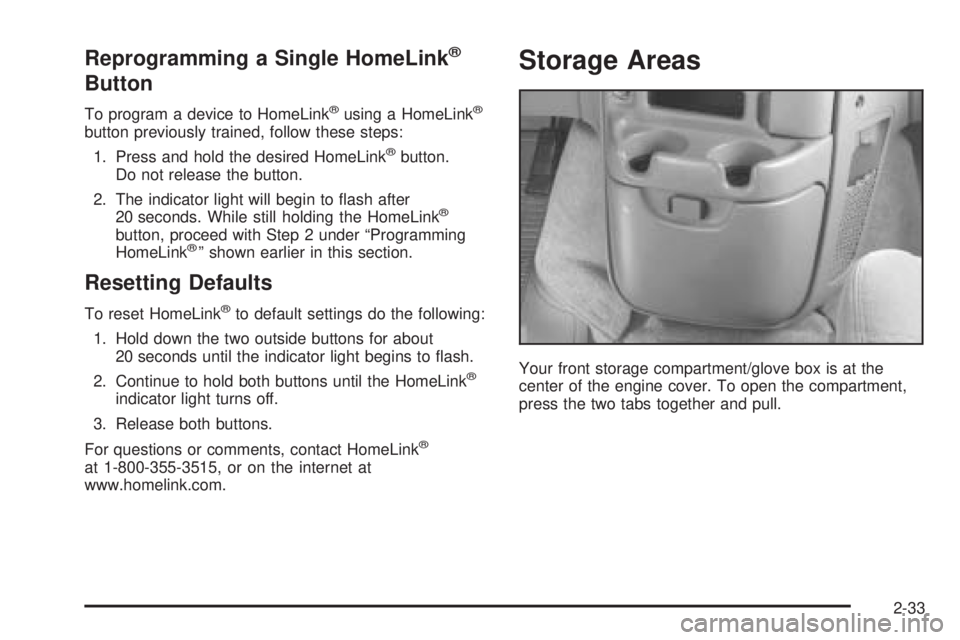
Your front storage compartment/glove box is at the
center of the engine cover. To open the compartment,
press the two tabs together and pull.
2-33
Page 112 of 376
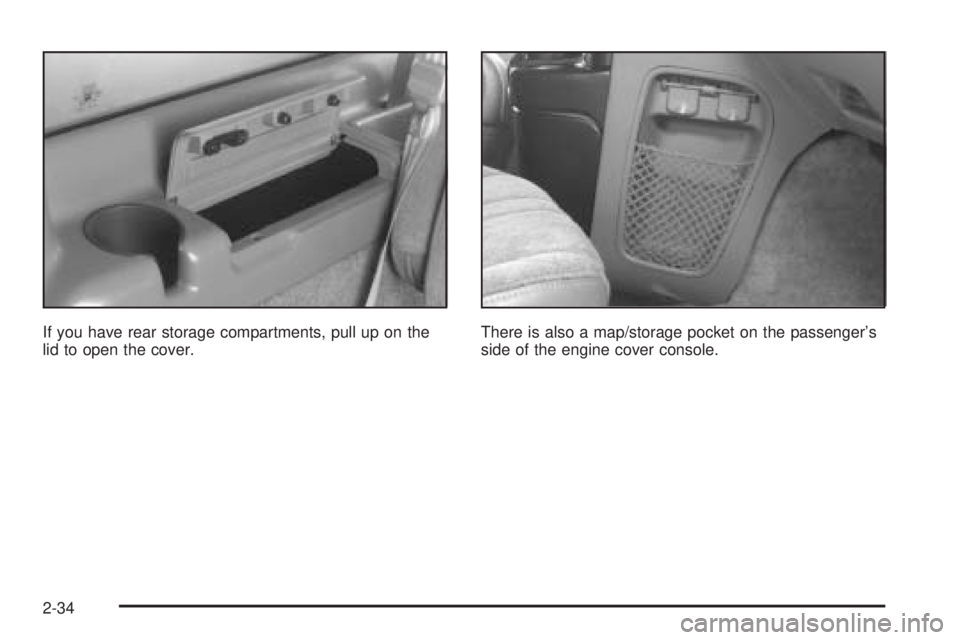
If you have rear storage compartments, pull up on the
lid to open the cover.There is also a map/storage pocket on the passenger’s
side of the engine cover console.
2-34
Page 113 of 376
Overhead Console
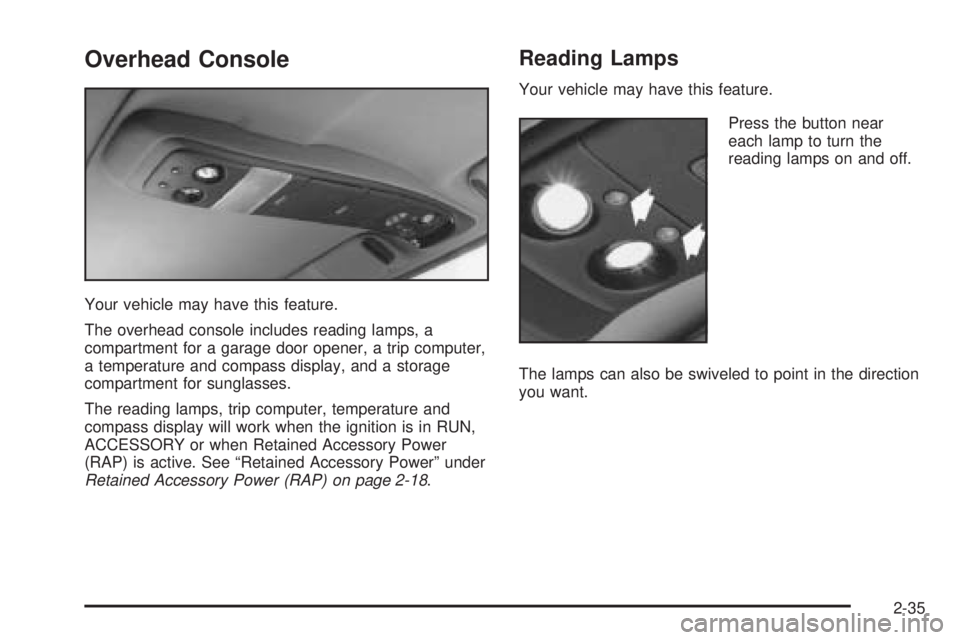
Your vehicle may have this feature.
The overhead console includes reading lamps, a
compartment for a garage door opener, a trip computer,
a temperature and compass display, and a storage
compartment for sunglasses.
The reading lamps, trip computer, temperature and
compass display will work when the ignition is in RUN,
ACCESSORY or when Retained Accessory Power
(RAP) is active. See “Retained Accessory Power” under
Retained Accessory Power (RAP) on page 2-18.
Reading Lamps
Your vehicle may have this feature.
Press the button near
each lamp to turn the
reading lamps on and off.
The lamps can also be swiveled to point in the direction
you want.
2-35
Page 114 of 376
Installing a Garage Door Opener
If you have a garage door opener, the front overhead
compartment can be used to conveniently store the
opener.
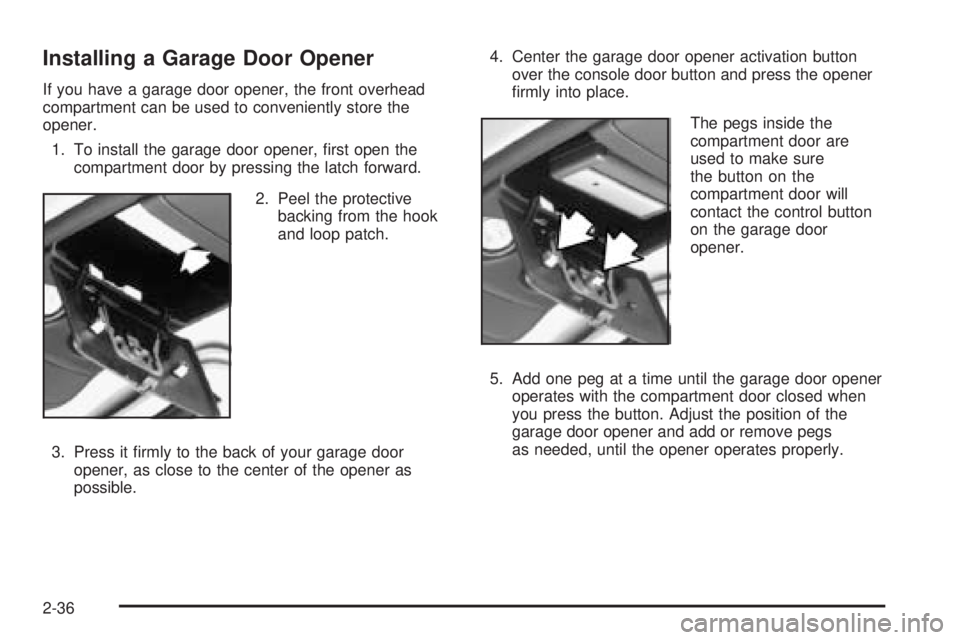
1. To install the garage door opener, rst open the
compartment door by pressing the latch forward.
2. Peel the protective
backing from the hook
and loop patch.
3. Press it rmly to the back of your garage door
opener, as close to the center of the opener as
possible.4. Center the garage door opener activation button
over the console door button and press the opener
rmly into place.
The pegs inside the
compartment door are
used to make sure
the button on the
compartment door will
contact the control button
on the garage door
opener.
5. Add one peg at a time until the garage door opener
operates with the compartment door closed when
you press the button. Adjust the position of the
garage door opener and add or remove pegs
as needed, until the opener operates properly.
2-36
Page 115 of 376
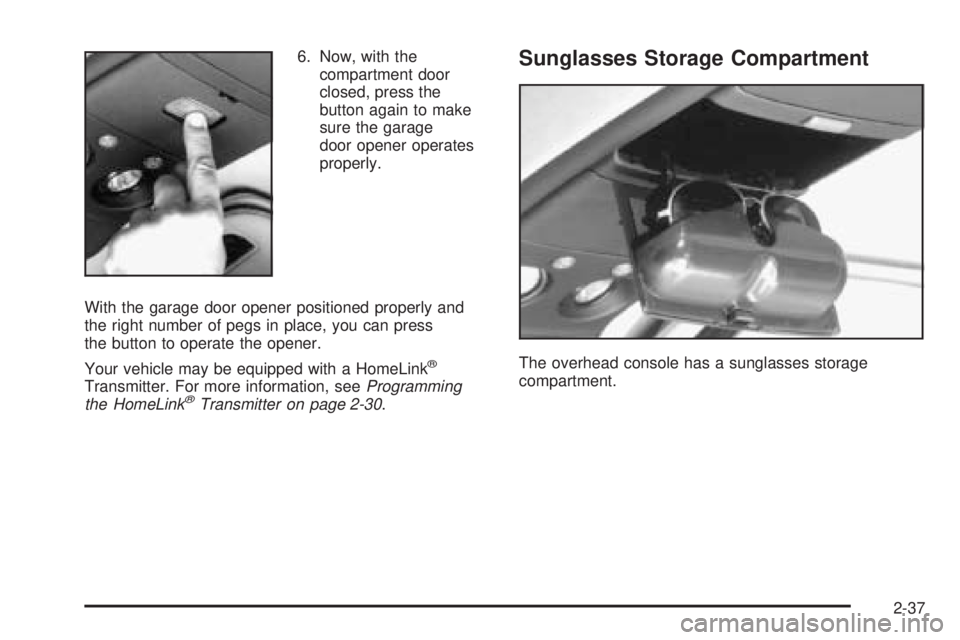
6. Now, with the
compartment door
closed, press the
button again to make
sure the garage
door opener operates
properly.
With the garage door opener positioned properly and
the right number of pegs in place, you can press
the button to operate the opener.
Your vehicle may be equipped with a HomeLink
®
Transmitter. For more information, seeProgramming
the HomeLink®Transmitter on page 2-30.
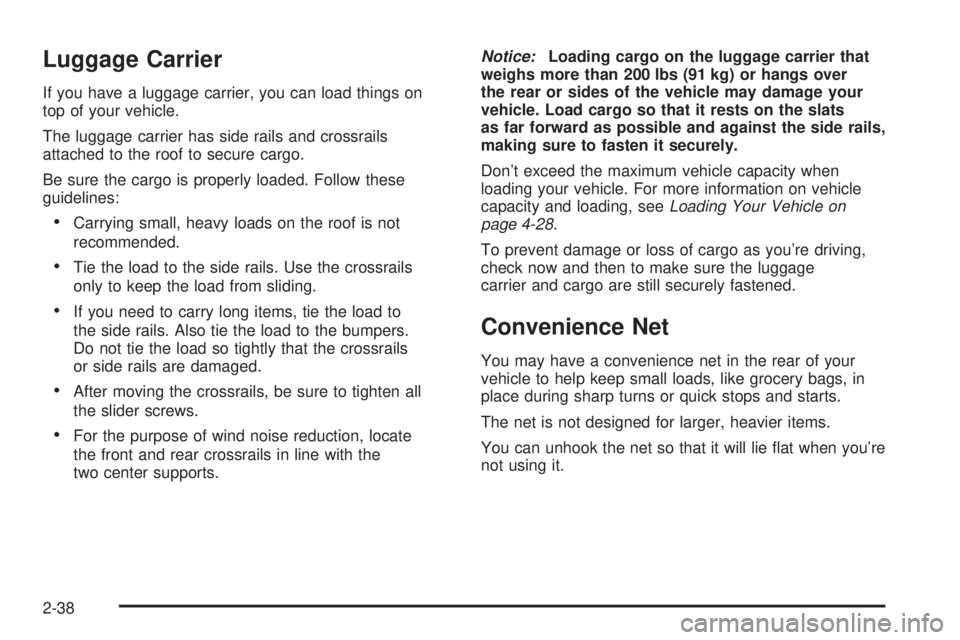
Sunglasses Storage Compartment
The overhead console has a sunglasses storage
compartment.
2-37
Page 116 of 376
Luggage Carrier
If you have a luggage carrier, you can load things on
top of your vehicle.
The luggage carrier has side rails and crossrails
attached to the roof to secure cargo.
Be sure the cargo is properly loaded. Follow these
guidelines:
Carrying small, heavy loads on the roof is not
recommended.
Tie the load to the side rails. Use the crossrails
only to keep the load from sliding.
If you need to carry long items, tie the load to
the side rails. Also tie the load to the bumpers.
Do not tie the load so tightly that the crossrails
or side rails are damaged.
After moving the crossrails, be sure to tighten all
the slider screws.
For the purpose of wind noise reduction, locate
the front and rear crossrails in line with the
two center supports.Notice:Loading cargo on the luggage carrier that
weighs more than 200 lbs (91 kg) or hangs over
the rear or sides of the vehicle may damage your
vehicle. Load cargo so that it rests on the slats
as far forward as possible and against the side rails,
making sure to fasten it securely.
Don’t exceed the maximum vehicle capacity when
loading your vehicle. For more information on vehicle
capacity and loading, seeLoading Your Vehicle on
page 4-28.
To prevent damage or loss of cargo as you’re driving,
check now and then to make sure the luggage
carrier and cargo are still securely fastened.
Convenience Net
You may have a convenience net in the rear of your
vehicle to help keep small loads, like grocery bags, in
place during sharp turns or quick stops and starts.
The net is not designed for larger, heavier items.
You can unhook the net so that it will lie at when you’re
not using it.
2-38
Page 117 of 376
Instrument Panel Overview...............................3-4
Hazard Warning Flashers................................3-6
Other Warning Devices...................................3-6
Horn.............................................................3-6
Tilt Wheel.....................................................3-6
Turn Signal/Multifunction Lever.........................3-7
Turn and Lane-Change Signals........................3-7
Headlamp High/Low-Beam Changer..................3-8
Flash-to-Pass.................................................3-8
Windshield Wipers..........................................3-9
Windshield Washer.......................................3-10
Cruise Control..............................................3-11
Exterior Lamps.............................................3-14
Headlamps on Reminder................................3-14
Daytime Running Lamps (DRL).......................3-15
Automatic Headlamp System..........................3-16
Instrument Panel Brightness...........................3-16
Dome Lamps...............................................3-16
Entry Lighting...............................................3-17
Exit Lighting.................................................3-17
Battery Run-Down Protection..........................3-17
Accessory Power Outlets...............................3-17
Ashtrays and Cigarette Lighter........................3-18Climate Controls............................................3-19
Climate Control System.................................3-19
Outlet Adjustment.........................................3-21
Rear Heating System....................................3-21
Rear Air Conditioning System.........................3-22
Warning Lights, Gages, and Indicators............3-23
Instrument Panel Cluster................................3-24
Speedometer and Odometer...........................3-25
Trip Odometer..............................................3-25
Safety Belt Reminder Light.............................3-25
Airbag Readiness Light..................................3-26
Charging System Light..................................3-27
Voltmeter Gage............................................3-27
Brake System Warning Light..........................3-28
Anti-Lock Brake System Warning Light.............3-29
Engine Coolant Temperature Gage..................3-29
Malfunction Indicator Lamp.............................3-30
Oil Pressure Gage........................................3-33
Security Light...............................................3-34
Highbeam On Light.......................................3-34
Service All-Wheel Drive Light.........................3-34
Tow/Haul Mode Light....................................3-35
Check Gages Warning Light...........................3-35
Fuel Gage...................................................3-36
Low Fuel Warning Light.................................3-36
Section 3 Instrument Panel
3-1
Page 118 of 376
Driver Information Center (DIC).......................3-37
Audio System(s).............................................3-39
Setting the Time for Radios with the
Set Button................................................3-40
Setting the Time for Radios with
HR and MN Buttons..................................3-40
AM-FM Radio...............................................3-40Radio with CD..............................................3-42
Rear Seat Audio (RSA).................................3-46
Theft-Deterrent Feature..................................3-48
Radio Reception...........................................3-50
Care of Your CDs.........................................3-50
Care of Your CD Player................................3-50
Fixed Mast Antenna......................................3-50
Section 3 Instrument Panel
3-2
Page 119 of 376

✍NOTES
3-3
Page 120 of 376
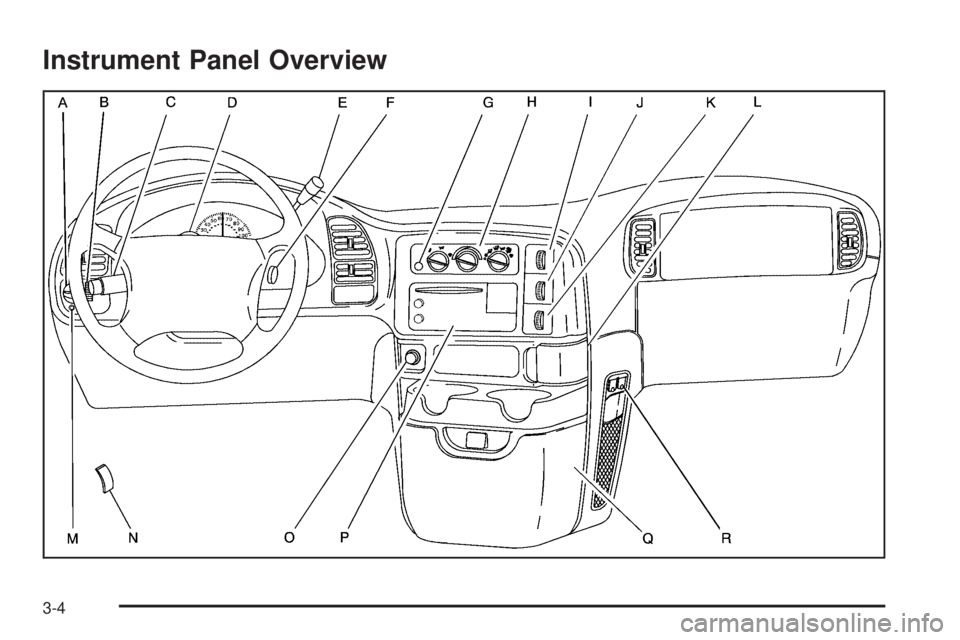
Instrument Panel Overview
3-4