change wheel CHEVROLET ASTRO 2005 User Guide
[x] Cancel search | Manufacturer: CHEVROLET, Model Year: 2005, Model line: ASTRO, Model: CHEVROLET ASTRO 2005Pages: 376, PDF Size: 2.45 MB
Page 208 of 376
Following Distance
Stay at least twice as far behind the vehicle ahead as
you would when driving your vehicle without a trailer.
This can help you avoid situations that require
heavy braking and sudden turns.
Passing
You’ll need more passing distance up ahead when
you’re towing a trailer. And, because you’re a good
deal longer, you’ll need to go much farther beyond the
passed vehicle before you can return to your lane.
Backing Up
Hold the bottom of the steering wheel with one hand.
Then, to move the trailer to the left, just move that hand
to the left. To move the trailer to the right, move your
hand to the right. Always back up slowly and, if possible,
have someone guide you.
Making Turns
Notice:Making very sharp turns while trailering
could cause the trailer to come in contact with the
vehicle. Your vehicle could be damaged. Avoid
making very sharp turns while trailering.
When you’re turning with a trailer, make wider turns than
normal. Do this so your trailer won’t strike soft shoulders,
curbs, road signs, trees or other objects. Avoid jerky or
sudden maneuvers. Signal well in advance.
Turn Signals When Towing a Trailer
When you tow a trailer, your vehicle has to have extra
wiring (included in the optional trailering package).
The arrows on your instrument panel will ash whenever
you signal a turn or lane change. Properly hooked up,
the trailer lamps will also ash, telling other drivers
you’re about to turn, change lanes or stop.
When towing a trailer, the arrows on your instrument
panel will ash for turns even if the bulbs on the trailer
are burned out. Thus, you may think drivers behind
you are seeing your signal when they are not. It’s
important to check occasionally to be sure the trailer
bulbs are still working.
4-42
Page 253 of 376
{CAUTION:
The brake wear warning sound means that
soon your brakes will not work well. That
could lead to an accident. When you hear the
brake wear warning sound, have your vehicle
serviced.
Notice:Continuing to drive with worn-out brake
pads could result in costly brake repair.
Some driving conditions or climates may cause a brake
squeal when the brakes are rst applied or lightly
applied. This does not mean something is wrong with
your brakes.
Properly torqued wheel nuts are necessary to help
prevent brake pulsation. When tires are rotated, inspect
brake pads for wear and evenly tighten wheel nuts in
the proper sequence to GM torque specications.
Brake linings should always be replaced as complete
axle sets.
SeeBrake System Inspection on page 6-29.
Brake Pedal Travel
See your dealer if the brake pedal does not return to
normal height, or if there is a rapid increase in
pedal travel. This could be a sign of brake trouble.
Brake Adjustment
Every time you make a brake stop, your disc brakes
adjust for wear.
Replacing Brake System Parts
The braking system on a vehicle is complex. Its many
parts have to be of top quality and work well together if
the vehicle is to have really good braking. Your
vehicle was designed and tested with top-quality GM
brake parts. When you replace parts of your braking
system — for example, when your brake linings
wear down and you need new ones put in — be sure
you get new approved GM replacement parts. If you do
not, your brakes may no longer work properly. For
example, if someone puts in brake linings that are wrong
for your vehicle, the balance between your front and
rear brakes can change — for the worse. The braking
performance you have come to expect can change
in many other ways if someone puts in the wrong
replacement brake parts.
5-41
Page 278 of 376
After the tires have been rotated, adjust the front and
rear ination pressures as shown on the Tire and
Loading Information label. SeeInation - Tire Pressure
on page 5-64andLoading Your Vehicle on page 4-28.
Make certain that all wheel nuts are properly tightened.
See “Wheel Nut Torque” underCapacities and
Specications on page 5-101.
{CAUTION:
Rust or dirt on a wheel, or on the parts to
which it is fastened, can make wheel nuts
become loose after a time. The wheel could
come off and cause an accident. When you
change a wheel, remove any rust or dirt from
places where the wheel attaches to the vehicle.
In an emergency, you can use a cloth or a
paper towel to do this; but be sure to use a
scraper or wire brush later, if you need to, to
get all the rust or dirt off. SeeChanging a Flat
Tire on page 5-72.
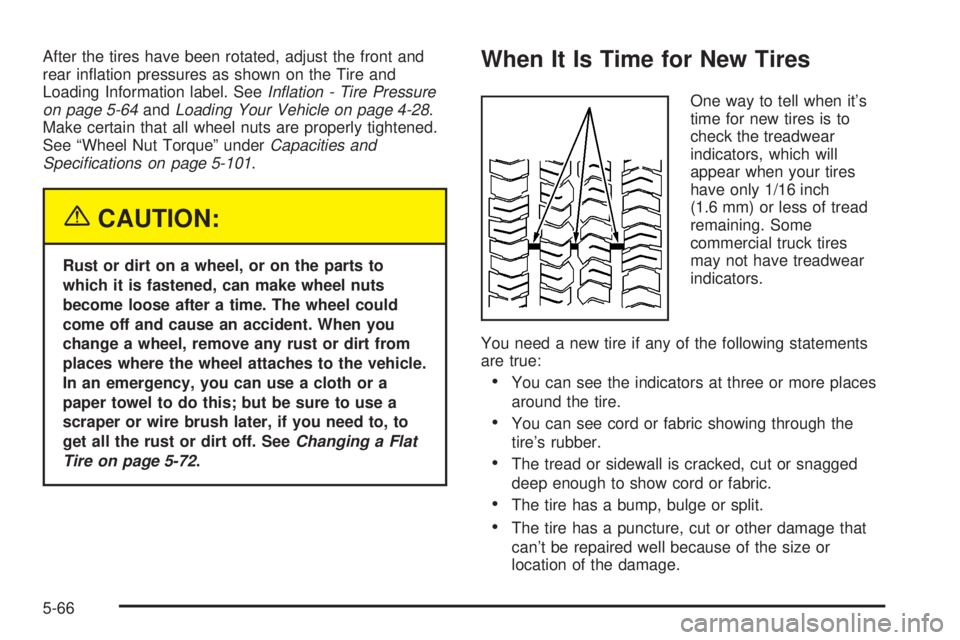
When It Is Time for New Tires
One way to tell when it’s
time for new tires is to
check the treadwear
indicators, which will
appear when your tires
have only 1/16 inch
(1.6 mm) or less of tread
remaining. Some
commercial truck tires
may not have treadwear
indicators.
You need a new tire if any of the following statements
are true:
You can see the indicators at three or more places
around the tire.
You can see cord or fabric showing through the
tire’s rubber.
The tread or sidewall is cracked, cut or snagged
deep enough to show cord or fabric.
The tire has a bump, bulge or split.
The tire has a puncture, cut or other damage that
can’t be repaired well because of the size or
location of the damage.
5-66
Page 284 of 376
A rear blowout, particularly on a curve, acts much like a
skid and may require the same correction you’d use
in a skid. In any rear blowout, remove your foot from the
accelerator pedal. Get the vehicle under control by
steering the way you want the vehicle to go. It may be
very bumpy and noisy, but you can still steer. Gently
brake to a stop, well off the road if possible.
{CAUTION:
Lifting a vehicle and getting under it to do
maintenance or repairs is dangerous without
the appropriate safety equipment and training.
The jack provided with your vehicle is designed
only for changing a at tire. If it is used for
anything else, you or others could be badly
injured or killed if the vehicle slips off the jack.
Use the jack provided with your vehicle only
for changing a at tire.
If a tire goes at, the next part shows how to use your
jacking equipment to change a at tire safely.
Changing a Flat Tire
If a tire goes at, avoid further tire and wheel damage
by driving slowly to a level place. Turn on your
hazard warning ashers.
{CAUTION:
Changing a tire can be dangerous. The vehicle
can slip off the jack and roll over or fall on you
or other people. You and they could be badly
injured or even killed. Find a level place to
change your tire. To help prevent the vehicle
from moving:
1. Set the parking brake rmly.
2. Put the shift lever in PARK (P).
3. Turn off the engine and do not restart
while the vehicle is raised.
4. Do not allow passengers to remain in
the vehicle.
CAUTION: (Continued)
5-72
Page 285 of 376
CAUTION: (Continued)
To be even more certain the vehicle will not
move, you should put blocks at the front and
rear of the tire farthest away from the one
being changed. That would be the tire, on the
other side, at the opposite end of the vehicle.
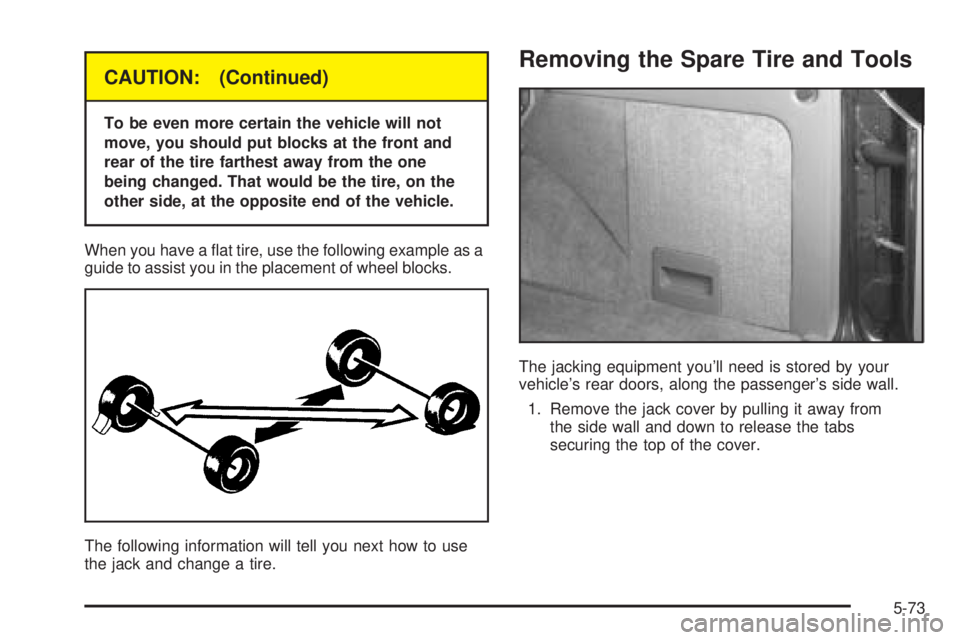
When you have a at tire, use the following example as a
guide to assist you in the placement of wheel blocks.
The following information will tell you next how to use
the jack and change a tire.
Removing the Spare Tire and Tools
The jacking equipment you’ll need is stored by your
vehicle’s rear doors, along the passenger’s side wall.
1. Remove the jack cover by pulling it away from
the side wall and down to release the tabs
securing the top of the cover.
5-73
Page 289 of 376
If the wheel has a smooth center piece, place the chisel
end of the wheel wrench in the slot on the wheel and
gently pry it out.
1. Before you start, block the front and rear of the tire
farthest away from the one being changed. Then
put your compact spare tire near the at tire.
{CAUTION:
Getting under a vehicle when it is jacked up is
dangerous. If the vehicle slips off the jack you
could be badly injured or killed. Never get under
a vehicle when it is supported only by a jack.
{CAUTION:
Raising your vehicle with the jack improperly
positioned can damage the vehicle and even
make the vehicle fall. To help avoid personal
injury and vehicle damage, be sure to t the
jack lift head into the proper location before
raising the vehicle.2. With the DOWN side facing you, turn the ratchet
and socket to loosen all the wheel nuts
counterclockwise. Don’t remove them yet.
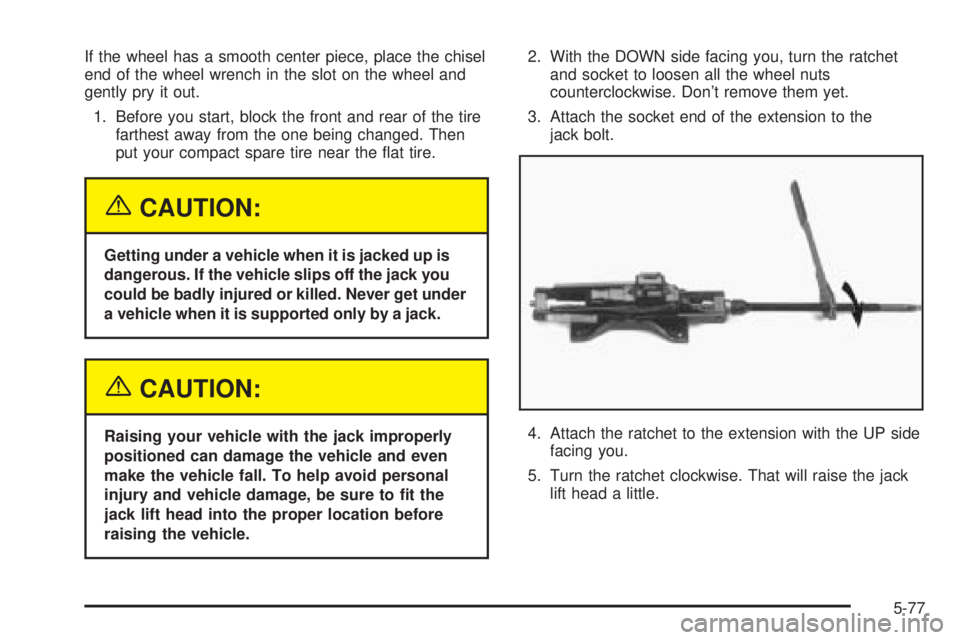
3. Attach the socket end of the extension to the
jack bolt.
4. Attach the ratchet to the extension with the UP side
facing you.
5. Turn the ratchet clockwise. That will raise the jack
lift head a little.
5-77
Page 292 of 376
8. Remove all the wheel nuts and take off the at tire.
{CAUTION:
Rust or dirt on the wheel, or on the parts to
which it is fastened, can make the wheel nuts
become loose after a time. The wheel could
come off and cause an accident. When you
change a wheel, remove any rust or dirt from
the places where the wheel attaches to the
vehicle. In an emergency, you can use a cloth
or a paper towel to do this; but be sure to use
a scraper or wire brush later, if you need to,
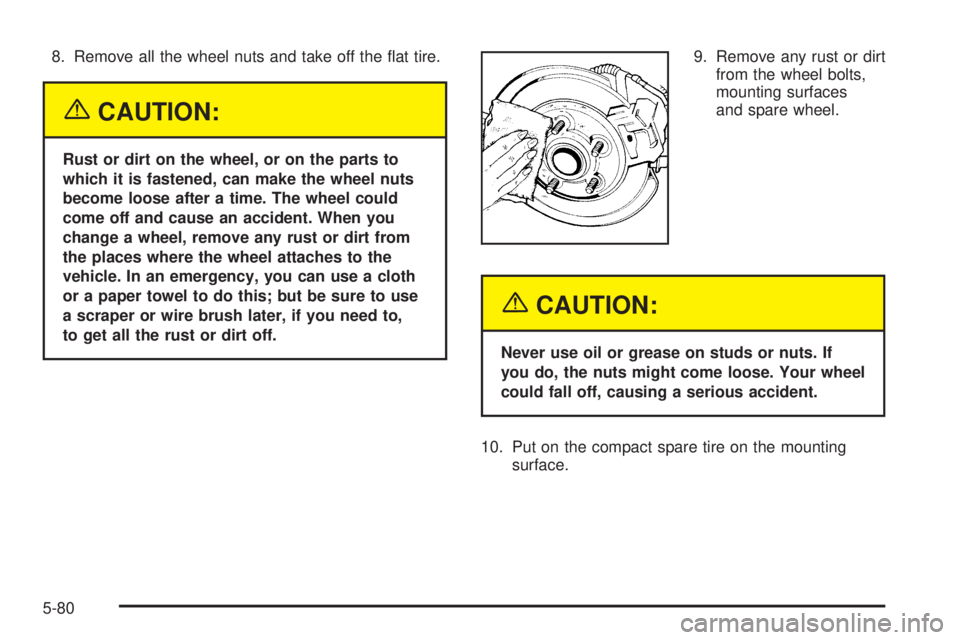
to get all the rust or dirt off.9. Remove any rust or dirt
from the wheel bolts,
mounting surfaces
and spare wheel.
{CAUTION:
Never use oil or grease on studs or nuts. If
you do, the nuts might come loose. Your wheel
could fall off, causing a serious accident.
10. Put on the compact spare tire on the mounting
surface.
5-80
Page 319 of 376
Selecting the Right Schedule
First you will need to decide which of the two schedules
is right for your vehicle. Here is how to decide which
schedule to follow:
Short Trip/City Denition
Follow the Short Trip/City Scheduled Maintenance if any
one of these conditions is true for your vehicle:
Most trips are less than 5 miles (8 km). This is
particularly important when outside temperatures
are below freezing.
Most trips include extensive idling, such as frequent
driving in stop-and-go traffic.
You frequently tow a trailer or use a carrier on top
of your vehicle.
If the vehicle is used for delivery service, police,
taxi, or other commercial application.
One of the reasons you should follow this schedule if
you operate your vehicle under any of these conditions
is that these conditions cause engine oil to break
down sooner.
Short Trip/City Intervals
Every 3,000 Miles (5 000 km):Engine Oil and Filter
Change (or 3 months, whichever occurs rst). Chassis
Lubrication (or 3 months, whichever occurs rst).
Every 6,000 Miles (10 000 km):Tire Rotation.
Every 15,000 Miles (25 000 km):Engine Air Cleaner
Filter Inspection. Front Wheel Bearing Repack
(two–wheel drive only) (or at each brake relining,
whichever occurs rst). Automatic Transmission Service
(severe conditions only).
Every 30,000 Miles (50 000 km):Fuel Filter
Replacement.
Every 45,000 Miles (75 000 km):Engine Air Cleaner
Filter Replacement.
Every 50,000 Miles (83 000 km):Automatic
Transmission Service (normal conditions). Transfer
Case Fluid Change.
Every 100,000 Miles (166 000 km):Spark Plug
Wire Inspection. Spark Plug Replacement. Positive
Crankcase Ventilation (PCV) Valve Inspection.
6-5
Page 320 of 376
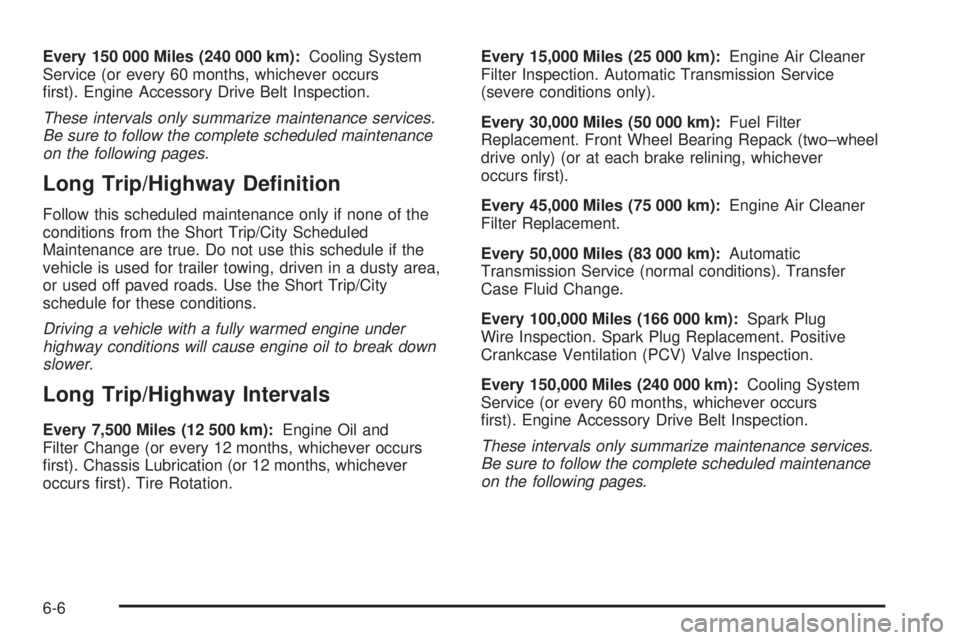
Every 150 000 Miles (240 000 km):Cooling System
Service (or every 60 months, whichever occurs
rst). Engine Accessory Drive Belt Inspection.
These intervals only summarize maintenance services.
Be sure to follow the complete scheduled maintenance
on the following pages.
Long Trip/Highway Denition
Follow this scheduled maintenance only if none of the
conditions from the Short Trip/City Scheduled
Maintenance are true. Do not use this schedule if the
vehicle is used for trailer towing, driven in a dusty area,
or used off paved roads. Use the Short Trip/City
schedule for these conditions.
Driving a vehicle with a fully warmed engine under
highway conditions will cause engine oil to break down
slower.
Long Trip/Highway Intervals
Every 7,500 Miles (12 500 km):Engine Oil and
Filter Change (or every 12 months, whichever occurs
rst). Chassis Lubrication (or 12 months, whichever
occurs rst). Tire Rotation.Every 15,000 Miles (25 000 km):Engine Air Cleaner
Filter Inspection. Automatic Transmission Service
(severe conditions only).
Every 30,000 Miles (50 000 km):Fuel Filter
Replacement. Front Wheel Bearing Repack (two–wheel
drive only) (or at each brake relining, whichever
occurs rst).
Every 45,000 Miles (75 000 km):Engine Air Cleaner
Filter Replacement.
Every 50,000 Miles (83 000 km):Automatic
Transmission Service (normal conditions). Transfer
Case Fluid Change.
Every 100,000 Miles (166 000 km):Spark Plug
Wire Inspection. Spark Plug Replacement. Positive
Crankcase Ventilation (PCV) Valve Inspection.
Every 150,000 Miles (240 000 km):Cooling System
Service (or every 60 months, whichever occurs
rst). Engine Accessory Drive Belt Inspection.
These intervals only summarize maintenance services.
Be sure to follow the complete scheduled maintenance
on the following pages.
6-6
Page 322 of 376
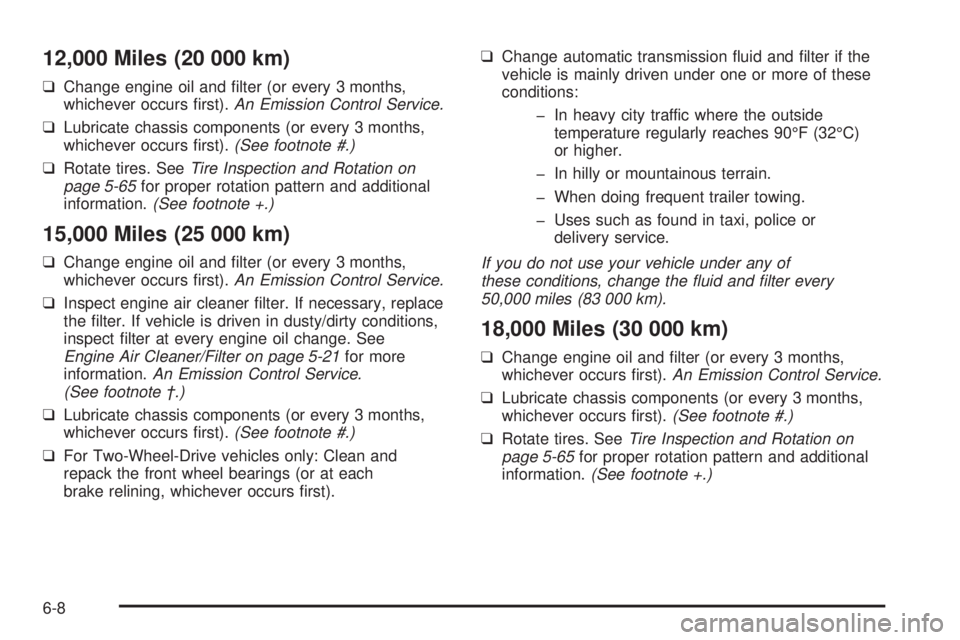
12,000 Miles (20 000 km)
❑Change engine oil and lter (or every 3 months,
whichever occurs rst).An Emission Control Service.
❑Lubricate chassis components (or every 3 months,
whichever occurs rst).(See footnote #.)
❑Rotate tires. SeeTire Inspection and Rotation on
page 5-65for proper rotation pattern and additional
information.(See footnote +.)
15,000 Miles (25 000 km)
❑Change engine oil and lter (or every 3 months,
whichever occurs rst).An Emission Control Service.
❑Inspect engine air cleaner lter. If necessary, replace
the lter. If vehicle is driven in dusty/dirty conditions,
inspect lter at every engine oil change. See
Engine Air Cleaner/Filter on page 5-21for more
information.An Emission Control Service.
(See footnote †.)
❑Lubricate chassis components (or every 3 months,
whichever occurs rst).(See footnote #.)
❑For Two-Wheel-Drive vehicles only: Clean and
repack the front wheel bearings (or at each
brake relining, whichever occurs rst).❑Change automatic transmission uid and lter if the
vehicle is mainly driven under one or more of these
conditions:
In heavy city traffic where the outside
temperature regularly reaches 90°F (32°C)
or higher.
In hilly or mountainous terrain.
When doing frequent trailer towing.
Uses such as found in taxi, police or
delivery service.
If you do not use your vehicle under any of
these conditions, change the uid and lter every
50,000 miles (83 000 km).
18,000 Miles (30 000 km)
❑Change engine oil and lter (or every 3 months,
whichever occurs rst).An Emission Control Service.
❑Lubricate chassis components (or every 3 months,
whichever occurs rst).(See footnote #.)
❑Rotate tires. SeeTire Inspection and Rotation on
page 5-65for proper rotation pattern and additional
information.(See footnote +.)
6-8