light CHEVROLET ASTRO 2005 Owner's Manual
[x] Cancel search | Manufacturer: CHEVROLET, Model Year: 2005, Model line: ASTRO, Model: CHEVROLET ASTRO 2005Pages: 376, PDF Size: 2.45 MB
Page 125 of 376
To use it, pull the turn signal lever toward you, but not
so far that you hear a click.
If your headlamps are in automatic or on low beam,
your high-beam headlamps will turn on. They will stay
on as long as you hold the lever toward you and
the high-beam indicator located on the cluster comes
on. Release the lever to return to normal operation.
Windshield Wipers
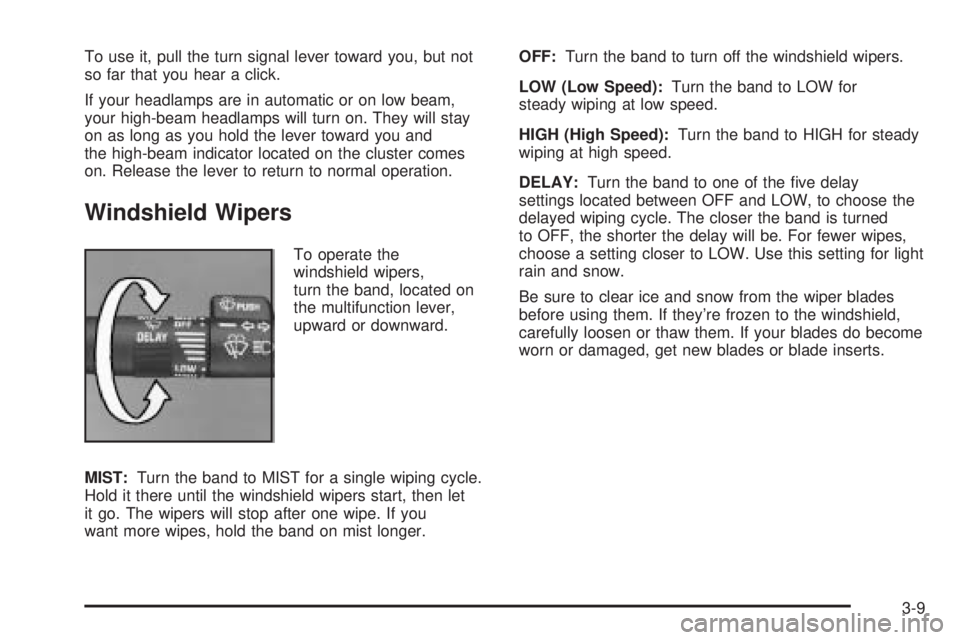
To operate the
windshield wipers,
turn the band, located on
the multifunction lever,
upward or downward.
MIST:Turn the band to MIST for a single wiping cycle.
Hold it there until the windshield wipers start, then let
it go. The wipers will stop after one wipe. If you
want more wipes, hold the band on mist longer.OFF:Turn the band to turn off the windshield wipers.
LOW (Low Speed):Turn the band to LOW for
steady wiping at low speed.
HIGH (High Speed):Turn the band to HIGH for steady
wiping at high speed.
DELAY:Turn the band to one of the ve delay
settings located between OFF and LOW, to choose the
delayed wiping cycle. The closer the band is turned
to OFF, the shorter the delay will be. For fewer wipes,
choose a setting closer to LOW. Use this setting for light
rain and snow.
Be sure to clear ice and snow from the wiper blades
before using them. If they’re frozen to the windshield,
carefully loosen or thaw them. If your blades do become
worn or damaged, get new blades or blade inserts.
3-9
Page 129 of 376
Increasing Speed While Using
Cruise Control
There are two ways to go to a higher speed:
Use the accelerator pedal to get to the higher
speed. Press the button at the end of the lever,
then release the button and the accelerator pedal.
You’ll now cruise at the higher speed.
Move the cruise switch from ON to R/A. Hold it
there until you get up to the speed you want,
and then release the switch. To increase your speed
in very small amounts, move the switch to R/A
briey. Each time you do this, your vehicle will go
about 1 mph (1.6 km/h) faster.
Reducing Speed While Using
Cruise Control
There are two ways to reduce your speed while using
cruise control:
Press the button at the end of the lever until you
reach the lower speed you want, then release it.
To slow down in very small amounts, press the
button briey. Each time you do this, you’ll go
about 1 mph (1.6 km/h) slower.
Passing Another Vehicle While Using
Cruise Control
Use the accelerator pedal to increase your speed.
When you take your foot off the pedal, your vehicle will
slow down to the cruise control speed you set earlier.
Using Cruise Control on Hills
How well your cruise control will work on hills
depends upon your speed, load and the steepness of
the hills. When going up steep hills, you may want
to step on the accelerator pedal to maintain your speed.
When going downhill, you may have to brake or shift
to a lower gear to keep your speed down. Of course,
applying the brake takes you out of cruise control. Many
drivers nd this to be too much trouble and don’t use
cruise control on steep hills.
Ending Cruise Control
There are two ways to turn off the cruise control:
Step lightly on the brake pedal.
Move the cruise switch to OFF.
Erasing Speed Memory
When you turn off the cruise control or the ignition,
your cruise control set speed memory is erased.
3-13
Page 130 of 376
Exterior Lamps
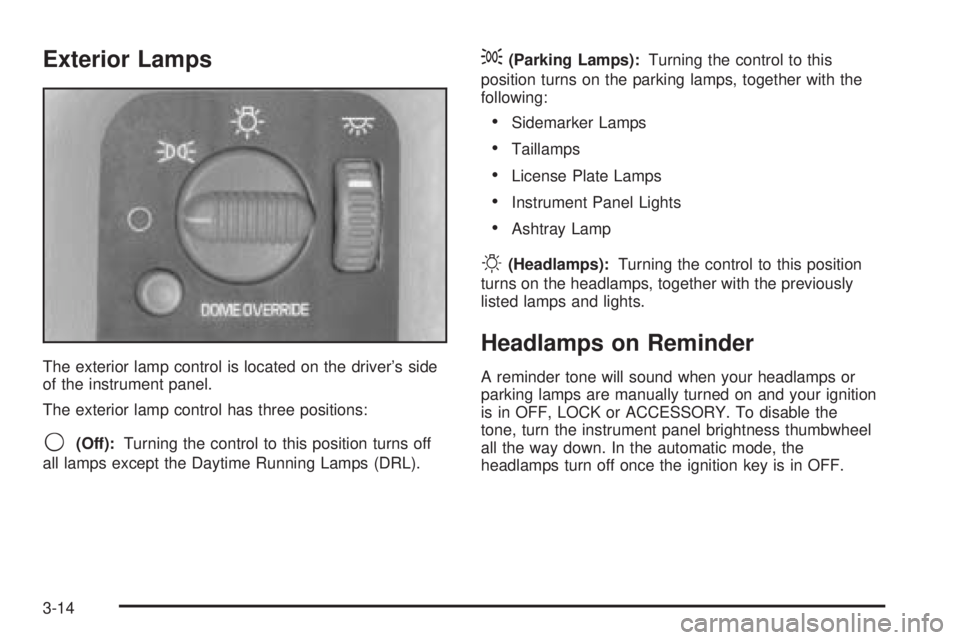
The exterior lamp control is located on the driver’s side
of the instrument panel.
The exterior lamp control has three positions:
9(Off):Turning the control to this position turns off
all lamps except the Daytime Running Lamps (DRL).
;(Parking Lamps):Turning the control to this
position turns on the parking lamps, together with the
following:
Sidemarker Lamps
Taillamps
License Plate Lamps
Instrument Panel Lights
Ashtray Lamp
O(Headlamps):Turning the control to this position
turns on the headlamps, together with the previously
listed lamps and lights.
Headlamps on Reminder
A reminder tone will sound when your headlamps or
parking lamps are manually turned on and your ignition
is in OFF, LOCK or ACCESSORY. To disable the
tone, turn the instrument panel brightness thumbwheel
all the way down. In the automatic mode, the
headlamps turn off once the ignition key is in OFF.
3-14
Page 131 of 376
Daytime Running Lamps (DRL)
Daytime Running Lamps (DRL) can make it easier for
others to see the front of your vehicle during the
day. DRL can be helpful in many different driving
conditions, but they can be especially helpful in the short
periods after dawn and before sunset. Fully functional
daytime running lamps are required on all vehicles
rst sold in Canada.
The DRL system will make your headlamps come on at
a reduced brightness when the following conditions
are met:
The ignition is on,
the exterior lamp control is off,
the automatic transmission is not in PARK (P),
the light sensor determines it is daytime, and
the parking brake is released.
When the DRL are on, only your DRL lamps will be on.
The taillamps, sidemarker and other lamps won’t be
on. Your instrument panel won’t be lit up either.
When it begins to get dark, the automatic headlamp
system will switch from DRL to the headlamps or the last
chosen headlamp setting that was used.To idle your vehicle with the DRL off, put the
transmission in PARK (P). The DRL will stay off until
you shift out of PARK (P).
The following does not apply to vehicles rst sold in
Canada.
When necessary, you may turn off the automatic
headlamp system and the Daytime Running Lamps
(DRL) feature by following the steps below:
1. Turn the ignition to RUN.
2. Press the DOME OVERRIDE button four times
within six seconds. After the fourth press of the
button, a chime will sound informing you that
the system is off.
To return to the automatic mode, push the DOME
OVERRIDE button four times within six seconds
(the chime will sound), or turn the ignition to off and
then to RUN again.
As with any vehicle, you should turn on the regular
headlamp system when you need it.
3-15
Page 132 of 376
Automatic Headlamp System
When it is dark enough outside, your automatic
headlamp system will turn on your headlamps at the
normal brightness along with other lamps such as
the taillamps, sidemarker, parking lamps and the
instrument panel lights. The radio lights will also dim.
Your vehicle is equipped with a light sensor on the top of
the instrument panel in the defroster grille. Be sure it
is not covered, or the system will be on whenever
the ignition is on.
The system may also turn on your headlamps when
driving through a parking garage, heavy overcast
weather or a tunnel. This is normal.
There is a delay in the transition between the daytime
and nighttime operation of the Daytime Running
Lamps (DRL) and the automatic headlamp systems so
that driving under bridges or bright overhead street
lights does not affect the system. The DRL and
automatic headlamp system will only be affected when
the light sensor sees a change in lighting lasting
longer than the delay.
To idle your vehicle with the automatic headlamp
system off, set the parking brake while the ignition is
off. Then start your vehicle. The automatic headlamp
system will stay off until you release the parking brake.You may be able to turn off your automatic headlamp
system. SeeDaytime Running Lamps (DRL) on
page 3-15for more information.
As with any vehicle, you should turn on the regular
headlamps when you need them.
Instrument Panel Brightness
The thumbwheel for this feature is located to the right of
the exterior lamps control. Turn the thumbwheel up to
brighten the lights or down to dim them.
Moving the thumbwheel up to the rst position will
activate the interior dome lamps.
Dome Lamps
The dome lamps will come on when you open a door.
The dome lamps will not come on if only the rear door is
opened.
Press the DOME OVERRIDE button in to cancel
automatic operation of the dome lamps. The button is
located near the exterior lamp control. Press the button
again to return it to the out position for normal
operation.
3-16
Page 133 of 376
You can also turn the dome lamps on by turning the
thumbwheel, located next to the exterior lamp control, all
the way up. In this position, the dome lamps will
remain on whether a door is opened or closed.
You can use the DOME OVERRIDE button to set the
dome lamps to come on automatically when a door
is opened, or to remain off. To turn the lamps off,
press the button into the in position, the dome lamps
will remain off when a door is open. To return the
lamps to automatic operation, press the button again
and return it to the out position. With the button in
this position, the dome lamps will come on when you
open a door.
Entry Lighting
Your vehicle is equipped with an illuminated entry
feature.
When a door is opened, the dome lamps will come on
if the DOME OVERRIDE button is in the out position.
The dome lamps will not come on when the Dutch,
or rear doors are opened. When all the doors are closed,
the lamps will stay on for a short period of time and
will then go out. If the DOME OVERRIDE button
is pressed in, the lamps will not come on.
Exit Lighting
With exit lighting, the interior lamps will come on when
you remove the key from the ignition. The interior
lamps will not come on if the DOME OVERRIDE button
is pressed in.
Battery Run-Down Protection
This feature shuts off the dome, courtesy, vanity,
reading and glove box lights if they are left on for more
than 20 minutes when the ignition is off. This will
keep your battery from running down.
If the battery run-down protection shuts off the interior
lamps, it may be necessary to do one of the following to
return to normal operation:
Shut off all lamps and close all doors, or
turn the ignition key to RUN.
Accessory Power Outlets
You can plug accessory electrical equipment into an
accessory power outlet. Just pull on the outlet cover to
remove it and follow the proper installation instructions
that are included with any electrical equipment that
you install.
3-17
Page 134 of 376
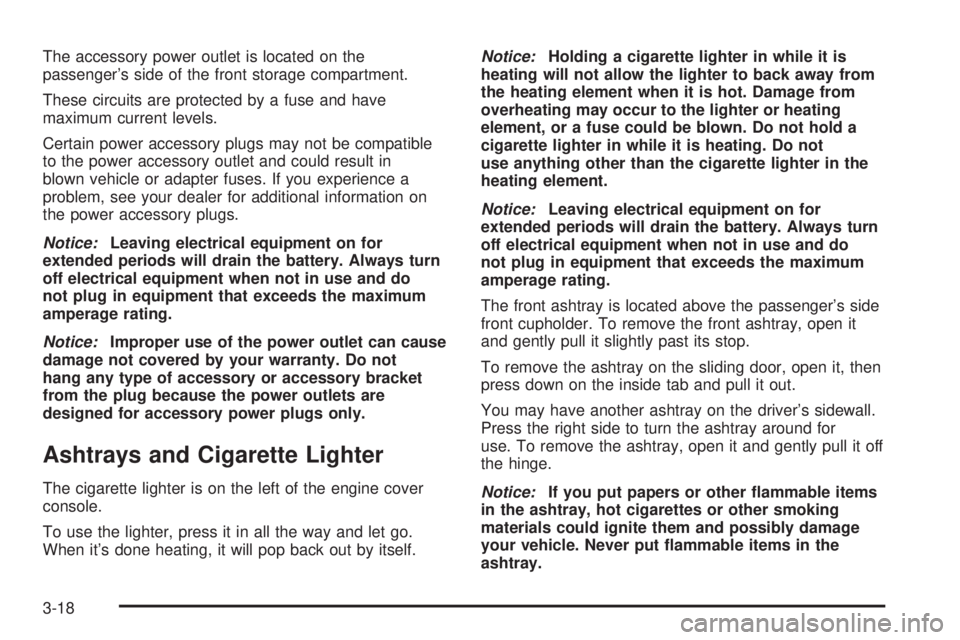
The accessory power outlet is located on the
passenger’s side of the front storage compartment.
These circuits are protected by a fuse and have
maximum current levels.
Certain power accessory plugs may not be compatible
to the power accessory outlet and could result in
blown vehicle or adapter fuses. If you experience a
problem, see your dealer for additional information on
the power accessory plugs.
Notice:Leaving electrical equipment on for
extended periods will drain the battery. Always turn
off electrical equipment when not in use and do
not plug in equipment that exceeds the maximum
amperage rating.
Notice:Improper use of the power outlet can cause
damage not covered by your warranty. Do not
hang any type of accessory or accessory bracket
from the plug because the power outlets are
designed for accessory power plugs only.
Ashtrays and Cigarette Lighter
The cigarette lighter is on the left of the engine cover
console.
To use the lighter, press it in all the way and let go.
When it’s done heating, it will pop back out by itself.Notice:Holding a cigarette lighter in while it is
heating will not allow the lighter to back away from
the heating element when it is hot. Damage from
overheating may occur to the lighter or heating
element, or a fuse could be blown. Do not hold a
cigarette lighter in while it is heating. Do not
use anything other than the cigarette lighter in the
heating element.
Notice:Leaving electrical equipment on for
extended periods will drain the battery. Always turn
off electrical equipment when not in use and do
not plug in equipment that exceeds the maximum
amperage rating.
The front ashtray is located above the passenger’s side
front cupholder. To remove the front ashtray, open it
and gently pull it slightly past its stop.
To remove the ashtray on the sliding door, open it, then
press down on the inside tab and pull it out.
You may have another ashtray on the driver’s sidewall.
Press the right side to turn the ashtray around for
use. To remove the ashtray, open it and gently pull it off
the hinge.
Notice:If you put papers or other ammable items
in the ashtray, hot cigarettes or other smoking
materials could ignite them and possibly damage
your vehicle. Never put ammable items in the
ashtray.
3-18
Page 139 of 376
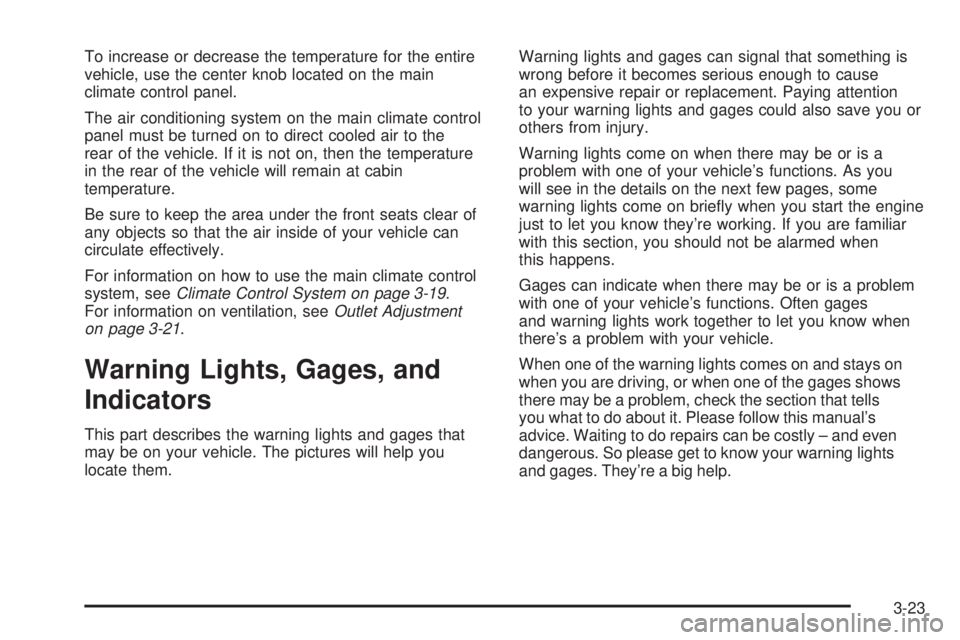
To increase or decrease the temperature for the entire
vehicle, use the center knob located on the main
climate control panel.
The air conditioning system on the main climate control
panel must be turned on to direct cooled air to the
rear of the vehicle. If it is not on, then the temperature
in the rear of the vehicle will remain at cabin
temperature.
Be sure to keep the area under the front seats clear of
any objects so that the air inside of your vehicle can
circulate effectively.
For information on how to use the main climate control
system, seeClimate Control System on page 3-19.
For information on ventilation, seeOutlet Adjustment
on page 3-21.
Warning Lights, Gages, and
Indicators
This part describes the warning lights and gages that
may be on your vehicle. The pictures will help you
locate them.Warning lights and gages can signal that something is
wrong before it becomes serious enough to cause
an expensive repair or replacement. Paying attention
to your warning lights and gages could also save you or
others from injury.
Warning lights come on when there may be or is a
problem with one of your vehicle’s functions. As you
will see in the details on the next few pages, some
warning lights come on briey when you start the engine
just to let you know they’re working. If you are familiar
with this section, you should not be alarmed when
this happens.
Gages can indicate when there may be or is a problem
with one of your vehicle’s functions. Often gages
and warning lights work together to let you know when
there’s a problem with your vehicle.
When one of the warning lights comes on and stays on
when you are driving, or when one of the gages shows
there may be a problem, check the section that tells
you what to do about it. Please follow this manual’s
advice. Waiting to do repairs can be costly – and even
dangerous. So please get to know your warning lights
and gages. They’re a big help.
3-23
Page 141 of 376
Speedometer and Odometer
Your speedometer lets you see your speed in both
miles per hour (mph) and kilometers per hour (km/h).
Your odometer shows how far your vehicle has
been driven, in either miles (used in the United States)
or kilometers (used in Canada).
Your vehicle has a tamper resistant odometer. The
digital odometer will read 999,999 if someone tries to
turn it back.
You may wonder what happens if your vehicle needs a
new odometer installed. If the new one can be set to
the mileage total of the old odometer, then it must
be. But if it can’t, then it’s set at zero and a label must
be put on the driver’s door to show the old mileage
reading when the new odometer was installed.
Trip Odometer
The trip odometer can tell you how far your vehicle has
been driven since you last set the trip odometer to zero.
The trip odometer will appear in place of your regular
odometer when you press the TRIP button.
To reset the trip odometer, press and hold the TRIP
button. To change back to the regular odometer,
press the TRIP button again.
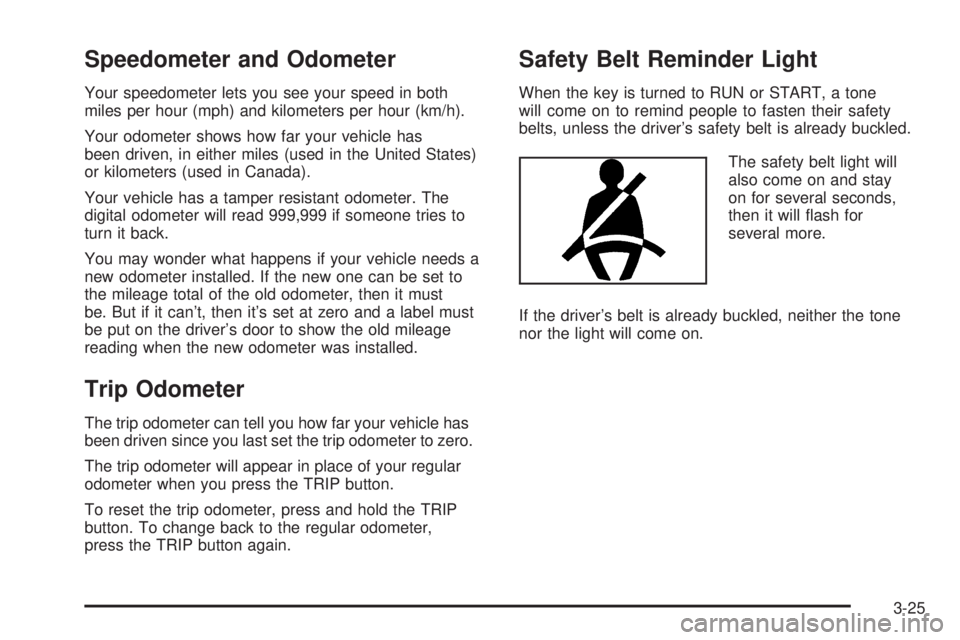
Safety Belt Reminder Light
When the key is turned to RUN or START, a tone
will come on to remind people to fasten their safety
belts, unless the driver’s safety belt is already buckled.
The safety belt light will
also come on and stay
on for several seconds,
then it will ash for
several more.
If the driver’s belt is already buckled, neither the tone
nor the light will come on.
3-25
Page 142 of 376
Airbag Readiness Light
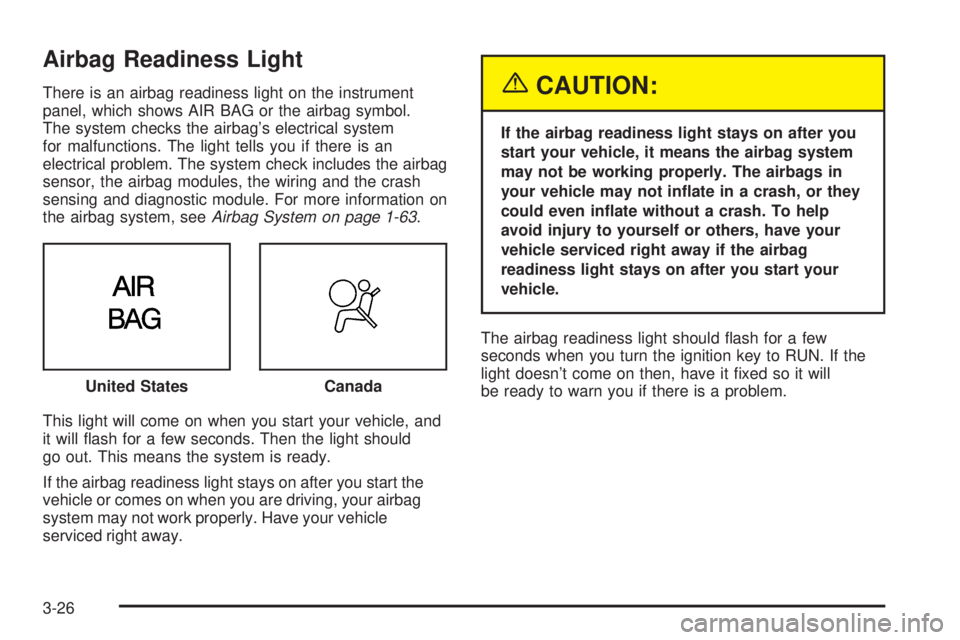
There is an airbag readiness light on the instrument
panel, which shows AIR BAG or the airbag symbol.
The system checks the airbag’s electrical system
for malfunctions. The light tells you if there is an
electrical problem. The system check includes the airbag
sensor, the airbag modules, the wiring and the crash
sensing and diagnostic module. For more information on
the airbag system, seeAirbag System on page 1-63.
This light will come on when you start your vehicle, and
it will ash for a few seconds. Then the light should
go out. This means the system is ready.
If the airbag readiness light stays on after you start the
vehicle or comes on when you are driving, your airbag
system may not work properly. Have your vehicle
serviced right away.{CAUTION:
If the airbag readiness light stays on after you
start your vehicle, it means the airbag system
may not be working properly. The airbags in
your vehicle may not inate in a crash, or they
could even inate without a crash. To help
avoid injury to yourself or others, have your
vehicle serviced right away if the airbag
readiness light stays on after you start your
vehicle.
The airbag readiness light should ash for a few
seconds when you turn the ignition key to RUN. If the
light doesn’t come on then, have it xed so it will
be ready to warn you if there is a problem. United States
Canada
3-26