ESP CHEVROLET ASTRO CARGO VAN 1995 2.G Owners Manual
[x] Cancel search | Manufacturer: CHEVROLET, Model Year: 1995, Model line: ASTRO CARGO VAN, Model: CHEVROLET ASTRO CARGO VAN 1995 2.GPages: 342, PDF Size: 17.57 MB
Page 26 of 342
Downloaded from www.Manualslib.com manuals search engine With safety belts, you slow down as the vehicle does. You get more time to
stop.
You stop over more distance, and your strongest bones take the forces,
That’s why safety belts make such good sense.
Here Are Questions Many People Ask About
Safety Belts
- and the Answers
0: Won’t I be trapped in the vehicle after an accident if I’m wearing a
A: You could be - whether you’re wearing a safety belt or not. But you
can unbuckle a safety belt, even if you’re upside down. And your
chance
of being conscious during and after an accident, so you can
unbuckle and get out, is much greater if you are belted.
safety belt?
0: Why don’t they just put in air bags so people won’t have to wear
A: Air bags are in many vehicles today and will be in more of them in the
future. But they are supplemental systems only;
so they work with
safety belts - not instead of them. Every air bag system ever offered
for sale has required the use
of safety belts. Even if you’re in a vehicle
that has air bags, you still have
to buckle up to get the most protection.
That’s true not only in frontal collisions, but especially
in side and
other collisions.
safety belts?
Q If I’m a good driver, and I never drive far from home, why should I
A: You may be an excellent driver, but if you’re in an accident - even
one that isn’t your fault
- you and your passengers can be hurt. Being
a good driver doesn’t protect you from things beyond your control,
such as bad drivers.
wear safety belts?
Most accidents occur within 25 miles (40 km) of home. And the
greatest number of serious injuries and deaths occur at speeds of less
than
40 mph (65 km/h).
Safety belts are for everyone.
1-14
Page 66 of 342
Downloaded from www.Manualslib.com manuals search engine Battery Replacement
Under norlnal use, the batteries in your key chain transmitter should last
about two years.
You can
tell the batteries are weak if the transmitter won’t work at the
normal range in any location. If you have to get close to your vehicle before
the transmitter works,
it’s probably time to change the batteries.
Your transmitter housing snaps apart for ease
in battery replacement. To
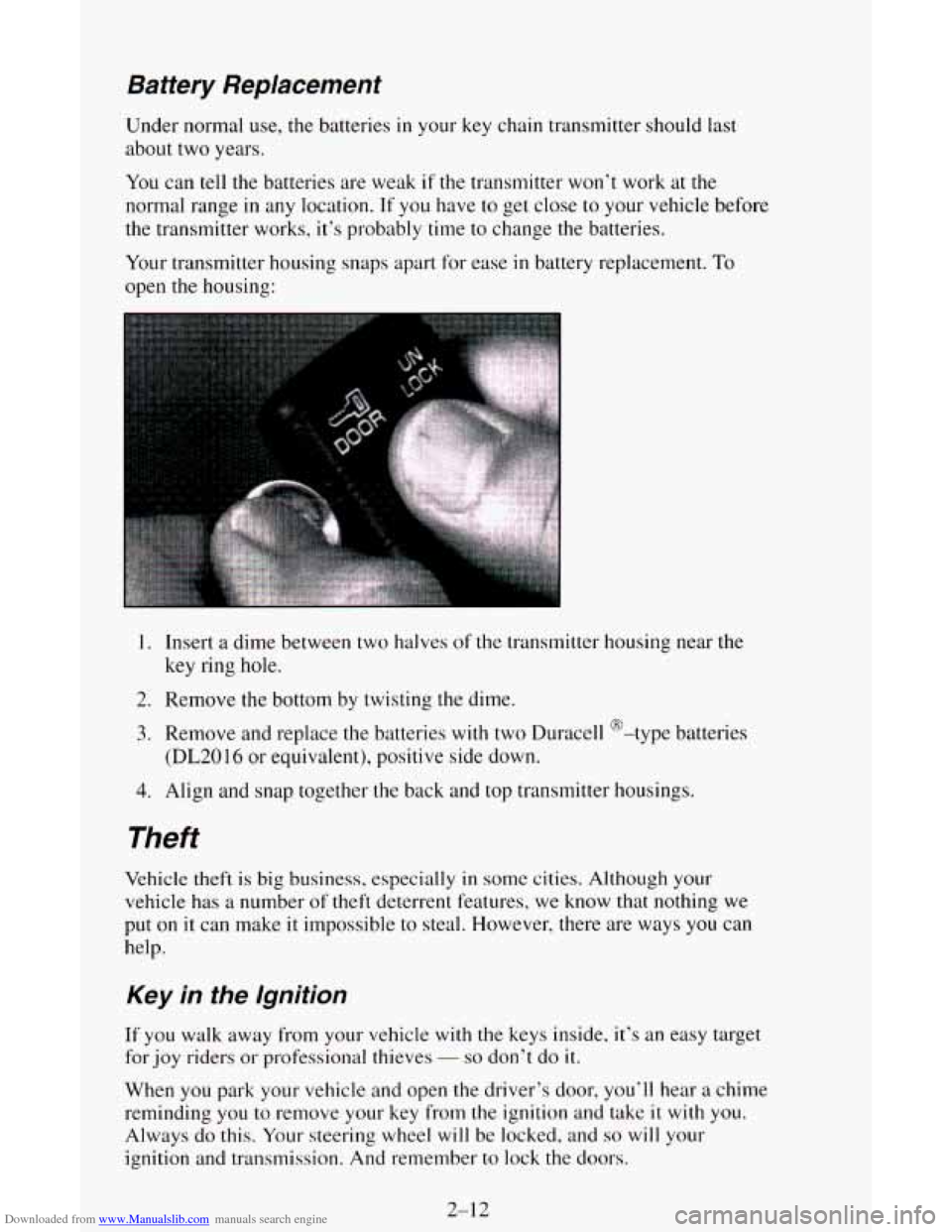
open the housing:
1. Insert a dime between two halves of the transmitter housing near the
key ring
hole.
2. Remove the bottom by twisting the dime.
3. Remove and replace the batteries with two Duracell @-type batteries
(DL2016 or equivalent), positive side down.
4. Align and snap together the back and top transmitter housings.
Theft
Vehicle theft is big business, especially in some cities. Although your
vehicle has
a number of theft deterrent features, we know that nothing we
put on
it can make it impossible to steal. However, there are ways you can
help.
Key in fhe lgnition
If you walk away from your vehicle with the keys inside, it’s an easy target
for joy riders or professional thieves
- so don’t do it.
When you park your vehicle and open the driver’s door, you’ll hear a chime
reminding
you to remove your key from the ignition and take it with you.
Always
do this. Your steering wheel will be locked, and so will your
ignition and transmission. And remember to lock the doors.
2-12
Page 95 of 342
Downloaded from www.Manualslib.com manuals search engine Daytime Running Lamps (DRL) Indicator Light
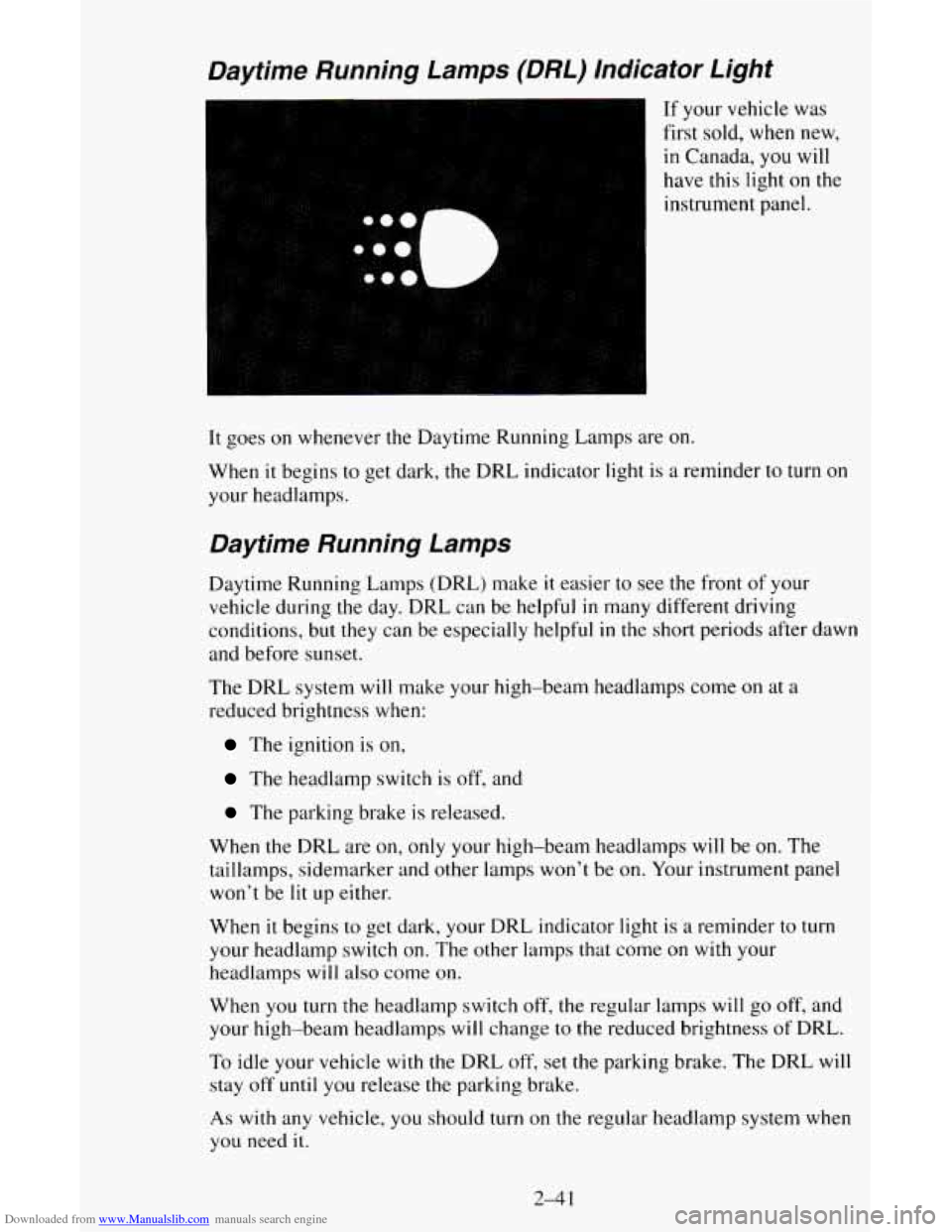
If your vehicle was
first sold, when new,
in Canada,
you will
have this light on the
instrument panel.
It goes on whenever the Daytime Running Lamps are on.
When it begins to get dark, the DRL indicator light is a reminder to turn on
your headlamps.
Daytime Running Lamps
Daytime Running Lamps (DRL) make it easier to see the front of your
vehicle during the day. DRL can be helpful
in many different driving
conditions, but
they can be especially helpful in the short periods after dawn
and before sunset.
The DRL system will make your high-beam headlamps come
on at a
reduced brightness when:
The ignition is on,
The headlamp switch is off, and
The parking brake is released.
When the DRL are on, only your high-beam headlamps will be
on. The
taillamps, sidemarker and other lamps
won’t be on. Your instrument panel
won’t be
lit up either.
When it begins to get dark, your DRL indicator light is
a reminder to turn
your headlamp switch on. The other lamps that come on with your
headlamps will also come
on.
When you turn the headlamp switch off, the regular lamps will go off, and
your high-beam headlamps
will change to the reduced brightness of DRL.
To idle your vehicle with the DRL off, set the parking brake. The DRL will
stay
off until you release the parking brake.
As with any vehicle, you should turn on the regular headlamp system when
you need it.
2-4 1
Page 126 of 342
Downloaded from www.Manualslib.com manuals search engine TREBLE - Slide the TREBLE lever up to increase the treble response. If a
station is weak or noisy, slide the TREBLE lever down to reduce the noise.
BASS
- Slide the BASS lever up to increase the bass response. Adjust the
BASS lever to give a pleasing sound to your ear.
How to Operate Your ET* AM-FM Stereo Audio
System
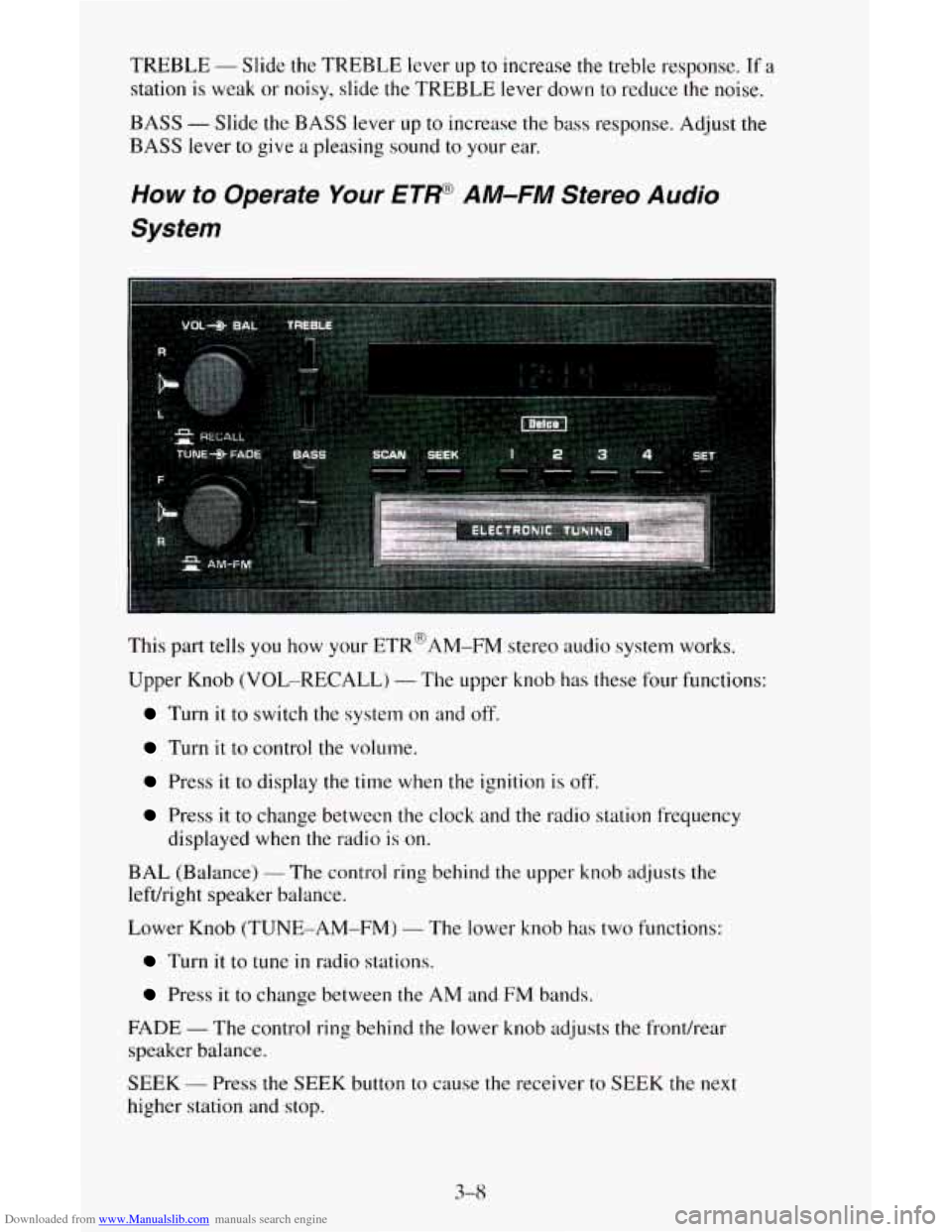
This part tells you how your ETR@AM-FM stereo audio system works.
Upper Knob (VOL-RECALL)
- The upper knob has these four functions:
Turn it to switch the system on and off.
Turn it to control the volume.
Press it to display the time when the ignition is off.
Press it to change between the clock and the radio station frequency
displayed when the radio
is on.
BAL (Balance)
- The control ring behind the upper knob adjusts the
lefdright speaker balance.
Lower Knob (TUNE-AM-FM)
- The lower knob has two functions:
Turn it to tune in radio stations.
Press it to change between the AM and FM bands.
FADE
- The control ring behind the lower knob adjusts the fronthear
speaker balance.
SEEK
- Press the SEEK button to cause the receiver to SEEK the next
higher station and
stop.
3-8
Page 127 of 342
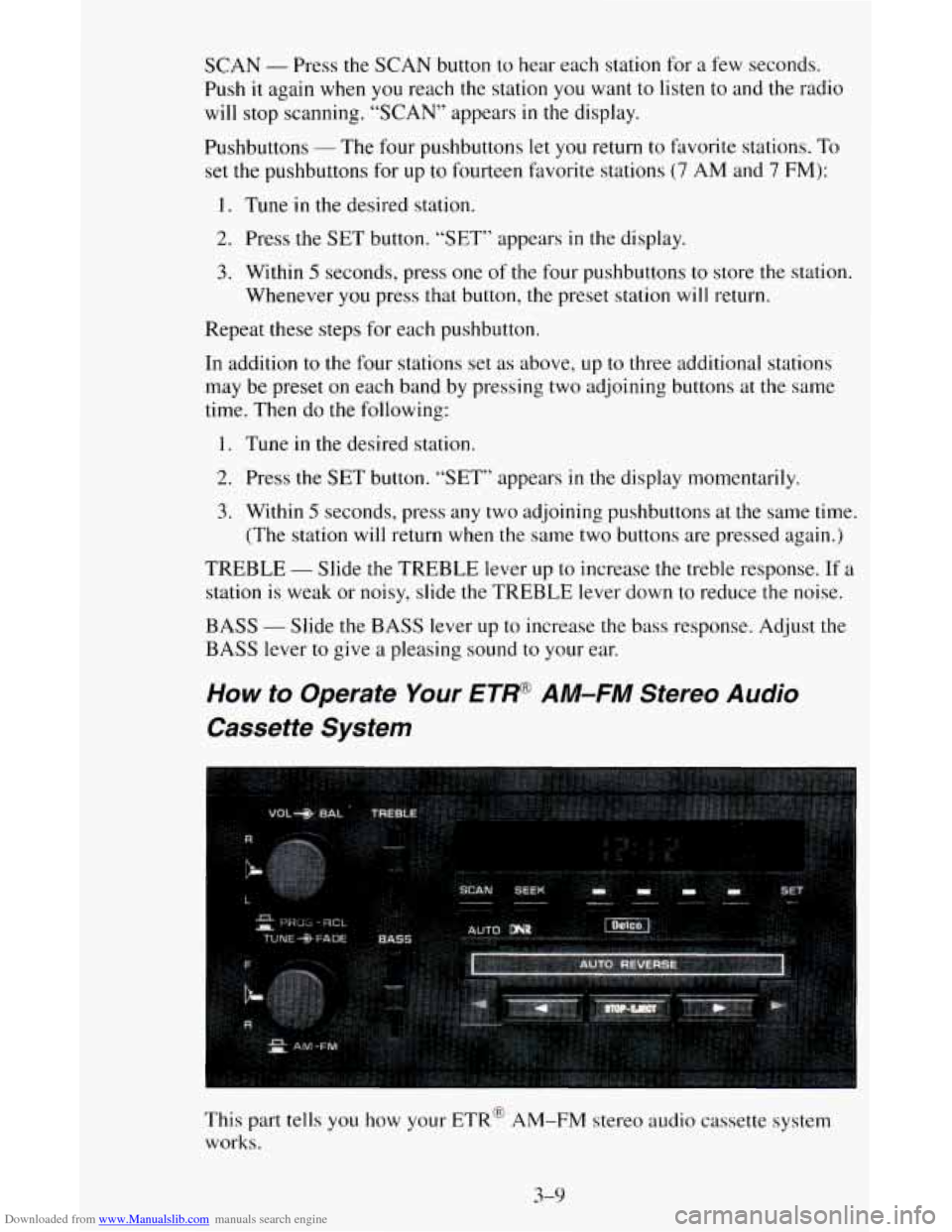
Downloaded from www.Manualslib.com manuals search engine SCAN - Press the SCAN button to hear each station for a few seconds.
Push it again when
you reach the station you want to listen to and the radio
will stop scanning. “SCAN” appears in the display.
Pushbuttons
- The four pushbuttons let you return to favorite stations. To
set the pushbuttons for up to fourteen favorite stations
(7 AM and 7 FM):
1. Tune in the desired station.
2. Press the SET button. “SET” appears in the display.
3. Within 5 seconds, press one of the four pushbuttons to store the station.
Whenever you press that button, the preset station will return.
Repeat these steps for each pushbutton.
In addition to the four stations set as above,
up to three additional stations
may be preset on each band by pressing
two adjoining buttons at the same
time. Then do the following:
1. Tune in the desired station.
2. Press the SET button. “SET” appears in the display momentarily.
3. Within 5 seconds, press any two adjoining pushbuttons at the same time.
(The station will return when
the same two buttons are pressed again.)
TREBLE
- Slide the TREBLE lever up to increase the treble response. If a
station is weak or noisy, slide the TREBLE lever down to reduce the noise.
BASS
- Slide the BASS lever up to increase the bass response. Adjust the
BASS lever to give a pleasing sound to your ear.
How to Operate Your ETW A M-FM Stereo Audio
Cassette System
This part tells you how your ETR@ AM-FM stereo audio cassette system
works.
3-9
Page 128 of 342
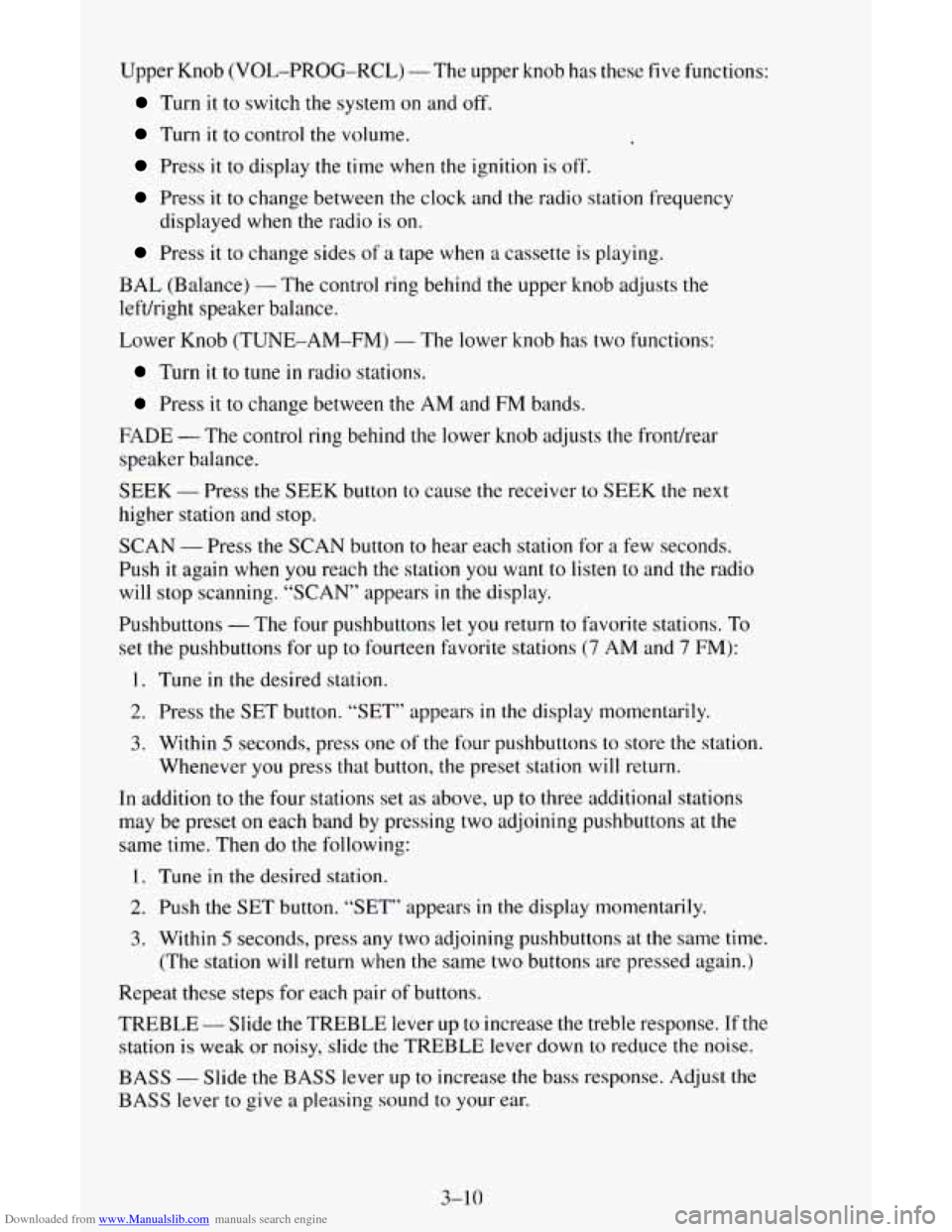
Downloaded from www.Manualslib.com manuals search engine Upper Knob (VOL-PROG-RCL) - The upper knob has these five functions:
Turn it to switch the system on and off.
Turn it to control the volume,
Press it to display the time when the ignition is off.
Press it to change between the clock and the radio station frequency
Press it to change sides of a tape when a cassette is playing.
displayed
when the radio
is on.
BAL (Balance)
- The control ring behind the upper knob adjusts the
leftkight speaker balance.
Lower Knob (TUNE-AM-FM)
- The lower knob has two functions:
Turn it to tune in radio stations.
Press it to change between the AM and FM bands.
FADE
- The control ring behind the lower knob adjusts the fronthear
speaker balance.
SEEK
- Press the SEEK button to cause the receiver to SEEK the next
higher station and stop.
SCAN
- Press the SCAN button to hear each station for a few seconds.
Push it again when you reach
the station you want to listen to and the radio
will stop scanning. “SCAN” appears
in the display.
Pushbuttons
- The four pushbuttons let you return to favorite stations. To
set the pushbuttons for
up to fourteen favorite stations (7 AM and 7 FM):
1. Tune in the desired station.
2. Press the SET button. “SET” appears in the display momentarily.
3. Within 5 seconds, press one of the four pushbuttons to store the station.
Whenever you press that button,
the preset station will return.
In addition to the four stations set
as above, up to three additional stations
may be preset on each band by pressing two adjoining pushbuttons at
the
same time. Then do the following:
1. Tune in the desired station.
2. Push the SET button. “SET” appears in the display momentarily.
3. Within 5 seconds, press any two adjoining pushbuttons at the same time.
(The station will return when the same two buttons are pressed again.)
Repeat these steps for each pair of buttons.
TREBLE
- Slide the TREBLE lever up to increase the treble response. If the
station is weak or noisy, slide the TREBLE lever down to reduce the noise.
BASS - Slide the BASS lever up to increase the bass response. Adjust the
BASS lever to give a pleasing sound to your ear.
3-10
Page 136 of 342
Downloaded from www.Manualslib.com manuals search engine 3. Enter the six digits of the code following steps 6-9 above. The display
will show the numbers
as entered.
4. Press the BAND knob and the time appears - indicating that the
disabling sequence was successful.
If the display indicates “SEC”, the
numbers did
not match and the unit is still secured.
Disabling The Theft System
1. Press presets 1 and 4 for 5 seconds with ignition on and radio off. The
display will show
“SEC”, indicating the unit is in the secure mode.
2. Press the SET button. The display will show “000”.
3. Enter the first three digits of the code following steps 6 and 7 of the
preceding paragraphs (“To Lock
the System”). The display will show
the numbers
as entered.
4. Press the BAND knob. The radio will display “000”.
5. Enter the second three digits of the code. The display will show the
numbers
as entered.
6. Press the BAND knob. If the display shows “- - - ”, the disabling
sequence was successful. The numbers matched the user-selected code
or the factory back-up code, and the
unit is in the UNSECURED
mode. If
the display shows “SEC”, the disabling sequence was
unsuccessful and
the numbers did not match either of the codes and the
unit will remain
in the SECURED mode.
Understanding Radio Reception
FM stereo will give you the best sound. But FM signals will reach only
about 10 to 40 miles (16 to 65 km). And, tall buildings or hills can interfere
with FM signals, causing the sound to come and
go.
The range for most AM stations is greater than for FM, especially at night.
The longer range, however, can cause stations
to interfere with each other.
AM can pick up noise from things like storms and power lines. Try reducing
the treble
to reduce this noise if you ever get it.
AM Stereo means the DelcoB system can receive C-QUAM@stereo
broadcasts. Many AM stations around
the countr use C-QUAM@ to
produce stereo, though some do not. (C-QUAM
4 is a registered trademark
of Motorola, Inc.) If your Delco@ system can get C-QUAM@, your
“STEREO” light
will come on when you’re receiving it.
Be aware that hearing damage from loud noise is almost undetectable
until
it is too late. Your hearing can adapt to higher volumes of sound. Sound that
seems normal can be loud and harmful to your hearing. Take precautions by
adjusting
the volume control on your radio to a safe sound level before your
hearing adapts
to it.
3-18
Page 142 of 342
Downloaded from www.Manualslib.com manuals search engine There’s something else about drinking and driving that many people don’t
know. Medical research shows that alcohol in
a person’s system can make
crash injuries worse, especially injuries to
the brain, spinal cord or heart.
This means that when anyone who has been drinking - driver or passenger
- is in a crash, that person’s chance of being killed or permanently disabled
is higher than if the person had not been drinking.
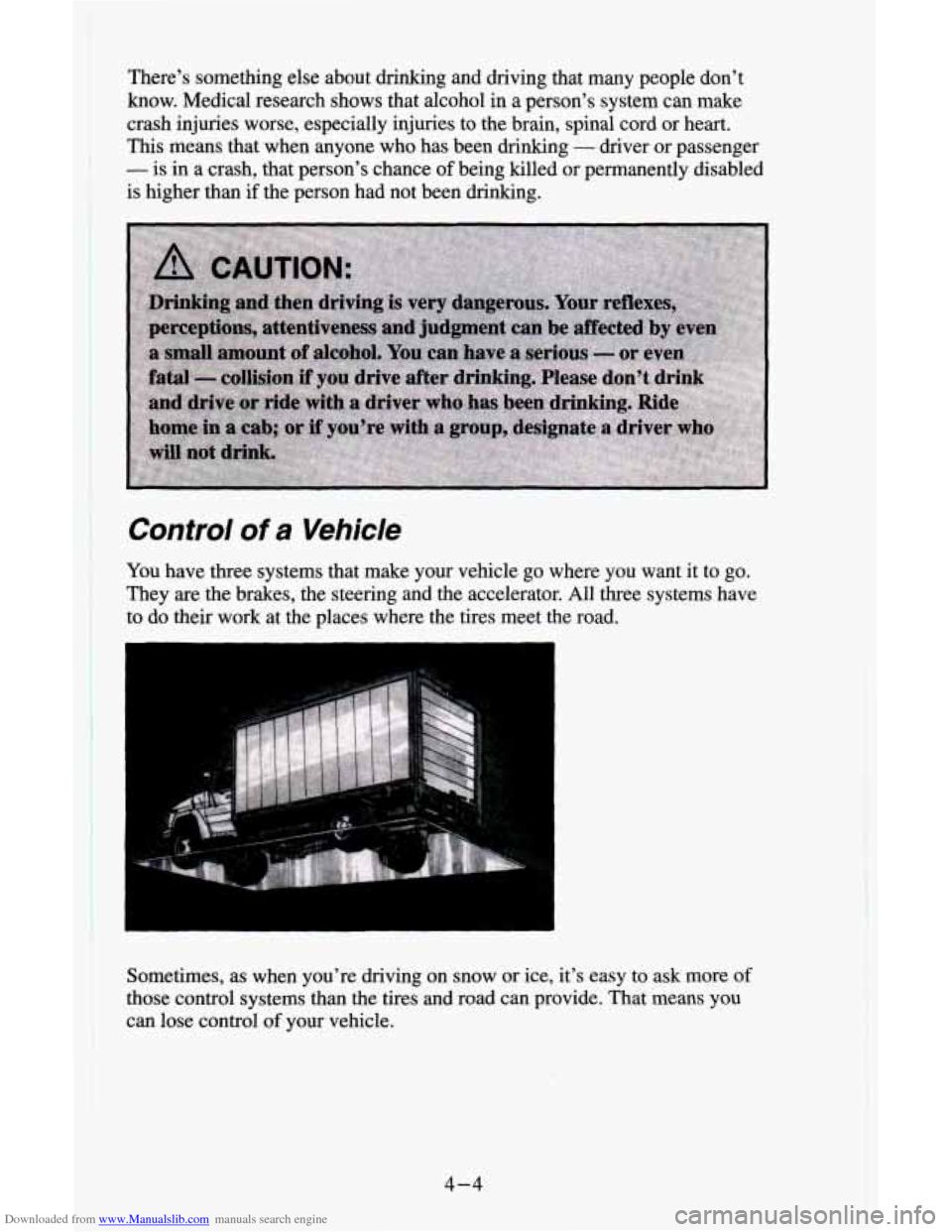
Control of a Vehicle
You have three systems that make your vehicle go where you want it to go.
They
are the brakes, the steering and the accelerator. All three systems have
to do their work at the places where the tires meet the road.
Sometimes, as when you’re driving
on snow or ice, it’s easy to ask more of
those control systems than the tires and road can provide. That means you
can lose control of your vehicle.
4-4
Page 148 of 342
Downloaded from www.Manualslib.com manuals search engine 0
0
0
0
0
0 0
0
Watch for traffic signs, pavement markings, and lines. If you can see a
sign up ahead that might indicate a turn or an intersection, delay your
pass.
A broken center line usually indicates it’s all right to pass
(providing the road ahead is clear). Never cross a solid line on your
side of the lane or a double solid line, even if the road seems empty
of
approaching traffic.
Do not get too close to the vehicle you want to pass while you’re
awaiting
an opportunity. For one thing, following too closely reduces
your
area of vision, especially if you’re following a larger vehicle.
Also, you won’t have adequate space if the vehicle ahead suddenly
slows or stops. Keep back a reasonable distance.
When it looks like a chance
to pass is coming up, start to accelerate but
stay in the right lane and don’t get too close. Time your move
so you
will be increasing speed as the time comes to move into the other lane.
If the way is clear to pass, you will have a “running start” that more
than makes up for the distance you would lose by dropping back. And
if something happens
to cause you to cancel your pass, you need only
slow down and drop back again and wait for another opportunity.
If other cars are lined up to pass a slow vehicle, wait your turn. But
take care that someone isn’t trying to pass
you as you pull out to pass
the slow vehicle. Remember
to glance over your shoulder and check
the blind spot.
Check your mirrors, glance over your shoulder, and start your left lane
change signal before moving out of the right lane
to pass. When you
are far enough ahead of the passed vehicle to see its front in your inside
mirror, activate your right lane change signal and move back into the
right lane. (Remember that your right outside mirror is convex. The
vehicle you just passed may seem to be farther away from
you than it
really is.)
Try not to pass more than one vehicle at a time on two-lane roads.
Reconsider before passing
the next vehicle.
Don’t overtake a slowly moving vehicle too rapidly. Even though the
brake lights are not flashing, it may be slowing down or starting
to turn.
If you’re being passed, make it easy for the following driver to get
ahead of you. Perham vou
can ease a little to the ripht.
4-10
Page 149 of 342
Downloaded from www.Manualslib.com manuals search engine Loss of Confrol
Let’s review what driving experts say about what happens when the three
control systems (brakes, steering and acceleration) don’t have enough
friction where the tires meet the road to do what the driver has asked.
In any emergency, don’t give up. Keep trying to steer and constantly seek an
escape route or area of less danger.
Skidding
In a skid, a driver can lose control of the vehicle. Defensive drivers avoid
most skids by taking reasonable care suited to existing conditions, and by
not “overdriving” those conditions. But skids are always possible.
The three types of skids correspond to your vehicle’s three control systems.
In the braking skid your wheels aren’t rolling. In the steering or cornering
skid, too much speed or steering in a curve causes tires to slip and lose
cornering force. And in the acceleration skid too much throttle causes the
driving wheels to spin.
A cornering skid and an acceleration skid are best handled by easing your
foot
off the accelerator pedal.
If your vehicle starts to slide, ease your foot off the accelerator pedal and
quickly steer the way you want the vehicle to go. If you start steering
quickly enough, your vehicle may straighten out. Always be ready for a
second skid if it occurs.
Of course, traction is reduced when water, snow, ice, gravel, or other
material is on the road. For safety, you’ll want to slow down and adjust your
driving to these conditions. It is important to slow down on slippery
surfaces because stopping distance will be longer and vehicle control more
limited.
While driving on a surface with reduced traction, try your best to avoid
sudden steering, acceleration, or braking (including engine braking by
shifting to a lower gear). Any sudden changes could cause the tires to slide.
You may not realize the surface is slippery until your vehicle is skidding.
Learn to recognize warning clues
- such as enough water, ice or packed
snow on the road to make a “mirrored surface”
- and slow down when you
have any doubt.
Remember: Any anti-lock brake system (ABS) helps avoid only the braking
skid.
4-11