transmission CHEVROLET ASTRO CARGO VAN 2003 2.G Owners Manual
[x] Cancel search | Manufacturer: CHEVROLET, Model Year: 2003, Model line: ASTRO CARGO VAN, Model: CHEVROLET ASTRO CARGO VAN 2003 2.GPages: 382, PDF Size: 2.63 MB
Page 79 of 382

Keys...............................................................2-2
Remote Keyless Entry System.........................2-4
Remote Keyless Entry System Operation...........2-5
Doors and Locks.............................................2-7
Door Locks....................................................2-7
Front Doors...................................................2-8
Power Door Locks..........................................2-8
Programmable Automatic Door Locks................2-9
Leaving Your Vehicle....................................2-10
Sliding Side Door..........................................2-10
Rear Doors..................................................2-13
Windows........................................................2-16
Manual Windows..........................................2-16
Power Windows............................................2-17
Sun Visors...................................................2-17
Theft-Deterrent Systems..................................2-18
Passlock
ž....................................................2-18
Starting and Operating Your Vehicle................2-19
New Vehicle Break-In....................................2-19
Ignition Positions..........................................2-19
Starting Your Engine.....................................2-21Engine Coolant Heater..................................2-22
Automatic Transmission Operation...................2-23
All-Wheel Drive............................................2-26
Parking Brake..............................................2-26
Shifting Into Park (P).....................................2-27
Shifting Out of Park (P).................................2-29
Parking Over Things That Burn.......................2-30
Engine Exhaust............................................2-30
Running Your Engine While You Are Parked. . . .2-31
Mirrors...........................................................2-32
Manual Rearview Mirror.................................2-32
Outside Manual Mirror...................................2-32
Outside Power Mirrors...................................2-32
Outside Convex Mirror...................................2-33
HomeLink
žTransmitter...................................2-34
Programming the HomeLinkžTransmitter.........2-35
Storage Areas................................................2-38
Overhead Console........................................2-39
Luggage Carrier...........................................2-44
Convenience Net..........................................2-45
Section 2 Features and Controls
2-1
Page 83 of 382

Remote Keyless Entry System
Operation
If your vehicle has this feature, you can lock and unlock
your doors from about 3 feet (1 m) up to 30 feet
(9 m) away using the remote keyless entry transmitter
supplied with your vehicle.
UNLOCK:Press UNLOCK
once for the driver's door to
unlock, the parking lamps
to ¯ash and the interior
lights to go on.
If you press UNLOCK again within three seconds, all
doors will unlock.LOCK:Press LOCK to lock all the doors. Press LOCK
again within three seconds and the horn will chirp.
REAR 2X:Press the REAR button twice within three
seconds to unlock the rear hatch or cargo doors.
The parking lamps will ¯ash and the interior lights will
go on. If the engine is running, the automatic
transmission must be in PARK (P) or NEUTRAL (N) for
the REAR 2X button to operate.
L(Panic Alarm):Press this button for the horn to
sound and the headlamps and taillamps to ¯ash for up to
30 seconds. This can be turned off by pressing the
panic button again, waiting for 30 seconds, or starting
the vehicle.
Matching Transmitter(s) to Your
Vehicle
Each remote keyless entry transmitter is coded to
prevent another transmitter from unlocking your vehicle.
If a transmitter is lost or stolen, a replacement can
be purchased through your dealer. Remember to bring
any remaining transmitters with you when you go to
your dealer. When the dealer matches the replacement
transmitter to your vehicle, any remaining transmitters
must also be matched. Once your dealer has coded the
new transmitter, the lost transmitter will not unlock
your vehicle. Each vehicle can have a maximum of four
transmitters matched to it.
2-5
Page 98 of 382

Notice:Don't operate accessories in the
ACCESSORY position for long periods of time.
Prolonged operation of accessories in the
ACCESSORY position could drain your battery and
prevent you from starting your vehicle.
B (LOCK):This position locks your ignition, steering
wheel and transmission. It's a theft-deterrent feature.
You will only be able to remove your key when the
ignition is turned to LOCK.
Notice:If your key seems stuck in LOCK and you
can't turn it, be sure you are using the correct key; if
so, is it all the way in? If it is, then turn the steering
wheel left and right while you turn the key hard.
Turn the key only with your hand. Using a tool
to force it could break the key or the ignition switch.
If none of this works, then your vehicle needs
service.C (OFF):This position lets you turn off the engine but
still turn the steering wheel. Use OFF if you must
have your vehicle in motion while the engine is off (for
example, if your vehicle is being towed).
D (RUN):This is the position for driving.
E (START):This position starts your engine.
Retained Accessory Power (RAP)
Your vehicle is equipped with a Retained Accessory
Power (RAP) feature which will allow certain features on
your vehicle to continue to work up to 20 minutes
after the ignition key is turned to OFF.
Your radio, power windows and overhead console will
work when the ignition key is in RUN or ACCESSORY.
Once the key is turned from RUN to OFF, these
features will continue to work for up to 20 minutes or
until a door is opened.
2-20
Page 99 of 382

Starting Your Engine
Move your shift lever to PARK (P) or NEUTRAL (N).
Your engine won't start in any other position ± that's a
safety feature. To restart when you're already moving,
use NEUTRAL (N) only.
Notice:Don't try to shift to PARK (P) if your
vehicle is moving. If you do, you could damage the
transmission. Shift to PARK (P) only when your
vehicle is stopped.
1. With your foot off the accelerator pedal, turn the
ignition key to START. When the engine starts,
let go of the key. The idle speed will go down as
your engine gets warm.
Notice:Holding your key in START for longer than
15 seconds at a time will cause your battery to
be drained much sooner. And the excessive heat
can damage your starter motor. Wait about 15
seconds between each try to help avoid draining
your battery or damaging your starter.
2. If it doesn't start within 10 seconds, push the
accelerator pedal all the way to the ¯oor, while you
hold the ignition key in START. When the engine
starts, let go of the key and let up on the accelerator
pedal. Wait about 15 seconds between each try.When starting your engine in very cold weather
(below 0ÉF or-18ÉC), do this:
1. With your foot off the accelerator pedal, turn the
ignition key to START and hold it there up to
15 seconds. When the engine starts, let go of
the key.
2. If your engine still won't start (or starts but then
stops), it could be ¯ooded with too much gasoline.
Try pushing your accelerator pedal all the way to the
¯oor and holding it there as you hold the key in
START for about three seconds. When the engine
starts, let go of the key and accelerator. If the
vehicle starts brie¯y but then stops again, do the
same thing, but this time keep the pedal down
for ®ve or six seconds. This clears the extra
gasoline from the engine.
Notice:Your engine is designed to work with the
electronics in your vehicle. If you add electrical
parts or accessories, you could change the way the
engine operates. Before adding electrical equipment,
check with your dealer. If you don't, your engine
might not perform properly.
Fuel Regulator
You have a fuel regulator that shuts the fuel off when
the engine reaches 5,600 rpm.
2-21
Page 101 of 382
Automatic Transmission Operation
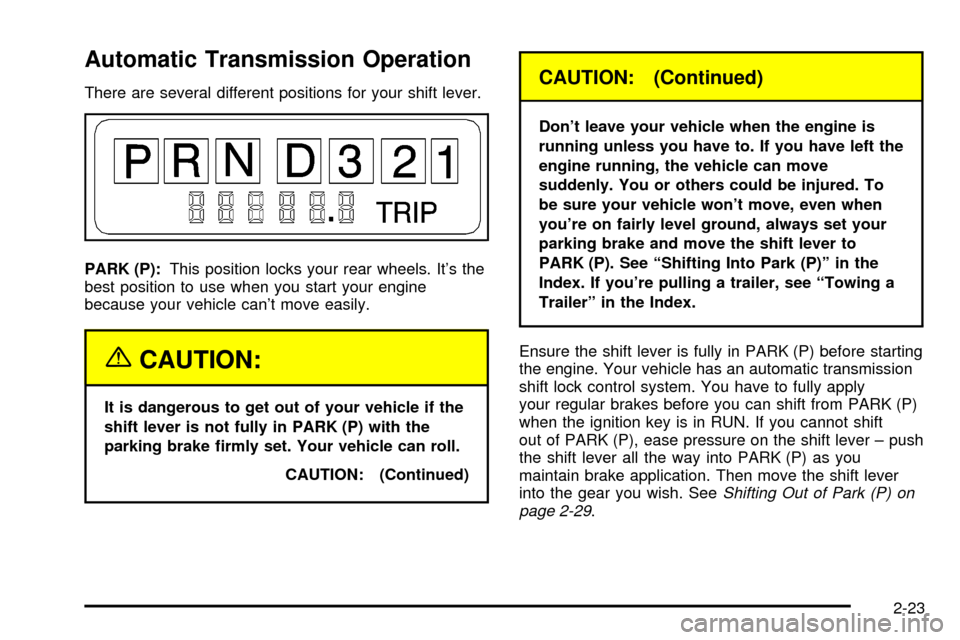
There are several different positions for your shift lever.
PARK (P):This position locks your rear wheels. It's the
best position to use when you start your engine
because your vehicle can't move easily.
{CAUTION:
It is dangerous to get out of your vehicle if the
shift lever is not fully in PARK (P) with the
parking brake ®rmly set. Your vehicle can roll.
CAUTION: (Continued)
CAUTION: (Continued)
Don't leave your vehicle when the engine is
running unless you have to. If you have left the
engine running, the vehicle can move
suddenly. You or others could be injured. To
be sure your vehicle won't move, even when
you're on fairly level ground, always set your
parking brake and move the shift lever to
PARK (P). See ªShifting Into Park (P)º in the
Index. If you're pulling a trailer, see ªTowing a
Trailerº in the Index.
Ensure the shift lever is fully in PARK (P) before starting
the engine. Your vehicle has an automatic transmission
shift lock control system. You have to fully apply
your regular brakes before you can shift from PARK (P)
when the ignition key is in RUN. If you cannot shift
out of PARK (P), ease pressure on the shift lever ± push
the shift lever all the way into PARK (P) as you
maintain brake application. Then move the shift lever
into the gear you wish. See
Shifting Out of Park (P) on
page 2-29.
2-23
Page 102 of 382
REVERSE (R):Use this gear to back up.
Notice:Shifting to REVERSE (R) while your vehicle
is moving forward could damage your transmission.
Shift to REVERSE (R) only after your vehicle is
stopped.
To rock your vehicle back and forth to get out of snow,
ice or sand without damaging your transmission,
see If You Are Stuck: In Sand, Mud, Ice or Snow on
page 4-28.
NEUTRAL (N):In this position, your engine doesn't
connect with the wheels. To restart when you're already
moving, use NEUTRAL (N) only. Also, use
NEUTRAL (N) when your vehicle is being towed.
{CAUTION:
Shifting into a drive gear while your engine is
ªracingº (running at high speed) is dangerous.
Unless your foot is ®rmly on the brake pedal,
your vehicle could move very rapidly. You
could lose control and hit people or objects.
Don't shift into a drive gear while your engine
is racing.
Notice:Damage to your transmission caused by
shifting out of PARK (P) or NEUTRAL (N) with
the engine racing isn't covered by your warranty.
DRIVE (D):This position is for normal driving. If
you need more power for passing, and you're:
·Going less than about 35 mph (55 km/h), push your
accelerator pedal about halfway down.
·Going about 35 mph (55 km/h) or more, push the
accelerator pedal all the way down. You'll shift
down to the next gear and have more power.
DRIVE (D) should be used for normal towing.
THIRD (3):This position is also used for normal driving,
however it offers more power and lower fuel economy
than DRIVE (D). You should use THIRD (3) when
carrying a heavy load or driving on steep hills.
SECOND (2):This position gives you more power but
lower fuel economy. You can use SECOND (2) on
hills. It can help control your speed as you go down
steep mountain roads, but then you would also want to
use your brakes off and on.
2-24
Page 103 of 382
If you manually select SECOND (2), the transmission
will drive in second gear. You may use this feature
for reducing torque to the rear wheels when you
are trying to start your vehicle from a stop on slippery
road surfaces.
FIRST (1):This position gives you even more power
(but lower fuel economy) than SECOND (2). You
can use it on very steep hills, or in deep snow or mud.
If the shift selector lever is put in FIRST (1), the
transmission won't shift into ®rst gear until the vehicle is
going slow enough.
Notice:If your wheels won't turn, don't try to drive.
This might happen if you were stuck in very deep
sand or mud or were up against a solid object. You
could damage your transmission. Also, if you
stop when going uphill, don't hold your vehicle there
with only the accelerator pedal. This could overheat
and damage the transmission. Use your brakes
or shift into PARK (P) to hold your vehicle in
position on a hill.
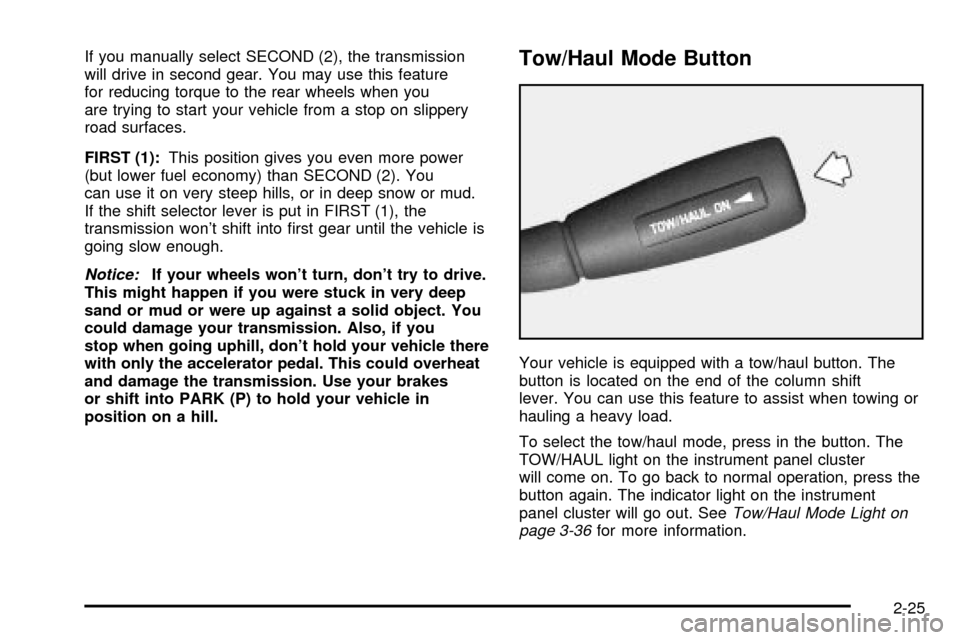
Tow/Haul Mode Button
Your vehicle is equipped with a tow/haul button. The
button is located on the end of the column shift
lever. You can use this feature to assist when towing or
hauling a heavy load.
To select the tow/haul mode, press in the button. The
TOW/HAUL light on the instrument panel cluster
will come on. To go back to normal operation, press the
button again. The indicator light on the instrument
panel cluster will go out. See
Tow/Haul Mode Light on
page 3-36for more information.
2-25
Page 107 of 382

Torque Lock
If you are parking on a hill and you don't shift your
transmission into PARK (P) properly, the weight of the
vehicle may put too much force on the parking pawl
in the transmission. You may ®nd it difficult to pull the
shift lever out of PARK (P). This is called ªtorque
lock.º To prevent torque lock, set the parking brake and
then shift into PARK (P) properly before you leave
the driver's seat. To ®nd out how, see
Shifting Into Park
(P) on page 2-27.
When you are ready to drive, move the shift lever out of
PARK (P)
beforeyou release the parking brake.
If torque lock does occur, you may need to have another
vehicle push yours a little uphill to take some of the
pressure from the parking pawl in the transmission, so
you can pull the shift lever out of PARK (P).
Shifting Out of Park (P)
Your vehicle has an automatic transmission shift lock
control system. You have to fully apply your regular
brakes before you can shift from PARK (P) when the
ignition is in RUN. See
Automatic Transmission
Operation on page 2-23.
If you cannot shift out of PARK (P), ease pressure on
the shift lever and push the shift lever all the way up into
PARK (P) as you maintain brake application. Then,
move the shift lever into the gear you want.
If you ever hold the brake pedal down but still can't shift
out of PARK (P), try this:
1. Turn the key to OFF.
2. Apply and hold the brake until the end of Step 4.
3. Shift to NEUTRAL (N).
4. Start the vehicle and then shift to the drive gear
you want.
5. Have the system ®xed as soon as you can.
2-29
Page 113 of 382

Programming the HomeLinkž
Transmitter
Do not use the HomeLinkžTransmitter with any garage
door opener that does not have the ªstop and reverseº
feature. This includes any garage door opener model
manufactured before April 1, 1982. If you have a newer
garage door opener with rolling codes, please be
sure to follow steps 6 through 8 to complete the
programming of your HomeLink
žTransmitter.
Read the instructions completely before attempting to
program the HomeLink
žTransmitter. Because of
the steps involved, it may be helpful to have another
person available to assist you in programming the
transmitter.
Keep the original transmitter for use in other vehicles as
well as for future HomeLink
žprogramming. It is also
recommended that upon the sale of the vehicle,
the programmed HomeLink
žbuttons should be erased
for security purposes. Refer to ªErasing HomeLinkž
Buttonsº or, for assistance, contact HomeLinkžon the
internet at: www.homelink.com or by calling
1-800-355-3515.
Be sure that people and objects are clear of the garage
door or gate operator you are programming. When
programming a garage door, it is advised to park outside
of the garage.It is recommended that a new battery be installed in
your hand-held transmitter for quicker and more
accurate transmission of the radio frequency.
Your vehicle's engine should be turned off while
programming the transmitter. Follow these steps to
program up to three channels:
1. Press and hold down the two outside buttons,
releasing only when the indicator light begins to
¯ash, after 20 seconds. Do not hold down the
buttons for longer than 30 seconds and do not
repeat this step to program a second and/or third
transmitter to the remaining two HomeLink
žbuttons.
2. Position the end of your hand-held transmitter about
1 to 3 inches (3 to 8 cm) away from the HomeLink
ž
buttons while keeping the indicator light in view.
3. Simultaneously press and hold both the desired
button on HomeLink
žand the hand-held transmitter
button. Do not release the buttons until Step 4
has been completed.
Some entry gates and garage door openers may
require you to substitute Step 3 with the procedure
noted in ªGate Operator and Canadian
Programmingº later in this section.
4. The indicator light will ¯ash slowly at ®rst and then
rapidly after HomeLink
žsuccessfully receives the
frequency signal from the hand-held transmitter.
Release both buttons.
2-35
Page 114 of 382

5. Press and hold the newly-trained HomeLinkžbutton
and observe the indicator light.
If the indicator light stays on constantly,
programming is complete and your device should
activate when the HomeLink
žbutton is pressed and
released.
To program the remaining two HomeLink
žbuttons,
begin with Step 2 under ªProgramming HomeLinkž.º
Do not repeat Step 1 as this will erase all of the
programmed channels.
If the indicator light blinks rapidly for two seconds
and then turns to a constant light, continue with
Steps 6 through 8 following to complete the
programming of a rolling-code equipped device
(most commonly, a garage door opener).
6. Locate in the garage, the garage door opener
receiver (motor-head unit). Locate the ªLearnº
or ªSmartº button. This can usually be found where
the hanging antenna wire is attached to the
motor-head unit.
7. Firmly press and release the ªLearnº or ªSmartº
button. The name and color of the button may
vary by manufacturer.
You will have 30 seconds to start Step 8.8. Return to the vehicle. Firmly press and hold the
programmed HomeLink
žbutton for two seconds,
then release. Repeat the press/hold/release
sequence a second time, and depending on the
brand of the garage door opener (or other rolling
code device), repeat this sequence a third time
to complete the programming.
HomeLink
žshould now activate your rolling-code
equipped device.
To program the remaining two HomeLink
žbuttons,
begin with Step 2 of ªProgramming HomeLinkž.º Do not
repeat Step 1.
Gate Operator and Canadian
Programming
Canadian radio-frequency laws require transmitter
signals to ªtime outº or quit after several seconds of
transmission. This may not be long enough for
HomeLink
žto pick up the signal during programming.
Similarly, some U.S. gate operators are manufactured to
ªtime outº in the same manner.
If you live in Canada, or you are having difficulty
programming a gate operator by using the
ªProgramming HomeLink
žº procedures (regardless of
where you live), replace Step 3 under ªProgramming
HomeLink
žº with the following:
2-36