ECO mode CHEVROLET AVALANCHE 2003 1.G Owners Manual
[x] Cancel search | Manufacturer: CHEVROLET, Model Year: 2003, Model line: AVALANCHE, Model: CHEVROLET AVALANCHE 2003 1.GPages: 492, PDF Size: 3.53 MB
Page 67 of 492

In many crashes severe enough to in¯ate an air bag,
windshields are broken by vehicle deformation.
Additional windshield breakage may also occur from the
right front passenger air bag.
·Air bags are designed to in¯ate only once. After an
air bag in¯ates, you'll need some new parts for
your air bag system. If you don't get them, the air
bag system won't be there to help protect you
in another crash. A new system will include air bag
modules and possibly other parts. The service
manual for your vehicle covers the need to replace
other parts.
·Your vehicle is equipped with electronic frontal
sensors which help the sensing system distinguish
between a moderate and a more severe frontal
impact. Your vehicle is also equipped with a crash
sensing and diagnostic module, which records
information about the frontal air bag system. The
module records information about the readiness of
the system and when the system commands air
bag in¯ation. It records the status of the driver's
safety belt usage in a crash in which the air
bag deploys or a crash in which the air bag nearly
deploys. The module also records speed, engine
rpm, brake and throttle data.
·Let only quali®ed technicians work on your air bag
systems. Improper service can mean that an air
bag system won't work properly. See your dealer for
service.
Notice:If you damage the covering for the driver's
or the right front passenger's air bag, or the air
bag covering on the driver's and right front
passenger's seatback, the bag may not work
properly. You may have to replace the air bag
module in the steering wheel, both the air bag
module and the instrument panel for the right front
passenger's air bag, or both the air bag module
and seatback for the driver's and right front
passenger's side impact air bag. Do not open or
break the air bag coverings.
1-61
Page 83 of 492

Programmable Locking Feature
The following is the list of available programming
options:
Mode 1:All doors lock when the transmission is shifted
into gear. This is the mode that is pre-programmed in
the factory for your vehicle.
Mode 2:All doors lock when the vehicle speed is
greater than 8 mph (13 km/h).
Mode 3:No automatic door locking.
The following instructions tell you how to change the
automatic door lock mode. Choose one of the three
programming options listed above before entering the
program mode. To enter the program mode, do the
following:
1. Begin with the ignition off. Then pull the turn
signal/multifunction lever toward you and hold
it there while you perform the next step.
2. Turn the key to RUN then back to LOCK twice.
Then, with the key in LOCK, release the turn
signal/multifunction lever. Once you do this, the
doors will lock and unlock, the horn will chirp twice,
and a 30-second timer will begin. You are now
ready to program the automatic door lock feature.3. Press the door lock switch once. You will hear one,
two, or three chimes. The number of chimes tells you
which lock mode is currently selected. Continue to
press the door lock switch until the number of chimes
that you hear matches the number of the mode that
you want. If you take longer than 30 seconds, the
locks will automatically lock and unlock and the horn
will chirp twice to indicate that you have left the
program mode. If this occurs, you can repeat the
procedure beginning with Step 1 to re-enter the
programming mode.
You can exit the program mode any time by turning the
ignition to RUN (the doors will automatically lock and
unlock and the horn will chirp twice to indicate that you
are leaving the program mode). If the lock/unlock
switches are not pressed while in the programming
mode, the current automatic settings will not be
modi®ed.
See your dealer for more information.
Programmable Unlocking Feature
The following is the list of available programming
options:
Mode 1:Driver's door unlocks when the transmission is
shifted into PARK (P).
Mode 2:All doors unlock when the transmission is
shifted into PARK (P). This is the mode that is
pre-programmed in the factory for your vehicle.
2-9
Page 84 of 492

Mode 3:All doors unlock when the key is removed
from the ignition.
Mode 4:No automatic door unlock.
The following instructions tell you how to change the
automatic door unlock mode. Choose one of the
four programming options listed above before entering
the program mode. To enter the program mode, do
the following:
1. Begin with the ignition off. Then pull the turn
signal/multifunction lever toward you and hold
it there while you perform the next step.
2. Turn the key to RUN and LOCK twice. Then, with
the key in LOCK, release the turn
signal/multifunction lever. Once you do this, the
doors will lock and unlock, the horn will chirp twice,
and a 30-second timer will begin. You are now
ready to program the automatic door unlock feature.3. Press the door unlock switch once. You will hear
one, two, three, or four chimes. The number of
chimes tells you which unlock mode is currently
selected. Continue to press the door unlock switch
until the number of chimes that you hear matches
the number of the mode that you want. If you
take longer than 30 seconds, the locks will
automatically lock and unlock and the horn will
chirp twice to indicate that you have left the program
mode. If this occurs, you can repeat the procedure
beginning with Step 1 to re-enter the programming
mode.
You can exit the program mode any time by turning the
ignition to RUN (the doors will automatically lock and
unlock and the horn will chirp twice to indicate that you
are leaving the program mode). If the lock/unlock
switches are not pressed while in the programming
mode, the current automatic settings will not be
modi®ed.
See your dealer for more information.
2-10
Page 107 of 492

If you manually select SECOND (2), the transmission
will drive in second gear. You may use this feature
for reducing the speed of the rear wheels when you are
trying to start your vehicle from a stop on slippery
road surfaces. Once the vehicle is moving, shift into
DRIVE (D).
FIRST (1):This position gives you even more power,
but lower fuel economy than SECOND (2). You can use
it on very steep hills, or in deep snow or mud. If the
shift lever is put in FIRST (1) while the vehicle is moving
forward, the transmission won't shift into ®rst gear
until the vehicle is going slowly enough.
Notice:If your wheels won't turn, don't try to drive.
This might happen if you were stuck in very deep
sand or mud or were up against a solid object. You
could damage your transmission. Also, if you
stop when going uphill, don't hold your vehicle there
with only the accelerator pedal. This could overheat
and damage the transmission. Use your brakes
or shift into PARK (P) to hold your vehicle in
position on a hill.
On cold days, approximately 32ÉF (0ÉC) or colder, your
transmission is designed to shift differently until the
engine reaches normal operating temperature. This is
intended to improve heater performance.
Tow/Haul Mode
Your vehicle is equipped with a tow/haul mode. The
button is located on the end of the column shift lever.
You can use this feature to assist when towing or
hauling a heavy load. See ªTow/Haul Modeº under
Towing a Trailer on page 4-58for more information.
2-33
Page 109 of 492

The transfer case buttons are located to the left of the
instrument panel cluster.
Use these switches to shift into and out of four-wheel
drive.
You can choose among four driving settings:
h(2HI):This setting is used for driving in most street
and highway situations. Your front axle is not engaged
in two-wheel drive. This setting also provides the
best fuel economy.AUTO 4WD:This setting is ideal for use when road
conditions are variable. When driving your vehicle
in AUTO 4WD, the front axle is engaged, but the
vehicle's power is sent only to the rear wheels. When
the vehicle senses a loss of traction, the system
will automatically engage four-wheel drive. Driving in
this mode results in slightly lower fuel economy
than 2HI.
G(4HI):Use the 4HI position when you need extra
traction, such as on snowy or icy roads or in most
off-road situations. This setting also engages your front
axle to help drive your vehicle. This is the best setting
to use when plowing snow.
5(4LO):This setting also engages your front axle
and delivers extra torque. You may never need this
setting. It sends maximum power to all four wheels. You
might choose 4LO if you are driving off-road in deep
sand, deep mud, deep snow and climbing or descending
steep hills.
2-35
Page 113 of 492
Excessively shifting the transfer case into or out of the
different modes may cause the transfer case to
enter the shift protection mode. This will protect the
transfer case from possible damage and will only allow
the transfer case to respond to one shift per 10
seconds. The transfer case may stay in this mode for
up to three minutes.
Parking Brake
To set the parking brake, hold the regular brake pedal
down with your right foot. Push down the parking
brake pedal with your left foot.
A chime will activate and the warning light will ¯ash
when the parking brake is applied and the vehicle
is moving at least 3 mph (5 km/h) for at least three
seconds.To release the parking brake, hold the regular brake
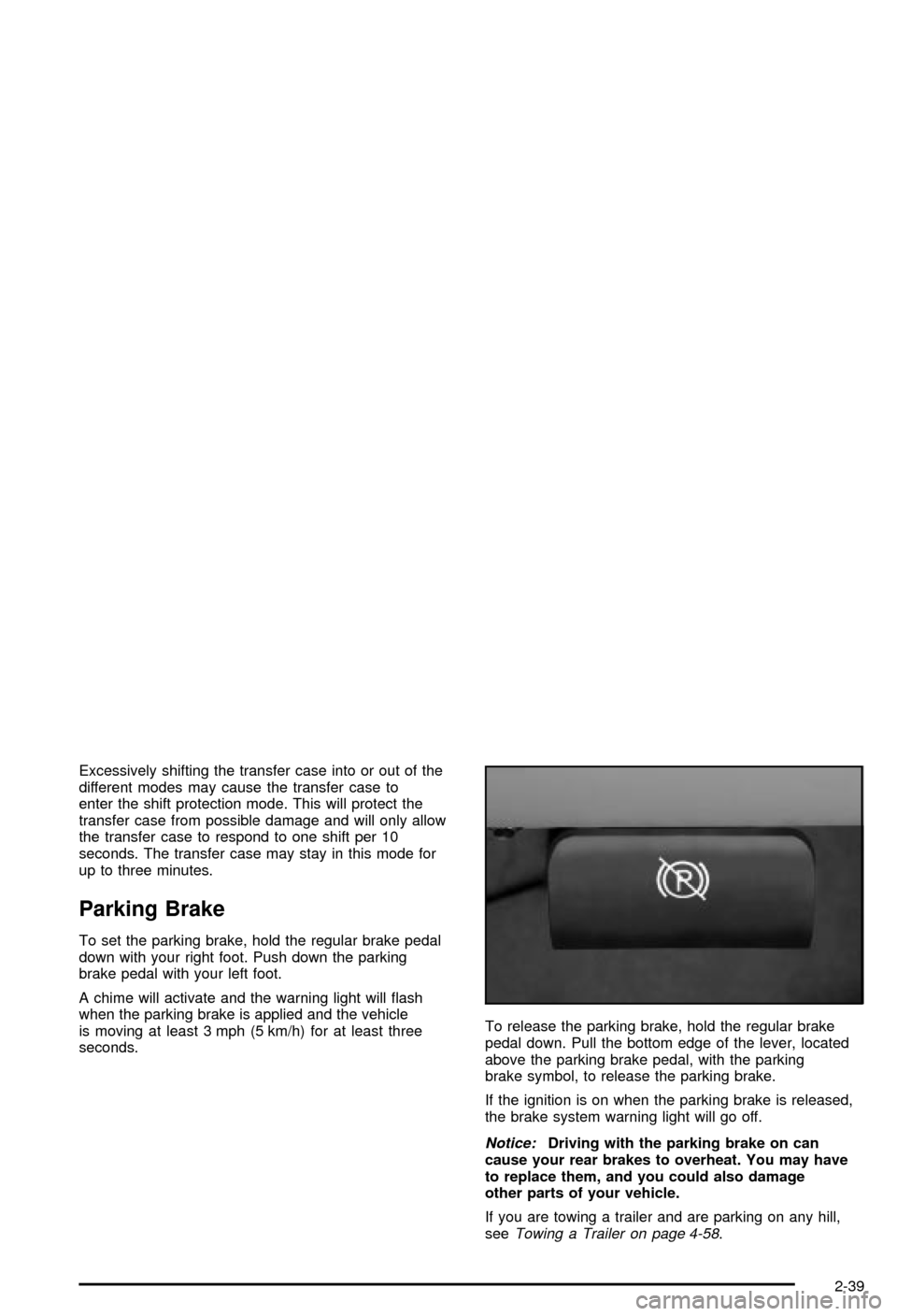
pedal down. Pull the bottom edge of the lever, located
above the parking brake pedal, with the parking
brake symbol, to release the parking brake.
If the ignition is on when the parking brake is released,
the brake system warning light will go off.
Notice:Driving with the parking brake on can
cause your rear brakes to overheat. You may have
to replace them, and you could also damage
other parts of your vehicle.
If you are towing a trailer and are parking on any hill,
see
Towing a Trailer on page 4-58.
2-39
Page 120 of 492

Mirrors
Manual Rearview Mirror
Twist the tab under the mirror to reduce glare from
headlamps behind you after dark. Twist the the tab back
for normal daytime operation.
Automatic Dimming Rearview Mirror
with OnStar
ž, Compass and
Temperature Display
Your vehicle may have this feature. When on, an
electrochromic mirror automatically dims to the proper
level to minimize glare from lights behind you after dark.
The mirror also includes a duel display in the upper
right corner of the mirror face. The compass reading and
the outside temperature will both appear in the display
at the same time.
P(On/Off):This is the on/off button.
Temperature and Compass Display
Press the on/off button, located to the far left, brie¯y to
turn the comp/temp display on or off.
If the display reads CAL, you will need to calibrate the
compass. For more information on calibration, see
below.
To adjust between Fahrenheit and Celsius do the
following:
1. Press and hold the on/off button for approximately
four seconds until either a ¯ashing ÉF, or ÉC
appears.
2. Press the button again to change the display to the
desired unit of measurement. After approximately
four seconds of inactivity, the new unit will be locked
in and the compass/temperature display will
return.
Electrochromic Mirror Operation
The electrochromic (self dimming) mirror function is
turned on automatically each time the ignition is started.
To operate the electrochromic mirror do the following:
1. Make sure the green indicator light, located to
the left of the on/off button, is lit. If it's not, press
and hold the on/off button for approximately
six seconds until the green light comes on,
indicating that the mirror is in electrochromic (self
dimming) mode.
2-46
Page 121 of 492

2. Turn off the electrochromic mirror function by
pressing and holding the on/off button for
approximately six seconds until the green indicator
light turns off.
Compass Variance
The mirror is set in zone eight upon leaving the factory.
It will be necessary to adjust the compass to
compensate for compass variance if you live outside of
zone eight. Under certain circumstances, as during a
long distance cross-country trip, it will be necessary to
adjust for compass variance. Compass variance is
the difference between earth's magnetic north and true
geographic north. If not adjusted to account for
compass variance, your compass could give false
readings.
To adjust for compass variance do the following:
1. Find your current location and variance zone
number on the following zone map.2. Press and hold the on/off button until a Z and a
zone number appears in the display. The compass
is now in zone mode.
3. Keep pressing the on/off button until the desired
zone number appears in the display. Release the
button. After approximately four seconds of
inactivity, the new zone number will be locked in
and the comp/temp display will return.
4. Calibrate the compass as described below.
2-47
Page 130 of 492

Programming the HomeLinkž
Transmitter
Do not use the HomeLinkžTransmitter with any garage
door opener that does not have the ªstop and reverseº
feature. This includes any garage door opener model
manufactured before April 1, 1982. If you have a newer
garage door opener with rolling codes, please be
sure to follow steps 6 through 8 to complete the
programming of your HomeLink
žTransmitter.
Read the instructions completely before attempting to
program the HomeLink
žTransmitter. Because of
the steps involved, it may be helpful to have another
person available to assist you in programming the
transmitter.
Keep the original transmitter for use in other vehicles as
well as for future HomeLink
žprogramming. It is also
recommended that upon the sale of the vehicle,
the programmed HomeLink
žbuttons should be erased
for security purposes. Refer to ªErasing HomeLinkž
Buttonsº or, for assistance, contact HomeLinkžon the
internet at: www.homelink.com or by calling
1-800-355-3515.
Be sure that people and objects are clear of the garage
door or gate operator you are programming. When
programming a garage door, it is advised to park outside
of the garage.It is recommended that a new battery be installed in
your hand-held transmitter for quicker and more
accurate transmission of the radio frequency.
Your vehicle's engine should be turned off while
programming the transmitter. Follow these steps to
program up to three channels:
1. Press and hold down the two outside buttons,
releasing only when the indicator light begins to
¯ash, after 20 seconds. Do not hold down the
buttons for longer than 30 seconds and do not
repeat this step to program a second and/or third
transmitter to the remaining two HomeLink
žbuttons.
2. Position the end of your hand-held transmitter about
1 to 3 inches (3 to 8 cm) away from the HomeLink
ž
buttons while keeping the indicator light in view.
3. Simultaneously press and hold both the desired
button on HomeLink
žand the hand-held transmitter
button. Do not release the buttons until Step 4
has been completed.
Some entry gates and garage door openers may
require you to substitute Step 3 with the procedure
noted in ªGate Operator and Canadian
Programmingº later in this section.
4. The indicator light will ¯ash slowly at ®rst and then
rapidly after HomeLink
žsuccessfully receives the
frequency signal from the hand-held transmitter.
Release both buttons.
5. Press and hold the newly-trained HomeLink
žbutton
and observe the indicator light.
2-56
Page 132 of 492

Using HomeLinkž
Press and hold the appropriate HomeLinkžbutton for at
least half of a second. The indicator light will come
on while the signal is being transmitted.
Erasing HomeLinkžButtons
To erase programming from the three buttons do the
following:
1. Press and hold down the two outside buttons until
the indicator light begins to ¯ash, after 20 seconds.
2. Release both buttons. Do not hold for longer than
30 seconds.
HomeLink
žis now in the train (learning) mode and can
be programmed at any time beginning with Step 2
under ªProgramming HomeLink
ž.º
Individual buttons can not be erased, but they can be
reprogrammed. See ªReprogramming a Single
HomeLink
žButtonº next.
Reprogramming a Single HomeLinkž
Button
To program a device to HomeLinkžusing a HomeLinkž
button previously trained, follow these steps:
1. Press and hold the desired HomeLink
žbutton. Do
not release the button.
2. The indicator light will begin to ¯ash after
20 seconds. While still holding the HomeLink
ž
button, proceed with Step 2 under ªProgramming
HomeLinkž.º
Resetting Defaults
To reset HomeLinkžto default settings do the following:
1. Hold down the two outside buttons for about
20 seconds until the indicator light begins to ¯ash.
2. Continue to hold both buttons until the HomeLink
ž
indicator light turns off.
3. Release both buttons.
For questions or comments, contact HomeLink
žat
1-800-355-3515, or on the internet at
www.homelink.com.
2-58