ECU CHEVROLET AVALANCHE 2004 1.G Owner's Guide
[x] Cancel search | Manufacturer: CHEVROLET, Model Year: 2004, Model line: AVALANCHE, Model: CHEVROLET AVALANCHE 2004 1.GPages: 548, PDF Size: 3.49 MB
Page 102 of 548
Here’s how to avoid setting off the alarm by accident:
If you don’t want to activate the theft-deterrent
system, the vehicle should be locked with the door
keyafterthe doors are closed.
Always unlock a door with a key, or use the remote
keyless entry transmitter. Unlocking a door any
other way will set off the alarm.
If you set off the alarm by accident, unlock any door
with the key. You can also turn off the alarm by pressing
unlock on the remote keyless entry transmitter. The
alarm won’t stop if you try to unlock a door any other
way.
Testing the Alarm
The alarm can be tested by following these steps:
1. From inside the vehicle, lower the driver’s window
and open the driver’s door.2. Activate the system by locking the doors with the
power door lock switch while the door is open, or
with the remote keyless entry transmitter.
3. Get out of the vehicle, close the door and wait for
the security light to go out.
4. Then reach in through the window, unlock the door
with the manual door lock and open the door. This
should set off the alarm.
While the alarm is set, the power door unlock switch is
not operational.
If the alarm does not sound when it should but the
headlamps ash, check to see if the horn works. The
horn fuse may be blown. To replace the fuse, seeFuses
and Circuit Breakers on page 5-120.
If the alarm does not sound or the headlamps do not
ash, the vehicle should be serviced by your dealer.
2-28
Page 103 of 548
Passlock®
Your vehicle is equipped with the Passlock®
theft-deterrent system.
Passlock
®is a passive theft-deterrent system. Passlock®
enables fuel if the ignition lock cylinder is turned with
a valid key. If a correct key is not used or the ignition
lock cylinder is tampered with, the fuel system is
disabled and the vehicle will not start.
During normal operation, the security light will turn off
approximately ve seconds after the key is turned
to RUN.
If the engine stalls and the security light ashes, wait
about 10 minutes until the light stops ashing before
trying to restart the engine. Remember to release
the key from START as soon as the engine starts.If the engine does not start after three tries, the vehicle
needs service.
If the engine is running and the security light comes on,
you will be able to restart the engine if you turn the
engine off. However, your Passlock
®system is
not working properly and must be serviced by your
dealer. Your vehicle is not protected by Passlock
®at this
time. You may also want to check the fuse. See
Fuses and Circuit Breakers on page 5-120. See your
dealer for service.
In an emergency, call the Roadside Assistance Center.
SeeRoadside Assistance Program on page 7-6.
2-29
Page 133 of 548
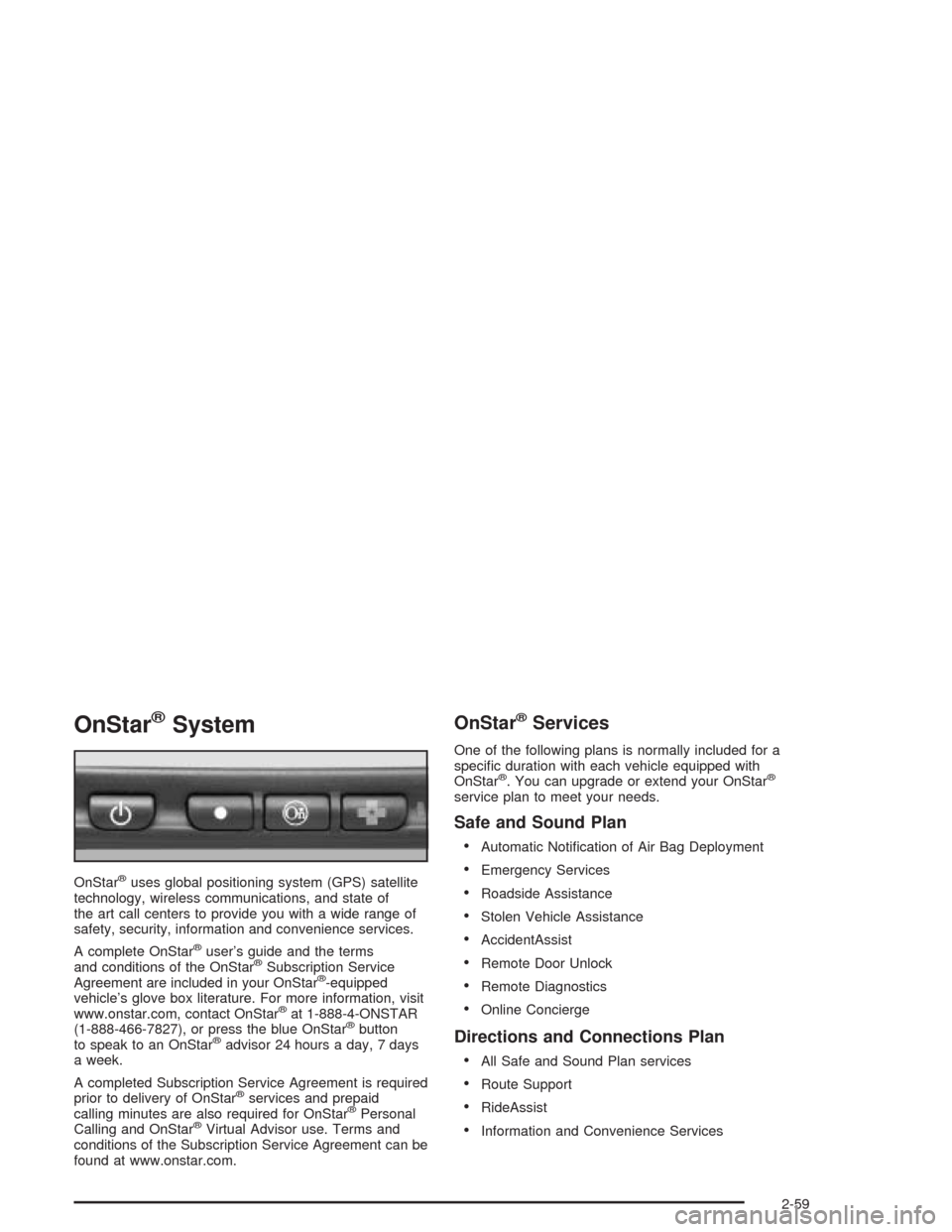
OnStar®System
OnStar®uses global positioning system (GPS) satellite
technology, wireless communications, and state of
the art call centers to provide you with a wide range of
safety, security, information and convenience services.
A complete OnStar
®user’s guide and the terms
and conditions of the OnStar®Subscription Service
Agreement are included in your OnStar®-equipped
vehicle’s glove box literature. For more information, visit
www.onstar.com, contact OnStar
®at 1-888-4-ONSTAR
(1-888-466-7827), or press the blue OnStar®button
to speak to an OnStar®advisor 24 hours a day, 7 days
a week.
A completed Subscription Service Agreement is required
prior to delivery of OnStar
®services and prepaid
calling minutes are also required for OnStar®Personal
Calling and OnStar®Virtual Advisor use. Terms and
conditions of the Subscription Service Agreement can be
found at www.onstar.com.
OnStar®Services
One of the following plans is normally included for a
specic duration with each vehicle equipped with
OnStar
®. You can upgrade or extend your OnStar®
service plan to meet your needs.
Safe and Sound Plan
Automatic Notication of Air Bag Deployment
Emergency Services
Roadside Assistance
Stolen Vehicle Assistance
AccidentAssist
Remote Door Unlock
Remote Diagnostics
Online Concierge
Directions and Connections Plan
All Safe and Sound Plan services
Route Support
RideAssist
Information and Convenience Services
2-59
Page 135 of 548
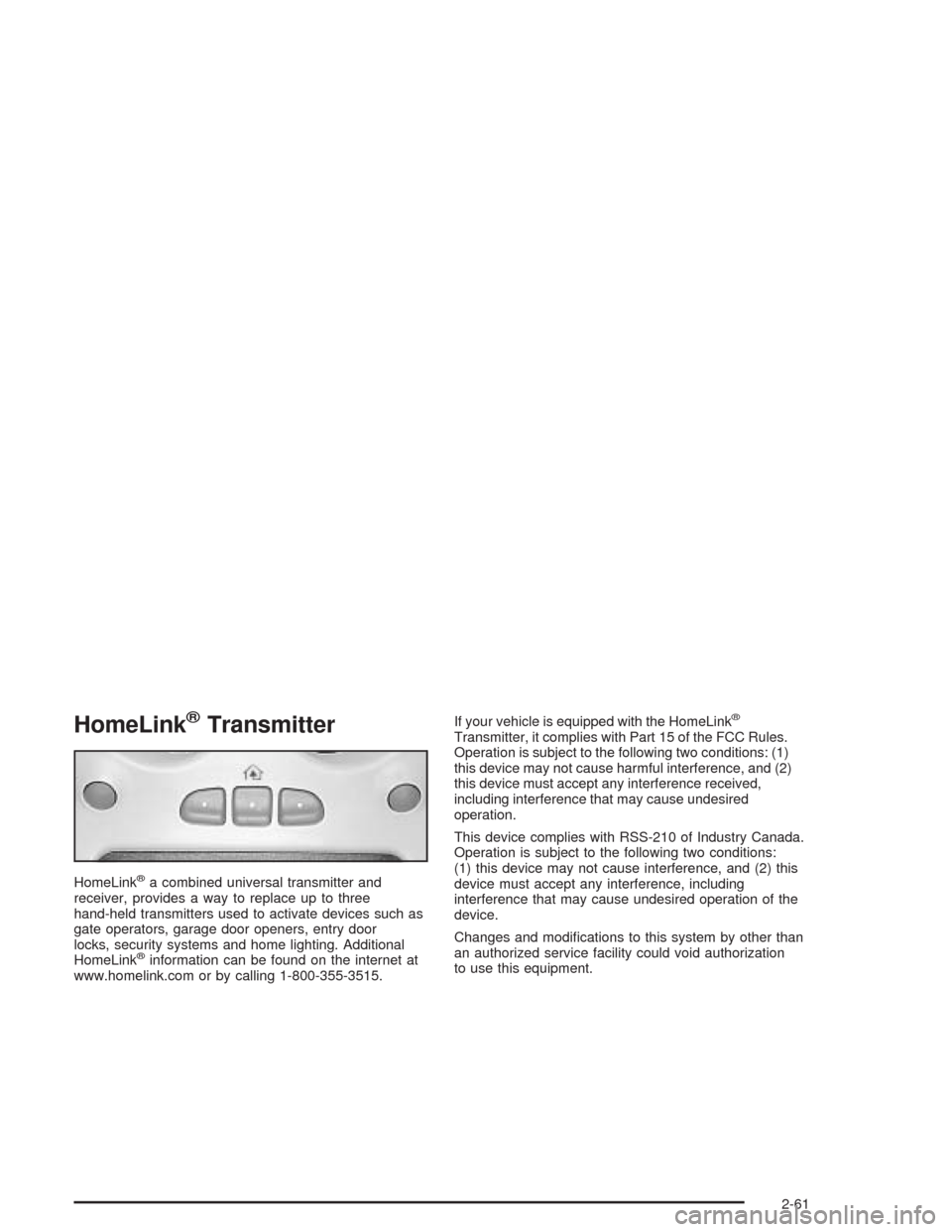
HomeLink®Transmitter
HomeLink®a combined universal transmitter and
receiver, provides a way to replace up to three
hand-held transmitters used to activate devices such as
gate operators, garage door openers, entry door
locks, security systems and home lighting. Additional
HomeLink
®information can be found on the internet at
www.homelink.com or by calling 1-800-355-3515.If your vehicle is equipped with the HomeLink
®
Transmitter, it complies with Part 15 of the FCC Rules.
Operation is subject to the following two conditions: (1)
this device may not cause harmful interference, and (2)
this device must accept any interference received,
including interference that may cause undesired
operation.
This device complies with RSS-210 of Industry Canada.
Operation is subject to the following two conditions:
(1) this device may not cause interference, and (2) this
device must accept any interference, including
interference that may cause undesired operation of the
device.
Changes and modications to this system by other than
an authorized service facility could void authorization
to use this equipment.
2-61
Page 136 of 548
Programming the HomeLink®
Transmitter
Do not use the HomeLink®Transmitter with any garage
door opener that does not have the “stop and reverse”
feature. This includes any garage door opener model
manufactured before April 1, 1982. If you have a newer
garage door opener with rolling codes, please be
sure to follow steps 6 through 8 to complete the
programming of your HomeLink
®Transmitter.
Read the instructions completely before attempting to
program the HomeLink
®Transmitter. Because of
the steps involved, it may be helpful to have another
person available to assist you in programming the
transmitter.
Keep the original transmitter for use in other vehicles as
well as for future HomeLink
®programming. It is also
recommended that upon the sale of the vehicle,
the programmed HomeLink
®buttons should be erased
for security purposes. Refer to “Erasing HomeLink®
Buttons” or, for assistance, contact HomeLink®on the
internet at: www.homelink.com or by calling
1-800-355-3515.
Be sure that people and objects are clear of the garage
door or gate operator you are programming. When
programming a garage door, it is advised to park outside
of the garage.It is recommended that a new battery be installed in
your hand-held transmitter for quicker and more
accurate transmission of the radio frequency.
Your vehicle’s engine should be turned off while
programming the transmitter. Follow these steps to
program up to three channels:
1. Press and hold down the two outside buttons,
releasing only when the indicator light begins to
ash, after 20 seconds. Do not hold down the
buttons for longer than 30 seconds and do not
repeat this step to program a second and/or third
transmitter to the remaining two HomeLink
®buttons.
2. Position the end of your hand-held transmitter about
1 to 3 inches (3 to 8 cm) away from the HomeLink
®
buttons while keeping the indicator light in view.
3. Simultaneously press and hold both the desired
button on HomeLink
®and the hand-held transmitter
button. Do not release the buttons until Step 4
has been completed.
Some entry gates and garage door openers may
require you to substitute Step 3 with the procedure
noted in “Gate Operator and Canadian
Programming” later in this section.
4. The indicator light will ash slowly at rst and then
rapidly after HomeLink
®successfully receives the
frequency signal from the hand-held transmitter.
Release both buttons.
2-62
Page 140 of 548
Center Console Storage Area
Your vehicle may have a console compartment with
cupholders between the bucket seats.
To open it, press the button and swing the console
lid open.
The rear of the console has a cupholder that swings
down for the rear seat passenger to use.
Luggage Carrier
You can load things on top of your vehicle if it has this
feature.
The luggage carrier has slats and siderails attached to
the roof and may have crossrails which can be
moved back and forth to help secure cargo. Tie the load
to the siderails or siderail supports.
Notice:Loading cargo on the luggage carrier that
weighs more than 200 lbs. (918 kg) or hangs
over the rear or sides of the vehicle may damage
your vehicle. Load cargo so that it rests on the slats
as far forward as possible and against the side
rails, making sure to fasten it securely.Don’t exceed the maximum vehicle capacity when
loading your vehicle. For more information on vehicle
capacity and loading, seeLoading Your Vehicle on
page 4-55.
To prevent damage or loss of cargo as you’re leaving,
check now and then to make sure the luggage and
cargo are still securely fastened.
Be sure the cargo is properly loaded.
If small heavy objects are placed on the roof cut a
piece of 3/8 inch plywood to t inside the crossrails
and siderails to spread the load. If plywood is
used, tie it to the siderail supports.
Tie the load to the crossrails or the siderail supports.
Use the crossrails only to keep the load from sliding.
To move the crossrails, pull out on the latch release
handle at each end. Slide the crossrail to the desired
position balancing the force side to side. Push the
release handle back into the latched position and
slide the crossrail back and forth slightly to be sure
the latch snaps securely into place.
2-66
Page 141 of 548
If you need to carry long items, move the crossrails
as far apart as they will go. Tie the load to the
crossrails and the siderails or siderail supports. Also
tie the load to the bumpers. Do not tie the load so
tightly that the crossrails or siderails are damaged.
After moving a crossrail, be sure it is securely locked
into the siderail.
Your vehicle has a Center High-Mounted Stoplamp
(CHMSL) located above the rear glass.
If items are loaded on the roof of the vehicle, care
should be taken not to block or damage the CHMSL unit.
Rear Storage Area
Your vehicle is equipped with a rear armrest/cupholder
for the rear seat passengers.
To open it, pull up and then out on the tab, located at
the top center of the armrest, and pull the armrest down.
Cargo Cover Panels
{CAUTION:
Improperly stored cargo cover panels could be
thrown about the vehicle during a collision or
sudden maneuver. You or others could be
injured. If you remove a panel, always store it
in the proper storage location. When you put it
back, always be sure that is securely
reattached.
Notice:Exceeding the weight limit of 250 lbs
(113 kg) can damage the cargo covers, and the
repairs would not be covered by your warranty.
Do not put anything on top of the cargo covers over
the weight limit.
Your vehicle may be equipped with a three-piece cargo
cover system. The cargo panels can be removed
and stored in the cargo area of the vehicle with the
cargo panel storage bag.
2-67
Page 144 of 548
Cargo Panel Storage System
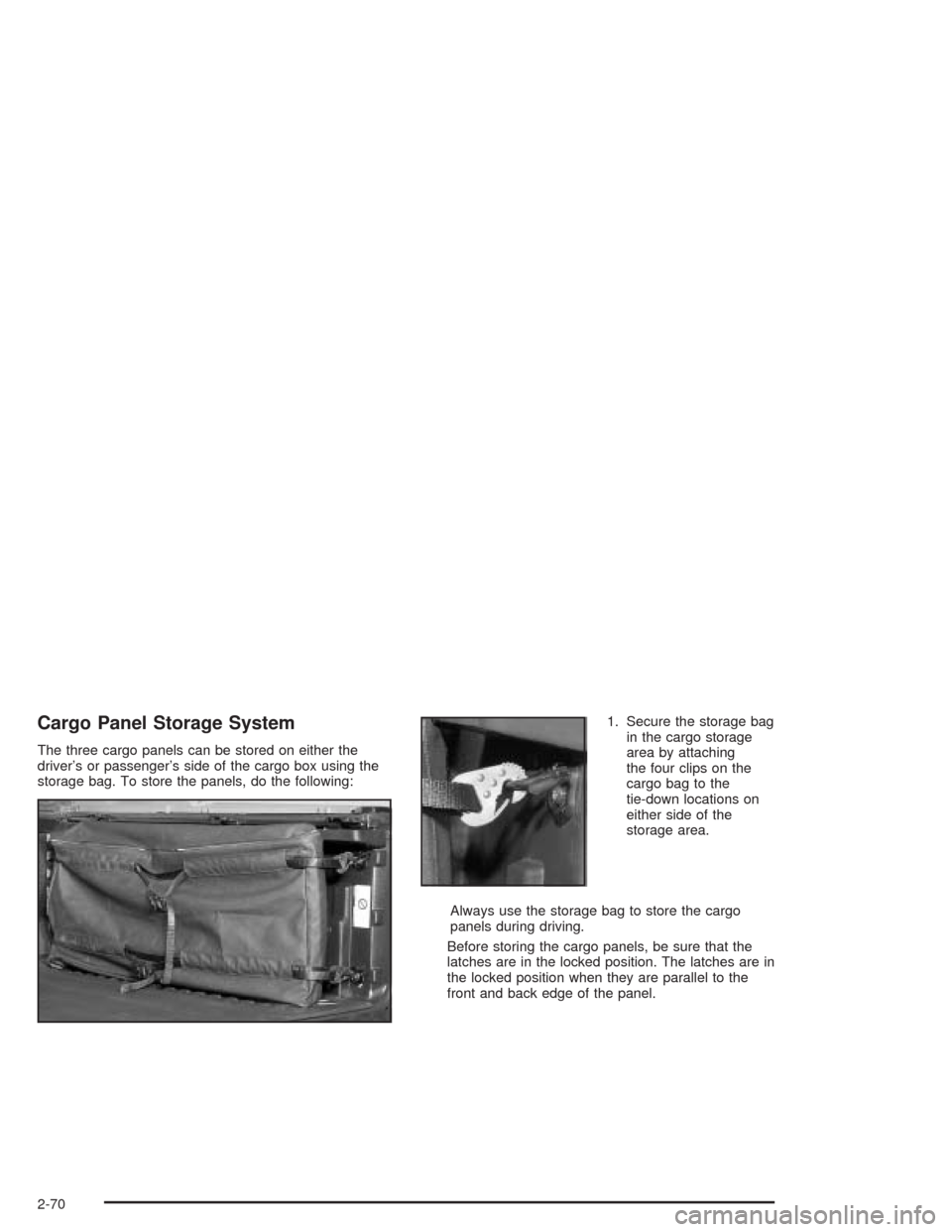
The three cargo panels can be stored on either the
driver’s or passenger’s side of the cargo box using the
storage bag. To store the panels, do the following:1. Secure the storage bag
in the cargo storage
area by attaching
the four clips on the
cargo bag to the
tie-down locations on
either side of the
storage area.
Always use the storage bag to store the cargo
panels during driving.
Before storing the cargo panels, be sure that the
latches are in the locked position. The latches are in
the locked position when they are parallel to the
front and back edge of the panel.
2-70
Page 147 of 548
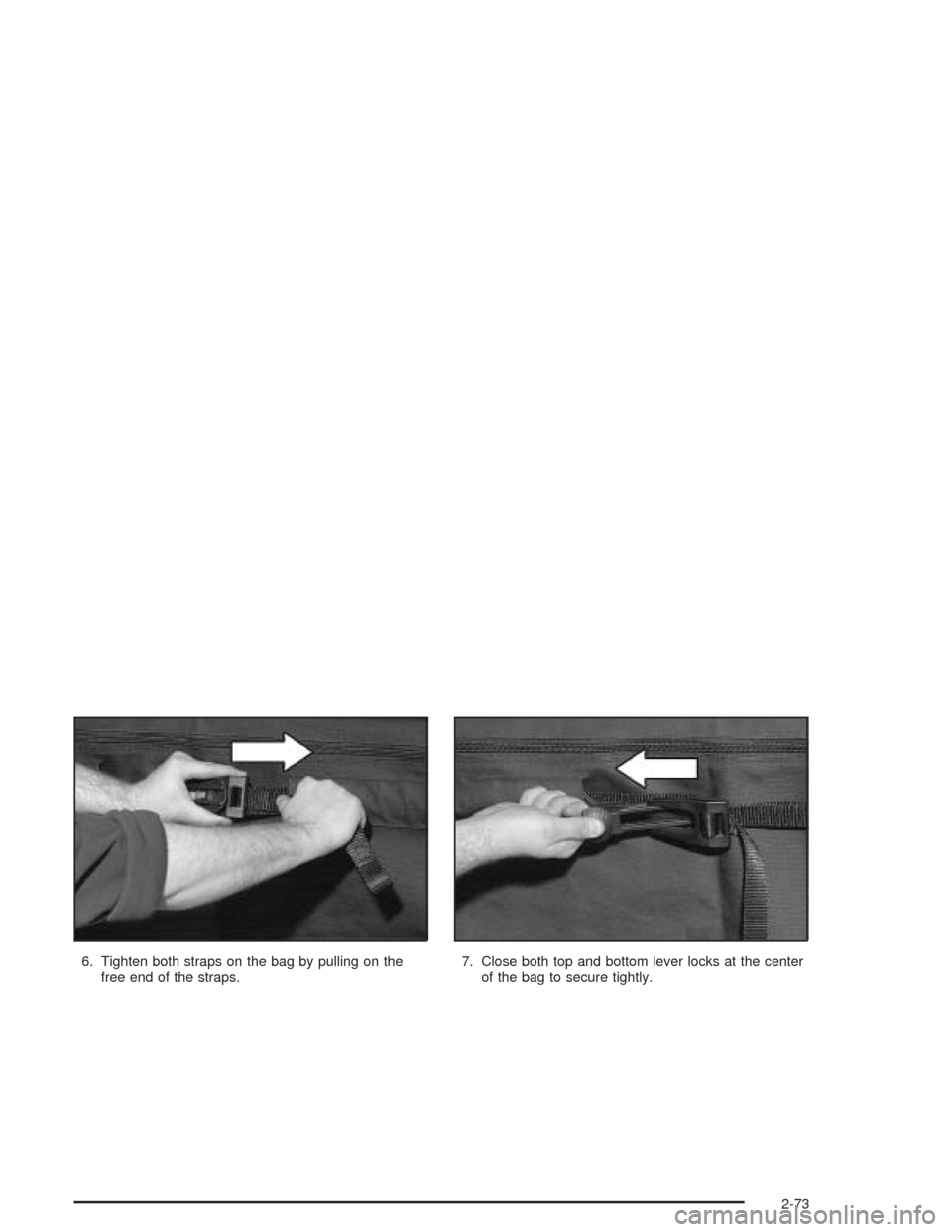
6. Tighten both straps on the bag by pulling on the
free end of the straps.7. Close both top and bottom lever locks at the center
of the bag to secure tightly.
2-73
Page 151 of 548
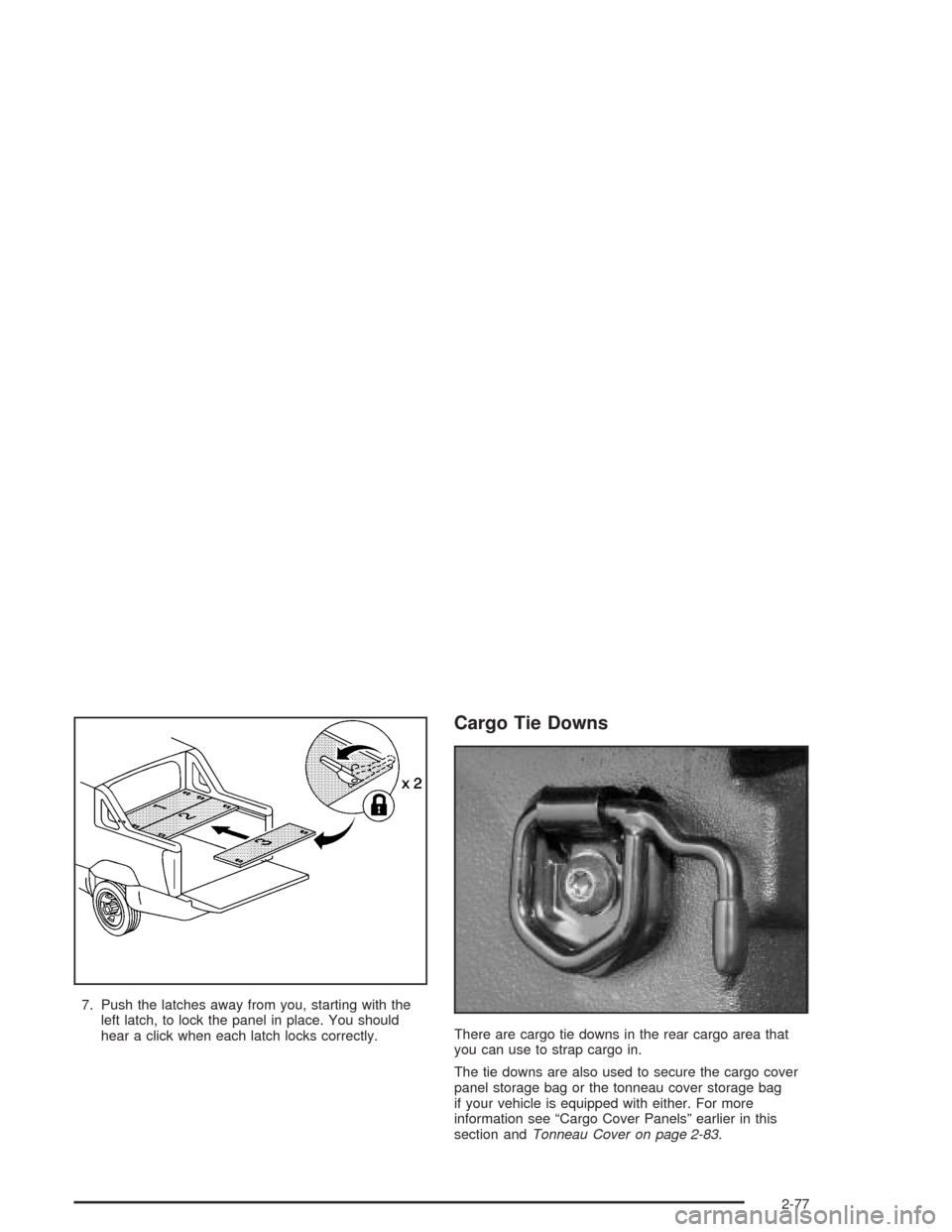
7. Push the latches away from you, starting with the
left latch, to lock the panel in place. You should
hear a click when each latch locks correctly.
Cargo Tie Downs
There are cargo tie downs in the rear cargo area that
you can use to strap cargo in.
The tie downs are also used to secure the cargo cover
panel storage bag or the tonneau cover storage bag
if your vehicle is equipped with either. For more
information see “Cargo Cover Panels” earlier in this
section andTonneau Cover on page 2-83.
2-77