reset CHEVROLET AVALANCHE 2004 1.G Owners Manual
[x] Cancel search | Manufacturer: CHEVROLET, Model Year: 2004, Model line: AVALANCHE, Model: CHEVROLET AVALANCHE 2004 1.GPages: 548, PDF Size: 3.49 MB
Page 131 of 548
Power Folding Mirrors
To fold or unfold the mirrors, move the selector switch,
located above the mirror control, to the middle position.
The mirror control will illuminate. Press the right or left
side of the mirror control to fold or unfold the mirrors. You
may notice the mirror glass adjust as the mirrors fold in;
this is normal. The mirror glass will reposition itself once
the mirrors are unfolded.
If the mirrors are accidentally folded/unfolded manually,
they may shake or utter at normal driving speeds
and may not stay in the unfolded position. If this
happens, you will need to reset the mirrors. See
“Resetting the Power Folding Mirrors” next.
Resetting the Power Folding Mirrors
You will need to reset the power folding mirrors if:
They are accidently manually folded/unfolded.
The mirrors will not stay in the unfolded position.
The mirrors shake and utter at normal driving
speeds.
To reset the power folding mirrors, fold and unfold them
at least three times using the mirror controls. This will
reset them to their normal detent position.
Outside Convex Mirror
Your passenger’s side mirror is convex. A convex
mirror’s surface is curved so you can see more from
the driver’s seat.
{CAUTION:
A convex mirror can make things (like other
vehicles) look farther away than they really are.
If you cut too sharply into the right lane, you
could hit a vehicle on your right. Check your
inside mirror or glance over your shoulder
before changing lanes.
2-57
Page 139 of 548
Reprogramming a Single HomeLink®
Button
To program a device to HomeLink®using a HomeLink®
button previously trained, follow these steps:
1. Press and hold the desired HomeLink
®button. Do
not release the button.
2. The indicator light will begin to ash after
20 seconds. While still holding the HomeLink
®
button, proceed with Step 2 under “Programming
HomeLink®.”
Resetting Defaults
To reset HomeLink®to default settings do the following:
1. Hold down the two outside buttons for about
20 seconds until the indicator light begins to ash.
2. Continue to hold both buttons until the HomeLink
®
indicator light turns off.
3. Release both buttons.
For questions or comments, contact HomeLink
®at
1-800-355-3515, or on the internet at
www.homelink.com.
Storage Areas
Glove Box
To open your glove box, pull the lever upward and pull
the door downward.
Center Overhead Console
Your vehicle may have an overhead console equipped
with reading lights and a small storage area.
Press the button next to the light to turn it on. Press it
again to turn it off.
Front Armrest Storage Area
Your vehicle may have a center armrest storage
compartment in the front bench seat.
To open it, fold down the armrest and press the latch
handle located at the front of the armrest. Then, let the
lid pop up and swing open.
2-65
Page 164 of 548
If a hand, arm, or other object is blocking the sunroof
glass panel as it is closing, the glass panel will stop
at the obstruction. After the obstruction is removed, the
glass panel can be closed or opened.
Use care not to leave the sunroof open for long periods
of time as debris may collect in the tracks.
If the battery has been recharged, disconnected or is
not working, you may need to reprogram the sunroof. To
do this, start the vehicle and press the forward side of
the sunroof button until the glass panel moves to a fully
closed position. Release, and press again to move to
the vent position which occurs when the sunroof is fully
tilted rearward. This will reset the memory and enable
the sunroof to function properly.Vehicle Personalization
Memory Seat
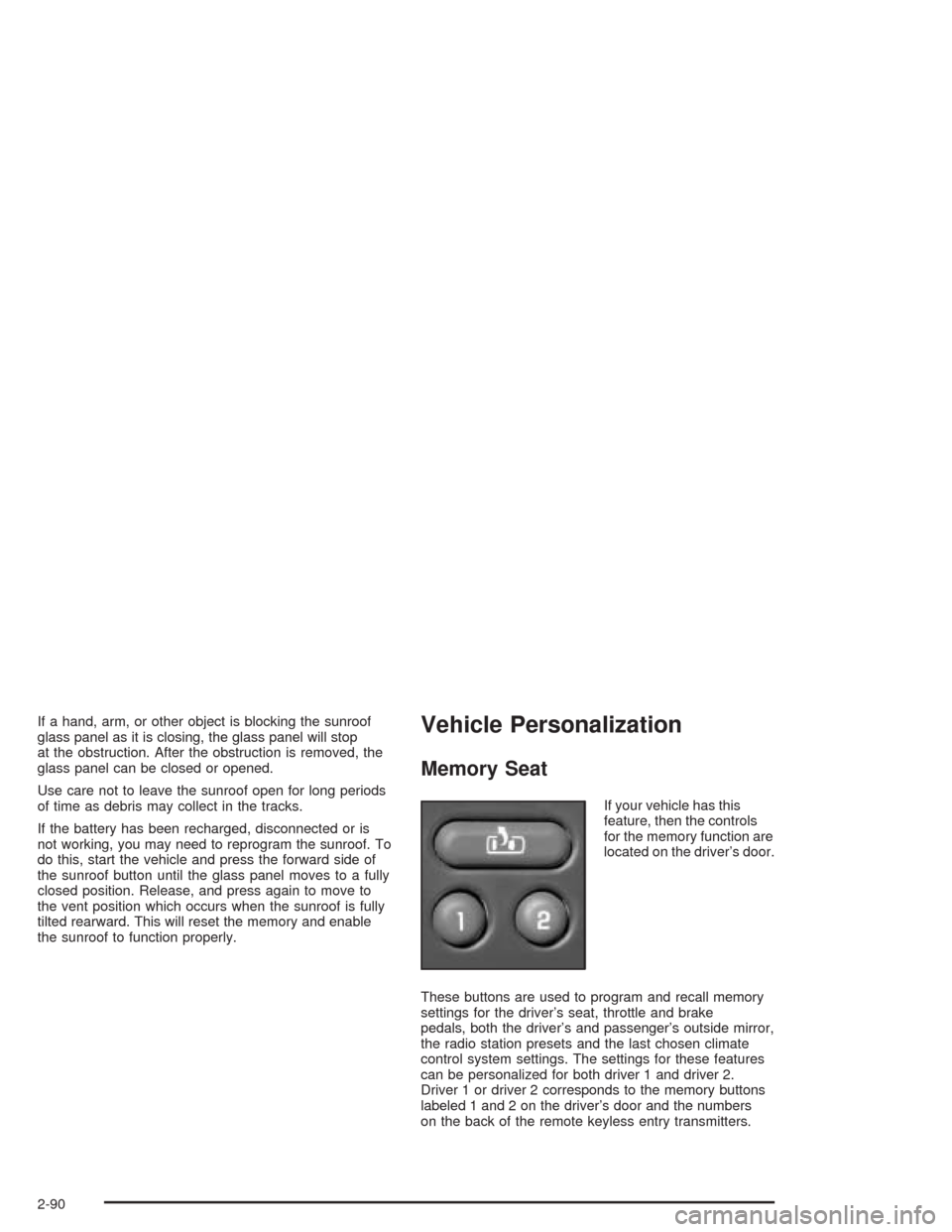
If your vehicle has this
feature, then the controls
for the memory function are
located on the driver’s door.
These buttons are used to program and recall memory
settings for the driver’s seat, throttle and brake
pedals, both the driver’s and passenger’s outside mirror,
the radio station presets and the last chosen climate
control system settings. The settings for these features
can be personalized for both driver 1 and driver 2.
Driver 1 or driver 2 corresponds to the memory buttons
labeled 1 and 2 on the driver’s door and the numbers
on the back of the remote keyless entry transmitters.
2-90
Page 165 of 548

To store the memory settings, do the following:
1. Adjust the driver’s seat (including the seatback
recliner, lumbar, and side wing area), throttle
and brake pedals, both of the outside mirrors, and
the radio station presets to your preference.
2. Press and hold the 1 or 2 (for driver 1 or 2) button
of the memory control for three seconds. A double
chime will sound to let you know that the position
has been stored.
To repeat the procedure for a second driver, follow the
preceding steps, but press the other numbered
memory control button.
Each time button 1 or 2 is pressed and released while
the vehicle is in PARK (P), a single chime will sound and
the memory position will be recalled.If you use the unlock button on the remote keyless entry
transmitter to enter your vehicle, the preset driver’s
seat, throttle and brake pedal, mirror positions, radio
station presets and the last choosen climate control
settings will be recalled if programmed to do so through
the Driver Information Center (DIC). SeeDIC Operation
and Displays on page 3-54. The numbers on the
back of the transmitters, 1 or 2, correspond to the
numbers on the memory controls.
The seat, throttle and brake pedals and mirror positions
can also be recalled when placing the key in the
ignition if programmed to do so through the Driver
Information Center (DIC). SeeDIC Operation and
Displays on page 3-54.
To stop recall movement of the memory seat feature at
any time, press one of the memory buttons or power
seat controls.
2-91
Page 176 of 548
Windshield Wipers
You control the windshield wipers by turning the band
with the wiper symbol on it.
8(Mist):For a single wiping cycle, turn the band to
mist. Hold it there until the wipers start. Then let go. The
wipers will stop after one wipe. If you want more
wipes, hold the band on mist longer.
N(Delay):You can set the wiper speed for a long or
short delay between wipes. This can be very useful
in light rain or snow. Turn the band to choose the delay
time. The closer to the top of the lever, the shorter
the delay.
6(Low Speed):For steady wiping at low speed,
turn the band away from you to the rst solid band past
the delay settings.
1(High Speed):For high-speed wiping, turn the
band further, to the second solid band past the
delay settings.
9(Off):To stop the wipers, move the band to off.
Be sure to clear ice and snow from the wiper blades
before using them. If they’re frozen to the windshield,
carefully loosen or thaw them. If your blades do become
worn or damaged, get new blades or blade inserts.
Windshield Washer
L
(Washer Fluid):There is a paddle marked with the
windshield washer symbol at the top of the multifunction
lever. To spray washer uid on the windshield, push
the paddle. The wipers will clear the window and then
either stop or return to your preset speed.
{CAUTION:
In freezing weather, do not use your washer
until the windshield is warmed. Otherwise the
washer uid can form ice on the windshield,
blocking your vision.
3-10
Page 178 of 548
Setting Cruise Control
{CAUTION:
If you leave your cruise control on when you
are not using cruise, you might hit a button
and go into cruise when you do not want to.
You could be startled and even lose control.
Keep the cruise control switch off until you
want to use cruise control.
1. Move the cruise control switch to on.
2. Get up to the speed you want.
3. Press in the set button at the end of the lever and
release it.
4. Take your foot off the accelerator pedal.
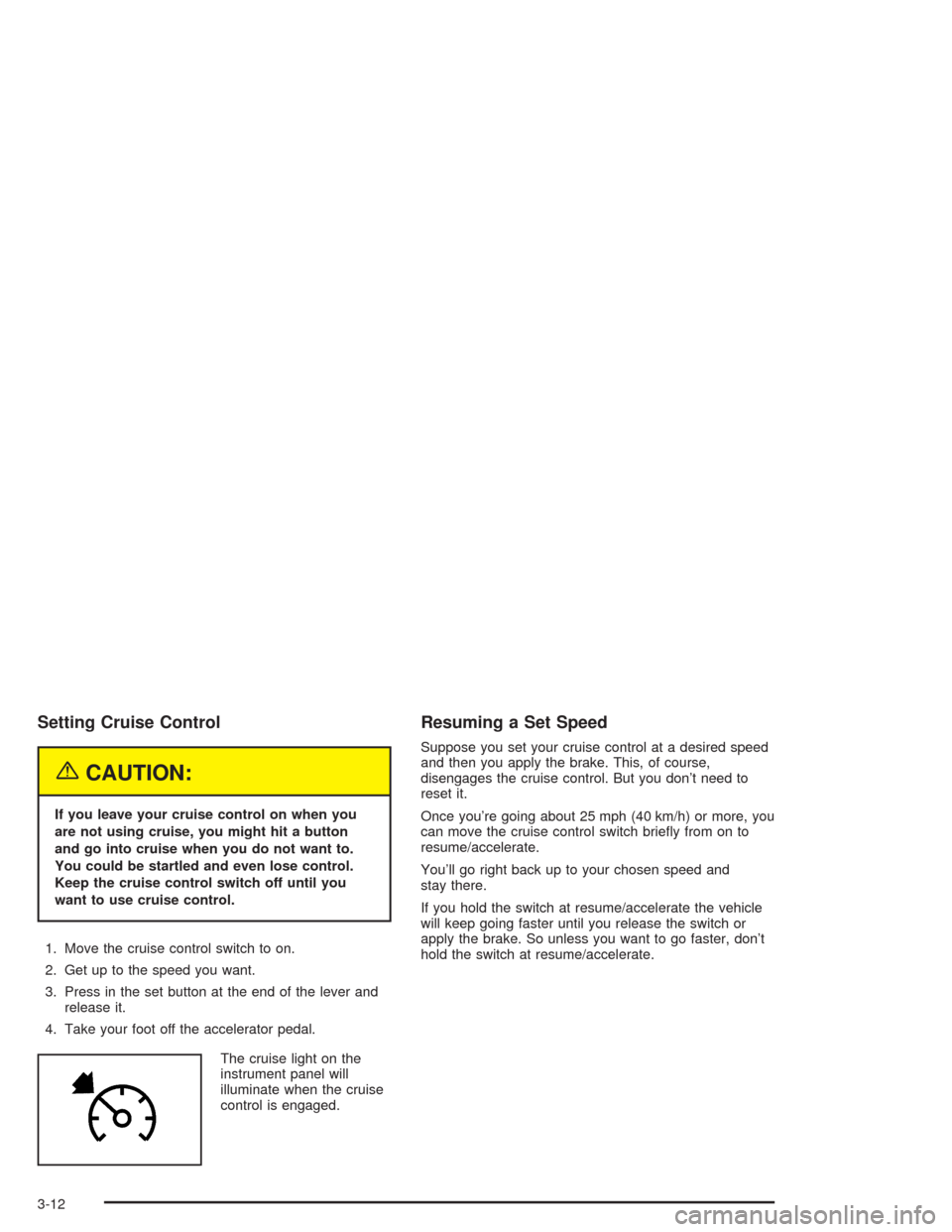
The cruise light on the
instrument panel will
illuminate when the cruise
control is engaged.
Resuming a Set Speed
Suppose you set your cruise control at a desired speed
and then you apply the brake. This, of course,
disengages the cruise control. But you don’t need to
reset it.
Once you’re going about 25 mph (40 km/h) or more, you
can move the cruise control switch briey from on to
resume/accelerate.
You’ll go right back up to your chosen speed and
stay there.
If you hold the switch at resume/accelerate the vehicle
will keep going faster until you release the switch or
apply the brake. So unless you want to go faster, don’t
hold the switch at resume/accelerate.
3-12
Page 219 of 548
Driver Information Center (DIC)
The DIC display is located on the instrument panel cluster
above the steering wheel. The DIC can display
information such as the trip odometer, fuel economy and
personalization features. If your vehicle is not equipped
with the DIC steering wheel buttons, you will not have all
the features listed, and you will turn off, or acknowledge,
DIC messages by using the trip odometer reset stem
located on the instrument panel cluster. See
Speedometer and Odometer on page 3-35for information
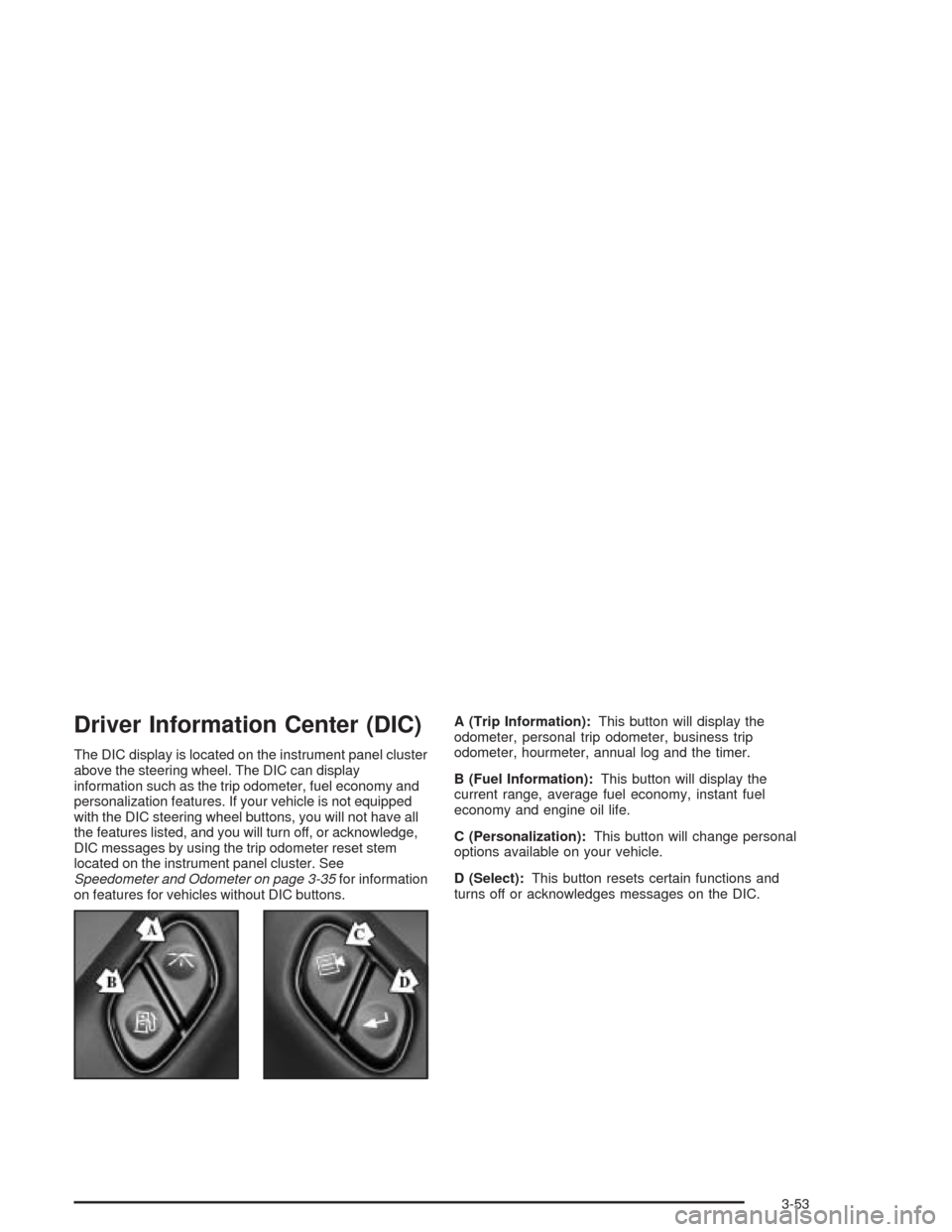
on features for vehicles without DIC buttons.A (Trip Information):This button will display the
odometer, personal trip odometer, business trip
odometer, hourmeter, annual log and the timer.
B (Fuel Information):This button will display the
current range, average fuel economy, instant fuel
economy and engine oil life.
C (Personalization):This button will change personal
options available on your vehicle.
D (Select):This button resets certain functions and
turns off or acknowledges messages on the DIC.
3-53
Page 221 of 548
Personal Trip
Turn PERSONAL TRIP on or off by pressing the select
button. When it is on, you will also be able to scroll
through the following by pressing the trip information
button:
PERSONAL: XXXXX.X MI — This shows the
current distance traveled since the last reset for the
personal trip odometer in either miles or kilometers.
PERSONAL: XXXX.X GAL — This shows the
amount of fuel used for the personal trip.
PERSONAL: XX.X MPG— This shows how many
miles per gallon of fuel your vehicle is getting for
the personal trip based on current and past driving
conditions.
PERSONAL: XXX AVG MPH — This shows the
vehicle’s average speed for the personal trip.
PERSONAL: XXX % ANNUAL — This shows the
ratio of personal trip miles to annual miles as a
percent.
Business Trip
Turn Business TRIP on or off by pressing the select
button. When it is on, you will also be able to scroll
through the following by pressing the trip information
button:
BUSINESS: XXXXX.X MI — This shows the current
distance traveled since the last reset for the
business trip odometer in either miles or kilometers.
BUSINESS: XXXX.X GAL — This shows the
amount of fuel used for the business trip.
BUSINESS: XX.X MPG — This shows the amount
of fuel used for the business trip.
BUSINESS: XXX AVG MPH — This shows the
vehicle’s average speed for the business trip.
BUSINESS: XXX % ANNUAL — This shows the
ratio of business trip miles to annual miles as a
percent.
3-55
Page 222 of 548
To reset the personal or business trip information, do
the following: press and hold the select button for
one second while in one of the personal or business trip
modes. This will reset all of the information for the
personal or business trip.
You can also reset the PERSONAL: XX MI, or
BUSINESS: XX MI while they are displayed by pressing
the reset stem on the cluster. If you press and hold
the reset stem or select button for one second,
the display will show the distance traveled since the last
ignition cycle for the personal or business trip.
Odometer
Press the trip information button until ODOMETER
appears on the display. This shows the total distance
the vehicle has been driven in either miles or kilometers.
Pressing the reset stem located on the instrument
cluster with the vehicle off will also display the odometer.
Hourmeter
Press the trip information button to scroll to the
hourmeter. The hourmeter shows the total number of
hours the engine has run. Pressing and holding the reset
stem for about 4 seconds on the instrument cluster
will also display the hourmeter after the odometer
is displayed when the vehicle is off.
Annual Log
Press the trip information button to scroll to the annual
log. The annual log shows the mileage accumulated
since it was last reset. To reset the annual log,
press and hold the select button for one seconds.
Timer
The DIC can be used as a stopwatch. Press the select
button while TIMER is displayed to start the timer.
The display will show the amount of time that has
passed since the timer was last reset (not including time
the ignition is off). Time will continue to be counted as
long as the ignition is on, even if another display is being
shown on the DIC. The timer will record up to 99 hours,
59 minutes and 59 seconds (99:59:59) after which
the display will roll back to zero.
To stop the counting of time, press the select button
briey while TIMER is displayed.
To reset the timer to zero, press and hold the select
button while TIMER is displayed.
Fuel Information Button
Use the fuel information button to scroll through the
range, average fuel economy, instant fuel economy and
the GM Oil Life System.
3-56
Page 223 of 548

Fuel Range
Press the fuel information button until RANGE appears
to display the remaining distance you can drive
without refueling. It’s based on fuel economy and the
fuel remaining in the tank. The display will show LOW if
the fuel level is low.
The fuel economy data used to determine fuel range is
an average of recent driving conditions. As your
driving conditions change, this data is gradually updated.
Fuel range cannot be reset.
Average Fuel Economy
Press the fuel information button until AVG ECON
appears in the display. Average fuel economy is how
many miles per gallon your vehicle is getting based on
current and past driving conditions.
Press and hold the select button for two seconds while
AVG ECON is displayed to reset the average fuel
economy. Average fuel economy will then be calculated
starting from that point. If the average fuel economy is not
reset, it will be continually updated each time you drive.
Instant Fuel Economy
Press the fuel information button until INST ECON
appears in the display. Instant fuel economy is how
many miles per gallon your vehicle is getting at
the particular moment in time. The instant fuel economy
cannot be reset.
GM Oil Life System
Press the fuel information button until ENGINE OIL LIFE
appears in the display. The GM Oil Life System shows
an estimate of the oil’s remaining useful life. It will show
100% when the system is reset after an oil change. It
will alert you to change your oil on a schedule consistent
with your driving conditions.
Always reset the engine oil life after an oil change. To
reset the Oil Life System use the fuel button to reach the
ENGINE OIL LIFE screen and then press and hold the
select button for ve seconds while ENGINE OIL LIFE is
displayed. OIL LIFE RESET will appear on the display for
10 seconds to let you know the system is reset.
The DIC does not replace the need to maintain your
vehicle as recommended in the Maintenance Schedule
in this manual. SeeEngine Oil on page 5-16and
Scheduled Maintenance on page 6-4.
3-57